
StarTech USB-A DisplayLink Dual 4K 60Hz DP Mini Dock
4.4Editor score
Compact mini dock design
Dual DP 4K output
GbE port included
This comprehensive guide compares the top Displaylink Adapter options for Mac and Windows users, focusing on dual monitor support and productivity features to
Finding the right Displaylink Adapter can transform your laptop into a full workstation. These adapters enable multiple external displays even on devices with limited video output capabilities, making them essential for modern professionals.
We evaluated ten top-rated models based on compatibility, display quality, and build design. Each product was assessed for its ability to support dual 4K screens and integrate seamlessly with various operating systems including macOS and Windows.
Each pick highlights specific strengths and ideal use cases for different workflows. Please note that availability and pricing may change frequently so check current listings before purchasing your preferred adapter today.
4.4Editor score

4.8Editor score

4.5Editor score
The following table provides a side-by-side comparison of all ten adapters featured in this guide to help you quickly identify key specifications and compatibility details.



The ACASIS Dual DP DisplayLink Adapter stands out as the top choice for Mac users seeking reliable multi-monitor setups. It delivers dual 4K displays at 60Hz through DisplayPort connections ensuring sharp visuals for professional work. Its high rating reflects consistent performance across M1 through M4 systems without signal drops or flickering.
We may earn a commission when you buy through this link, at no additional cost to you.
This adapter solves native single-screen limitations on Apple Silicon Macs by bypassing hardware restrictions through advanced software integration. The 100W Power Delivery port keeps your laptop charged while running external displays which is crucial for all-day productivity sessions. Three USB-A ports allow simultaneous connection of keyboard mouse and storage devices enhancing overall workflow efficiency.
While the driver installation is a minor hurdle compared to plug-and-play solutions it enables superior control over screen arrangements and color profiles. Users must ensure they have DisplayPort monitors or appropriate cables since HDMI outputs are not native to this model. These requirements are reasonable given the professional-grade reliability and feature set provided.
Ideal for designers developers and video editors the ACASIS adapter offers the stability needed for critical tasks. Its compact design and premium materials make it suitable for both office desks and travel. For Mac users needing a robust dual-monitor solution this adapter remains the industry standard.
The dual DisplayPort outputs ensure each monitor receives independent high-bandwidth signals for crisp 4K visuals at full refresh rates.
The integrated 100W PD port eliminates cable clutter by charging your laptop while driving external displays simultaneously.
We may earn a commission when you buy through this link, at no additional cost to you.
The StarTech USB-A DisplayLink Dual 4K 60Hz DP Mini Dock offers exceptional value for users needing dual displays without breaking the budget. Its small size makes it perfect for travel or small desks while delivering reliable 4K performance. The inclusion of a Gigabit Ethernet port adds network connectivity which is often missing in budget hubs.
We may earn a commission when you buy through this link, at no additional cost to you.
Designed for portability this bus-powered dock reduces cable strain with a short attached cable that connects easily to laptops. It works seamlessly with Windows and Chrome OS systems providing automatic driver setup for most users. The 4K 60Hz output ensures smooth scrolling and sharp text for productivity tasks like data analysis or coding.
The main limitation is the reliance on USB-A ports which may require adapters for newer laptops with only USB-C connections. Additionally users should be aware that driver installation is required for initial setup though this is standard for DisplayLink devices. These constraints are minor considering the cost savings and additional features offered.
This adapter is best suited for business users or students who need a reliable secondary screen setup at a low price. Its durability and compact design ensure it withstands daily use in office or classroom environments. For those prioritizing affordability over premium features this model delivers solid performance.
The built-in GbE port allows wired internet connections improving stability and speed for video calls and downloads.
Its mini dock footprint saves valuable desk space while still providing dual monitor and network connectivity.
We may earn a commission when you buy through this link, at no additional cost to you.
The Plugable USB-C & USB-A Dual 4K HDMI Adapter represents a premium solution for flexible connectivity across different laptop generations. It allows users to connect via USB-C or USB-A making it future-proof and versatile for mixed device environments. The DL-6950 chipset ensures stable high-resolution output without requiring additional hardware or complex configurations.
We may earn a commission when you buy through this link, at no additional cost to you.
This adapter is engineered for reliability in demanding workspaces where downtime is costly. Its lifetime support policy provides peace of mind for business deployments and home users alike. The dual 4K 60Hz support works seamlessly in extended mode allowing for expansive workspaces essential for multitasking across multiple windows.
While the price is higher than basic adapters the included versatility and support justify the investment for professional use. Note that macOS is not recommended for this specific model due to driver compatibility nuances favoring Windows and Chrome OS users. This limitation narrows its target audience but enhances its optimization for supported systems.
If you need a robust dual HDMI solution for enterprise or personal productivity this adapter is a top-tier choice. The flexible connectivity ensures it works with older and newer machines without needing separate accessories. Its durability and support network make it a smart long-term investment for any workstation.
Integrated USB-C and USB-A connections eliminate the need for separate adapters when switching between different computers.
The DL-6950 chipset provides consistent performance across various operating systems ensuring smooth video signal transmission.
We may earn a commission when you buy through this link, at no additional cost to you.
The ACASIS USB C to Dual HDMI DisplayLink Adapter is designed to bridge the gap between modern Macs and Windows PCs with equal efficacy. It transforms a single USB-C port into two 4K displays making it ideal for users with multiple devices. The sleek aluminum design ensures efficient heat dissipation even during extended usage periods.
We may earn a commission when you buy through this link, at no additional cost to you.
A standout feature is the 100W Power Delivery port which keeps your laptop powered while driving external displays. This is particularly useful for MacBook Air users who typically have limited ports and battery constraints. Three USB-A ports further expand connectivity allowing you to plug in traditional peripherals without sacrificing USB-C bandwidth.
As with most DisplayLink adapters driver installation is necessary which requires a one-time setup effort. Additionally this device is not intended for gaming or HDCP protected content which is standard for this technology type. These constraints are acceptable for productivity-focused users seeking to extend their workspace efficiently.
This adapter is perfect for hybrid workers who switch between Mac and Windows systems frequently. Its cross-platform reliability and feature set offer a balanced solution for daily professional tasks. For those needing a reliable HDMI solution this model delivers consistent results across various operating environments.
Native support for Apple Silicon chips ensures seamless integration without needing external hardware extensions.
The three additional USB-A ports allow simultaneous connection of mouse keyboard and external storage devices.
We may earn a commission when you buy through this link, at no additional cost to you.
The WAVLINK USB 3.0 or USB C to Dual HDMI adapter offers a unique hybrid connectivity solution that adapts to various port types. Its 2-in-1 cable allows seamless switching between USB-C and USB-A connections without changing adapters. This versatility makes it a practical choice for offices with mixed device fleets.
We may earn a commission when you buy through this link, at no additional cost to you.
Dual 4K 60Hz output ensures that both monitors deliver sharp and fluid visuals suitable for detailed work like spreadsheet analysis. The adapter works well with newer Mac models including M1 through M5 series solving their single-display limitation. A quick start guide and warranty provide additional reassurance for new users.
While Linux support is absent the compatibility with Windows and macOS covers the majority of professional users. Driver installation is required which may take a few minutes initially but ensures optimal performance. This small trade-off is acceptable given the adapter's robust feature set and build quality.
If you need a versatile dual HDMI solution that adapts to different laptop models this adapter is a strong contender. Its hybrid design reduces cable clutter and enhances portability for travel or office setups. For productivity tasks it delivers reliable performance at a competitive price point.
The hybrid cable design supports both USB-C and USB-A allowing easy adaptation to different laptop configurations.
Mirroring or expanding screens across two displays maximizes workspace real estate for efficient multitasking.
We may earn a commission when you buy through this link, at no additional cost to you.
The WAVLINK USB 3.0/USB C to HDMI Universal Video Adapter stands out for its ability to support up to six monitors in a single setup. Each adapter connects one monitor allowing users to build extensive workstations gradually. The GPU certification by DisplayLink ensures that video signals are handled efficiently without overloading the main system resources.
We may earn a commission when you buy through this link, at no additional cost to you.
Audio capabilities including a microphone input and earphone output add convenience for video calls without needing external headsets. It supports a wide range of operating systems including Windows macOS and Chrome OS ensuring broad utility. The LED status display provides clear feedback on connection states helping with troubleshooting.
To achieve six monitors you must use one adapter per screen which increases cable management requirements. Driver installation is necessary for initial setup but enables stable operation across supported platforms. This requirement is standard for multi-monitor adapters and is outweighed by the flexibility offered.
Ideal for traders analysts or creative professionals needing massive screen real estate this adapter provides scalable expansion. Its compact design and reliable performance make it suitable for both permanent desk setups and mobile work. For users requiring more than two screens this is a top recommendation.
Each adapter supports one additional screen allowing you to scale up to six displays as needed.
Integrated audio jacks simplify connectivity for headsets or speakers during video conferencing calls.
We may earn a commission when you buy through this link, at no additional cost to you.
The Plugable USB C to HDMI Dual Monitor Adapter is designed with reliability in mind for traditional and hybrid office setups. It adds two external 4K displays to M1 through M5 Macs which natively support only one external monitor. This capability makes it a top choice for IT departments deploying standardized workstation configurations.
We may earn a commission when you buy through this link, at no additional cost to you.
Windows and Chrome OS users benefit from plug-and-play functionality which simplifies deployment in large organizations. The adapter works flawlessly with productivity apps and coding tools although streaming services are not supported due to HDCP restrictions. Lifetime support ensures that help is always available for any technical issues that may arise.
Mac users must install DisplayLink Manager and allow display permissions which adds a step to setup. However once configured the performance is stable and consistent with professional demands. The higher price point reflects the quality and support structure provided by the manufacturer.
For enterprise users needing dependable dual-monitor solutions for Apple laptops this adapter is a strong candidate. Its reliability and support network make it suitable for large-scale deployments across a company. Trust its consistent performance and comprehensive warranty support.
Designed to meet IT deployment demands with rigorous testing ensuring stable operation in professional environments.
Specifically engineered to overcome Apple Silicon limitations providing seamless dual-display experiences.
We may earn a commission when you buy through this link, at no additional cost to you.
The WAVLINK USB 3.0 & USB C to Dual HDMI Adapter brings advanced security features to the desktop display space. Its encrypted DL-chip technology ensures enterprise-level data protection making it suitable for sensitive corporate environments. This focus on security distinguishes it from standard adapters that lack built-in encryption measures.
We may earn a commission when you buy through this link, at no additional cost to you.
It delivers dual 4K 60Hz outputs which are perfect for financial data analysis and dynamic presentations. The adapter supports a wide range of operating systems including Windows macOS and Chrome OS ensuring compatibility across most business setups. Its high rating reflects strong performance in productivity tasks without compromising data integrity.
While Linux support is not available the focus on major business operating systems covers most needs. Driver installation is required to activate the encryption and display features properly. This setup process is standard for secure adapters and ensures optimal operation.
For organizations prioritizing data security during external displays this adapter is a top choice. The combination of high resolution and robust security makes it ideal for high-stakes professional environments. Consider it for any setup where information protection is a priority.
Encrypted DL-chip technology safeguards sensitive information during daily operations ensuring enterprise-level protection.
Compatible with all major business operating systems facilitating smooth deployment in diverse office environments.
We may earn a commission when you buy through this link, at no additional cost to you.
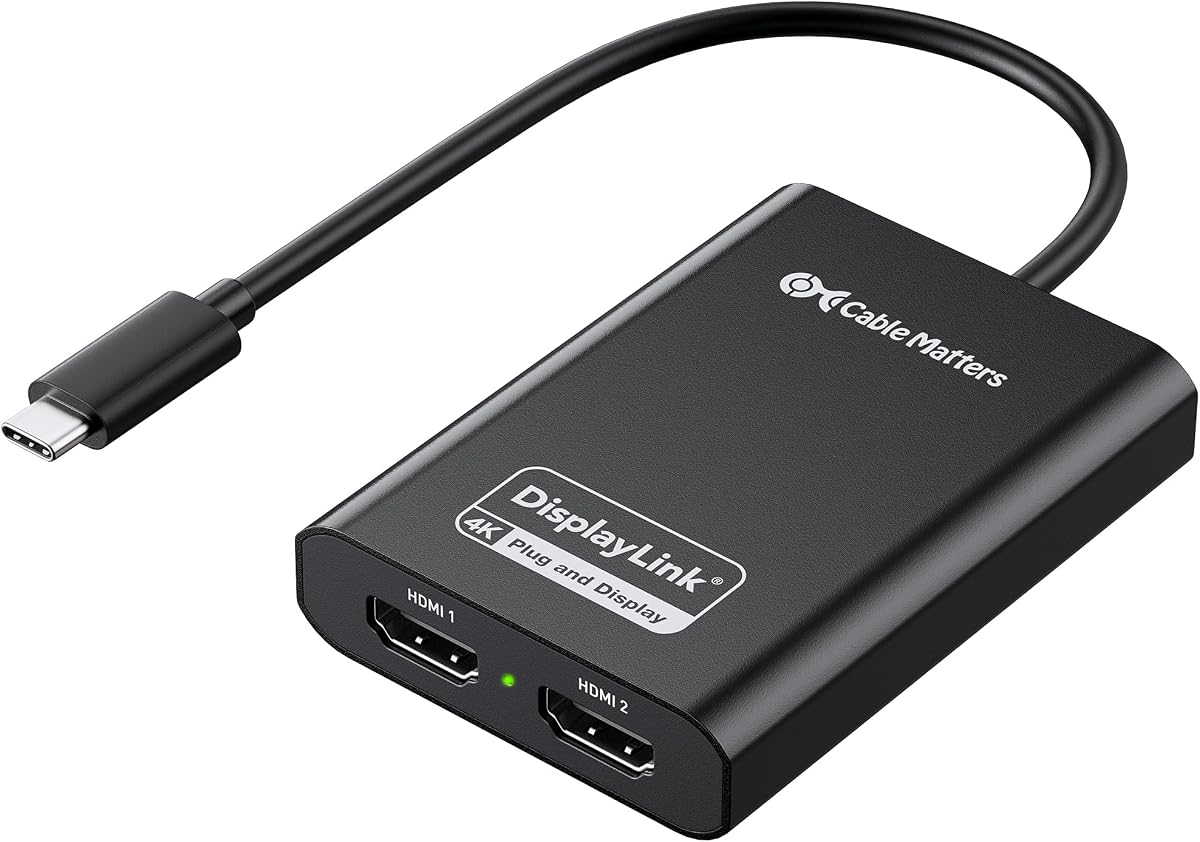
The Cable Matters USB C to Dual HDMI Adapter is DisplayLink Certified ensuring it meets strict performance standards. This certification guarantees compatibility and stability for dual extended displays on macOS which often limits native connections. The aluminum housing provides durable protection while efficiently dissipating heat during operation.
We may earn a commission when you buy through this link, at no additional cost to you.
It works seamlessly with M1 and M2 Mac laptops allowing users to enjoy two external 4K monitors. The adapter supports HDMI 2.0 ensuring crisp visuals without flicker issues common in lower bandwidth devices. Performance may vary based on CPU and memory so using newer systems is recommended for best results.
Mac users must allow screen recording permission during setup which is a standard security measure for macOS. This step ensures the system trusts the adapter to manage display resources effectively. While a small hurdle it is necessary for proper functionality on modern Macs.
For users seeking a certified reliable solution for expanding their workspace this adapter is a solid choice. Its build quality and broad compatibility make it suitable for both personal and professional use. Trust its performance for critical multitasking workflows.
Official DisplayLink certification ensures the adapter meets rigorous standards for compatibility and performance.
The aluminum housing helps maintain stable performance by efficiently dissipating heat during extended use.
We may earn a commission when you buy through this link, at no additional cost to you.
The Sonnet DisplayLink Dual 4K HDMI Adapter is designed to maximize the potential of Mac notebooks with limited ports. It connects two 4K displays at 60Hz or higher providing a robust solution for visual workflows. The included USB-C to USB-A adapter ensures compatibility with older Thunderbolt ports adding versatility.
We may earn a commission when you buy through this link, at no additional cost to you.
It supports audio output allowing users to connect speakers or headsets directly through the adapter. This feature simplifies setup by reducing the need for separate audio cables. The adapter works with M1 Pro M1 Max and M1 Ultra models ensuring broad compatibility across Apple's range.
While driver installation is required the setup process is straightforward and ensures optimal performance. The adapter expands your onscreen area making it ideal for browsing and multitasking. For users wanting seamless integration with their Mac setup this adapter offers reliable performance.
For MacBook Pro and Air users needing more screen space this adapter is a top choice. Its compatibility and feature set ensure a smooth experience for daily work tasks. Trust Sonnet for quality connectivity solutions that enhance productivity.
Supports refresh rates up to 144Hz on lower resolutions providing smooth visuals for diverse tasks.
Includes audio support reducing cable clutter by allowing sound devices to connect directly through the adapter.
We may earn a commission when you buy through this link, at no additional cost to you.
Selecting the right Displaylink Adapter depends on your specific needs including device compatibility and workflow requirements. This guide outlines key factors to consider for a confident purchase decision.
Ensure the adapter supports your specific operating system version such as macOS 11 or Windows 10. Some models require specific drivers which should be available for your platform to avoid compatibility issues.
Always check that your OS is listed in the compatibility notes before purchasing to ensure seamless operation.
Look for dual 4K at 60Hz support to ensure sharp visuals and smooth scrolling. This performance level is crucial for productivity tasks and professional work.
Verify the maximum resolution and refresh rate supported to match your monitor specifications.
Choose an adapter with the correct port type such as USB-C or USB-A to match your laptop. Hybrid adapters offer flexibility for mixed device environments.
Select a connector that fits your laptop's available ports without requiring additional cables.
Consider models with Power Delivery (PD) support to charge your laptop while using external displays. This feature reduces cable clutter and maintains battery life.
Ensure the PD wattage meets your laptop's charging requirements for efficient power management.
Aluminum housings provide better heat dissipation and durability compared to plastic designs. A robust build ensures longevity and stable performance.
Prioritize adapters with metal construction for professional and travel use.
Check for extra USB ports or Ethernet connections to expand your connectivity options. These add-ons enhance functionality without needing separate hubs.
Select models with ports that match your peripheral needs for a streamlined setup.
Understand that most Displaylink adapters require driver installation. Ensure you are comfortable with the setup process and check for availability.
Choose models with straightforward driver setup to minimize initial configuration time.
Look for lifetime support or extended warranty periods to protect your investment. Strong customer service ensures assistance is available when needed.
Prioritize brands with reliable support networks for peace of mind during use.
To get started download and install the Displaylink driver from the official website before connecting the adapter. Restart your computer to ensure the driver integrates correctly with the system.
Connect the adapter to a USB 3.0 USB-C or Thunderbolt port on your laptop. Link your monitors to the adapter using HDMI or DisplayPort cables depending on the model supported.
Keep the adapter cool by allowing airflow around it during use. Avoid bending cables sharply and store the adapter in a protective case when traveling to ensure longevity.
Displaylink adapters are optimized for productivity tasks rather than gaming. They may introduce latency which can impact performance in fast-paced games. For gaming it is recommended to use native graphics outputs instead.
Driver installation ensures the system recognizes the adapter as an external graphics processor. This allows for stable and efficient video output on systems with limited native display capabilities.
Many Displaylink adapters have limited or no support for Linux operating systems. Check the product documentation for specific compatibility details as support varies by model.
No Displaylink adapters do not support HDCP-protected content like Netflix or Hulu. They are designed for productivity and office applications rather than media streaming services.
Depending on the model you can connect up to six monitors using multiple adapters. Most standard adapters support dual displays for typical workstation setups.
Yes many Displaylink adapters are specifically designed to bypass native display limits on Apple Silicon Macs. They allow users to connect multiple external displays seamlessly.
We have reviewed ten top Displaylink Adapters offering solutions for various operating systems and connectivity needs. The ACASIS Dual DP adapter leads as our editor's choice for Mac users needing high performance.
Prioritize compatibility with your specific laptop model and required video resolutions before making a selection. A well-chosen adapter transforms your laptop into a robust productivity machine without complex hardware changes.
Prices and availability may change so verify current listings and compatibility before finalizing your purchase decision.