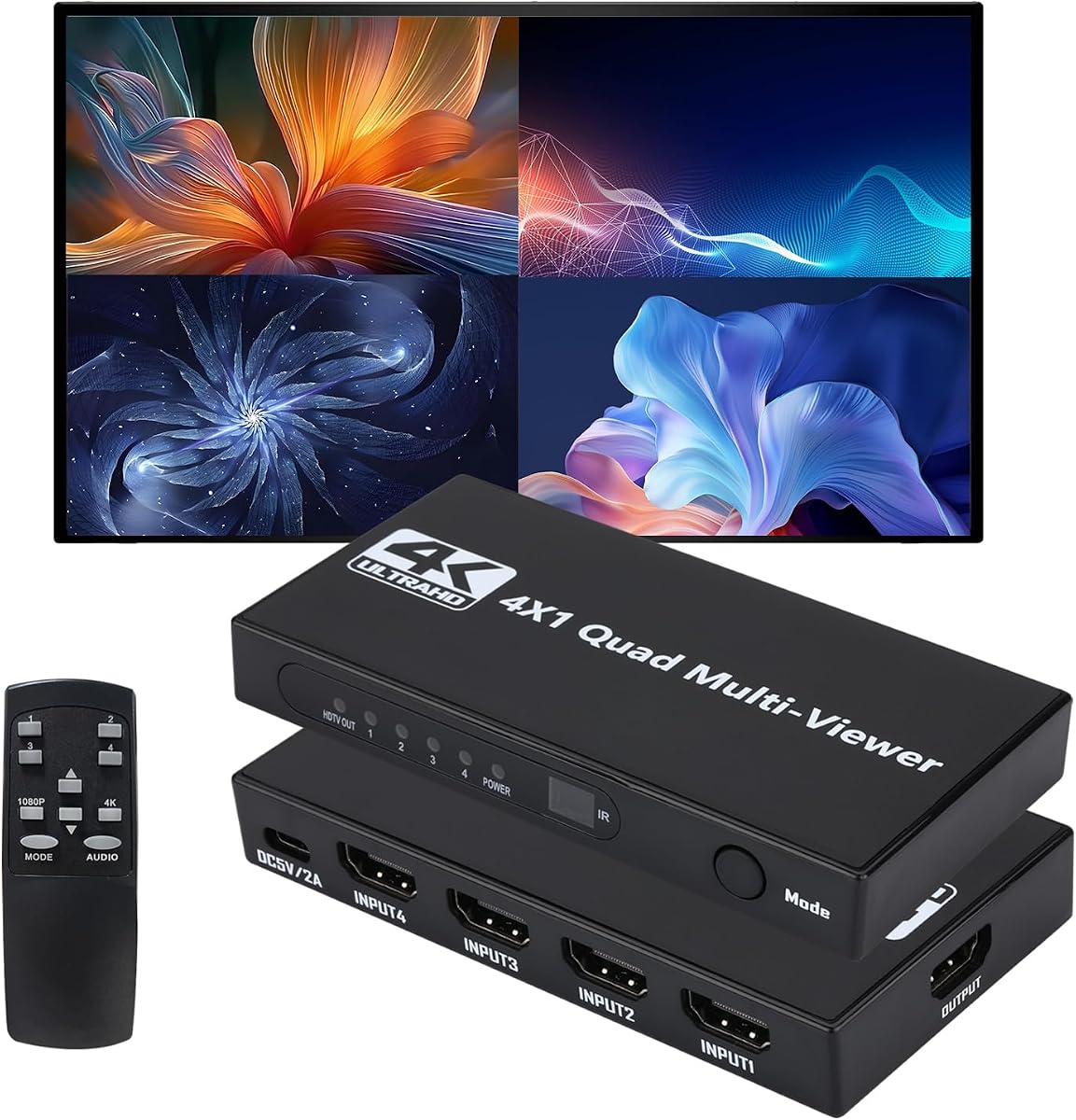
HDMI Multiviewer Switch 4 in 1 Out
4.8Editor score
12 Display Modes
4K@30Hz Full Screen
IR Remote Control
This guide compares the top HDMI Multiviewer models for seamless switching, 4K support, and flexible viewing modes to help you choose the right setup.
An HDMI Multiviewer allows you to display multiple video sources on a single screen simultaneously. This is essential for monitoring security feeds, gaming setups, or professional presentations where split-screen visibility matters most.
We evaluated ten leading models based on resolution support, switching speed, and compatibility. Each product offers unique features like PIP, RS-232 control, or audio extraction to suit different technical needs.
Each pick highlights key strengths and potential trade-offs for your specific workflow. Prices fluctuate often, so please check current listings before purchasing to ensure you get the best value available today.
4.8Editor score

4.3Editor score

4.2Editor score
The following table provides a side-by-side comparison of all ten HDMI Multiviewer models to help you quickly identify which device matches your specific resolution and connectivity requirements.




This PORTTA HDMI Multiviewer offers a reliable way to manage four inputs on one screen. It holds a strong rating for its ability to switch without delays, making it ideal for monitoring tasks.
We may earn a commission when you buy through this link, at no additional cost to you.
The device supports six distinct viewing modes, including Picture-in-Picture and four equal screens. This flexibility allows users to customize their layout based on what they need to see most often.
While it does not support 4K resolution, its 1080p performance is stable. The included Toslink and 3.5mm outputs ensure you can route audio to external speakers or soundbars easily.
It is best suited for home security setups or gaming monitors where 1080p is sufficient. If you need seamless switching and multiple audio options, this model is a solid choice.
The six available modes give you control over how sources are arranged. You can prioritize one large window or view all inputs equally depending on your workflow needs.
With both Toslink and analog outputs, you can connect to various audio systems. This ensures that sound is not limited to your display alone.
We may earn a commission when you buy through this link, at no additional cost to you.
The OREI 4×1 Out Quad Screen is a straightforward solution for basic multitasking. It connects four inputs to one display efficiently and works well in standard office environments.
We may earn a commission when you buy through this link, at no additional cost to you.
It features five display modes that allow for flexible viewing. The inclusion of a VGA output adds value for older monitors that might not have HDMI ports available.
While it lacks advanced scaling features, the basic switching is smooth. The remote control simplifies changing inputs without needing to access the physical buttons.
This model is ideal for users who need a simple switcher with analog options. If your setup relies on older displays, the VGA port makes it a practical choice.
The VGA output ensures compatibility with older projectors or monitors. This extends the life of legacy equipment in your workspace or home theater.
IR remote control lets you switch sources from a distance. This is convenient when the device is mounted behind a desk or inside a rack.
We may earn a commission when you buy through this link, at no additional cost to you.
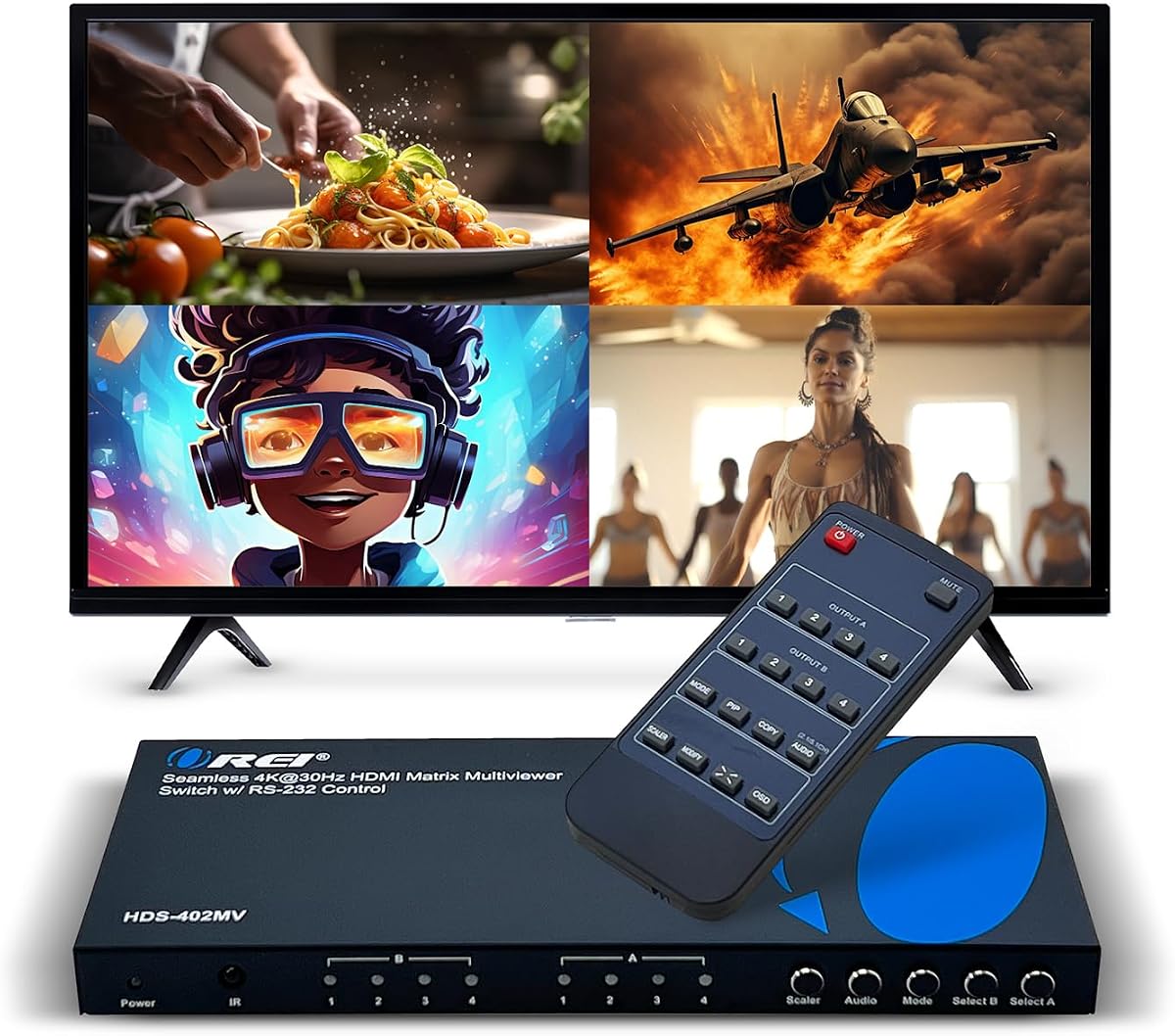
This OREI switch stands out by supporting 4K resolutions at 30Hz. This makes it a better option for modern consoles or PCs that push higher resolutions than standard models.
We may earn a commission when you buy through this link, at no additional cost to you.
It includes robust audio extraction features allowing digital and analog outputs. This ensures you can get high-quality sound without relying solely on the display's speakers.
The RS-232 port allows for professional integration. If you plan to automate the device or include it in a larger system, this connectivity is highly beneficial.
It is a strong choice for users needing 4K support at a reasonable price. For those who value audio quality and automation, this unit offers excellent utility.
Supporting 4K at 30Hz means it handles modern devices well. This is crucial for gaming or media consumption where high resolution matters.
Extracting audio ensures you can connect to separate sound systems. This prevents audio compression that often happens on standard TV outputs.
We may earn a commission when you buy through this link, at no additional cost to you.
The OREI 4×2 Quad Multi allows you to distribute video to two separate displays. This is perfect for setups where you want the same view on multiple screens simultaneously.
We may earn a commission when you buy through this link, at no additional cost to you.
It maintains high quality with 4K downscaling capabilities. This ensures that even if your displays differ in resolution, the signal remains clear and crisp.
With OSD support, adjusting settings becomes intuitive via the menu system. You do not need to rely on a remote for every minor tweak or adjustment.
This model is best for dual-monitor workstation needs or commercial displays. If you need to sync two screens with one source, this is a top recommendation.
Two output ports allow for mirrored display setups. This is useful for client-facing screens or collaborative work environments.
On-Screen Display makes adjustments easy without external tools. You can manage settings directly on the screen for faster configuration.
We may earn a commission when you buy through this link, at no additional cost to you.
This OREI model supports 4K at 60Hz, which is rare for multiviewers. This makes it suitable for high-frame-rate gaming or professional video monitoring where smooth motion is key.
We may earn a commission when you buy through this link, at no additional cost to you.
It complies with HDCP 2.2 ensuring content protection standards are met. This is essential for viewing protected streaming content or premium media sources without issues.
The EDID support helps manage how sources recognize the display. This prevents handshake errors that can occur when connecting various devices like laptops or consoles.
It is ideal for enthusiasts who need high refresh rates. If smooth visuals are a priority for your 4K setup, this unit delivers the necessary performance.
Supporting 4K at 60Hz reduces motion blur significantly. This is a major upgrade over standard 30Hz models for active viewing.
HDCP 2.2 ensures you can play protected content legally. This prevents black screens when trying to watch streaming services.
We may earn a commission when you buy through this link, at no additional cost to you.
This multiviewer offers eight viewing modes which is the most in the lineup. It allows for a wide range of layouts from single screens to complex grid arrangements.
We may earn a commission when you buy through this link, at no additional cost to you.
It supports 4K at 60Hz ensuring you get smooth video for modern sources. This performance is comparable to higher-end models but at a different price point.
The seamless switching feature helps avoid screen freezes during input changes. This is critical for live monitoring where every second counts.
It is a good option for those needing many layout choices. If you need flexible viewing options without buying expensive professional gear, consider this model.
Having eight layouts means you can adapt to any task. You can show equal screens or prioritize one source over the others easily.
Seamless switching prevents the screen from going black. This keeps your eyes on the content while changing sources quickly.
We may earn a commission when you buy through this link, at no additional cost to you.
This model boasts the highest rating among the affordable options. It provides a massive twelve display modes, giving you more control than most competitors.
We may earn a commission when you buy through this link, at no additional cost to you.
It handles 4K at 30Hz and 1080p at 60Hz well. This versatility means it works for high-end PCs and basic media centers equally.
The IR remote makes it easy to manage without reaching behind the unit. This convenience is often missing in cheaper switchers.
It is the best budget pick for most users. If you want high performance and many options without spending a fortune, this is the top choice.
Having twelve modes is rare at this price point. You can customize how you see your feeds in almost any way you need.
You get high ratings without a high price tag. This makes it accessible for home users and small businesses alike.
We may earn a commission when you buy through this link, at no additional cost to you.
The J-Tech model is designed with professional environments in mind. It includes mounting ears for secure installation which is vital for rack setups.
We may earn a commission when you buy through this link, at no additional cost to you.
Its audio extraction supports up to 7.1 channels and Dolby Digital. This is superior to basic stereo outputs found in other multiviewers.
The OSD allows precise adjustments of windows and aspect ratios. This helps avoid image stretching which can be annoying during long viewing sessions.
It is best for studios or offices needing high audio fidelity. If you need a robust unit with professional audio features, this one is worth the investment.
Supporting 7.1 audio makes this great for media rooms. You can get full surround sound without losing video flexibility.
Included mounting ears help you secure the unit in a rack. This ensures safety and stability in commercial or permanent installations.
We may earn a commission when you buy through this link, at no additional cost to you.
This OREI unit maintains a strong rating among users. It is a reliable workhorse for basic splitting tasks where high-end features are not required.
We may earn a commission when you buy through this link, at no additional cost to you.
It offers standard 1080p performance which is sufficient for most office monitoring. The 3.5mm audio output ensures you can connect simple speakers.
The IR remote allows you to switch sources without touching the device. This adds convenience for setups where the unit is hard to reach.
It is a safe choice for standard office or home setups. If you do not need 4K or complex audio, this model handles the basics well.
The 1080p performance is stable for daily tasks. You get clear video for monitoring or media without paying for unused features.
OREI offers a solid one-year full warranty. This provides peace of mind that your device is backed by support.
We may earn a commission when you buy through this link, at no additional cost to you.
This is a full matrix controller that can route any input to any output. It is designed for video walls and advanced routing scenarios.
We may earn a commission when you buy through this link, at no additional cost to you.
It includes LAN and web control for remote management. This allows you to configure the device from a browser without being physically present.
The video wall modes enable complex layouts across multiple screens. This is ideal for professional command centers or large digital displays.
It is the best premium pick for professional needs. If you need full matrix control and web interfaces, this unit is the top option.
A 4×4 matrix allows full routing flexibility. You can send one source to four screens or four sources to one screen.
Web control means you can manage settings remotely. This is crucial for large installations where devices are in separate rooms.
We may earn a commission when you buy through this link, at no additional cost to you.
Choosing the right multiviewer depends on your resolution needs, control options, and budget. This guide breaks down the key factors to help you make an informed decision.
Resolution support is the most critical technical specification. Most budget models cap at 1080p at 60Hz, which is fine for standard monitors and TVs. However, if you use 4K sources like modern gaming consoles, you need a model that explicitly supports 4K input. Ensure the device can output 4K even at a lower refresh rate like 30Hz if needed, to prevent signal loss.
Always verify the maximum resolution in the specs before buying. If your sources are 4K, choose a multiviewer that supports at least 4K input.
Different use cases require different viewing layouts. A standard four-equal-screen view is great for monitoring security cameras. However, if you want to focus on one main source with a small picture-in-picture, look for PIP modes. Some models offer up to twelve modes allowing for unique customizations like one large window with three small ones.
Count how many layouts you need for your specific workflow. A model with more modes offers better long-term flexibility.
Multiviewers often compress audio when combining video. If you need high-quality sound, check for audio extraction features. Look for optical Toslink or 3.5mm outputs that let you send clean sound to a separate speaker system. Some premium models support advanced formats like Dolby Digital which ensures you get the full audio experience.
If sound quality matters to your setup, prioritize models with dedicated analog or digital audio outputs.
Control methods vary from simple physical buttons to advanced integration. Most units include an IR remote which is convenient for home use. For professional installations, look for RS-232 ports that allow automation. The most expensive models offer LAN or web control, enabling you to manage the device via a computer network.
Decide if you need basic remote control or professional integration features based on your environment.
Seamless switching means the screen does not go black when changing inputs. This is a feature found in higher-end units but not all. If you frequently change sources during presentations or gaming, seamless switching prevents visual breaks. Check if the product description mentions seamless switching specifically.
Look for seamless switching labels to ensure uninterrupted viewing when changing inputs.
HDCP is the copy protection protocol used by streaming services. Older multiviewers support HDCP 1.4 which may cause black screens with modern services like Netflix. Ensure your unit supports HDCP 2.2 to guarantee compatibility with 4K content from streaming devices and consoles.
Prioritize HDCP 2.2 compliance to avoid content protection issues.
Most units have four HDMI inputs, but some offer additional ports like VGA. If you have older projectors or monitors without HDMI, a VGA output can save you from needing extra converters. Some models also offer multiple HDMI outputs for dual-display setups, which is useful if you need to mirror screens.
Check if your existing display equipment requires ports like VGA or multiple HDMI outputs.
Electronics can fail, so warranty coverage is important. Most reputable brands offer a one-year full warranty. Some premium models offer lifetime technical support which is valuable for complex setups. Always check the manufacturer support page to see how responsive they are to issues.
Choose brands with clear warranty terms to protect your investment.
Start by connecting your HDMI sources like consoles or PCs to the input ports labeled on the back. Connect the output port to your monitor or TV using a high-quality cable. Plug in the power adapter and turn on the power to activate the device.
Use the IR remote to cycle through different viewing modes. Press the mode button to switch between layouts like quad view or picture-in-picture. You can also use the physical buttons on the device if the remote is misplaced.
To maintain longevity, keep the device in a well-ventilated area to prevent overheating. Dust can block vents so wipe the exterior regularly. Avoid moving the unit while it is powered on to prevent cable damage.
Yes, some models support 4K input though the refresh rate may vary. Look for units that explicitly list 4K@30Hz or 4K@60Hz support. Budget models may downscale 4K to 1080p so check the specs carefully.
Yes, they work with gaming consoles provided the resolution and latency are acceptable. Ensure the model supports HDCP 2.2 for modern consoles. Seamless switching helps reduce lag when changing inputs quickly.
A black screen often indicates an HDCP handshake failure. Try unplugging the HDMI cables and plugging them back in firmly. Ensure your source device is compatible with the multiviewer's HDCP version.
Most standard models come with an IR remote included in the box. However, some budget models may require batteries to be purchased separately. Check the package contents before using the remote.
Advanced units with RS-232 or LAN ports can be controlled via software. This allows you to automate switches or change modes from a computer. Basic models usually rely on physical buttons or IR remotes only.
Yes, many models have optical or 3.5mm audio outputs. You can connect these to a soundbar or receiver for better audio. Ensure your sound system supports the audio format the multiviewer outputs.
We found that the PORTTA and OREI models offer the best balance for most users. They provide seamless switching and reliable performance for standard monitoring needs.
Prioritize resolution support and audio extraction if you need high fidelity. A model with HDMI 2.0 capabilities will future-proof your setup better than a basic switcher.
Prices for these electronics change frequently so verify the current deal before finalizing your order. Check the warranty details to ensure you are covered in case of defects.