
8mm & Super 8 Film to Digital Converter
3.7Editor score
32GB SD card included
No computer required operation
2.4 inch built-in screen
Preserving old film reels is essential for keeping family memories alive in the digital age. A good converter allows you to transform analog footage into shareable video files without needing complex equipment or technical skills.
We evaluated ten top-rated models based on image quality, ease of use, compatibility with reel sizes, and output formats. Each product was assessed for its ability to handle both 8mm and Super 8 film types effectively.
Each pick highlights key features, pros, and cons to help you choose the right device for your needs. Please note that availability and pricing may change, so check current listings before purchasing.
3.7Editor score

4.1Editor score

4.0Editor score
As an Amazon Associate we earn from qualifying purchases.
This table provides a side-by-side overview of the top models to help you compare key specifications and features at a glance.




The KODAK REELS Digitizer stands out for its large 5 inch LCD screen and user-friendly touchscreen interface. With a rating of 4.1 stars, it offers a robust solution for converting 8mm and Super 8 film into 1080p MP4 files without needing a computer.
We may earn a commission when you buy through this link, at no additional cost to you.
Its 8MP sensor captures detailed video frames, ensuring your family movies look clear on modern displays. The device allows you to zoom, align frames, and adjust exposure directly on the screen, making the process smooth and accessible for beginners.
While the lack of audio output is a trade-off, the visual fidelity is excellent for preserving motion picture reels. You save files to an SD card (not included) and can transfer them to a computer or TV for playback.
This model is ideal for anyone seeking a standalone solution with premium features. If you value screen size and ease of use over audio capture, this is a top recommendation.
The 5 inch display lets you see exactly what you are scanning without connecting to an external monitor.
It works with 3, 4, 5, 7, and 9 inch reels, handling both 8mm and Super 8 film formats seamlessly.
We may earn a commission when you buy through this link, at no additional cost to you.
This converter offers a practical approach to digitizing old films without needing a PC. It captures footage frame-by-frame into MP4 files at 20 fps, preserving analog smooth with clear playback. The included 32GB card means you can start archiving immediately.
We may earn a commission when you buy through this link, at no additional cost to you.
The 2.4 inch LCD screen allows you to review converted movies instantly. You can also connect via TV cable for a larger viewing experience. The device is designed to handle reels up to 9 inches for extended sessions.
While the operational note mentions mounting media securely up to 5 inches with an adapter, the process remains straightforward. The resulting MP4 files work seamlessly across Windows, Mac, and Linux for easy editing and storage.
This device is best for users prioritizing simplicity and cost. If you want a ready-to-use kit with storage included, it delivers solid performance for basic digitization needs.
The included 32GB SD card eliminates the need to buy extra storage before you begin your project.
You do not need a computer or complicated software to convert and save your films directly.
We may earn a commission when you buy through this link, at no additional cost to you.
The Magnasonic Super 8/8mm Film Scanner provides a reliable way to bring back memories from old movie reels. It converts 3, 5, and 7 inch reels into digital MP4 files with the push of a button. With a 4.0 rating, users appreciate its simplicity and effectiveness.
We may earn a commission when you buy through this link, at no additional cost to you.
You can playback scanned video on the built-in 2.3 inch LCD or via the included RCA video out cable for a TV. The scanner allows you to adjust brightness, sharpness, and framing directly without expensive photo-editing software.
Setup is designed to be frustration-free, with instructions found on the scanner and in the user manual. The process is straightforward enough for anyone looking to digitize family films quickly without technical hurdles.
This model is a solid choice for those who want a straightforward, no-fuss solution. If you prefer a trusted brand with clear controls and easy operation, this scanner meets the needs well.
Adjust brightness and sharpness on the device itself rather than relying on external software.
Watch directly on the small screen or connect to a larger TV via the included RCA cable.
We may earn a commission when you buy through this link, at no additional cost to you.
This Super 8 Scanner features a 5 Megapixels sensor that captures images with exceptional clarity and color accuracy. The full color LCD screen with touch buttons makes it easy to change settings and adjust framing. It is marketed as a great gift for families to preserve memories.
We may earn a commission when you buy through this link, at no additional cost to you.
The package contains a complete set including a film reel, USB cable, power adapter, and RCA TV cable. The 32GB SD card is included so you can start transferring footage directly to SD card without delay. It comes with a one-year warranty and technical support.
Users can load 3, 5, 7, and 9 inch films onto the universal supply reel and follow prompts on the screen. The device handles the conversion to high-definition 1080P digital video files efficiently without needing drivers.
This converter is perfect for those looking for a gift or a complete kit. With its included accessories and warranty support, it offers peace of mind for preserving old movie films at home.
Everything needed for conversion is included in the box to get you started immediately.
Touch buttons let you adjust settings like brightness and sharpness with ease on the display.
We may earn a commission when you buy through this link, at no additional cost to you.
The MovieMaker Pro Film Digitizer is a fully automated solution for converting old 8mm and Super 8 movie reels into digital videos. It supports 3, 5, and 9 inch reels with 1080P output. Users can view and save digital movies directly to the included SD card.
We may earn a commission when you buy through this link, at no additional cost to you.
It scans and saves files as 1080P mjpeg-4 at 20 fps which works with Windows, Mac, and Linux. A built-in 2.4 inch LCD screen lets you view results, or you can connect to a TV via the included cable. It does not require a computer connection.
The device handles the conversion frame by frame for smooth playback. However, you must ensure media is mounted with a proper reel and adapter before recording. This ensures proper alignment during the digitization process.
This option is best for those seeking automation without technical overhead. If you want to plug in and convert without software installation, this model fits the bill well for home users.
Files are formatted for seamless use on Windows, Mac, and Linux operating systems.
Movies save directly to the SD card included in the package for instant access.
We may earn a commission when you buy through this link, at no additional cost to you.
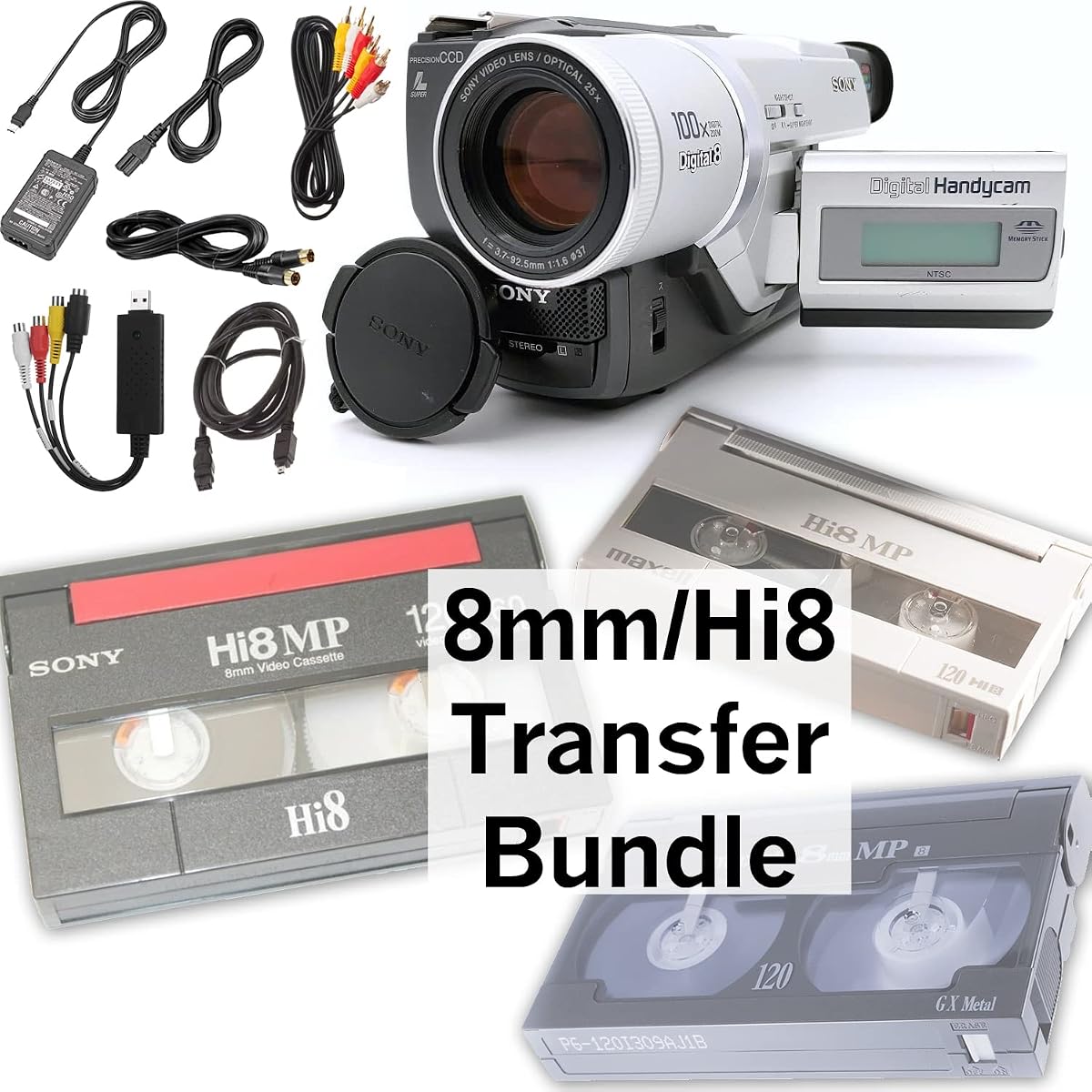
This bundle offers a specialized solution for digitizing 8mm and Hi8 tapes rather than film reels. It includes an 8mm tape and camcorder to ensure playback. The USB capture device transfers tapes to computer files or allows burning to DVD easily.
We may earn a commission when you buy through this link, at no additional cost to you.
With a 4.0 rating, users appreciate the reliability and included accessories like AV cables for transfer or TV playback. The camcorder ensures compatibility with various tape formats. It comes guaranteed 100% working with free returns.
The bundle is designed to handle analog tape formats that standard film converters cannot play. You can connect via AV cables and capture footage directly to your computer. It provides a complete pathway for tape-based archives.
This set is ideal for those with old tapes rather than reels. If you need a working playback device to transfer tapes to digital files, this bundle offers a premium all-in-one solution.
The camcorder ensures you have a reliable way to play tapes before conversion.
Files are captured directly to the computer via USB for easy storage and editing.
We may earn a commission when you buy through this link, at no additional cost to you.
This bundle focuses on digitizing 8mm tapes with an included camcorder and blank tape. The USB capture device transfers tapes to computer files or lets you burn them to DVD. It is designed for Hi8 and Digital8 formats as well.
We may earn a commission when you buy through this link, at no additional cost to you.
The package ensures you have everything needed to start transferring your tapes. AV cables are included for transfer or TV playback. It comes guaranteed 100% working and supports free returns for added security.
While it shares features with the previous bundle, it includes a blank tape for testing purposes. This helps users verify playback capability before committing to converting their original media files.
This solution is perfect for those with tape collections. If you need a ready-made kit to digitize old Hi8 tapes with a guaranteed working camcorder, this is a practical choice.
A blank tape is included to test playback and transfer functions immediately.
The bundle includes cables and capture hardware for a complete setup.
We may earn a commission when you buy through this link, at no additional cost to you.
This scanner brings the past into the present by converting old 8mm and Super 8mm films into digital MP4 files. It features a built-in 1080P display screen for viewing scanned videos. The device is simple to use, loading films directly to an SD card without drivers.
We may earn a commission when you buy through this link, at no additional cost to you.
The built-in 2.4 inch LCD screen lets you play scanned videos directly or connect to a TV for family viewing. It is marketed as a great gift for grandparents or filmmakers. The service promises a 24-hour response to any questions.
You can send footage directly to an SD card without needing a computer. The device works seamlessly with modern TVs for sharing memories. It is designed to transform obsolete films into state-of-the-art digital files.
This scanner is a strong choice for those willing to pay for premium features. If you need a high-resolution display and a reliable gift option, it meets your needs for film conversion.
The built-in screen supports 1080P playback for a clear viewing experience.
You do not need to install drivers on a computer to use this device.
We may earn a commission when you buy through this link, at no additional cost to you.
The package includes a full set with film reel, USB cable, power adapter, TV cable with RCA video output, cleaning cloth, and manual. This scanner is ideal for fast and stable digitization of old films. It brings obsolete 8mm films into the 21st century as digital files.
We may earn a commission when you buy through this link, at no additional cost to you.
It features a built-in 1080P display screen for viewing scanned videos. You can play videos on the 2.4 inch LCD or watch on TV with the included cable. The device allows simple loading of film onto the universal supply reel.
Footage goes directly to an SD card without drivers or a computer. It is a great gift for grandparents or filmmakers on special occasions. Service promises a quick reply to any questions you might have.
This model offers a complete kit for reliable digitization. If you value having all necessary accessories in the box, it provides a stable and convenient solution.
All accessories including TV cable and cloth are in the box.
Works immediately without installing software on a computer.
We may earn a commission when you buy through this link, at no additional cost to you.
Choosing the right converter requires understanding your film formats, desired output quality, and workflow preferences. Here are key factors to consider before buying.
Ensure the device supports both 8mm and Super 8 film formats. Some models may vary in their ability to handle different reel sizes. Always check the reel diameter limits before purchase.
Compatibility is essential to avoid damaging your film or wasting time on unsupported formats.
Look for devices that offer at least 1080p HD output. Higher resolution ensures your converted videos look sharp on modern screens. This helps preserve details that might be lost in lower quality conversions.
Opt for models with 1080p or higher to get the best quality from your old films.
A larger LCD screen makes it easier to adjust frames and settings. Touchscreen interfaces can simplify the process compared to physical buttons. Consider how intuitive the controls feel for your needs.
A clear interface improves your efficiency and ensures accurate frame alignment.
Check if the device saves to SD cards directly. Models with included SD cards are more convenient for immediate use. Ensure the card slot supports the capacity you need for large projects.
Direct storage saves you the trouble of connecting to a computer for every file.
Many modern converters work without needing a PC or software. Standalone units let you digitize anywhere without installing drivers. This is useful if you want a simple plug-and-play experience.
Standalone operation reduces complexity and ensures quick results without technical barriers.
Some film scanners do not capture audio from the film itself. This is a common limitation for older film formats. If audio is important, consider external recording methods or specific models.
Verify audio capabilities if sound is critical to your preservation project.
Accessories like TV cables, cleaning cloths, and adapters add value. Bundles may include blank tapes or camcorders for tape transfers. Evaluate the package contents to ensure you have what you need.
A complete accessory kit saves time and money on separate purchases.
Check for warranty coverage and technical support options. Reliable support ensures help if the device encounters issues. Look for sellers offering returns or guarantees for peace of mind.
Good support and warranty terms protect your investment in the long run.
First, ensure your film reel is clean and free of dust before loading. Use the included cloth to gently wipe any debris off the film strip to avoid scratches during scanning.
Next, attach the film to the universal supply reel following the on-screen prompts. Adjust settings like brightness and sharpness as needed to enhance image quality before starting the conversion.
Finally, save your digital files to an SD card or transfer them to a computer. Store your converted videos in a secure location to preserve your memories safely for years to come.
No, most modern converters work without a computer. You can load your film, adjust settings, and save directly to an SD card. This makes the process simple and portable for any location.
Most devices support both 8mm and Super 8 film formats. Always check the specific product details for reel size compatibility. Some models may also support slides or other media types.
Many film converters only capture video frames and not audio. Since most old 8mm and Super 8 films do not have sound tracks, this is a common limitation. External solutions may be needed if audio is required.
Most top converters offer 1080p HD resolution for high-quality output. This ensures your videos look clear on modern TVs and computers. Always verify resolution settings before starting a large project.
Yes, many models include RCA video cables or support direct connection to a TV. This allows you to view your converted files on a large screen for family gatherings. Check the included accessories for cables.
These devices typically use SD or SDHC cards for storage. You can save files directly to a card included with the device. Always check the maximum supported capacity before purchase.
No, most standalone converters do not require software installation. You can digitize and save files directly using the on-screen interface. This simplifies the workflow for users of all skill levels.
Use the provided accessories like reel adapters and cleaning cloths to handle film carefully. Ensure film is properly threaded to avoid jams or tears. Regular maintenance helps keep your device working properly.
The KODAK REELS Digitizer leads with its large screen and intuitive interface, making it the best overall choice. Other models offer strong alternatives depending on your budget and specific film formats.
Prioritize resolution, storage options, and ease of use when making your decision. Ensure the device matches your film reel sizes and workflow needs for the best results.
Prices and availability may change over time so check current listings before purchasing. We hope this guide helps you preserve your family memories effectively.