
HP 15.6 Laptop Back to School Limited Edition
4.5Editor score
16GB RAM and 1TB Storage
Intel Core Quad-Core Processor
Includes External Hard Drive Bundle
Choosing the right laptop for back to school is a critical decision that impacts your academic success and daily productivity. With so many options available, finding a device that balances performance, portability, and price can be overwhelming for students and parents alike.
We have carefully evaluated ten leading laptop models to help you make an informed decision. Each product was assessed based on processor speed, memory capacity, storage options, and overall user experience to ensure they meet the demands of modern education.
Our detailed reviews highlight the unique strengths and weaknesses of each device so you can find the perfect match for your needs. Please note that prices and availability may change frequently, so always check the latest listings before making your purchase.
4.5Editor score

4.7Editor score

4.3Editor score
As an Amazon Associate we earn from qualifying purchases.
This comparison table provides a side-by-side view of the key specifications for all ten laptops featured in this guide to help you quickly identify which model best suits your academic and personal requirements.


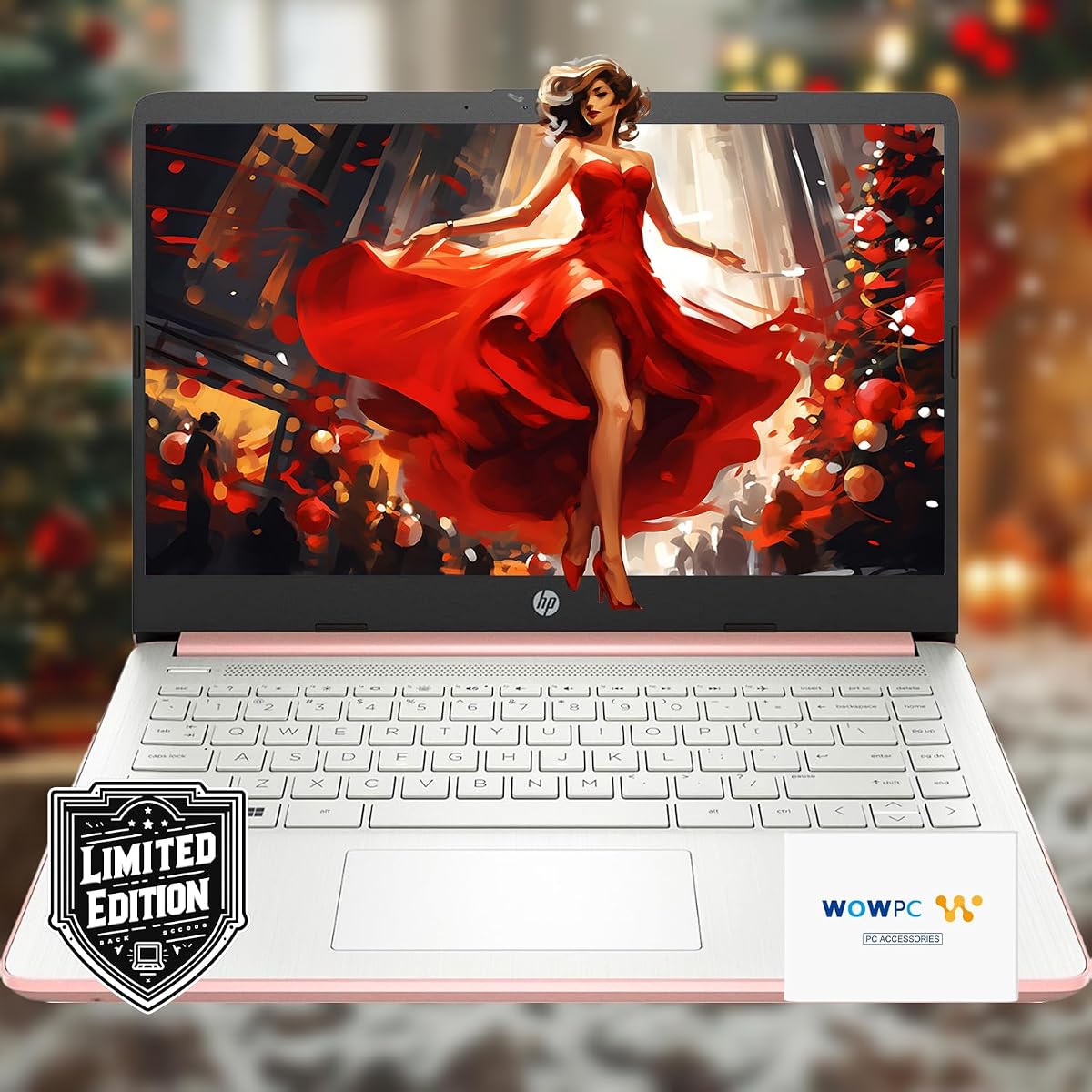
This laptop stands out as a premium choice for students who need substantial memory and storage right out of the box. It features a robust 16GB of RAM which allows for smooth multitasking across multiple applications and browser tabs without lag.
We may earn a commission when you buy through this link, at no additional cost to you.
The inclusion of a 512GB SSD paired with an external 512GB hard drive ensures you have ample space for all your coursework, media files, and projects. The Intel Pentium processor handles everyday tasks efficiently while Microsoft 365 is ready to use immediately.
While the HD display is adequate for standard viewing, it does not match the crispness of Full HD panels found in higher priced models. The processor is also designed for general use rather than heavy computational tasks but fits the budget perfectly.
Students who need a complete package with extra storage and software included will find this option highly valuable for their academic year. It provides a strong foundation for productivity without requiring immediate upgrades or additional purchases.
The bundle includes a physical external drive alongside cloud options ensuring you never run out of space for important documents and media.
Microsoft 365 is pre-included allowing you to start writing papers and creating presentations from day one without extra subscription costs.
We may earn a commission when you buy through this link, at no additional cost to you.
This Chromebook offers an incredibly affordable entry point into laptop ownership while maintaining strong performance for web-based tasks. Its standout feature is the impressive battery life that can last through a full day of classes without needing a charger.
We may earn a commission when you buy through this link, at no additional cost to you.
The lightweight design makes it easy to carry in a backpack without adding significant weight to your load. Chrome OS provides a streamlined experience that keeps you focused on your work while ensuring the system remains secure and up to date automatically.
Storage is limited to 64GB which relies heavily on cloud solutions for file management. Additionally while it supports 4K streaming the processor may struggle with heavy multitasking beyond basic web browsing and document editing.
Ideal for students who spend most of their time online and need a reliable device for note taking and research. The value proposition is excellent for those prioritizing portability and battery endurance over raw local processing power.
With up to fourteen hours of usage you can leave your charger at home and still have power for evening study sessions.
Chrome OS eliminates complex maintenance tasks so you can focus on learning rather than managing system updates and security.
We may earn a commission when you buy through this link, at no additional cost to you.
Picking this model as our editor's choice highlights its balanced combination of modern hardware and practical features for students. The Intel N150 processor delivers efficient performance for daily tasks while the DDR5 RAM ensures faster data processing speeds.
We may earn a commission when you buy through this link, at no additional cost to you.
The inclusion of one terabyte of cloud storage effectively solves the limited local storage issue allowing you to access files from anywhere. Windows 11 provides a familiar interface that supports a wide range of educational software and productivity tools.
The physical storage is modest at 128GB but this is mitigated by the cloud inclusion and external drive options if needed. The compact 14 inch form factor is perfect for cramped lecture halls but might feel small for detailed video editing work.
This laptop represents the best overall value for students seeking a reliable Windows machine with plenty of digital storage space. It bridges the gap between budget constraints and the need for a capable modern computing environment.
One terabyte of cloud storage ensures your data is backed up and accessible from any device connected to the internet.
DDR5 RAM provides faster speeds and better efficiency than older generations improving overall system responsiveness significantly.
We may earn a commission when you buy through this link, at no additional cost to you.
This laptop brings professional features to a student friendly package with Windows 11 Pro and AI capabilities built right in. The inclusion of Copilot AI can help streamline writing and research tasks making it a smart tool for academic work.
We may earn a commission when you buy through this link, at no additional cost to you.
Wi-Fi 6 ensures you stay connected with fast speeds in crowded campus networks or busy coffee shops. The external drive bundled with the unit adds necessary flexibility for storing larger files without clogging the internal system storage.
The DDR5 RAM is a welcome upgrade but the total amount is still limited for heavy multitasking. While Windows 11 Pro offers enhanced security it might be more power than some students actually need for basic coursework.
Students who want a more robust operating system and AI assistance will find this model particularly appealing. It offers a professional edge that can grow with your needs as your academic requirements become more complex.
Copilot AI integrates directly into your workflow to help draft documents and summarize information quickly.
Windows 11 Pro provides advanced encryption and security features to keep your academic data safe and private.
We may earn a commission when you buy through this link, at no additional cost to you.
The HP Essential Laptop offers a solid middle ground with modern connectivity and a dedicated key for AI assistance. Its battery life is sufficient to get through most school days allowing you to work without hunting for outlets constantly.
We may earn a commission when you buy through this link, at no additional cost to you.
The inclusion of Office 365 ensures you have all the standard tools needed for school assignments. The anti-glare display helps reduce eye strain during long study sessions which is a thoughtful touch for daily users.
Storage remains a constraint with only 128GB available for internal use so managing files will be a frequent task. The processor handles standard tasks well but you may experience slowdowns if you have too many apps open at once.
This is a reliable choice for students who want a modern Windows experience without paying for high-end specs. It balances essential features like Wi-Fi 6 and long battery life in a package that is easy to carry around campus.
A dedicated Copilot key gives you instant access to AI tools for faster task completion and creative help.
The anti-glare screen minimizes reflections helping you focus better during long hours of reading and writing.
We may earn a commission when you buy through this link, at no additional cost to you.
This model distinguishes itself with 8GB of RAM which is a significant advantage for smooth multitasking compared to 4GB models. It allows you to keep more browser tabs and applications open simultaneously without impacting system performance noticeably.
We may earn a commission when you buy through this link, at no additional cost to you.
The inclusion of a full year of Office 365 adds immediate value making it ready for school assignments right out of the box. Wi-Fi 6 ensures you stay connected with the latest wireless standards for faster download and upload speeds.
The processor is efficient and adequate for daily work but the limited internal storage means you will need to manage files carefully. You might need to use cloud storage or an external drive to save large files or media projects.
For students who prioritize running multiple programs at once this laptop offers a practical balance of performance and cost. It is a strong contender for those who want a bit more power for everyday computing tasks without spending too much.
With 8GB of RAM you can switch between tasks like video calls and document editing with less delay than lower RAM devices.
Office 365 subscription means you have Word Excel and PowerPoint ready to use for all your academic projects immediately.
We may earn a commission when you buy through this link, at no additional cost to you.
Portability is the standout feature here with a weight that makes it one of the lightest options for students on the move. The sleek design and durable build ensure it can withstand daily transport in a backpack without issues.
We may earn a commission when you buy through this link, at no additional cost to you.
The battery life is solid enough to cover a day of classes allowing you to focus on your studies without worrying about power. It includes a secure microcontroller that adds a layer of protection to your data against unauthorized access.
Storage is quite limited at 64GB which will require heavy reliance on cloud services for saving files and applications. The RAM is older DDR4x technology which works fine for basic tasks but lacks the speed of newer DDR5 models.
This laptop is best suited for students who need a lightweight machine for note taking and web research. It offers a simple and secure computing experience at a very accessible price point for those with basic needs.
Weighing just 3.35 pounds it is easy to carry all day without causing fatigue or adding bulk to your bag.
Secure microcontroller hardware helps protect your personal data and ensures safe online transactions on campus networks.
We may earn a commission when you buy through this link, at no additional cost to you.
This laptop is designed specifically with students in mind offering essential tools like Office 365 and AI assistants to support learning. The fast charger support means you can quickly top up your battery between classes if you run low on power.
We may earn a commission when you buy through this link, at no additional cost to you.
The sleek natural silver finish gives it a modern look that appeals to younger users. It handles standard educational tasks smoothly ensuring you can focus on your coursework without technical interruptions during important times.
However the processor and RAM are entry level which means heavy multitasking might slow things down during peak usage times. It is important to manage open applications carefully to maintain performance throughout your study sessions.
If you need a straightforward machine for essays research and browsing this model is a good fit for budget conscious students. It covers the basics well and provides the software tools you need to succeed in an academic setting.
The energy efficient design helps extend battery life so you can work longer between charges during busy school days.
Fast charging capability gets you back to full power quickly so you do not miss out on study time.
We may earn a commission when you buy through this link, at no additional cost to you.
This laptop offers an exceptional amount of storage through a combination of external drives and cloud space totaling over 1.6TB. The 16GB of RAM ensures that you have plenty of memory for running multiple applications smoothly throughout your day.
We may earn a commission when you buy through this link, at no additional cost to you.
The rose gold finish adds a touch of style to the device making it a fashionable choice for students who care about aesthetics. It comes with a full year of Microsoft 365 ensuring you are ready to work immediately upon setting up the device.
The internal storage is small but the bundle makes up for it with significant external and cloud options. You will need to organize your files across different locations but this offers great flexibility for managing large projects.
Ideal for students who deal with media files or need extensive storage space for archival projects. The high RAM count makes it capable of handling complex tasks better than many other models in this price range.
With external and cloud storage combined you never have to worry about deleting files to make room for new ones.
16GB of RAM supports heavy multitasking allowing you to run demanding software without system slowdowns.
We may earn a commission when you buy through this link, at no additional cost to you.
This model offers a practical storage solution by combining internal UFS storage with an SD card for a total of 256GB. The 8GB of RAM provides a good balance for handling multiple tabs and applications during your daily study routines.
We may earn a commission when you buy through this link, at no additional cost to you.
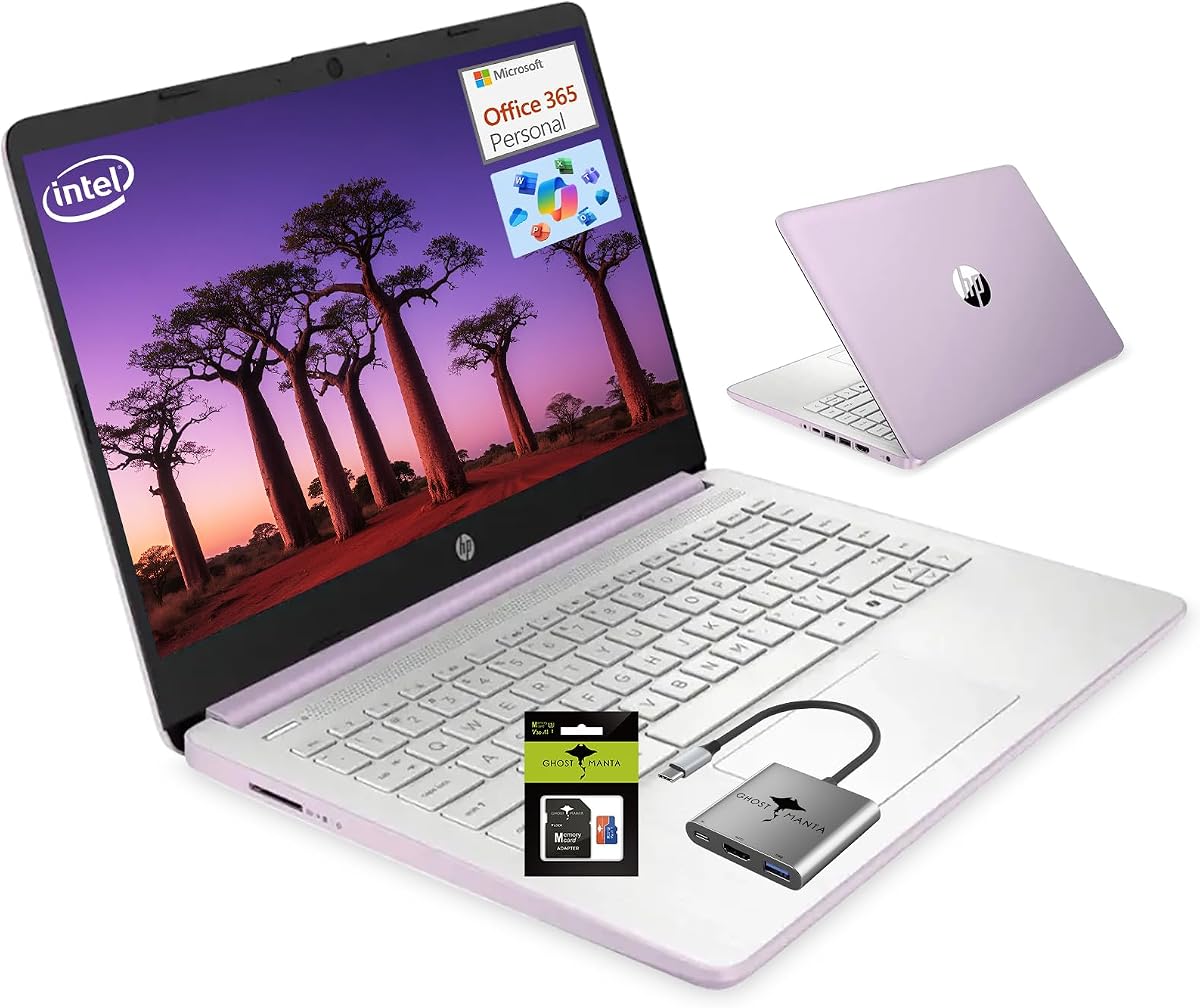
The honey lavender color gives it a distinct look that sets it apart from standard silver or gray laptops. It comes pre-installed with Windows 11 and Office 365 so you can start working on your assignments right away.
The SD card is a nice addition for expanding storage but relying on it can be slightly less convenient than a larger internal drive. The processor is efficient for general tasks but may show limitations with intensive software like video editing tools.
Students who appreciate unique designs and need a bit more storage than average will find this device appealing. It offers a solid foundation for school work with the added benefit of AI tools to assist with your productivity tasks.
The included SD card provides extra space for photos and documents without needing to purchase additional external drives.
Copilot AI and Office 365 integration help streamline your workflow and make completing assignments more efficient.
We may earn a commission when you buy through this link, at no additional cost to you.
Selecting the right laptop requires balancing several key factors to ensure you get a device that supports your academic needs without breaking the bank.
The processor is the brain of your laptop and determines how well it handles multitasking and software applications. For most students an entry level processor like the Intel N150 or Celeron is sufficient for browsing and writing papers.
If you plan on doing video editing or running specialized software look for higher core counts to ensure smoother performance under load.
RAM allows your laptop to run multiple programs at once without slowing down. Four gigabytes is the minimum you should accept while eight gigabytes or more is recommended for a smoother experience.
Investing in more RAM now can extend the useful life of your laptop as software requirements continue to grow over the years.
Modern laptops often use SSDs or UFS storage which are much faster than traditional hard drives. Look for at least 128GB of internal storage to hold your essential files and operating system comfortably.
Check if the device supports external drives or SD cards as this flexibility helps manage large files without replacing the laptop early.
Battery life is critical for students who spend long hours away from a power source. Aim for a model that offers at least ten hours of usage to last through a full day of lectures and study sessions.
Faster charging technology is also a valuable feature that allows you to quickly top up your battery during short breaks between classes.
A lightweight laptop reduces the strain on your back when carrying it across campus daily. Models weighing under four pounds are generally considered easy to transport in a standard backpack.
The physical dimensions of the device matter too as smaller laptops fit more easily into tight spaces like library desks and crowded classrooms.
Wi-Fi 6 is becoming the standard for modern networks providing faster speeds and better stability in crowded environments. Ensure your laptop supports this standard to stay connected efficiently on campus networks.
Ports like USB-C and HDMI are essential for connecting to projectors and monitors during presentations. A good selection of ports reduces the need for extra adapters and dongles.
Many student laptops come bundled with subscriptions like Microsoft 365 which can save you significant money over the year. These bundles often include access to Word Excel and PowerPoint which are essential for school work.
Check the duration of any included software subscriptions to understand when you might need to renew them to continue accessing your tools.
A good display protects your eyes during long reading and writing sessions. Look for anti-glare coatings that reduce reflections and improve visibility in bright environments like libraries.
Resolution matters for clarity but 1366 x 768 is common in budget models and acceptable for basic text and web viewing needs.
Keep your laptop clean by regularly wiping the screen with a microfiber cloth and avoiding liquids near the keyboard. Dust can accumulate in the vents over time so use compressed air periodically to maintain proper cooling performance.
Manage your battery life by avoiding extreme temperatures and not leaving the device plugged in constantly when not in use. Proper charging habits will help maintain battery health throughout your academic career.
Back up your important files regularly to cloud storage or an external drive to protect against accidental loss. Organize your documents into clear folders so you can find assignments and research quickly when you need them.
The HP Chromebook 14 is an excellent budget option offering great battery life and portability. It is perfect for students who primarily work online and need a simple and reliable device.
Most school documents take up very little space so 128GB is often enough if you use cloud storage. Large media files require more space so consider models with expandable options or bundled drives.
Four gigabytes is sufficient for basic browsing and writing but you might experience slowdowns with many tabs open. Eight gigabytes is safer for smooth multitasking without closing applications constantly.
Windows supports more specialized software and games while Chrome OS is simpler and more secure. Choose Windows if you need specific apps but Chrome OS for general web and document work.
Battery life is very important for students who move between classes all day. A model with ten hours or more ensures you stay productive without worrying about finding a power outlet.
Most student laptops weigh between 3.2 and 3.5 pounds which is light enough for daily carrying. Heavier devices can become burdensome when walking across campus frequently.
We have reviewed ten top laptop models ranging from budget Chromebooks to powerful Windows machines with high RAM. The HP 15.6 bundle offers great value with its storage while the Chromebook 14 leads in portability.
Consider your specific needs such as software compatibility and storage requirements before making your final decision. Prioritizing battery life and RAM will ensure your device remains useful throughout your entire academic career.
Remember that prices fluctuate often so check current listings to get the best deal available. Investing in the right tool now will support your learning and productivity effectively for years to come.