
Dell OptiPlex 7010
3.8Editor score
Affordable renewed package
Includes 19 inch LCD
Windows 11 Pro ready
Finding the right desktop computer for kids involves balancing performance with ease of use. Families need machines that handle homework, creativity, and play without constant updates or crashes.
We evaluated ten desktop solutions based on processor speed, storage capacity, and display quality. Our list includes all-in-one units and traditional towers suitable for home learning environments.
Each pick highlights key strengths and trade-offs for young users. Prices and availability change frequently, so verify current details before purchasing to ensure you get the best value today.
3.8Editor score
4.2Editor score

4.3Editor score
As an Amazon Associate we earn from qualifying purchases.
This table provides a side-by-side look at processor types, memory, storage, and display sizes across all ten selected desktop computers for kids.


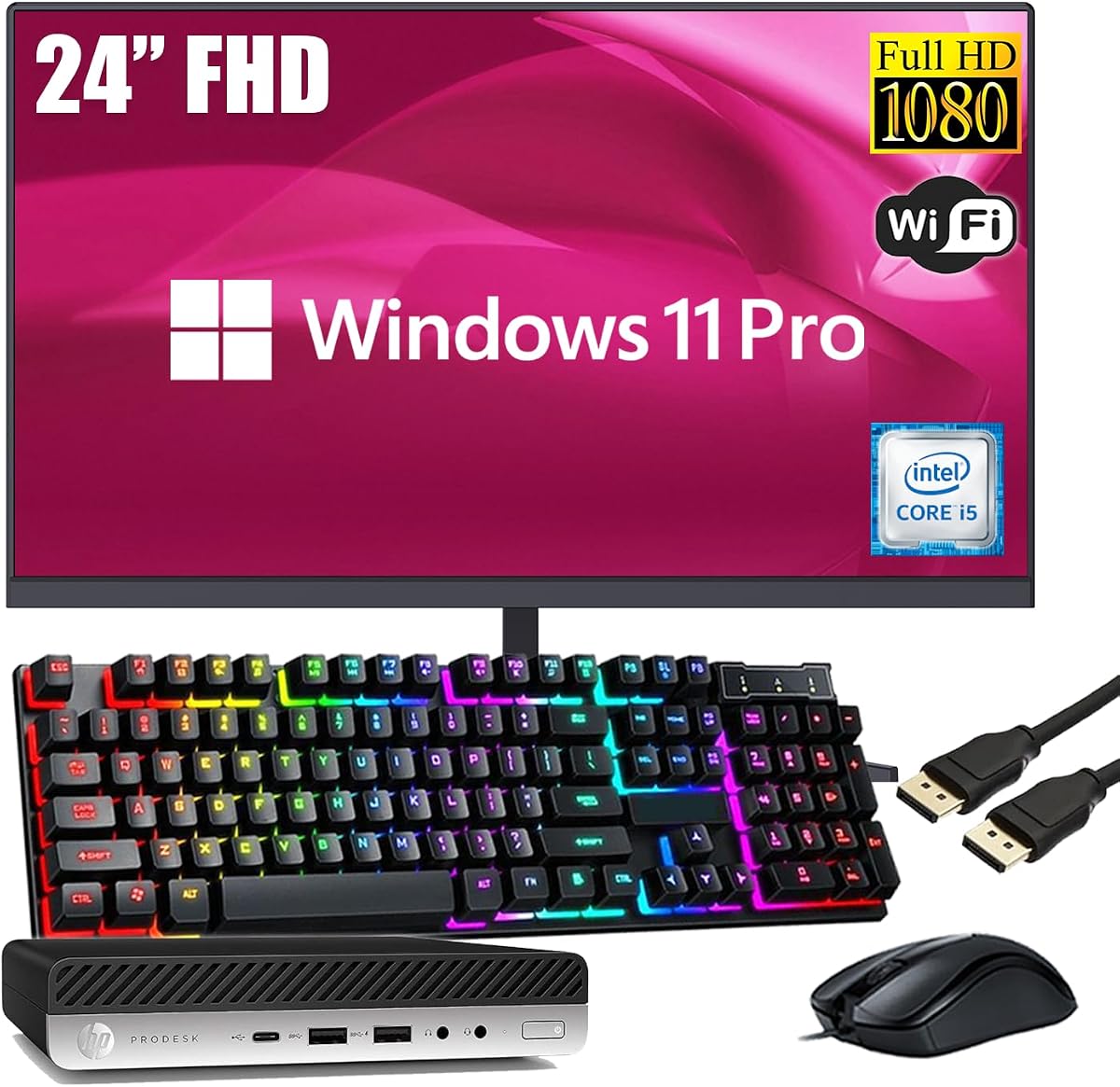
This refurbished HP desktop bundle offers a reliable start for young learners. It rates well for its balance of speed and size in a classroom setup.
We may earn a commission when you buy through this link, at no additional cost to you.
The Intel Core i5 processor handles multiple browser tabs smoothly. The 256GB SSD ensures apps launch quickly without waiting for long load times.
While 8GB RAM is standard for basic tasks, it might slow down with heavy software. However, for schoolwork and media, it remains responsive.
Parents seeking a ready-to-use PC without extra peripherals should choose this bundle. It provides essential performance and a clear screen for daily homework.
The SSD and included monitor mean kids can start studying immediately after setup.
Its mini form factor keeps desks organized while still supporting a 24-inch display.
We may earn a commission when you buy through this link, at no additional cost to you.
This package provides the most cost-effective way to bring a desktop home for children. It is rated solidly for families needing basic utility.
We may earn a commission when you buy through this link, at no additional cost to you.
The Intel i5 processor delivers consistent performance for web browsing and word processing. The 500GB drive holds plenty of school files and photos.
The older monitor resolution and HDD speed are noticeable compared to newer models. Still, they suffice for elementary-level educational software and videos.
Families on a tight budget will find this bundle delivers immediate value. It simplifies setup with all necessary cables and peripherals included out of the box.
Everything needed to begin learning is included without hidden costs for extra parts.
The processor ensures steady operation for standard homework and research tasks.
We may earn a commission when you buy through this link, at no additional cost to you.
This all-in-one PC combines style and power for a modern home learning space. It stands out for its large screen and fast storage.
We may earn a commission when you buy through this link, at no additional cost to you.
The 512GB SSD ensures quick access to documents and projects. The 16GB RAM handles multitasking without slowdowns during long study sessions.
The higher cost is justified by the hardware quality and design. While not touch-enabled, the display offers accurate colors for creative projects.
Parents wanting a professional-looking setup should consider this premium option. It supports future growth with robust memory and fast connection options.
The borderless design reduces distractions while studying or creating digital art.
Large NVMe capacity stores years of schoolwork without needing external drives.
We may earn a commission when you buy through this link, at no additional cost to you.
This refurbished unit offers substantial memory for running many applications. It is rated for its generous specs at a competitive price point.
We may earn a commission when you buy through this link, at no additional cost to you.
With 16GB of RAM, users can switch between tasks easily. The 1TB drive provides space for games and video files.
The HDD means longer boot times than SSD models. Some users report variability in cosmetic condition upon arrival.
Buyers needing high memory for development or heavy browsing should check this model. It balances capacity well with standard office requirements.
The RAM capacity supports complex workflows without freezing or lag.
The large drive means fewer worries about filling up the hard disk.
We may earn a commission when you buy through this link, at no additional cost to you.
This system focuses on storage capacity for large media libraries. It is rated for its ability to hold extensive data collections.
We may earn a commission when you buy through this link, at no additional cost to you.
The 2TB drive is excellent for families with lots of videos. The 16GB RAM keeps daily tasks smooth despite the older processor.
Older CPU generation limits heavy computation tasks. Boot times depend on the mechanical drive speed rather than flash storage.
Families storing movies and photos will appreciate the large drive size. It serves well as a media and homework hybrid station.
Two terabytes allow saving years of digital content without adding drives.
Basic tasks run smoothly even with older core technology inside.
We may earn a commission when you buy through this link, at no additional cost to you.
This kit balances speed with memory for general usage. It rates well for its complete accessory set for remote learning.
We may earn a commission when you buy through this link, at no additional cost to you.
The 500GB SSD offers quick start-up times. The 16GB RAM supports multiple windows open for research and writing.
Monitor quality may vary in refurbished units. The webcam helps for video calls but resolution is standard.
Students needing video conferencing capabilities will find this bundle useful. It covers basics well without extra purchases.
Built-in webcam and speakers simplify connecting with teachers online.
The SSD keeps systems responsive during online tests and projects.
We may earn a commission when you buy through this link, at no additional cost to you.
This bundle offers a standard office PC for home learning. It rates decently for consistent basic performance.
We may earn a commission when you buy through this link, at no additional cost to you.
The quad-core processor handles web tasks well. DDR3 memory is slower but adequate for non-intensive use.
The monitor and keyboard are included for convenience. HDD storage requires patience compared to solid-state options.
Families wanting brand reliability at a lower cost should consider it. It suits simple homework tasks well.
Dell components provide expected stability for daily schoolwork.
All peripherals arrive together so nothing is missing for setup.
We may earn a commission when you buy through this link, at no additional cost to you.
This all-in-one PC simplifies desk space with built-in connectivity. It rates highly for ease of use.
We may earn a commission when you buy through this link, at no additional cost to you.
The Intel N100 offers energy-efficient performance for browsing. The docking hub expands ports for future peripherals.
Storage is limited for large game libraries. The 8GB RAM may struggle with heavy multitasking.
Families needing a tidy setup for homework will appreciate it. It blends form and function well for basic users.
The docking hub keeps cords organized and accessible.
FHD resolution ensures clear text for reading documents.
We may earn a commission when you buy through this link, at no additional cost to you.
This system combines speed and style for home use. It rates well for responsive everyday tasks.
We may earn a commission when you buy through this link, at no additional cost to you.
The SSD ensures apps start instantly. The large drive holds files securely without external needs.
RAM might limit complex software use. Lack of optical drive is standard for modern units.
Users valuing fast access and sleek looks will like it. It suits web browsing and writing well.
Boot times are minimal thanks to the solid-state drive.
All-in-one design keeps desk space open and tidy.
We may earn a commission when you buy through this link, at no additional cost to you.
This all-in-one offers good memory for its price. It rates well for multitasking in a home office.
We may earn a commission when you buy through this link, at no additional cost to you.
The 16GB RAM supports many tabs open. Wireless peripherals reduce clutter around the desk.
Storage is smaller than others. Processor handles basics but not heavy editing.
Families valuing wireless ease should consider this unit. It works well for daily schoolwork needs.
Bluetooth devices connect easily without cable clutter.
16GB RAM handles research and documents efficiently.
We may earn a commission when you buy through this link, at no additional cost to you.
Selecting the right desktop requires evaluating performance, durability, and ease of use. Use these factors to match specs with your child's needs.
The processor acts as the brain of the computer. For kids, an Intel Core i5 or similar is ideal for smooth browsing and homework.
Look for at least a quad-core design to avoid lag during online classes.
RAM allows the system to run multiple apps at once. At least 8GB is recommended for general use.
For heavy multitasking, 16GB offers better long-term value.
SSDs boot faster than HDDs and improve overall system responsiveness. This matters for quick access to school files.
Choose SSDs whenever possible for better speed.
A clear screen reduces eye strain during long study sessions. Full HD resolution ensures text remains sharp.
Prioritize IPS panels for better color accuracy.
All-in-one designs save space but tower PCs offer easier upgrades. Consider your desk layout before buying.
All-in-ones simplify setup for younger users.
Wi-Fi 6 and Bluetooth ensure stable connections for video calls. Check ports for needed peripherals.
USB-C adds modern versatility.
Kids may handle computers less gently. Sturdy builds help survive daily use.
Check warranty terms for protection.
Pre-installed Windows 11 offers modern security tools. Ensure essential apps can run smoothly.
Verify OS compatibility with school tools.
Set up the PC in a well-lit area to reduce eye strain. Place the monitor at eye level to prevent neck pain.
Use a surge protector to guard against power fluctuations. This extends the lifespan of sensitive electronic components.
Clean the screen regularly with a microfiber cloth. Avoid harsh chemicals to prevent damage to the display.
Yes, certified refurbished units undergo testing to ensure functionality. They often come with warranties that protect against defects. Many are identical to new models internally.
For most schoolwork, 8GB is sufficient. For heavier use like video editing, aim for 16GB. This ensures smooth performance as software demands grow.
Intel Core i5 or N100 processors handle basic tasks well. They offer a balance of speed and efficiency. Avoid very old models that struggle with modern updates.
All-in-One PCs save space and are easier to set up. Towers offer better upgradeability. For kids, All-in-Ones often provide better simplicity.
Most bundles include Windows 11 Home or Pro. Additional software may need separate purchase. Always verify what is included before buying.
They handle casual and indie games well. High-end titles might struggle due to integrated graphics. For gaming, dedicated GPUs are needed.
Most bundles include a keyboard and mouse. You may need a webcam if not built-in. Check the specs list for included items.
Keep Windows updated regularly to patch security holes. Avoid downloading files from untrusted websites. Use a reputable antivirus tool for safety.
Our top picks cover various needs from budget to premium. The HP ProDesk Mini leads for balance while the Lenovo All-in-One excels in style.
Prioritize SSD storage and sufficient RAM for longevity. A good screen protects eyes during long homework sessions.
Verify current pricing and availability before finalizing your choice. Technology costs fluctuate, so timing can save money.