
Cable Matters 4K@240Hz Right Angle DisplayPort 1.4 Adapter
4.8Editor score
Supports 8K@60Hz resolution
Compact right angle design
Optimized for tight spaces
Discover the top 90 degree Displayport adapter and cable options for 2026, comparing features, compatibility, and performance for your display needs.
Finding the right connection for your display can be challenging when space is limited. A 90 degree Displayport adapter and cable solves this by redirecting the port to fit tight spaces behind desks or walls.
We have analyzed the leading options on the market to help you choose the best fit for your setup. Our comparison covers support for high resolutions, build quality, and compatibility with modern graphics cards.
Each pick highlights specific strengths like 8K support or compact design to match your requirements. Please note that prices and availability change frequently, so check current listings before purchasing.
4.8Editor score

4.6Editor score

5.0Editor score
This side-by-side comparison reviews all ten top rated options to help you quickly identify the right 90 degree Displayport adapter and cable for your specific needs.
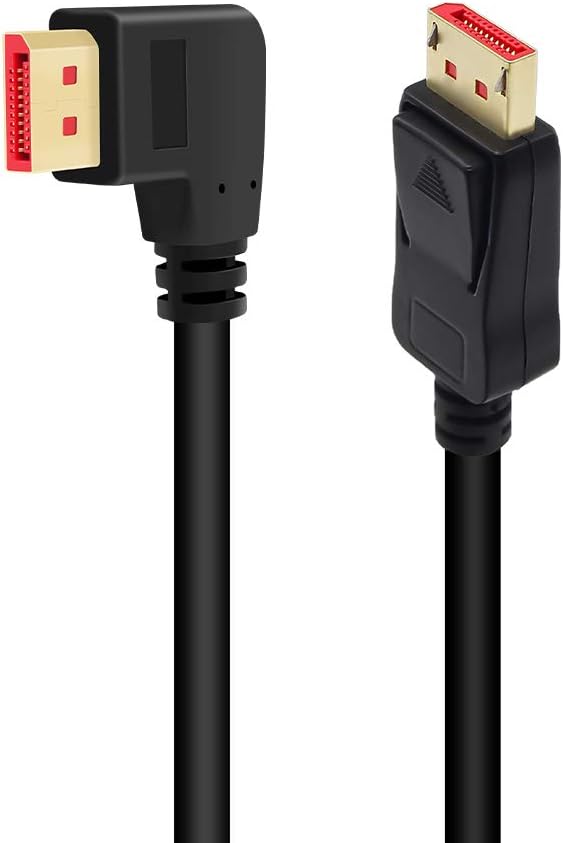
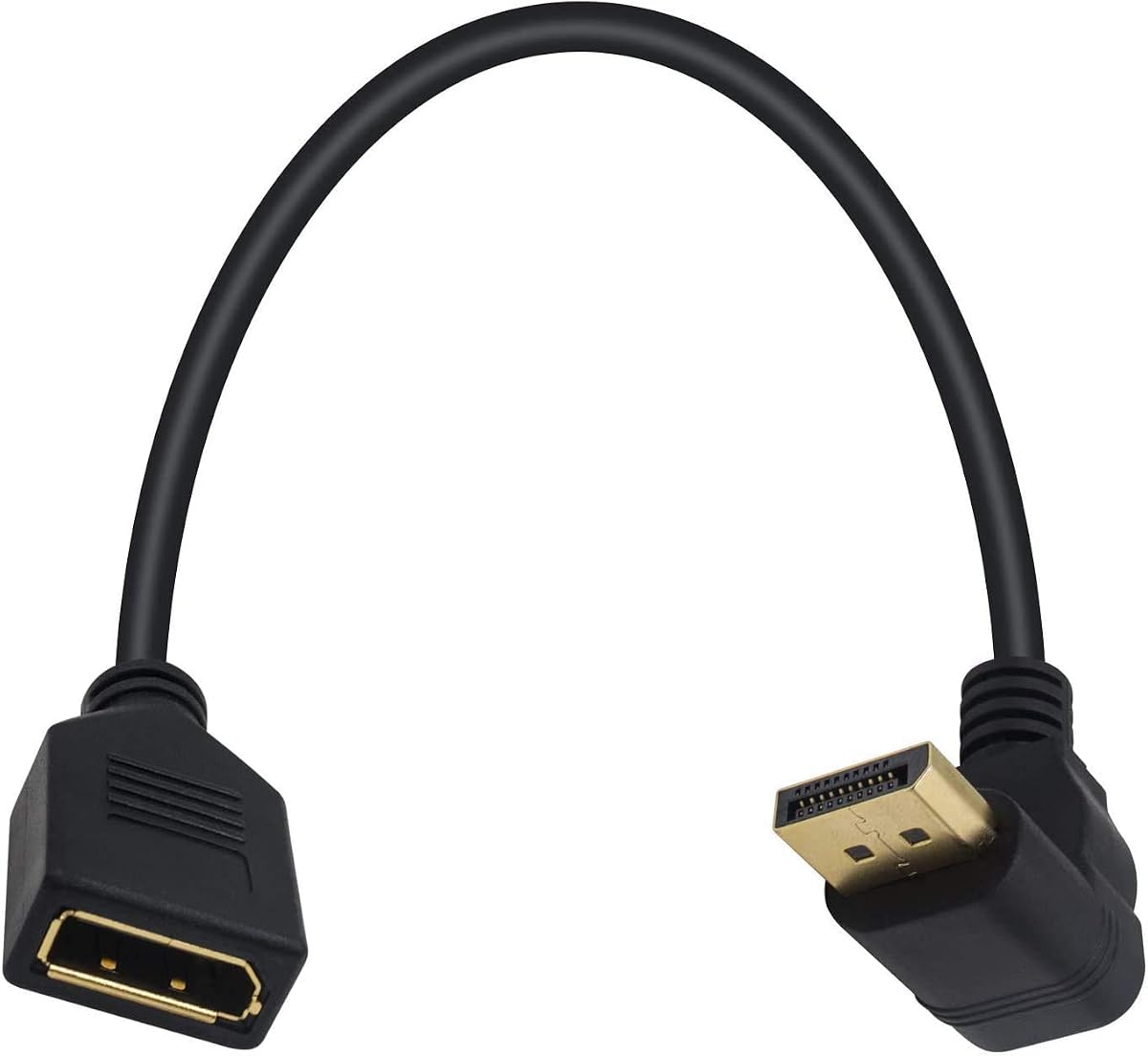


This Cable Matters adapter stands out as a top choice for users needing high performance in tight spaces. With a 4.8 rating from verified buyers, it delivers reliable 4K@240Hz and 8K@60Hz capabilities.
We may earn a commission when you buy through this link, at no additional cost to you.
The key strengths include support for Auto Low Latency Mode and Variable Refresh Rate which are crucial for smooth gaming. The 90 degree design allows cables to route upwards or downwards efficiently.
While it is priced higher than some generic options the build quality justifies the cost. Users should ensure their source devices support DP 1.4 to access all listed features.
It is ideal for gamers and professionals who need premium performance without compromising on desk space. We recommend this for anyone building a high end monitor setup.
Support for VRR and ALLM ensures smoother visuals during fast paced gaming sessions.
The right angle design redirects cables away from obstructions behind your entertainment center.
We may earn a commission when you buy through this link, at no additional cost to you.
The BolAAzuL cable offers exceptional value for budget conscious buyers needing a long right angled connection. It maintains a solid 4.5 rating thanks to its durable gold plated connectors and bare copper conductors.
We may earn a commission when you buy through this link, at no additional cost to you.
Users benefit from the 6ft length which provides flexibility in routing cables across desks or under floors. It supports 8K at 60Hz ensuring future proof performance for high end displays.
However, buyers should note that the port alignment direction varies by device so checking compatibility is important. This minor caveat does not affect performance but requires attention before purchase.
This is a great pick for home theater setups where cable length matters most. We suggest this for anyone needing a reliable long cable without overspending.
The 6ft length allows for versatile routing behind entertainment centers or desks.
Gold plated connectors resist corrosion ensuring a stable connection over time.
We may earn a commission when you buy through this link, at no additional cost to you.
This Poyiccot cable delivers premium performance with 32.4Gbps bandwidth and HDR10 support for vibrant visuals. It holds a 4.6 rating and is engineered for stable signal transmission with triple layer shielding.
We may earn a commission when you buy through this link, at no additional cost to you.
The 15cm short length makes it perfect for direct connections where minimal cable clutter is desired. Users appreciate the support for 144Hz refresh rates which is vital for smooth gaming.
The trade-off is the short length which may not reach distant ports without extensions. Ensure your setup allows for short cables before ordering to avoid inconvenience.
It is an excellent choice for tight workspace setups requiring high performance. We recommend this for users needing a compact reliable connection for high refresh rate monitors.
Supports 32.4Gbps ensuring data intensive video streams are handled without issues.
The short 15cm length minimizes clutter in confined desk spaces.
We may earn a commission when you buy through this link, at no additional cost to you.
This extension cable offers a practical solution for reaching deeper ports with a 30CM length. It holds a 4.4 rating and features low profile connectors that do not block adjacent ports on your computer.
We may earn a commission when you buy through this link, at no additional cost to you.
The gold plated connectors resist corrosion ensuring longevity while the molded strain relief handles repeated plugging. It supports 4K*2K which suits most mainstream displays today.
While it lacks 8K support the performance is reliable for standard ultra HD setups. The ergonomic treads make it easy to plug and unplug even in tight spaces.
It is a solid pick for users needing a bit more reach on their current cable. We suggest this for anyone needing to extend reach without replacing the whole cable.
The low profile design allows you to connect without blocking nearby USB or power ports.
Molded strain relief protects the cable joints from breakage during use.
We may earn a commission when you buy through this link, at no additional cost to you.
This pack includes two adapters with up and down angles providing versatility for different setups. It holds a 4.4 rating and supports 8K@60Hz making it a cost effective choice for multiple devices.
We may earn a commission when you buy through this link, at no additional cost to you.
The 24k gold plated connectors offer corrosion resistance and the aluminum shell helps with heat dissipation. Users appreciate the ability to mount devices flush against walls without cable stress.
While the build is basic compared to premium options it gets the job done reliably. The inclusion of two units ensures you have a spare or can set up dual monitors easily.
It is a smart buy for those needing multiple adapters at a low cost. We recommend this for home theater enthusiasts managing several wall mounted displays.
The pack includes both up and down angles so you can choose the best fit.
This adapter solves the space issue for devices mounted flush against a wall.
We may earn a commission when you buy through this link, at no additional cost to you.
This combo pack from Cable Matters offers both 90 and 270 degree angles to fit various mounting needs. While it has no user ratings yet it is backed by the trusted Cable Matters brand reputation.
We may earn a commission when you buy through this link, at no additional cost to you.
The adapters support high refresh rates up to 4K@240Hz and advanced features like Dolby TrueHD. The flat design helps keep cables neat and organized under tight desks.
Users can choose the angle that best avoids obstructions in their workspace. The packaging ensures you have options without needing to buy separate units later.
It is a safe choice for those valuing brand reliability and flexibility. We suggest this for anyone needing specific angle options for complex installations.
Having both 90 and 270 degree options covers most directional needs for cable routing.
Support for Dolby TrueHD and Dolby Atmos ensures high fidelity sound through the cable.
We may earn a commission when you buy through this link, at no additional cost to you.
This cable features a unique upward angled joint designed specifically for tight spaces behind cases. It holds a 4.6 rating and supports stunning 8K resolution for detailed visuals.
We may earn a commission when you buy through this link, at no additional cost to you.
The 3.3FT length provides enough slack for standard desk setups without being too long. Users benefit from the 12 month warranty and customer service support for peace of mind.
The fixed upward direction means you must ensure your port layout matches this design. If your setup requires a different angle this might not be the ideal choice.
It is a good functional pick for users needing an upward exit point. We recommend this for workstations where the port faces upward naturally.
Supports 7680×4320 resolution for stunningly detailed professional work or media.
The 12 month warranty ensures you are covered if any issues arise.
We may earn a commission when you buy through this link, at no additional cost to you.
This extender stands out with DisplayPort 2.1 support delivering massive 52Gbps bandwidth for future proof performance. It has a perfect 5.0 rating and supports resolutions up to 16K at 30Hz.
We may earn a commission when you buy through this link, at no additional cost to you.
The 15cm length is ideal for direct connections where minimal cable bulk is needed. Users appreciate the HDR10 support and compatibility with modern graphics cards like RTX 3080.
While the length is short it provides excellent signal integrity for high bandwidth needs. Ensure your source and display both support DP 2.1 to unlock these features.
It is a top choice for tech enthusiasts needing the latest specs. We recommend this for anyone wanting to future proof their setup with high bandwidth.
DisplayPort 2.1 ensures your cable can handle future high resolution displays easily.
A perfect 5.0 rating reflects exceptional quality and performance.
We may earn a commission when you buy through this link, at no additional cost to you.
This cable delivers high end performance with 54Gbps bandwidth and support for 16K resolutions. It holds a 4.5 rating and features a latch-free design that is easier to plug and unplug.
We may earn a commission when you buy through this link, at no additional cost to you.
The triple shielding ensures stable signal transmission even with lossless surround sound. Users with powerful graphics cards like RTX 5090 will appreciate the compatibility.
While the lack of a latch makes insertion easier it might loosen over time with heavy use. Consider your usage pattern before opting for this specific design.
It is a great pick for gaming rigs needing top tier bandwidth. We recommend this for serious gamers wanting high refresh rates and resolutions.
Supports G-Sync and FreeSync for tear free gaming on compatible monitors.
54Gbps bandwidth handles multiple high refresh rate streams simultaneously.
We may earn a commission when you buy through this link, at no additional cost to you.
This cable is rated perfectly by users for its ultrafine 4mm diameter which fits into the tightest spaces. It supports 32.4Gbps bandwidth and offers a welded design for maximum durability.
We may earn a commission when you buy through this link, at no additional cost to you.
The down angled design is ideal for panel mounting where cable routing must be flush. Users appreciate the heavy duty ends that prevent breakage from accidental tugs.
While the short length limits its use to very close connections it excels in quality and flexibility. Ensure your setup specifically needs a down angled connector.
It is a premium pick for specialized setups like camera rigs or tight panels. We recommend this for professionals needing flexible and robust short connections.
The 4mm diameter cable is flexible enough to route through tiny gaps.
Welded joints ensure the cable does not fail under physical stress.
We may earn a commission when you buy through this link, at no additional cost to you.
Selecting the right adapter or cable depends on several technical factors that impact performance and usability.
Ensure your adapter supports the latest DisplayPort standards like 1.4 or 2.1 to access high resolutions. Bandwidth determines how much data can pass through affecting refresh rates and color depth.
Check your device compatibility before buying to avoid bottlenecks.
Look for adapters that support your monitor's native resolution such as 4K or 8K. High refresh rates like 144Hz require sufficient bandwidth which varies by adapter quality.
Higher specs ensure smooth gameplay and crisp image quality.
Decide if you need a short extension or a long cable for routing flexibility. The angle direction up down or side must match your port orientation to avoid strain.
Measure your space to pick the right dimensions.
Gold plated connectors resist corrosion and provide stable connections over time. Check for reinforced joints to prevent damage from repeated plugging and unplug.
Durable materials extend the lifespan of the accessory.
Proper shielding like triple layers protects against interference from nearby electronics. This is crucial for long cables to prevent signal loss or flickering.
Invest in well shielded cables for reliable performance.
Verify that the adapter works with your specific graphics card features like G-Sync or FreeSync. Some adapters may not support advanced HDR audio formats properly.
Consult product specs for full compatibility lists.
Compare prices to find the best balance between cost and features. Budget options may lack advanced features that premium adapters include.
Choose based on your specific performance needs.
Look for products offering warranties of at least one year for protection. Good customer service ensures quick resolution if defects occur.
A warranty adds security to your purchase.
Begin by aligning the adapter with your device port and gently pushing it in until it clicks. This ensures a secure connection that minimizes signal loss and physical stress.
Avoid bending the cable near the connector and route it through cable management trays to maintain its shape. Proper routing prevents internal wire damage over time.
Periodically check the connectors for dust and wipe them with a dry cloth if needed. Keeping ports clean ensures optimal conductivity and prolongs the lifespan of your setup.
The main benefit is space optimization allowing cables to route vertically or horizontally. This reduces strain on ports and improves cable organization behind tight desks.
Many modern adapters support 8K@60Hz if they meet DisplayPort 1.4 standards. Check the product specs to confirm compatibility with your specific monitor.
No these adapters are plug and play and do not require drivers. They simply pass the signal from your device to the display automatically.
Gold plating resists corrosion and oxidation ensuring a stable connection. It improves signal transmission quality and increases the overall durability of the connector.
You typically need a male to female adapter to extend a port. A male to male cable connects two devices directly. Match the connector types to your setup.
Yes high performance adapters support variable refresh rates and low latency modes ideal for gaming. Look for features like VRR and ALLM support in the specs.
Yes these cables transmit both audio and video signals over one connection. They support advanced audio formats like Dolby Atmos and surround sound.
For close connections a 15cm or 30cm cable works best. If you need to route under desks consider a 6ft option to allow for flexibility.
We have reviewed ten top rated options including the Cable Matters adapter for performance and the BolAAzuL cable for budget value. Each pick offers unique strengths for different setups.
Prioritize compatibility with your display and graphics card before buying. Ensure the adapter supports your required resolution and refresh rate to avoid performance issues.
Prices and availability can change so always check current listings before purchasing. Find the right adapter that fits your space and technical needs today.