
Acer Nitro V 15.6", FHD IPS 165Hz Gaming Laptop
4.3Editor score
165Hz refresh rate display
16GB DDR4 memory
8GB GDDR7 VRAM
Finding the right laptop with RTX 5050 capabilities means balancing power, portability, and price. Whether you want smooth gaming or efficient content creation, these models deliver next-gen visuals and AI features.
We compared ten real products based on processors, display quality, cooling, and connectivity. Each entry includes verified specs, ratings, and direct links so you can choose confidently without guesswork or inflated claims.
Every pick shows key strengths, trade-offs, and ideal users. Prices and availability change often, so check current listings before buying. Use this guide to find the exact match for your workflow and budget today.
4.3Editor score

4.6Editor score

4.0Editor score
As an Amazon Associate we earn from qualifying purchases.
This side-by-side comparison highlights key differences among the top RTX 5050 laptops, helping you weigh performance, screen quality, and build to find the best fit for your needs.




This model combines powerful Intel Core 7 240H processing with RTX 5050 graphics for smooth gaming and creation. It holds a strong 4.6 rating from users who value its balanced mix of speed and visual clarity.
We may earn a commission when you buy through this link, at no additional cost to you.
Its 180Hz WUXGA IPS display delivers vibrant colors and motion clarity. The 1TB Gen 4 SSD ensures fast load times. Dual-fan cooling keeps temperatures stable even during long sessions.
It is heavier than ultraportables, making it less ideal for daily commutes. Battery life is moderate, but the trade-off supports better sustained performance during gaming and rendering tasks.
Ideal for gamers, streamers, and creators seeking high performance at a reasonable price point. If you want a single machine for play and productivity, this Acer Nitro V stands out.
The 16-inch WUXGA panel offers accurate colors and a 180Hz refresh rate that reduces motion blur for sharper fast action.
Quad-intake and quad-exhaust cooling pushes heat efficiently, keeping the system stable under heavy workloads.
We may earn a commission when you buy through this link, at no additional cost to you.
This budget option delivers excellent value for gamers seeking RTX 5050 power without overspending. It receives a 4.3 rating for combining reliable performance with an accessible price tag.
We may earn a commission when you buy through this link, at no additional cost to you.
The 165Hz FHD IPS display ensures smooth visuals. The 8GB GDDR7 VRAM improves texture quality and frame rates. It includes a mouse pad, enhancing ready-to-play convenience out of the box.
Memory uses DDR4 which may not match DDR5 speeds in multitasking-heavy workflows. Storage is 512GB, which can fill quickly with modern titles. Upgrading later may be necessary.
Best for casual and budget gamers who prioritize high refresh rates and GPU power. It offers a solid entry point into high-end gaming without breaking the bank.
The 165Hz panel refresh rate reduces lag and tearing for competitive shooters and fast-paced titles.
8GB of dedicated GDDR7 VRAM allows higher texture settings and smoother rendering in demanding games.
We may earn a commission when you buy through this link, at no additional cost to you.
This ROG Strix delivers premium performance with Intel Core i5 14450HX and RTX 5050. It aims at enthusiasts who want cutting-edge features like MUX switching and advanced cooling.
We may earn a commission when you buy through this link, at no additional cost to you.
Tri-fan vapor chamber cooling maintains stability. A MUX switch can boost gaming performance up to 10%. Wi-Fi 7 and customizable RGB lighting add modern connectivity and style.
The price is higher than average models. Battery life is limited, but it's typical for gaming rigs. The build prioritizes performance over portability.
Buyers who seek high-end gaming features and upgradeability will appreciate this choice. It suits users who want top-tier performance and modern connectivity options.
The MUX switch routes frames directly from the dGPU, increasing gaming performance without overhead.
Tool-free access allows easy RAM and SSD upgrades for future-proofing your setup.
We may earn a commission when you buy through this link, at no additional cost to you.
Alienware's 16 Aurora offers premium build quality with RTX 5050 graphics. It is rated 4.1 for users who value sleek design and robust thermal solutions in a compact chassis.
We may earn a commission when you buy through this link, at no additional cost to you.
The 16-inch WQXGA display delivers bright visuals. Cryo-Chamber cooling focuses airflow on core components. Dell services include onsite support for hassle-free maintenance.
It comes with a higher price tag. The port selection is streamlined which may require dongles for some users. Performance remains strong for most modern titles.
This model suits brand-conscious gamers and professionals who want a stylish machine with reliable service. It balances aesthetics and performance for high-end users.
The Cryo-Chamber structure channels air directly to critical parts for consistent performance.
The WQXGA panel offers sharp visuals at 300 nits brightness for vibrant gaming.
We may earn a commission when you buy through this link, at no additional cost to you.
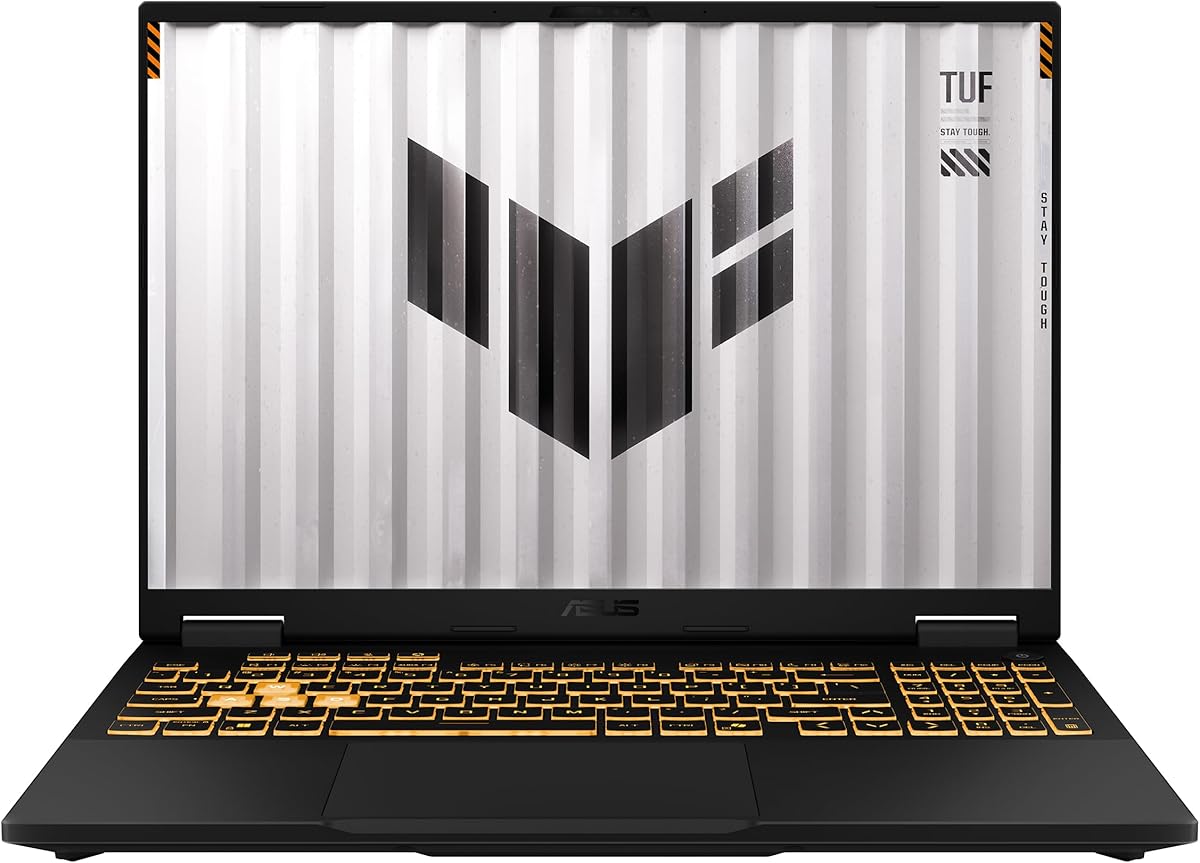
ASUS TUF Gaming F16 offers rugged reliability combined with RTX 5050 power. It earns a 4.5 rating for durability and consistent performance in everyday gaming and workloads.
We may earn a commission when you buy through this link, at no additional cost to you.
It meets MIL-STD-810H standards for durability. The 165Hz display ensures smooth visuals. Arc Flow Fans keep cooling efficient without loud noise.
The build is sturdy but heavier than slim laptops. Storage starts at 512GB which can fill quickly. Upgrading SSDs is possible if needed.
Ideal for users needing a reliable machine for gaming and travel. Its durable chassis and good performance make it a practical choice.
Rigorous testing ensures the laptop withstands tough conditions and daily wear.
Adaptive-Sync reduces tearing and stuttering for fluid gameplay across titles.
We may earn a commission when you buy through this link, at no additional cost to you.
Lenovo LOQ brings AI-powered performance with RTX 5050 graphics. It holds a 4.4 rating for blending smooth visuals, smart features, and solid build quality.
We may earn a commission when you buy through this link, at no additional cost to you.
G-Sync eliminates screen tearing. Hyperchamber cooling with turbo fans maintains stable temps. AI Engine+ optimizes settings automatically for better FPS and efficiency.
Battery life is decent but not exceptional. The refresh rate is 144Hz, lower than some rivals. However, the overall package remains competitive.
This laptop fits gamers seeking intelligent performance tuning and G-Sync visuals. Its blend of features and value makes it an attractive option.
AI Engine+ tunes system settings automatically for consistent performance and smoother gameplay.
Hyperchamber cooling with copper heat pipes keeps the system cool during intense gaming sessions.
We may earn a commission when you buy through this link, at no additional cost to you.
The IdeaPad Pro 5 targets creatives with its OLED panel and RTX 5050 GPU. It rates 4.0 for stunning color accuracy and solid performance in creative workflows.
We may earn a commission when you buy through this link, at no additional cost to you.
The 2.8K OLED display offers deep blacks and rich color. Ryzen AI 7 processor supports accelerated workloads. It includes modern ports and MIL-STD durability.
OLED panels may show burn-in over time. Battery life varies depending on usage. For creatives, color accuracy outweighs these concerns.
Ideal for designers, editors, and creators needing vivid visuals. Its blend of GPU and display quality suits professional tasks well.
The OLED panel ensures true-to-life color reproduction ideal for design and video editing work.
Ryzen AI processor boosts performance for multitasking and creative applications efficiently.
We may earn a commission when you buy through this link, at no additional cost to you.
msi Katana 15 offers a balanced mix of processing power and GPU capability. It holds a 3.9 rating for steady performance and reliable connectivity options.
We may earn a commission when you buy through this link, at no additional cost to you.
The i7-14650HX handles multitasking well. 16GB DDR5 improves speed. The 75Wh battery provides decent runtime for gaming away from outlets.
Build materials are average. RGB options are limited. For raw performance and value, it still delivers solid results.
Buyers seeking strong processing and GPU power at a reasonable price will appreciate this model. It is practical for gamers on a budget.
The Core i7-14650HX provides smooth performance for modern games and multitasking workloads.
WiFi 6E and Bluetooth 5.3 ensure fast wireless connections and reliable peripheral pairing.
We may earn a commission when you buy through this link, at no additional cost to you.
msi Cyborg A15 AI stands out for portability with RTX 5050 performance. It rates 3.9 for balancing mobility with everyday gaming power.
We may earn a commission when you buy through this link, at no additional cost to you.
Its slim chassis weighs roughly 4.3 lbs. The translucent keyboard adds style. 1TB SSD offers ample storage without external drives.
Display brightness could be higher for outdoor use. Upgrade access is limited compared to bulkier models. Portability remains the main draw.
Best for students and mobile gamers who need to carry their system daily. It offers a stylish and portable gaming option.
The slim chassis makes this laptop easy to carry for school, work, or gaming on the go.
Translucent keycaps provide visibility and unique design flair for gaming setups.
We may earn a commission when you buy through this link, at no additional cost to you.
GIGABYTE A16 features GiMATE AI interface for intuitive control. It rates 3.8 for balancing performance with modern smart features.
We may earn a commission when you buy through this link, at no additional cost to you.
The 180-degree hinge allows flexible positioning. The i7-13620H handles multitasking well. A slim chassis keeps it portable for travel.
Display brightness is standard. Fewer user reviews make long-term reliability less clear. GiMATE adds a unique smart layer.
Buyers interested in smart interfaces and modern design may find it appealing. It offers solid performance for its class.
GiMATE offers an intuitive interface that adapts to user preferences for easier control.
The 180-degree hinge lets the screen lay flat for versatile usage scenarios.
We may earn a commission when you buy through this link, at no additional cost to you.
Selecting the right RTX 5050 laptop involves balancing GPU power, display quality, and portability to match your workflow and budget.
The RTX 5050 offers DLSS 4 and AI acceleration for smoother gaming. Prioritize models with higher TGP wattages for better sustained performance.
Look for GPUs with enough VRAM like 8GB GDDR7 to handle high textures without stuttering.
Choose panels with at least 144Hz refresh rates for fluid visuals. WQXGA or FHD+ resolutions provide sharpness for creative tasks.
OLED or IPS panels deliver better color accuracy for design and video editing workflows.
Pair the GPU with Core i7 or Ryzen 7 processors for multitasking. Higher thread counts help stream and record simultaneously.
Ensure the CPU supports latest Wi-Fi and Thunderbolt ports for future connectivity.
16GB DDR5 memory is standard for modern gaming. Opt for models with upgradeable slots for longevity.
At least 1TB PCIe SSD storage is ideal for large game libraries and projects.
Advanced cooling like vapor chambers or dual fans maintains stability under load. Check reviews for noise levels and thermal throttling.
Better thermal solutions help sustain performance during long gaming or rendering sessions.
Gaming laptops trade battery life for power. Look for 75Wh batteries or rapid charge features to extend usage on the go.
Slimmer designs are more portable but may throttle more under heavy workloads.
Prioritize USB-C with Thunderbolt, HDMI 2.1, and Wi-Fi 6E or 7 for modern peripherals. These ensure compatibility with high refresh monitors.
More ports reduce the need for dongles and simplify docking setups.
MIL-STD rated or premium materials ensure longevity. Check for keyboard backlighting and hinge strength.
Robust builds survive travel and daily use without cosmetic or functional damage.
Keep vents clear and use a cooling pad during long sessions to prevent overheating. Regularly clean fans and filters to maintain airflow efficiency.
Update GPU drivers via NVIDIA GeForce Experience for optimal performance and game compatibility. Enable DLSS and ray tracing settings for improved visuals.
Use power-saving modes during non-gaming tasks to extend battery life. Calibrate display settings for accurate colors when editing photos or video content.
Modern titles with ray tracing and DLSS support see significant gains. Shooters like Valorant and RPGs like Cyberpunk run smoother with AI upscaling enabled. The GPU handles 1080p to 1440p gaming well at high settings.
Yes, RTX 5050 offers DLSS 4 and higher AI TOPS. These improve frame rates and reduce latency compared to RTX 4050 models. The GDDR7 VRAM also enhances texture loading and stability.
High refresh rates like 165Hz or 180Hz reduce motion blur and improve competitive play. For fast-paced games, a 144Hz minimum is ideal. Higher refresh rates pair well with the GPU's frame output capabilities.
Yes, the GPU accelerates rendering in apps like Premiere and DaVinci. Combined with 16GB RAM, these laptops handle 1080p and 4K projects smoothly. Look for NVENC support for faster exports.
Most allow RAM and SSD upgrades via tool-free access panels. Some models like ROG Strix offer deeper hardware access. Always check if slots are open or occupied before purchasing.
Battery life ranges from four to six hours for light tasks. Gaming on battery reduces runtime significantly. Models with rapid charge tech restore power quickly during short breaks.
DLSS 4 introduces Multi Frame Generation and improved Ray Reconstruction. These increase FPS and reduce input lag while preserving image quality. It helps stretch performance beyond native resolution.
Yes, especially models with OLED or color-accurate IPS displays. GPUs accelerate rendering and effects in creative apps. Look for Thunderbolt ports to connect high-res external monitors.
Our top picks include Acer Nitro V for value, Acer Nitro V Gaming for balanced performance, and ASUS ROG Strix G16 for premium features. Each offers RTX 5050 power suited to different needs and budgets.
Focus on display refresh rates, cooling, and storage capacity before buying. Prioritize models that support your specific workflow and future upgrade plans.
Always verify current prices and availability since deals change regularly. Use this guide to find the right RTX 5050 laptop that fits your goals.