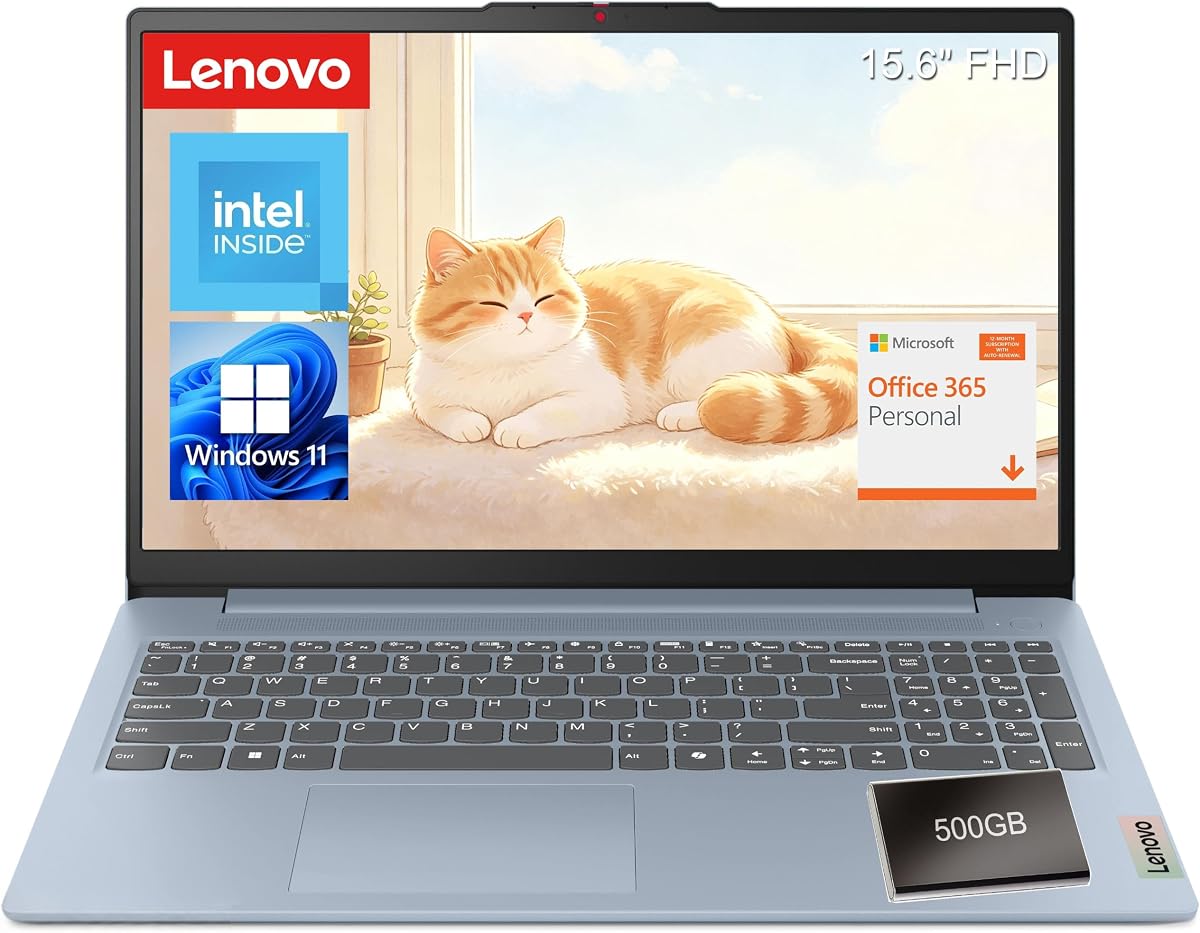
Lenovo Laptop Computer 15.6 FHD
4.4Editor score
Intel N150 Processor
8GB LPDDR5 RAM
128GB UFS Storage
Finding the right Lenovo Thinkpad laptop means balancing powerful performance with legendary durability and business-ready security features designed for professionals who demand reliability every single day.
We evaluated ten distinct models based on processor power, memory capacity, display quality, connectivity options, and overall build quality to help you choose the perfect fit for your specific workflow needs.
Each selection highlights unique strengths and ideal use cases while noting that actual pricing and availability can fluctuate frequently so always verify current details before finalizing your purchase decision today.
4.4Editor score

4.4Editor score

5.0Editor score
As an Amazon Associate we earn from qualifying purchases.
This side-by-side comparison highlights key specifications across all ten models to help you quickly identify which Thinkpad meets your performance budget and portability requirements.


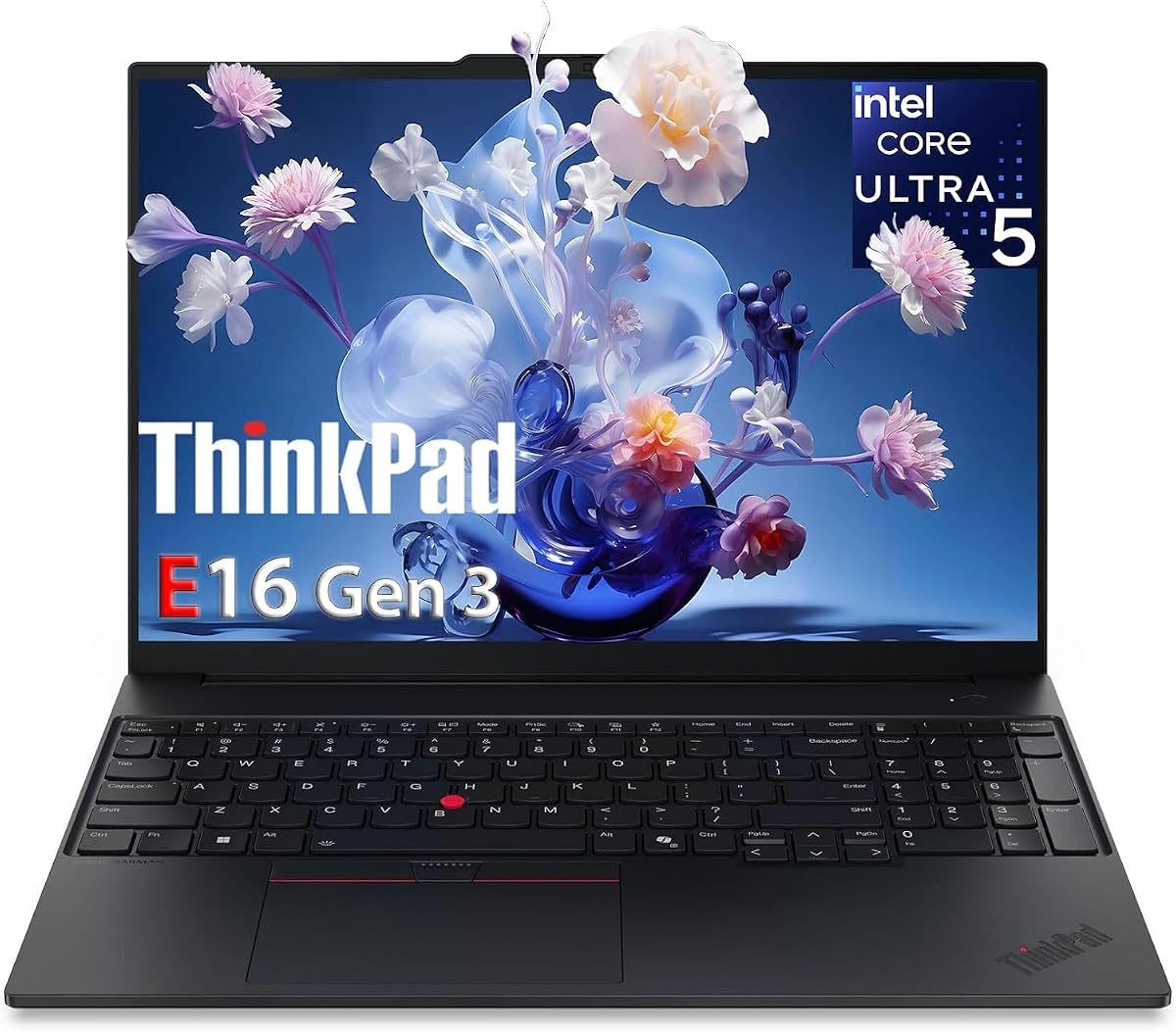


The ThinkPad E16 Gen 3 stands out as a top business choice with its new Intel Ultra 5 processor offering integrated AI capabilities for smarter workflows and faster task handling.
We may earn a commission when you buy through this link, at no additional cost to you.
Its 16-inch display delivers crisp visuals with anti-glare coating while the fingerprint reader and TPM 2.0 chip ensure your data remains secure in professional environments.
While battery life is decent it could be better for all-day unplugged use and port selection requires dongles for some legacy devices you might need daily.
This model is ideal for executives and analysts needing reliable performance with security features without paying premium workstation prices for extra power you may not use.
Integrated AI Boost NPU accelerates workflows and data analysis tasks directly on device reducing cloud dependency for faster results and improved privacy.
Fingerprint reader and TPM chip provide multi-layer protection ensuring sensitive corporate data stays safe during travel or remote work scenarios.
We may earn a commission when you buy through this link, at no additional cost to you.
This E16 model leverages AMD Ryzen power for smooth multitasking and solid performance across productivity apps while offering a bundled hub for immediate connectivity convenience.
We may earn a commission when you buy through this link, at no additional cost to you.
The DDR5 memory ensures rapid response times and the Ryzen 7 CPU handles demanding spreadsheets or video calls without noticeable lag during typical work hours.
Display brightness is sufficient indoors but may struggle in direct sunlight and limited upgradability means initial configuration choices matter most for long term needs.
Choose this laptop if you prefer AMD efficiency and want a complete setup with extra ports ready for modern peripherals right out of the box.
Ryzen 7 processor delivers strong single and multi-core performance with lower power draw keeping the system cool during extended work sessions.
Type-C Hub bundle expands connectivity options immediately so you can connect monitors and peripherals without buying additional adapters later.
We may earn a commission when you buy through this link, at no additional cost to you.
The L16 brings premium features like a bright touchscreen and massive memory and storage capacities making it perfect for professionals managing complex data sets or creative files.
We may earn a commission when you buy through this link, at no additional cost to you.
Its Intel Ultra processor balances performance and power efficiency while Thunderbolt 4 connectivity allows fast external drive connections and dual monitor setups for expanded desktop space.
The added touch capability increases weight and slightly reduces battery life but offers intuitive navigation for presentations or annotating documents directly on screen.
This laptop suits power users needing large working memory and touch interaction for design review or client presentations in modern office environments.
32GB DDR5 RAM supports heavy multitasking across virtual machines and browser tabs without performance degradation during peak workloads.
Interactive display allows direct input for quick edits or annotations enhancing collaboration during meetings and client review sessions effectively.
We may earn a commission when you buy through this link, at no additional cost to you.
This model offers exceptional value for students or home users with a capable processor and included Office 365 subscription ensuring productivity tools are ready instantly.
We may earn a commission when you buy through this link, at no additional cost to you.
Its lightweight chassis makes it easy to carry while Wi-Fi 6 keeps connections stable for video calls and cloud storage access during remote study sessions.
Storage space is limited requiring reliance on cloud solutions and the lack of backlighting might hinder typing in dim rooms or during evening use.
Ideal for basic computing tasks and students on a tight budget who need reliable hardware without paying for enterprise-level features or high-end specs.
One year of Microsoft 365 provides immediate access to Word and Excel saving additional costs for essential school or home business tasks.
Weighing under 3.5 lbs this laptop fits easily into backpacks making it ideal for daily commutes or classroom mobility needs.
We may earn a commission when you buy through this link, at no additional cost to you.
Balancing performance and affordability this E16 variant delivers solid productivity speeds with essential business features like a fingerprint reader and backlit keyboard for comfort.
We may earn a commission when you buy through this link, at no additional cost to you.
Fast charging capabilities minimize downtime during busy days while the durable build ensures it withstands frequent travel and regular office use without issues.
Display brightness could be brighter for outdoor use and port selection may require dongles for legacy devices you frequently rely on daily.
Select this version for reliable everyday business tasks needing quick startup and secure login without spending on premium workstation-tier components unnecessarily.
Fast charge technology gets the battery back to usable levels quickly reducing downtime during travel or meetings between power outlets.
Biometric fingerprint authentication offers quick secure access to your device without remembering complex passwords during busy workdays.
We may earn a commission when you buy through this link, at no additional cost to you.
Upgraded memory and storage make this Pro variant ideal for heavy multitasking across large files and virtual machines while maintaining smooth performance throughout the day.
We may earn a commission when you buy through this link, at no additional cost to you.
Triple monitor support via Thunderbolt 4 allows expansive workspace setups perfect for data analysts or coders needing multiple windows open simultaneously efficiently.
The increased RAM and storage raise the price slightly and add some weight but deliver significant productivity gains for power users managing complex workflows.
Best suited for analysts and executives who need substantial memory and multi-monitor setups without moving to higher-end workstation series models.
Connect up to three external 4K displays for maximum screen real estate improving workflow efficiency during complex project reviews.
32GB RAM enables seamless switching between heavy applications and browser tabs without slowdowns during peak usage times.
We may earn a commission when you buy through this link, at no additional cost to you.
This 2026 edition focuses on portability with a slim chassis and included external drive providing extra storage for media files or documents instantly.
We may earn a commission when you buy through this link, at no additional cost to you.
The Intel N150 handles basic tasks smoothly while the FHD display ensures sharp visuals for streaming and web browsing during leisure or study time.
Internal storage remains modest requiring cloud reliance for large media and the CPU may struggle with heavy multitasking or intensive software suites.
Perfect for students or home users prioritizing lightweight carry and simple computing tasks without needing high-end processing power or massive internal storage.
500GB external hard drive bundled ensures ample space for personal files and media without needing immediate external purchases.
Ultra-slim profile fits into small bags making commuting and daily transport easy for students and casual users.
We may earn a commission when you buy through this link, at no additional cost to you.
The P14s blends compact form factor with workstation-grade power offering ISV certification for professional software and AI-driven local processing for faster creative workflows.
We may earn a commission when you buy through this link, at no additional cost to you.
Its ISV validation ensures smooth operation with specialized tools like AutoCAD or Revit while the AMD AI NPU accelerates content creation without heavy cloud reliance.
The smaller screen size might limit multi-window comfort and the price targets professionals who need certified reliability for enterprise deployments and specialized software tasks.
Ideal for engineers and creative professionals needing portable certified performance for CAD or media work without carrying bulkier traditional workstation laptops.
Software compatibility validated for AutoCAD and Revit ensures stability and performance for technical design and engineering workflows.
Recycled materials and eco-friendly packaging align with corporate ESG goals while maintaining durability for professional daily use.
We may earn a commission when you buy through this link, at no additional cost to you.
This renewed model delivers essential business power at a fraction of the cost with a capable AMD PRO processor and professional Windows 11 Pro features for secure access.
We may earn a commission when you buy through this link, at no additional cost to you.
The 14-inch form factor keeps it easy to carry while the Trackpoint allows precise cursor control without using the touchpad during busy typing sessions.
Renewed status means varying cosmetic condition and the SSD capacity is modest requiring careful management or cloud storage for larger datasets.
Best for budget-conscious businesses seeking reliable hardware for basic operations without the investment of brand-new premium models with extra features.
Classic pointing stick offers precision control without lifting hands from the keyboard ideal for productivity-focused users.
AMD PRO processor provides solid performance with power efficiency suitable for long daily work sessions.
We may earn a commission when you buy through this link, at no additional cost to you.
This older T14s retains the premium build and keyboard comfort of its class while offering Windows 11 Pro for modern security at a renewed budget price.
We may earn a commission when you buy through this link, at no additional cost to you.
Its 16GB memory handles typical office loads well and the 512GB SSD provides reasonable space for documents and apps without needing external drives immediately.
The older CPU generation may lag with very heavy workloads but remains sufficient for general business productivity and email handling tasks daily.
Ideal for organizations needing reliable legacy hardware with premium feel at minimal cost for standard administrative or remote work scenarios.
Carbon fiber reinforced chassis ensures durability and a premium feel despite being an older generation model.
Illuminated keys enable comfortable typing in low-light conditions common during travel or late work sessions.
We may earn a commission when you buy through this link, at no additional cost to you.
Selecting the right Thinkpad requires understanding how processor speed memory capacity and display quality impact your specific daily tasks and workflows.
Modern Thinkpads use Intel Ultra or AMD Ryzen AI chips offering integrated AI accelerators for faster data processing and smart features without cloud dependence.
Look for at least a 5-series or Ryzen 5 equivalent to ensure smooth multitasking across office apps and video calls daily.
DDR5 RAM is standard on newer models and 16GB is the minimum recommended for business users to handle multiple browser tabs and apps simultaneously.
If you run virtual machines or heavy creative tools consider 32GB to avoid performance drops during peak workloads.
IPS panels offer wide viewing angles essential for collaboration while brightness above 300 nits ensures readability in bright office environments.
Anti-glare coatings reduce eye strain during long work sessions and touchscreen options add flexibility for presentation markups.
PCIe NVMe SSDs provide rapid boot times and file access essential for business productivity and minimizing downtime during workdays.
128GB is very limited for local files and 512GB is a practical minimum for storing projects and system updates.
Thunderbolt 4 ports offer versatile high-speed charging and display connectivity while USB-A ports remain useful for legacy peripherals.
Check for HDMI Ethernet jacks to avoid dongle reliance during meetings or docking setups.
Business models include fingerprint readers and TPM chips for encryption while physical camera shutters protect privacy when not in use.
These features are critical for remote workers and enterprises handling sensitive customer or corporate data.
Modern Thinkpads balance power with efficiency often lasting 6-8 hours on a charge depending on screen brightness and workload intensity.
Fast charging support helps minimize downtime when quick top-ups are needed between meetings or travel.
Military-grade MIL-STD testing ensures resistance to shock vibration and temperature extremes for reliable field use in harsh environments.
This durability is vital for professionals traveling frequently or working in non-standard office conditions.
Use the built-in privacy shutter when away from your desk and keep Windows updates current to maintain security and performance over time.
Avoid placing heavy objects on the lid and clean the keyboard with a soft dry cloth to prevent dust from entering key mechanisms.
Store the laptop in a padded case during transport and allow the device to cool naturally after heavy use to preserve internal components.
Yes especially the L and E series offer durable affordable options with long battery life perfect for campus use and carrying between classes daily.
Most modern models offer 6 to 8 hours of mixed use depending on screen brightness and workload intensity with some supporting fast charging.
It depends on the model; some solder memory while others allow expansion so check the specific technical specs before purchasing if you plan to upgrade.
Business models usually include Windows 11 Pro for advanced security while student and home versions may include Home edition with similar features.
Yes renewed models offer significant savings with tested performance ideal for basic business tasks though warranty coverage varies by seller and condition.
The P14s features workstation-grade ISV certification for specialized software and AMD AI processing for professionals needing CAD or design capabilities.
The ThinkPad E16 Gen 3 leads as our top pick for balancing AI features performance and security across business workflows and daily professional tasks.
Prioritize RAM capacity and display brightness for productivity and consider refurbished options if you need reliable hardware without paying premium costs.
Always check current availability and warranty terms since features like ports and storage can vary slightly even within the same model series over time.