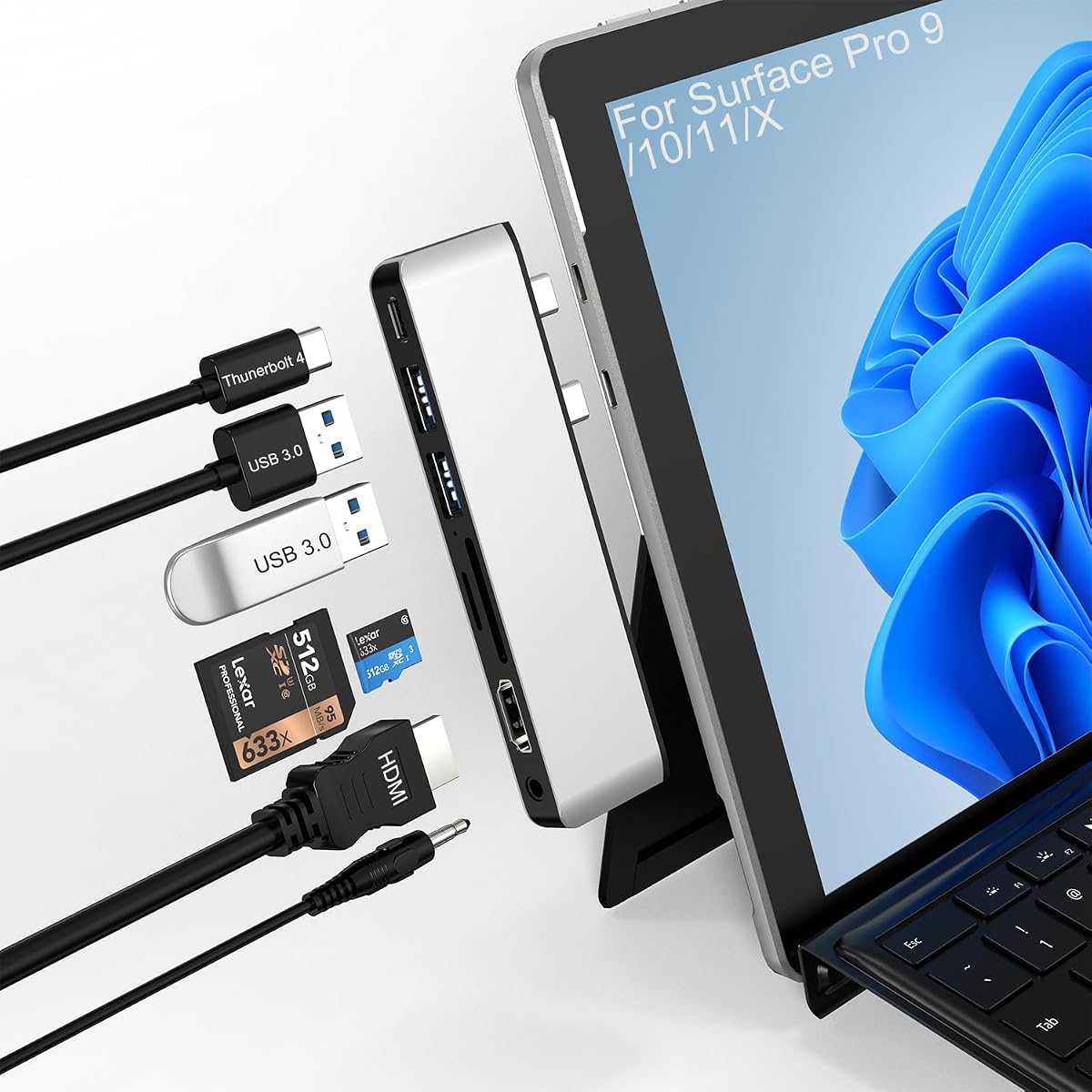
Surface Pro 2026/11 Docking Station
4.2Editor score
Thunderbolt 4 USB-C port
100W PD charging
Compact aluminum design
Discover the top docking stations for Surface Pro 11 in October 2026. This guide compares features, ports, and performance to help you choose.
Finding the right docking station for your Surface Pro 11 can transform your mobile laptop into a powerful desktop workstation. A quality hub expands connectivity, supports multiple monitors, and ensures fast data transfer for seamless productivity.
We evaluated ten top-rated docking stations based on port variety, display support, charging capabilities, and build quality. Our analysis focuses on compatibility with the latest Surface devices and real-world performance for professionals and creatives.
Each pick highlights unique strengths to match different workflows, from budget-friendly options to premium multi-monitor setups. Keep in mind that availability and deals change frequently, so verify current stock before making your final decision.
4.2Editor score
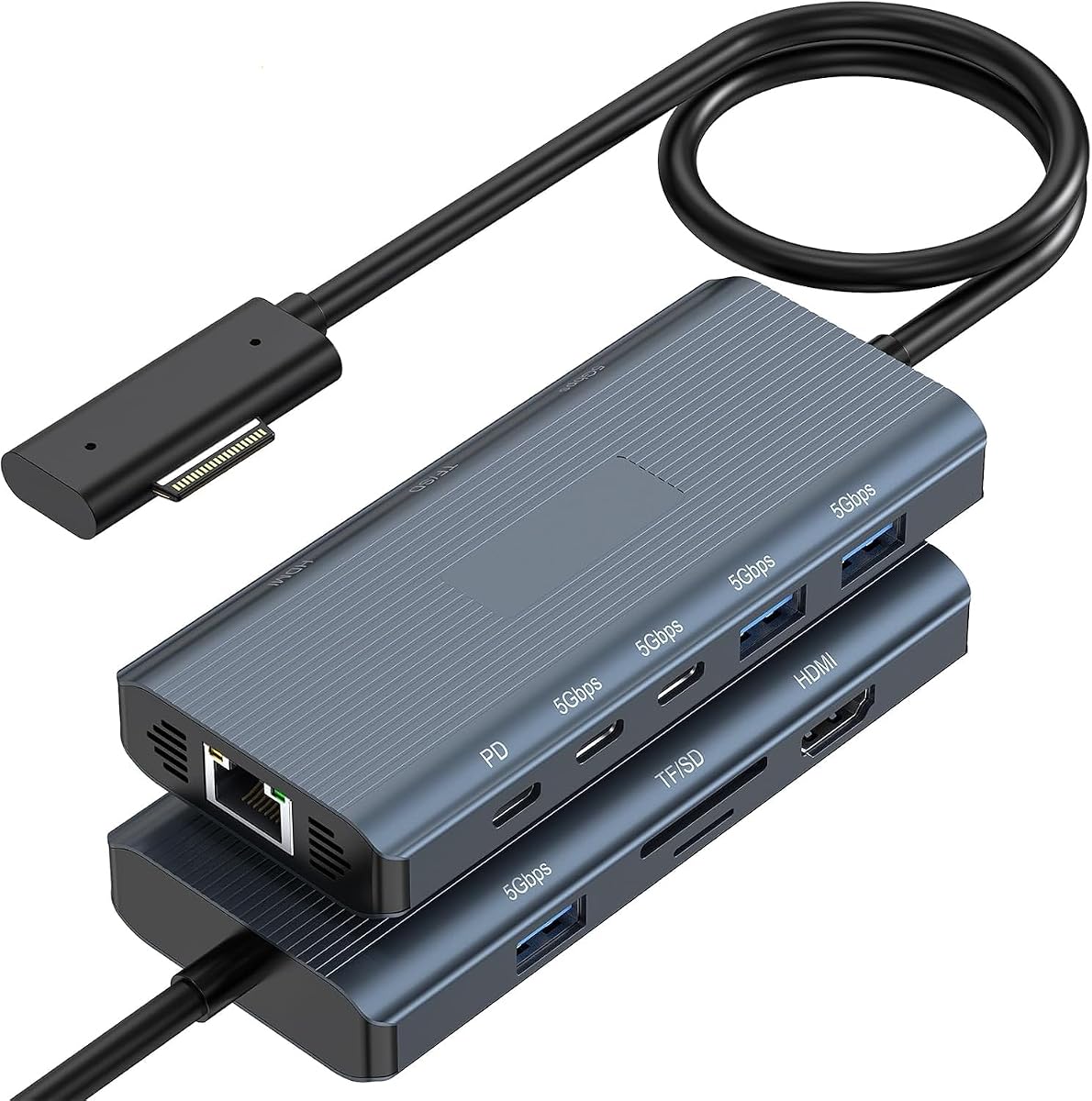
4.8Editor score

4.3Editor score
This side-by-side comparison highlights the key specifications and connectivity options across all ten selected docking stations to help you find the perfect match for your setup.



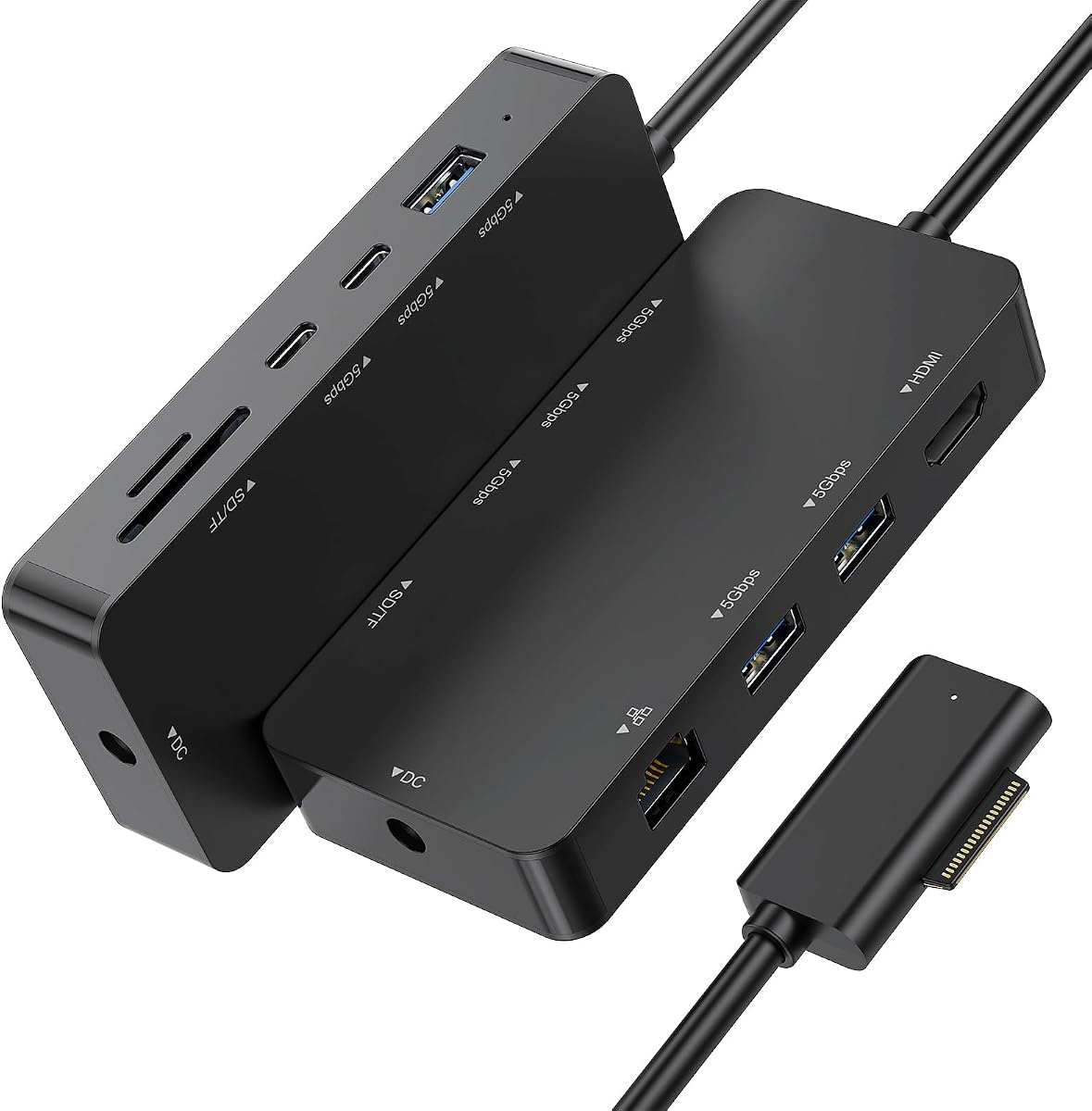
This 11-in-1 docking station stands out as a top contender for Surface Pro 11 users seeking comprehensive connectivity. With a strong rating, it delivers reliable performance for multi-monitor setups and fast data transfers.
We may earn a commission when you buy through this link, at no additional cost to you.
Its standout feature is the 4K@60Hz HDMI port, which ensures smooth visuals for video editing or presentations. The included power supply supports 100W PD input, keeping your device charged while running heavy workloads.
While it requires an external power adapter, this ensures stable performance without draining your battery. The Ethernet port provides a reliable wired connection, reducing latency during video calls or large file downloads.
Ideal for professionals needing expanded screen real estate and fast connectivity, this dock balances performance and value. It is a solid choice for anyone looking to maximize their Surface Pro 11 potential.
The 4K@60Hz support allows for crisp, fluid visuals on external monitors, perfect for creative work.
With USB 3.0 and USB-C ports offering 5Gbps speeds, file transfers are quick and efficient.
We may earn a commission when you buy through this link, at no additional cost to you.
This 12-in-1 dock is designed for users who need to connect multiple screens to their Surface Pro 11. It supports dual HDMI and VGA outputs, allowing for a triple-display configuration to boost productivity.
We may earn a commission when you buy through this link, at no additional cost to you.
The HDMI ports support 4K at 30Hz, which is suitable for general work and media consumption. Including a VGA port makes it versatile for older monitors or projectors often found in meeting rooms.
Note that achieving three external displays requires turning off the Surface screen. The dock also features audio and card reader options, making it a convenient all-in-one solution for various tasks.
Best for office environments or hybrid workers needing extended desktop space, this dock provides reliable connectivity. Its straightforward setup ensures you can start working immediately without complex configuration.
Connect up to three screens simultaneously to maximize workspace and multitasking efficiency.
SD and TF card slots allow direct access to photos and files from camera memory cards.
We may earn a commission when you buy through this link, at no additional cost to you.
Affordable and compact, this hub offers exceptional value for Surface Pro 11 users. It features a Thunderbolt 4 port that supports high-speed data and video output, making it ideal for on-the-go professionals.
We may earn a commission when you buy through this link, at no additional cost to you.
The Thunderbolt 4 port delivers up to 40Gbps transfer speeds and supports 8K resolution, which is a significant upgrade over standard USB hubs. The 100W PD charging ensures your device stays powered during extended use.
Its slim profile fits well with travel needs, though users should be aware that thick protective cases might interfere with the connection. The build quality uses aluminum to help dissipate heat efficiently during operation.
For those prioritizing speed and portability without a high price tag, this dock is a strong candidate. It simplifies your desk setup while providing essential connectivity for work and media tasks.
Experience blazing fast data transfers and high-resolution video support in a single port.
The lightweight aluminum case makes it easy to pack for business trips or remote work.
We may earn a commission when you buy through this link, at no additional cost to you.
This 12-in-1 dock is optimized for office tasks, offering a solid mix of display and data ports. It supports dual HDMI and VGA for a triple monitor setup, perfect for spreadsheets or coding.
We may earn a commission when you buy through this link, at no additional cost to you.
The included 72W power adapter helps maintain performance during long sessions without needing a separate Surface charger. The USB ports provide fast 5Gbps transfer speeds for quick access to external drives.
Note that the USB-C ports are for data only, not charging or video. The Ethernet connection ensures a stable wired network, which is crucial for consistent connectivity in corporate environments.
Designed for professionals who need a reliable workstation extension, this dock simplifies cable management. Its plug-and-play functionality ensures you can set up your desk quickly and focus on your work.
Multiple display outputs let you keep reference material on one screen while working on another.
SD and TF card readers make it easy to import photos or documents directly from memory cards.
We may earn a commission when you buy through this link, at no additional cost to you.
Tailored for creative professionals, this docking station delivers reliable performance for file transfers and multi-screen workflows. Its high-speed card slots are ideal for photographers and video editors working with large media files.
We may earn a commission when you buy through this link, at no additional cost to you.
The 72W power supply ensures your Surface stays charged even when running multiple monitors and peripherals. Dual HDMI ports allow for a spacious extended desktop, while VGA adds compatibility for legacy display equipment.
While the weight might make it less portable, the stability it offers at a desk is valuable. The audio jack provides a dedicated connection for headphones, essential for audio editing or calls.
This dock is best suited for creators who need fast access to media files and stable performance. It streamlines the workflow by consolidating multiple connections into a single hub.
SD card readers support speeds up to 104MB/s, speeding up photo and video imports significantly.
Having multiple screens allows for better organization of projects and reference materials simultaneously.
We may earn a commission when you buy through this link, at no additional cost to you.
This premium dock offers top-tier connectivity for demanding users who need high-speed data and video. With dual 4K@60Hz HDMI ports, it ensures smooth visuals for gaming or high-end content creation.
We may earn a commission when you buy through this link, at no additional cost to you.
The dedicated 100W DC charging adapter keeps your Surface powered even under heavy loads. Gigabit Ethernet provides a stable, low-latency connection that is crucial for reliable online work.
While it comes with a higher price tag, the performance and build quality justify the investment. The design fits well with various Surface models, ensuring versatility across the ecosystem.
Best for professionals who prioritize performance and reliability, this dock is a powerful upgrade. It turns your laptop into a full desktop experience with minimal setup effort.
60Hz refresh rates on 4K displays reduce motion blur and improve the smoothness of scrolling.
Gigabit Ethernet ensures fast downloads and stable connections for video conferences and cloud work.
We may earn a commission when you buy through this link, at no additional cost to you.
This 10-in-1 dock offers a straightforward solution for expanding your Surface Pro 11. It provides essential ports like HDMI, USB, and Ethernet, making it a practical choice for daily work.
We may earn a commission when you buy through this link, at no additional cost to you.
The 65W PD charging keeps your device powered while connected to peripherals. The 4K HDMI port supports high-resolution displays for sharp visuals during presentations or media viewing.
While it lacks multiple video outputs, the stability and speed it offers for data and network connections are excellent. The inclusion of three USB 3.0 ports ensures plenty of room for peripherals.
Ideal for users who need a simple, reliable hub for a single external monitor, this dock delivers consistent performance. It simplifies connectivity without unnecessary complexity or clutter.
PD charging ensures your battery stays topped up without interrupting your work or media use.
Multiple USB ports allow you to connect keyboards, mice, and drives simultaneously without adapters.
We may earn a commission when you buy through this link, at no additional cost to you.
Designed for multitasking, this dock supports up to three external displays for a spacious workspace. The combination of HDMI and VGA allows flexibility in connecting different types of monitors.
We may earn a commission when you buy through this link, at no additional cost to you.
The 72W power adapter keeps your Surface running efficiently even when driving multiple screens. Fast data transfer speeds ensure you can move files quickly between external drives and your laptop.
Note that the Ethernet port is limited to 100Mbps, which is adequate for most office tasks but not for heavy downloads. The card slots add convenience for accessing media directly from camera cards.
Best for users who need extensive screen space and reliable power, this dock is a practical tool. It supports a variety of devices in the Surface ecosystem, ensuring broad compatibility.
Expand your digital workspace across three screens to handle more projects at once.
USB 3.0 ports provide quick access to external storage, speeding up your workflow.
We may earn a commission when you buy through this link, at no additional cost to you.
This dock offers a variety of video outputs, including HDMI, DisplayPort, and Thunderbolt for broad compatibility. It supports triple displays with high refresh rates for smooth visuals and productivity.
We may earn a commission when you buy through this link, at no additional cost to you.
The 120W power adapter ensures ample power for your device and connected peripherals. Thunderbolt 4 support provides fast data transfer and video output, making it versatile for advanced setups.
The large adapter can take up space on a desk, but it guarantees reliable charging performance. The Ethernet and audio ports ensure stable network connections and clear audio for calls.
Ideal for users with diverse monitor types or high-performance needs, this dock provides extensive connectivity options. It is a robust solution for complex workflows requiring multiple inputs.
Use HDMI and DisplayPort together to mix different monitor types seamlessly.
120W power delivery ensures your device stays charged even when running multiple high-res displays.
We may earn a commission when you buy through this link, at no additional cost to you.
Featuring a magnetic Surface Connect cable, this dock ensures a secure and easy connection for your Surface Pro 11. It supports high-refresh 4K HDMI for sharp visuals and smooth motion.
We may earn a commission when you buy through this link, at no additional cost to you.
The Gigabit Ethernet port provides a stable network connection ideal for streaming or large file transfers. PD charging ensures your device remains powered throughout the workday without extra adapters.
The 50cm cable allows flexible positioning on your desk without blocking other ports. Its compact design makes it a tidy solution for those who prefer minimal cabling.
Best for users prioritizing connection stability and ease of use, this dock offers a reliable experience. It delivers essential connectivity in a streamlined package that fits well in any office.
The magnetic Surface Connect ensures the dock stays securely attached without accidental disconnection.
The 50cm cable gives you freedom to place the dock where it suits your workspace best.
We may earn a commission when you buy through this link, at no additional cost to you.
Selecting the right docking station involves evaluating your specific needs for video outputs, data speed, and power delivery to ensure optimal performance.
Determine how many external monitors you need to connect. Look for docks that support the resolution and refresh rate your work requires, such as 4K at 60Hz for smooth visuals.
Check for multiple video ports like HDMI, DisplayPort, or VGA to ensure compatibility with your existing screens.
Evaluate the types and number of USB ports available. Ensure you have enough USB-C and USB-A ports for your peripherals like keyboards, mice, and external drives.
Consider additional ports like SD card readers or audio jacks if you frequently use cameras or headphones.
A docking station should ideally provide Power Delivery to keep your Surface charged while in use. Look for adapters that offer sufficient wattage to handle your workload without battery drain.
Ensure the dock supports 100W or higher for fast charging to maintain device power during intensive tasks.
For efficient file management, ensure the dock supports USB 3.0 or Thunderbolt speeds. Faster data transfer reduces wait times when moving large files between devices.
Check for Gigabit Ethernet ports to guarantee a stable and fast network connection for internet tasks.
Choose a dock made from durable materials like aluminum to withstand daily use and dissipate heat effectively. A solid build ensures longevity and reliability.
Look for designs that fit your desk layout well without causing clutter or instability during operation.
Verify that the dock is explicitly compatible with the Surface Pro 11 and your other Surface devices. Using a certified dock ensures proper functionality and prevents connection issues.
Check reviews for user experiences with specific models to confirm seamless integration with your system.
Consider the cable length and connection type. Magnetic connections can offer stability and ease of use, reducing wear on ports from frequent plugging and unplugging.
A tidy setup helps prevent accidents and keeps your workspace organized for better focus and efficiency.
Adequate warranty terms provide peace of mind against manufacturing defects. Look for options with at least a 12-month warranty and responsive customer support.
Quality manufacturers often offer technical assistance to help troubleshoot any setup or usage issues.
Connect the dock to a reliable power source before attaching it to your Surface Pro 11. Ensure the power adapter is securely plugged in to maintain stable performance for connected devices.
Use the magnetic or USB-C connector to attach the dock to your Surface Pro 11. Make sure the connection is snug and oriented correctly to avoid damaging the port.
Clean the dock regularly with a soft, dry cloth to remove dust and debris. Avoid using harsh chemicals or excessive moisture that could damage the electronic components.
Many modern docking stations support triple monitor setups using HDMI and VGA ports. However, this may require turning off the Surface screen in some configurations to utilize all external displays effectively.
Yes, most docks designed for Surface Pro 11 include Power Delivery charging. This allows your device to stay powered up while using multiple external peripherals connected to the dock.
Most recommended docks support 4K resolution. Some offer 4K at 60Hz for smoother visuals while others support 30Hz. Check the specific model specifications to ensure it meets your display needs.
Most Surface docks are plug-and-play and do not require driver installation. They utilize built-in Windows drivers to ensure compatibility and quick setup for all connected devices.
It is best to use the included adapter to ensure sufficient power delivery. Using a compatible adapter with the correct wattage guarantees stable operation without draining your device battery.
Many docks offer USB 3.0 speeds of up to 5Gbps. Thunderbolt docks can reach up to 40Gbps. Check the specific USB and Thunderbolt specs for your preferred model to maximize transfer rates.
We have highlighted top options that offer reliable connectivity for the Surface Pro 11. Each pick provides a unique balance of features to suit different professional and creative workflows.
Prioritize the features that matter most to your daily tasks such as video output count or charging speed. Ensuring compatibility and performance will significantly enhance your productivity.
Keep in mind that pricing and availability change frequently. Always check current listings and stock before finalizing your purchase to secure the best deal.