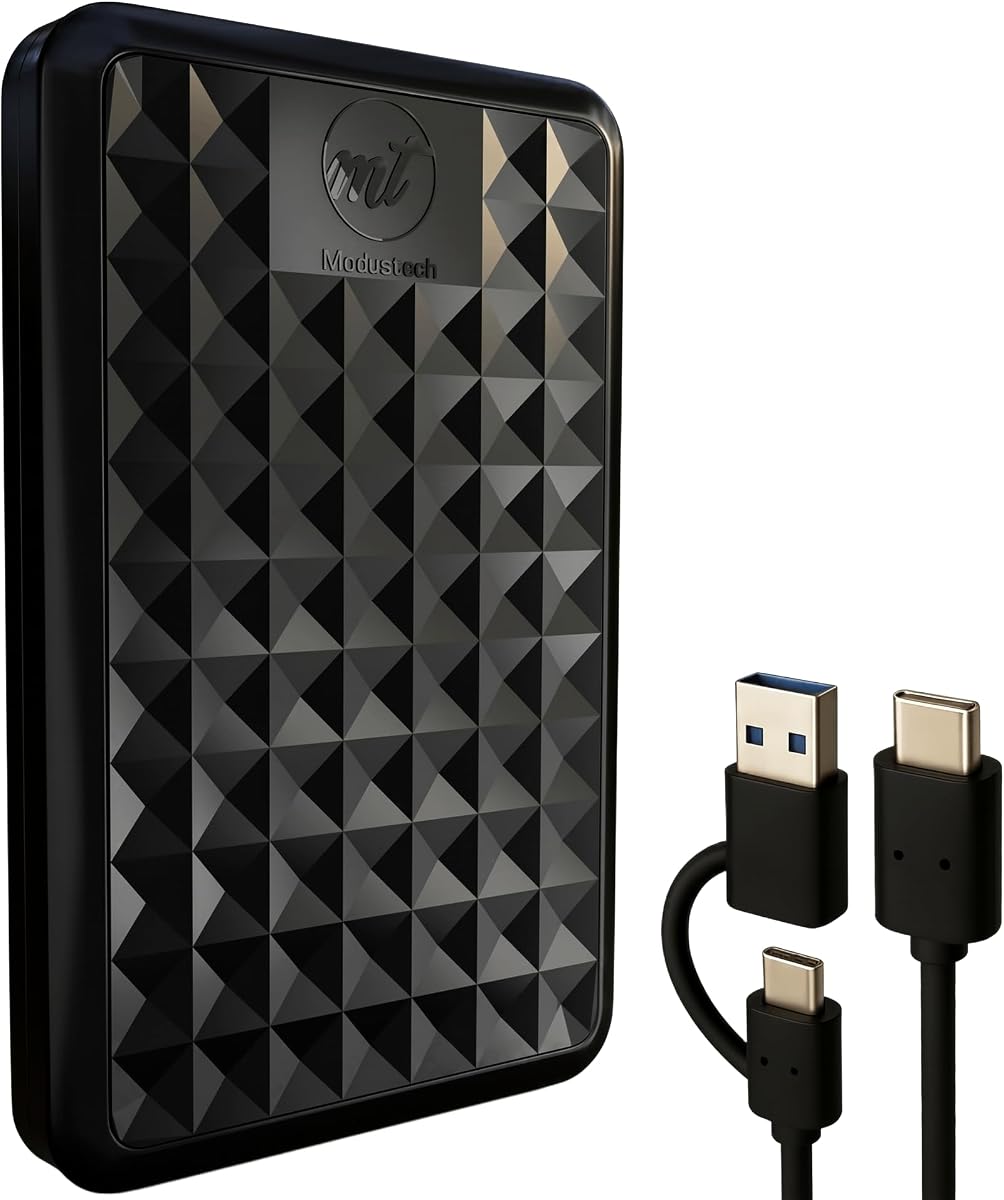
Facet 500GB External Hard Drive
4.1Editor score
USB-C and USB 3.1 connectivity
Preformatted in exFAT for cross compatibility
Slim and shock-resistant portable design
Discover the top external hard drives for Chromebook in October 2026. This guide compares storage capacity, speed, and compatibility to help you find the right
Chromebooks are known for their lightweight design and ease of use, but they often come with limited internal storage. An external hard drive solves this problem by providing additional space for files, media, and backups without slowing down your device.
We have carefully selected and analyzed ten highly rated external hard drives that work seamlessly with Chromebooks. Our comparison focuses on compatibility, transfer speeds, build quality, and overall value to ensure you make an informed decision for your needs.
Each product pick includes detailed specifications, pros, cons, and usage scenarios to help you choose the best option. Please note that prices and availability can change frequently, so checking the latest listings is always recommended before making a purchase.
4.1Editor score

4.7Editor score
4.6Editor score
This side-by-side comparison highlights the key specifications and features of all ten selected drives. Use this table to quickly assess capacity, interface type, and compatibility to find the drive that fits your Chromebook setup best.


The WD Elements Portable External Hard Drive stands out as a top choice for Chromebook users needing reliable storage. With a rating of 4.7 stars, it offers a blend of capacity and speed that fits most workflows seamlessly.
We may earn a commission when you buy through this link, at no additional cost to you.
Its plug-and-play functionality ensures you can start using it immediately without downloading drivers. The USB 3.2 Gen 1 interface provides fast data transfers, making it ideal for moving large media files or backing up important documents quickly.
While it does not come with a USB-C cable natively, the included USB-A cable works with most Chromebooks using an adapter. The lightweight design makes it easy to carry in a laptop bag for travel or work on the go.
Anyone looking for a straightforward storage expansion solution will find this drive appealing. It balances performance and price effectively, making it a recommended pick for students professionals and casual users alike.
This drive formats easily to exFAT which is widely supported by Chrome OS allowing you to read and write files without hassle.
WD is a trusted brand known for durability so you can rely on this drive for consistent performance over years of regular use.
We may earn a commission when you buy through this link, at no additional cost to you.
The Facet External Hard Drive is an excellent budget option for Chromebook owners who need quick and easy storage expansion. It comes preformatted in exFAT ensuring compatibility with Chrome OS right out of the box.
We may earn a commission when you buy through this link, at no additional cost to you.
Its USB-C connectivity is a significant advantage for modern Chromebooks that lack traditional USB-A ports. The included 2-in-1 cable means you do not need to buy extra adapters to connect it directly.
Although the 500GB capacity is smaller than some competitors it is sufficient for many users needing to store documents photos or backups. The slim design fits easily into pockets or bags for portability.
This drive is best suited for those on a tight budget or needing a secondary backup solution. It offers great value for the price while delivering the essential functionality needed for everyday storage tasks.
The built-in USB-C support matches the ports on newer Chromebooks allowing for a direct connection without dongles or adapters.
No drivers or software are required so you can plug it in and start transferring files immediately on your Chromebook system.
We may earn a commission when you buy through this link, at no additional cost to you.
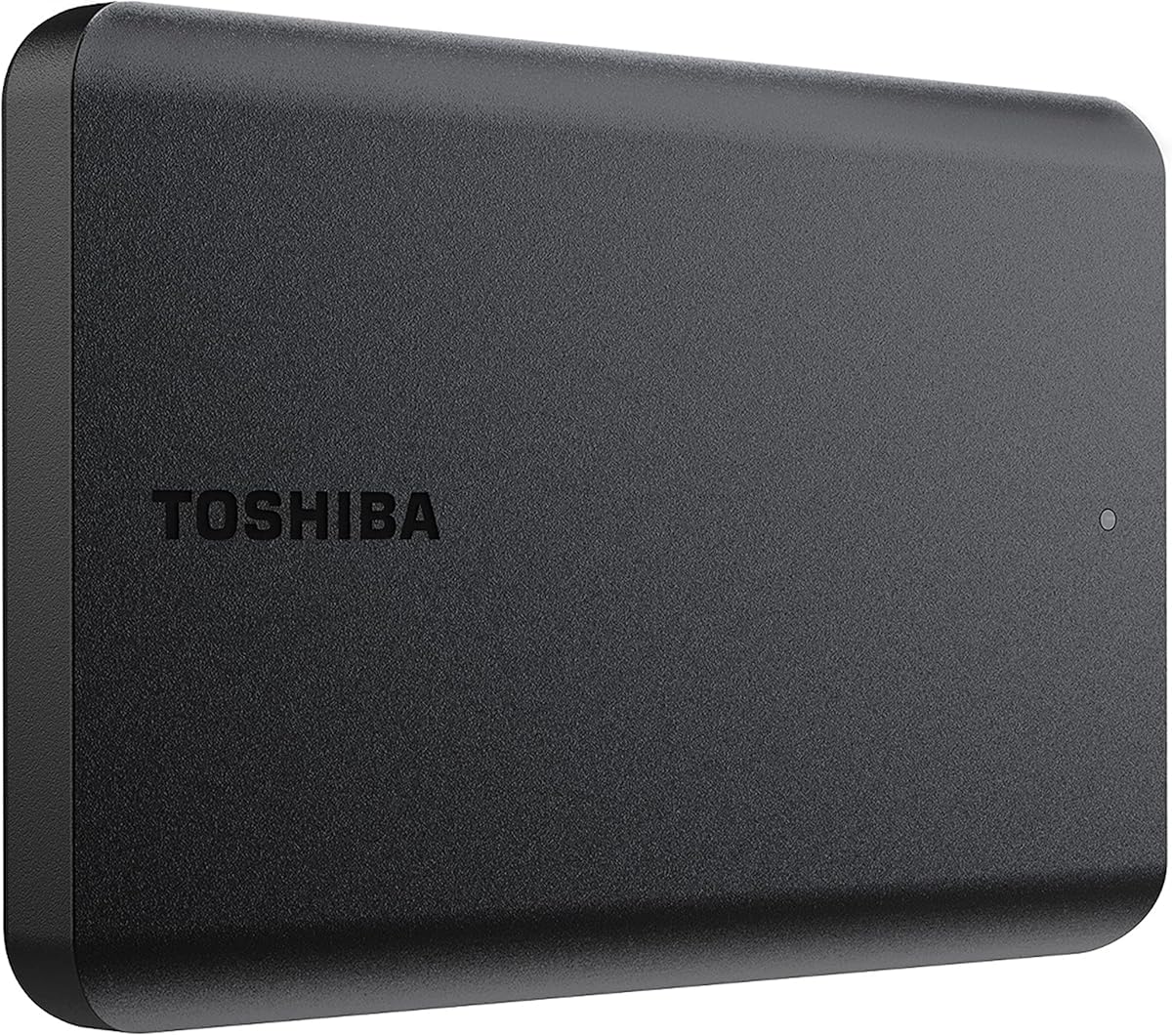
The Toshiba Canvio Basics 2TB drive is a premium choice for users needing substantial storage space for their Chromebook. Its sleek design and matte finish make it look professional while offering reliable performance for various tasks.
We may earn a commission when you buy through this link, at no additional cost to you.
It ships in NTFS format which is ideal for Windows but requires reformatting to exFAT for full compatibility with Chrome OS. This process is simple and allows you to use it seamlessly with your Chromebook afterward.
The 2TB capacity provides ample room for large media libraries or extensive backups without frequent external cleanup. The drive is bus-powered so you do not need to carry an additional power adapter for convenience.
This drive is best for professionals or power users who need robust storage capabilities. It delivers consistent performance and durability making it a worthwhile investment for those with significant storage needs.
The matte smudge-resistance finish gives it a premium look that fits well in professional settings or while traveling.
With 2TB of space you can store thousands of files videos and photos without worrying about running out of room soon.
We may earn a commission when you buy through this link, at no additional cost to you.
The Seagate Portable Hard Drive offers a solid 2TB storage solution for Chromebook users who need reliable and easy access to their files. It is designed for straightforward use without the need for additional software installation.
We may earn a commission when you buy through this link, at no additional cost to you.
Its plug and play functionality means you can connect it to your Chromebook and start using it immediately. The included USB 3.0 cable ensures fast transfer speeds for moving large files around efficiently.
While it lacks a USB-C connection natively the drive works well with Chromebooks using a simple adapter. This makes it a versatile option for a wide range of devices beyond just Chrome OS.
This drive is ideal for anyone seeking a dependable and spacious storage option. Its ease of use and robust capacity make it a practical choice for backing up data or expanding storage limits.
Automatic recognition upon connection allows you to skip configuration steps and start storing files right away.
Seagate is known for reliability so this drive offers peace of mind for long-term storage and data retention.
We may earn a commission when you buy through this link, at no additional cost to you.
The Maxone 1TB External Hard Drive stands out for its ultra-slim metal design which makes it easy to carry anywhere. It offers a sturdy build that keeps the drive running cool and quiet during operation.
We may earn a commission when you buy through this link, at no additional cost to you.
Its USB 3.0 interface provides fast data transfer speeds compatible with older USB 2.0 ports as well. This flexibility ensures you can use it with a variety of devices without compatibility issues.
The all-aluminum body not only looks sleek but also helps dissipate heat effectively. This contributes to the longevity and performance of the drive even during extended use sessions.
This drive is perfect for users who prioritize portability and build quality. It offers a good balance of capacity and design making it a versatile choice for students and professionals on the go.
The all-aluminum anti-scratch model ensures the drive stays protected from everyday wear and tear while looking great.
USB 3.0 technology enables super fast transfer speeds so you spend less time waiting for files to copy.
We may earn a commission when you buy through this link, at no additional cost to you.
The 500GB External Hard Drive offers an affordable entry point for Chromebook users needing extra storage. Its lightweight design makes it easy to carry in a pocket or bag without adding bulk to your setup.
We may earn a commission when you buy through this link, at no additional cost to you.
It supports fast read and write speeds ensuring efficient data transfers. The plug and play functionality means you do not need to install any additional software to start using it.
While the capacity is smaller than some competitors it is sufficient for storing documents photos or backups. The wide compatibility ensures it works with various operating systems including Chrome OS with proper formatting.
This drive is best for those on a tight budget or needing a secondary backup drive. It provides essential functionality at a low cost making it accessible to a wide range of users.
Supports a wide range of devices including PCs Macs and game consoles ensuring you can use it anywhere.
Weighing only 0.35 pounds it is incredibly easy to carry around making it ideal for travel or daily commutes.
We may earn a commission when you buy through this link, at no additional cost to you.
The Aiolo Innovation 500GB External Hard Drive is designed for users who value quiet operation and portability. Its noise-free motherboard solution ensures a quiet working environment which is perfect for shared spaces.
We may earn a commission when you buy through this link, at no additional cost to you.
It includes a USB to type C adapter making it easier to connect to modern Chromebooks with USB-C ports. The anti-interference layer helps protect data and increases heat dissipation during use.
Despite its compact size the drive delivers fast data transfer speeds for efficient file management. The lightweight design fits easily in your pocket ensuring you can carry it wherever you go.
This drive is ideal for students or professionals who need a quiet and reliable storage solution. Its included adapter and warranty add value making it a solid choice for everyday use.
The motherboard adopts a noise-free solution providing a quiet working environment ideal for offices or libraries.
The aluminum anti-interference layer increases heat dissipation and protects data from potential electrical interference.
We may earn a commission when you buy through this link, at no additional cost to you.
The 1TB Portable External Hard Drive explicitly lists Chromebook compatibility making it a safe choice for Chrome OS users. Its slim design comfortably fits your palm for easy portability and handling.
We may earn a commission when you buy through this link, at no additional cost to you.
Powered by USB 3.0 technology it offers transfer speeds ten times faster than USB 2.0. This ensures that backing up massive data or transferring large files happens in seconds rather than minutes.
It includes a USB to type C adapter which is essential for modern Chromebooks that lack traditional USB-A ports. This inclusion adds convenience and saves you from buying extra accessories separately.
This drive is suitable for anyone looking for a balanced capacity and speed option. Its explicit compatibility with Chromebooks makes it a convenient choice for expanding storage on these devices.
The product description highlights compatibility with Chromebook ensuring you know it will work with your system.
Its mini portable hard drive protected by a sturdy case fits comfortably in your palm for easy transport.
We may earn a commission when you buy through this link, at no additional cost to you.
The UnionSine 1TB Ultra Slim Portable External Hard Drive features an upgraded version with a mirror logo strip for a stylish look. It also adopts a noise-free solution providing a quiet working environment for users.
We may earn a commission when you buy through this link, at no additional cost to you.
With theoretical read speeds up to 125MB/s it offers ultra-fast data transfers that are efficient for large files. The hard disk chip is wrapped with an aluminum anti-interference layer to increase heat dissipation and protect data.
Its lightweight and portable size makes it easy to fit in your pocket for convenient transport. The included USB 3.0 cable ensures you have everything you need to start using it right away.
This drive is perfect for users who need reliable performance in a slim design. Its fast speeds and protective features make it a solid choice for everyday storage needs.
The mirror logo strip combined with striped non-slip design makes it more suitable for holding and handling.
USB 3.0 and USB 2.0 interfaces enable blazing-fast data transfer speeds for efficient file management.
We may earn a commission when you buy through this link, at no additional cost to you.
The Toshiba Canvio Advance 1TB Portable External Hard Drive stands out with its included backup and password protection software. This makes it a strong choice for users who prioritize data security and automated backups.
We may earn a commission when you buy through this link, at no additional cost to you.
Its compact design features a stylish textured finish and color options to fit your lifestyle. The USB 3.0 compatibility ensures fast data transfer speeds for efficient file management.
While the backup software is available for Windows PC only the drive still works seamlessly with Chrome OS after formatting. This allows you to use the hardware features without needing the software suite.
This drive is ideal for those who want extra security features for their files. The password protection adds a layer of safety making it a practical choice for sensitive documents and data.
Password protection software helps prevent unauthorized access to your data adding an extra layer of security.
The compact design with a stylish textured finish ensures it fits well into your lifestyle and travels easily.
We may earn a commission when you buy through this link, at no additional cost to you.
Choosing the right external hard drive for your Chromebook requires understanding a few key factors. This section breaks down the most important considerations to help you narrow down your options.
Storage capacity is one of the most important factors to consider when buying an external hard drive for Chromebook. Depending on your needs you might need anywhere from 500GB to multiple terabytes. If you store large media files or videos you will want a drive with higher capacity.
For most users a 1TB or 2TB drive provides ample space for photos music and documents. However if you only need to backup critical documents a smaller 500GB drive may be sufficient and more affordable.
The interface type determines how the drive connects to your Chromebook. USB 3.0 is common and provides fast transfer speeds but newer Chromebooks may have USB-C ports. Ensure the drive includes a USB-C cable or adapter for compatibility.
USB 3.1 Gen 1 and USB 3.2 interfaces offer similar speeds but USB-C is more future-proof. If your Chromebook has only USB-A ports a drive with USB-A is fine but USB-C is preferred for versatility.
Chrome OS primarily supports the exFAT file system for external drives. Many drives come preformatted as NTFS which is read-only on Chrome OS. You may need to reformat the drive to exFAT to write files to it.
Before buying check if the drive is preformatted for cross-platform use. If not be prepared to reformat it which will erase any existing data so back up files beforehand.
Since Chromebooks are designed for mobility the external drive should also be portable. Look for drives that are slim lightweight and durable enough to withstand travel. Metal designs can also help dissipate heat during use.
A compact drive fits easily into your laptop bag or pocket. Consider shock-resistant designs if you plan to carry it around frequently to protect your data from accidental drops.
Transfer speed affects how quickly you can copy large files to or from the drive. USB 3.0 offers speeds up to 5Gbps which is significantly faster than USB 2.0. This is essential if you work with large video files.
Higher transfer speeds save time during backups and file transfers. While many drives advertise theoretical speeds real-world performance may vary based on file size and type.
External hard drives range widely in price based on capacity and features. Determine your budget and look for the best value within that range. Sometimes paying slightly more for a reputable brand offers better longevity.
Budget options are available for smaller capacities but consider the long-term value of a drive with higher capacity and warranty coverage. A better warranty can save costs if the drive fails.
A good warranty provides peace of mind and protects your investment. Most drives come with at least a one-year warranty but some offer up to three years. Check the terms to understand what is covered.
Customer support is also important in case you face issues. Brands with reliable support can help troubleshoot problems or replace defective units ensuring you get the best experience.
Some drives come with additional software for backup or encryption. While these might not work with Chrome OS they can be useful on other devices. Evaluate if these features add value to your workflow.
Features like password protection can secure sensitive data. However since Chrome OS has its own security measures these might be less critical depending on your usage patterns and needs.
To get started plug the external hard drive into your Chromebook's USB port or USB-C port depending on the drive's interface. Your Chrome OS should automatically recognize the drive and display it in the Files app. If it does not appear check the connection or restart your Chromebook.
If the drive is not recognized it may be formatted to a file system that Chrome OS cannot write to such as NTFS. In this case open Disk Utility or use a formatting tool to convert the drive to exFAT. Remember that formatting will erase all existing data so back up files first.
To maintain the drive keep it in a cool dry place and avoid exposing it to extreme temperatures or moisture. Always eject the drive safely before unplugging to prevent data corruption. If the drive becomes hot allow it to cool down before storing it away.
Yes most external hard drives work with Chromebooks but you may need to reformat them to exFAT for full compatibility. Drives formatted as NTFS or APFS may only allow read access. Ensure the drive uses USB or USB-C connectivity for easiest integration.
Most portable external hard drives are bus-powered meaning they draw power directly from your Chromebook's USB port. Desktop drives usually require an external power adapter. Check product specifications to confirm if an external power cord is needed.
Open the Files app on your Chromebook and locate your files. Drag and drop them onto the external drive icon in the sidebar. Alternatively right-click the file and select Copy then paste it onto the drive in the File app.
Yes USB 3.0 offers significantly faster transfer speeds compared to USB 2.0. This is especially beneficial for large files like videos. Most modern external drives support USB 3.0 and are backward compatible with USB 2.0 ports.
exFAT is supported by both Windows and Chrome OS allowing read and write access. NTFS is supported by Chrome OS for read-only access. To write files to an NTFS drive you must reformat it to exFAT using a compatible tool.
External hard drives typically last between three to five years with normal use. Proper care such as avoiding drops and keeping them cool extends their lifespan. Always keep a backup of important data in case of drive failure.
You cannot install Chrome OS apps directly on an external hard drive. However you can store files media backups or Linux data on it. Apps must be installed on the Chromebook's internal storage or compatible cloud services.
Common reasons include an incompatible file system a loose connection or a faulty USB port. Try reconnecting the drive checking the cable or testing on another device. If needed reformat the drive to exFAT for Chrome OS compatibility.
Choosing the best external hard drive for Chromebook comes down to balancing capacity speed and compatibility. The drives listed in this guide offer a range of options from budget-friendly to premium models that meet diverse needs.
Prioritize USB-C connectivity if you have a modern Chromebook to avoid using extra adapters. Also consider the drive's durability and warranty for long-term peace of mind. Remember that formatting to exFAT is key for full functionality.
Check the latest prices and availability before purchasing as these can change frequently. Investing in the right external hard drive will help you expand your storage and keep your data organized and accessible on the go.