
Highwings 8K HDMI 2.1 Cable 2-Pack
4.7Editor score
Certified Ultra High Speed
48Gbps bandwidth support
Durable nylon braiding
Discover the top HDMI cables for Roku Ultra in October 2026. This guide compares speed, durability, and compatibility to help you choose the perfect connection.
Finding the right HDMI cable for your Roku Ultra ensures you get the most out of your streaming experience. A high-quality connection supports crisp 4K video, immersive audio, and stable performance without signal drops or lag issues.
We compared ten top-rated cables based on speed, build quality, certification, and user feedback. Each option was evaluated for its ability to handle high bandwidth demands while maintaining durability and ease of use in modern home entertainment setups.
Every pick highlights key features and real-world performance traits to help you decide quickly. Note that product availability and pricing can change over time, so check current listings before making your final purchase decision today.
4.7Editor score
4.8Editor score

4.8Editor score
This side-by-side comparison highlights the key specifications and features of each top-rated HDMI cable to help you make an informed choice for your Roku Ultra setup.

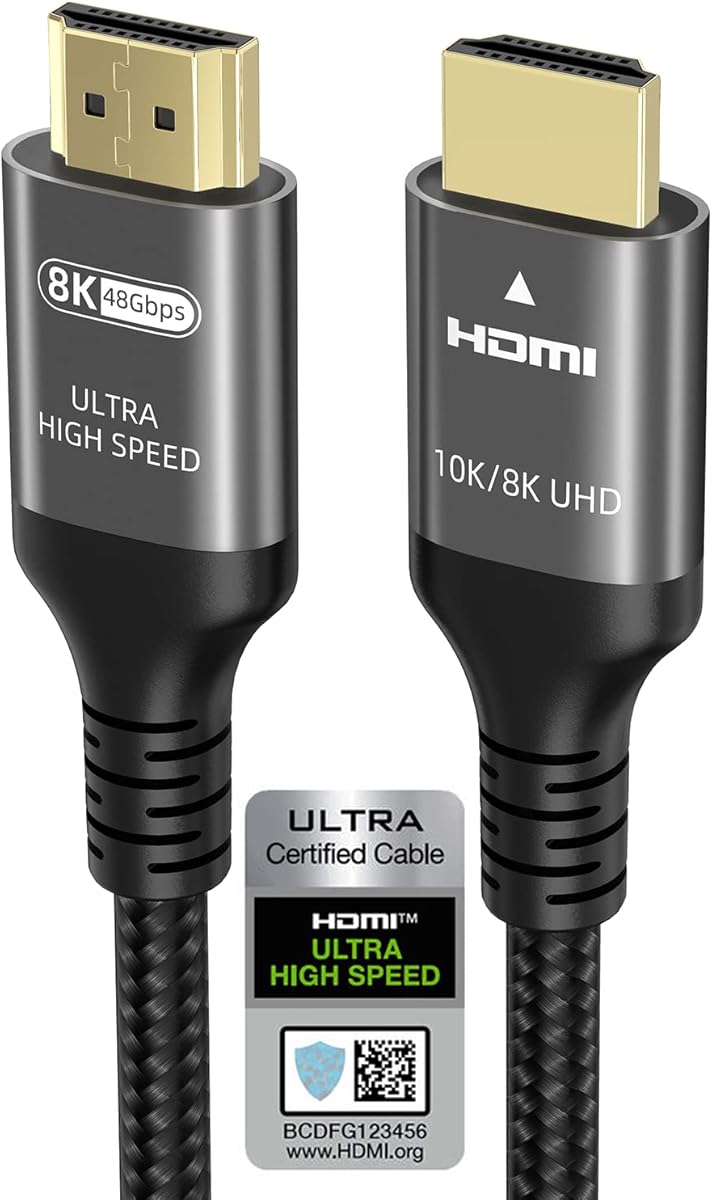


This Highwings 8K HDMI 2.1 Cable delivers top-tier speed and reliability for Roku Ultra users. With a solid 4.7-star rating, it stands out for its certified Ultra High Speed performance and ability to handle cutting-edge resolutions.
We may earn a commission when you buy through this link, at no additional cost to you.
The cable supports up to 48Gbps bandwidth, ensuring smooth playback of 8K@60Hz and 4K@120Hz content without dropped frames. Its reinforced high-quality materials and anti-bending tail design provide exceptional durability for long-term daily use.
While it is priced competitively, it does not come in a multi-pack like some competitors. However, the single unit's robust construction and rigorous lab testing make it a worthwhile investment for high-demand streaming setups.
It is ideal for anyone seeking a balance of performance and durability in a high-speed HDMI cable. If you want future-proof connectivity that works seamlessly with your Roku Ultra, this model is a strong choice.
The 48Gbps capacity ensures your Roku Ultra can stream 8K and 4K@120Hz content without bottlenecks.
Military-grade nylon and anti-bending design extend the cable lifespan significantly over time.
We may earn a commission when you buy through this link, at no additional cost to you.
This Highwings 2-Pack offers excellent value for households needing multiple high-speed connections. It matches the performance of its single counterpart while providing a second cable for backup or additional devices at a great price.
We may earn a commission when you buy through this link, at no additional cost to you.
Both cables support 48Gbps bandwidth and meet HDMI 2.1 standards for 8K and 4K@120Hz streaming. The upgraded aluminum alloy shell and anti-bending design ensure they resist wear and tear over time.
While it lacks unique premium features, its reliability and dual-pack convenience make it a practical choice. The quality of materials used ensures signal stability without compromising on performance or longevity.
Buyers should choose this if they want quality HDMI 2.1 cables at a budget-friendly rate. It is perfect for connecting your Roku Ultra to one TV and keeping a spare cable handy for future needs.
Getting two certified cables in one purchase saves time and ensures you have a backup ready.
The upgraded aluminum alloy shell protects the connectors from damage during frequent use.
We may earn a commission when you buy through this link, at no additional cost to you.
The Ubluker HDMI Cable stands out for its official certification and broad feature support. With a 4.7 rating, it is a reliable option for users who demand strict compliance with the latest HDMI standards for peak performance.
We may earn a commission when you buy through this link, at no additional cost to you.
It supports resolutions up to 10K and features essential tools like SBTM, ALLM, and VRR for smooth media switching. The low EMI design ensures clean signal transmission even in environments with many wireless devices nearby.
While Roku Ultra may not utilize all these features, the extra capability ensures longevity as technology evolves. The official label gives peace of mind that the cable meets rigorous performance and safety benchmarks.
This is a great pick for tech enthusiasts who want certified quality above all else. If you want a cable that is guaranteed to work with your Roku Ultra and future devices, this model fits the bill.
The official HDMI certification label confirms the cable meets strict industry performance standards.
Features like ALLM and VRR help reduce latency and improve switching between inputs seamlessly.
We may earn a commission when you buy through this link, at no additional cost to you.
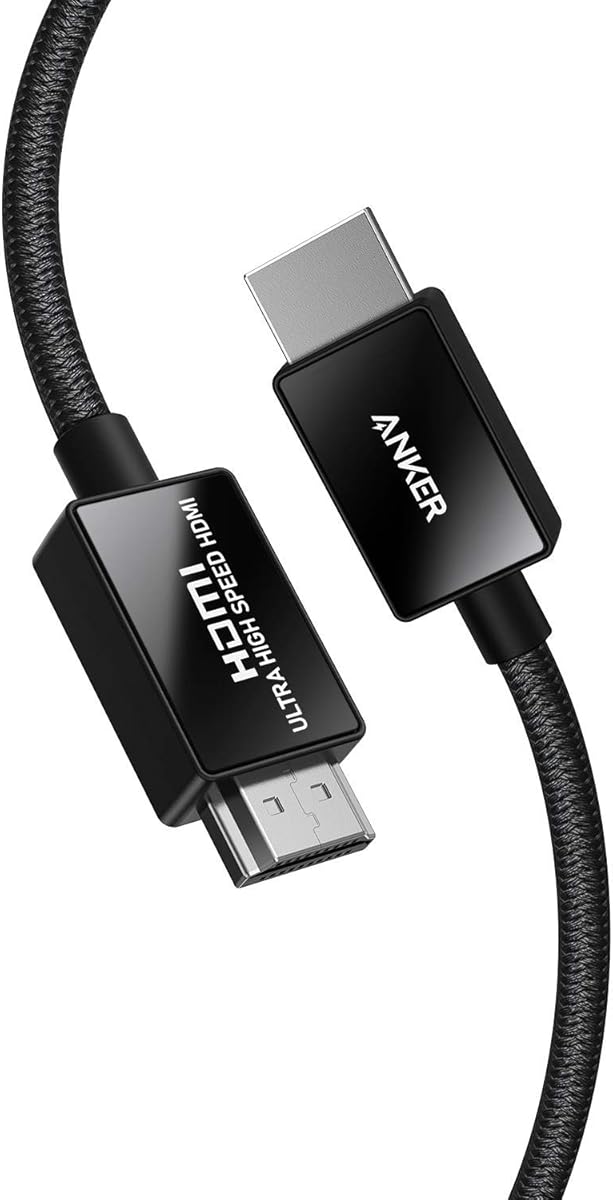
Anker brings trusted quality to this HDMI 2.1 cable, earning a 4.8-star rating from satisfied users. Its combination of official certification and robust materials makes it a standout choice for reliable Roku Ultra connectivity.
We may earn a commission when you buy through this link, at no additional cost to you.
The carbon steel connectors and gold pins ensure stable signal transmission and resistance to corrosion. A double-braided nylon finish adds strength, allowing the cable to withstand over 10,000 plug-and-unplug cycles easily.
The 18-month warranty and dedicated customer service add extra value for those who prioritize support. While it costs more than basic options, the durability and performance justify the investment for long-term use.
Choose this if you want peace of mind with a trusted brand. It is perfect for users who value build quality and want a cable that will last for years without issues or degradation.
Carbon steel and gold plating resist corrosion and ensure a steady connection over years of use.
The 18-month warranty shows the brand's confidence in product durability and customer care.
We may earn a commission when you buy through this link, at no additional cost to you.
Silkland offers a unique approach with its E-Braid technology that enhances durability and signal quality. With a 4.7 rating, this cable appeals to users looking for advanced engineering and certified performance in one package.
We may earn a commission when you buy through this link, at no additional cost to you.
The double-layer fishnet winding and ferrite beads help eliminate interference and ensure stable signal transmission. It supports 48Gbps bandwidth and HDR features, making it ideal for immersive audio and high-quality video streaming.
While the ferrite beads might make the cable slightly heavier, they significantly reduce electronic noise. The brand also offers responsive customer support within 12 hours to address any concerns quickly.
Buyers should pick this if they appreciate innovative design and strong signal protection. It works well with Roku Ultra setups that require stable performance without signal glitches or flickering issues.
The double-layer winding provides extra strength and durability for daily use and bending.
Ferrite magnetic beads block electromagnetic interference for cleaner audio and video signals.
We may earn a commission when you buy through this link, at no additional cost to you.
Acer delivers a practical HDMI cable with a durable braided jacket that resists daily wear and tear. With a 4.7 rating, it is designed to support high-speed streaming and gaming features on compatible devices like Roku Ultra.
We may earn a commission when you buy through this link, at no additional cost to you.
The high-purity copper core ensures stable transmission, while the aluminum alloy shell protects connectors from physical damage. It supports VRR to reduce screen tearing and includes eARC for immersive sound on compatible audio setups.
While it lacks standout premium features, it is a solid performer for standard high-definition needs. The braided design adds aesthetic value and practical strength that is often missing in cheaper alternatives on the market.
This is a good choice for users who want a reliable cable that looks nice and lasts long. It fits well in setups that require consistent performance without worrying about cable degradation over time.
The braided jacket resists bending and wear, extending the life of the cable significantly.
eARC support ensures your Roku Ultra can deliver high-quality audio to your soundbar.
We may earn a commission when you buy through this link, at no additional cost to you.
UGREEN offers a premium HDMI cable that supports real 8K resolution and advanced color accuracy. With a 4.8-star rating, it is a favorite among users who demand top-tier performance and future-proof connectivity options.
We may earn a commission when you buy through this link, at no additional cost to you.
The 48Gbps bandwidth enables uncompressed 8K video and supports features like Dynamic HDR and VRR for smooth playback. Its robust aluminum alloy case and nylon braided jacket ensure it can withstand frequent bending and daily wear.
It supports a wide range of devices, making it versatile for various home entertainment needs. While it is priced higher than others, the certified performance and detailed feature set justify the cost for high-end setups.
Select this if you want the best-in-class HDMI performance available today. It is perfect for Roku Ultra users who want a cable that matches their display's full potential without limiting speed or color quality.
The real 8K label ensures the cable meets the strictest requirements for next-gen resolution.
Dynamic HDR reveals nuanced details in bright and dark scenes for a richer visual experience.
We may earn a commission when you buy through this link, at no additional cost to you.
Zeskit focuses on audio and video quality with its certified 8K cable featuring Dolby Atmos support. With a 4.7 rating, it appeals to users who want immersive sound and high-resolution visuals without sacrificing certification standards.
We may earn a commission when you buy through this link, at no additional cost to you.
The hologram sticker provides easy verification of its Ultra High Speed status. It supports all essential HDMI 2.1 features like Dynamic HDR, VRR, and eARC, ensuring compatibility with modern soundbars and high-resolution displays.
At 5 feet, it is shorter than most standard cables, which might limit placement options. However, for setups where devices are close together, it delivers reliable performance without unnecessary bulk or cable slack.
This is a smart pick for audio enthusiasts who need a compact, certified cable. It works well for connecting your Roku Ultra to a soundbar or TV where space is limited but high-quality audio is a priority.
The hologram sticker allows users to quickly verify the cable is certified and authentic.
Dolby Atmos and DTS:X support bring theater-quality sound to your living room setup.
We may earn a commission when you buy through this link, at no additional cost to you.
Stouchi offers a slim HDMI cable designed for tight spaces without compromising on high-speed features. With a 4.7 rating, it is an excellent choice for users who need a flexible and unobtrusive connection for their Roku Ultra.
We may earn a commission when you buy through this link, at no additional cost to you.
The slim braided cord makes it easy to route behind furniture or through tight ports. It supports 48Gbps speed and dynamic HDR, ensuring your streaming content looks sharp and vibrant on compatible displays.
Its triple tin shielding minimizes interference, while gold-plated connectors ensure stable signal transmission. The 4-foot length is ideal for setups where devices are close to the TV but not enough for longer cables.
Buyers should pick this if they value flexibility and space-saving design. It is perfect for small home theater setups where standard bulky cables might cause clutter or connection difficulties.
The slim profile makes routing cables behind devices simple and less cluttered.
Triple tin shielding protects signals from interference for stable video and audio.
We may earn a commission when you buy through this link, at no additional cost to you.
BlueRigger stands out for its 15-foot length, providing exceptional flexibility for larger rooms. With a 4.7 rating, it is the best choice for users who need to place their Roku Ultra far from the TV without losing quality.
We may earn a commission when you buy through this link, at no additional cost to you.
The 15-foot cable supports 8K@60Hz and 4K@120Hz without signal loss. It features 24K gold-plated connectors that resist corrosion, ensuring stable connections even with frequent plugging and unplugging over many years.
The lifetime warranty offers unmatched peace of mind compared to limited-term options on the market. While it is more expensive than standard lengths, the added reach and durability make it a valuable long-term investment.
This is ideal for home theaters or rooms with non-standard layouts. If you need to cover significant distance between your Roku Ultra and TV, this cable provides reliable performance without needing extenders.
The 15-foot length reaches across rooms easily without signal degradation or need for boosters.
A lifetime warranty shows the brand's confidence in product quality and longevity.
We may earn a commission when you buy through this link, at no additional cost to you.
Choosing the right HDMI cable for your Roku Ultra involves evaluating speed, build quality, and compatibility. Understanding these factors ensures you get reliable performance and future-proof connectivity.
Bandwidth determines how much data the cable can transfer, which affects resolution and frame rates. For Roku Ultra, look for cables rated for 48Gbps to support 8K@60Hz and 4K@120Hz content smoothly.
Choose a cable with at least 48Gbps to ensure your Roku Ultra can handle high-resolution content without drops or lag.
Official certification ensures the cable meets strict standards for performance and reliability. Look for Ultra High Speed HDMI certification logos or hologram stickers to verify compliance.
Always check for official HDMI certification to guarantee the cable works as intended with your device.
Length affects how easily you can route the cable from your Roku Ultra to your TV. Consider your room layout before choosing to avoid stretching or needing extensions.
Measure your setup and choose a length that covers the distance comfortably without excess slack.
Durability depends on the materials used for connectors, shielding, and jacketing. Look for gold-plated pins, braided nylon, and sturdy shells for longevity.
Prioritize cables with reinforced materials to prevent breakage and ensure stable connections over time.
Modern HDMI cables support advanced audio formats like eARC and Dolby Atmos. Ensure your cable supports these to get immersive sound from your soundbar or receiver.
Confirm eARC and high-bitrate audio support for the best sound experience with your Roku Ultra.
Backward compatibility ensures the cable works with older devices and TVs. Most HDMI 2.1 cables are compatible with older standards but check specifications carefully.
Verify backward compatibility to ensure the cable works with all your existing home theater gear.
A solid warranty shows the manufacturer stands behind their product quality. Look for brands offering at least one year or lifetime coverage for peace of mind.
Choose a cable from a brand with strong support to handle any defects or issues quickly.
While budget options exist, investing in a certified cable often saves money long-term by avoiding replacements. Balance your budget with the features you actually need for your setup.
Consider overall value rather than just price to ensure you get reliable performance without overspending.
Plug one end of the HDMI cable into the HDMI port on your Roku Ultra and the other end into your TV. Ensure both connections are snug to avoid loose signals or flickering issues during use.
Avoid bending the cable at sharp angles or pinching it behind furniture. Use gentle curves to maintain the internal wiring integrity and prevent signal loss over time.
Regularly inspect the connectors for dust or corrosion and clean them gently with a dry cloth if needed. This simple care extends the lifespan and keeps your streaming experience reliable and clear.
Yes, an HDMI 2.1 cable is recommended to fully utilize the Roku Ultra's capabilities like 4K@120Hz streaming. It ensures you get the best possible picture quality and future-proof compatibility.
48Gbps is the maximum data transfer rate of HDMI 2.1 cables, allowing for 8K and high frame rate 4K video. It ensures smooth playback without stuttering or dropped frames.
Yes, longer cables can sometimes degrade signal quality if not properly shielded. Always choose a high-quality cable that meets HDMI standards for longer lengths to avoid issues.
No, cables vary in speed, bandwidth, and features. High-speed certified cables support higher resolutions and features like eARC and VRR for better performance.
Yes, these cables support Variable Refresh Rate and Auto Low Latency Mode for gaming. They are ideal for consoles and streaming devices that offer gaming modes.
Not unless you have multiple devices to connect. Buying a 2-pack can be useful if you need a spare cable for future upgrades or different rooms.
We have reviewed ten top HDMI cables for Roku Ultra ranging from budget-friendly options to premium certified models. Each pick offers reliable performance, high bandwidth, and durability to suit different user needs.
Prioritize cables that are HDMI 2.1 certified and support 48Gbps to ensure your Roku Ultra performs at its best. Consider length and build quality to match your specific room setup and long-term goals.
Prices and availability may change over time, so check current listings before making your final purchase decision. Choose a cable that aligns with your setup to enjoy uninterrupted high-quality streaming today.