
ASUS Dual GeForce RTX 5060 Ti 16GB GDDR7 OC Edition Gaming Graphics Card
4.7Editor score
767 AI TOPS performance
2.5-slot compact design
Dual BIOS for flexibility
Discover the top GPUs for Davinci Resolve in October 2026. This guide compares performance, memory, and features to help you choose the right graphics card.
Finding the right GPU for Davinci Resolve is critical for smooth editing and fast rendering. Professional editors need powerful hardware to handle high-resolution footage and complex effects without lag or crashes during critical workflows.
We analyzed ten top graphics cards based on architecture, memory capacity, and real-world performance metrics. Our comparison focuses on how each model supports color grading, AI tools, and 8K video timelines effectively.
Each pick highlights key strengths and trade-offs to match your specific needs. Note that availability and pricing can change quickly, so verify current details before making your final purchase decision today.
4.7Editor score
4.9Editor score

4.3Editor score
This side-by-side comparison details the specifications and capabilities of the ten leading graphics cards for Davinci Resolve workflows to help you make an informed choice.




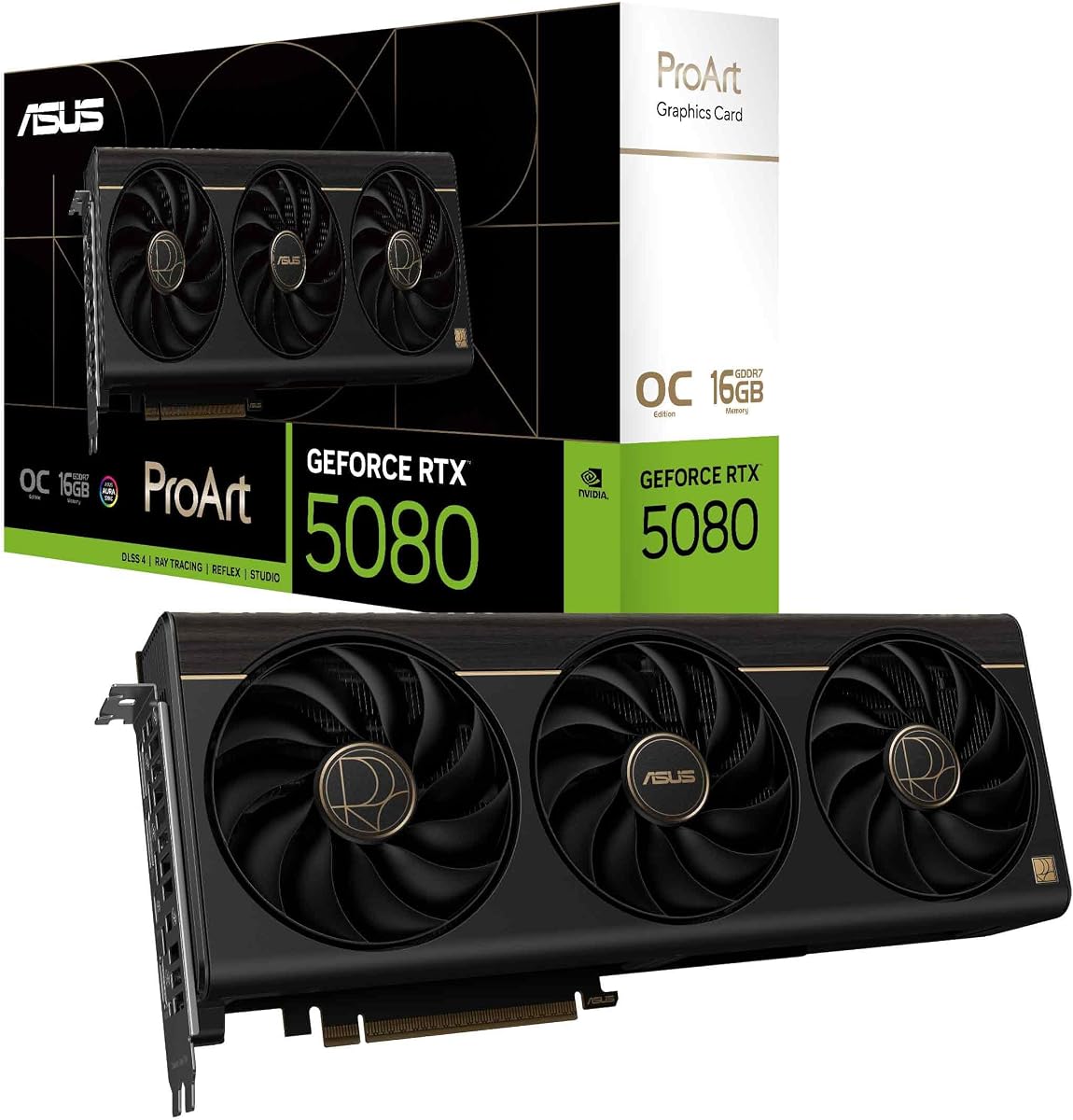
This ASUS ProArt card stands out as the top choice for professional video editors needing robust AI acceleration and reliable performance. With a stellar rating and Blackwell architecture, it delivers exceptional speed for Davinci Resolve workflows.
We may earn a commission when you buy through this link, at no additional cost to you.
Its standout feature is the 1858 AI TOPS performance which significantly speeds up noise reduction and facial recognition tools. The integrated USB Type-C port enhances versatility for direct connections with high-speed storage or monitors.
While the price is high, the vapor chamber heatsink and phase-change thermal pads ensure sustained peak performance without thermal throttling during long rendering sessions. This makes it worth the investment for serious professionals.
Editors handling 8K timelines or complex color grading projects should buy this card to maximize efficiency. It represents the best balance of power and reliability for modern high-end production environments today.
The high AI TOPS rating accelerates machine learning tasks within Resolve making workflows faster and more responsive.
Advanced cooling components maintain optimal temperatures ensuring consistent performance even under heavy 24/7 workloads.
We may earn a commission when you buy through this link, at no additional cost to you.
This card offers exceptional value for editors on a budget who still need modern architecture and substantial video memory. Its high rating confirms reliability for daily editing tasks without breaking the bank.
We may earn a commission when you buy through this link, at no additional cost to you.
The 16GB GDDR7 memory is critical for handling high-resolution footage smoothly. Dual BIOS lets you switch between Quiet and Performance profiles depending on whether you are editing or exporting.
Though AI performance is lower than premium models, it handles standard grading and effects well. The compact size makes it ideal for smaller workstations where space is limited.
Freelancers or small studios looking to upgrade without overspending should choose this option. It provides the necessary hardware foundation for smooth Resolve performance at a very accessible cost.
High specs at a lower price point make this an ideal entry into next-gen editing hardware for independent creators.
Switch between quiet and performance BIOS settings to match your environment needs instantly.
We may earn a commission when you buy through this link, at no additional cost to you.
This workstation-grade card delivers unparalleled capacity and performance for enterprise-level projects requiring massive memory and stability. Its professional features are unmatched for complex Resolve timelines.
We may earn a commission when you buy through this link, at no additional cost to you.
The 96GB DDR7 ECC memory ensures data integrity and prevents crashes during large scale rendering or AI training tasks. Fifth-gen Tensor Cores accelerate generative features and AI tools significantly.
While the cost is prohibitive for most individual editors, the Universal MIG feature allows dividing the GPU into isolated instances for concurrent workloads. This suits multi-user studio environments best.
Enterprise studios needing maximum reliability and memory should invest in this premium solution. It is built to handle the heaviest professional workflows without compromise or downtime ever.
ECC memory and professional drivers ensure uninterrupted performance critical for mission-critical production environments.
Next-generation tensor cores provide cutting-edge AI performance for future-proofing your editing capabilities.
We may earn a commission when you buy through this link, at no additional cost to you.
This GIGABYTE card offers excellent rendering speeds and efficient cooling for high-end editing tasks. It combines modern architecture with a reliable thermal solution for consistent performance.
We may earn a commission when you buy through this link, at no additional cost to you.
The WINDFORCE cooling system effectively manages heat during long color grading sessions keeping clock speeds stable. PCIe 5.0 ensures maximum data transfer rates to the system CPU and memory.
While designed with a gaming look, its raw power is perfectly suited for Resolve tasks. The 16GB memory handles most 4K and 8K workflows without bottlenecking.
Editors wanting high performance without workstation pricing will appreciate this card. It delivers the necessary horsepower for complex projects while maintaining cost efficiency.
Advanced cooling keeps the GPU running cool and quiet even under heavy sustained loads.
PCIe 5.0 compatibility future-proofs your build against upcoming bottlenecks and bandwidth demands.
We may earn a commission when you buy through this link, at no additional cost to you.
Built for longevity and stability, this TUF card excels in demanding daily editing scenarios. Military-grade components ensure it lasts through years of professional use.
We may earn a commission when you buy through this link, at no additional cost to you.
Auto-Extreme manufacturing enhances reliability while phase-change thermal pads ensure optimal heat transfer. This keeps performance stable during intensive rendering tasks without degradation.
Its size requires a spacious case but offers superior cooling efficiency for sustained workloads. The high clock speeds accelerate timelines and playback significantly.
Editors prioritizing hardware longevity should consider this option for their workstation. It balances performance and durability to support long-term professional workflows effectively.
Robust components ensure the card withstands rigorous daily usage over many years.
Phase-change pads maintain lower temperatures for consistent performance without thermal throttling.
We may earn a commission when you buy through this link, at no additional cost to you.
This AMD card stands out with 32GB of memory, ideal for editors working with massive files and multiple applications. It brings professional workstation features to a competitive price point.
We may earn a commission when you buy through this link, at no additional cost to you.
RDNA 4 architecture supports modern visual computing and AI acceleration tasks. The blower cooler is perfect for multi-GPU builds ensuring proper airflow in dense workstation chassis.
While Resolve favors NVIDIA CUDA cores, this card offers a strong alternative for those invested in AMD ecosystems. It handles complex 3D rendering and large timeline playback well.
Users needing high VRAM without breaking budget may prefer this option. It provides substantial capacity for heavy editing and creative workflows efficiently.
32GB VRAM allows smooth editing of 8K footage without frequent memory swapping.
Blower style design ensures heat is exhausted directly for multi-GPU reliability.
We may earn a commission when you buy through this link, at no additional cost to you.
This mid-range card offers strong performance for editors needing a balance of power and cost. It handles 4K timelines efficiently with robust thermal management.
We may earn a commission when you buy through this link, at no additional cost to you.
Server-grade thermal conductive gel ensures heat transfer remains efficient under load. PCIe 5.0 support future-proofs the card against bandwidth limitations.
While not as efficient for some Resolve-specific features as CUDA cards, it still delivers smooth playback and rendering. The 16GB memory is a significant plus.
Budget-conscious editors seeking reliable performance should consider this option. It provides the horsepower needed for professional editing tasks without extra cost.
Advanced thermal materials keep the GPU running efficiently even during extended rendering sessions.
PCIe 5.0 interface ensures maximum data transfer speeds for future upgrades.
We may earn a commission when you buy through this link, at no additional cost to you.
A legendary card for creators, this Titan offers a balance of rendering power and reliability for heavy projects. Its robust specs ensure smooth operation in demanding Resolve workflows.
We may earn a commission when you buy through this link, at no additional cost to you.
With thousands of CUDA cores and Tensor Cores, it accelerates effects and rendering significantly. The RT cores support modern real-time workflows effectively.
Though older than current options, it remains a solid choice for dedicated rendering workstations. Power consumption is high but justified by performance.
Editors needing legacy compatibility and strong rendering horsepower may prefer this card. It continues to deliver professional results for complex projects.
Thousands of cores provide the raw power needed for complex visual effects tasks.
Long-term professional use demonstrates stable performance in production environments.
We may earn a commission when you buy through this link, at no additional cost to you.
As one of the first ray tracing cards, this Quadro supports immersive VR rendering and real-time effects. It provides stable professional drivers for critical workflows.
We may earn a commission when you buy through this link, at no additional cost to you.
RTX technology brings photorealistic rendering to timelines while dedicated RT cores accelerate specific tasks. Its compact design fits easily in smaller cases.
While memory capacity is limited compared to newer models, it handles VR and shading features well. Ideal for specialized visualization work.
Editors working with VR content need reliable rendering should consider this option. It offers targeted features for immersive experiences.
RTX features enable immediate visual feedback for complex lighting scenarios.
Support for immersive VR shading ensures high-quality output for interactive media.
We may earn a commission when you buy through this link, at no additional cost to you.
This Intel card offers a unique alternative with 24GB memory and dual media encoders for fast exports. It is designed for creators needing robust workstation performance.
We may earn a commission when you buy through this link, at no additional cost to you.
ISV certification ensures compatibility with professional software including Resolve. Twin transcoders accelerate AV1 and H.264 exports efficiently for high-resolution content.
While still maturing compared to NVIDIA, the Xe2-HPG architecture shows strong potential for modern AI tasks. It is a solid choice for Linux multi-GPU setups.
Editors seeking high VRAM and multi-display workflows may find this compelling. It supports expanding workflows with advanced media handling.
Dedicated hardware engines speed up video exports and transcoding tasks significantly.
ISV validation ensures reliable operation within professional software environments.
We may earn a commission when you buy through this link, at no additional cost to you.
Choosing the right graphics card requires balancing budget with specific workflow demands. This guide outlines the essential factors to ensure smooth performance.
Video editors need enough VRAM to handle high-resolution footage and multiple effects layers simultaneously. 16GB is the recommended baseline for 4K and 8K timelines.
Always prioritize higher capacity if you work with complex projects or multiple applications open.
Modern GPU architectures like Blackwell, RDNA 4, or Xe2 offer improved AI acceleration and efficiency. These support newer features in Davinci Resolve effectively.
Select the latest architecture available within your budget to future-proof your workstation.
Davinci Resolve relies heavily on AI tools for noise reduction and facial recognition. Tensor Cores or AI Accelerators significantly speed up these tasks.
Ensure your card has strong AI performance to maintain a smooth editing experience.
Rendering generates significant heat which can throttle performance if not managed well. Look for cards with robust cooling solutions like vapor chambers or blower designs.
Proper cooling ensures stable clock speeds during long production sessions.
Multi-monitor setups are standard for editors to separate timeline and viewer windows. Ensure the card supports enough DisplayPort or HDMI connections.
High bandwidth outputs allow you to drive multiple high-resolution displays without signal loss.
High-performance GPUs require sufficient power supply capacity and appropriate connectors. Check your system PSU compatibility before purchasing.
Adequate power ensures stable operation and prevents unexpected system shutdowns.
Workstation cases vary in size so check card length and slot count. Compact designs fit better in dense racks or smaller builds.
Ensure your case has enough clearance for the chosen graphics card.
Price varies significantly between consumer and professional models. Balance cost against features needed for your specific editing work.
Prioritize essential features like VRAM and architecture over unnecessary gaming aesthetics.
Install the latest drivers from the manufacturer to ensure compatibility with the latest features.
Use Davinci Resolve to monitor GPU usage and adjust playback settings to balance quality and speed.
Keep your workstation clean and well-ventilated to prevent dust buildup and overheating.
For smooth 4K editing and effects, 16GB is recommended. 8K workflows may require 32GB or more to avoid playback issues or crashes during rendering.
NVIDIA is often preferred due to CUDA acceleration and broader driver support for Resolve. However, modern AMD cards are catching up with competitive features and performance.
Yes, newer architectures support faster AI processing and rendering. Updating to a card with modern architecture improves workflow efficiency significantly.
Workstation GPUs offer better stability for enterprise workflows. Consumer gaming cards often provide better value for individual editors without needing enterprise features.
Yes, provided your power supply meets the new card requirements and your case fits its dimensions. Check compatibility before upgrading.
Good cooling prevents thermal throttling during long renders. Cards with efficient designs maintain peak speeds ensuring stable editing performance.
Yes, manufacturers release updates to improve compatibility and fix bugs. Always keep drivers current for optimal Resolve performance.
Mid-range cards with 16GB VRAM offer excellent value for 4K workflows. They balance performance with cost effectively.
The ASUS ProArt RTX 5080 leads our list with unmatched AI and thermal performance for professionals. Editors needing budget options will find the ASUS Dual RTX 5060 Ti highly capable.
Prioritize VRAM capacity and architecture modernity when selecting your next card. These factors directly impact your timeline smoothness and rendering speed.
Always check current availability and ensure compatibility with your existing system before purchasing. Verify pricing details to make the best informed decision.