
Acer Nitro V 16S AI
4.4Editor score
Ryzen 7 260 CPU
32GB DDR5 RAM
180Hz WUXGA Display
Choosing the right gaming laptop for Diablo 4 requires balancing raw power with portability. You need a machine that handles ray tracing, high frame rates, and long sessions without throttling or overheating.
We evaluated ten top-rated laptops based on GPU performance, CPU speed, display refresh rates, and cooling efficiency. Each entry offers a unique value proposition for different budgets and play styles in Sanctuary.
This guide details the strengths and weaknesses of each model so you can make an informed decision. Note that availability and pricing fluctuate frequently, so verify current stock before purchasing your new rig.
4.4Editor score

4.4Editor score

4.3Editor score
As an Amazon Associate we earn from qualifying purchases.
Here is a side-by-side comparison of the top ten gaming laptops tailored for Diablo 4. This table highlights key specifications to help you quickly identify the model that fits your needs.




The ASUS ROG Strix G16 (2025) stands out as a top contender for Diablo 4 players seeking high performance. Its combination of the RTX 5060 and Intel Core i7 14650HX ensures smooth gameplay even with ray tracing enabled.
We may earn a commission when you buy through this link, at no additional cost to you.
Key strengths include the Blackwell architecture which boosts AI performance and frame rates via DLSS 4. The 165Hz display offers fluid motion critical for fast-paced combat in the Nether.
Trade-offs include the base 16GB RAM which might limit heavy multitasking alongside streaming. However, for dedicated gaming sessions, this machine delivers exceptional reliability and visual fidelity.
Buyers looking for a reliable all-rounder should prioritize this model. It balances portability with the power needed to handle Sanctuary's darkest dungeons without compromise.
The RTX 5060 utilizes NVIDIA Blackwell architecture, enabling DLSS 4 and Max-Q technologies for optimized performance and battery efficiency during long sessions.
ROG Intelligent Cooling uses a vapor chamber and tri-fan technology to maintain stable temperatures, ensuring consistent performance under heavy loads.
We may earn a commission when you buy through this link, at no additional cost to you.
The Acer Nitro V 16S AI offers incredible value for Diablo 4 gamers on a budget. It pairs a Ryzen 7 260 processor with an RTX 5060 GPU and comes stock with 32GB of DDR5 RAM.
We may earn a commission when you buy through this link, at no additional cost to you.
This laptop excels in multitasking due to the generous memory. The 180Hz WUXGA display provides crisp visuals and smooth motion which enhances the immersion of combat and exploration.
While it lacks Wi-Fi 7, the connection speed remains sufficient for online play. The trade-off in weight is minimal considering the raw power packed into this chassis.
If you need maximum performance per dollar, this is the ideal choice. It allows you to run demanding mods and high settings without breaking the bank.
Powered by AMD Ryzen 7 260, this device delivers up to 38 AI Overall TOPS, supporting efficient game rendering and content creation tasks.
The 180Hz refresh rate and 100% sRGB coverage ensure vibrant colors and ultra smooth motion, perfect for fast paced action sequences.
We may earn a commission when you buy through this link, at no additional cost to you.
This top-tier laptop delivers unmatched performance for Diablo 4. With an RTX 5070 Ti and Core Ultra 9 275HX, it handles max settings and ray tracing with ease.
We may earn a commission when you buy through this link, at no additional cost to you.
The ROG Nebula display offers a stunning 2.5K resolution and 240Hz refresh rate. This combination provides breathtaking clarity and smooth motion during intense battles in the Nether.
While the price is higher than other models, the build quality and cooling system justify the investment. The vapor chamber and liquid metal ensure thermal stability.
Buyers wanting the absolute best visual and performance experience should choose this model. It represents the pinnacle of current mobile gaming technology.
The NVIDIA Blackwell architecture GPU provides game changing realism with full ray tracing and fourth-gen RT Cores for cinematic visuals.
The ultra-fast 240Hz display with ACR film enhances contrast and reduces glare, ensuring immersive visuals for extended play sessions.
We may earn a commission when you buy through this link, at no additional cost to you.
This Acer Nitro V model serves as a strong entry-level option for Diablo 4. It balances cost with performance using a Core i7 13620H and RTX 4050 GPU.
We may earn a commission when you buy through this link, at no additional cost to you.
The 165Hz display ensures smooth visuals which is crucial for tracking fast enemies. DLSS 3.5 helps boost frame rates even on the mid-range GPU.
Trade-offs include limited graphics power for ultra settings and battery life. However, the Thunderbolt 4 port supports external GPUs if you need more power later.
Budget conscious gamers looking for a reliable machine should consider this. It handles standard settings well and offers room for future upgrades.
The 165Hz refresh rate and minimal ghosting provide a competitive edge during rapid combat encounters in high intensity zones.
Thunderbolt 4 offers versatile connectivity for fast data transfer and external display support enhancing overall workflow efficiency.
We may earn a commission when you buy through this link, at no additional cost to you.
The msi Cyborg 17 offers big screen immersion in a surprisingly portable design. At just 0.83 inches thin, it is easy to carry while delivering strong gaming performance.
We may earn a commission when you buy through this link, at no additional cost to you.
Powered by the Intel Core 7 240H and RTX 5060, it handles fast paced gameplay smoothly. The hybrid architecture ensures efficient power usage for mobile gaming.
Trade-offs include average battery life and a smaller port selection. However, the cooling system keeps noise levels low during extended play sessions.
Gamers prioritizing portability and screen size should pick this model. It offers a unique balance between desktop performance and laptop mobility.
This 17.3 inch laptop weighs just 5.5 lbs allowing easy transport to LAN parties or gaming cafes.
MSI Cooler Boost shared-pipe thermal design ensures quiet and efficient cooling for longer uninterrupted gaming sessions.
We may earn a commission when you buy through this link, at no additional cost to you.
The HP Victus 15 stands out for offering 32GB of RAM at an accessible price point. It pairs this with a Ryzen 7 7445HS and RTX 4050 for solid daily performance.
We may earn a commission when you buy through this link, at no additional cost to you.
The display features AMD FreeSync Premium for smooth visuals and anti-glare coating. This helps reduce eye strain during long dungeon crawls in Diablo 4.
While the GPU is not top tier, the RAM ensures multitasking remains smooth. The 144Hz refresh rate is adequate for standard gaming needs.
Buyers needing memory for productivity alongside gaming should consider this. It is a practical choice for mixed-use scenarios requiring reliable hardware.
The system installed memory supports smooth multitasking and demanding applications without performance bottlenecks.
Versatile ports including HDMI 2.1 and USB-C support external displays and fast file transfers for seamless productivity.
We may earn a commission when you buy through this link, at no additional cost to you.
This Acer Nitro V model provides the most accessible entry point for Diablo 4. It features a Core i5 13420H and RTX 4050 suitable for medium settings.
We may earn a commission when you buy through this link, at no additional cost to you.
The 165Hz display ensures fluid motion which helps in competitive play. DLSS 3.5 enhances visuals and frame rates for a better gaming experience.
Trade-offs include limited 8GB RAM and storage. However, the memory slots are accessible allowing easy upgrades to match modern game requirements.
If you are on a strict budget and willing to upgrade RAM, this is a smart buy. It delivers core performance without unnecessary bloat.
The 165Hz refresh rate allows pinpoint accuracy with minimal ghosting for a clear view of fast action.
Wi-Fi 6 ensures stable online gaming while Thunderbolt 4 offers flexible connection options for peripherals.
We may earn a commission when you buy through this link, at no additional cost to you.
The Acer Nitro V 240H offers a balanced mix of screen quality and performance for Diablo 4. It features an Intel Core 7 processor and RTX 5050 GPU.
We may earn a commission when you buy through this link, at no additional cost to you.
The 16 Inch WUXGA display provides higher pixel density than standard HD screens. This enhances the visual experience of the game environments significantly.
Trade-offs include lower raw graphics power compared to higher tier GPUs. However, DLSS 4 helps boost performance for smoother frame rates.
Buyers seeking a larger screen without premium costs should consider this. It offers good daily performance with a focus on display quality.
The 1920×1200 resolution offers vibrant detail and minimal motion blur even during fast-paced action.
Dual-fan cooling maintains stable performance during extended gaming marathons without overheating issues.
We may earn a commission when you buy through this link, at no additional cost to you.
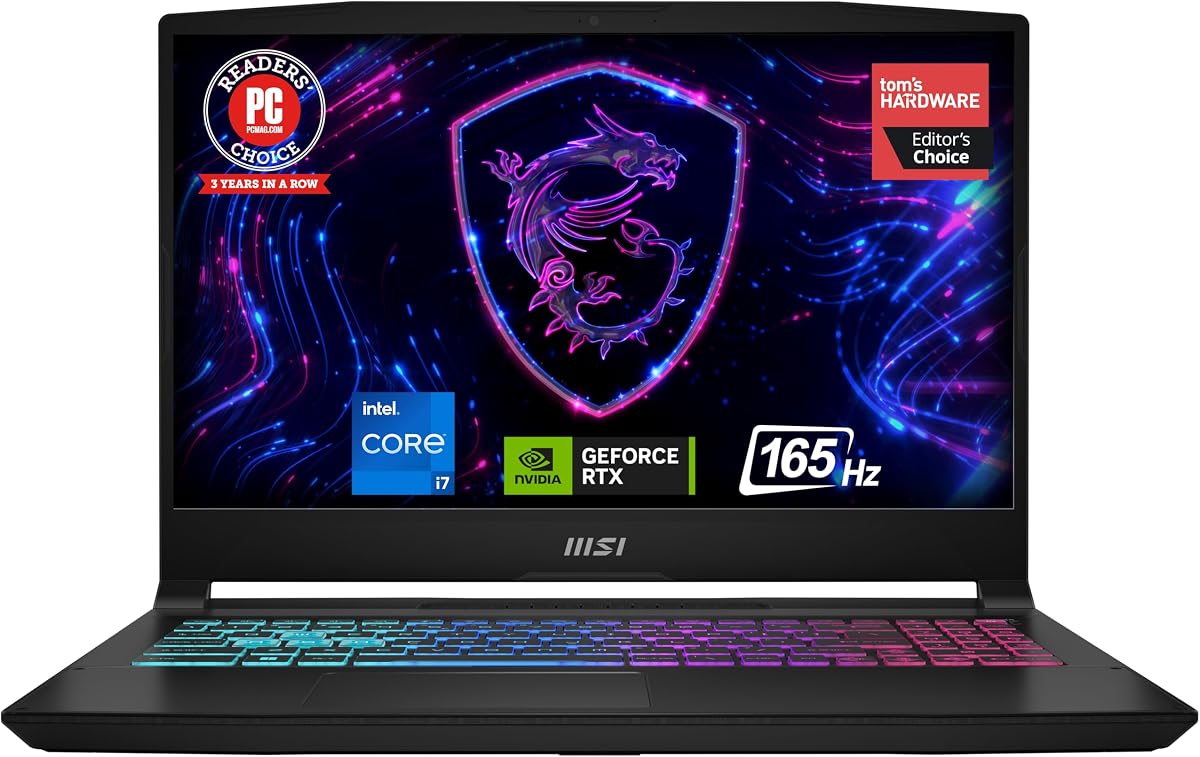
The msi Katana 15 focuses heavily on graphics performance with an RTX 4070 GPU. This allows for higher detail settings and better ray tracing in Diablo 4.
We may earn a commission when you buy through this link, at no additional cost to you.
Its QHD display brings vivid colors and pixel density enhancing the immersion of the game. The 165Hz refresh rate ensures smooth motion during combat.
Trade-offs include typical battery limitations under load and chassis weight. However, the Cooler Boost 5 system ensures thermal dissipation remains optimal.
Gamers prioritizing graphics over battery life should choose this model. It delivers strong visuals and performance for serious Diablo 4 players.
The 13th Gen Intel Core i7 processor delivers ultimate immersive experience in gameplay and multi-task work.
Cooler Boost 5 ensures optimal thermal dissipation providing the best gaming experience during high load scenarios.
We may earn a commission when you buy through this link, at no additional cost to you.
The GIGABYTE Gaming A16 integrates GiMATE AI for a smart interactive interface. It combines this with a Ryzen 7 260 and RTX 5060 for solid gaming power.
We may earn a commission when you buy through this link, at no additional cost to you.
The slim chassis and 180 degree hinge design add versatility for different usage scenarios. This makes it convenient for collaborative work or varied gaming positions.
Trade-offs include average battery life and less brand recognition. However, the hardware specifications match high-end competitors at a competitive price point.
Buyers seeking an AI enhanced experience with strong graphics should consider this. It offers a fresh approach to gaming laptop interaction.
GiMATE transforms how you interact with technology offering an intuitive intelligent and personal interface for better control.
The 19.45mm slim chassis and flat hinge design allow adaptation to various scenarios with ease.
We may earn a commission when you buy through this link, at no additional cost to you.
Selecting a gaming laptop for Diablo 4 requires understanding your specific needs. We break down the most important factors to consider before making your purchase.
Graphics performance is crucial for rendering Diablo 4's detailed world. Look for laptops with RTX 5060 or higher to support ray tracing and high frame rates.
Prioritize models with Blackwell architecture for better AI upscaling and efficiency.
A fast CPU ensures smooth gameplay and quick loading times. Intel Core i7 or AMD Ryzen 7 processors are ideal for handling complex game calculations.
Ensure the processor supports modern instruction sets for optimal game compatibility.
RAM determines how many apps you can run alongside the game. Aim for at least 16GB DDR5 to prevent slowdowns during multitasking.
32GB is preferable for those who stream or run background applications while gaming.
A high refresh rate provides smoother motion and a competitive edge. Displays with 144Hz or 165Hz refresh rates are recommended for fast-paced combat.
Look for IPS panels with good color accuracy for immersive visuals.
Efficient cooling prevents thermal throttling during long gaming sessions. Vapor chambers and liquid metal cooling are top-tier options for heat dissipation.
Check for multi-fan designs to ensure consistent performance under load.
Wi-Fi 6E or Wi-Fi 7 ensures low-latency online gaming. Ports like Thunderbolt 4 allow future upgrades such as external GPUs.
HDMI 2.1 supports external displays for larger screen setups.
Battery life is critical for portability. While gaming drains battery quickly, larger capacity cells provide more time for non-gaming tasks.
Consider models with efficient power management features for longer unplugged sessions.
To extend the lifespan of your gaming laptop, always clean vents regularly to prevent dust buildup. Using a cooling pad can also help maintain optimal temperatures.
Update graphics drivers frequently to ensure compatibility with Diablo 4 patches and improve performance stability. Use manufacturer software to monitor system health.
Avoid using the laptop on soft surfaces like beds which block airflow. Always place it on a hard flat surface to ensure proper ventilation during gaming.
For optimal performance in Diablo 4, aim for a laptop with an RTX 5060 or higher. This ensures you can enable ray tracing and maintain high frame rates smoothly.
Yes, 16GB RAM is sufficient for standard gaming. However, if you plan to stream or multitask heavily, upgrading to 32GB is recommended.
A 144Hz or 165Hz display is ideal for Diablo 4. This refresh rate provides smooth motion essential for tracking enemies during fast-paced combat.
Most laptops listed support external monitors via HDMI 2.1 or USB-C. This allows you to connect to larger screens for better visibility.
Keep vents clear of dust and use a cooling pad. Ensure the room is well-ventilated and avoid soft surfaces that block airflow.
Yes, models with high-end processors and GPUs like the RTX 5070 Ti are excellent for video editing and streaming while gaming.
Choosing a gaming laptop for Diablo 4 depends on balancing performance with your budget. Whether you pick the premium ASUS ROG Strix or the value Acer Nitro, each offers distinct advantages.
Prioritize graphics performance and cooling systems to ensure long-term satisfaction. A high refresh rate display will also enhance your experience significantly.
Always check current availability and pricing as deals change often. With the right machine, you can conquer Sanctuary with confidence and style.