
4K HDMI EDID Emulator Passthrough Adapter
3.9Editor score
Low Power Consumption
Fixed EDID Settings
Hot Swap Support
This guide compares the top HDMI Edid Emulator Passthroughs for 2026 to help you choose the right adapter for signal stability and compatibility.
Finding the right HDMI Edid Emulator Passthrough can solve frustrating display issues in your home or office setup. These small adapters ensure your source device always sees a connected monitor, preventing black screens or signal resets when devices disconnect.
We evaluated ten top-rated models based on compatibility, resolution support, and build quality. Each product was assessed for its ability to maintain stable EDID settings across various configurations including KVM switches and multi-monitor environments.
Each pick highlights key strengths and ideal use cases for different user needs. Please note that product availability and pricing can change frequently, so verify current details before making your final purchase decision online.
3.9Editor score

3.5Editor score

4.3Editor score
Below you will find a side-by-side comparison of all ten products reviewed in this guide. This table highlights the key specifications and features to help you quickly identify the model that best fits your specific technical requirements.


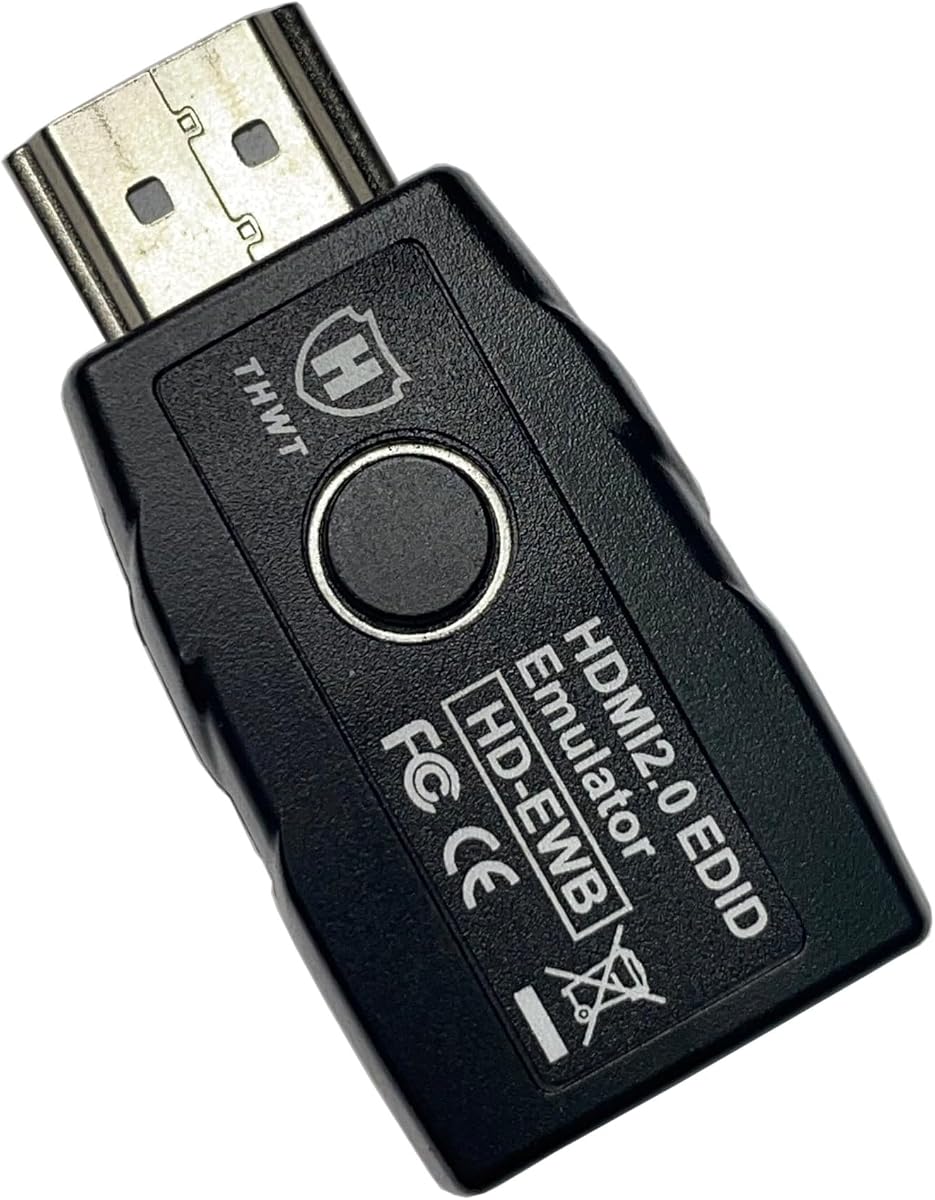

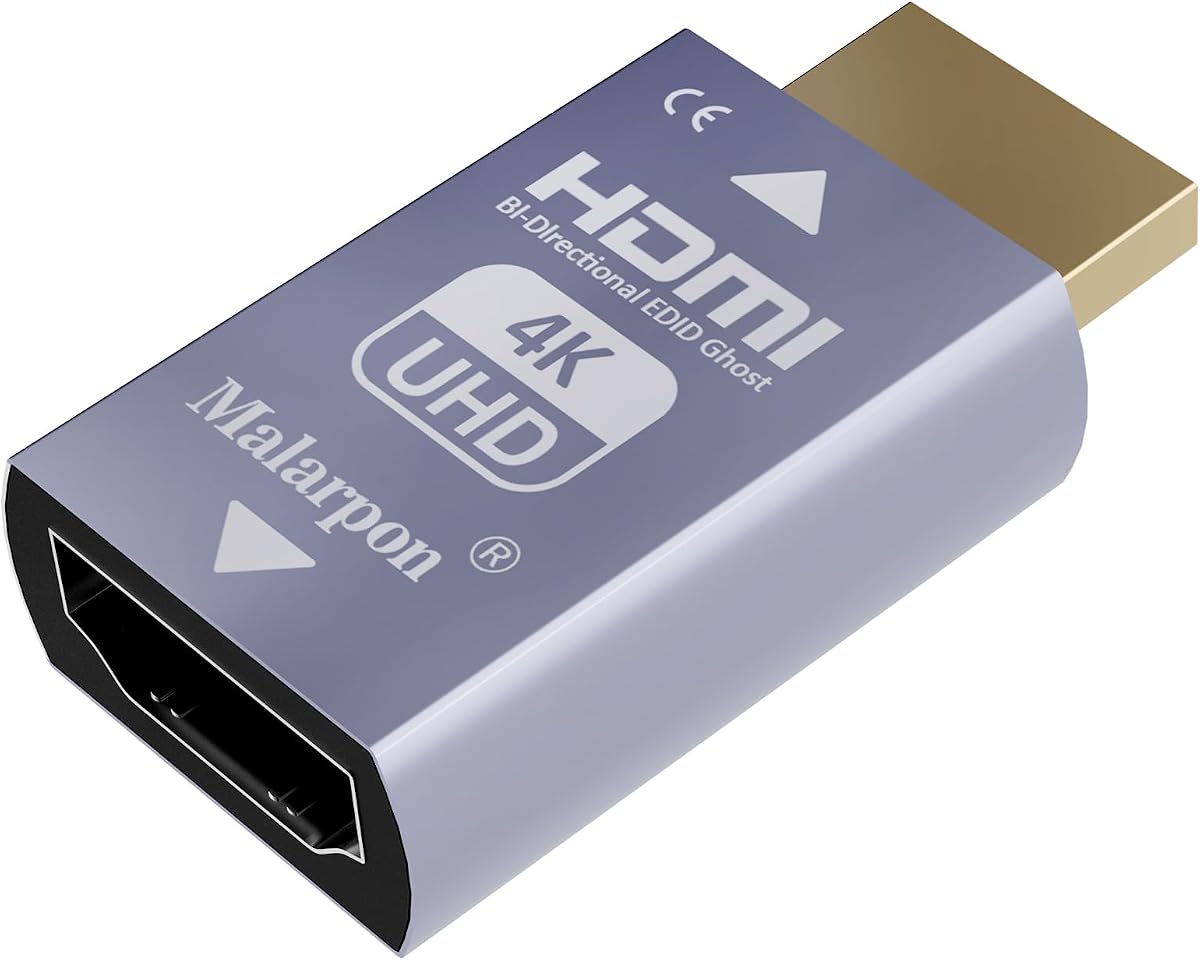

This HDMI EDID Emulator Passthrough stands out as a reliable solution for maintaining stable video signals across various setups. With a rating reflecting user experiences, it delivers consistent performance for those needing to keep displays active without physical monitors.
We may earn a commission when you buy through this link, at no additional cost to you.
The device features male-to-female passthrough allowing bidirectional transmission without wiring limits. It supports resolutions up to 4K at 60Hz and 1080p at 120Hz ensuring smooth visuals for multimedia and professional applications alike.
While it excels in signal stability, users should note that specific HDCP capabilities are not highlighted in its primary description. The lack of external power requirements makes it convenient for desktop setups and integrated systems.
Anyone needing to prevent desktop rearrangement during monitor changes or KVM switching will find this adapter highly effective. It is a solid choice for headless operations where consistent signal handshake is critical for system uptime.
The emulator locks EDID settings so Windows or macOS does not rearrange the desktop when displays disconnect.
No drivers or software installation is required for immediate use with compatible HDMI sources and displays.
We may earn a commission when you buy through this link, at no additional cost to you.
This affordable adapter offers essential EDID emulation features for users who need a simple solution without breaking the bank. It effectively prevents systems from resetting monitor configurations when screens are disconnected or turned off.
We may earn a commission when you buy through this link, at no additional cost to you.
The fixed EDID lock ensures that video and audio signals pass correctly every time the device cycles power. This is particularly useful for remote access scenarios where the monitor might be frequently turned off.
However, potential buyers should be aware that it does not support HDCP protocols which might limit use with some protected content sources. It is designed for simplicity and low power consumption making it easy to integrate into existing setups.
For those looking for a cost-effective way to maintain a virtual monitor connection or stabilize KVM switch inputs this model provides good value. It is a practical choice for office environments where basic signal stability is the priority.
The device retains resolution settings even after power cycles or signal renegotiation events.
It supports transmission in either direction allowing flexible cable management in tight spaces.
We may earn a commission when you buy through this link, at no additional cost to you.
The EVanlak model distinguishes itself with a premium aluminum construction that ensures durability and a modern look on any desk. Users rate it highly for its ability to eliminate the need for manual EDID settings in complex setups.
We may earn a commission when you buy through this link, at no additional cost to you.
It supports ultra-high definition video at 4K and 60Hz ensuring smooth motion and vivid colors for high-quality displays. Its compatibility with Mac Thunderbolt connections makes it a preferred choice for Apple ecosystem users.
The device operates on a simple plug-and-play basis meaning no additional drivers are needed for installation. While it costs slightly more than generic alternatives the build quality and reliability justify the investment for professionals.
If you need an adapter that works seamlessly with AV receivers and video splitters this is an excellent option. It is recommended for users who value aesthetics and reliability alongside functional signal stability in their workspace.
Designed to work with Mac Thunderbolt to HDMI switches and extenders effortlessly.
Crafted with premium aluminum to withstand daily use and maintain connection integrity.
We may earn a commission when you buy through this link, at no additional cost to you.
This versatile emulator is highly rated for its ability to simulate display EDID ensuring sources continue to output signals even without a connected monitor. It is excellent for environments with multiple devices like home theater systems.
We may earn a commission when you buy through this link, at no additional cost to you.
The adapter supports high resolutions including 8K at 30Hz and 4K at 120Hz catering to demanding visual requirements. It ensures that audio and video formats match display capabilities for optimal quality output.
Users appreciate the straightforward plug and play setup that requires no software or drivers for operation. While it may be more complex than necessary for simple tasks it shines in multi-display conference rooms.
For commercial displays or digital signage where consistent output is critical this model offers robust reliability. It is a strong recommendation for businesses needing seamless video transmission across various hardware configurations.
Simulates resolution refresh rate color depth and audio settings for perfect source matching.
Perfect for home theater conference rooms and commercial display systems.
We may earn a commission when you buy through this link, at no additional cost to you.
This model is designed for users who need precise EDID control including the ability to copy external monitor settings. It supports HDCP passthrough which is essential for legal playback of protected content sources.
We may earn a commission when you buy through this link, at no additional cost to you.
A simple button allows you to switch between internal and external EDID settings with ease. The preset configurations cover common resolutions ensuring compatibility with most modern 4K displays.
It is worth noting that while it complies with HDMI 2.0 standards it may not be fully functional with HDMI 2.1 devices. This limitation can cause signal interruptions in high-bandwidth scenarios requiring specific clock ratios.
For those requiring strict compliance and surround sound support this adapter provides the necessary tools. It is ideal for AV enthusiasts who need a reliable solution for headless operations with protected media.
Ensures that HDMI output devices can read the display's HDCP key correctly.
Automatically detects input and output links for flexible connection options.
We may earn a commission when you buy through this link, at no additional cost to you.
Designed for KVM emulation this adapter ensures display parameters never reset even when switching signal sources frequently. It provides a lossless zero latency signal transmission that is critical for real-time applications.
We may earn a commission when you buy through this link, at no additional cost to you.
The device works stably with DisplayPort and Type-C to HDMI adapters extending its utility beyond direct HDMI connections. It supports hot swapping which means you can change devices without restarting the host computer.
While it does not offer extensive feature lists it focuses on core functionality like locking EDID settings during power cycles. This reliability makes it a preferred choice for IT professionals managing multiple workstations.
If you need a straightforward tool to maintain signal integrity across various office or home setups this model fits the bill. It is a practical choice for users who prioritize consistent performance over extra bells and whistles.
Pure hardware design ensures signals pass through without delay for smoother connection.
Works with Mac mini Raspberry Pi NUC and other compact computing devices.
We may earn a commission when you buy through this link, at no additional cost to you.
This adapter is specifically noted for its ability to keep the EDID of the monitor active when remotely accessing devices. Users report it works flawlessly with DP to HDMI adapters making it versatile for modern setups.
We may earn a commission when you buy through this link, at no additional cost to you.
It effectively fixes desktop rearrangement issues when turning off devices like surround sound receivers. The aluminum build fits nicely with other components and ensures a stable connection for extended periods.
The device allows for headless operation without needing a physical monitor connected constantly. This feature is particularly beneficial for users running servers or media centers that need to maintain resolution settings.
If you encounter distorted images or signal issues due to EDID mismatches this adapter offers a reliable fix. It is a highly recommended solution for maintaining consistency in multi-device home theater environments.
Keeps EDID consistent so Windows does not reset desktop layout during power cycles.
Tested in 2-channel stereo to ensure correct audio and video transmission.
We may earn a commission when you buy through this link, at no additional cost to you.
This premium model offers true EDID copying and emulation capabilities which are essential for advanced AV setups. It supports HDMI 2.1 standards ensuring compatibility with the latest high-resolution displays and sources.
We may earn a commission when you buy through this link, at no additional cost to you.
With 14 pre-set EDID values you can quickly switch between different resolutions and audio formats using a knob. This flexibility makes it ideal for testing or managing multiple devices without needing external tools.
While it supports high bandwidth it does not handle 8K resolutions which may be a limitation for future-proofing. The lack of external power requirements simplifies installation and keeps your setup clean and uncluttered.
For professionals who need precise matching and easy use this adapter delivers top-tier performance. It is a strong recommendation for those investing in high-end home theater or commercial AV systems.
Equipped with a true EDID copying function to store external monitor data into emulator.
Accommodates resolutions up to 4K 120Hz 4 2 0 for high refresh rate needs.
We may earn a commission when you buy through this link, at no additional cost to you.
This manager solves EDID incompatibility between multiple HDMI devices by amplifying and equalizing signals. It allows multiple layers of cascading which is useful for complex signal distribution setups.
We may earn a commission when you buy through this link, at no additional cost to you.
Built on HDMI 2.0 standard it supports HDCP 2.2 and CEC pass-through to maintain full system functionality. Users praise its low power design which supports 7×24 hours of continuous work without overheating.
A professional team provides technical support to help you set up your system correctly. This level of assistance adds value especially for businesses integrating these devices into larger AV networks.
If you need a device that can handle extended signal chains and requires reliable uptime this model is excellent. It is a strong recommendation for commercial or enterprise applications where stability is non-negotiable.
Amplifies and equalizes HDMI signals to provide high quality audio/video over long distances.
Provides professional advice to set up the system effectively with one year warranty.
We may earn a commission when you buy through this link, at no additional cost to you.
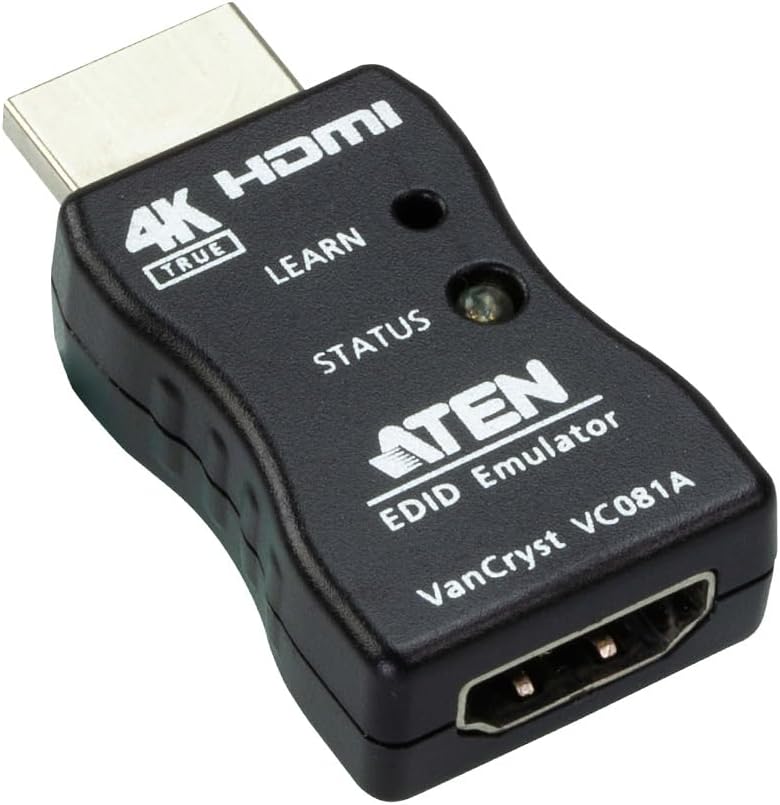
ATEN is a well-known brand in the industry and this adapter manages EDID communication effectively between devices. It allows you to learn and save EDID data from a connected display via a single pushbutton.
We may earn a commission when you buy through this link, at no additional cost to you.
Superior video quality is maintained up to 3840 x 2160 at 60Hz with 4:4:4 chroma sampling. The compact and lightweight design makes it easy to install in confined spaces or portable setups.
While some users report mixed experiences it remains a viable option for those prioritizing brand reliability. It is an affordable way to ensure that your video source recognizes the connected display correctly.
If you need a simple and trusted solution for basic EDID management this adapter serves the purpose. It is a recommended choice for users who prefer established hardware brands for critical AV components.
Learns and saves EDID from connected HDMI display via single pushbutton and relays to source.
Lightweight design ensures it fits easily into any desk or entertainment center.
We may earn a commission when you buy through this link, at no additional cost to you.
Selecting the right HDMI Edid Emulator Passthrough requires understanding your specific setup needs. Below are key factors to consider before making your purchase.
Ensure the emulator supports the maximum resolution and refresh rate your display uses. Some models are limited to 1080p while others support 4K or even 8K for advanced needs.
Match the emulator capabilities to your highest performance monitor to avoid signal degradation or black screens.
Check if the device supports HDCP pass-through or emulation which is required for protected content like streaming services.
Without proper HDCP handling you may experience blank screens or downgraded resolution with protected media.
Consider the physical size and build quality of the adapter especially if it will be mounted in a tight space.
Aluminum bodies offer better heat dissipation and durability compared to basic plastic housings.
Most emulators draw power from the HDMI source but some complex setups may require external power.
Choose a plug-and-play model to avoid the need for extra cables or power adapters.
Look for devices that allow you to copy EDID from a real monitor for precise matching of display capabilities.
This feature ensures that the source device sends the correct resolution format to match your screen.
Hot swap capability allows you to disconnect or connect sources without rebooting the computer system.
This is essential for setups where you frequently switch inputs or manage multiple devices.
Choosing a product from a well-known manufacturer can offer greater reliability and better customer support.
Trusted brands often provide better quality control and clearer product specifications for buyers.
Verify that the emulator passes through audio signals without distortion or loss.
Some models support specific audio formats like 5.1 or 7.1 surround sound for full theater experiences.
First connect the emulator between your source device and your display. Ensure the HDMI cables are securely attached to both ends of the adapter.
Second power on your devices in the correct order with the emulator connected first to ensure proper detection by your computer or console.
Third regularly check your cables and connections for any signs of wear to maintain a stable signal over time.
An HDMI EDID emulator is a device that mimics the Extended Display Identification Data of a monitor. It ensures that your source device always thinks a display is connected even when it is not.
Yes a KVM switch often resets display settings when switching computers. An emulator locks the EDID to prevent desktop rearrangement.
Many emulators are compatible with Mac Mini and Thunderbolt connections ensuring reliable video output for Apple users.
Only emulators with HDCP support work with protected streaming services. Check specs carefully to ensure compliance with content rights.
Most emulators draw power from the HDMI source and do not require extra power adapters for basic operation.
Some emulators have internal presets while others require you to copy EDID from a real monitor using a button on the device.
We have reviewed ten top models ranging from budget-friendly options to premium solutions with advanced features. Each pick offers unique strengths suited for different environments and technical requirements.
Prioritize resolution support and HDCP compatibility when selecting a device to ensure it meets your specific display needs without issues.
Prices and availability can change frequently so please verify current details before making your final purchase decision online.