
Duyasurs 3Pack Upgraded USB C to USB Adapter
4.6Editor score
High-speed data transfer capability
Durable scratch-resistant aluminum
Compact lightweight portable design
Discover the top Female USB Adapter options for seamless connectivity and fast data transfer across your devices in this comprehensive buying guide and review.
Finding the right Female USB Adapter is essential for modern connectivity needs. Whether you need to connect legacy devices or expand port options, quality matters for speed and durability.
We compared ten leading adapters based on data transfer speeds, build quality, compatibility, and user feedback. Each product was evaluated for real-world performance and value in daily use.
Each pick highlights key strengths and ideal use cases to help you choose confidently. Note that product availability and pricing can change frequently on retailer sites.
4.6Editor score

4.7Editor score

4.7Editor score
The following comparison table highlights key specifications for each adapter to help you quickly identify the right fit for your specific device and usage needs.




This JSAUX adapter leads our list with a strong 4.7 rating from users who value reliability. It bridges the gap between modern USB-C ports and legacy USB-A peripherals effectively.
We may earn a commission when you buy through this link, at no additional cost to you.
The standout feature is its USB 3.0 Super Speed transfer capability which allows files to move at up to 5Gbps. This is ten times faster than USB 2.0 standards making it ideal for large media files.
While it excels in data transfer it does not support video output which limits some use cases. However for most daily tasks like connecting drives or keyboards this limitation is acceptable.
Anyone needing a reliable connection for external drives or input devices should consider this adapter. The two pack ensures you have a spare for home or office use.
Transfer files, HD movies and songs to your USB C devices in seconds thanks to the full USB 3.0 Super Speed capability.
The premium nylon braided cable and sturdy aluminum alloy body ensure durability and a long life span even with daily use.
We may earn a commission when you buy through this link, at no additional cost to you.
Anker is a trusted name in accessories and this adapter reflects that quality with a 4.8 rating. It transforms USB-C ports into USB-A ports for connecting a wide range of devices.
We may earn a commission when you buy through this link, at no additional cost to you.
The construction is highlighted by premium scratch-resistant aluminum that blends well with devices like the MacBook Pro. It is engineered to withstand over 10,000 plug and unplug cycles.
Its ultra-slim form factor is a key advantage as it allows two adapters to be plugged side by side without blocking other ports. This is very useful for laptops with limited port access.
Ideal for professionals who need reliable connectivity and a sleek look. The durability and slim design justify the slightly higher price for many users.
Engineered for enhanced durability the connectors are designed to be plugged and unplugged up to 10,000 times.
The ultra-slim form factor ensures there is space to plug two adaptors side by side into your MacBook Pro USB-C ports.
We may earn a commission when you buy through this link, at no additional cost to you.
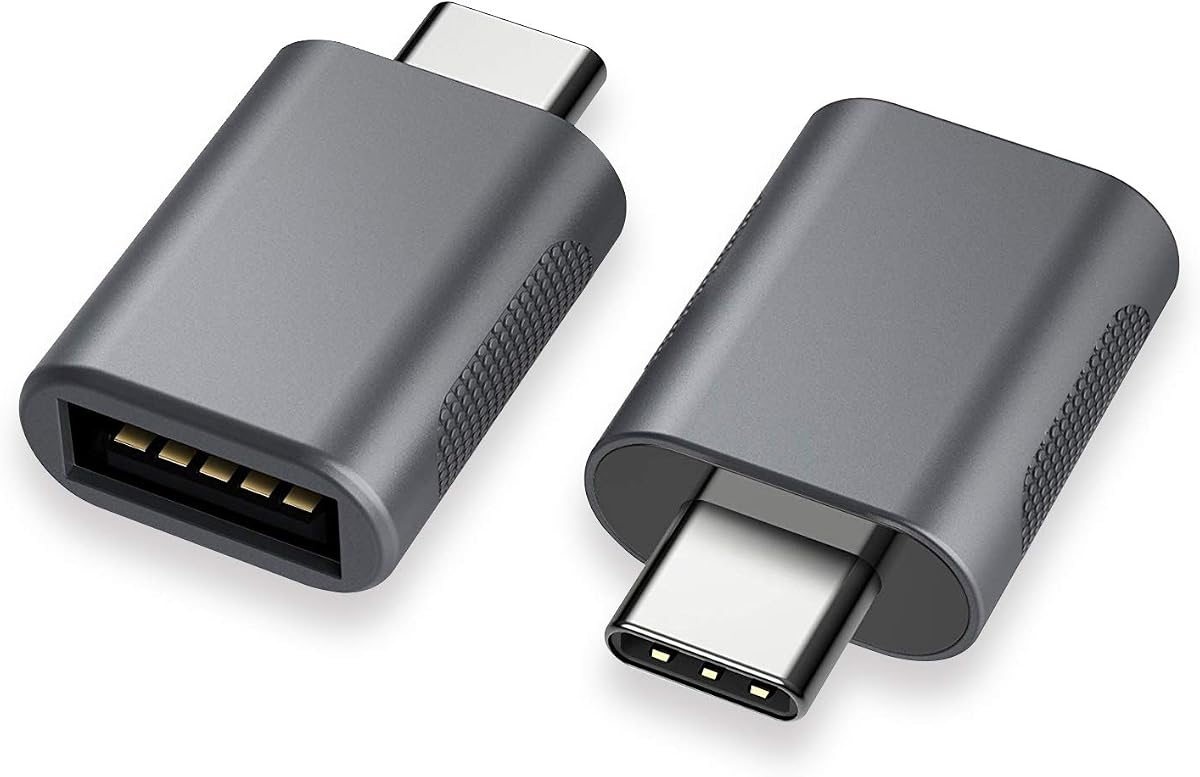
This adapter offers exceptional value with a 3 pack at a budget friendly price. It delivers high-speed data transfer up to 5GB in seconds making it efficient for daily file syncing.
We may earn a commission when you buy through this link, at no additional cost to you.
The upgrade includes mini LED indicators that show successful connections which adds a touch of convenience often missing in cheaper models. It is made of scratch-resistant aluminum for durability.
While it does not support audio or video functions it covers the vast majority of data needs. Users should ensure connected storage devices function properly for best results.
Perfect for users needing multiple adapters for home office and car use. The low cost and practical features make it a top budget choice.
The upgraded USB-C to USB 3.0 adapter enables high-speed data transfer allowing you to transfer 5GB of data in seconds.
Just plug it in to convert most male USB-C ports into female USB-A ports compatible with various USB-C devices.
We may earn a commission when you buy through this link, at no additional cost to you.
The UGREEN adapter stands out with support for up to 10Gbps data transfer which is significantly faster than standard 5Gbps adapters. It is built with an aluminum alloy housing for reliability.
We may earn a commission when you buy through this link, at no additional cost to you.
Its slim design fits snugly side by side with MacBook Pro ports which is great for users with multiple ports. The thumb-sized design makes it easy to carry in any bag.
Performance depends on having 10Gbps ports on both ends but the potential speed is excellent for heavy data users. It is rigorously tested to withstand over 10,000 cycles.
Recommend for power users who need maximum speed and portability. The 4 pack ensures you have adapters ready for all your devices.
The 10Gbps high-speed data transfer allows you to quickly transfer files via USB Female to USB C Male Adapter in seconds.
Rigorously tested to withstand more than 10,000 times of plugging and unplugging ensuring long-lasting performance.
We may earn a commission when you buy through this link, at no additional cost to you.
This adapter offers a unique female to female design allowing for extension capabilities along with standard data transfer. It supports up to 10 Gbps data transfer for fast file movement.
We may earn a commission when you buy through this link, at no additional cost to you.
The construction uses metal alloy shell connectors and bare copper conductors to minimize interference. It also supports fast charging up to 5V/3A for compatible devices.
While it offers high speed both input and output ports must support 10 Gbps to achieve maximum transfer rates. The two-year warranty adds to its appeal for long-term use.
Suitable for those needing extension capabilities alongside data transfer. The price and features make it a strong contender in the market.
The usb c female to usb female adapter easily converts a usb typec port into a usb port for easier data communication.
Constructed with metal alloy shell connectors and bare copper conductors providing optimal signal clarity and shielding.
We may earn a commission when you buy through this link, at no additional cost to you.
This adapter supports Thunderbolt 4 and 3 devices offering broad compatibility for modern laptops and phones. It delivers up to 5Gbps data transfer speed for efficient file syncing.
We may earn a commission when you buy through this link, at no additional cost to you.
The zinc alloy body prevents scratches and adds durability. The connectors have passed a 10,000+ push pull test ensuring longevity in daily use.
It is plug and play requiring no additional drivers or software. This simplicity makes it ideal for users who want hassle-free connectivity without extra steps.
Ideal for MacBook and Samsung users needing a reliable USB 3.0 connection. The build quality and compatibility make it a solid choice.
Up To 5Gbps Data Transfer Speed allows for fast USB C To USB Adapter performance.
Zinc Alloy Body Prevents Scratches and passes 10,000+ Push/Pull Test.
We may earn a commission when you buy through this link, at no additional cost to you.
This adapter converts USB-C ports to USB-A allowing connection of legacy chargers and devices. It offers USB 2.0 data transfer up to 480 Mbps and supports 3A power output.
We may earn a commission when you buy through this link, at no additional cost to you.
The built-in 56KΩ resistor ensures safe charging and data transfer. It is not compatible with video output or MagSafe chargers but works well for most standard use cases.
It allows legacy devices to be used as USB-C enabled platforms which is convenient for many users. The safety features add peace of mind for charging.
Best for users needing a female to male conversion for charging and basic data. The price and features offer good value.
Offer USB 2.0 data transfer speed up to 480 Mbps and supports 3A power output for charging.
Built-in Double sided 56KΩ resistor in this USB-C to USB adapter ensures charging and data transferring safe.
We may earn a commission when you buy through this link, at no additional cost to you.
This adapter comes in three colors to match your device aesthetic while providing reliable connectivity. It supports USB 3.0 protocol for high-speed data transfer and charging.
We may earn a commission when you buy through this link, at no additional cost to you.
The zinc alloy metallic housing ensures a stable connection and resists interference. It is engineered to withstand up to 10,000 plug cycles.
The slim design prevents blocking adjacent ports which is crucial for laptops with tightly spaced connections. It is a practical solution for expanding ports.
Recommended for users valuing design and basic reliability. The 3 pack and warranty offer added value.
Features an anti-interference zinc alloy metallic housing with a minimalist design ensuring a stable connection.
Engineered for enhanced durability designed to withstand up to 10,000 plug and unplug cycles.
We may earn a commission when you buy through this link, at no additional cost to you.
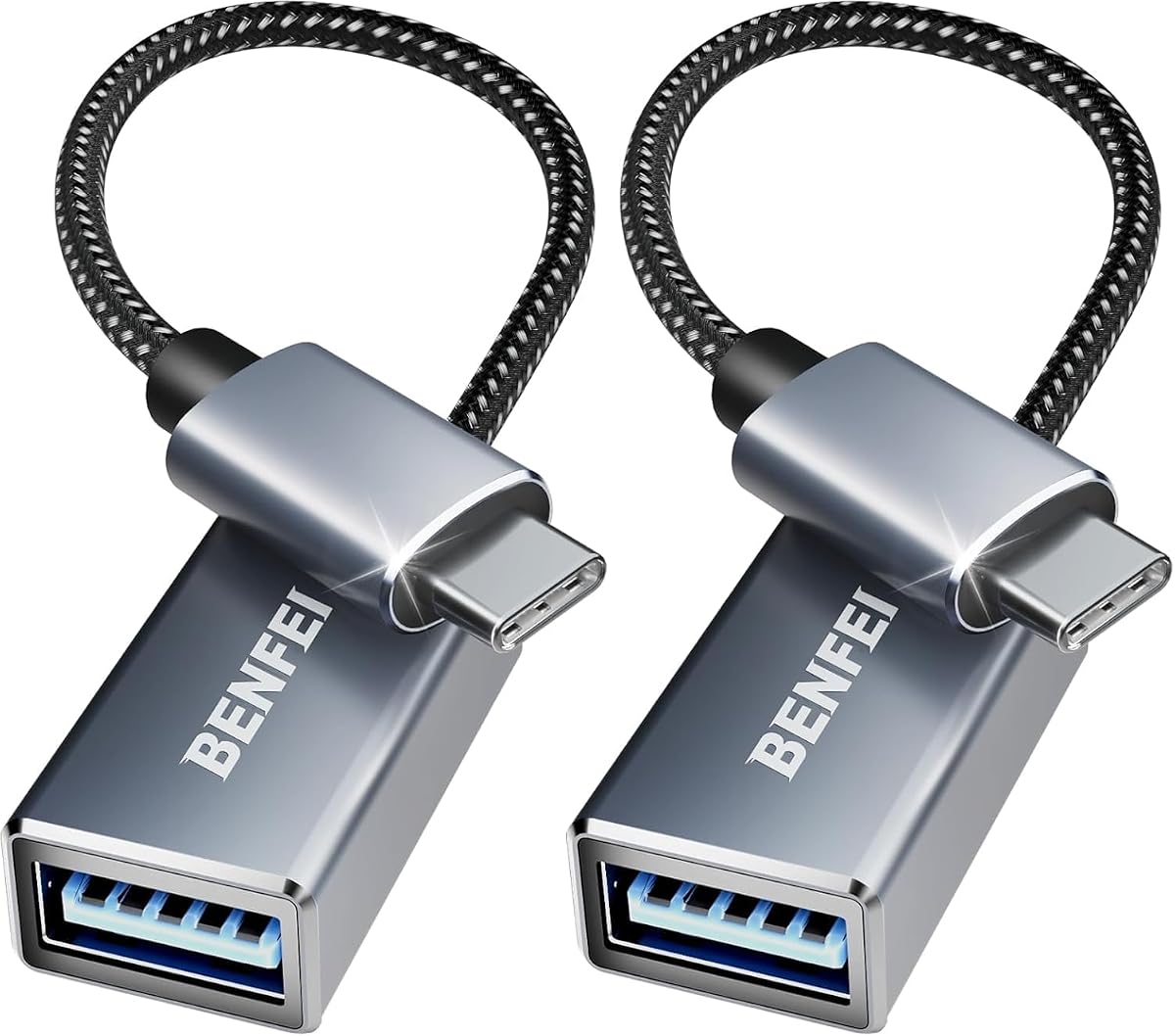
Benfei offers a compact adapter that ensures no interference even when two USB-C slots are closed. It supports 5 Gbps transfer speed for syncing movies and music quickly.
We may earn a commission when you buy through this link, at no additional cost to you.
The connectors are nickel-plated to resist corrosion and improve signal transmission. The braided nylon cable adds extra durability and a non-slip design.
The advanced design allows use of two closed USB-C slots simultaneously which is a unique benefit. The 18-month warranty adds confidence to the purchase.
Ideal for MacBook users needing reliable and durable adapters. The compact design and warranty make it a strong option.
The compact-designed portable Benfei USB-C male to USB 3.0 female adapter ensures no inteference when two usb-c slot are closed.
Sync movies, music, and more in seconds with a 5 Gbps transfer speed.
We may earn a commission when you buy through this link, at no additional cost to you.
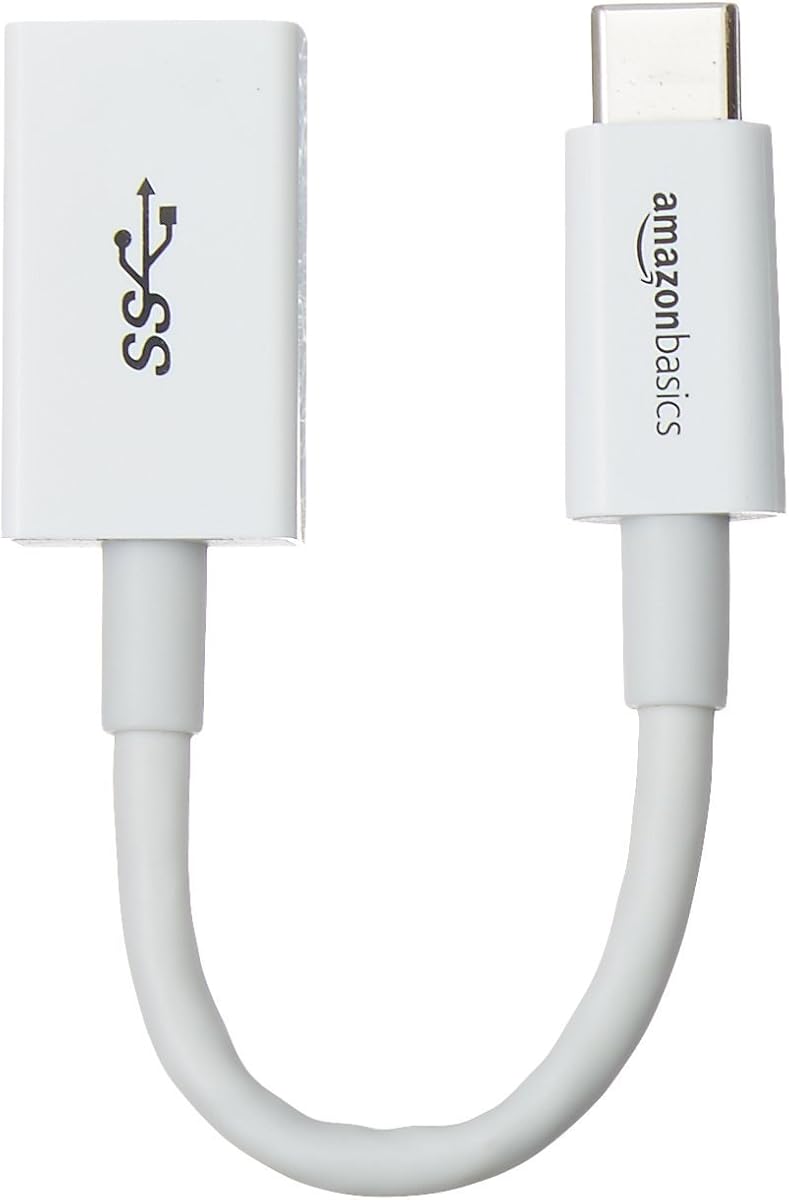
This Amazon Basics adapter is USB-IF certified ensuring it meets industry standards for quality and performance. It supports fast charging up to 15W and data transfer up to 5 Gbps.
We may earn a commission when you buy through this link, at no additional cost to you.
The USB 3.1 Gen 1 ensures compatibility with USB 3.0 and 2.0 devices. It is suitable for data transfer between smartphones, tablets, and hard drives.
The compact design makes it easy to carry around. However it is sold as a single unit so consider buying more if needed for multiple locations.
Best for users prioritizing certified quality and basic needs. The price and certification make it a safe choice.
Connects any USB-C to any standard USB-A enabled devices. Suitable for power transfer and data transfer.
Supports fast charging up to 15W and data transfer speeds up to 5 Gbps.
We may earn a commission when you buy through this link, at no additional cost to you.
Selecting the right adapter requires considering speed build quality and compatibility to ensure it meets your specific needs and device requirements.
Data transfer speed is crucial for users moving large files regularly. Adapters supporting USB 3.0 or 3.1 Gen 1 offer speeds up to 5Gbps or 10Gbps which is significantly faster than USB 2.0. Look for adapters specifying high-speed transfer in their specs to avoid bottlenecks.
Check the adapter supports USB 3.0 or higher standards for better performance.
Build quality affects longevity and reliability. Aluminum alloy or zinc alloy housings are more durable than plastic and help dissipate heat. Braided cables and reinforced connectors also extend the life of the adapter during daily use.
Prioritize metal housings and reinforced connectors for long-term durability.
Ensure the adapter is compatible with your specific devices. Some adapters list supported models like MacBook Pro or Galaxy S series while others are more generic. Confirm support for your laptop tablet and phone to avoid connection issues.
Verify device support matches your current laptop tablet and phone models.
Confirm the adapter matches your ports such as USB-C male to USB-A female or vice versa. Some adapters are female to female or male to male for extension or legacy use. Choosing the correct type prevents unnecessary purchases.
Select the correct connector orientation for your specific setup needs.
Consider how many adapters you need. Multipacks provide value and ensure you have spares for home or work. Single units might suffice for occasional use but packs offer flexibility for multiple devices.
Choose multipacks for better value and convenience across locations.
A warranty indicates manufacturer confidence in the product. Look for options with at least a 12-month warranty and responsive customer support. This protects your purchase against defects and ensures assistance if issues arise.
Prioritize products with at least a 12-month warranty.
Certifications like USB-IF ensure the adapter meets industry standards. This can mean better compatibility and safety features. While not always necessary it adds a layer of quality assurance to the product.
Look for USB-IF certification for assured standards and safety.
Balance cost with features. Higher-priced models often offer better materials or speed but budget options can be sufficient for casual use. Consider the overall value including pack size and warranty rather than just the sticker price.
Balance cost with speed materials and warranty for best value.
To use the adapter simply insert the USB-C end into your device and the USB-A peripheral into the other end. Most adapters are plug and play requiring no additional drivers. Ensure the connection is secure to prevent data transfer issues.
Avoid bending the adapter or cable sharply as this can damage internal conductors. Store the adapter in a protective case or pouch when not in use to prevent scratches and physical damage.
Regularly clean the connectors with a dry cloth to remove dust. Do not use liquids or harsh cleaners. If the adapter shows signs of wear or loose connections replace it to ensure safety and performance.
USB 3.0 supports speeds up to 5Gbps while USB 3.1 Gen 2 supports up to 10Gbps. Gen 1 is similar to 3.0. Check your devices specs to know which is supported.
Most of these adapters do not support video output. They are designed for data and power only. If video is needed look for a dock or specific video adapter.
Yes most adapters listed are compatible with MacBooks including Pro and Air models. Confirm your specific model year in the product description for best results.
Yes many adapters support fast charging up to 5V/3A. Ensure both ports support charging. Some models have limits like 15W so check the specs.
Check that the adapter and ports are clean and securely connected. Ensure the storage device is functioning and supported by the OS. Try another adapter if issues persist.
Use a dry soft cloth to wipe the connectors. Do not use liquids. Keep dust out of the ports when not in use to prevent connection issues.
The JSAUX Anker and UGREEN adapters lead the list for speed durability and value. Each offers unique benefits like fast transfer or compact design to suit different needs.
Prioritize speed and build quality if you move large files regularly. For casual users budget options provide solid performance without extra cost.
Prices and stock fluctuate so check current prices on retailer sites before purchasing. This ensures you get the best deal available today.