
Photography Copy Holder Mag Stand
5.0Editor score
Desktop magnetic document holder
Precision grid lines included
Compact 16×12 inch size
Compare the top copy stands for film scanning and photo digitizing to find the best stand for your camera, phone, and project needs today.
Choosing the right copy stand transforms how you archive memories and documents. A quality stand ensures your camera remains steady and aligned over flat originals for sharp, consistent results every time.
We evaluated ten top-rated stands based on stability, build quality, ease of setup, and compatibility with smartphones and cameras. Each model offers unique features for different digitizing tasks.
Each pick highlights key strengths and ideal use cases to help you decide. Prices and availability change frequently so verify details before purchase to ensure you get the best value for your setup.
5.0Editor score

4.3Editor score

4.2Editor score
This side-by-side comparison reviews every product in detail to highlight differences in size, weight, adjustability, and included accessories so you can choose the best match for your digitizing workflow.


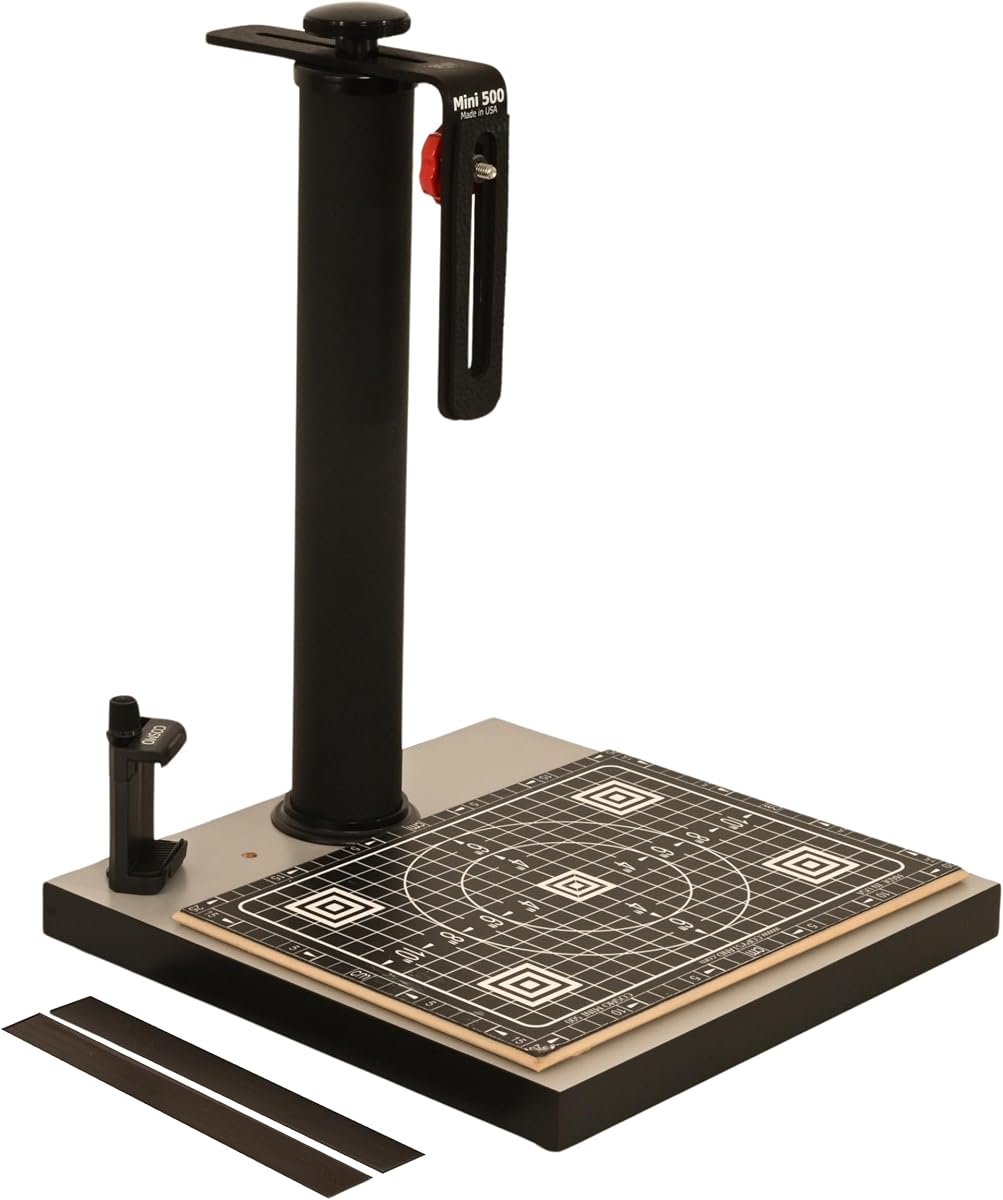
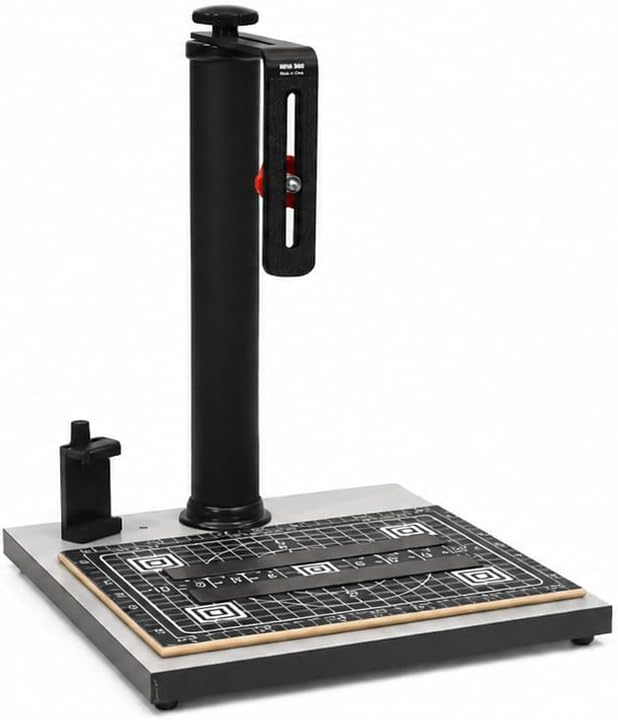

The Cosmo Mini 100 Copy Stand earns top marks for hobbyists seeking an affordable yet capable digitizing solution. With a 4.3 rating and compact footprint it delivers consistent results for photos and small documents using your smartphone.
We may earn a commission when you buy through this link, at no additional cost to you.
Its standout feature is the Floating Magnet Board which keeps originals flat with magnetic strips while grid lines ensure precise alignment. The adjustable aluminum bracket supports most phones and lightweight cameras making it versatile for various tasks.
While it is not built for heavy professional gear the stability is excellent for its size. The melamine base resists wear and the single-piece column simplifies transport without sacrificing rigidity during capture.
This stand is ideal for students or casual users who need reliable archiving tools. If you want a portable USA made stand that handles daily digitizing without fuss this model is highly recommended.
The side hole in the baseboard aligns your phone camera perfectly over the center ensuring straight shots every time.
Magnetic strips hold pages and photos flat so you avoid wrinkles or movement that could blur digital copies.
We may earn a commission when you buy through this link, at no additional cost to you.
The Cosmo Mini 300 expands on the Mini 100 with greater height flexibility and stronger camera support. Rated 4.2 stars it suits users who want to use interchangeable lens cameras without compromising on stability.
We may earn a commission when you buy through this link, at no additional cost to you.
Its 1.5 inch steel column provides solid rigidity while the reversible bracket allows multiple mounting positions. The larger baseboard accommodates bigger documents and the FMB keeps sheets flat for consistent scanning.
The extra weight means it is less portable than smaller stands but offers more confidence during long sessions. Locking knobs keep adjustments secure so you can focus on framing your shots.
Buy this if you need more vertical range than the Mini 100 offers. It balances hobbyist affordability with professional features like heavy duty construction and precise grid alignment.
The adjustable bracket supports both phones and cameras up to 3 pounds giving you flexibility as your gear evolves.
Wrinkle powder coated steel and aluminum ensure long life even with frequent setup and teardown for travel.
We may earn a commission when you buy through this link, at no additional cost to you.
This copy macro stand is designed specifically for film digitization with a sturdy aluminum base and quick release plate. It aims to eliminate shake when scanning negatives and slides using DSLR or mirrorless cameras.
We may earn a commission when you buy through this link, at no additional cost to you.
The 450mm column height offers ample clearance for thick film holders. Leveling feet ensure the base stays flat while the bubble level helps keep your camera sensor parallel to the film plane.
While it lacks the magnetic boards of Cosmo models its metal construction handles heavy lenses better. The quick release mechanism speeds up workflow when swapping multiple films during a session.
Choose this if your priority is scanning film negatives with a DSLR. It provides professional level stability and precise leveling features not found on basic photo stands.
Bubble level and leveling feet prevent lens tilt ensuring sharp images across the entire frame without distortion.
Quick release plate lets you attach and remove cameras securely in seconds which is vital for batch film processing.
We may earn a commission when you buy through this link, at no additional cost to you.
The Kaiser 205411 represents classic copy stand design with precision engineering and a matte finish that minimizes reflections. Its 4.6 rating reflects reliability for users who demand consistent mechanical performance.
We may earn a commission when you buy through this link, at no additional cost to you.
A rotatable column and horizontal arm adjustment offer flexibility for framing without moving the base. The printed grid on the baseboard helps with alignment and the scales on the column aid repeatable setups.
It lacks integrated magnetic boards so you may need separate flat holders. However the build quality ensures smooth operation and durability for years of archival work.
Invest in this if you value precision mechanical adjustments and glare-free surfaces. It is a solid choice for studios where lighting and positioning matter more than portability.
Non-reflective matte gray finish prevents light bounce ensuring even exposure across dark or glossy documents.
Inch and cm scales allow exact height adjustments so you can reproduce setups across multiple digitizing sessions.
We may earn a commission when you buy through this link, at no additional cost to you.
The Cosmo Mini 500 offers a larger square base and longer horizontal bracket travel than smaller models. With a 4.2 rating it serves creative projects like digitizing artwork and tattoos alongside standard documents.
We may earn a commission when you buy through this link, at no additional cost to you.
Its 2 inch steel column adds rigidity for heavier lenses while the 12 by 12 inch board accommodates A4 and similar sized originals easily. The FMB keeps pages flat without clips or tape.
Fixed vertical column means you adjust height via bracket position. This works well for overhead shots but may limit angles for 3D objects. The grid ensures consistent alignment for series of shots.
Pick this if you digitize creative work requiring a flat stable surface. It bridges the gap between casual photo stands and professional drafting tables at a reasonable price.
Large base and strong column support diverse items from calligraphy to tattoo flash sheets for archival or portfolio.
Approximately four inches of horizontal travel lets you frame subjects precisely without moving the baseboard.
We may earn a commission when you buy through this link, at no additional cost to you.
This version of the Mini 500 features a slightly larger base and maintains the same bracket and FMB design as the other 500 model. It delivers consistent performance for photographers needing a stable overhead setup.
We may earn a commission when you buy through this link, at no additional cost to you.
The 13 by 12.5 inch board handles documents and photos alike while the reversible bracket lets you position the camera for optimal framing. Magnetic strips keep originals secure during capture.
Though it shares many features with the other 500 variant the base size may offer better clearance for larger items. The fixed column ensures rigidity though it reduces tilt versatility.
Consider this for daily archiving tasks where a wider base is beneficial. It offers reliable USA made quality with tools that simplify alignment and document handling.
Larger base allows for scanning multi-page documents or overlapping items without needing to reposition the base.
Two magnetic strips and precision grid ensure pages stay flat and centered for distortion-free digital copies.
We may earn a commission when you buy through this link, at no additional cost to you.
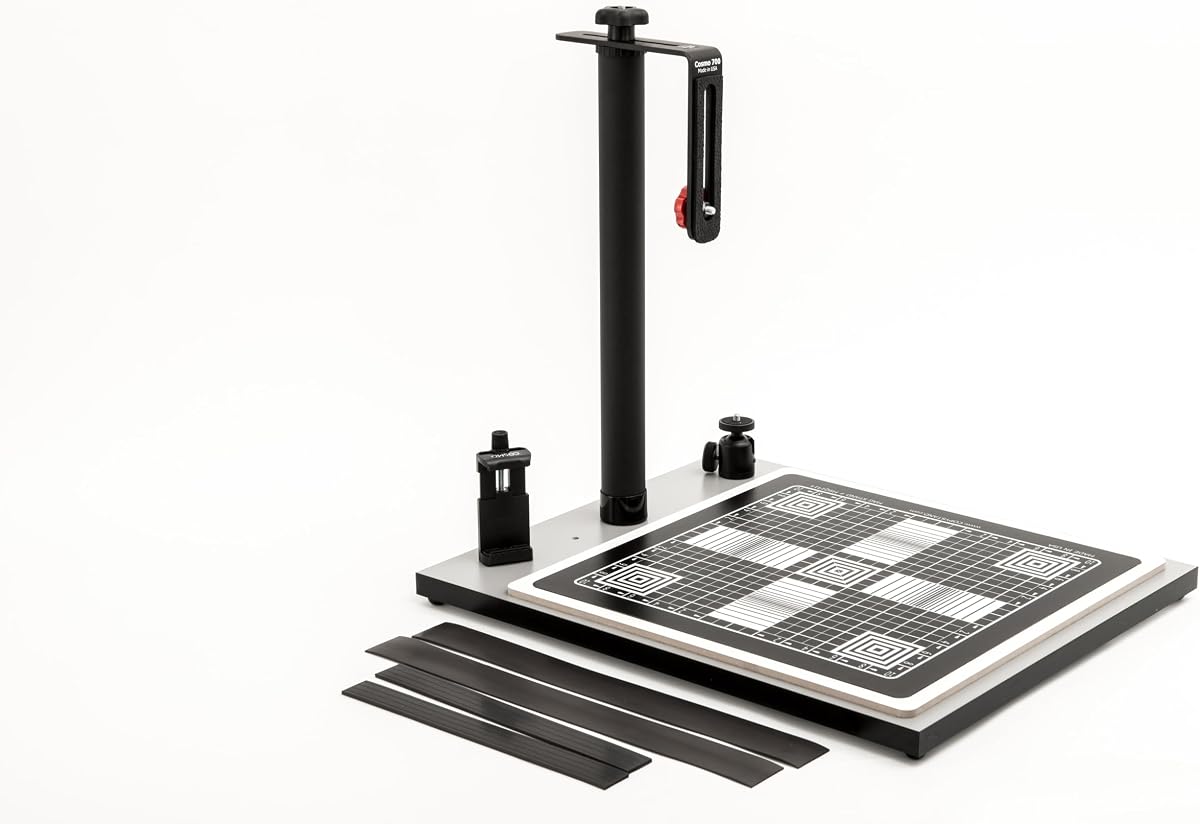
The Cosmo Mini 700 is the largest model in the lineup with an expanded base and magnetic board for substantial items. It shines for food photography, large documents, and small 3D objects.
We may earn a commission when you buy through this link, at no additional cost to you.
Its ball head allows smooth angle adjustments which is rare in this category and useful for tilted subjects. The 15 by 15 inch magnetic board ensures large sheets stay flat and aligned.
Weight is a factor at 14 pounds making it less portable. However the stability supports heavier cameras and the size handles projects that smaller stands cannot accommodate easily.
Choose this if you need to digitize large or voluminous objects. It combines flexibility with a robust magnetic system for versatile commercial and hobby use.
Integrated ball head lets you adjust camera angles precisely without moving the entire stand for better framing.
15 by 15 inch magnetic zone covers full A3 sheets or large food plates for consistent results.
We may earn a commission when you buy through this link, at no additional cost to you.
The Cosmo Mini 700 stands out as the top choice for food vendors and online sellers with a 4.8 rating. Its large base and ball head make it perfect for capturing plated meals and 3D products.
We may earn a commission when you buy through this link, at no additional cost to you.
The magnetic board keeps napkins or menus flat while the ball head allows creative angles for product shots. Compatibility with smartphones and DSLRs makes it accessible to many users.
Cost is higher than basic models but justified by the versatile setup and build quality. It replaces the need for multiple stands when shooting diverse content for e-commerce.
Invest here if you need a reliable setup for commercial photography. The combination of size, magnetic support, and angle adjustment delivers professional results consistently.
Ideal for vendors needing high volume consistent photos of meals and products for listings and social media.
Works with phones for quick snaps or DSLRs for detail shots ensuring flexibility as your needs grow.
We may earn a commission when you buy through this link, at no additional cost to you.
The Kaiser RS1 is a professional grade copy stand built for stability and smooth operation. It features a roll-off spring mechanism that compensates for weight when moving the camera vertically.
We may earn a commission when you buy through this link, at no additional cost to you.
Interchangeable bushings mean it fits almost any camera mount. The wide aluminum column resists vibrations ensuring sharp captures even with long exposures or macro lenses.
It is expensive and heavy compared to hobby models but essential for archival work requiring maximum precision. The matte base prevents reflections during long scanning sessions.
Buy this if you operate a studio or need top-tier reliability. The mechanical engineering justifies the cost for users who prioritize image quality and setup consistency.
Spring compensation allows effortless vertical movement of heavy camera setups without jarring or shaking.
Threaded bushings accept 1/4 and 3/8 inch mounts so most DSLRs and mirrorless cameras fit securely.
We may earn a commission when you buy through this link, at no additional cost to you.
This magnetic document holder offers a budget friendly way to digitize documents using a phone or camera mounted separately. With a perfect 5.0 rating it delivers solid utility for basic needs.
We may earn a commission when you buy through this link, at no additional cost to you.
The surface includes precision grids and magnetic strips to keep originals flat. It can sit on a desk or attach to a copy stand base for added versatility.
Since it is just a base you must provide your own support structure for cameras. However for simple phone scans it is quick and efficient without complex assembly.
Pick this if you want a low cost magnetic grid for phones. It is perfect for casual archiving and can be upgraded with a stand later if needed.
Simple flat design works instantly on any desk for quick phone scans without needing vertical stands.
Laminated grids help align corners and focus ensuring consistent framing for document and photo scanning.
We may earn a commission when you buy through this link, at no additional cost to you.
Selecting the right copy stand requires evaluating base size, column stability, and accessories to match your specific digitizing workflow and gear.
The baseboard holds your originals so size matters for documents or large items. Melamine or wood finishes resist wear and provide a dark background to reduce glare during scanning.
Choose a base large enough for your biggest document but compact enough to fit on your workspace comfortably.
A sturdy column prevents camera shake which is critical for sharp digitizing. Look for metal columns with smooth locking mechanisms and height adjustment ranges that suit your camera size.
Steel or aluminum columns offer durability while adjustable height lets you frame shots precisely without tilting the device.
Ensure the stand supports your smartphone or camera weight and mount type. Many stands include L brackets and phone holders while others need separate mounting plates for DSLRs.
Check the maximum load rating to confirm your camera and lens combination will fit securely during long sessions.
Accessories like floating magnet boards or grids help hold originals flat and align them correctly. Magnetic strips reduce wrinkles and the grid ensures consistent framing across multiple scans.
Stands with these included save money and simplify setup compared to buying separate alignment tools or weights.
If you need to transport your stand, consider the overall weight and footprint. Compact models are easier to carry but may sacrifice stability for heavy gear.
Balance portability with the rigidity you need; heavier stands usually perform better for professional tasks.
Lighting can affect color accuracy and clarity. Some stands are designed to work with optional light boxes or LED panels to ensure even illumination across the document.
Check if the stand allows mounting external lights or if it requires specific ambient conditions for best results.
High quality materials like anodized aluminum or steel tubes extend the stand's life. A solid warranty indicates confidence in manufacturing and protects against defects.
Look for models with limited warranties to ensure support if parts break or the stand fails prematurely.
Prices range from basic magnetic holders to professional studio stands. Determine your budget based on frequency of use and required precision for your projects.
Invest more if you scan often or need professional accuracy; budget options work well for casual archiving.
Begin by placing the base on a flat stable surface and securing it to prevent slipping. Attach your camera or phone to the bracket and ensure the lens is directly over the center of the baseboard.
Position your document or film on the magnetic board or base surface aligning edges with grid lines. Adjust the column height to frame the shot and lock the knobs before capturing the image.
Store the stand disassembled or in a dry place to protect the finish. Clean the base and bracket with a soft cloth to remove dust and avoid scratching the magnetic strips.
For 35mm film, choose a stand with a quick release plate and solid base like the Copy Macro Stand. It keeps the camera aligned and stable to capture detailed negative scans.
Yes, many stands include phone holders with adjustable brackets. Models like the Cosmo Mini 100 allow perfect alignment for quick scans using your phone camera.
Most stands work best with even ambient light but some models support external LED lights. External lighting helps avoid shadows when scanning dark or thick originals.
Use a floating magnet board or magnetic strips to hold originals flat. Grid lines on the surface also help ensure consistent placement and alignment during scanning.
Higher rated stands like the Kaiser RS1 support heavier DSLRs. Check the max load rating before purchase to ensure it holds your camera and lens safely.
An A4 document fits easily on bases larger than 12 by 12 inches. The Mini 500 or 700 models offer enough surface area for comfortable scanning.
Matte finish bases reduce glare compared to glossy surfaces. Pairing the stand with angled lighting also minimizes reflections on glossy photo prints.
Some stands like the Mini 700 include a ball head for flexible angles. Otherwise, check if the mounting thread supports a standard 1/4 inch ball head.
The Cosmo Mini 100 stands out as the best overall for hobbyists with its affordability and included accessories. For film specialists the Copy Macro Stand offers the stability needed for precise negative scanning.
Prioritize base size and column rigidity when selecting a stand. Ensure it supports your camera weight and includes alignment tools to simplify the digitizing process.
Prices and availability change so always verify current details before purchasing. This guide helps you pick a reliable stand that suits your specific archiving or creative needs.