
Visual Digital Timer with Red Disc
4.2Editor score
Visual red disc display
Simple one touch control
Magnetic mounting system
Finding the right digital visual timer can transform how families manage daily routines and tasks effectively. These devices offer clear countdown displays that make time tangible for users of all ages and needs.
We evaluated ten leading models based on display clarity, battery life, ease of use, and special features like silent modes. Each product was assessed for reliability across different environments and user groups.
Every pick below highlights specific strengths for various needs from cooking to studying. Remember that prices change frequently so check current listings before making your final purchase decision today.
4.2Editor score

4.6Editor score
4.3Editor score
As an Amazon Associate we earn from qualifying purchases.
This side by side comparison breaks down key specifications for every timer on our list so you can quickly find the right fit for your specific timing needs.

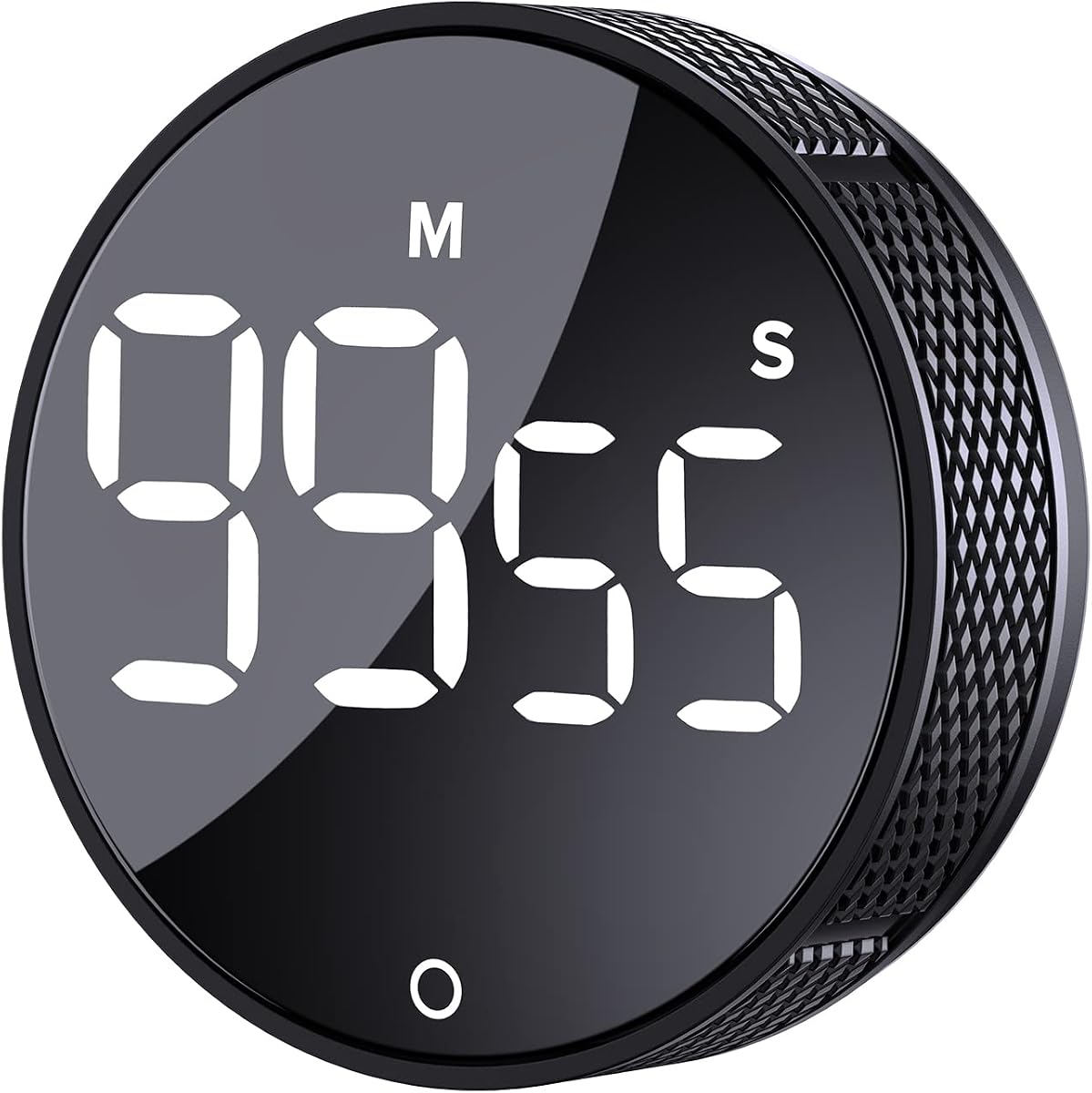


This VOCOO timer leads our list with its massive 7.8 inch display that makes time visible across any room. It holds a strong 4.6 rating from users who appreciate its clarity and long battery life.
We may earn a commission when you buy through this link, at no additional cost to you.
The device offers a 99 hour max timer which is perfect for long meetings or multi day projects. You can charge it via USB C and expect over a week of use on low brightness.
While it costs more than average it avoids the hassle of buying batteries constantly. The silent flash alert is ideal for libraries or classrooms where sound must be minimized.
Buy this if you need a reliable timer for large groups or long tasks. It is the best choice for classrooms or big kitchens where everyone needs to see the time easily.
The 2.3 inch tall numbers ensure students or family members can read the time from across the room without strain.
Choose between silent flash or loud audible alarms with three volume levels to match your environment noise level.
We may earn a commission when you buy through this link, at no additional cost to you.
The PERSUPER timer uses a disappearing white bar to show time passing which helps kids grasp the concept of time quickly. It has a solid 4.2 rating for its simple design and rechargeable battery.
We may earn a commission when you buy through this link, at no additional cost to you.
You can toggle between hours and minutes or minutes and seconds easily. The magnetic back lets you stick it on a fridge while the stand allows desk placement.
While the controls are simple they lack a bit of resistance which might confuse some adults. The screen brightness could be stronger in very bright environments.
This timer is perfect for teaching children how to manage their schedule. It is best for home use where visual cues are needed for routines.
Turn knobs to adjust time and press to start without needing to navigate complex menus or digital inputs.
Use the strong magnet on the back or the foldable stand to place the timer where it works best.
We may earn a commission when you buy through this link, at no additional cost to you.
AVINIA offers a large digital timer designed for kitchen counters and senior users who need big numbers. The 4.2 rating reflects its reliability for cooking and basic timing tasks.
We may earn a commission when you buy through this link, at no additional cost to you.
Twisting the outer ring allows you to set the time quickly without pressing buttons repeatedly. The magnetic back keeps it secure on ovens or fridges during meal prep.
The battery life is decent but using three AAA cells adds ongoing cost compared to USB rechargeable units. The alarm volume is strong but could be adjusted lower for quiet rooms.
Pick this if you need a simple robust timer for cooking or seniors. It is ideal for those who prefer mechanical twisting over digital menus.
Rotate the ring to set time in minutes and seconds without needing to press multiple buttons for each digit.
Choose between constant brightness or dim mode to save battery and reduce eye strain in dark kitchens.
We may earn a commission when you buy through this link, at no additional cost to you.
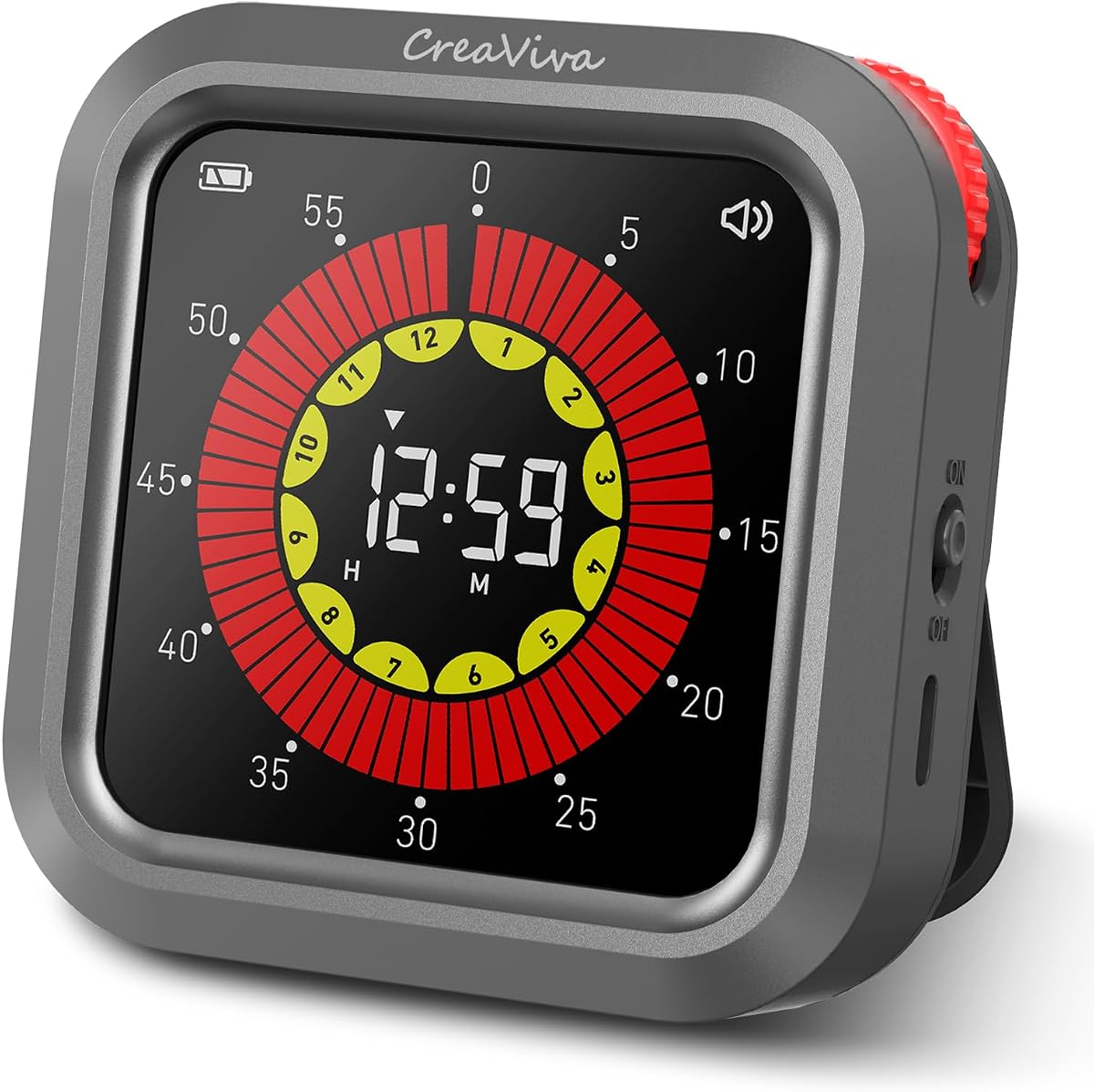
This timer features a unique yellow and red bar to show hours and minutes separately helping users visualize progress better. It holds a 4.3 rating for its helpful features for ADHD and focus.
We may earn a commission when you buy through this link, at no additional cost to you.
The memory recall function is great for repeated tasks like meditation or work sessions so you do not have to reset manually. The silent mode prevents distractions while the light flash alerts you.
It costs more than average but the battery savings and memory feature justify the price for many. The color design is not always clear for colorblind users.
This is the best premium pick for focus and productivity. Buy it if you need a specialized tool for ADHD or long work sprints.
Yellow represents hours and red represents minutes providing a clear visual cue for how long you have left.
Press start to immediately resume your last used timer setting saving time for daily repetitive tasks.
We may earn a commission when you buy through this link, at no additional cost to you.
This budget model brings a classic red visual disc design to digital timers at a lower cost. It has a 4.2 rating and is great for quick household tasks and kids.
We may earn a commission when you buy through this link, at no additional cost to you.
The memory function is useful for recurring daily routines like brushing teeth or homework. The silent mode ensures it does not disturb quiet study sessions.
It is limited to 60 minutes so it cannot handle longer projects. You must replace batteries as it does not have a charging port.
Buy this if you want an affordable visual timer for short tasks. It is perfect for parents who need a quick solution for kids.
A large red disc shrinks as time passes helping children see time without reading numbers.
The timer remembers your last setting so you can press start to repeat it instantly.
We may earn a commission when you buy through this link, at no additional cost to you.
This timer uses colorful dots and a smiley face to make transitions easier for kids. It has a 4.2 rating and focuses on reducing anxiety during routine changes.
We may earn a commission when you buy through this link, at no additional cost to you.
The USB C charging means you do not need to buy batteries constantly. It can last up to two weeks on a single charge making it reliable for daily use.
The lack of a backlight makes it hard to see in the dark without a lamp. The time limit is reasonable for most daily routines.
Select this for kids with sensory needs or autism. It is best for creating calm transitions and building habits at home.
Smiley face and dots create a positive association with time management for toddlers.
USB C charging provides up to two weeks of use on a single charge reducing maintenance.
We may earn a commission when you buy through this link, at no additional cost to you.
This timer is designed for ADHD and autism focusing on fun and engagement. It holds a strong 4.6 rating for its helpful interface for special needs.
We may earn a commission when you buy through this link, at no additional cost to you.
The backlit screen ensures you can see it even in dim study environments. The knob control is intuitive for small hands to adjust time quickly.
It lacks a memory function so you must reset it each time. The build is light but functional for desk use.
Choose this for study sessions or quiet focus time. It is ideal for kids who need visual aids to stay on task.
Backlit display ensures the timer is easy to read in dimly lit rooms or across a room.
Intuitive knob design makes adjusting the time easy even for little hands.
We may earn a commission when you buy through this link, at no additional cost to you.
This classic timer uses a simple red disk to show time visually. It has a 4.5 rating for helping kids and adults manage tasks without digital distractions.
We may earn a commission when you buy through this link, at no additional cost to you.
The disk makes it clear how much time remains without reading numbers. Silent operation is perfect for exams or study zones where noise is bad.
It only goes to 60 minutes so it is not for long projects. You must buy a battery separately to make it work.
Buy this for a simple visual timer for desks. It is ideal for homeschooling or office work.
The countdown analog timer can be understood intuitively by all ages and abilities.
Optional alert feature allows sound sensitive environments to avoid distractions.
We may earn a commission when you buy through this link, at no additional cost to you.
The Time Timer Twist combines a magnetic back with a kickstand for flexible placement. It has a 4.5 rating for its practical design in classrooms and kitchens.
We may earn a commission when you buy through this link, at no additional cost to you.
You can pause the timer mid session which is great for breaks or interruptions. The alarm is continuous so you definitely hear it when time is up.
The screen is smaller than others in this list so view from far away. It requires batteries so not fully rechargeable.
Pick this for flexible placement on desks or fridges. It is perfect for classrooms where you need to move the timer often.
A magnetic back makes the TWIST a snap to display on metallic surfaces from refrigerators and file cabinets.
Pause your timer during the countdown by pressing the play pause button.
We may earn a commission when you buy through this link, at no additional cost to you.
This timer is shaped like a blue dinosaur to make time management fun. It has a 4.4 rating and is designed specifically for toddlers and young children.
We may earn a commission when you buy through this link, at no additional cost to you.
The rounded edges and sturdy build make it safe for little hands. The LED screen shows time clearly so kids can read it easily.
It is purely for kids so it might not fit adult decor. Battery life details are not provided in the description.
Choose this as a fun gift for a child. It is best for teaching toddlers about time in a playful way.
Doliwish visual timer for kids is timed with dinosaur shape and colorful visual time progress bars.
Doliwish visual timer for kids is sturdy and durable with smooth edges to ensure safety.
We may earn a commission when you buy through this link, at no additional cost to you.
Choosing the right timer depends on your specific needs for visibility power and usage environment.
Larger screens like the 7.8 inch model help users see time from far away while compact ones fit small desks. Digital displays show exact numbers but visual bars help children understand duration better.
Pick a display size that fits your space and a type that matches your audience.
USB C rechargeable models save money and hassle over time compared to battery operated ones. If you need a timer for remote locations consider battery life and replaceability.
Choose rechargeable for convenience or batteries for backup power options.
Some timers only count up to 60 or 90 minutes while others support 99 hours. Think about whether you need short intervals or long project tracking.
Select a max duration that covers your longest task.
Silent flash alerts are great for libraries or bedrooms while loud alarms work for kitchens. Adjustable volume levels let you control noise based on the environment.
Look for silent modes if you need quiet focus.
Knobs and wheels are easier for seniors and kids than tiny buttons. Memory recall functions save time for repeated daily tasks.
Choose simple controls to avoid frustration during use.
Magnetic backs allow you to stick timers on fridges or whiteboards. Built in stands let you place them on tables without tipping.
Verify mounting methods match your intended location.
Features like pause buttons and dual counting modes offer more flexibility for varied tasks. Consider if you need a stopwatch mode in addition to countdown.
Prioritize features that match your daily routine.
Sturdy builds with smooth edges are safer for kids and withstand drops better. Materials should feel solid to ensure longevity in high traffic areas.
Check build quality to ensure it lasts over time.
Start by placing the timer on a stable surface or magnetic mount where everyone can see it. Adjust the brightness to match your lighting conditions.
Rotate the knob or press buttons to set the minutes and seconds for your task. Press start to begin the countdown or count up.
Clean the screen with a dry cloth and avoid liquids to protect the electronics. Charge the battery periodically to ensure it lasts.
Visual timers make abstract time concrete by showing a shrinking bar or disk. This helps kids see how much time is left reducing anxiety and improving focus.
Many models offer silent modes with flashing lights to alert users. You can adjust volume settings to fit quiet study or noisy kitchen environments.
Yes large digits and simple knobs make digital timers ideal for seniors. Models with bright displays ensure readability even with vision changes.
Most models last from one to two weeks on a single charge depending on brightness. Charging via USB C is quick and convenient for daily use.
Yes many timers have magnetic backs to attach to ovens or fridges. Waterproofing is not standard so keep them away from direct water.
Countdown tracks time remaining for tasks while count up acts like a stopwatch. Having both allows you to track completed or remaining time.
Yes visual cues and silent modes help with focus and reducing distractions. Many models are specifically designed with ADHD in mind.
The VOCOO large display model leads for big classrooms while the red disc budget option is perfect for kids. Each timer offers unique strengths depending on your needs.
Prioritize features like silent mode or long battery life based on your environment. Choose the tool that helps you manage time with the least friction.
Always check current prices before buying to get the best value. These timers are an investment in better time management for the whole family.