
WWZMDiB CH341A EEPROM BIOS Programmer
4.1Editor score
Supports 24 25 Series
Includes SOIC8 SOP8 Clip
No Welding Required
This guide compares the top bios flash tools for programmers and technicians, evaluating speed, compatibility, and ease of use for reliable hardware programming
Finding the right bios flash tool is essential for technicians who need to update firmware or recover corrupted systems. These devices allow direct interaction with memory chips, ensuring your hardware runs the latest software efficiently.
We evaluated ten top-rated tools based on compatibility, speed, and user feedback. Our comparison covers budget programmers and advanced kits, helping you choose the best option for your specific repair or development needs today.
Each pick highlights key features and real-world performance metrics to guide your decision. Prices and availability change frequently, so verify current details before purchasing to ensure you get the best value for your project.
4.1Editor score
4.4Editor score

4.3Editor score
This side by side comparison details the specifications and capabilities of all ten selected tools to help you quickly identify the best fit for your needs.





The WWZMDiB CH341A Programmer is an affordable entry point for anyone needing to flash BIOS chips. With a 4.1 rating, it offers essential functionality for backup and programming without breaking the bank.
We may earn a commission when you buy through this link, at no additional cost to you.
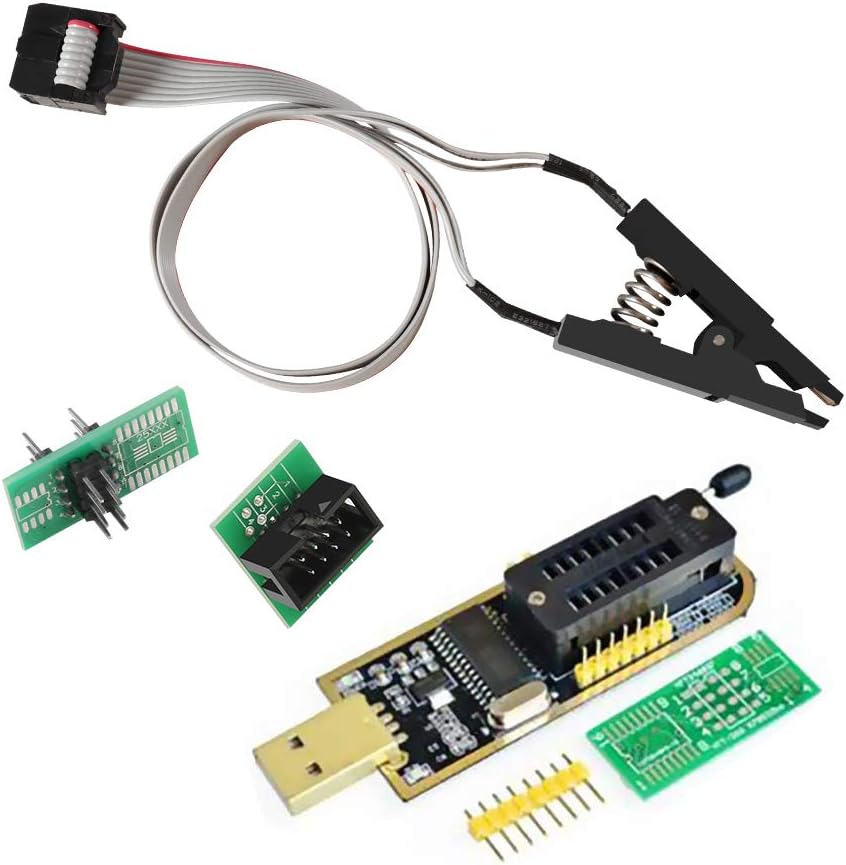
This tool supports most 24 and 25 series SOP8 and SOP16 chips. It includes a test clip for in circuit programming, which means you often do not need to desolder components. The CH341A chipset ensures broad compatibility with standard EEPROMs.
Keep in mind that some chips like ESMT SST 25 can only be read not written. Also, you must confirm voltage to avoid damage. For occasional use these trade offs are acceptable given the low cost.
Buy this if you need a reliable, low cost tool for basic BIOS tasks. It is ideal for hobbyists or technicians handling routine repairs where budget is a primary concern.
The included SOIC8 clip allows you to program chips without removing them from the board, saving time and reducing risk.
Support for 24 and 25 series chips covers the vast majority of consumer electronics and motherboard memory requirements.
We may earn a commission when you buy through this link, at no additional cost to you.
The ACEIRMC kit combines a CH341A programmer with high quality test clips. Rated 4.4 stars, it is a favorite among users for its reliability and ease of use during BIOS flashing tasks.
We may earn a commission when you buy through this link, at no additional cost to you.
You get a double clip set which provides flexibility for different scenarios. The SOP8 clip enables in circuit programming so you can update firmware without desoldering. It works well with 24CXX 25CXX and 93CXX chips.
Be aware that peripheral circuits on a motherboard might affect reading. Some chips like ESMT SST 25 are read only. Always check chip locations before clipping to ensure success.
Choose this kit if you want a balanced tool for frequent repairs. It offers better value than buying parts separately and remains a top choice for professionals.
Having two clips ensures you have a backup or can manage multiple chips efficiently during complex repair jobs.
Program chips directly on the motherboard to save time and reduce the risk of damaging sensitive components.
We may earn a commission when you buy through this link, at no additional cost to you.
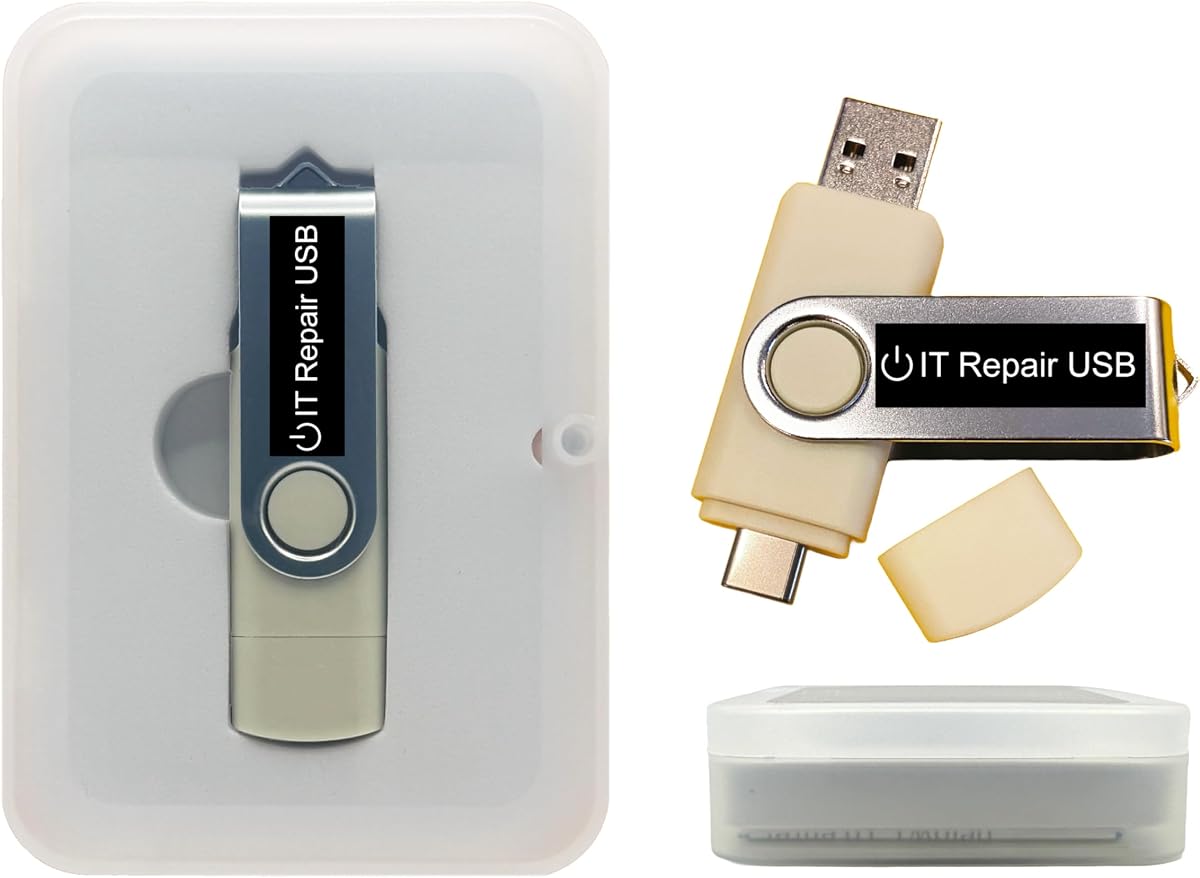
This bootable USB drive is designed to reset passwords on Windows and Linux systems. With a 3.6 rating, it offers a simple solution for locked out users without requiring advanced technical skills.
We may earn a commission when you buy through this link, at no additional cost to you.
It supports legacy BIOS and UEFI modes ensuring it works on most laptops and desktops. The drive boots directly so you can unlock accounts in minutes. No internet connection is required for the process.
While it is great for recovery, it does not fix hardware issues. Ensure your PC can boot from USB first. If you need a simple tool to regain access, this is a viable option.
Buy this if you frequently deal with locked user accounts. It is a handy addition to a technicians toolkit for restoring system access safely.
On screen guidance and step-by-step instructions make the recovery process straightforward for all skill levels.
From Windows XP to 11 and most Linux distributions, this tool covers a wide range of legacy and modern systems.
We may earn a commission when you buy through this link, at no additional cost to you.
This 8GB USB drive is a simplified installer for Windows 11. Rated 4.0 stars, it removes the TPM requirement which helps on older hardware. It supports both UEFI and Legacy boot modes.
We may earn a commission when you buy through this link, at no additional cost to you.
It is designed for clean installs or repairs when the OS fails. The drive is tested and handmade ensuring quality. However, it cannot fix failing hardware like bad RAM or dead motherboards.
Verify your PC can access BIOS before buying. This tool is strictly for software installation not diagnostics. If you have an older PC struggling with TPM, this is a helpful workaround.
Choose this for straightforward Windows recovery tasks. It avoids complex configuration and gets the OS running quickly without extra hardware checks.
Install Windows 11 on systems that do not meet the TPM hardware requirement through this modified installer.
Compatible with both modern UEFI and older Legacy BIOS systems ensuring wide device coverage.
We may earn a commission when you buy through this link, at no additional cost to you.
This kit adds extra versatility with a 1.8V adapter and conversion sockets. With a 4.4 rating, it is praised for speed and completeness. Programming is up to 2-3 times faster than standard ATMEGA8 tools.
We may earn a commission when you buy through this link, at no additional cost to you.
It supports TV memory desktop motherboards and routers. The package includes adapters for DIP8 and EZ programming making it useful for varied chip shapes. It is ideal for repairing set-top boxes and DVD drives.
Handling multiple adapters takes time. But the speed gain and voltage support make it worth it for frequent users. Ensure you use the correct voltage to prevent chip damage.
Buy this for serious repair work requiring voltage flexibility. It is a strong upgrade over basic kits for professional technicians.
Includes an adapter for 1.8V chips found on iPhones and modern motherboards increasing compatibility.
Experience faster erase and write cycles to improve efficiency during bulk flashing jobs.
We may earn a commission when you buy through this link, at no additional cost to you.
The EZP2023 is marketed as the fastest BIOS chip programmer. Rated 4.3, it reads and writes in seconds. It supports 24 25 93 and 95 series with auto detection and voltage selection.
We may earn a commission when you buy through this link, at no additional cost to you.
It comes with 15 adapters covering most pin configurations. The offline copy feature allows rapid duplication of chips. This automation reduces manual selection errors and saves time.
It is more expensive than basic models. For beginners setup might be tricky. But for professionals needing speed and versatility, it is a premium choice.
Choose this for high volume or critical repair work. The time savings and broad support justify the investment for serious users.
Detect chip models automatically to avoid manual selection and reduce user error.
Copy data between chips without a PC connection to speed up bulk operations.
We may earn a commission when you buy through this link, at no additional cost to you.
This USB toolkit includes diagnostics and repair utilities for Windows. Rated 3.5, it is useful for troubleshooting boot issues and malware. It supports Live operation without modifying the PC.
We may earn a commission when you buy through this link, at no additional cost to you.
You can add or upgrade ISOs easily. It revives old PCs with lightweight environments. All steps are included and no internet is required for basic functions.
It is best for advanced users. Less tech-savvy users might find it complex. Ensure you back up data before using repair tools.
Buy this if you need a versatile recovery drive. It is ideal for technicians handling diverse system failures.
Add your own tools and utilities to tailor the drive for specific workflows.
Use lightweight rescue environments to diagnose and restore aging hardware efficiently.
We may earn a commission when you buy through this link, at no additional cost to you.
This clip is built for 16 pin flash chips. Rated 4.3, it offers stable connections with gold plated pins. The 40cm line provides flexibility during work.
We may earn a commission when you buy through this link, at no additional cost to you.
It supports 150MIL to 300MIL body chips. It works well with Rt809F and TL866 programmers. Hardened construction ensures durability.
Note that peripheral circuits may affect success. Some boards require chip removal for programming. It is a specialized tool for 16 pin needs.
Buy this if you work with 16 pin chips. It is essential for precise and stable programming on these specific packages.
Support for 150MIL to 300MIL chips ensures it fits various SOP16 packages.
A 40cm connection line allows comfortable positioning during complex soldering or board work.
We may earn a commission when you buy through this link, at no additional cost to you.
This tool installs genuine Windows 11 or 10 directly from Microsoft. No rating yet but features are strong. It works with Secure Boot enabled so no BIOS changes are needed.
We may earn a commission when you buy through this link, at no additional cost to you.
It is designed for UEFI systems mostly 2013 and newer. Official downloads mean no outdated ISOs. Support is handled by US-based team via chat or email.
Legacy BIOS is not supported in the current version. You need your own license key. Verify your PC supports UEFI before buying.
Choose this for reliable official installs on newer hardware. It avoids piracy risks and provides trusted support.
Works with Secure Boot enabled so you do not need to disable it for installation.
Downloads genuine Microsoft files directly ensuring security and stability.
We may earn a commission when you buy through this link, at no additional cost to you.
This USB provides Kali Linux for security testing. Rated 4.1, it comes with over 600 tools for network and wireless auditing. It works on almost any desktop or laptop.
We may earn a commission when you buy through this link, at no additional cost to you.
You can run it directly or install it permanently for performance. Includes AMD64 and ARM64 builds. It is trusted by professionals for forensics and investigations.
It is specialized so general users may find it complex. Requires some Linux knowledge. But it is powerful for ethical hacking tasks.
Buy this if you work in cybersecurity. It is a complete platform for vulnerability assessments and security research.
Over 600 penetration testing tools are ready to use immediately.
Supports both Intel/AMD and ARM-based PCs for wide device compatibility.
We may earn a commission when you buy through this link, at no additional cost to you.
Selecting the right tool depends on your technical needs and the devices you service.
Ensure the tool supports the specific chip series you use. Look for 24 25 and 93 series support which covers most consumer electronics.
Verify support for common packages like SOP8 SOP16 or DIP8 based on your typical repairs.
Modern chips may run on 3.3V or 1.8V. A good tool should support multiple voltages to avoid burning chips.
Tools with automatic voltage selection reduce manual errors and improve safety.
Faster read and write speeds save time during repairs. Advanced models can write in seconds compared to minutes.
Prioritize speed if you handle high volume work.
Tools with test clips allow programming without desoldering. This reduces risk of board damage and speeds up the process.
Check that the clip matches your chip pin count and width.
A kit with multiple adapters supports different chip footprints. This flexibility makes a single tool usable for many projects.
Look for conversion plates and dip adapters in the package.
User-friendly software with automatic chip detection is easier to use. Complex interfaces can lead to mistakes.
Choose tools with clear guides and active community support.
Durable cables and connectors extend the lifespan of the tool. Cheap parts may break during repeated use.
Invest in robust hardware for professional environments.
Entry level tools offer basic functionality at low cost. Premium tools add features like auto detection and speed.
Balance features against your expected usage frequency.
Connect the programmer to your PC via USB and install the required software. Verify drivers are recognized before proceeding.
Attach the test clip to the chip ensuring all pins align correctly. Confirm voltage settings to prevent accidental damage.
Store the tool in a dry place. Keep clips and adapters organized. Regularly update software for best compatibility.
A BIOS flash tool updates the firmware on motherboard chips. It is used to fix boot issues or add new features by rewriting the BIOS memory.
Not always. Many tools support in-circuit programming using test clips. However, some chips on complex boards may require removal.
The 24 and 25 series are the most common. These cover most EEPROM and Flash chips found in consumer electronics.
Some chips in Apple devices may be compatible but specific programming often requires proprietary software. Check device-specific guides.
Yes incorrect voltage or bad connections can damage chips. Always double-check voltage and pin alignment before writing.
Yes each tool comes with specific software. Make sure your OS is supported and drivers are installed correctly.
We reviewed ten tools ranging from budget programmers to premium kits. The ACEIRMC kits offer great value for general repairs while the EZP2023 leads in speed.
Prioritize voltage support and compatibility for your specific chips. In-circuit capability is a major convenience for technicians.
Prices and availability vary so check current listings before purchasing to ensure the best deal.