
Lenovo 2026 Chromebook 14
5.0Editor score
MediaTek Kompanio 540 processor
14 inch WUXGA touchscreen
Affordable student friendly pricing
Artificial intelligence is transforming how we interact with technology daily. Chromebooks now integrate advanced AI tools directly into the operating system. This shift enables faster workflows and smarter assistance for users everywhere.
We evaluated ten leading models based on processor power and AI integration. Our analysis considers display quality, battery life, and specific AI features. Each selection offers unique benefits for students and professionals alike.
Every pick highlights key strengths and potential limitations for buyers. Prices and availability change frequently so verify details before purchasing. Use this guide to find the right device for your needs.
5.0Editor score

4.9Editor score

As an Amazon Associate we earn from qualifying purchases.
This table provides a side-by-side view of the ten selected Chromebooks. Compare processors, displays, memory, and storage options to find the best fit.


This Acer model leads our list with exceptional AI integration and performance. It features the Intel Core i3-1315U processor which handles daily tasks smoothly. Users praise the responsive touch display and secure Chrome OS environment.
We may earn a commission when you buy through this link, at no additional cost to you.
The standout quality is the bundled Google AI Pro subscription for twelve months. This includes access to advanced Gemini features and massive cloud storage. The device supports advanced apps like Adobe Photoshop for creative work easily.
Trade-offs include limited local storage compared to higher end laptops. However the cloud storage bonus offsets this significantly for most users. The anti-glare screen remains clear even in bright indoor conditions.
Students and professionals seeking a reliable AI ready device should buy this. It balances performance and cost effectively for everyday productivity needs.
Built-in Gemini features allow handwriting conversion and photo editing without external apps.
Titan C2 security chip ensures hardware-level protection against malware and threats.
We may earn a commission when you buy through this link, at no additional cost to you.
The ASUS Chromebook Plus CX34 focuses on creative AI features for everyday users. It includes tools for noise cancellation and lighting enhancement during video calls. The white design looks modern and fits well in home offices.
We may earn a commission when you buy through this link, at no additional cost to you.
Key strengths involve the UFS storage which offers faster access than eMMC. The 8GB RAM supports multitasking across many browser tabs efficiently. Google AI Pro is included to boost productivity immediately.
Users note the display is standard Full HD rather than higher resolution. This is acceptable for general tasks but might lack sharpness for detailed design work. Battery life is solid for typical school days.
This laptop suits users needing basic AI enhancements without high costs. It is ideal for casual creatives and general home use.
AI tools automatically adjust lighting and remove background noise during meetings.
UFS storage technology ensures quicker app launches and file access times.
We may earn a commission when you buy through this link, at no additional cost to you.
This Acer model offers a larger 15.6 inch display for better visibility. It is perfect for users who prefer more screen real estate. The Intel Core i3-1305U provides reliable performance for daily work tasks.
We may earn a commission when you buy through this link, at no additional cost to you.
The 15.6 inch touch display allows direct interaction with content. Wi-Fi 6E ensures fast connectivity for cloud-based AI tools. Security is maintained through the Titan C2 chip for safe browsing.
The larger screen adds weight making it less portable than smaller units. Resolution is Full HD which is good but not premium. Battery life remains decent for mobile office use.
Buy this if screen size is your priority over portability. It works well for stationary study or desk-based work.
The 15.6 inch display offers more space for multitasking windows.
Wi-Fi 6E enables faster data transfer speeds for cloud apps.
We may earn a commission when you buy through this link, at no additional cost to you.
The Spin 714 stands out with its powerful Core Ultra 5 processor. It features a dedicated engine for AI experiences and immersive graphics. The convertible design allows for versatile usage modes like tent mode.
We may earn a commission when you buy through this link, at no additional cost to you.
It includes a 120Hz high-resolution display for smooth scrolling and visuals. Thunderbolt 4 connectivity offers fast data transfer and charging capabilities. The antimicrobial Gorilla Glass adds durability to the screen.
This is a premium model with a higher price compared to others. Ratings are currently unavailable as it is a newer release. Battery life is optimized for low power processing during unplugged work.
Prospective buyers seeking high-end features and durability should consider this. It is ideal for professionals needing robust AI performance.
The 2-in-1 chassis allows tablet and laptop usage modes easily.
A 120Hz refresh rate ensures fluid motion during scrolling and video.
We may earn a commission when you buy through this link, at no additional cost to you.
This variant offers significantly more local storage with 512GB capacity. The Intel Core i3-N355 processor ensures smooth performance for everyday tasks. It meets military standards for durability making it resilient in harsh conditions.
We may earn a commission when you buy through this link, at no additional cost to you.
The device features a white backlit keyboard for comfortable typing in dark environments. Connectivity includes Wi-Fi 6E and multiple USB-C ports for versatile use. The Quick Insert key aids in creative workflow efficiency.
It is slightly heavier than other portable units at over 3 lbs. Some units may be resealed which could affect initial appearance. Battery life is long enough for travel without frequent charging.
Buyers needing ample local storage and ruggedness should select this. It is suitable for travelers and students needing reliability.
512GB of SSD space allows for large local file collections.
Military-grade standards ensure the device withstands physical drops.
We may earn a commission when you buy through this link, at no additional cost to you.
This Lenovo model offers the most affordable option in our list. It includes a vivid WUXGA touchscreen for interactive textbooks and learning. The lightweight design makes it easy to carry between classes.
We may earn a commission when you buy through this link, at no additional cost to you.
Waves MaxxAudio speakers provide clear sound for online lectures. The 8-core MediaTek processor handles multitasking across web browser tabs. A physical camera shutter protects privacy during virtual sessions.
RAM is limited to 4GB which may slow heavy multitasking. Storage is also smaller but sufficient for cloud-based learning. Battery life is optimized for full campus use days.
Students needing a budget-friendly device should buy this immediately. It covers all essential educational needs effectively.
Stereo speakers deliver immersive sound for media and video calls.
Lightweight build ensures easy transport in backpacks daily.
We may earn a commission when you buy through this link, at no additional cost to you.
This device focuses on efficiency with the dedicated Quick Insert key. It supports expanding workspace with three external monitors without a dock. The 512GB SSD ensures ample space for apps and media files.
We may earn a commission when you buy through this link, at no additional cost to you.
Performance is reliable for business tasks and video conferencing. It handles multiple tabs and apps without significant slowdowns. The MIL-STD certification ensures it can withstand daily wear.
The weight of 3.09 lbs is heavier than typical portable laptops. Resealing warnings may cause hesitation for brand new expectations. Connectivity remains robust with modern ports for peripherals.
Professionals needing multi-monitor setups and local storage should choose this. It is built for sustained daily workloads.
Supports up to three external displays for expanded productivity.
Quick Insert key helps generate images and streamline workflows.
We may earn a commission when you buy through this link, at no additional cost to you.
This model strikes a balance between performance and storage needs. It features an Intel Core 3 processor suitable for daily usage. The WUXGA display offers a sharp aspect ratio for work.
We may earn a commission when you buy through this link, at no additional cost to you.
The 512GB SSD provides plenty of space for files and apps. Bluetooth 5.3 ensures stable connections with wireless headphones and mice. Battery life supports all-day use without constant power outlets.
Ratings are average which reflects general satisfaction levels. The processor is decent but not high-end for heavy rendering. It serves well as a secondary or home computing device.
Users looking for a middle ground should buy this model. It is a versatile choice for general home and school work.
1920 x 1200 resolution provides sharp text and image clarity.
Bluetooth 5.3 offers reliable pairing with modern peripherals.
We may earn a commission when you buy through this link, at no additional cost to you.
This variant uses an AMD Ryzen 3 7320C processor for speed. It offers a 12-hour battery life for extended unplugged sessions. The spill-resistant keyboard adds practical protection during daily use.
We may earn a commission when you buy through this link, at no additional cost to you.
AI tools enhance video call clarity with noise cancellation and lighting. The OceanGlass Touchpad provides a smooth and responsive touch experience. Connectivity includes Wi-Fi 6E for faster wireless internet access.
Storage is lower at 128GB which relies on cloud services. The color choice is limited to steel gray for a professional look. Ratings remain high due to reliable performance and features.
Those preferring AMD architecture and long battery life should choose this. It is well-suited for daily commuting and office work.
Up to 12 hours of battery for all-day usage.
Spill resistant design protects keys from liquid damage.
We may earn a commission when you buy through this link, at no additional cost to you.
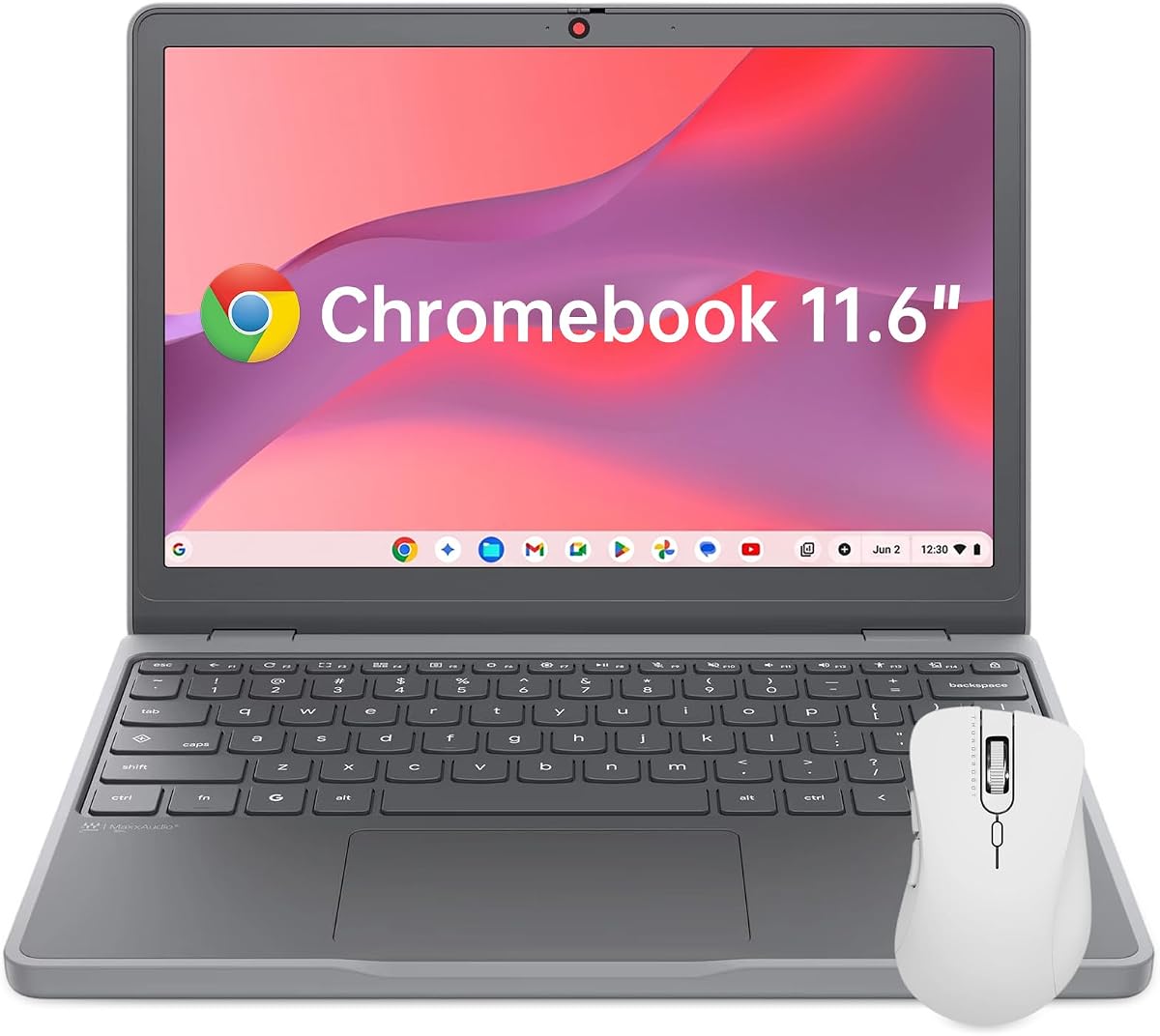
This Lenovo model is the most portable option in the list. It weighs under 3 lbs and fits easily in small bags. The 11.6 inch screen is compact for travel and casual reading.
We may earn a commission when you buy through this link, at no additional cost to you.
Intel N150 processor handles light tasks and web browsing well. The display includes Low Blue Light certification to reduce eye fatigue. Physical privacy shutter helps keep webcams secure when not in use.
Resolution is standard HD which may look less sharp on small screen. Performance is suitable for basic students but not heavy multitasking. It excels as a travel companion for quick tasks.
Frequent travelers needing a compact device should buy this. It prioritizes portability and battery life above all.
Slim profile and light weight allow easy transport anywhere.
TÜV certification reduces blue light emission during reading.
We may earn a commission when you buy through this link, at no additional cost to you.
Selecting the right AI Chromebook involves evaluating key components. This guide outlines factors to consider for optimal performance.
The CPU determines how quickly AI features can run. Look for Intel Core i3 or newer models. Processors with dedicated neural engines handle tasks like image recognition faster.
Prioritize newer generations for best long term performance and AI efficiency.
RAM affects multitasking speed when using multiple AI apps. Aim for at least 8GB of LPDDR5 memory. This allows smooth switching between browser tabs and creative tools.
Higher memory ensures stability during heavy workloads and video calls.
Local storage type and speed impact file access times. SSDs are faster than eMMC or standard HDDs. 256GB is a good baseline for installing offline apps.
Check for cloud storage bonuses that offset limited local capacity.
Screen resolution and touch features matter for creative work. WUXGA or Full HD with touch support aids editing tools. Brightness levels ensure visibility in bright rooms.
Select displays with anti-glare coatings for reduced eye strain.
Built-in Google tools like Gemini add significant value. Check if subscriptions like Google AI Pro are included. These tools enhance productivity with writing and photo aids.
Verify which AI features are available on the specific device model.
Fast wireless standards like Wi-Fi 6E ensure cloud access. USB-C ports allow for fast charging and external display support. Bluetooth connects peripherals efficiently without lag.
Modern connectivity options future-proof the device for new accessories.
Long battery life is crucial for mobile and offline use. Look for 10 hours or more of rated battery time. Fast charging helps reduce downtime between meetings.
Real-world usage often varies so prioritize models with strong reviews.
Military standards ensure the device withstands drops. Spill resistant keyboards protect against accidental liquid damage. Robust build quality is key for students or travelers.
Check for physical shutters to secure privacy on the webcam.
Initialize the device and sign into your Google account. Enable AI settings in the system menu to activate tools. Install essential apps like Google Docs and Adobe tools for productivity.
Keep the screen clean with a soft cloth to protect touch layers. Use a protective sleeve to prevent scratches during transport. Update the operating system regularly for security patches.
Manage battery health by avoiding extreme temperatures. Plug in the device when storage drops below 20 percent for optimal health. Back up files to the cloud to avoid data loss.
Most modern Chromebooks include basic AI tools. However advanced features like NotebookLM and high-speed processing require specific models. Check the processor and storage specs before buying for best results.
Many models offer a 12-month trial for free. After the trial, a subscription is needed to continue access. The trial includes 5TB storage and advanced Gemini tools.
AI tools like Gemini can summarize text and correct grammar. They also help draft emails and content quickly. These features save time and improve professional output accuracy.
Yes especially the budget models with long battery life. They support online classes and document collaboration easily. The AI tools help with studying and note taking effectively.
Some AI features work without internet but most need cloud access. Connectivity ensures the full power of generative models. Ensure you have reliable internet for best experience.
256GB to 512GB offers a good balance. Smaller sizes rely heavily on cloud storage. Larger storage allows for more offline media and apps.
The Acer Chromebook Plus 514 leads our list with strong AI integration. It balances performance and features well for most users. The budget Lenovo option is perfect for students needing affordability.
Prioritize processor speed and memory for smooth AI experiences. Touch screens and battery life also impact daily satisfaction. Choose a model that fits your specific work or study needs.
Prices and availability change frequently across retailers. Always verify the latest details before finalizing your purchase. Use this guide to make an informed decision for your needs.