
Samsung QB43R 43 inch 4K UHD LED Commercial Signage Display
5.0Editor score
4K UHD Resolution Quality
Built-in Wi-Fi and Bluetooth
Cisco WebEx Room Kit Compatible
Modern businesses rely heavily on clear communication and collaboration tools to succeed in a competitive market. A high-quality conference room monitor serves as the centerpiece of any meeting space, enabling seamless video calls, presentations, and digital signage. Choosing the right display ensures that every participant can see content clearly without strain or technical interruptions during critical meetings.
We have carefully evaluated ten leading conference room monitors available on the market today to bring you this comprehensive roundup. Our analysis focuses on resolution, panel technology, connectivity options, and compatibility with popular conferencing platforms. Each product was selected based on its ability to deliver reliable performance in professional settings ranging from small huddle rooms to large boardrooms.
Each pick in this guide highlights specific strengths that cater to different business needs and budget constraints. You will find detailed insights into why certain models stand out for specific use cases such as digital signage or hybrid meetings. Please note that product prices and availability change frequently, so always verify current details before making a final purchase decision for your office.
5.0Editor score

4.5Editor score

4.8Editor score
As an Amazon Associate we earn from qualifying purchases.
This side-by-side comparison table allows you to quickly assess the key specifications and features of each monitor. We have organized the data to highlight resolution, connectivity options, and special capabilities that differentiate each model for your specific business requirements.


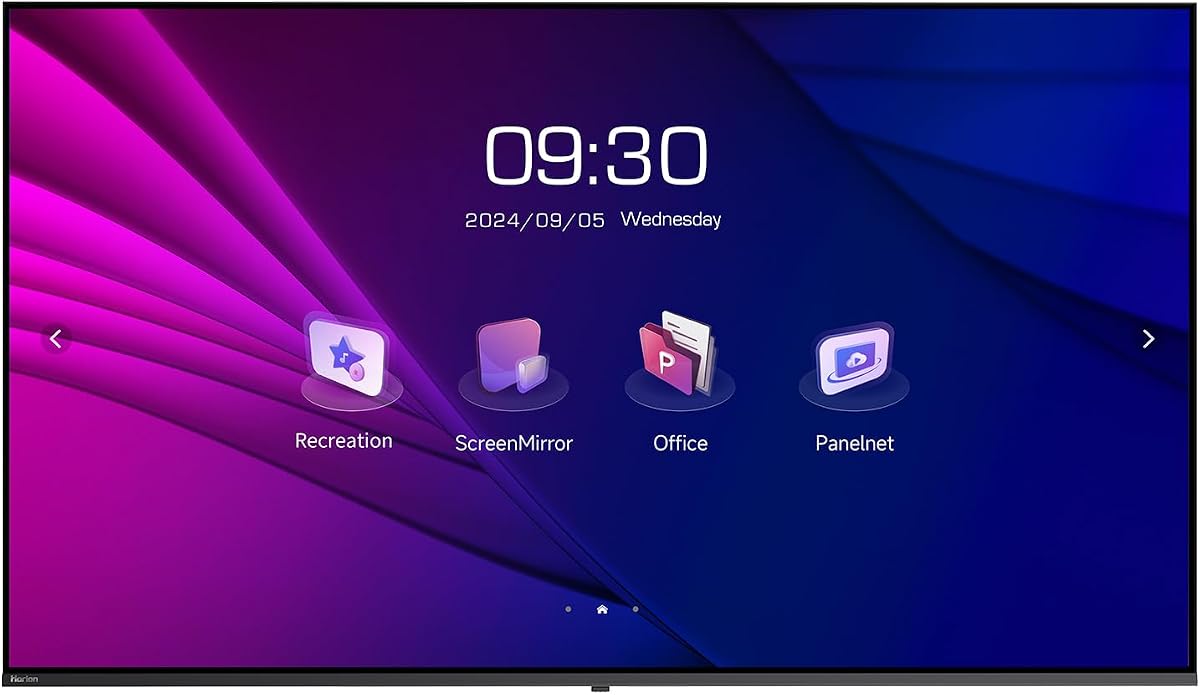
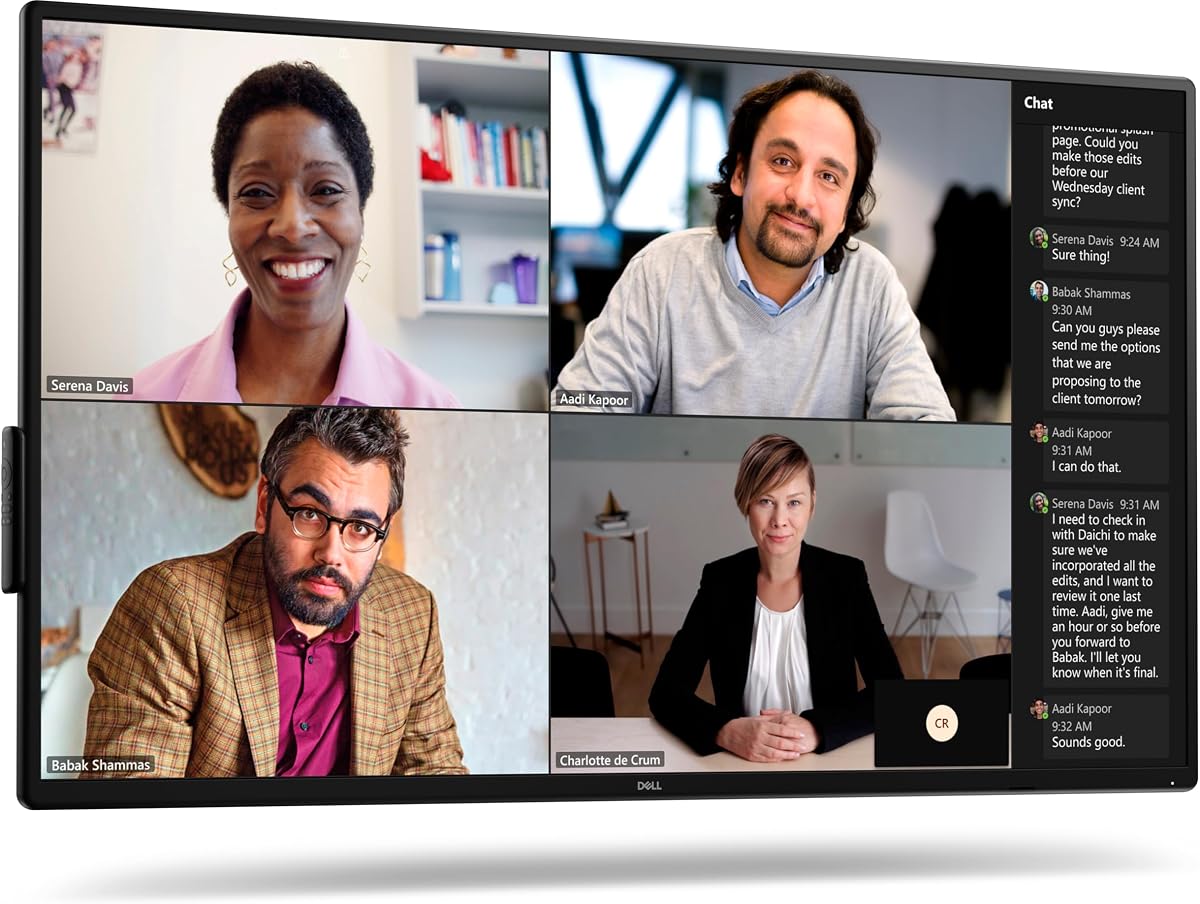


The Dell P5524Q stands out as a premier choice for modern conference rooms needing high-quality visual output. With its 55-inch 4K display, it offers exceptional clarity that ensures every detail of a presentation or spreadsheet is visible to all participants. This model balances professional performance with practical features that streamline daily office operations effectively.
We may earn a commission when you buy through this link, at no additional cost to you.
Its anti-glare coating is a significant advantage in well-lit meeting spaces where sunlight or overhead lights might cause distractions. The 2x10W built-in speakers provide clear audio for video calls without requiring external sound systems. Additionally, the security lock and cable lock slot offer peace of mind for IT administrators concerned about asset protection in shared environments.
While the lack of an integrated webcam means you will need a separate camera solution for video conferencing, this modular approach allows flexibility in choosing high-end cameras. The wide viewing angle ensures that anyone seated around the table can see the screen clearly without color shift or loss of contrast which is critical for collaborative work sessions.
This monitor is ideal for businesses seeking a reliable central display for meetings and digital signage. It is particularly well-suited for medium-sized conference rooms where clarity and reliability are prioritized over budget constraints. For teams needing a dependable visual hub that integrates seamlessly with existing hardware, this Dell model is a top recommendation.
The anti-glare screen coating reduces reflections significantly allowing users to focus on content without adjusting lighting conditions constantly.
Integrated security and cable lock slots protect the hardware from unauthorized removal ensuring long-term investment protection in public spaces.
We may earn a commission when you buy through this link, at no additional cost to you.
The Samsung QB65R delivers a massive 65-inch canvas that transforms any meeting room into a dynamic collaboration hub. Its 4K UHD resolution combined with dynamic Crystal Color technology ensures that images and text appear lifelike and crisp. This display is perfect for executive boardrooms where visual impact and detailed data analysis are paramount for decision-making processes.
We may earn a commission when you buy through this link, at no additional cost to you.
Built-in Wi-Fi and Bluetooth capabilities allow for seamless content sharing from tablets and mobile phones without needing physical cables. The system-on-chip technology eliminates the need for external media players making installation cleaner and reducing potential points of failure. Intelligent UHD upscaling enhances lower resolution content so everything looks sharp on the large screen.
The slim and elegant design facilitates easy mounting and clean cable management which contributes to a professional aesthetic in high-end offices. While the price is higher than smaller monitors the investment is justified by the sheer scale and advanced features it offers. It serves equally well as a video conferencing display or a digital signage solution in corporate lobbies.
Ideal for large enterprises needing a flagship display for main conference areas, this Samsung model combines size with sophisticated features. It is best suited for spaces where visibility from a distance is crucial and where wireless connectivity is a daily requirement. The blend of commercial-grade durability and user-friendly interface makes it a standout choice for premium installations.
Integrated Wi-Fi and Bluetooth let teams share screens instantly from mobile devices streamlining meetings without complex cabling setups.
System-on-chip technology allows direct playback of media files without extra hardware reducing clutter and maintenance requirements.
We may earn a commission when you buy through this link, at no additional cost to you.
The Samsung QB43R offers an accessible entry point into high-quality conference room displays without compromising on essential features. Its 43-inch 4K display provides ample space for presentations while fitting comfortably in smaller meeting spaces. The inclusion of a three-year warranty adds significant value by ensuring long-term reliability and support for your business investment.
We may earn a commission when you buy through this link, at no additional cost to you.
Compatibility with Cisco WebEx room kits makes this monitor a strong choice for organizations already invested in that ecosystem. Built-in Wi-Fi and Bluetooth facilitate easy content sharing from mobile devices which enhances flexibility during collaborative sessions. Intelligent UHD upscaling ensures that even older content looks its best on the high-resolution panel.
The slim design and easy mounting options simplify installation making it a hassle-free upgrade for existing offices. While it may lack the advanced features of larger premium models it excels in core functionality and affordability. The 350 nit brightness is sufficient for indoor use though direct sunlight might require additional lighting control.
For small to medium businesses looking for a reliable and affordable display, this Samsung model is an excellent fit. It is particularly well-suited for huddle rooms or training areas where cost efficiency is key but clarity remains important. The combination of 4K resolution and strong warranty support makes it a smart budget-conscious choice for modern workplaces.
The three year commercial warranty covers potential issues ensuring your business gets consistent performance without unexpected repair costs.
Optimized compatibility with Cisco WebEx simplifies setup for teams using this conferencing platform for remote meetings.
We may earn a commission when you buy through this link, at no additional cost to you.
The LG UL3G 43-inch display comes bundled with essential accessories like HDMI cables and a surge protector which simplifies the installation process for IT teams. Its IPS panel ensures wide viewing angles and consistent image quality making it a perfect choice for conference rooms where participants sit at various angles. This bundle approach saves time and ensures you have the basics needed for immediate setup.
We may earn a commission when you buy through this link, at no additional cost to you.
Built-in System on Chip technology and webOS 4.1 eliminate the need for external media players allowing for smooth content playback directly from the display. Certified Crestron Connected compatibility provides effortless control and setup for facilities managers who manage multiple rooms. It also supports versatile applications through USB connections with sensors and external devices.
Operates as a virtual router and enables content sharing through Wi-Fi and Bluetooth Low Energy technology which enhances flexibility in device connectivity. The ability to remotely monitor the display using LG Control Manager adds a layer of management convenience for large organizations. These features make it a robust choice for both meeting rooms and digital signage applications.
Ideal for businesses needing a ready-to-use solution with minimal extra shopping, this bundle offers great practical value. It suits environments where quick deployment is important and where remote management capabilities are desired for efficiency. The strong connectivity options and inclusion of accessories make it a very complete package for typical office needs.
Includes HDMI cables surge protector and cleaning kit so you can install and maintain the display without buying extra items.
LG Control Manager allows administrators to monitor and manage the display remotely reducing on-site troubleshooting time.
We may earn a commission when you buy through this link, at no additional cost to you.
The HORION 75-inch display offers a huge canvas for presentations and digital signage with robust wireless casting capabilities. Its all-in-one design includes built-in tools like agenda timers and voting systems that enhance meeting productivity without extra software. The dual WiFi pro stability system ensures reliable connectivity even in environments with heavy network traffic or interference.
We may earn a commission when you buy through this link, at no additional cost to you.
Wireless casting via Miracast and Airplay allows seamless presentations from PC Android iOS and Mac devices without cables. This feature is particularly useful for hybrid meetings where participants may join from various device types and prefer to share screens instantly. The low blue light certification reduces eye strain during prolonged use which is beneficial for long training sessions.
The VESA 300x300mm mount enable quick portrait orientation for lobby directories or shelf-edge promo screens in retail settings. This flexibility allows the monitor to adapt to different room layouts and usage scenarios easily. The stainless steel reinforced backplate withstands rigorous daily commercial use ensuring longevity in high-traffic areas.
Best for offices or retail spaces needing a large versatile display with strong wireless capabilities, this monitor delivers excellent value. It is a smart choice for environments where reliability and ease of sharing are critical for daily operations. The comprehensive feature set makes it a strong contender for modern conference and digital signage needs.
Independent 2.4G and 5G WiFi modules eliminate lag ensuring smooth wireless casting and internet connections simultaneously.
Flexible VESA mounting supports vertical orientation ideal for directories or narrow space displays in busy lobbies.
We may earn a commission when you buy through this link, at no additional cost to you.
The Dell P5525QC is designed for modern business environments where high connectivity and visual performance are key. With 400cd/m2 brightness it delivers clear images even in bright rooms ensuring all participants see content clearly. The inclusion of USB-C connectivity allows for simplified cabling supporting data video and power transfer through a single cable.
We may earn a commission when you buy through this link, at no additional cost to you.
IPS panel technology ensures consistent colors and wide viewing angles which are essential for collaborative meetings where screens are viewed from multiple positions. Its commercial build quality guarantees durability for daily use in corporate offices. The design focuses on functionality and integration with existing office infrastructure effectively.
While it may not come with a built-in camera or heavy audio features its connectivity makes it an excellent hub for external conferencing tools. The high resolution supports detailed spreadsheets and design files without loss of clarity. It is a practical choice for businesses that prioritize connectivity and screen quality over all-in-one peripherals.
Ideal for offices upgrading to USB-C based laptops and devices, this monitor simplifies connection processes. It suits professional settings where screen clarity and robust connectivity are prioritized for efficiency. The reliable Dell brand reputation adds trust to its commercial-grade performance expectations in busy workspaces.
400cd/m2 brightness ensures visibility even in well lit rooms reducing need for dimming lights during presentations.
USB-C support allows single cable connection for video data and power reducing desk clutter significantly.
We may earn a commission when you buy through this link, at no additional cost to you.
The Philips 34-inch UltraWide QHD monitor is a versatile choice for individual workstations or small huddle rooms needing video capabilities. Its built-in Windows Hello webcam and noise-canceling mic make it a complete conferencing unit for quick virtual meetings. The wide 21:9 aspect ratio offers expanded screen real estate which is helpful for multitasking and side-by-side document editing.
We may earn a commission when you buy through this link, at no additional cost to you.
The curved VA panel enhances immersion and helps alleviate eye strain during long hours of working which is beneficial for extended collaborative sessions. USB-C docking supports high-speed data and power transfer enabling a clean desk setup for modern laptops. The 100Hz refresh rate ensures smooth motion rendering which can be useful for dynamic content presentations.
While the resolution is slightly lower than 4K options the UltraWide format provides distinct benefits for productivity workflows. The 4-year advance replacement warranty offers substantial peace of mind for business users relying on the hardware daily. It combines multimedia features with a comfortable viewing experience ideal for focused individual work.
Best suited for small conference setups or individual desks requiring integrated video tools this Philips monitor stands out. It is an excellent option for hybrid workers who value a unified display solution with webcam and connectivity built in. The ergonomic design and wide screen make it a strong choice for productivity focused environments.
Built-in webcam and noise-canceling mic simplify setup for quick meetings without needing external peripherals or drivers.
21:9 aspect ratio provides extra horizontal space useful for comparing documents or monitoring multiple windows.
We may earn a commission when you buy through this link, at no additional cost to you.
The Samsung QB43R continues to be a strong contender for businesses needing reliable and cost-effective displays. Its 4K UHD resolution ensures crisp visuals for documents and video content while maintaining energy efficiency. The built-in Wi-Fi allows for easy network connectivity enabling remote management and content updates without physical access.
We may earn a commission when you buy through this link, at no additional cost to you.
This model includes a robust three-year warranty which covers potential issues and reduces long-term ownership costs significantly. It is compatible with major conferencing systems making it easy to integrate into existing technology ecosystems. The 350 nit brightness is well-suited for indoor office lighting ensuring visibility without excessive power consumption.
The slim profile and VESA mount compatibility allow for flexible installation options whether mounted on a wall or placed on a stand. This versatility makes it a suitable choice for various room sizes and configurations. Its commercial-grade design ensures it can withstand daily use in demanding office environments effectively.
Ideal for organizations prioritizing reliability and warranty support this monitor provides solid performance for daily business needs. It is particularly well-suited for meeting rooms where standard 4K quality is required without premium price tags. The consistent quality and support options make it a trustworthy investment for office upgrades.
Three year warranty ensures protection against manufacturing defects reducing risk for business buyers.
350 nit output is optimized for typical office lighting ensuring clear visibility without high energy costs.
We may earn a commission when you buy through this link, at no additional cost to you.
The Sony FW75BZ30L offers a large 75-inch display ideal for main conference rooms where visibility is paramount. Its 4K HDR support delivers exceptional color depth and contrast making it perfect for video content and high-resolution presentations. The VA LCD panel ensures deep blacks and high contrast which enhances visual detail in dark or dimly lit meeting environments.
We may earn a commission when you buy through this link, at no additional cost to you.
Support for both landscape and portrait orientations allows for flexible setup options depending on the room layout and usage. This adaptability is useful for directories or vertical content displays in lobbies alongside standard meeting use. The commercial grade build ensures durability for frequent use in public or shared professional spaces.
While it carries a higher price tag the superior image quality and large size justify the investment for high-impact meeting spaces. The design is sleek and professional fitting seamlessly into modern office aesthetics. It stands out for its ability to deliver a premium visual experience that impresses clients and engages teams.
Ideal for executive boardrooms or training centers requiring a premium display, this Sony model is a top choice. It suits environments where visual fidelity and size are critical for effective communication. The combination of 4K HDR and large dimensions makes it a powerful tool for impactful business presentations.
VA technology provides deep blacks and high contrast enhancing visibility of details in any lighting condition.
Landscape and portrait support allows versatile mounting for different content types and room configurations.
We may earn a commission when you buy through this link, at no additional cost to you.
The Samsung QE50T is engineered for reliability in environments requiring continuous operation such as lobbies or control rooms. With a 16/7 operation rating it can run long hours without overheating making it a dependable choice for always-on digital signage or monitoring. The IP5X dust-proof rating protects internal components ensuring longevity in dusty or high-traffic areas.
We may earn a commission when you buy through this link, at no additional cost to you.
Its built-in media player allows direct playback from USB enabling simple content updates without external computers. The 300 nit brightness ensures visibility in standard indoor lighting while maintaining energy efficiency. The 50-inch 4K display provides ample screen real estate for detailed content viewing during meetings.
The three-year warranty provides security for business users ensuring support for the life of the product. Its slim bezel-less design offers a sleek appearance that integrates well into modern office walls or stands. This model prioritizes durability and uptime which are critical for mission-critical display applications.
Best for businesses needing a rugged and reliable display for continuous use this Samsung monitor is an excellent option. It suits environments where stability and protection against dust are prioritized over advanced features. The focus on operational longevity makes it a practical choice for professional signage and meeting needs.
Rated for 16 hours a day operation ensures continuous reliability for signage or monitoring tasks without downtime.
IP5X dust-proof rating keeps internal components safe in environments with high dust levels or heavy use.
We may earn a commission when you buy through this link, at no additional cost to you.
The Logitech MeetUp provides a compact all-in-one video conferencing solution designed specifically for small and huddle rooms. Its ultra HD 4K sensor and wide 120-degree field of view ensure that every participant is seen clearly without needing a separate camera. This system simplifies setup by integrating video audio and control into a single device that works seamlessly with major platforms.
We may earn a commission when you buy through this link, at no additional cost to you.
Beamforming microphones capture voices up to four meters away ensuring clear audio during meetings. The motorized pan and tilt functions allow the camera to follow the speaker or view specific areas of interest like a whiteboard. This flexibility enhances remote collaboration by making meetings feel more natural and engaging for all attendees.
Multiple mounting options including wall credenza and TV mounts provide versatility for room configurations. It supports plug-and-play BYOD connectivity allowing teams to connect laptops easily without complex setup. While the expansion mic is sold separately the built-in mic is robust enough for most small room needs.
Ideal for small teams needing a simple high-quality video setup this system is a powerful addition to any monitor. It works well alongside larger displays to create a complete conferencing experience. The combination of 4K video and smart audio makes it a top choice for professional huddle room upgrades.
All-in-one design removes need for separate camera and mic reducing cable clutter and setup time.
Motorized pan and tilt let users follow speakers or view boards dynamically during discussions.
We may earn a commission when you buy through this link, at no additional cost to you.
Selecting the right conference room monitor involves balancing screen size, resolution, and connectivity with your specific room dimensions and meeting needs.
The physical size of the display should match the room dimensions to ensure visibility from all seats. For small huddle rooms, a 34 to 43-inch monitor is often sufficient, while larger boardrooms benefit from 55-inch or larger displays. Measuring the distance between the furthest seat and the screen will help determine the optimal size for clear text and image visibility.
Always consider the mounting space available on walls or stands when choosing the physical dimensions of the unit.
4K UHD resolution provides sharp details that are essential for reading spreadsheets and detailed diagrams during presentations. IPS panels offer wider viewing angles ensuring color accuracy from any seat in the room. Consider brightness levels measured in nits if the room has significant natural light or glare sources.
Higher resolution ensures that text remains crisp and readable during lengthy meetings without causing eye strain.
Modern monitors should offer HDMI USB-C and Bluetooth to support various laptops and devices without adapters. USB-C docking simplifies cabling by transmitting video data and power through a single connection. Built-in Wi-Fi allows for wireless casting which is convenient for quick presentations and collaborative sessions.
Check that the ports match the output capabilities of your existing computers and conferencing equipment.
While many monitors include speakers, dedicated video conferencing systems often provide better audio clarity and microphones. Decide if you need an integrated camera or if you prefer to add a separate high-quality webcam for better video performance. Speakers should have enough volume to fill the room without distortion during calls.
Integrated audio and video reduce cable clutter but dedicated peripherals may offer higher fidelity.
Commercial-grade monitors are designed for 16/7 operation and offer longer warranties than consumer models. Look for IP ratings that indicate resistance to dust or other environmental factors if the unit is in a public area. A strong warranty ensures that repairs or replacements are handled quickly to minimize downtime.
Invest in models with robust build quality and extended support for long-term reliability in professional settings.
VESA mounting standards allow for wall or arm installations which save desk space and improve room aesthetics. Some monitors support portrait mode which is useful for digital signage or displaying tall documents in lobbies. Ensure the included mount or bracket matches your installation needs and weight capacity.
Flexible mounting options allow you to adapt the display for different usage scenarios over time.
Operating systems on the display, like webOS or Android, enable direct media playback and app support. Remote management tools help IT administrators update content and settings across multiple displays efficiently. Compatibility with conferencing platforms like Cisco WebEx or Microsoft Teams can streamline setup and usage.
Smart features allow for seamless updates and control without needing external computers for every task.
While cost is a factor, prioritize features that directly impact productivity and user experience in your environment. Bundles that include cables and accessories can save money and simplify installation. Balance the need for premium features with your actual usage requirements to avoid overspending on unused capabilities.
Evaluate the total cost of ownership including accessories and maintenance to find the best value for your budget.
When not in use, turn off the display or set it to sleep mode to reduce power consumption and extend panel life. If your monitor has software settings, update them periodically to ensure security and performance improvements. For commercial models, utilize remote management tools to control settings and monitor status across multiple devices.
The ideal size depends on room dimensions. For small huddle rooms, 32 to 43 inches works well. Medium meeting rooms typically benefit from 50 to 55-inch displays. Large boardrooms may require 65 inches or larger to ensure everyone can see details clearly from a distance.
Most conference room monitors do not include built-in cameras to allow for flexibility in choosing high-quality webcams. Some specialized models include cameras, but it is often better to pair a monitor with a dedicated video conferencing system like Logitech MeetUp for better audio and video.
While possible, consumer TVs often lack the durability for 24/7 operation and the connectivity features required for business use. Commercial monitors are designed with better cooling, longer warranties, and features like VESA mounting and brightness optimization for indoor office lighting.
Essential ports include HDMI for general video input and USB-C for modern laptop docking and power delivery. Built-in Wi-Fi is useful for wireless casting from mobile devices. Bluetooth connectivity can help with connecting wireless mice or speakers.
Most monitors support VESA mounting standards which allow you to attach them to wall brackets or desk mounts. Use a level to ensure the screen is straight and secure the mount properly to handle the weight of the display. Consult a professional for large installations to ensure safety.
Yes, most monitors are hardware neutral and will work with any software platform like Zoom or Microsoft Teams. Ensure you have a compatible webcam and microphone system connected via USB or Bluetooth to enable conferencing features.
4K UHD resolution offers 3840×2160 pixels which provides sharp and detailed images. It is highly recommended for conference rooms where text and detailed graphics are frequently displayed. It ensures readability for participants seated further away.
Modern LED monitors are designed to be energy-efficient even with larger screens. Commercial models often have power-saving features and timers to reduce consumption when not in use. Choosing a monitor with Energy Star certification can further help reduce operational costs.
Remember that the right monitor can transform how your team collaborates and presents information. Investing in a commercial-grade display ensures reliability and longevity for years of productive meetings.
Please verify current prices and availability as they may change frequently. Always check for the latest firmware updates and warranty terms before finalizing your purchase to ensure you get the best support.