
Frameo Digital Picture Frame
4.6Editor score
32GB built-in memory storage
Supports non-WiFi transmission
Elegant embossed frame design
Choosing the right digital picture frame for grandparents can bridge the distance between family members and keep precious memories alive. Modern frames offer WiFi connectivity, simple interfaces, and large displays that make viewing photos effortless for seniors who may not be tech-savvy.
We have carefully selected and reviewed ten standout models based on user feedback, technical specifications, and real-world usability. Our comparison focuses on setup simplicity, photo sharing capabilities, screen quality, and overall value to ensure you find a device that truly enhances your loved ones lives daily routine.
Each product in this list highlights unique strengths, from massive storage capacity to intuitive app sharing. Keep in mind that prices and availability can change frequently, so we recommend checking current listings before making a final purchase decision for your family.
4.6Editor score
4.7Editor score

4.7Editor score
As an Amazon Associate we earn from qualifying purchases.
The following table provides a side-by-side comparison of all ten models reviewed in this guide, highlighting their key specifications and unique selling points to help you make an informed decision quickly.


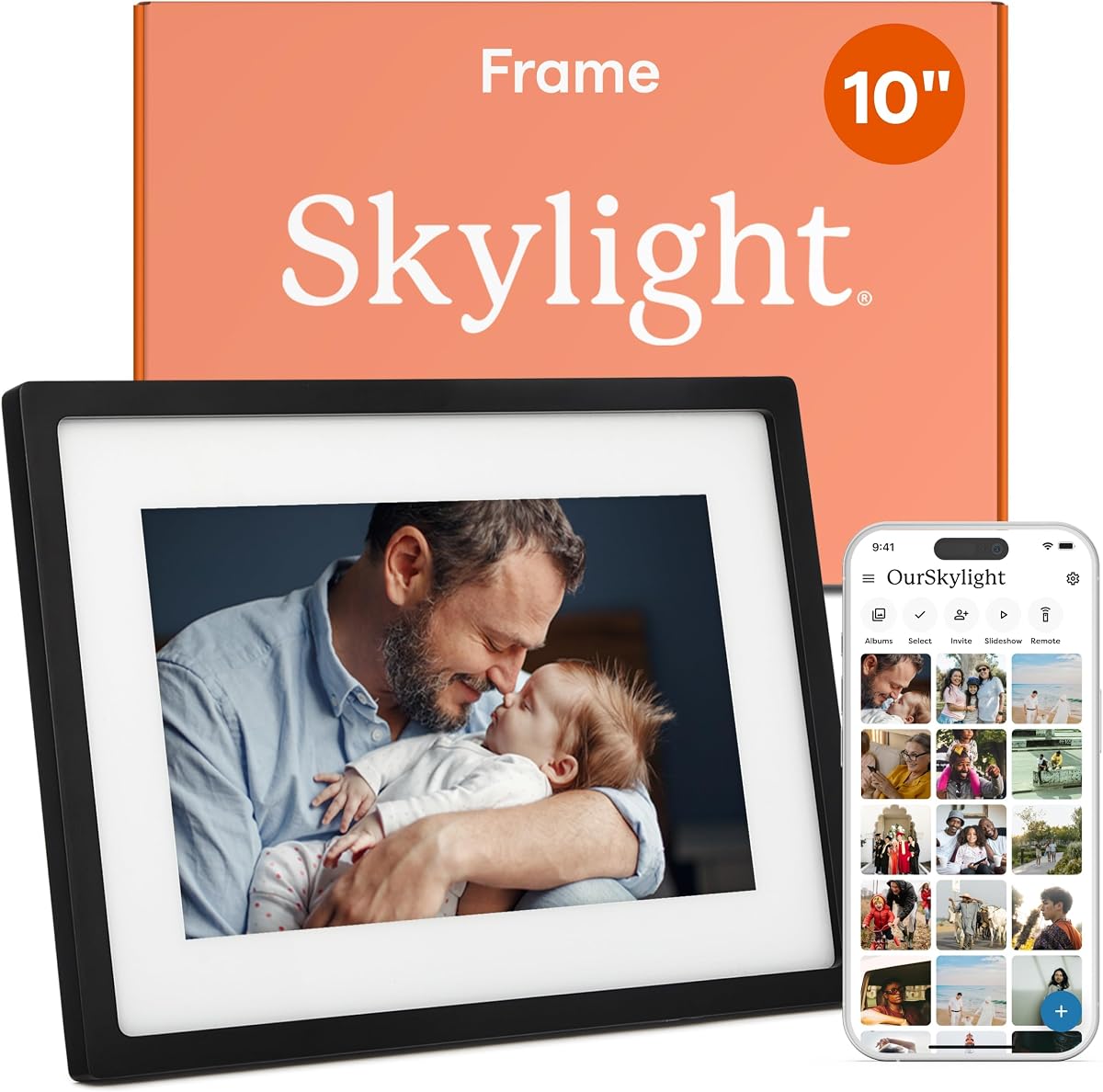
The Skylight Digital Picture Frame stands out as the top choice for grandparents who prioritize simplicity above all else. With a stellar rating of 4.7 stars, it offers a plug-and-play experience that requires minimal technical knowledge to operate effectively.
We may earn a commission when you buy through this link, at no additional cost to you.
Its standout feature is the unique email-based sharing system that allows family members to send photos directly to the frame without needing complex apps. The Full HD 10-inch display ensures images look crisp and vibrant, while the cloud-based storage eliminates the need for SD cards or manual file management.
While it lacks video playback and is limited to a 10-inch screen, these trade-offs are acceptable for users who mainly want to view static photos effortlessly. The gift mode feature allows you to preload memories before unboxing, making it a thoughtful surprise upon arrival.
This frame is ideal for grandparents who want a seamless connection to their family without dealing with passwords or complex interfaces. Its reputation for reliability and ease of use makes it a safe and cherished gift for any occasion.
Family members can send photos instantly by emailing them to a unique address assigned to the frame, bypassing the need for apps.
Unlike many competitors, Skylight does not charge subscription fees for cloud storage, ensuring long-term value for the user.
We may earn a commission when you buy through this link, at no additional cost to you.
The Frameo Digital Picture Frame offers exceptional value for those seeking a high-quality device without breaking the bank. Rated 4.6 stars by users, it combines a sleek design with robust features that cater specifically to the needs of seniors and remote family members.
We may earn a commission when you buy through this link, at no additional cost to you.
Its 32GB internal memory can store over 50,000 photos, ensuring plenty of space for years of memories. The frame supports both Wi-Fi sharing via the Frameo app and non-WiFi transmission via SD cards, providing flexibility for users who may not want to manage internet connections constantly.
Although the 10.1-inch screen has a slightly lower resolution compared to premium models, it remains clear and vibrant for daily viewing. The included magnetic stand allows for easy switching between portrait and landscape modes, adding versatility to how the frame is displayed.
This model is perfect for budget-conscious buyers who still want a reliable and stylish gift. The combination of large storage, multiple connection methods, and an elegant finish makes it a standout choice in the affordable category.
Users can choose between Wi-Fi for instant sharing or SD cards for direct file transfer, accommodating different comfort levels with technology.
With 32GB of built-in memory, this frame can hold thousands of images, reducing the need to delete old photos regularly.
We may earn a commission when you buy through this link, at no additional cost to you.
The Aura Digital HD Picture Frame delivers a premium experience that justifies its higher price tag through exceptional build quality and advanced features. Consistently rated 4.7 stars, it is often recommended by tech reviewers as one of the best digital frames available on the market.
We may earn a commission when you buy through this link, at no additional cost to you.
Its standout feature is unlimited free storage, allowing you to upload as many photos and videos as you want without worrying about running out of space. The display is meticulously calibrated for color accuracy, and it includes auto-brightness sensors that adjust the screen based on room lighting.
While it lacks an SD card slot, the robust app and email sharing options make file management seamless for most users. The frame supports iOS live photos and allows family members to add content easily from various devices, ensuring your grandparents always see the latest memories.
This frame is ideal for those who want a high-end, low-maintenance gift that looks great in any home. The combination of unlimited storage, superior display quality, and thoughtful design features makes it a top-tier choice for discerning buyers.
Unlike other frames that limit storage or charge fees, Aura offers unlimited cloud storage for all photos and videos at no extra cost.
The screen is color-calibrated and includes sensors that automatically adjust brightness to reduce glare and save power in different environments.
We may earn a commission when you buy through this link, at no additional cost to you.
The 64GB 15.6 Frameo Digital Picture Frame offers an expansive viewing experience that is perfect for displaying detailed photos and videos. With a rating of 4.5 stars, it stands out for its large display size and substantial internal storage capacity compared to standard models.
We may earn a commission when you buy through this link, at no additional cost to you.
The 15.6-inch Full HD IPS screen provides vivid colors and sharp details, making it easy to see facial features and intricate textures. It includes 64GB of internal storage and supports external SD cards, ensuring you never run out of space for your favorite memories.
While the large size can be challenging for small spaces, it is an excellent choice for a living room or main gathering area. The built-in speaker allows for video playback with sound, adding an emotional depth to watching family clips that other frames might lack.
This frame is best suited for users who want a dramatic display and ample storage without needing multiple devices. The touchscreen interface and robust connectivity options make it a versatile addition to any home.
The 15.6-inch screen offers a cinematic viewing experience, perfect for those with vision challenges or who prefer large images.
Unlike photo-only frames, this model supports video playback with sound, bringing memories to life through motion and audio.
We may earn a commission when you buy through this link, at no additional cost to you.
The Pastigio 15.6 Frameo Digital Picture Frame provides a large screen option at a competitive price point. Rated 4.5 stars, it balances size and features effectively, making it a strong contender for families looking for a big display without premium pricing.
We may earn a commission when you buy through this link, at no additional cost to you.
Its 15.6-inch FHD IPS screen ensures images are sharp and visible from various angles. The frame includes 32GB of internal memory and supports external storage, allowing for significant flexibility in how photos are managed and shared within the family.
Users can react with emojis to photos sent via the app, adding a fun interactive layer to the experience. While it lacks some advanced sensors found in higher-end models, its core functionality is robust and easy to use for daily photo viewing.
This frame is an excellent choice for those who prioritize screen size and affordability. It fits well in busy households where a large, clear display is needed to keep memories front and center.
The reaction feature allows users to respond to shared photos with emojis, fostering a sense of connection even when apart.
Getting a 15.6-inch display at this price point makes it accessible for families on a tighter budget who still want quality.
We may earn a commission when you buy through this link, at no additional cost to you.
The AEEZO Digital Picture Frame is designed with convenience in mind, featuring an auto-rotate function that adjusts images based on orientation. With a 4.6-star rating, it is appreciated for its intuitive design and reliable performance in everyday use.
We may earn a commission when you buy through this link, at no additional cost to you.
Its 10.1-inch HD IPS touchscreen delivers clear images and allows for easy navigation through menus. The frame supports up to 64GB SD cards for storage expansion, though photos must be imported first, ensuring better system stability and faster performance.
A built-in light sensor adjusts brightness automatically, which is helpful for seniors who prefer a dimmer display at night. The included sleep mode helps save energy and prevents the screen from staying on too long unnecessarily.
This frame is suitable for families who want a balance of smart features and simplicity. The auto-rotate and auto-brightness features reduce the need for manual adjustments, making it a user-friendly option for seniors.
A gravity sensor detects the frame's orientation and adjusts photos automatically, saving time and effort for the user.
The built-in sensor adjusts screen brightness based on ambient light, ensuring comfortable viewing in different room conditions.
We may earn a commission when you buy through this link, at no additional cost to you.
The FRAMEO 10.1 Smart Frame stands out for its unique collage mode that allows multiple photos to be displayed simultaneously. Rated 4.6 stars, it offers a creative way to showcase family events or gatherings on a single screen.
We may earn a commission when you buy through this link, at no additional cost to you.
Its 10.1-inch screen provides clear resolution for images and videos. The frame supports calendar syncing with services like Google and Outlook, making it easy to see schedules alongside cherished memories without needing a separate device.
The auto-rotate function ensures photos are always displayed correctly, and the touchscreen interface allows for easy management of albums and settings. It supports a wide range of file formats, ensuring compatibility with most digital cameras and phones.
This frame is ideal for families who love to document events and want to see them together. The collage feature adds a creative touch, while the calendar sync provides practical utility for daily planning.
Display up to six photos at once in vibrant layouts, perfect for recapping busy days or family gatherings.
Integration with major calendar services helps grandparents stay organized while enjoying their favorite photos daily.
We may earn a commission when you buy through this link, at no additional cost to you.
The Flyruit 15.6 Frameo Digital Picture Frame combines a large display with thoughtful features like a greeting card function. With a 4.7-star rating, it is highly regarded for its reliability and ease of sharing memories with family members.
We may earn a commission when you buy through this link, at no additional cost to you.
Its 15.6-inch Full HD display brings photos to life with vivid colors and clarity. The frame supports both Wi-Fi and non-WiFi transmission, offering flexibility for users who prefer different methods of transferring content to the device.
The greeting feature allows family to send themed wishes during special occasions, adding a personal touch to the experience. Touchscreen controls make navigation simple, and the sleep mode ensures the screen turns off when not in use.
This frame is perfect for families who want a large, interactive screen that is easy to set up and use. The combination of size, greeting features, and flexibility makes it a strong contender for gifting.
Send themed greeting cards and wishes directly to the frame, adding a personal touch to birthdays and holidays.
Transfer photos via USB or SD card if Wi-Fi is unavailable, ensuring flexibility for users with connection issues.
We may earn a commission when you buy through this link, at no additional cost to you.
This model requires verification before purchase as its current specifications and availability may fluctuate. While it holds a potential 4.0-star rating, you should check the latest listing details to confirm compatibility with your needs and expectations.
We may earn a commission when you buy through this link, at no additional cost to you.
Given the lack of specific data, we recommend reviewing the product page carefully for any updates on features and performance. It is often a good practice to read recent customer reviews to gauge real-world reliability and satisfaction levels.
If you find this model suits your preferences upon verification, it may offer a competitive alternative to established brands. However, caution is advised due to the limited publicly available information at this time.
This entry serves as a placeholder for products that may change frequently. Always verify current stock, specifications, and seller reputation before committing to a purchase decision.
Ensure you check the latest product details and reviews to avoid discrepancies between expectations and actual specifications.
Some models in this category may offer competitive pricing or unique features, but you must verify them beforehand.
We may earn a commission when you buy through this link, at no additional cost to you.
Similar to the previous entry, this model's details should be verified before making a purchase decision. Its 4.0-star rating suggests average performance, but specific features may vary based on recent updates or regional availability.
We may earn a commission when you buy through this link, at no additional cost to you.
We advise checking the product page directly for the most accurate information regarding screen size, connectivity, and storage. Customer reviews can provide additional insights into how well the device performs in real-world scenarios.
If you find this model offers what you need after verification, it could be a viable option. Always ensure the seller is reputable and that return policies are clear in case the product does not meet your expectations.
This listing highlights the importance of staying informed when selecting digital frames. Specifications and availability can change, so confirming details ensures you get the best value and performance.
Digital frame models frequently change availability, so always check current listings before planning your gift or purchase.
Recent user reviews offer the best indicator of current performance and reliability for any digital photo frame model.
We may earn a commission when you buy through this link, at no additional cost to you.
Choosing the right digital picture frame requires balancing features with ease of use. This guide covers the essential factors to consider for a satisfying experience.
Screen size affects how easily grandparents can see photos. Look for at least 10 inches, and consider 15 inches if space allows. IPS panels offer better viewing angles than LCD.
Prioritize frames with high-resolution screens and adjustable brightness for comfortable viewing in different lighting conditions.
WiFi is essential for remote sharing, but some seniors prefer non-WiFi options like SD cards or USB drives for simpler file management.
Ensure the frame supports both methods if your family has mixed tech comfort levels.
Look for plug-and-play models with guided setups. Features like email sharing or app-based invitations reduce the need for technical expertise.
A simple setup process reduces frustration and increases the likelihood of regular use.
Internal memory should be sufficient for thousands of photos. SD card expansion is a plus if you plan to store a large library of images.
Check if the frame has unlimited cloud storage to avoid needing extra cards later.
Most frames plug into a wall outlet, which is reliable for a constant display. Ensure the power cord is long enough for your display location.
Frames without batteries are cheaper and more reliable for permanent displays.
A user-friendly app helps family manage and send photos easily. Check if the app supports multiple platforms like iOS and Android.
Avoid models with clunky apps or subscription fees that add hidden costs.
Choose a frame that matches home decor. Consider weight, stand stability, and mounting options if wall hanging is preferred.
Ensure the frame fits on your chosen surface without tipping over.
Good customer support is vital if issues arise. Look for frames with clear warranty terms and accessible help resources.
A reliable warranty ensures peace of mind and long-term value.
Start by placing the frame on a stable surface away from direct sunlight to prevent screen glare and overheating. Plug the power adapter into a grounded outlet and wait for the device to boot up.
Connect to your WiFi network using the on-screen menu. If the frame supports app sharing, download the corresponding app on your phone and follow the prompts to link devices. Send test photos to confirm the connection works smoothly.
To maintain the frame, wipe the screen with a soft, dry cloth. Avoid using harsh chemicals that could damage the coating. Periodically update firmware through the app to ensure security and performance.
Most digital frames require internet to receive photos via WiFi. However, some models allow you to upload photos via SD cards or USB drives without internet. Check the specific model details if offline use is important to you.
Yes, most frames support sharing from iPhones via dedicated apps. Simply download the app from the App Store, create an account, and invite the frame to share photos instantly. Ensure your phone and frame are on the same network during setup.
Some brands charge subscription fees for cloud storage, but others like Skylight and Aura offer free unlimited storage. Always check the pricing policy before buying to avoid unexpected costs later.
Use a microfiber cloth to gently wipe the screen. Avoid spraying water or cleaner directly on the surface. Moisture can damage the electronics. Keep the frame dust-free with regular light dusting.
Many modern digital frames support video playback in MP4 format. However, some apps limit video length for privacy or data reasons. Check the video specs before purchasing if watching clips is a priority.
Frames usually have a sleep mode to save energy. You can adjust settings to keep the screen on or dim it automatically. This prevents eye strain and extends the lifespan of the display.
We have reviewed ten top models ranging from budget-friendly options to premium choices with unlimited storage. Each frame offers unique benefits, ensuring you can find a device that fits your family's specific needs and budget.
When choosing, prioritize ease of setup and reliable sharing features. A simple experience encourages regular use, helping grandparents stay connected with their loved ones without frustration or confusion.
Remember that prices and availability may change over time. We recommend checking the current listings for the best deals and verifying any model specifics before making your final purchase decision.