
TERRAMASTER D4-320 External Hard Drive Enclosure
4.2Editor score
USB 3.2 Gen2 protocol support
Hot swappable drive bays included
Tool-free hard drive installation design
Direct Attached Storage Devices for PC offer a reliable way to expand your computer's capacity without complex network setups. Whether you need extra space for media files or professional workloads, selecting the right device ensures smooth performance and data security.
We evaluated ten leading models based on transfer speeds, build quality, compatibility with operating systems, and overall value. Each product was analyzed for its ability to handle heavy data tasks while maintaining stability during extended use in various computing environments.
Every pick highlights specific strengths like raw speed, massive capacity, or easy installation features. Keep in mind that availability and specifications can shift over time, so verify current details before making your final decision for your system needs.
4.2Editor score

4.7Editor score

4.2Editor score
As an Amazon Associate we earn from qualifying purchases.
The following table provides a side-by-side comparison of all ten selected devices, highlighting their core specifications, interface types, and key capabilities to help you identify the best fit for your setup.


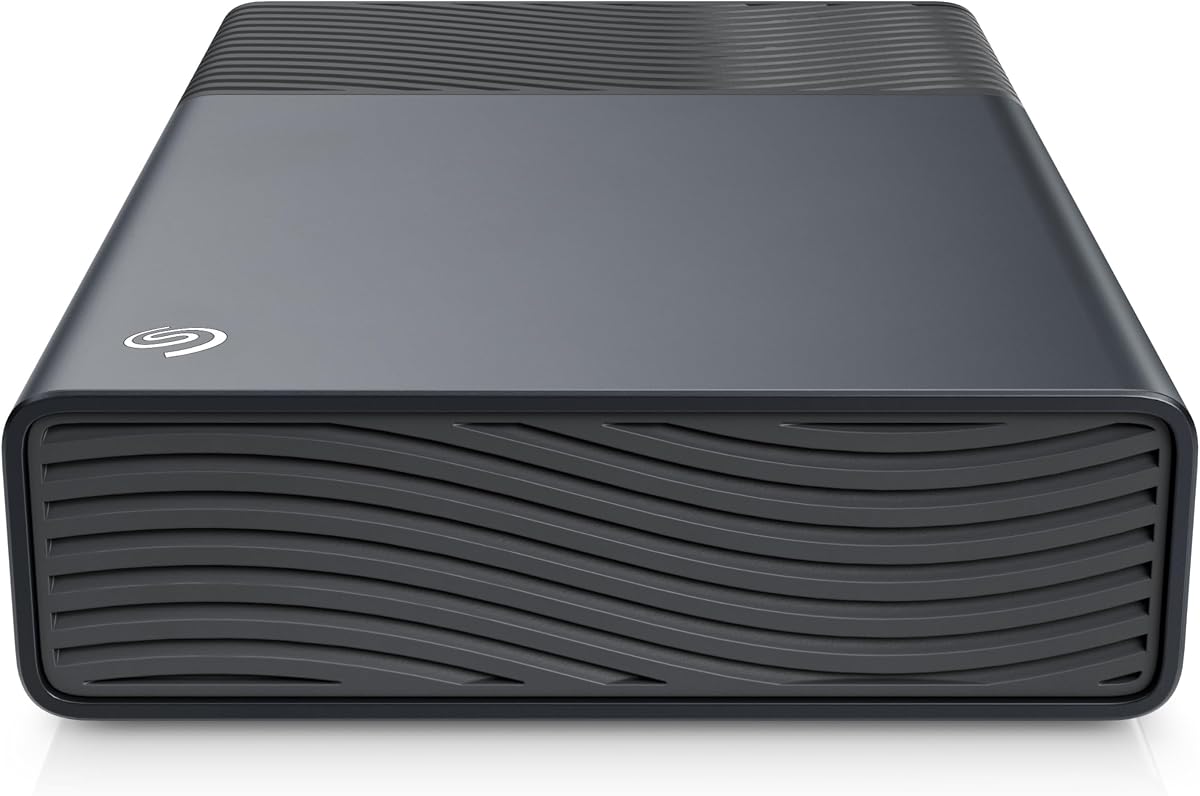



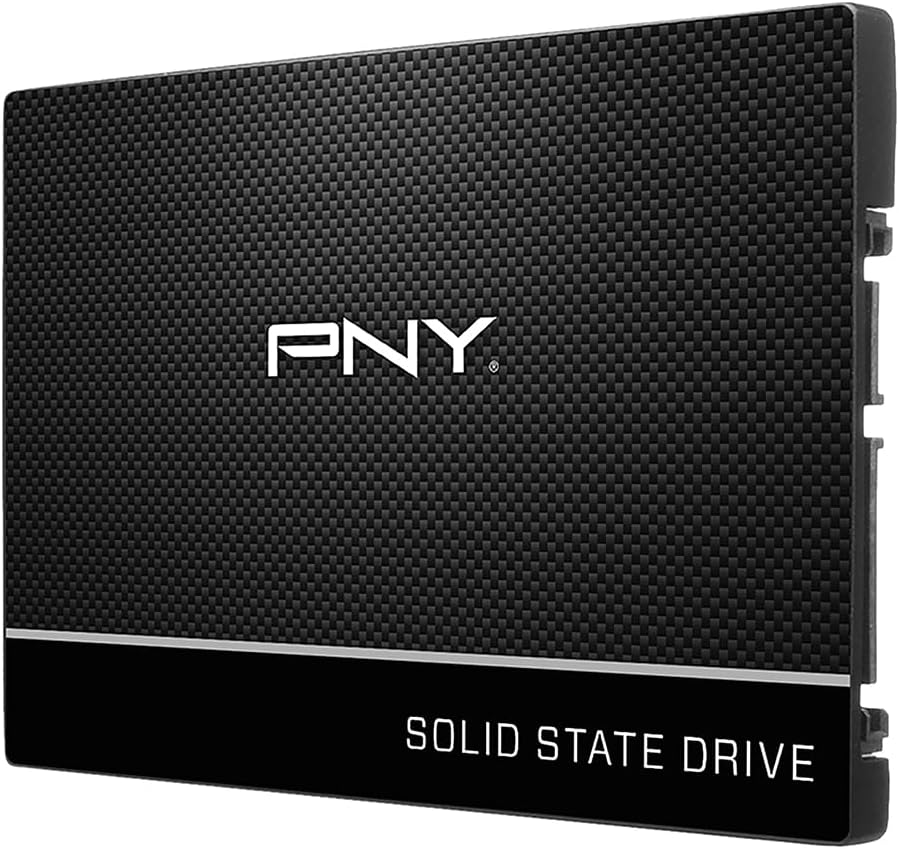
The Seagate 8TB BarraCuda stands out as a top choice for users needing substantial internal storage without breaking the bank. With a solid 4.7 rating, it delivers consistent performance for music, video, and photo editing applications.
We may earn a commission when you buy through this link, at no additional cost to you.
Its proven reliability stems from twenty years of innovation in drive technology. The sustained transfer rate of 190MB/s ensures smooth data handling for large files. This makes it ideal for building a powerhouse gaming computer or desktop setup.
While it is not optimized for RAID environments, its single-drive performance is excellent for standard PC applications. The frustration-free packaging simplifies setup, though it comes in an anti-static bag rather than a full box.
If you need a dependable drive to store and compute faster with confidence, this model offers the best balance of capacity and reliability. It is the recommended pick for general desktop expansion needs.
Built on proven technology, this drive handles daily workloads with stability and speed suitable for most users.
The standard form factor and lack of complex requirements make swapping in this drive straightforward for any PC builder.
We may earn a commission when you buy through this link, at no additional cost to you.
The TERRAMASTER D4-320 offers an affordable way to expand storage using existing hard drives. With a 4.2 rating, it is highly regarded for its plug-and-play compatibility and fast data transmission capabilities.
We may earn a commission when you buy through this link, at no additional cost to you.
It utilizes the USB 3.2 Gen2 protocol to achieve speeds up to 10Gbps. The enclosure supports four individual disks without RAID, allowing flexible capacity up to 120TB. Hot swapping lets you replace drives without powering off.
Tool-free design and Push-lock trays make managing drives easy. Intelligent temperature-controlled fans ensure efficient heat dissipation and quiet operation. Sound-absorbing panels reduce noise levels significantly compared to previous generations.
This unit is perfect for users wanting a budget-friendly DAS solution without sacrificing speed or convenience. It works well across Windows, Mac, and Linux systems for seamless file access and sharing.
Achieving up to 10Gbps, this enclosure ensures rapid file transfers for large media libraries or project archives.
Advanced cooling and sound dampening keep noise levels low, making it suitable for office or home environments.
We may earn a commission when you buy through this link, at no additional cost to you.
The QNAP TR-004 is a premium direct-attached storage solution featuring hardware RAID for enhanced data safety. Rated at 4.2, it provides robust security through its RAID 0, 1, 5, and JBOD support.
We may earn a commission when you buy through this link, at no additional cost to you.
Its USB Type-C interface ensures fast connectivity for modern systems. The four bays support 3.5-inch SATA drives, allowing expansion of QNAP NAS units. Lockable drive bays add a layer of physical security for sensitive data.
While it acts as an individual storage pool, it integrates seamlessly with compatible QNAP NAS systems. Note that specific models need updates to QTS 4.3.6 for full compatibility. Drives cannot be combined into the connected NAS volume.
Ideal for users prioritizing data integrity and professional workflow, this unit offers a reliable bridge between PC and NAS storage. It is the top choice for those needing hardware-level redundancy.
Built-in RAID support safeguards data against drive failure, offering peace of mind for critical storage needs.
Lockable drive bays prevent unauthorized access, ensuring physical security for stored files in shared environments.
We may earn a commission when you buy through this link, at no additional cost to you.
The Samsung SSD 870 EVO delivers exceptional performance with read speeds up to 560MB/s. With a 4.8 rating, it is praised for maximizing the SATA interface limit and maintaining long-term high performance.
We may earn a commission when you buy through this link, at no additional cost to you.
Designed for professionals and gamers, it handles heavy workloads like 8K video processing. The larger variable buffer ensures write speeds remain fast. Compatibility testing covers chipsets, motherboards, and NAS systems.
Samsung Magician 6 software helps manage updates and monitor health. With up to 600 TBW and a five-year warranty, it offers industry-leading reliability. Migration software simplifies upgrading from older drives easily.
If speed is your priority and you need a stable internal drive, this model is unmatched. It transforms your desktop or laptop experience with instant OS boot times and application loads.
Maximize your workflow efficiency with sustained high speeds ideal for video editing and large file transfers.
Extended warranty and high durability ratings ensure your drive remains reliable for years of intensive use.
We may earn a commission when you buy through this link, at no additional cost to you.
Seagate IronWolf drives are built for up to 8-bay multi-user NAS environments. With a 4.5 rating, they deliver ultra-high capacity and cache of up to 256MB for improved file-sharing performance.
We may earn a commission when you buy through this link, at no additional cost to you.
Purpose-built for NAS enclosures, these drives reduce wear and tear while operating quietly. Integrated IronWolf Health Management allows easy monitoring. A three-year warranty includes Rescue Data Recovery Services for peace of mind.
They offer increased file-sharing speed and minimal downtime. Operating temperature is reported up to 65C with a 1M hour MTBF. Write speeds reach 240 gigabytes per second for efficient data handling.
For users building a robust storage system for business or personal backups, this drive is essential. It ensures reliability and performance even under constant workload conditions typical of shared access.
Tailored for multi-user environments, this drive ensures smooth performance with minimal noise or vibration issues.
Included rescue services provide a safety net against data loss, adding significant value to the drive purchase.
We may earn a commission when you buy through this link, at no additional cost to you.
The Seagate 16TB One Touch offers massive storage in a desktop format. Rated 4.6, it simplifies backups with a single button and USB-C connectivity without needing a wall outlet.
We may earn a commission when you buy through this link, at no additional cost to you.
Its bus-powered design allows work freely without extra cables. One port and one cord provide a clutter-free setup. Safeguard assignments and sensitive files with trusted performance and a two-year limited warranty.
Rescue Data Recovery Services come included to handle potential data loss. This drive is ideal for users needing to store all files in one place securely. The high capacity supports years of file accumulation.
If you need reliable external backup that is easy to use and connects quickly, this drive is perfect. It ensures your projects are safe while keeping your workspace organized and efficient.
A single USB-C cable powers and transfers data, keeping your desk clean and setup simple.
With 16TB available, you can archive extensive media collections and project files without running out of room.
We may earn a commission when you buy through this link, at no additional cost to you.
Western Digital 12TB WD Blue delivers reliable everyday computing power. With a 4.6 rating, it offers capacities up to 12TB for substantial storage needs in desktop environments.
We may earn a commission when you buy through this link, at no additional cost to you.
Featuring 7200 RPM speed and 512 MB cache, it ensures responsive data access. The drive includes free Acronis True Image WD Edition cloning software to simplify upgrades. It is designed for standard home and office use.
While not optimized for heavy NAS workloads, it serves well as a primary or secondary drive. Western Digital quality and reliability are consistent with its reputation. Installation is straightforward for any 3.5-inch bay.
For users needing a dependable drive for general storage and quick access, this model is a strong choice. It balances performance and capacity effectively for typical PC applications.
Included cloning software makes migrating your system data to this new drive fast and trouble-free.
High spin speeds and ample cache ensure files load quickly during regular use on your desktop.
We may earn a commission when you buy through this link, at no additional cost to you.
The WD Red Pro is designed to handle demands of high-intensity 24×7 multi-user NAS environments. Rated 3.9, it offers up to 22TB capacity options with CMR technology for stability in RAID setups.
We may earn a commission when you buy through this link, at no additional cost to you.
Rated for 550TB per year workload, it ensures reliability under constant use. Partnerships with NAS vendors ensure compatibility across various enclosures. Designed for unlimited number of bays in large arrays.
Although the price is higher, the performance and endurance justify the cost for professionals. It supports extensive testing to ensure compatibility with most NAS systems. Capacity varies based on operating environment.
For mission-critical NAS setups requiring maximum uptime and performance, this drive is essential. It delivers consistent performance even in high-load scenarios, making it a preferred choice for advanced users.
Built for 24×7 operation, this drive maintains stability under the heaviest workloads in professional settings.
Conventional Magnetic Recording ensures reliable write performance and compatibility across various RAID configurations.
We may earn a commission when you buy through this link, at no additional cost to you.
The D8 Hybrid offers an innovative 8-bay hybrid HDD NVMe SSD enclosure. Rated 3.5, it provides flexibility with 4 HDD slots and 4 M.2 NVMe slots for mixed storage needs.
We may earn a commission when you buy through this link, at no additional cost to you.
Users can tailor setups for hot and cold data efficiently. Transfer bandwidth reaches 10Gbps with SSDs up to 980MB/s. Tool-free trays with Push-Lock design simplify installation. Intelligent fan adjusts speed based on temperature.
Power on recovery allows unattended operation after abnormal power loss. This hybrid approach maximizes both speed and capacity in one unit. TPC Backupper software helps schedule backups for security.
For advanced users wanting both massive storage and fast access, this solution is unique. It optimizes storage efficiency by placing different data types on the right media.
Tailor your setup to place frequently used files on fast NVMe and archives on HDDs for best efficiency.
Intelligent fans adjust speed based on temperature to maintain optimal drive health during intensive tasks.
We may earn a commission when you buy through this link, at no additional cost to you.
The PNY CS900 500GB offers a budget-friendly entry into SSD performance. Rated 4.7, it upgrades laptops or desktops with super-fast OS boot times and application loads.
We may earn a commission when you buy through this link, at no additional cost to you.
It provides exceptional performance with up to 550MB/s sequential read speeds. Ultra-low power consumption extends battery life on laptops. Backwards compatible with SATA II interfaces for wide use.
Compared to traditional hard drives, it delivers superior speed for daily tasks. Ideal for users seeking a quick upgrade to older systems. Affordable pricing makes it accessible for general computing needs.
If you need a simple performance boost without high costs, this SSD is ideal. It transforms your system responsiveness instantly and handles standard applications with ease.
Replace aging drives with this SSD to enjoy instant boot times and faster application launches.
Low power usage reduces heat generation and extends battery life on mobile devices.
We may earn a commission when you buy through this link, at no additional cost to you.
Selecting the right storage device requires understanding your specific needs for speed, capacity, and compatibility. This guide breaks down the key factors to consider before making a purchase.
Determine how much data you need to store. For media libraries and archives, 12TB or 16TB drives are ideal. For system acceleration, 500GB to 2TB SSDs provide speed without excessive cost.
Choose capacity based on current usage and future growth expectations to avoid frequent replacements.
USB 3.2 Gen2 and SATA III interfaces offer high throughput. For maximum speeds, look for devices supporting 10Gbps transfer rates or 560MB/s sequential reads.
Ensure your PC has compatible ports to utilize the full potential of the storage device.
If data safety is critical, choose devices with hardware RAID. Models like QNAP TR-004 allow redundancy. Enclosures without RAID offer more flexibility but less protection.
Hardware RAID ensures data survives drive failure but requires compatible software or hardware.
Internal drives fit inside your PC case. External enclosures connect via USB. Desktop drives are bus-powered while portable ones may need extra power.
Select form factor based on whether you want hidden storage or accessible external backup.
Most drives support Windows, macOS, and Linux. Check for plug-and-play features to avoid driver issues.
Verify OS compatibility to ensure seamless file access across all your devices.
SSDs use less power than HDDs. Bus-powered external drives save outlet space. Internal drives rely on motherboard power supply.
Efficient power use reduces heat and extends battery life in laptops.
Look for warranties of five years or more. High TBW ratings indicate long-term endurance for SSDs. Check for included data recovery services.
A strong warranty reflects manufacturer confidence in the product's durability.
Tool-free designs simplify drive swaps. Migration software helps transfer data. Hot swapping allows drive replacement without shutdown.
Prioritize features that match your technical comfort level for easier management.
Connect the device securely to your USB or SATA port. Ensure your system recognizes the drive before transferring data.
Organize files into folders to maintain structure. Avoid storing temporary files on external drives to preserve longevity.
Regularly backup critical data to separate locations. Keep firmware updated for optimal performance and security.
NAS connects to a network for sharing, while DAS connects directly to a PC. NAS allows multiple users access, DAS is for single machine expansion.
Yes, many enclosures support 3.5-inch or 2.5-inch drives. Ensure the interface matches the enclosure type for compatibility.
Most devices are plug-and-play without extra software. Some include migration tools or backup utilities for added functionality.
Check your motherboard specs or USB port color. Blue ports usually indicate USB 3.0 or higher support.
RAID provides data redundancy against drive failure. It improves speed and security for critical files on servers.
Yes, 2.5-inch SSDs work well in USB enclosures. M.2 NVMe SSDs require specific enclosures for maximum speed.
We reviewed ten top devices including the Seagate 8TB BarraCuda and TERRAMASTER D4-320. Each offers unique strengths for different PC storage needs.
Prioritize speed if you need performance, or capacity if you store large media. Match the device to your operating system for seamless use.
Prices and availability change frequently. Check current listings to confirm specs and deals before finalizing your purchase.