
PCIe 4.0 x4 64Gbps Dock
4.4Editor score
OCuLink SFF-8612 interface
Compact detachable design
Standard ATX power supply compatible
This guide compares the top ten eGPU docks for Thunderbolt and OCuLink connectivity, helping you choose the right external graphics enclosure for your laptop
External GPU docks transform portable laptops into powerful desktop workstations by connecting high-end graphics cards. These enclosures provide the bandwidth and power needed for gaming, rendering, and AI tasks without sacrificing mobility.
We evaluated ten leading eGPU docks based on interface speed, compatibility, build quality, and expandability. Our analysis covers Thunderbolt 5, USB4, and OCuLink options to ensure you find a solution that matches your specific hardware and workflow needs.
Each pick highlights key strengths and potential limitations to help you make an informed decision. Prices and availability can change quickly, so verify current details before purchasing to ensure you get the best value for your setup.
4.4Editor score

4.4Editor score

4.8Editor score
This side-by-side comparison highlights the critical specifications and capabilities of the top ten eGPU docks available today. Review each model to understand its interface speed, power compatibility, and unique features before making your final choice.




The MINISFORUM DEG2 stands out as the top eGPU dock for its versatile dual interface support and integrated storage capabilities. It delivers exceptional speed through Thunderbolt 5 and OCuLink while maintaining a clean desk setup.
We may earn a commission when you buy through this link, at no additional cost to you.
This dock features a unique hardware switch to toggle between TB5 and OCuLink modes instantly without swapping cables. Its built-in M.2 NVMe slot allows direct access to large AI models and project files directly from the enclosure.
While it requires separate purchase of a GPU and power supply, the universal support for ATX and SFX units offers significant flexibility. The re-drive signal booster ensures stable connections even during intense rendering tasks.
Buyers seeking a future-proof setup with maximum bandwidth options will find this device ideal. Its ability to synchronize with the host computer simplifies the workflow for professionals needing raw graphical power.
Switch between Thunderbolt 5 and OCuLink effortlessly to match your host device requirements.
Store large files directly on the dock to reduce transfer time and streamline your workflow.
We may earn a commission when you buy through this link, at no additional cost to you.
The DEG2 Docking Station earns a perfect rating for its comprehensive port selection and seamless integration features. It excels in providing a complete ecosystem for laptop upgrades including network and storage expansion.
We may earn a commission when you buy through this link, at no additional cost to you.
Its ability to host project files on the internal M.2 slot reduces bottlenecks during heavy GPU tasks. The dedicated LAN port ensures stable connectivity for online gaming or large file transfers without using host bandwidth.
Users should note that it is incompatible with the MINISFORUM MS-02 workstation but works well with standard laptops. The physical toggle for interface switching adds convenience without requiring software adjustments.
This station is perfect for users wanting a desktop-like experience on the go. It balances performance and connectivity to support demanding creative and gaming workflows effectively.
Includes dedicated LAN and USB ports to keep your host device free for other peripherals.
Keep assets on the dock to minimize transfers and speed up rendering times.
We may earn a commission when you buy through this link, at no additional cost to you.
The Razer Core X V2 is built for durability and wide GPU support with its steel chassis and large cooling fan. It offers a premium feel and robust connectivity for high-end graphics cards.
We may earn a commission when you buy through this link, at no additional cost to you.
Its Thunderbolt 5 support ensures you are ready for the latest bandwidth demands. The 140W Power Delivery charging keeps your laptop powered while running demanding graphical workloads.
While it lacks the storage expansion of other models, its focus on raw GPU compatibility is strong. Tool-free thumbscrews make swapping graphics cards easy for enthusiasts who upgrade frequently.
Buyers looking for a rugged and reliable enclosure will appreciate its build quality. It is designed to handle the heat and weight of professional-grade desktop graphics cards.
The built-in 120mm fan maintains optimal temperatures for sustained GPU performance.
140W PD charging ensures your laptop stays powered during intense usage sessions.
We may earn a commission when you buy through this link, at no additional cost to you.
The MINISFORUM DEG1 redefines portability with its tiny footprint that fits easily into a backpack. It offers high-speed OCuLink connectivity for users who value mobility above all else.
We may earn a commission when you buy through this link, at no additional cost to you.
Its locking mechanism protects the OCuLink port from accidental damage during transport. The force power on feature simplifies the startup process when connected to compatible mini PCs.
This dock is not a hub but focuses purely on graphics expansion. You will need to manage power separately and ensure your system supports OCuLink hot plug protocols.
Traveling gamers and mobile professionals will find this device highly convenient. It delivers desktop performance in a package small enough to take anywhere without bulk.
Weighs almost nothing and fits in a pocket making it the smallest high speed dock.
A locking switch ensures the cable stays secure during movement to prevent port damage.
We may earn a commission when you buy through this link, at no additional cost to you.
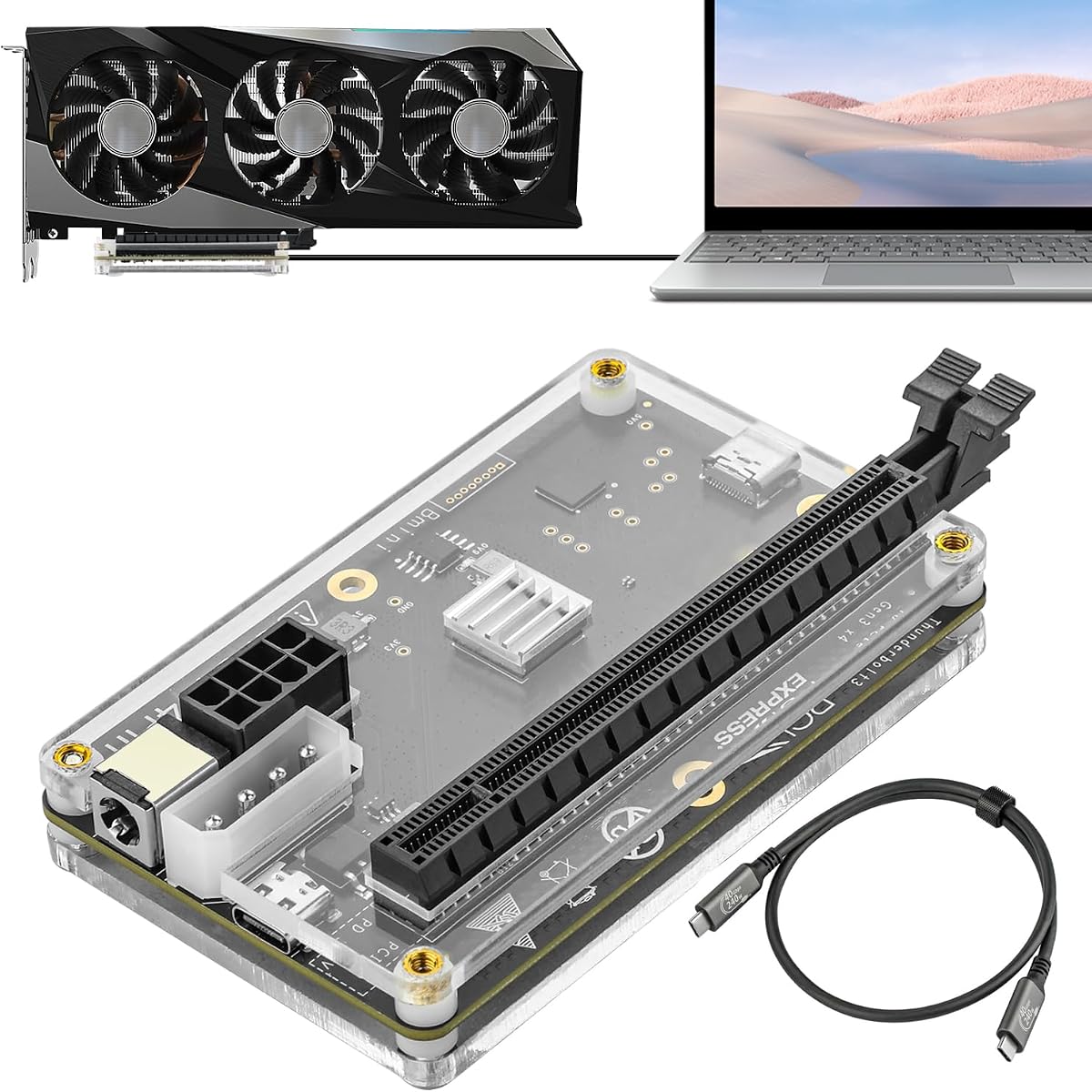
This dock delivers high performance at a very competitive price point with essential features for GPU expansion. It includes a premium flat cable that reduces port damage risk during installation.
We may earn a commission when you buy through this link, at no additional cost to you.
The gold plated contacts on the PCB ensure reliable conductivity and reduce oxidation over time. This detail matters for long term stability especially in humid environments.
While it lacks extra ports, its focus on pure PCIe bandwidth is clear. You get a straightforward path to connect a desktop GPU with minimal signal loss.
Budget conscious buyers should consider this model for its quality construction. It provides the necessary hardware to upgrade your laptop graphics capabilities without overspending.
Ten micron gold plating on contacts ensures long term conductivity and prevents rust.
The ultra-thin flat cable fits better in tight spaces than standard rigid cables.
We may earn a commission when you buy through this link, at no additional cost to you.
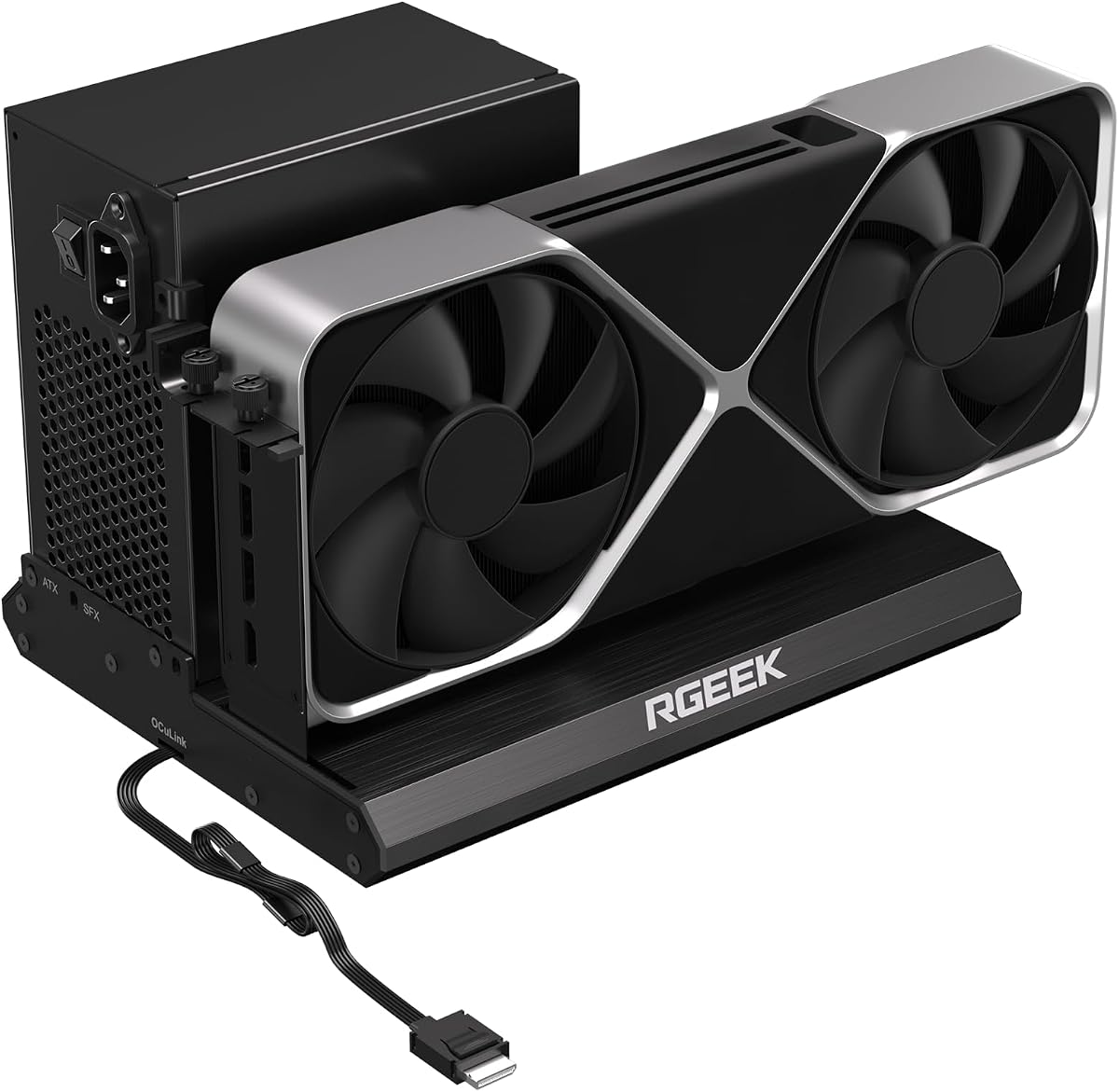
The RGEEK dock pushes the envelope with PCIe 5.0 support for double the bandwidth of current standards. It is a great choice for users planning to upgrade their host system in the near future.
We may earn a commission when you buy through this link, at no additional cost to you.
Factory soldered cables eliminate extra connection points that could introduce signal loss. The all-aluminum chassis provides excellent heat dissipation for high power graphics cards.
Note that you need a specific M.2 slot or adapter to reach full PCIe 5.0 speeds. However it remains fully compatible with older systems for immediate use.
Tech enthusiasts who want to stay ahead of the curve should look at this option. It offers a clear path to next generation external graphics performance.
Supports up to 128Gbps bandwidth for massive data transfer rates.
Full aluminum construction helps keep components cool under heavy load.
We may earn a commission when you buy through this link, at no additional cost to you.
The UGREEN LinkStation is a premium solution that balances power and noise with an integrated quiet PSU. It supports massive GPUs up to 370mm making it versatile for high-end builds.
We may earn a commission when you buy through this link, at no additional cost to you.
Its dual channel design lets you choose between speed with OCuLink or convenience with USB4. The library quiet operation ensures your workspace remains peaceful during long sessions.
Cable management is handled well with an integrated storage compartment to keep wires tidy. Support for various operating systems adds to its appeal for diverse users.
Investors in a high-end setup will find the build quality and features worth the cost. It delivers a professional grade experience for serious gamers and creators.
A large low RPM fan ensures the dock runs quietly even under heavy loads.
Accommodates oversized graphics cards with a 370mm length capacity.
We may earn a commission when you buy through this link, at no additional cost to you.
This dock stands out for its flexible power input options that work with various supplies. It is compatible with gaming consoles like the Lenovo Legion Go expanding your options beyond laptops.
We may earn a commission when you buy through this link, at no additional cost to you.
The included Thunderbolt 4 cable adds value and simplifies setup. Its older controller limits bandwidth to 22Gbps which is slower than modern OCuLink or TB5 options.
However for older systems or budget setups this provides a reliable connection. It supports everything from entry-level to top-end GPUs without compatibility issues.
Users with legacy devices or those needing a specific power connection will find it useful. It offers a practical path to external graphics without high cost.
Choose from PD, CPU, Molex, or DC inputs to match your available power.
Works with select gaming consoles enabling external graphics on handhelds.
We may earn a commission when you buy through this link, at no additional cost to you.
This model offers a strong feature set with dual interfaces and internal storage for projects. It aims to provide a complete desktop replacement for portable computing needs.
We may earn a commission when you buy through this link, at no additional cost to you.
The LAN port is a great addition for wired connectivity which reduces host load. Storage expansion allows you to keep files closer to the GPU for better workflow efficiency.
Some users report setup complexity which might require technical knowledge. Ensure your host device fully supports the required protocols for seamless operation.
Those willing to navigate a more complex setup will find great value in the features. It is a powerful tool for users needing multiple connectivity options.
Physical toggle switch lets you choose between OCuLink and TBT5 easily.
Integrated 2.5G LAN port provides stable high speed internet access.
We may earn a commission when you buy through this link, at no additional cost to you.
The External eGPU Dock provides a straightforward solution for users needing basic graphics expansion. It supports the latest RTX 50 series ensuring your hardware investments remain viable.
We may earn a commission when you buy through this link, at no additional cost to you.
With 85W PD charging it powers your laptop while delivering graphics performance. The daisy chain port allows you to connect additional monitors or peripherals directly.
Attention to power cabling is vital to prevent protection mode shutdowns. Follow the specific instructions carefully to avoid damage to the dock.
This device is perfect for users seeking a simple and direct path to eGPU. It balances price and function for standard laptop upgrades.
Compatible with next generation RTX 50 series graphics cards.
Connect additional devices to expand your desktop workspace easily.
We may earn a commission when you buy through this link, at no additional cost to you.
Choosing the right eGPU dock depends on your specific hardware interfaces and performance needs. Use these factors to narrow down your options and find a dock that integrates smoothly with your workflow.
The interface type determines the maximum speed available to your graphics card. Thunderbolt 5 offers up to 80Gbps while OCuLink provides similar performance with lower overhead. Check your laptop ports to see which is supported before buying.
Always select a dock that matches the highest bandwidth your host device supports to avoid bottlenecks.
Most docks require an external ATX or SFX power supply which adds cost and bulk. Some models support both sizes giving you more flexibility. Ensure the dock can handle the wattage requirements of your chosen graphics card.
Verify that the PSU supports the voltage and amperage needed for your GPU and GPU to prevent power failure.
Portability is key if you plan to carry the dock between locations. Compact docks like the DEG1 are great for travel while larger models offer better cooling. Consider the internal space for your graphics card length.
Choose a chassis size that fits your travel bag or desk space comfortably.
Docks with LAN and USB ports act as hubs reducing the need for extra adapters. Look for models that offer 2.5G Ethernet for fast internet speeds. These ports can keep your host device free for other peripherals.
A dock with multiple ports simplifies your cable management and improves overall workspace organization.
Some premium docks include an M.2 NVMe slot to store large files locally. This reduces latency when accessing massive project files or datasets. It is particularly useful for AI training and high resolution video rendering.
If you work with large datasets choose a dock with built-in storage to speed up your workflow.
High performance GPUs generate significant heat requiring effective cooling systems. Steel or aluminum chassises with large fans help maintain safe temperatures. Noise levels matter if you work in a quiet environment.
Look for docks with low RPM fans or quiet cooling solutions to maintain a peaceful workspace.
Most eGPU docks work best with Windows and Linux systems. Apple devices with M series chips may not support eGPUs due to software limitations. Always confirm compatibility with your specific operating system before purchase.
Check the manufacturer's support list to ensure your laptop or mini PC is officially supported.
Entry level docks are affordable but lack advanced features like extra ports. Premium models cost more but offer better build quality and dual interface support. Calculate the total cost including GPU and PSU to understand the real value.
Set a budget that covers the dock and necessary accessories to avoid unexpected expenses.
To set up your dock, connect the power supply and graphics card first. Ensure all internal cables are secure before closing the chassis. Connect the host device using the appropriate cable like Thunderbolt or OCuLink.
Install the latest graphics drivers on your laptop to ensure compatibility. Restart your system and check that the GPU is detected in the system settings. Adjust display settings to extend or mirror your screen.
Maintain your dock by keeping vents clear of dust and debris. Periodically check cable connections for signs of wear. Avoid moving the dock while it is powered on to prevent connection drops.
Yes most docks do not include a graphics card and require you to install one separately. You must purchase an ATX or SFX power supply also. This gives you the freedom to choose a GPU that fits your budget and needs.
Compatibility depends on the chip in your Mac. Intel based Macs support Thunderbolt eGPUs but M1 and later chips do not. Check Apple official support policy before buying for Mac users.
Most OCuLink docks do not support hot plugging and require you to power off the host device. This prevents damage to the port or system instability. Always consult the manual before connecting or disconnecting.
Thunderbolt offers broader compatibility and charging but has more overhead. OCuLink is more efficient and cheaper but requires specific ports on your device. Thunderbolt is better for general use and OCuLink for raw speed.
Most docks support standard ATX cards but check the internal dimensions. Premium docks support triple slot GPUs up to 370mm long. Ensure your chosen dock has enough room for your specific card.
Check the wattage requirements of your GPU and select an ATX supply that exceeds it. Ensure the physical size fits the dock enclosure. A higher wattage supply provides better stability and longevity.
Yes eGPU docks are designed to enhance gaming performance on laptops. You can connect external monitors for a true desktop experience. Ensure your system is updated for the best gaming frame rates.
Warranties vary by manufacturer typically ranging from one to two years. Register your product to activate coverage. Keep your purchase receipt for any potential service claims.
We have reviewed the top ten eGPU docks including the versatile MINISFORUM DEG2 and the compact DEG1. Each model offers unique strengths from dual interface support to extreme portability.
Prioritize interface speed and PSU compatibility to ensure your system runs smoothly. A reliable dock enhances your laptop capabilities without introducing technical bottlenecks.
Prices and availability change frequently so check current listings before finalizing your purchase. Ensure you select a dock that matches your specific laptop interface and performance goals.