
EPOMAKER Ajazz AK820 Pro
4.7Editor score
Compact 75% design
TFT interactive screen
Tri mode connectivity
Discover the top Epomaker keyboards compared for gaming and typing. This guide reviews wireless, custom, and screen-equipped mechanical boards for every need.
Finding the right mechanical keyboard can transform your daily workflow and gaming sessions. Epomaker has emerged as a leading brand offering high-performance boards with unique features like smart screens and gasket mounts for enthusiasts.
We have carefully analyzed ten distinct models from the Epomaker lineup to help you make an informed decision. Our comparison focuses on build quality, connectivity options, switch types, and overall user experience across various layouts.
Each pick in this list highlights specific strengths tailored to different user preferences and requirements. Please note that product availability and pricing may vary over time, so check current listings before purchasing your ideal keyboard.
4.7Editor score
4.7Editor score
4.5Editor score
This side by side comparison breaks down the key specifications and features of each Epomaker model to help you find the perfect match for your desk setup.


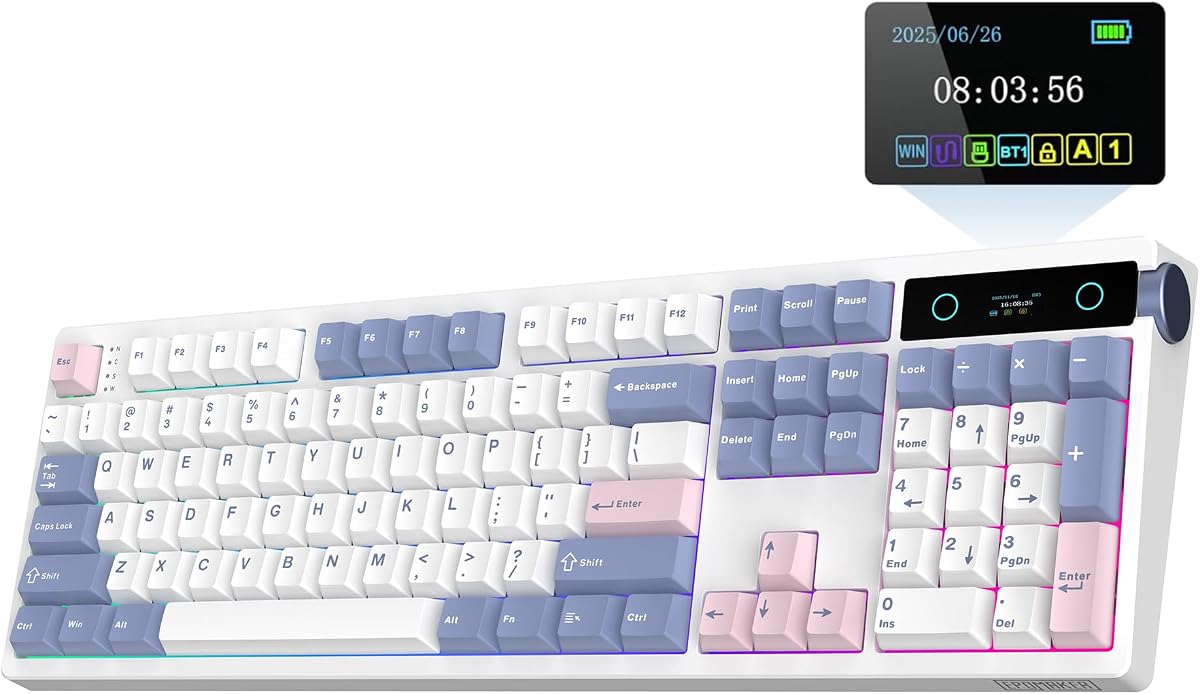
The EPOMAKER TH108 PRO stands out as a top contender for those seeking a full-size mechanical keyboard with advanced features. It holds an impressive rating from users who appreciate its blend of utility and style.
We may earn a commission when you buy through this link, at no additional cost to you.
This keyboard features a smart screen that displays time, battery status, and custom GIFs, controlled by a rotary knob. The 10000mAh battery ensures you can work or play for weeks without plugging in, while the gasket mount delivers a satisfying sound.
While the weight is excellent for stability, it means this keyboard is not ideal for frequent travel. Additionally, utilizing the screen fully requires downloading the Chrome-based software, which might be an extra step for some users.
If you need a robust desk centerpiece that balances gaming performance with office utility, the TH108 PRO is the clear recommendation. It offers a complete package with wireless freedom and customization options.
The integrated display allows you to toggle RGB modes and view system stats without alt-tabbing, making it a functional hub for your setup.
Five layers of internal padding ensure every keystroke sounds crisp and thocky, reducing finger fatigue during long typing sessions.
We may earn a commission when you buy through this link, at no additional cost to you.
The F75 MAX brings the features of larger boards into a compact footprint. It is highly rated for its ergonomic design and the inclusion of a TFT screen that enhances interactivity.
We may earn a commission when you buy through this link, at no additional cost to you.
With 80 programmable keys, you get dedicated function keys without sacrificing mouse space. The Gasket-Mount structure separates the PCB from the shell, providing a soft typing feel that is rare at this price point.
Some users might find the screen slightly small compared to full-size models, but it effectively handles battery monitoring and GIF displays. The kickstand only offers two angles, which limits ergonomic adjustments for very tall or short desks.
This keyboard is perfect for gamers who want more keys than a 60% board but need to save desk space. It delivers a creamy typing experience that rivals more expensive options.
The 75% design keeps arrow keys and function rows accessible while freeing up valuable room for large mouse movements during gameplay.
The software allows for deep remapping and macro recording, ensuring that every key serves your specific workflow or gaming style.
We may earn a commission when you buy through this link, at no additional cost to you.
For those who value durability and advanced software customization, the Galaxy100 is a standout choice. Its aluminum shell provides a premium heft that keeps the keyboard stable during intense typing.
We may earn a commission when you buy through this link, at no additional cost to you.
Support for QMK and VIA means you can remap keys and layers without relying on proprietary software. The inclusion of a metal knob and numpad makes it ideal for productivity tasks and gaming alike.
The higher price reflects the materials and features, and the weight might be a consideration if you move your desk often. However, the typing experience is smooth and professional.
This model is best suited for users who want a high-end mechanical keyboard that can double as a serious office tool. The aluminum case ensures it looks and feels like a long-term investment.
QMK and VIA compatibility gives you complete freedom to define key functions and macros, making this keyboard highly adaptable to any OS.
Multiple sound dampening layers and the metal case combine to create a rich, muted sound profile that feels luxurious to the touch.
We may earn a commission when you buy through this link, at no additional cost to you.
The TH108 V2 PRO improves on the original with better battery management and refined ergonomics. It is designed for hybrid users who switch between PC and Mac frequently.
We may earn a commission when you buy through this link, at no additional cost to you.
The ability to switch between five devices quickly makes this a powerhouse for multitasking. The screen adds a layer of utility by showing battery life and time, so you never run out of power unexpectedly.
The only downside is that it is still a large board, which might not fit smaller desks. The screen also requires some setup to get the most out of its features.
If you need a reliable wireless keyboard that supports your entire digital life across multiple devices, this is the top choice. It balances performance with convenience effectively.
With support for multiple Bluetooth devices and a 2.4GHz receiver, you can switch between your phone, tablet, and computer instantly.
The gasket mount and cushioning layers reduce shock, making it gentle on your fingers during long writing or coding sessions.
We may earn a commission when you buy through this link, at no additional cost to you.
The TH99 PRO offers the utility of a full keyboard in a smaller footprint. It is perfect for users who need a numpad for data entry but want to save desk space.
We may earn a commission when you buy through this link, at no additional cost to you.
The volume knob allows you to adjust audio levels instantly, which is great for gaming and media consumption. The battery capacity ensures you rarely need to charge, even with heavy use.
While the weight provides stability, it makes the keyboard difficult to carry around. The kickstand design is functional but can make the profile slightly bulkier when raised.
This keyboard is an ideal solution for office workers who need number pad functionality without the bulk of a standard full-size board. It balances compactness with full features.
The 96% layout retains arrow keys and a numpad, ensuring you don't lose essential keys while saving significant desk real estate.
The screen serves as a command center, displaying time, battery, and custom visuals to keep your workspace organized and stylish.
We may earn a commission when you buy through this link, at no additional cost to you.
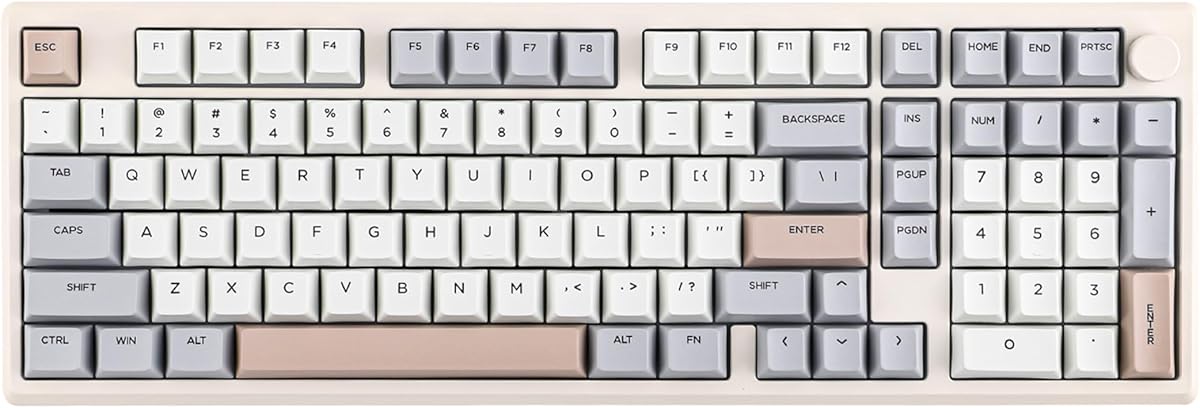
This model strips back the flashy features to focus on core performance and comfort. It is rated well for its reliable wireless connection and classic layout.
We may earn a commission when you buy through this link, at no additional cost to you.
With a 10000mAh battery, you get extended usage times without the need for constant charging. The hot-swappable design lets you change switches easily if you want to alter the feel.
Lacking a screen or knob means you miss out on some modern customization options. However, for a straightforward typing experience, it is hard to beat.
The TH108 is a solid pick for users who prefer simplicity. It provides a stable, high-quality typing experience with plenty of room for customization.
The 2.4GHz mode ensures low latency, making it suitable for gaming and daily tasks without the tether of a cable.
Since it is hot-swappable, you can experiment with different mechanical switches to find the exact sound and feel you prefer.
We may earn a commission when you buy through this link, at no additional cost to you.
The G84 HE is designed for competitive players who need every millisecond of advantage. Hall effect switches allow for adjustable actuation, meaning you can set keys to trigger before fully bottoming out.
We may earn a commission when you buy through this link, at no additional cost to you.
With 8K polling, the keyboard updates incredibly fast, reducing input lag to almost zero. This is crucial for fast-paced games where precision movement is key to winning.
The technology is more complex than standard mechanical switches, so setting it up takes a bit of learning. It is also tailored mostly for gaming scenarios.
If you play FPS games regularly, this keyboard gives you a technical edge. The adjustable actuation lets you customize sensitivity to match your play style perfectly.
Using magnetic fields rather than physical contacts prevents wear and allows for precise adjustment of actuation depth.
The 8K polling rate ensures that your keystrokes are registered instantly, giving you a reaction speed advantage in matches.
We may earn a commission when you buy through this link, at no additional cost to you.
The TH99 delivers the essentials without the premium price tag. It is a reliable option for office work that includes a number pad for efficient data entry.
We may earn a commission when you buy through this link, at no additional cost to you.
Battery life is excellent with the 8000mAh capacity, letting you work for days on a single charge. The gasket mount adds a touch of premium feel at a budget price.
It lacks the screen found on PRO models, so it feels more basic. The build quality is good but uses plastic instead of metal for the case.
This is a great entry-level choice for those who want a compact full-size keyboard. It offers solid performance and comfort for everyday tasks.
The 96% layout maximizes keyboard space, allowing you to keep essential number pad keys while leaving more room for your mouse.
Switching between devices is simple, making it easy to work on a laptop at home and a desktop at the office seamlessly.
We may earn a commission when you buy through this link, at no additional cost to you.
The AK820 Pro proves you do not need to spend a lot to get modern features. It is packed with a TFT screen and gasket mount that are usually reserved for more expensive keyboards.
We may earn a commission when you buy through this link, at no additional cost to you.
The screen displays battery and date, making it more functional than standard mechanical boards. The compact size makes it highly portable for users who move between desks.
Battery life is decent but shorter than the larger models due to the battery capacity. The screen is not high resolution, but it serves its purpose well for basic info.
This is the best budget pick for those who want style and utility. It offers a high-feature experience at a price that is hard to match in the market.
The lightweight design and small footprint make it easy to slip into a bag, while the screen adds a unique aesthetic touch.
Compatible with both Mac and Windows, this keyboard ensures you can use your settings across different operating systems without issues.
We may earn a commission when you buy through this link, at no additional cost to you.
The F99 is a straightforward wireless keyboard designed for reliability. It brings the benefits of a gasket mount and hot-swap capability to a reasonable price.
We may earn a commission when you buy through this link, at no additional cost to you.
With a 96% layout, you get a compact design that keeps the numpad. The hot-swap feature means you can change switches later if you want a different typing feel.
It does not have the extra flair of a screen or knob, which keeps the design simple. The RGB lighting is standard, though it looks good enough for most users.
This is a great all-rounder for general computing and gaming. It offers a solid typing experience without unnecessary bells and whistles.
The low-latency wireless ensures that your inputs are registered instantly, making it suitable for gaming and fast typing tasks.
The high-quality PBT keycaps and robust chassis ensure that this keyboard stands up to daily use over many years of service.
We may earn a commission when you buy through this link, at no additional cost to you.
Selecting the right keyboard involves understanding your specific needs regarding layout, connectivity, and build quality.
Epomaker offers keyboards in full size, 96%, 75%, and custom layouts. Full size boards have a number pad, while 96% saves space without losing keys. Choose 75% for compact setups where mouse space is critical.
Consider your desk space and workflow needs before picking a size.
Most modern models support tri-mode connectivity via Bluetooth, 2.4GHz wireless, and USB-C. Wireless offers freedom, while wired ensures the lowest latency. Ensure the model supports the number of devices you need to switch between.
Check that the battery capacity matches your usage expectations.
Hot-swappable PCBs allow you to change mechanical switches without soldering. Look for pre-lubed switches if you want a smooth feel out of the box. Linear switches are quiet, while tactile ones provide feedback.
Opt for hot-swap sockets if you plan to experiment with switch types later.
Battery capacity varies from 4000mAh to 10000mAh across models. Larger batteries mean less frequent charging but add weight. Check the claimed hours for both RGB on and off modes to estimate usage.
Prioritize higher mAh if you plan to use wireless extensively.
Aluminum cases provide a premium feel and better sound dampening but increase weight and cost. Plastic cases are lighter and cheaper. Decide based on whether portability or premium sound is more important to you.
Heavier keyboards usually offer more stability on the desk.
Some models include smart screens and rotary knobs for volume control. These add functionality and style but require software setup. If you value utility, models with screens provide real-time info display.
Ensure the software works on your operating system before buying.
Advanced features like macro recording and layer switching depend on driver software. Look for models with robust software support or QMK/VIA compatibility for total control. This ensures you can tailor keys to your needs.
Software compatibility is key for long-term usability.
Gasket mounts and internal foam layers reduce hollow sounds and improve typing comfort. If you work in a quiet environment, prioritize boards with multiple layers of sound dampening material for a softer feel.
Gasket mount is generally better for acoustic comfort.
To maximize wireless life, turn off the keyboard when not in use and charge it fully before first use. Most models include USB-C cables for charging and can be used while plugged in.
Clean the keycaps regularly using a soft brush or compressed air to remove dust. Avoid using harsh chemicals on the case or switches to preserve the finish.
Update the firmware through the official software to ensure all features work correctly. This also helps fix any bugs that might affect performance.
Yes, most Epomaker models support both Windows and Mac. You can switch modes with a key combo and use the included driver software on macOS for customization.
Most models feature hot-swappable PCBs, allowing you to replace switches without soldering. Just ensure you get compatible 3 or 5-pin switches.
Battery life depends on usage and RGB settings. With RGB off, some models last up to 200 hours, while active use typically provides 40 to 100 hours.
A 96% layout keeps the number pad but compresses it to save space, whereas full size has a gap between the main keys and the numpad for better ergonomics.
No, basic typing works out of the box. However, the software is needed for macros, lighting customization, and using the screen features on supported models.
Yes, many Epomaker keyboards feature low latency wireless modes and fast polling rates suitable for gaming. Some models even include hall effect switches for advanced performance.
We reviewed ten top models ranging from full-size boards with screens to compact wireless options. The TH108 PRO leads as our top pick for its balance of features and performance.
When choosing, consider your desk size and whether you need a number pad. If you want advanced features, look for models with gasket mounts and smart screens.
Remember that prices and availability can change. Check current listings to ensure you are getting the best deal for your chosen model.