
Dell Wired Mouse MS116
4.6Editor score
Plug and play setup
Reliable wired connection
Compact lightweight design
This guide compares the top external mice for Dell laptops, evaluating connectivity, battery life, ergonomics, and performance to help you choose the right
Finding the right external mouse for your Dell laptop can significantly enhance your productivity and comfort during long work sessions. A quality peripheral offers precision, reliability, and ergonomic support that built-in trackpads simply cannot match for extended use cases.
We have carefully evaluated ten distinct models based on connectivity options, battery longevity, build quality, and user feedback. Our comparison focuses on how well each device integrates with Dell systems and performs across various daily computing tasks.
Each pick highlights specific strengths such as silent operation, gaming readiness, or budget-friendly pricing. Please note that prices and availability are subject to change, so verify current details before making your final purchase decision.
4.6Editor score

4.9Editor score
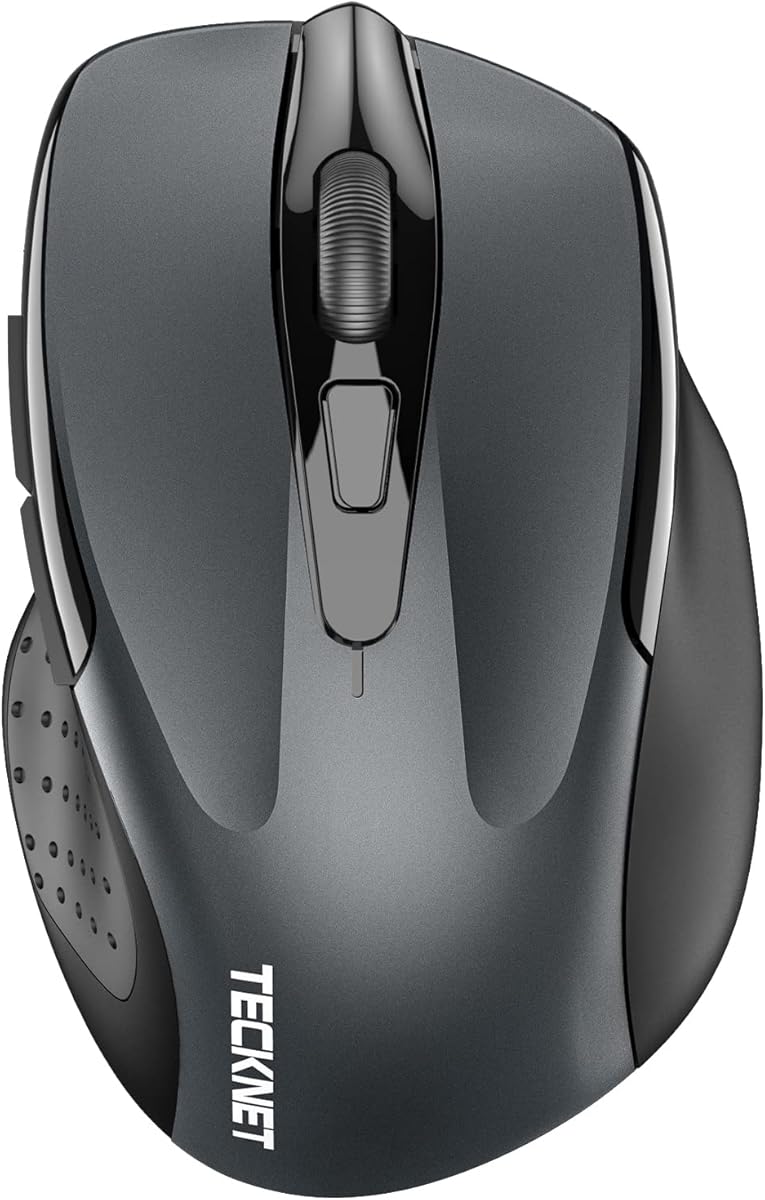
4.5Editor score
The following table provides a side-by-side overview of all ten selected models to help you quickly compare key specifications and features.






This mouse stands out as the top choice for Dell laptop users seeking a reliable wireless peripheral. With a near perfect rating it offers seamless connectivity and exceptional battery longevity.
We may earn a commission when you buy through this link, at no additional cost to you.
The dual-mode connectivity allows you to switch between Bluetooth and wireless modes effortlessly. This flexibility ensures you can pair with multiple devices without needing extra dongles.
While the design is robust it may feel large for users with smaller hands. The battery life is impressive but requires AA replacements rather than a built-in rechargeable option.
If you prioritize reliability and ease of use this mouse is an ideal investment for daily productivity tasks on Dell systems.
The dual-mode setup ensures you can connect via Bluetooth or USB receiver depending on your laptop ports availability.
Battery life extends up to 36 months reducing the frequency of changes and keeping you productive without interruption.
We may earn a commission when you buy through this link, at no additional cost to you.
Designed with gamers and power users in mind this mouse delivers high-speed performance and customization. It shares many features with the MS510 but adds gaming specific enhancements.
We may earn a commission when you buy through this link, at no additional cost to you.
The 4000 DPI sensor allows for precise cursor movements during fast-paced tasks. Programmable buttons enable quick access to macros or shortcuts enhancing workflow efficiency.
Despite its gaming focus it remains suitable for office work due to the versatile connectivity options. The cost is higher but justified by the added performance capabilities.
Users needing precision and customizable controls will find this mouse a strong candidate for both gaming and professional environments.
The 4000 DPI sensor ensures accurate tracking across various surfaces making it ideal for graphic design or gaming.
With seven buttons you can map functions to enhance productivity during long work or gaming sessions.
We may earn a commission when you buy through this link, at no additional cost to you.
This model offers the most straightforward solution for users needing a reliable peripheral without wireless complications. Its simplicity and low cost make it a favorite for budget conscious buyers.
We may earn a commission when you buy through this link, at no additional cost to you.
The wired connection ensures zero latency and no need to manage power. It is lightweight and easy to pack for travel or temporary setups.
While the cable limits range it eliminates battery anxiety and connection dropouts. It is perfect for stationary desks or environments where wireless is unnecessary.
For those seeking a no-fuss affordable mouse this option delivers consistent performance at an unbeatable price point.
No drivers or batteries are needed just plug it in and start working immediately on any USB enabled device.
Priced significantly lower than wireless models it provides basic functionality without compromising on reliability.
We may earn a commission when you buy through this link, at no additional cost to you.
A stylish and affordable option this mouse balances design with practical functionality. It fits well in slim laptop bags and operates quietly in shared spaces.
We may earn a commission when you buy through this link, at no additional cost to you.
The auto sleep mode helps conserve battery life extending usage between changes. Silent clicks ensure you do not disturb others during quiet work hours.
While it lacks advanced customization it covers the essentials for browsing and basic document work. The aesthetic appeal is a bonus for style conscious users.
Ideal for students or light users this mouse offers good value without sacrificing core wireless convenience or quiet operation.
Whisper quiet clicks make it perfect for libraries or offices where noise reduction is a priority.
The black and gold finish adds a touch of elegance to your workspace compared to standard plastic models.
We may earn a commission when you buy through this link, at no additional cost to you.
Famous for its comfort this mouse offers a contoured shape that supports the hand during extended use. It is widely regarded as one of the best for preventing wrist strain.
We may earn a commission when you buy through this link, at no additional cost to you.
The unique side scrolling wheel allows for horizontal navigation which is particularly useful for spreadsheets or large documents. Battery life is exceptional with two years of typical usage.
Its size may be too large for smaller hands or tight desks. The Unifying receiver simplifies port management by allowing multiple devices to share one USB dongle.
If you spend hours at your computer prioritizing comfort this is a trusted choice that reduces physical fatigue effectively.
Contoured shape and soft grips ensure your hand rests naturally reducing strain during long workdays.
Side scrolling and zoom functions enhance productivity when working with complex files or maps.
We may earn a commission when you buy through this link, at no additional cost to you.
A true travel companion this compact mouse slips easily into pockets or small bags without adding bulk. It is perfect for users on the go who need basic functionality.
We may earn a commission when you buy through this link, at no additional cost to you.
Its ambidextrous design ensures it works well for both right and left handed users. The nano receiver is tiny and can stay plugged into your laptop or be stored safely.
While it lacks advanced buttons or customization it is reliable for everyday browsing and typing. Battery life is decent enough for a year of moderate usage.
Ideal for business travelers or students needing a lightweight reliable mouse this model excels in portability and ease of use.
Small footprint and lightweight build make it easy to toss into any bag for spontaneous trips.
Ambidextrous shape ensures comfort regardless of which hand you prefer to use.
We may earn a commission when you buy through this link, at no additional cost to you.
This model stands out for its unique mint green color and compact form factor. It appeals to users who want a touch of personality in their tech gear.
We may earn a commission when you buy through this link, at no additional cost to you.
The compact design is excellent for smaller hands but may feel cramped for larger ones. Quiet clicks add to the user experience making it suitable for shared workspaces.
Battery life is respectable and the price point remains low. It is a practical choice for those who prioritize aesthetics and basic wireless convenience.
For users seeking a colorful reliable mouse this option provides a nice break from standard grey or black peripherals.
Mint green finish makes it a standout accessory on any desk compared to monochrome competitors.
Its light build makes it easy to carry and use for short periods without fatigue.
We may earn a commission when you buy through this link, at no additional cost to you.
Designed for silence this mouse reduces clicking sound by over 90 percent making it ideal for quiet environments. It maintains performance while ensuring minimal noise disturbance.
We may earn a commission when you buy through this link, at no additional cost to you.
The contoured shape provides a comfortable grip for right-handed users during extended use. Battery life is solid at 18 months and setup requires no software installation.
It lacks side buttons for extra customization but covers the basics effectively. The focus remains on quiet operation and comfort for everyday tasks.
If noise reduction is your priority this mouse offers a peaceful computing experience without compromising on reliability.
Significantly reduces noise making it perfect for offices libraries or open plan workspaces.
Contoured plastic grips ensure a natural hand position reducing fatigue over time.
We may earn a commission when you buy through this link, at no additional cost to you.
This versatile model supports connection to two devices via Bluetooth and USB allowing easy switching between laptop and tablet. It is a strong choice for multi-device workflows.
We may earn a commission when you buy through this link, at no additional cost to you.
With 6 adjustable DPI levels you can tailor sensitivity to different tasks from detailed editing to casual browsing. Silent clicks ensure you work quietly in any environment.
Side buttons have limited compatibility on Mac which may be a drawback for some users. Battery life is decent and the price is very competitive for the features offered.
For users needing flexibility and multi-device support this mouse offers excellent functionality at a budget friendly price.
Switch seamlessly between devices with a single button slide eliminating the need for multiple receivers.
Multiple DPI settings allow precise control for various tasks from gaming to document work.
We may earn a commission when you buy through this link, at no additional cost to you.
A rechargeable variant of the previous model this mouse eliminates the need for disposable batteries offering an eco-friendly alternative. It maintains the same connectivity features while adding power flexibility.
We may earn a commission when you buy through this link, at no additional cost to you.
A full charge takes about two hours and provides up to three months of daily usage. It supports multiple DPI levels and silent operation ensuring versatility and comfort.
The smaller size may not suit users with larger hands. Charging adds a minor routine but reduces long-term waste and cost.
If you want a sustainable option with modern features this mouse provides a practical and reliable solution.
Rechargeable battery reduces waste and eliminates the need to buy disposable batteries frequently.
Fast charge times ensure minimal downtime when you need to plug in for a power boost.
We may earn a commission when you buy through this link, at no additional cost to you.
Choosing the right mouse depends on your specific needs and usage habits. This guide covers key factors to consider before making a purchase.
Most modern mice offer wireless options via Bluetooth or a USB receiver. Bluetooth is ideal if you want to save a USB port while a receiver provides consistent performance.
Check your Dell laptop for available ports to determine which connection type suits your workflow best.
Battery life ranges from weeks to years depending on the model. Rechargeable options reduce waste while disposable batteries offer convenience without needing to charge.
Consider how often you use the mouse and whether swapping batteries is practical for your routine.
Comfort is critical if you work for long hours. Contoured shapes support natural hand positioning while ambidextrous models fit both hands.
Look for soft grips and lightweight designs to prevent strain during extended sessions.
DPI determines cursor sensitivity. Higher DPI is useful for large screens or gaming while lower DPI suits detailed tasks.
Ensure the mouse offers adjustable DPI settings to match your specific use case and screen resolution.
Programmable buttons can enhance productivity by mapping shortcuts to specific tasks. This is valuable for creative or office workflows.
Check software compatibility to ensure you can easily configure these buttons on your system.
For quiet environments silent click technology prevents distraction during meetings or library work. This feature is common in business mice.
Prioritize silent options if you share your workspace or work late at night.
Price varies widely from basic wired models to advanced wireless options. Determine how much you are willing to spend based on your needs.
Higher price does not always mean better performance but usually offers more features and durability.
To get started simply plug in the USB receiver or pair via Bluetooth in your Dell laptop settings. If using wireless insert batteries or charge the device before first use.
Keep the sensor clean by wiping it gently with a dry cloth. Dust can affect tracking accuracy especially when using the mouse on uneven surfaces.
Store the mouse in a cool dry place when not in use. Avoid exposing it to extreme temperatures or moisture to extend its lifespan.
The Dell Advanced Wireless Compact Mouse MS510 is optimized for Dell devices offering seamless integration. However any standard mouse with Bluetooth or USB works well with Dell systems.
Yes most Dell laptops support Bluetooth pairing. Check your system settings to ensure Bluetooth is enabled for connecting compatible wireless mice.
DPI depends on your screen size and usage. Lower DPI is better for detailed work while higher DPI suits gaming or large screens. Adjustable models offer the most flexibility.
Wireless offers convenience and less desk clutter but wired ensures no latency. Choose based on whether mobility or absolute precision is your priority.
Battery life varies by model. Standard AA mice may last months while rechargeable ones require weekly or monthly charging depending on usage frequency.
Yes silent mice reduce clicking sound by up to 90 percent making them ideal for quiet spaces where noise reduction is essential.
We have reviewed ten excellent options ranging from budget wired models to premium wireless choices. The Dell Advanced Wireless MS510 leads the pack with reliability and long battery life.
Prioritize ergonomics and connectivity features that match your workflow. Silent clicks and multi-device support can significantly improve your daily computing experience.
Always check current pricing and availability before purchasing as deals change frequently. Investing in the right mouse ensures comfort and efficiency for your Dell laptop setup.