
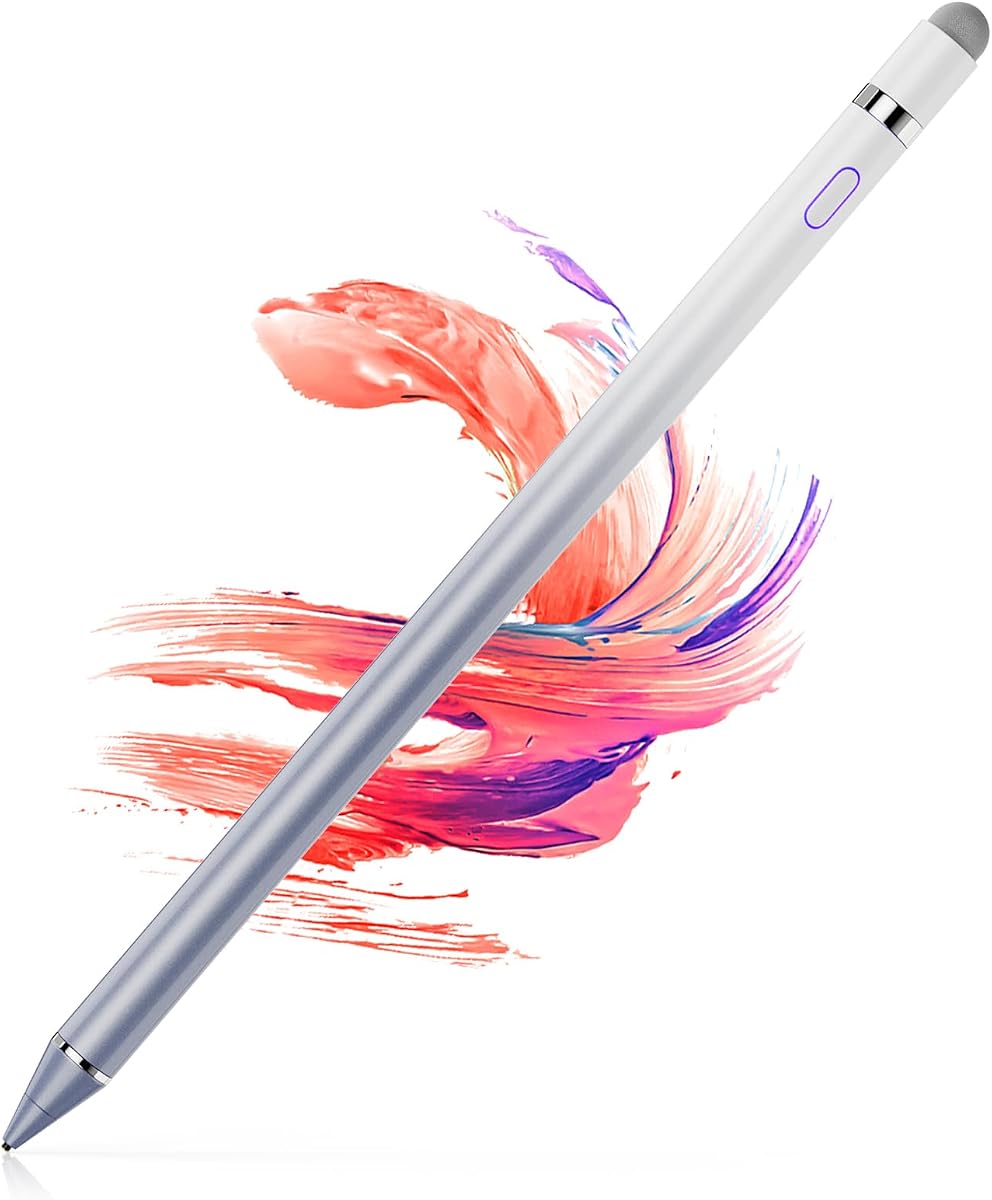
ChaoQ Stylus Pen for Touchscreen
4.6Editor score
Lightweight aluminum body
Dual rubber tips included
No charging required
This guide compares the top fine tip stylus pens for touchscreens, evaluating precision, compatibility, and comfort to help you choose the right tool for your
Finding the right fine tip stylus can transform how you interact with your touchscreen devices. Whether you are taking notes, drawing artwork, or simply navigating apps, a quality stylus offers precision that fingers cannot match. It reduces fingerprints and provides a smoother experience across various screens.
We evaluated ten highly rated stylus pens based on their tip precision, build quality, and compatibility with popular devices. Our analysis focuses on capacitive models that offer fine points for detailed work without requiring complex pairing or charging. Each product brings unique features to meet different user needs effectively.
Each pick in this list highlights specific strengths like replaceable tips or magnetic storage. Prices and availability change frequently, so always verify current details before purchasing. This guide ensures you have the necessary information to select a stylus that fits your workflow and budget requirements perfectly.
4.6Editor score

4.6Editor score
4.0Editor score
This comparison table outlines the key specifications of every stylus featured in our guide. You can quickly see differences in tip types, materials, and special features to find the best match for your specific device and usage habits.


The MEKO Stylus Pen stands out as a versatile tool for anyone needing precision on touchscreens. With a 4.6 rating, users appreciate its ability to switch between different tips for varied tasks. It replaces the need for fingers on screens, offering a cleaner interaction experience without smudges.
We may earn a commission when you buy through this link, at no additional cost to you.
Its transparent disc tip allows you to see exactly where you are tapping, which is crucial for fine details. The flexible angle supports comfortable writing sessions, while the dual rubber tips cater to browsing or gaming. This versatility makes it a strong candidate for general use across devices.
While it lacks active pressure sensitivity found in premium styluses, it delivers solid performance for everyday tasks. The fact that tips are replaceable extends the life of the pen significantly. This practical design ensures you can keep using it even if one tip wears out.
If you need a reliable stylus for note-taking, gaming, or navigating apps, this model fits well. It is ideal for students or professionals who want accuracy without complex setup. We recommend it as a top choice for those seeking a balanced and affordable solution.
The transparent disc tip lets you see your contact point clearly, reducing errors during detailed work.
With multiple replacement tips included, this pen offers extended use without needing frequent replacements.
We may earn a commission when you buy through this link, at no additional cost to you.
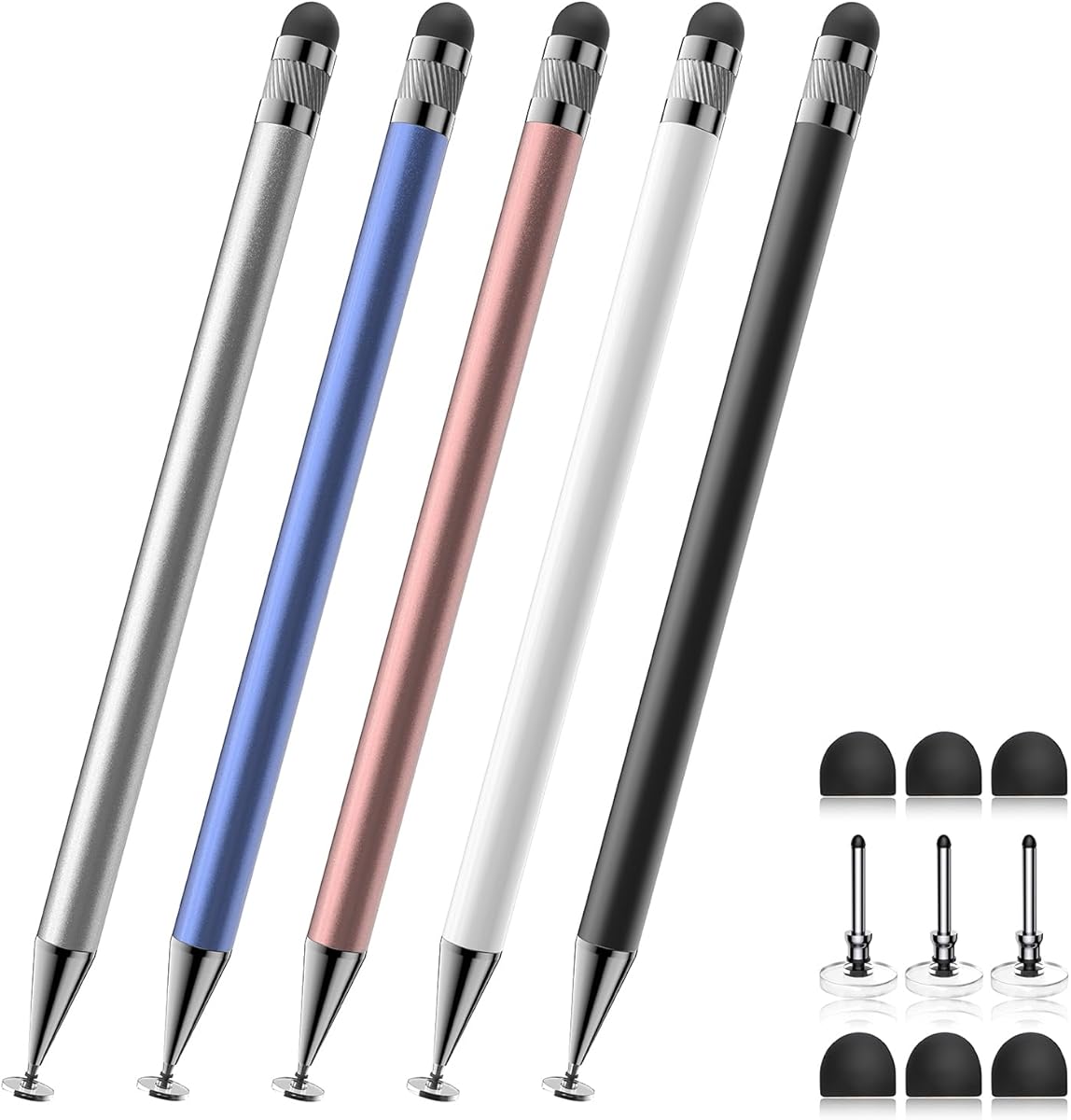
The Bopomofo Stylus offers a practical solution with a five-piece pack in different colors. This makes it easy to share among family members or keep separate for different devices. It has a solid 4.6 rating from users who value its responsive nature on capacitive screens.
We may earn a commission when you buy through this link, at no additional cost to you.
Its 2-in-1 design includes a rubber tip and a flexible disc tip, providing options for different touch needs. The disc tip ensures stable signal transmission even with screen protectors. This feature is helpful for users who protect their devices heavily but still want precision input.
The unique design patent gives it an aesthetic appeal that looks refined and professional. However, note that the plastic piece on the disc tip is fixed and cannot be removed. This is a minor trade-off for the durability and design integrity of the stylus.
For those who want a colorful and reliable stylus for general tasks, this set is excellent. It works well for students, office workers, and casual users. We suggest it if you need multiple units or want a stylish accessory that performs consistently across tablets and phones.
The five different colored stylus pens help you organize by device or user preference easily.
The disc tip design maintains good signal transmission even when using protective screen films.
We may earn a commission when you buy through this link, at no additional cost to you.
This stylus pen is designed to handle precise tasks on iPad and other touchscreen devices. The 2026 upgrade adds a sensitive transparent disc tip for better control. Users rate it 4.5 stars, highlighting its accuracy for writing and drawing without lag.
We may earn a commission when you buy through this link, at no additional cost to you.
The inclusion of 0.18 and 0.27 rubber tips means you can choose between detailed work or broader navigation. The 180-degree flexible writing angle ensures comfort during long use. This adaptability makes it a strong contender for daily tasks like note-taking or gaming.
While it does not offer active features like pressure sensitivity, it excels as a reliable passive tool. The tips are easy to replace without tools, extending the product's lifespan. This design choice keeps costs low while maintaining high utility for everyday users.
If you need a versatile stylus that fits various scenarios without needing charging, this is a great pick. It is particularly useful for kids, adults, and seniors who need simple and effective device navigation. We recommend it for anyone seeking precision without complexity.
The 180-degree flexible angle reduces hand strain and allows for comfortable writing positions.
Replace the tips within seconds without any tools, keeping your stylus in top condition always.
We may earn a commission when you buy through this link, at no additional cost to you.
This stylus pen stands out for its dual-tip design that supports both modern and older screens. The silicone round head works well on capacitive devices like iPhones and iPads. It also features a plastic tip for resistive screens, making it a unique tool for mixed environments.
We may earn a commission when you buy through this link, at no additional cost to you.
The silicone tip provides a smooth experience for tapping and scrolling on modern devices. It is soft enough to avoid scratches while offering decent precision for general navigation. Users find it helpful for tasks where fingers might be too large or imprecise.
The hard plastic tip is specific to resistive screens, which are less common today but still exist. This ensures you have a solution for GPS units or older POS systems. However, the overall rating is lower, suggesting it may not match the performance of more advanced models.
Consider this stylus if you need a backup for older devices or specific industrial use. It is budget-friendly and simple to operate. For modern high-res screens, you might prefer a more sensitive option, but this serves a specific niche well.
Having both silicone and plastic tips allows you to use one pen for different screen types.
We may earn a commission when you buy through this link, at no additional cost to you.
This set offers seven stylus pens, making it ideal for families or teams needing multiple tools. Each pen features a lightweight alloy body that feels sturdy and durable. The high sensitivity and precision ratings suggest they work well for general creative tasks and navigation.
We may earn a commission when you buy through this link, at no additional cost to you.
The 2-in-1 design allows for switching between tips, giving you flexibility in how you interact with screens. Users appreciate that no charging or pairing is needed, so you can grab any pen and start working immediately. This convenience saves time during daily use.
Compatibility spans major systems like Android, iOS, and Windows, ensuring broad utility. The anti-aging build means these pens should last a long time even with frequent handling. It is a practical choice for offices or households where stylus loss is a common concern.
If you need a large quantity of reliable styluses for varied use, this set is a strong contender. It offers value through quantity and durability. We recommend it for users who want simplicity and a ready-to-use solution without technical setup steps.
With seven pens in the set, you can keep spares in different locations or assign them to different users.
We may earn a commission when you buy through this link, at no additional cost to you.
The ChaoQ Stylus Pen is an excellent budget choice that does not compromise on build quality. Made from lightweight aluminum, it feels premium despite its low cost. With a 4.6 rating, it satisfies users looking for precision without high fees or complicated features.
We may earn a commission when you buy through this link, at no additional cost to you.
Its dual rubber tips offer different sizes for detailed art or bold notes. This flexibility allows you to switch between tasks easily. The ergonomic design reduces wrist strain, which is a common benefit for long writing or drawing sessions on tablets.
You get a portable replacement set with multiple colors to choose from. This makes it easy to share or replace if a tip gets damaged. The fact that it works without charging ensures it is always ready when you need it for critical tasks.
For students or casual users who need a reliable stylus daily, this is a top recommendation. It handles notes, games, and browsing effectively. We suggest it for anyone seeking affordability and durability in a single package.
The ergonomic design helps reduce wrist strain during extended periods of digital writing or note-taking.
Bright metal colors inspire creativity and help you distinguish your stylus from others in a bag.
We may earn a commission when you buy through this link, at no additional cost to you.
This stylus pen introduces active features like battery power and magnetic storage. It attaches to the side of supported iPad models for easy access. The 4.4 rating indicates users like its precision and ability to reduce accidental touches compared to fingers.
We may earn a commission when you buy through this link, at no additional cost to you.
The one-touch switch design simplifies turning the stylus on or off quickly. With a battery life of 9 to 10 hours, it supports full workdays. The magnetic adsorption design ensures it is always within reach, reducing the risk of losing it during sessions.
While it lacks palm rejection, it still offers a better experience than passive pens for writing. The compatibility note specifies support for certain iPad Pro models, so checking device fit is key. This active capability bridges the gap between passive pens and premium tools.
Consider this stylus if you want features like magnetic storage without the high price of official branded pens. It works well for creators who need precision and reliability. We recommend it for iPad users seeking an affordable active stylus experience.
The magnetic design lets you attach the pen to your iPad, keeping it secure and nearby at all times.
We may earn a commission when you buy through this link, at no additional cost to you.
The OASO Stylus Pen features a disc tip designed to mimic the human finger for smooth input. It stands out for including extra tips and a leather case, offering great value. Users appreciate its ability to work on a wide range of devices without complex setup.
We may earn a commission when you buy through this link, at no additional cost to you.
The magnetic cap helps store the disc tip safely when not in use, protecting it from damage. This design choice helps keep the stylus in good condition longer. It also ensures the cap is never lost during travel or daily carry.
With an extra disc tip inside the pen, you have a ready backup if one wears out. The included leather pen case adds portability and protection. This package offers convenience features that are often missing from basic styluses in this price range.
For users who want a complete package with protection and spares, this is a smart pick. It handles writing, drawing, and scrolling effectively. We recommend it for those who value thoughtful accessories and reliable performance on touchscreens.
The magnetic cap keeps the tip secure and prevents dust or debris from affecting performance.
Having a leather case and extra tips in the box adds value and convenience for daily transport.
We may earn a commission when you buy through this link, at no additional cost to you.
This stylus pen delivers pro-level control with a durable 1.5mm copper tip. Users rate it 4.0 stars for its accuracy in detailed art and notes. The copper tip ensures smooth gliding without scratches, making it ideal for precise work on various screens.
We may earn a commission when you buy through this link, at no additional cost to you.
The magnetic cap locks snugly to the device, preventing loss and protecting the charging port. This feature adds a premium touch to the user experience. With a 12-hour battery life, it supports extended workdays without needing frequent recharges.
It offers universal compatibility for most capacitive screens like iPads and Android tablets. While it does not have palm rejection, the precision tip minimizes accidental touches. This balance of features makes it a strong tool for creators on a budget.
If you need fine control and security features without Bluetooth pairing, this is a top choice. It is suitable for professionals and students alike. We recommend it for those who prioritize tip precision and build quality in their stylus selection.
The ultra-fine copper tip gives you the precision needed for detailed art and precise signature work.
We may earn a commission when you buy through this link, at no additional cost to you.
This active digital pen offers a fine 1.5mm diameter tip for realistic creation experiences. It powers on within one second, ready for immediate use. The rating of 4.0 reflects satisfaction with its performance for drawing and handwriting on popular tablets and phones.
We may earn a commission when you buy through this link, at no additional cost to you.
With a battery life of 10 to 12 hours, it supports long sessions. The USB Micro charge port allows easy recharging with common cables. It provides a better feel than standard capacitive pens, though it lacks variable pressure sensitivity.
All lines maintain the same thickness, which is a limitation for artists needing variation. However, for note-taking and precise input, it performs well. It is designed to work with a wide range of iOS and Android devices effectively.
If you want an active stylus that feels like a real pen, this is a solid option. It balances convenience with reasonable performance. We recommend it for users who need reliable input without the complexity of full smart styluses.
The 1-second power on feature lets you start writing immediately without waiting for the pen to wake up.
We may earn a commission when you buy through this link, at no additional cost to you.
Choosing the right fine tip stylus involves considering your device type, usage goals, and budget. This guide outlines key factors to help you select a model that provides precision and comfort.
The tip type determines how accurate your input will be. Disc tips allow you to see the contact point, which is ideal for detailed tasks like drawing or signing documents. Rubber tips offer a softer touch for general navigation and gaming. For fine work, look for tips under 2mm in diameter.
Choose disc tips for precision and rubber tips for durability and comfort.
Not all styluses work with every screen. Most modern devices use capacitive technology, which responds to electrical signals. Passive styluses work on these screens, while active styluses may need Bluetooth or specific hardware. Always check if the stylus supports your specific tablet or phone model.
Verify the product description supports your device to avoid purchasing issues.
Many styluses are passive and require no battery, making them always ready to use. Active styluses offer features like pressure sensitivity but need charging. If you prefer simplicity, choose a passive model. If you need advanced features, ensure you can charge the device regularly.
Passive models save charging time while active ones offer more features.
You will hold the stylus for long periods, so comfort is essential. Look for lightweight materials like aluminum or ergonomic designs that reduce strain. A textured grip can prevent slipping during use. Consider the weight and size to ensure it fits your hand well.
Comfortable designs reduce fatigue during long work sessions.
Tips can wear out over time, especially with heavy use. Styluses with replaceable tips offer better long-term value. Check if the package includes spares or if they are available separately. This feature extends the life of the pen and keeps costs down.
Replaceable tips ensure your stylus remains functional longer.
Features like magnetic caps, carrying cases, or switch designs add convenience. Magnetic caps keep the tip protected and prevent loss. A carrying case helps organize your accessories. These extras improve the overall user experience and portability of the stylus.
Look for extra features that match your daily habits.
Styluses range from budget-friendly to premium options. Higher prices often correlate with active features like Bluetooth or pressure sensors. However, many high-quality passive styluses are affordable and sufficient for most tasks. Evaluate your needs to avoid paying for features you will not use.
Balance your budget with the specific features you need for daily tasks.
Build quality affects durability. Aluminum bodies feel more premium and resist wear compared to plastic. High-quality silicone tips are less likely to leave smudges or scratch screens. Investing in better materials ensures the stylus lasts longer under daily use.
Durable materials prevent damage to your screens and increase stylus life.
To start using your stylus, simply remove any protective caps and hold it like a pen. Most passive styluses require no pairing or setup. Place the tip lightly on the screen to see how it responds. Adjust pressure based on the type of task you are doing.
Keep the tip clean to maintain sensitivity. Wipe it gently with a soft cloth if it collects dust. Avoid using it on dirty screens to prevent scratches. Store the stylus in a protective case or use the magnetic cap to keep it safe when not in use.
Replace tips when they show signs of wear. If writing becomes inconsistent, the tip may be damaged. Use only the recommended replacement parts provided by the manufacturer. Proper care ensures your stylus remains accurate and lasts for a long time.
Most fine tip styluses do not need pairing. Passive models work by simulating a finger and can be used immediately. Only active styluses with Bluetooth features require pairing. Check the product description to confirm if pairing is necessary for your model.
A quality stylus with a soft silicone or disc tip will not damage your screen. However, using a hard or dirty tip can cause scratches. Always ensure the tip is clean and in good condition before use. Avoid pressing too hard to prevent any potential harm.
Clean the tip using a soft, lint-free cloth. If it is very dirty, slightly dampen the cloth with water. Do not use harsh chemicals. Ensure the tip is completely dry before using it again to maintain proper sensitivity on the screen.
Passive styluses work on any capacitive screen without batteries. Active styluses have internal chips that offer features like pressure sensitivity. Active models need charging. Choose active for professional art work and passive for general navigation and note-taking.
Many styluses come with one or two extra tips in the package. Some brands sell separate kits for replacements. Check the product details to see what is included. Having spares is convenient to keep your stylus in good condition longer.
Yes, most fine tip styluses work well with screen protectors. Disc tips handle protectors better because they are less obstructed. Rubber tips also work but may require more pressure. Ensure the protector is clean to maintain smooth interaction with the tip.
Tips typically last several months depending on usage. Heavy daily use may wear them out faster. If the tip feels rough or inconsistent, it is time to replace it. Proper storage and handling extend the lifespan of the tips significantly.
Most modern styluses are designed for capacitive screens. Some models have dual tips for resistive screens. Check the product description to confirm compatibility. If you use older devices, ensure the stylus specifically mentions resistive support.
We have reviewed ten top fine tip styluses to help you find the right tool for your needs. The MEKO Stylus Pen leads our list with versatile features, while the ChaoQ Stylus offers excellent value. Each option brings unique benefits suitable for different users and scenarios.
Consider what matters most to you when selecting a stylus. Factors like tip precision, battery life, and comfort should guide your choice. A well-chosen stylus improves your workflow and makes device interaction smoother and more accurate.
Prices and stock change quickly so always check current details before buying. We hope this guide has provided the insights you need to make an informed decision. Enjoy your new stylus and the enhanced control it brings to your digital tasks.