
SteelSeries Nimbus+
4.0Editor score
Apple Licensed Connectivity
50+ Hour Battery
Tactile D-Pad Buttons
This guide compares the top gaming controllers for Apple TV to help you find the perfect match for your gaming setup and preferences.
Finding the right gaming controller for Apple TV transforms your living room into an immersive gaming hub. The best options offer seamless Bluetooth connectivity, ergonomic designs, and precise controls tailored for tvOS games and streaming services.
We evaluated ten leading controllers based on compatibility, battery life, build quality, and feature sets. Our analysis focuses on models officially supported by Apple or widely verified by users for reliable performance on Apple TV devices.
Each pick highlights unique strengths like custom buttons, motion controls, or extended playtime. Note that pricing fluctuates regularly, so check current offers before purchasing to ensure you get the best value for your specific needs.
4.0Editor score

4.7Editor score

4.4Editor score
This side-by-side comparison details the key specifications and capabilities of each controller to help you make an informed decision based on your specific gaming needs and device ecosystem.
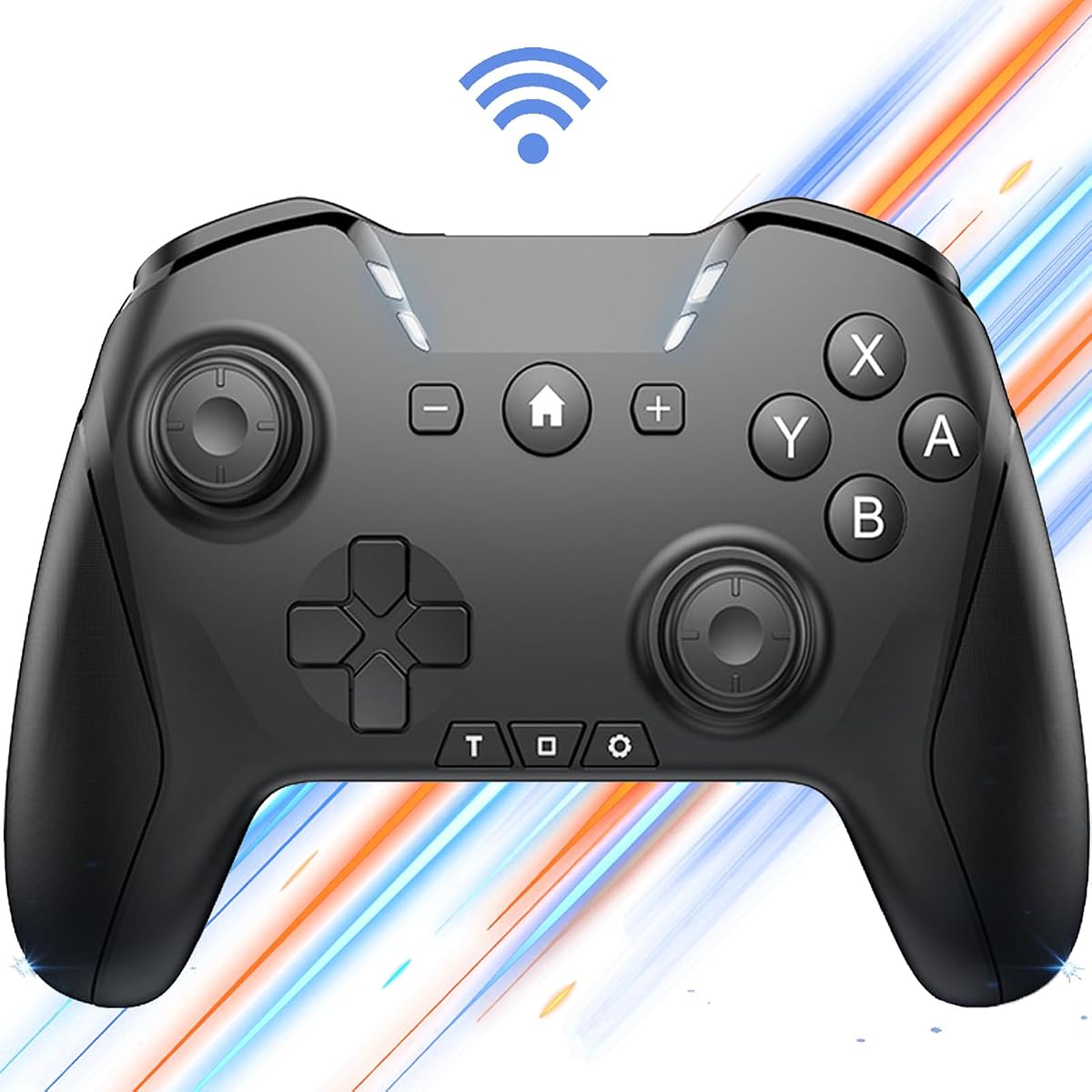



This versatile controller offers extensive features like macros and wake up capabilities. With a 650mAh battery, it supports long sessions without frequent charging interruptions during gameplay.
We may earn a commission when you buy through this link, at no additional cost to you.
The adjustable turbo and motion controls allow for customized gameplay experiences. Users can program operations to simplify complex tasks, enhancing efficiency in action or strategy games on Apple TV.
Some users report needing to follow the manual carefully for connection. Ensuring the correct mode for Apple TV is essential to avoid pairing issues with the Bluetooth interface.
Ideal for gamers seeking advanced features at an accessible price. It delivers strong performance for casual and serious players looking to expand their Apple TV gaming library.
Program up to 30 seconds of loop operations for automated sequences during intense gaming sessions.
Conveniently wake up your device directly from the controller without needing a remote.
We may earn a commission when you buy through this link, at no additional cost to you.
The SteelSeries Nimbus+ is explicitly licensed for Apple products including tvOS. This ensures seamless compatibility and reliable connectivity for gaming on Apple TV devices.
We may earn a commission when you buy through this link, at no additional cost to you.
With over 50 hours of battery life, you can game for days between charges. The tactile D-Pad and clickable joysticks add precise feedback for competitive or platforming games.
SteelSeries recommends updating the controller via their Engine app for full features. This step is necessary to unlock all functionalities and ensure smooth operation across Apple devices.
Best for Apple ecosystem users wanting official support. It balances battery life with responsive inputs, making it a premium choice for serious Apple TV gamers.
Guarantees compatibility with all Apple products including iOS, iPadOS, and tvOS devices.
Upgraded tactile D-Pad and clickable L3/R3 buttons provide fast and responsive feedback.
We may earn a commission when you buy through this link, at no additional cost to you.
VOYEE delivers a budget-friendly option packed with visual appeal and performance. Its RGB lightning bolt style adds a cool look to your gaming setup.
We may earn a commission when you buy through this link, at no additional cost to you.
Features like programmable M1/M2 keys and 3-speed turbo maximize gameplay efficiency. The 6-axis gyro sensor enhances motion control experiences in sports or racing games.
While great for Switch, PC support is wired only which limits wireless utility. Still, the generous 15-hour battery life ensures extended play on compatible mobile devices.
Perfect for casual gamers or gifting. The balance of features like vibration and turbo makes it a strong contender in the budget category.
Four light modes including solid, breathing, and strobe RGB effects add visual flair.
Dual vibration motors offer four levels of feedback for immersive gameplay.
We may earn a commission when you buy through this link, at no additional cost to you.
This controller bridges classic aesthetics with modern Hall Effect technology. Official Apple TV support ensures it works smoothly on your home console.
We may earn a commission when you buy through this link, at no additional cost to you.
Hall Effect joysticks offer high precision and resistance to drift. The retro form factor fits well in smaller spaces or for users nostalgic for classic layouts.
The portable size makes it easy to carry anywhere. With a 480mAh battery, it provides around 18 hours of play on a single charge.
Ideal for retro gaming fans or minimalists. Its combination of durability, precision, and official support makes it a top choice for Apple TV.
Upgraded robust sticks offer higher precision and sensitivity without magnetic drift.
Classic design with modern features like Bluetooth and USB-C connectivity.
We may earn a commission when you buy through this link, at no additional cost to you.
The renewed version of the Nimbus+ offers a lower entry price for Apple TV users. It undergoes inspection to meet quality standards before reaching you.
We may earn a commission when you buy through this link, at no additional cost to you.
It retains the core benefits of the new model like responsive buttons and battery life. The connection is stable for responsive gameplay without cables or lag.
Being renewed means potential cosmetic wear or varied battery health. Ensure you check the specific listing details to know the exact condition of the unit.
Suitable for budget-conscious buyers willing to accept minor wear. It provides access to premium features at a reduced price point.
Professionally inspected, tested, and cleaned to meet quality standards.
Maintains the essential wireless features and battery capabilities of the new model.
We may earn a commission when you buy through this link, at no additional cost to you.
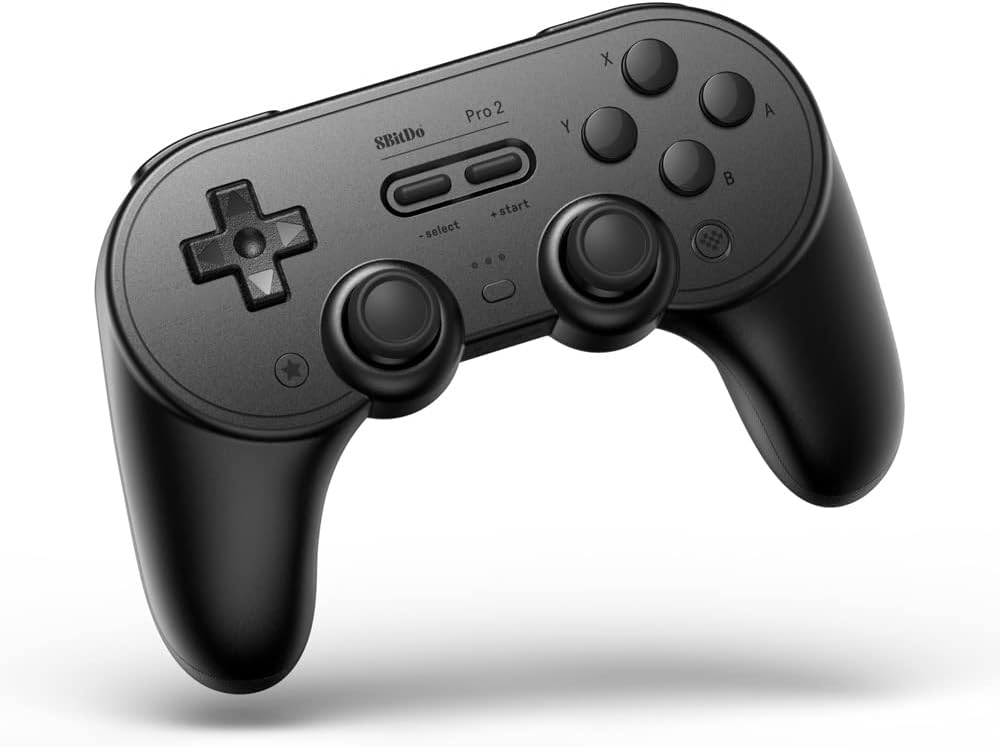
The 8BitDo Pro 2 stands out with its customizable profile switching and back buttons. Official support for Apple TV ensures reliable integration with the system.
We may earn a commission when you buy through this link, at no additional cost to you.
Users can switch between modes and enhance grip for long sessions. The ultimate software allows for deep customization of inputs on iOS devices.
Setup involves using the software to configure profiles which may take time. However, the resulting control flexibility is unmatched in the category.
Best for gamers who want deep customization. The 20-hour battery and back buttons make it a powerful tool for Apple TV gaming.
Switch between different control profiles easily to adapt to various game types.
Improved ergonomics for better comfort during extended gaming sessions.
We may earn a commission when you buy through this link, at no additional cost to you.
The basic Nimbus+ model offers reliable wireless performance for Apple TV. It maintains the essential features that make it compatible with Apple devices.
We may earn a commission when you buy through this link, at no additional cost to you.
Rechargeable battery and comfortable shape allow for uninterrupted gaming. It is designed for stable connections across supported platforms.
Lacks some of the advanced features of newer models but serves well for basic needs. The build quality remains consistent with the brand reputation.
Suitable for standard Apple TV gaming needs. It delivers steady performance without complex setup requirements.
Eliminates cables for a clean setup on your Apple TV gaming station.
Built-in battery supports extended sessions on a single charge.
We may earn a commission when you buy through this link, at no additional cost to you.
This controller features upgraded Hall Effect sensors for improved accuracy and reduced drift. It supports iOS and Apple TV via Bluetooth with a stable connection.
We may earn a commission when you buy through this link, at no additional cost to you.
The 2.4G wireless mode provides stable signal with less interference. A large 1000mAh battery ensures you can game for longer without interruptions.
Note that it is not compatible with Xbox systems which limits cross-platform use. However, for Apple TV it offers robust performance and customizable keys.
Great for accuracy-focused gamers. The Hall Effect sticks and battery life make it a strong contender for precision gameplay.
Provide precise and reliable input detection for smooth and accurate movement.
1000mAh battery provides extra-long playtime on a single charge.
We may earn a commission when you buy through this link, at no additional cost to you.
Designed primarily for Amazon Luna, this controller works seamlessly across devices including Apple TV. It features Cloud Direct technology for low-latency gameplay.
We may earn a commission when you buy through this link, at no additional cost to you.
The seamless screen switching allows pausing and resuming games across different devices easily. Its ergonomic layout includes offset thumbsticks and easy-access bumpers.
While optimized for Luna, it connects via Bluetooth to other devices. It is a reliable option if you use cloud gaming services on Apple TV.
Best for Luna subscribers or cloud gamers. Its design prioritizes comfort and connectivity for streaming-based play.
Connects directly to custom game servers for low-latency gameplay.
Switch between screens while maintaining your game progress.
We may earn a commission when you buy through this link, at no additional cost to you.
GMBACK offers loop macros for repeating tasks which can be useful for grinding. It includes a home wake up function for convenient device access.
We may earn a commission when you buy through this link, at no additional cost to you.
The 6-axis gyro sensor supports motion controls across multiple devices including Apple TV. An 800mAh battery provides 15 to 20 hours of gameplay.
Features like RGB lighting and vibration customization add to the experience. It is a versatile option for those needing macros on Apple TV.
Ideal for repetitive task gamers or budget seekers. The loop macro function makes it unique in the market.
Record and replay button sequences automatically to automate tasks.
Wake up your device directly from the controller for convenience.
We may earn a commission when you buy through this link, at no additional cost to you.
Selecting the right controller involves considering compatibility, features, and build quality to ensure a smooth gaming experience on Apple TV.
Ensure the controller is explicitly supported by Apple TV or has a verified Bluetooth profile for iOS devices. Official licenses guarantee seamless pairing.
Look for models that advertise tvOS support to avoid connection issues.
Long playtime reduces interruptions and charging frequency. Aim for controllers offering at least 15 hours per charge for extended sessions.
Check if the battery is rechargeable and how long it takes to reach full capacity.
A comfortable grip prevents fatigue during longer play sessions. Consider the shape and button layout to match your hand size.
Weight and texture also affect handling so try to see physical reviews if possible.
Back buttons or programmable inputs allow for advanced control schemes. This is useful for complex games requiring quick access to multiple commands.
Check if custom mapping requires additional software or works natively on Apple TV.
Gyro sensors enable motion-based aiming and navigation which enhance certain games. Verify if your chosen controller supports 6-axis motion on Apple TV.
Not all apps support motion so check specific game compatibility before relying on this feature.
Durable materials ensure longevity and resistance to wear. Look for reinforced sticks and reliable triggers to avoid drift or failure.
Read user feedback on durability to gauge long-term performance before buying.
Low latency is crucial for responsive gameplay especially in competitive titles. Controllers with optimized Bluetooth chips reduce input lag.
Avoid generic Bluetooth devices that may not prioritize low-latency transmission.
Compare features against cost to find the best balance for your needs. Sometimes a slightly pricier model offers better battery or build.
Check for bundles that include charging cables or stands which add value.
To pair with Apple TV, open Bluetooth settings on your Apple TV and put the controller in pairing mode by holding the sync button.
Keep the firmware updated using manufacturer software if supported to maintain compatibility with future tvOS updates.
Clean buttons and joysticks regularly with a dry cloth to prevent dust buildup and ensure smooth movement.
Not all Bluetooth controllers work seamlessly with Apple TV. You need controllers that are either officially licensed or known to support iOS and tvOS Bluetooth profiles for reliable pairing and full functionality.
Xbox Wireless Controllers work with Apple TV via Bluetooth but may lack native support for certain games. Check specific game compatibility before relying on them.
Battery life varies by model and usage intensity. Most modern controllers offer between 15 to 50 hours on a single charge depending on features like vibration and lighting.
Many games on Apple TV support motion controls via gyro sensors. However, not all apps utilize this feature so check game-specific details before purchasing.
Some controllers support passthrough charging allowing you to play while plugged in. Verify this feature in the product specifications before purchasing to ensure continuous play.
Bluetooth connects directly to your device while a dongle uses a dedicated receiver for potentially lower latency. Apple TV generally supports Bluetooth without needing extra hardware.
Some bundles include charging docks or stands. These keep your controller organized and ready to use while ensuring consistent charging without manual cable connection.
Firmware updates usually require the manufacturer's software app on a computer or mobile device. Ensure you have the latest updates to avoid compatibility issues with tvOS.
Our top picks include the 8Bitdo SN30 Pro for retro quality and the SteelSeries Nimbus+ for official Apple integration. These options cover different preferences and budgets.
Prioritize features like battery life and Bluetooth compatibility to ensure a smooth experience. Customization options add value for those seeking more control.
Prices and availability change frequently so check current listings before buying. This guide helps you find a reliable controller for long-term enjoyment on Apple TV.