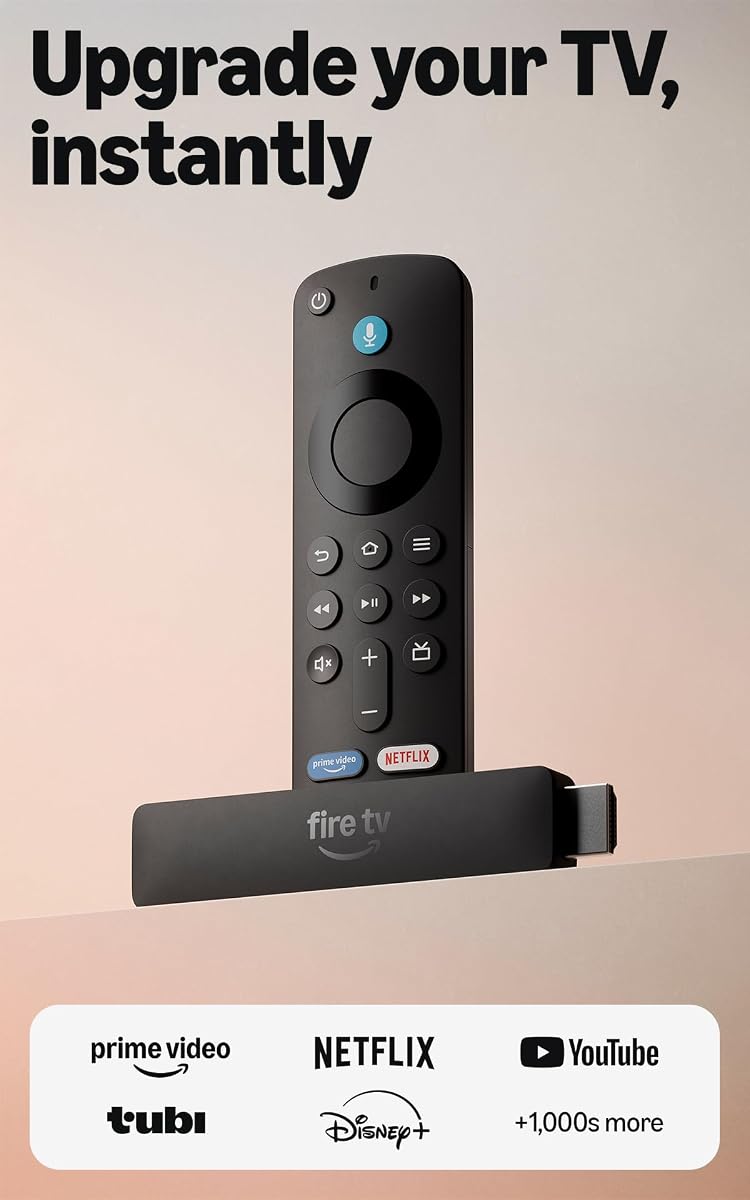
Amazon Fire TV Stick HD
4.1Editor score
Direct power via USB
Alexa voice remote included
Full HD streaming support
This guide compares the top ten HDMI Streaming Device options to help you find the perfect player for 4K entertainment and smart home integration.
Finding the right HDMI Streaming Device can transform your television into a powerful entertainment hub. Modern players support high resolution visuals and intuitive interfaces that make browsing content effortless. Whether you want casual viewing or advanced features like gaming and voice control, there is a device for your needs.
We evaluated ten leading models based on performance, compatibility, and user experience. Each product offers unique strengths in picture quality, app support, and ease of use. Our analysis focuses on real-world functionality to ensure you get the most value from your investment.
Every pick highlights key features and potential limitations so you can decide confidently. Prices fluctuate often so check current listings before purchasing. This comprehensive overview covers everything from budget sticks to premium boxes with ethernet support.
4.1Editor score

4.7Editor score

4.4Editor score
The following table provides a side-by-side view of all ten devices. It highlights critical specifications like resolution support, remote capabilities, and connectivity options to help you distinguish between similar models quickly.



The Roku Streaming Stick 4K earns our Editor's Choice for delivering exceptional value and performance. It streams stunning 4K content with Dolby Vision support, bringing rich detail and lifelike colors to your screen. Its compact design ensures it stays hidden behind your TV without blocking other ports, making it ideal for any living room setup.
We may earn a commission when you buy through this link, at no additional cost to you.
Performance is highlighted by a long-range Wi-Fi receiver that maintains stable connections even in rooms farther from your router. The interface is clean and easy to navigate, providing quick access to popular apps and free content. Voice control allows you to find shows fast without needing to type out every letter on a virtual keyboard.
While the device excels in picture quality and ease of use, it is limited to the Roku OS ecosystem. Users deeply invested in other platforms might prefer an alternative. However, the trade-off is acceptable given the reliability and vast library of channels available through the Roku store.
This stick is perfect for anyone seeking a straightforward way to upgrade their TV to 4K streaming. It balances cost and features effectively, making it a top recommendation for most households. Whether you travel or stay home, its portability and simplicity offer unmatched convenience.
Setting up takes only minutes with a guided process that connects to Wi-Fi instantly. The home screen organizes content neatly so you spend more time watching and less time searching.
You can take your TV to-go when traveling without needing to log into someone else device device. Just plug it into any hotel TV and access your own streaming accounts easily.
We may earn a commission when you buy through this link, at no additional cost to you.
The Amazon Fire TV Stick HD is our Best Budget pick for those wanting instant TV upgrades without breaking the bank. It delivers crisp Full HD streaming and features the newest Fire TV experience for faster navigation. The streamlined design jumps straight to your favorite content categories saving time during daily use.
We may earn a commission when you buy through this link, at no additional cost to you.
A standout feature is Direct Power which allows the stick to run off the TV's USB port eliminating the need for a wall adapter. This reduces clutter and simplifies setup significantly. The Alexa Voice Remote helps you control compatible devices and find shows quickly using natural voice commands.
Since it supports Full HD rather than 4K, it is best suited for TVs that do not require higher resolution. Some users might find the interface ad-supported which can be a minor downside. Still, for the price, the performance and smart features are hard to beat.
This device is ideal for secondary rooms or budget-conscious viewers who prioritize value over maximum resolution. It integrates seamlessly with Amazon services and smart home products. If you want easy access to free live TV and popular apps, this stick is a strong choice.
The newest update includes a modern design that gets you to entertainment fast with dedicated content categories. You can pin favorite apps to the home screen for quicker access every time.
Alexa checks the weather dims lights and manages Ring cameras directly from your remote. This turns your TV into a central hub for managing daily tasks effortlessly.
We may earn a commission when you buy through this link, at no additional cost to you.
The Roku Ultra stands out as the Best Premium HDMI Streaming Device with its lightning-fast interface and superior connectivity. It is thirty percent faster than other players ensuring apps launch in a snap. The cinematic streaming experience is enhanced by spectacular 4K visuals and immersive Dolby Atmos audio for a theater-like feel at home.
We may earn a commission when you buy through this link, at no additional cost to you.
Connectivity is robust with support for both Ethernet and Wi-Fi 6 making it ideal for homes with multiple devices. The rechargeable Voice Remote Pro features backlit buttons so you never lose your remote in the dark. Hands-free voice control adds convenience allowing you to command the device without lifting the remote.
While the price is higher than sticks, the added features justify the cost for power users. The lack of batteries needed for the remote saves money over time. However, if you do not need wired internet or high-end audio, a cheaper model might suffice.
This player is perfect for enthusiasts who demand the best performance and audio quality. It simplifies TV usage with a clear home screen and uncluttered controls. Enjoy a world of free entertainment and premium content with a device built to last.
The Voice Remote Pro allows hands-free commands and has buttons you can see in low light. A lost remote finder feature ensures you never struggle to locate it again.
Pair Bluetooth headphones directly to the player for private listening without waking the house. This is perfect for late night viewing when others are sleeping.
We may earn a commission when you buy through this link, at no additional cost to you.
The Roku Ultra LT delivers stunning sharp 4K pictures and rich detail for a premium viewing experience at a lower cost. It packs a ton of streaming power with channels like Disney+ and Netflix launching instantly. A strong steady Wi-Fi connection ensures high picture quality even in rooms farther from your router.
We may earn a commission when you buy through this link, at no additional cost to you.
Setup is simple and the included Roku Voice Remote lets you power up your TV and adjust volume with ease. The interface is designed to be uncluttered so you can focus on watching what you love. It offers excellent value for those who want 4K without the premium price tag.
While it lacks some features like the Ethernet port found on the Ultra, it meets most household needs. The dual-band wireless support maintains stability during peak streaming hours. Users appreciate the clarity and color pop that come with HDR and Dolby Vision support.
This device is recommended for anyone upgrading a standard TV to support modern high resolution content. It balances performance and affordability effectively. With automatic updates and a huge selection of channels, it remains a top choice for everyday entertainment.
Colors pop off your screen with lifelike clarity thanks to Dolby Vision technology. The resolution is four times that of HD for greater detail in every scene.
The home screen is easy to navigate and launches channels in a snap. You spend less time scrolling and more time enjoying your favorite shows.
We may earn a commission when you buy through this link, at no additional cost to you.
The Amazon Fire TV Stick 4K Plus elevates entertainment with next-generation streaming performance optimized for 4K TVs. It delivers vibrant visuals and immersive Dolby Atmos audio for a cinematic experience. Cloud gaming is possible without a console allowing you to play hundreds of games via Xbox Game Pass or Luna.
We may earn a commission when you buy through this link, at no additional cost to you.
Wi-Fi 6 support ensures smooth streaming even when other devices are connected to your router. The AI-powered search helps you find shows faster across apps. Alexa Voice Remote provides preset buttons for popular apps and controls TV power and volume with one device.
The interface includes personalized recommendations which may show ads that some users find distracting. However, the sheer volume of free and premium content available is a major plus. Streaming for free is possible via apps like Tubi and Pluto TV without subscriptions.
This stick is ideal for gamers and families wanting a mix of content and smart features. It supports major apps like Netflix and HBO Max seamlessly. For those wanting a powerful 4K option at a reasonable price, this is a solid selection.
The 4K Ultra HD support offers vibrant colors and sharp details. Streaming performance is optimized for the latest televisions for the best experience.
You can control compatible lights and cameras with your remote. Ask Alexa to check the weather or dim the lights directly from the TV.
We may earn a commission when you buy through this link, at no additional cost to you.
The Amazon Fire TV Stick 4K Select offers essential 4K streaming with High Dynamic Range 10+ support for brilliant visuals. It grants instant access to a world of content including tailor-made recommendations via Alexa. Setting up is easy with simple plug-in and Wi-Fi connectivity for smooth streaming.
We may earn a commission when you buy through this link, at no additional cost to you.
Alexa is at your fingertips for searching and launching shows across apps without typing. It supports cloud gaming so you can stream popular titles without a console. All your favorite apps are available in one place for endless entertainment and discovery.
The price is competitive for a 4K device making it accessible for many users. Some features are streamlined compared to higher-end models but it covers the basics well. The interface helps you find content quickly thanks to AI-powered search tools.
This device suits viewers who want 4K quality without overspending. It works well with major services and smart home systems. For a straightforward upgrade to 4K streaming, it is a reliable and capable choice.
The TV gives you instant access to content tailored to your preferences. This helps you discover new shows and movies you might not have found otherwise.
Alexa controls compatible smart home devices so you can dim lights or stream music. This integration simplifies daily interactions with your connected home.
We may earn a commission when you buy through this link, at no additional cost to you.
The Amazon Fire TV Stick 4K Max delivers the newest Fire TV experience with a powerful processor for lightning-fast app starts and fluid navigation. It supports Wi-Fi 6E for improved connectivity and includes 16GB of storage for more apps and games. The upgraded remote features a recents button and dedicated channel buttons for easy live TV surfing.
We may earn a commission when you buy through this link, at no additional cost to you.
You can enjoy the Fire TV Ambient Experience displaying over 2,000 pieces of museum-quality art when not watching content. This turns your screen into a digital canvas adding aesthetic value to your room. The cinematic experience includes Dolby Vision and HDR10+ support for immersive visuals.
While it is more expensive than the base models, the extra storage and faster processor justify the cost for heavy users. The interface is modern and gets you to entertainment quickly. It remains a top choice for those invested in the Amazon ecosystem.
This device is perfect for power users needing maximum speed and storage. It works seamlessly with Prime memberships for cloud gaming access. For those wanting the best Fire TV stick available, this model delivers exceptional performance and features.
Display over 2,000 pieces of museum-quality art and photography when not streaming. This adds a decorative touch to your living space effortlessly.
The processor ensures fluid gameplay and fast-rendering graphics. It also enables quick rendering and navigation across all installed applications.
We may earn a commission when you buy through this link, at no additional cost to you.
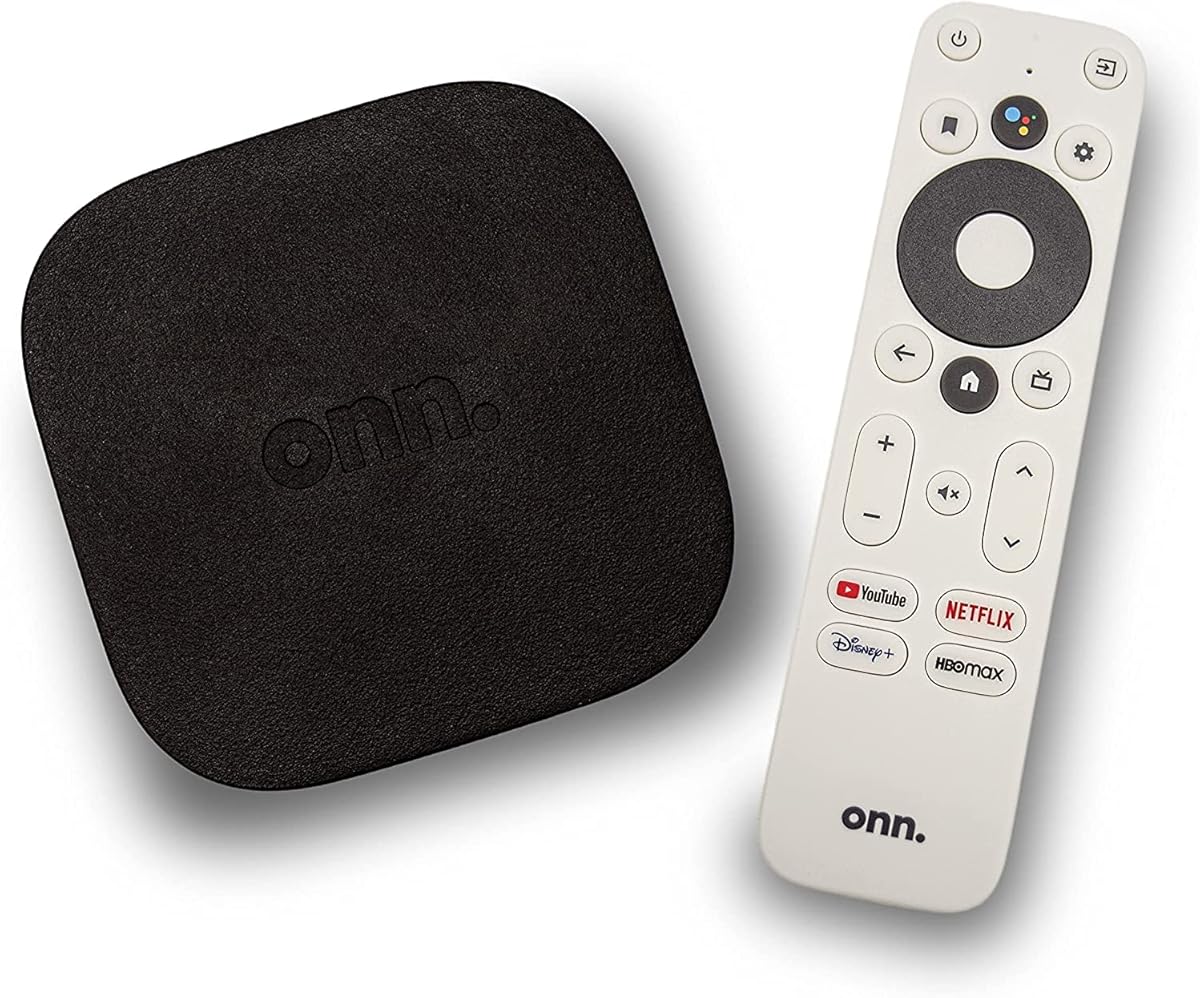
The ONN Android TV 4K UHD device offers stunning resolution with four times the detail of Full HD for greater clarity. It runs Android TV giving you access to the best content and applications through the Google Play Store. The voice remote control lets you use Google Assistant to find and play content easily.
We may earn a commission when you buy through this link, at no additional cost to you.
Chromecast Built-in makes casting movies and photos from your phone to the TV seamless. It provides crystal clear audio with enhanced dialogue for a more complete audio mix. A high speed HDMI cable is included so you can connect directly to your TV without worries.
Setup involves accessing your Google account and configuring language and Wi-Fi networks manually. This may take a few extra steps compared to other brands. However the flexibility of Android TV allows for a wide range of apps and customization options.
This device is ideal for fans of Android ecosystems wanting easy casting and app selection. It works with many TV brands including Samsung and Hisense. For a cost-effective 4K option with Google integration, it is a strong contender.
You have access to the best content and infinity of applications via Google Play Store. This expands your entertainment options significantly beyond standard channels.
Easily cast movies shows and photos from Android or iOS devices to your TV. This feature is great for sharing content directly from your phone.
We may earn a commission when you buy through this link, at no additional cost to you.
The Roku Ultra LT 2023 model ensures fast smooth TV streaming in any room with its best Wi-Fi capabilities. It features a quad-core processor for quick app launches and smooth navigation. Private listening is possible by plugging headphones directly into the remote or using wireless pairs for discretion.
We may earn a commission when you buy through this link, at no additional cost to you.
Video output supports HD and 4K UHD up to 3840 x 2160 resolution. HDR and Dolby Vision formats are supported for high contrast and vibrant color. You do not have to juggle remotes as power and volume control are integrated into the main unit.
The design is functional with ethernet available for stable connections. While it is a previous generation model it still delivers excellent performance. The inclusion of headphone options is a major plus for late night viewing.
This player suits those needing reliable wired and wireless connectivity options. It provides a seamless experience with minimal setup complexity. For a balance of performance and convenience, this device remains a trusted choice.
Enjoy fast smooth TV streaming in any room in the house with best Wi-Fi or Ethernet. This ensures stable connections even in remote areas of the home.
Plug headphones into the Roku remote with headphone jack or use a wireless pair. This allows you to enjoy content without disturbing others around you.
We may earn a commission when you buy through this link, at no additional cost to you.
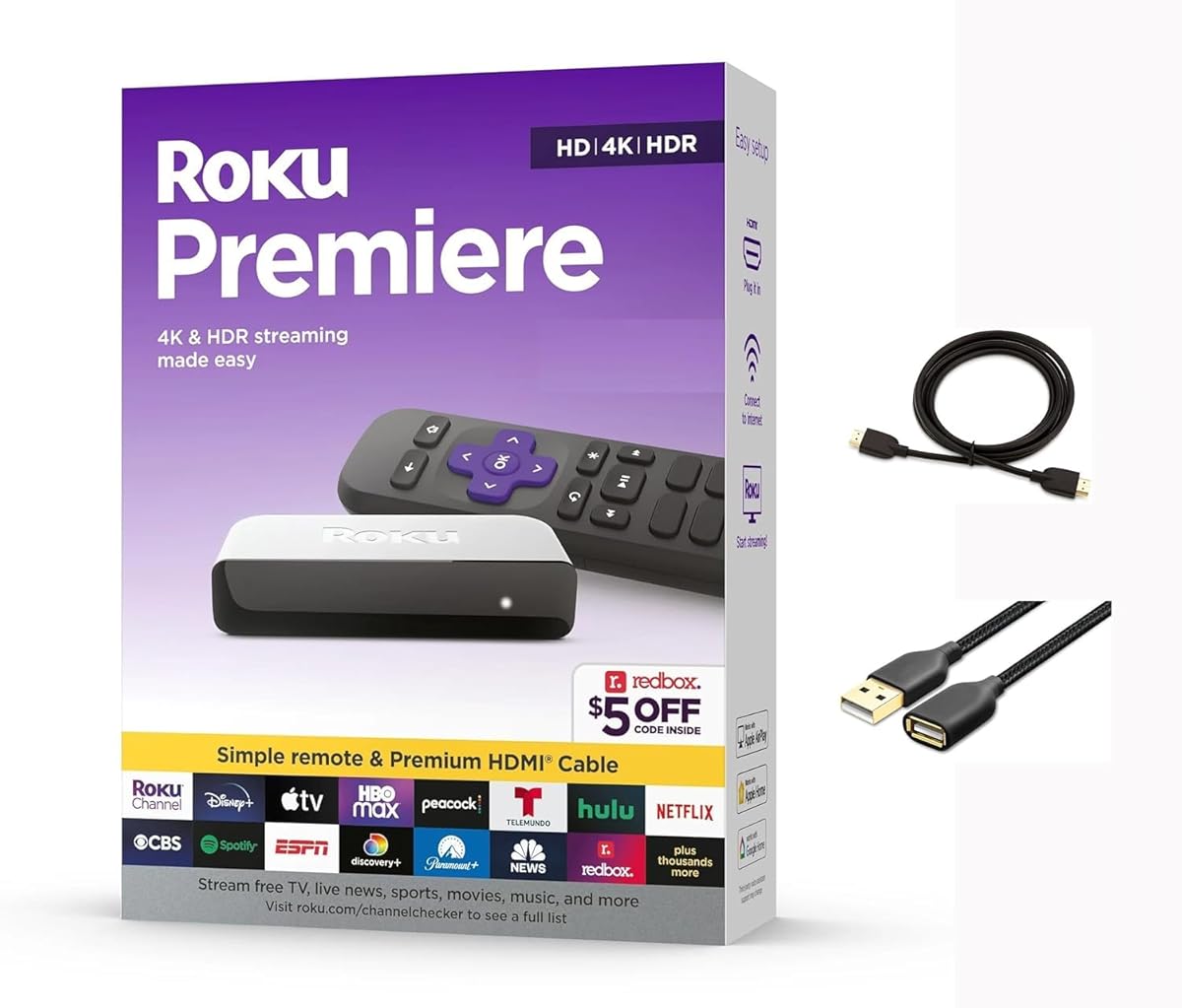
The Roku Premiere offers incredible picture quality optimized for your TV with sharp resolution and vivid color in 4K or HDR. It is compact and power-packed for easy streaming of favorites on HBO Max and Netflix. The included Premium High Speed HDMI Cable simplifies guided setup so you start watching quickly.
We may earn a commission when you buy through this link, at no additional cost to you.
The Simple Remote includes shortcut buttons to popular streaming channels for fast access. It works with popular voice assistants like Siri and Alexa for easy voice control. You can share videos and music effortlessly with Apple AirPlay from your devices.
Updates are automatic keeping the device up to date with new channels and features. The Roku mobile app serves as a second remote with voice search capabilities. While the remote is basic it covers all essential needs for everyday use.
This player is perfect for those who want simplicity without sacrificing performance. It supports a massive selection of free live and premium TV. For a reliable and effective streaming media player, the Premiere is an excellent option.
Whether you stream in 4K or HDR you enjoy picture quality optimized for your TV. Sharp resolution and vivid color enhance every scene you watch.
Enjoy easy voice control with Siri, Alexa, or Google Assistant. This makes finding content simpler than typing on a virtual keyboard.
We may earn a commission when you buy through this link, at no additional cost to you.
Selecting the right device requires understanding key features that affect performance and usability. This guide explains the most important factors to consider before making a purchase decision.
Resolution determines how sharp your content appears on screen. Look for 4K support and HDR formats like Dolby Vision for the best visual experience. Standard HD devices work well for older TVs but 4K ensures future-proofing.
Always match the device resolution to your TV capabilities for optimal viewing.
The operating system controls which apps are available and how easy they are to navigate. Roku offers a neutral platform while Fire TV integrates deeply with Amazon services. Choose an ecosystem that hosts your favorite apps and streaming services.
Check that the OS supports all major apps you use regularly before buying.
Wi-Fi and Ethernet connections impact streaming stability and speed. Devices with Wi-Fi 6 handle busy networks better. Ethernet ports provide the most reliable connection for gaming or high bitrate streaming.
Prioritize models with robust connectivity if you experience buffering or lag.
A good remote should include voice controls and shortcuts for common actions. Backlit buttons and rechargeable batteries improve convenience. Some remotes also act as universal remotes to control your TV power and volume.
Ensure the remote fits your needs and includes voice search capabilities.
High-quality audio formats like Dolby Atmos enhance the viewing experience. Most devices support basic audio but premium models add immersive sound options. Check if your sound system needs specific outputs to leverage these features.
Verify audio compatibility with your home theater system for best results.
Prices vary significantly between basic sticks and premium players. Budget models offer great value for secondary rooms while premium units suit living room setups. Determine how much you are willing to spend on extra features.
Balance cost against features to find the best value for your needs.
Voice assistants can manage smart home devices through the streaming interface. Integration with lights cameras and thermostats adds convenience. Ensure the device supports the voice assistant you already use in your home.
Look for devices with built-in assistants if you want centralized home control.
Storage space affects how many apps you can keep installed. Faster processors ensure smooth navigation and quick app launches. Higher-end models offer more storage and processing power for multitasking.
Consider storage needs if you plan to install many apps or games.
Start by plugging the device into an HDMI port and connecting the power supply. Follow the on-screen setup wizard to link to your Wi-Fi network and sign in to accounts. This initial configuration enables you to access apps and browse content immediately.
Keep the firmware updated to ensure security patches and new features are installed. Most devices update automatically but checking manually in settings can help. Updates often improve performance and fix bugs that may cause issues.
Clean the device with a dry cloth to remove dust from vents. Ensure the area around it has airflow to prevent overheating during extended use. Avoid using chemical cleaners directly on the electronics or ports.
No you do not need a subscription to use the hardware itself. However many apps require separate subscriptions to view premium content. Free apps are available without recurring fees.
Most modern TVs have an HDMI port which is required for these devices. Older TVs without HDMI will need an adapter. Check your TV's ports before purchasing a new device.
4K devices offer four times the resolution of HD for sharper images. They also support HDR formats for better color and contrast. HD devices work well but lack this enhanced detail.
Models like the Fire TV Stick 4K Plus support cloud gaming via apps. You do not need a console for these titles. Check specific game compatibility before trying to play games.
Buffering often happens due to slow internet or weak Wi-Fi. Try moving your router closer or using Ethernet if available. Restarting the device can also clear temporary network issues.
Streaming devices generally do not have built-in recording capabilities. You may use cloud DVR services from your cable provider instead. Check specific app features for any limited save options.
We have reviewed ten excellent HDMI Streaming Device options ranging from budget sticks to premium players. Each offers unique advantages depending on your budget and desired features.
Prioritize picture quality and connectivity options to ensure a smooth viewing experience. Matching the device to your TV capabilities is key for satisfaction.
Remember to check current listings before purchasing as prices and availability change often.