
Moread 4K DisplayPort to HDMI Adapter
4.6Editor score
Affordable price point
Passive DP to HDMI conversion
Gold plated connectors
This guide compares the top ten HDMI to Displayport converters for 2026 to help you find the best adapter for your specific display and gaming setup needs.
Connecting modern devices to displays often requires adapting between different video standards. An HDMI to Displayport converter bridges this gap, enabling seamless connectivity for laptops, consoles, and PCs to modern monitors or projectors.
We evaluated ten leading adapters based on resolution support, build quality, and compatibility. Our analysis ensures you find a reliable solution that meets your specific audiovisual requirements without signal loss.
Each pick highlights key features and real-world performance metrics. Note that availability and pricing may vary over time, so always verify current listings before finalizing your purchase decision for your setup.
4.6Editor score

4.4Editor score

4.3Editor score
The following table provides a side-by-side comparison of the top ten converters available in the market. Each entry highlights essential specifications to help you quickly identify the best fit for your hardware configuration.



The Cable Matters HDMI to DisplayPort Adapter stands out as a reliable active converter for extending displays. It holds a strong rating among users who need stable connections between HDMI sources and DisplayPort monitors.
We may earn a commission when you buy through this link, at no additional cost to you.
This adapter excels in supporting resolutions up to 4K at 30Hz and 1440p at 60Hz. Its active chip ensures signal conversion works where passive adapters fail, making it ideal for workstations.
Users note that it requires a USB power cable for stable performance with low-power sources. While this adds a cable to manage, the reliability it provides is worth the extra step for most setups.
If you need to connect a laptop or console to a modern DisplayPort monitor, this is the top recommendation. It balances performance and durability effectively for professional and home use.
The active chip converts HDMI signals to DisplayPort formats efficiently, ensuring consistent performance without signal degradation over time.
Including a USB power cable ensures that even low-power HDMI sources can drive high-resolution displays without flickering or disconnects.
We may earn a commission when you buy through this link, at no additional cost to you.
The Highwings adapter is a top choice for those needing to connect DisplayPort computers to HDMI displays. It offers solid performance with 4K support and maintains a high user rating for reliability.
We may earn a commission when you buy through this link, at no additional cost to you.
Its passive design works well with devices that support DisplayPort Alternate Mode. The gold-plated ports and nylon braiding ensure the adapter lasts through frequent plugging and unplugging sessions.
Note that this adapter does not support HDMI to DisplayPort conversion, which limits its flexibility. However, for one-way connections, it delivers crisp visuals and synced audio effectively.
Ideal for users with Dell or HP desktops connecting to HDTVs, this adapter provides a budget-friendly yet durable solution. It meets the needs of most standard office and home entertainment setups.
Military-grade tensile nylon and gold-plated ports protect the adapter from physical wear and signal corrosion over extended use periods.
Ensures synchronized high-definition audio and video for an immersive streaming or gaming experience without audio lag issues.
We may earn a commission when you buy through this link, at no additional cost to you.
The BENFEI DisplayPort to HDMI adapter is designed for portability and ease of use. It connects devices with DisplayPort to HDMI monitors, ideal for presentations or extending desktops in small spaces.
We may earn a commission when you buy through this link, at no additional cost to you.
Its compact design allows it to fit easily in a pocket or bag. The latches provide a secure connection that prevents accidental disconnection during critical presentations or viewing sessions.
Users appreciate the 18-month warranty which offers peace of mind for the purchase. While it does not support bidirectional conversion, it performs reliably for its specific direction of signal flow.
Best for business travelers or students needing a lightweight solution, this adapter ensures stable signal transmission. It balances cost, size, and performance effectively for everyday connectivity needs.
DisplayPort connector with latches provides a secure connection to prevent accidental disconnection during use.
Lightweight design allows users to tuck the gadget into a pocket for presentations or traveling with ease.
We may earn a commission when you buy through this link, at no additional cost to you.
This adapter offers impressive refresh rate support including 4K at 60Hz and 2K at 144Hz. It is an active converter designed to connect HDMI sources to DisplayPort displays smoothly and efficiently.
We may earn a commission when you buy through this link, at no additional cost to you.
Gaming consoles and PCs benefit greatly from its high refresh capabilities. The included USB power cable ensures stable signal transmission even at higher resolutions without flickering or dropouts.
Users highlight its universal compatibility with devices like PS5 and Xbox. However, it is not recommended for use with VR headsets or docking stations which may have different power requirements.
Ideal for gamers and power users, this adapter delivers lag-free viewing experiences. It provides a cost-effective way to utilize high-performance monitors without replacing your existing hardware setup.
Supports 4K at 60Hz and 1440p at 144Hz making it suitable for high-performance gaming and smooth video playback.
Works with a wide range of HDMI enabled video sources including gaming consoles and modern laptops.
We may earn a commission when you buy through this link, at no additional cost to you.
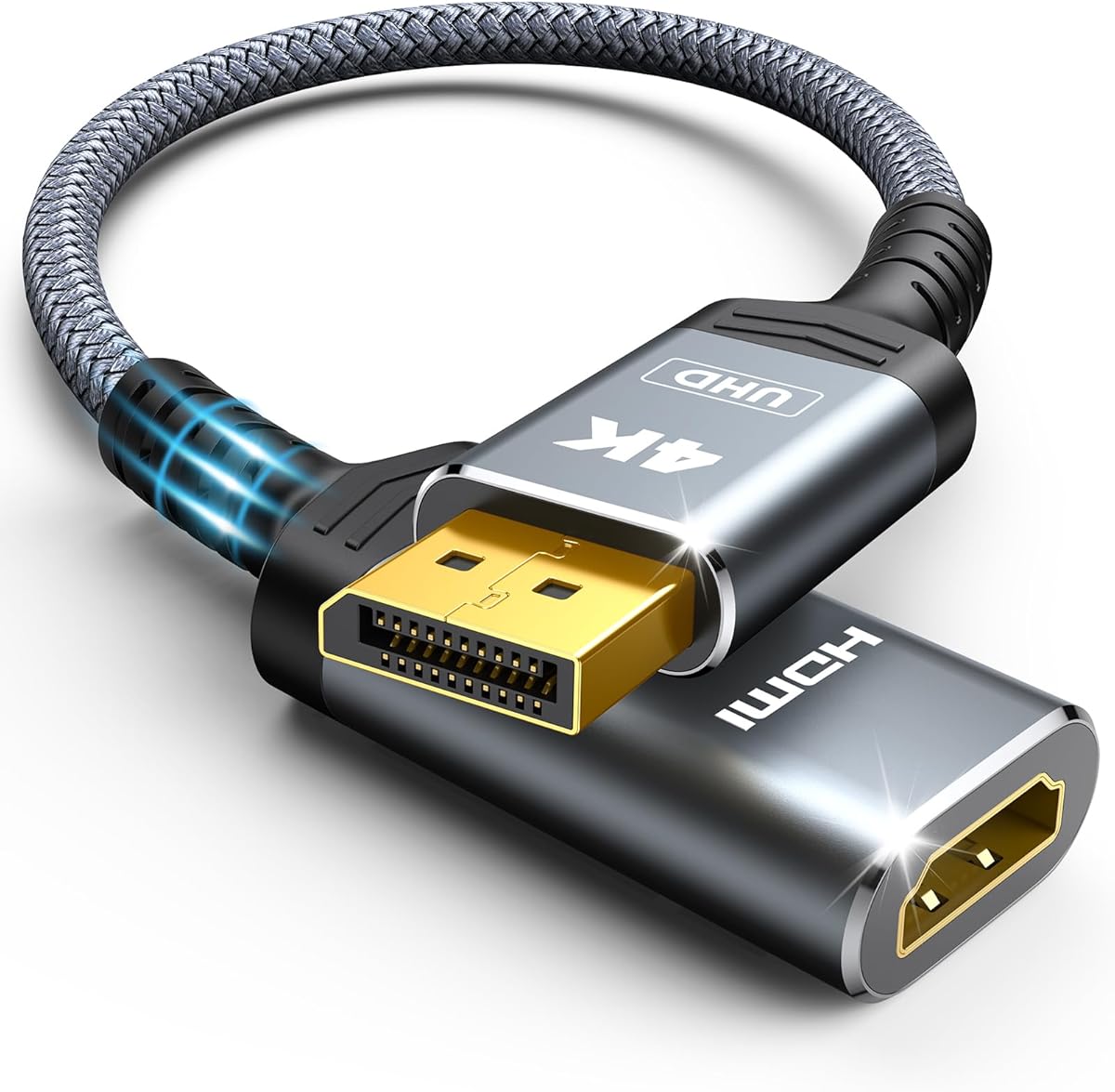
Moread provides a budget-friendly adapter that delivers reliable performance for standard resolutions. With a five-year warranty, it stands out as a durable and cost-effective choice for consumers.
We may earn a commission when you buy through this link, at no additional cost to you.
The passive design works well with DP equipped computers supporting Alternate Mode. It supports 4K at 30Hz which is sufficient for most streaming and office tasks without needing extra power.
Users appreciate the gold-plated connectors that resist corrosion and improve signal transmission. The compact form factor makes it easy to carry in a laptop bag for business travel or presentations.
This is a top pick for those prioritizing value and longevity. It offers a solid balance of features for everyday connectivity needs without the complexity of active converters or extra cables.
Exclusive unconditional 5-year warranty ensures long-time satisfaction and provides confidence in product durability.
Gold plated connectors resist corrosion and abrasion to improve signal transmission performance over time.
We may earn a commission when you buy through this link, at no additional cost to you.
This adapter features a slim one-piece aluminum housing designed for durability and efficient heat dissipation. It supports 4K at 60Hz ensuring smooth playback for modern content and gaming setups.
We may earn a commission when you buy through this link, at no additional cost to you.
The aluminum housing protects internal components from corrosion and heat stress. This makes it ideal for environments where the adapter might get warm during extended use sessions.
It complies with HDCP 2.2 standards which allows for streaming protected content without issues. However, users should note that it does not support 1440p at 144Hz refresh rates.
Recommended for users who want a premium feel at a reasonable price. It provides a reliable connection that maintains signal integrity for high-resolution displays without complex setup requirements.
Slim and lightweight one-piece aluminum housing is corrosion resistant for optimal heat dissipation during use.
Complies with HDCP 2.2 standard to ensure seamless streaming of protected content to your display.
We may earn a commission when you buy through this link, at no additional cost to you.
UGREEN offers a two-pack of passive adapters providing excellent value for users needing multiple connections. Each adapter allows you to connect a DP device to an HDMI monitor easily.
We may earn a commission when you buy through this link, at no additional cost to you.
Buying two adapters in one pack is cost-effective for offices or homes with multiple stations. The aluminum case improves heat dissipation and ensures safety during extended use periods.
These adapters are not compatible with HDMI source devices like Xbox or PlayStation. They work best with computers and laptops that support DisplayPort Alternate Mode for output.
Ideal for setting up dual monitors or multiple workstations. The slim design does not block other ports on your device ensuring clean and organized desktop setups without clutter.
2 adapters provide new HDMI ports for multiple screens ensuring you can extend or mirror displays easily.
Aluminum case improves heat dissipation ensuring safety during long operation times.
We may earn a commission when you buy through this link, at no additional cost to you.
This adapter features a compact 0.66FT cable that reduces clutter on desks. It connects DP devices to HDMI displays with high-quality signal transmission and reliable performance.
We may earn a commission when you buy through this link, at no additional cost to you.
The braided sheath adds durability and flexibility making it resistant to tangling or breaking. The aluminum housing ensures heat dissipation and protects internal components from physical damage.
Users praise its high rating and ability to support 4K at 30Hz effectively. While short length limits placement distance, it is ideal for connecting devices that are in close proximity.
Perfect for laptop users who want a tidy setup. It solves the limitation of single HDMI ports without taking up space and maintains compatibility with a wide range of DP enabled devices.
Slim and lightweight aluminum housing with 0.66FT length ensures stable connection without blocking other ports.
Braided sheath ensures flexibility while minimizing EMI for stable signal transmission.
We may earn a commission when you buy through this link, at no additional cost to you.
This BENFEI adapter converts HDMI signals to DisplayPort output with support for high refresh rates up to 165Hz. It delivers crisp visuals and high-quality audio for immersive experiences.
We may earn a commission when you buy through this link, at no additional cost to you.
The braided nylon cable ensures durability while the aluminum alloy casing improves heat insulation. These premium materials make it reliable for demanding setups like gaming or video editing.
Users appreciate the support for 4K at 60Hz which is ideal for modern monitors. However it requires external power for stable performance at higher resolutions to avoid flickering or instability.
Recommended for professionals and gamers who need high bandwidth transmission. It offers a premium build quality that justifies the cost for those requiring stable and high-performance connections.
Output resolution up to 4K at 60Hz including 1080p at 165Hz supporting high refresh rate gaming.
Braided nylon cable for extra durability and premium aluminum alloy casing for better heat insulation.
We may earn a commission when you buy through this link, at no additional cost to you.
This BENFEI adapter is designed for portability and ease of use in various setups. It converts HDMI signals to DisplayPort supporting 4K at 60Hz for high-quality display output.
We may earn a commission when you buy through this link, at no additional cost to you.
Its compact design allows you to tuck it into a bag for business presentations. The built-in IC chip ensures superior stability by converting TMDS signals to digital DisplayPort signals efficiently.
Users note that it requires a DisplayPort cable which is sold separately. While this adds to the setup cost it ensures you have the necessary connections for a complete display solution.
Best for users needing a reliable adapter that supports high refresh rates. It offers a balance of performance and portability making it a versatile choice for laptops and consoles.
Compact design allows you to tuck the lightweight gadget into your bag or pocket for presentations.
Built-in advanced IC chip converts HDMI TMDS signal to DisplayPort digital signal for stability.
We may earn a commission when you buy through this link, at no additional cost to you.
Choosing the right converter depends on your source and destination ports as well as performance needs. Below are key factors to consider before making your purchase.
Determine whether you need to convert HDMI to DisplayPort or DisplayPort to HDMI. Most adapters are uni-directional and cannot be used backwards.
Always verify that the adapter supports the signal flow from your source device to your display to avoid purchasing an incompatible unit.
Active adapters include a chip to convert signals and often require external power for high resolutions. Passive adapters rely on device support and usually work for lower resolutions.
Choose active converters for HDMI to DisplayPort connections or high refresh rates to ensure signal integrity and stability.
Check the maximum resolution and refresh rate the adapter supports. Higher refresh rates are crucial for gaming while high resolutions matter for media consumption.
Ensure the adapter supports your display's native settings to avoid screen flickering or black screen issues during use.
Many adapters transmit audio alongside video but verify compatibility with your audio setup. Some models support surround sound while others may not.
Confirm that the adapter supports the audio format required for your speakers or sound system to enjoy full multimedia experiences.
Look for adapters with gold-plated connectors and robust housings to prevent corrosion and signal loss over time. Braided cables offer added flexibility.
A durable build extends the lifespan of the adapter reducing the need for frequent replacements and ensuring consistent performance.
Some active adapters require a USB power cable to function correctly especially at higher resolutions. Others can draw power directly from the source.
Ensure your setup has a free USB port if external power is needed to avoid connectivity issues or unstable signal transmission.
Check the manufacturer warranty and customer service availability before buying. Longer warranties indicate confidence in product quality and reliability.
Selecting a brand with good support ensures you can resolve issues quickly if the adapter fails to work as expected with your devices.
Begin by identifying the video ports on your source device and display to ensure compatibility. Connect the adapter to the source port first then attach the appropriate cable to the display.
If using an active converter that requires external power connect the USB cable to a power source before turning on your devices. This ensures stable signal transmission and prevents flickering.
Store the adapter in a dry place away from extreme heat to maintain its longevity. Regularly inspect the connectors for dust or debris and clean gently with a soft dry cloth.
It depends on the direction of conversion. Active HDMI to DisplayPort adapters work with consoles like PS5 and Xbox. DisplayPort to HDMI adapters will not work with consoles as they do not support that signal flow.
Yes if you choose a model specifically supporting 4K at 60Hz. Ensure your source device and display also support this resolution and refresh rate. Otherwise you may be limited to lower refresh rates.
No most converters are plug and play and do not require drivers. However your operating system may need to detect the display automatically. Restarting your computer often helps if the screen is not detected.
Flickering often indicates insufficient power or mismatched resolution settings. Try connecting the external USB power if available and verify your display settings match the adapter capabilities.
Most adapters work with Macs but you need to ensure the Mac supports the specific video output mode. Check your Mac model specs to confirm it supports the resolution and refresh rate you need.
DisplayPort often supports higher bandwidths than HDMI making it ideal for high refresh rates and multi-monitor setups. HDMI is more common on consumer electronics like TVs and gaming consoles.
Yes most adapters transmit audio alongside video. However check the specs to confirm support for your audio channels. Some models may not support surround sound or specific audio formats.
Most adapters are not compatible with VR headsets. VR devices usually require specific display connections and power that standard adapters cannot provide reliably. Always check compatibility before purchase.
We reviewed ten top converters offering options for various needs from budget passive adapters to premium active units. The Cable Matters and BENFEI models stand out for reliability and feature sets.
Prioritize directional compatibility and resolution support to ensure the adapter meets your technical requirements. Active converters are generally better for HDMI to DisplayPort setups to avoid signal issues.
Check current availability and verify specs before purchasing as technology requirements evolve. Selecting the right adapter ensures a seamless connection for your next display setup.