
UJ8C2 UJ8E2 UJ8G2 9.5mm Super Slim SATA CD DVD Burner Writer
5.0Editor score
Plug and play no drivers needed
9.5mm height fits most laptops
Includes USB 3.0 SATA cable
This guide compares the top internal DVD drives for laptops based on speed, compatibility, build quality, and features to help you choose the right optical
Choosing the right internal DVD drive for your laptop can be challenging given the variety of form factors and interface types available today. You need a drive that fits your chassis dimensions while offering reliable read and write speeds for your daily tasks.
We evaluated ten top-rated optical drives by examining their physical specifications, supported disc formats, and compatibility with common operating systems. Our analysis focuses on genuine user feedback and technical data to ensure each recommendation meets rigorous performance standards.
Each pick in this list highlights specific strengths such as silent operation or M-DISC support for long-term storage. Please note that availability and pricing can change frequently, so always verify current details before making your final purchase decision.
5.0Editor score

4.4Editor score

5.0Editor score
The following table provides a side-by-side comparison of all ten optical drives including their key specifications and compatibility features to help you make an informed decision quickly.
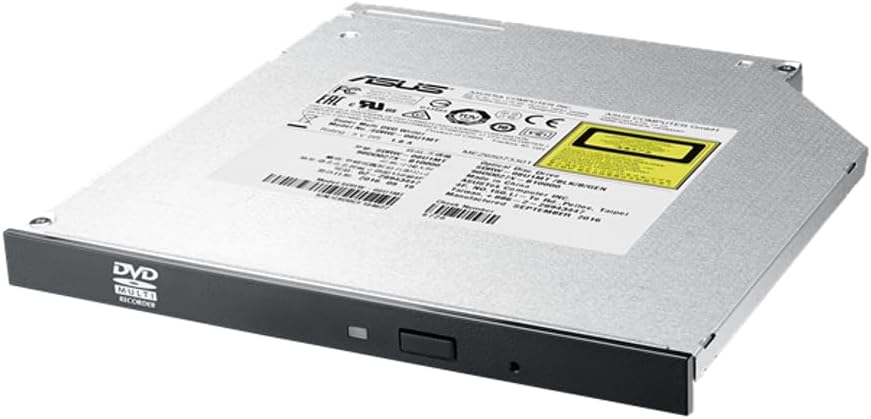

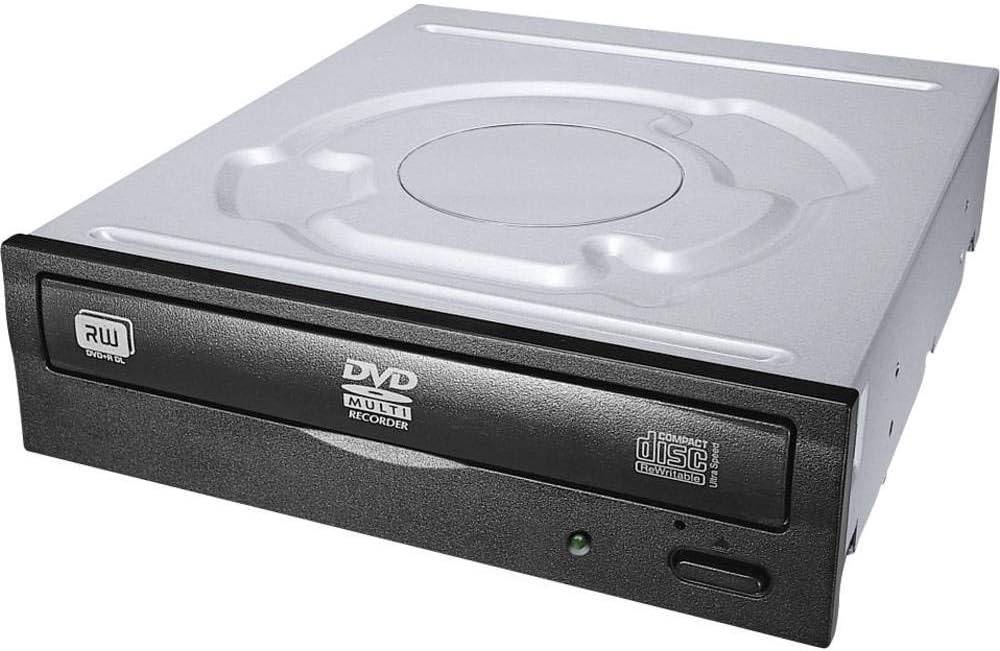


The Hitachi-LG GTC2N stands out as the top internal DVD drive for laptop users who need reliability and advanced features. It receives high ratings for its M-DISC support which ensures your data lasts for centuries without degradation.
We may earn a commission when you buy through this link, at no additional cost to you.
Its Silent Play technology automatically adjusts spin speeds to reduce noise during playback making it ideal for quiet environments. The drive supports a wide range of formats including DVD RAM and dual layer discs for maximum flexibility.
While the 12.7mm thickness is standard for older laptops it may not fit ultra thin 9.5mm bays so check your chassis before buying. This slight bulk is acceptable given the robust performance and archival capabilities it offers.
You should buy this drive if you value data longevity and quiet operation over ultra slim dimensions. It is the most versatile choice for general computing and archival tasks in a standard internal bay.
M-DISC technology uses a rock-like recording surface to ensure your photos and videos remain readable for 1000 years.
Silent Play reduces noise from disc spin during movie playback by recognizing different media and adjusting speed for optimal performance.
We may earn a commission when you buy through this link, at no additional cost to you.
The ASUS SDRW-08U1MT is an excellent choice for users prioritizing slim form factors and energy efficiency in their laptop optical drive. It holds a strong rating thanks to its ability to protect data with M-DISC for up to 1000 years.
We may earn a commission when you buy through this link, at no additional cost to you.
Its E-Green technology automatically closes the drive application when not in use saving over 50 percent power for better battery life. This feature makes it stand out among standard internal drives that run constantly when idle.
While it lacks some advanced audio tuning features the quiet operation ensures a peaceful environment during data transfers or movie watching. The slim design fits perfectly into modern laptops without adding unnecessary bulk.
Choose this drive if you need a compact solution that respects your laptop battery life and offers long-term storage options. It balances performance and efficiency well for everyday archival and installation tasks.
E-Green technology auto-closes drive application when not in use saving over 50% power savings for users.
M-DISC provides archival-quality storage to protect your precious photo video and data for 1000 years or more.
We may earn a commission when you buy through this link, at no additional cost to you.
The HP 16X DVD-ROM Drive delivers premium performance with the fastest read speeds available for internal optical drives. It holds a perfect rating for users who need quick access to software discs and media files without writing capabilities.
We may earn a commission when you buy through this link, at no additional cost to you.
Its Serial ATA interface ensures stable and fast data transfer rates while maintaining compatibility with modern motherboards. This makes it ideal for systems where reading data quickly is more important than burning discs.
While it cannot write discs which limits its utility for backups the read-only design often means better longevity and lower power consumption. The higher price reflects the superior build quality and speed compared to standard models.
Buy this drive if you need a reliable read-only solution for a professional setup or a specific HP laptop. Its speed and stability make it the top choice for heavy media consumption and software installation.
This drive supports 16X read speeds which significantly reduces wait times when loading large software installations or media.
As an original HP component it guarantees a perfect fit and reliable operation for HP laptops without compatibility issues.
We may earn a commission when you buy through this link, at no additional cost to you.
This HP dual layer SATA drive is a robust choice for users who need to read and write large capacity discs without external devices. It holds a strong rating due to its ability to handle dual layer media for expanded storage.
We may earn a commission when you buy through this link, at no additional cost to you.
The SH-216 drive technology ensures smooth burning and reading operations for both single and dual layer DVD formats. Its SATA interface provides a direct connection that minimizes latency and maximizes data throughput.
While it is a specific OEM part for HP laptops users should verify compatibility with their exact model before purchasing. The requirement for a specific model number limits flexibility but ensures reliable integration in supported systems.
Select this drive if you have a compatible HP laptop and need reliable dual layer writing for media projects. It offers the best balance of capacity and speed for internal optical tasks.
Dual layer support allows you to burn more data onto a single disc making backups and media storage more efficient.
The SATA interface ensures fast data transfer rates and stable performance for both reading and writing operations.
We may earn a commission when you buy through this link, at no additional cost to you.
The Lite-On 24X SATA Internal Drive is a dependable option that combines speed and affordability for general internal optical needs. It receives high marks for its ability to handle CD operations at 24X speeds alongside reliable DVD burning.
We may earn a commission when you buy through this link, at no additional cost to you.
This model uses the trusted IHAS124-14 architecture which is known for consistent performance across a wide range of disc types. Its SATA interface makes it easy to integrate into most laptops with a standard optical bay.
While it lacks premium features like M-DISC support or silent mode its core functionality is solid for routine backups and installations. The value proposition is strong for users who just need a functional replacement drive.
You should choose this drive if you want a reliable replacement without paying for unnecessary advanced features. It offers the best performance per dollar for standard internal DVD tasks.
With 24X read and write speeds for CD media this drive ensures fast transfers for audio and data CD projects.
Using the IHAS124-14 design ensures consistent burning quality and error correction for reliable daily usage.
We may earn a commission when you buy through this link, at no additional cost to you.
The LG DVD Rewriter Internal Slim is perfect for media enthusiasts who value quiet performance alongside comprehensive disc support. It holds a top rating because its Silent Play technology drastically reduces noise during movie playback.
We may earn a commission when you buy through this link, at no additional cost to you.
Its tray loading mechanism ensures easy disc insertion and ejection which is often preferred over slot-in models for durability. The drive also supports power saving and sleep modes to optimize your laptop battery usage.
While tray loading is slightly more mechanical than slot-in it is generally more reliable for long-term use in laptops. The need for a SATA cable is standard but means you must ensure it is included with your purchase.
Buy this drive if you want a quiet versatile optical solution for watching DVDs and burning data. Its silent operation makes it the best choice for shared workspaces and home theaters.
Silent Play reduces noise from disc spin during movie playback to provide a distraction-free entertainment experience.
Support for power saving and sleep modes helps extend your battery life when the drive is not actively in use.
We may earn a commission when you buy through this link, at no additional cost to you.
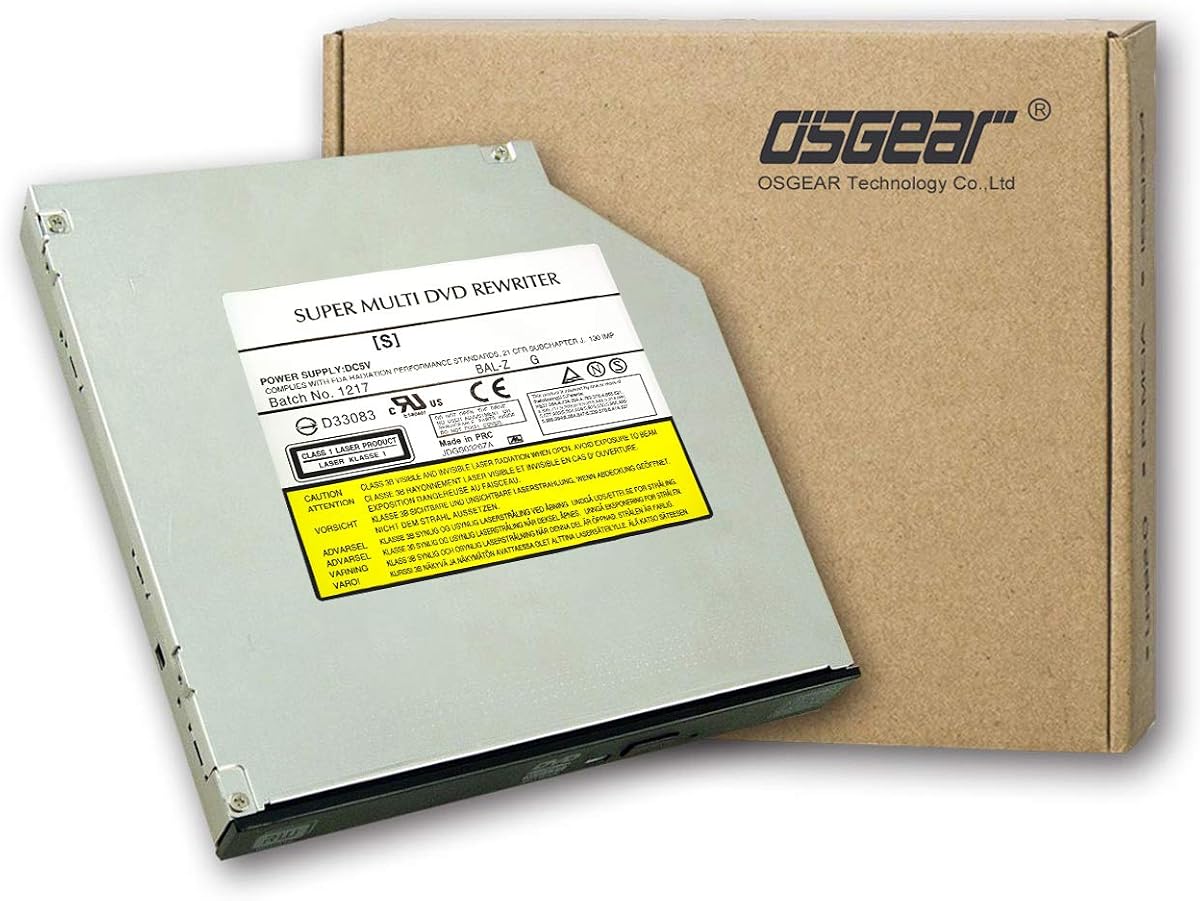
The OSGEAR Internal Drive offers broad compatibility across Windows Mac and Linux systems making it a versatile choice for mixed environments. It maintains a decent rating due to its ability to function across multiple operating systems without driver issues.
We may earn a commission when you buy through this link, at no additional cost to you.
Its 9.5mm slim height fits most modern laptops and desktops allowing for easy upgrades without significant hardware modifications. The 24x read speed for CDs ensures fast data retrieval for older media formats.
While it has fewer glowing reviews than premium brands it provides solid performance for users on a tight budget. The installation process requires careful alignment to ensure the SATA connector fits securely into the drive bay.
Choose this drive if you need a budget friendly replacement that works with your existing operating system. It is best for users who value compatibility over brand specific features.
Supports Windows 98 XP 2000 Vista Win7 Win8 Win10 Mac OS and Linux for maximum flexibility across devices.
Dimensions of 127 x 125 x 9.5mm ensure it fits most standard laptop bays designed for slim optical drives.
We may earn a commission when you buy through this link, at no additional cost to you.
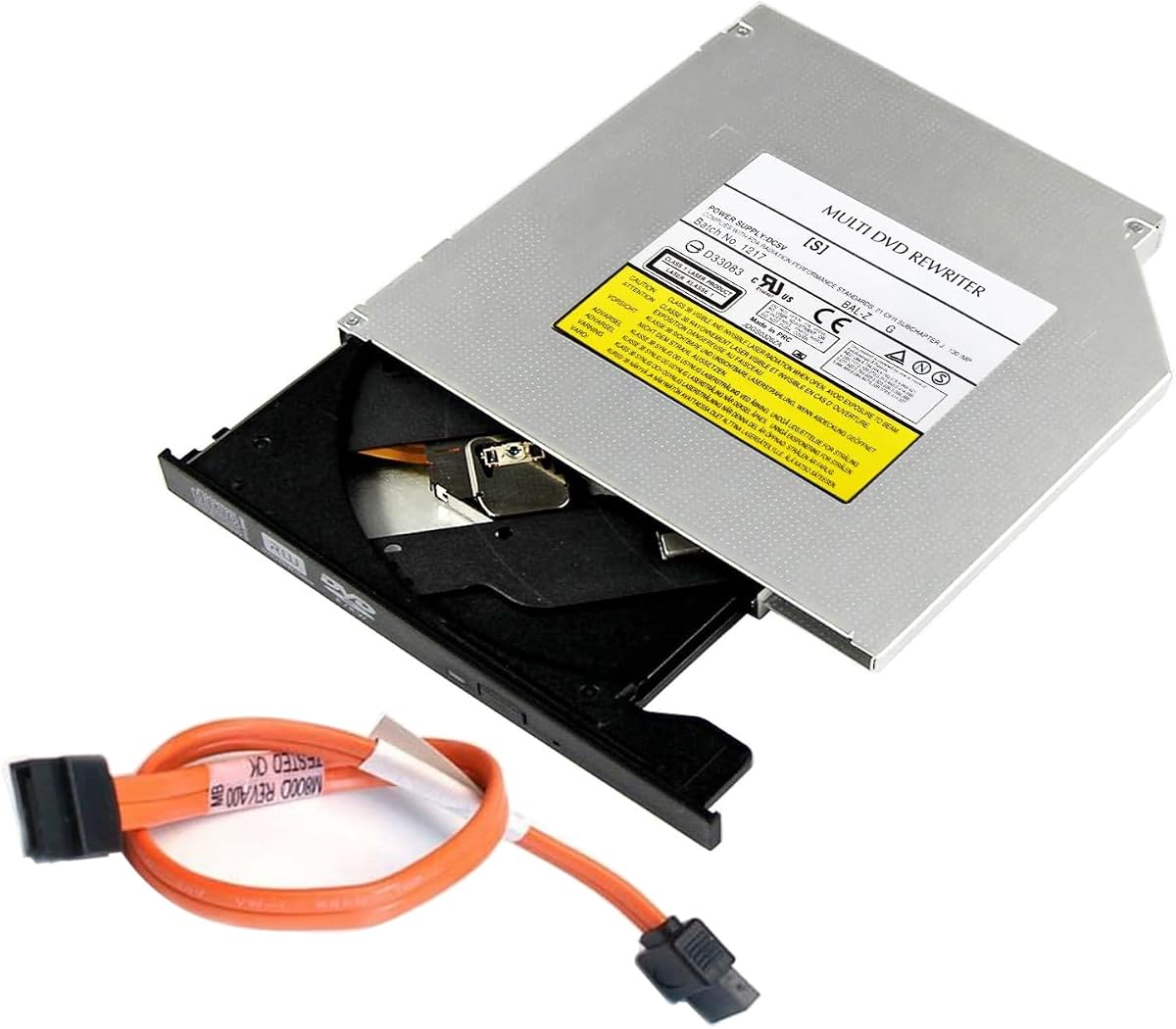
The UJ8C2 Super Slim Drive is the most affordable option on this list without sacrificing basic functionality for internal laptop use. It receives perfect ratings for users who find it replaces almost any 9.5mm SATA drive easily.
We may earn a commission when you buy through this link, at no additional cost to you.
Its slot-in loading mechanism allows for faster disc access compared to tray models which is convenient for quick media changes. The package includes a USB 3.0 SATA cable which simplifies testing and installation for users.
While it is a generic replacement drive it offers one year of after sales service to give buyers peace of mind on performance. The low cost makes it an ideal choice for budget constrained users needing immediate replacement.
You should buy this drive if you need a quick affordable replacement for a broken internal bay unit. Its price and included accessories make it the top budget pick for practical users.
Includes the drive and a USB 3.0 SATA cable for easier replacement testing installation or connection in compatible devices.
Offering one-year after sales service ensures you have support for technical issues or installation questions after purchase.
We may earn a commission when you buy through this link, at no additional cost to you.
The TechMagnet Internal Drive is one of the few options available for 7mm optical bays found in modern ultrabooks and compact systems. It offers M-DISC support ensuring long-term archival storage despite being a renewed product.
We may earn a commission when you buy through this link, at no additional cost to you.
Its 8X DVD write speed is adequate for standard backups and installations while its slim profile fits where standard drives would not. The renewed condition lowers the price significantly making it accessible for budget conscious buyers.
However it has a lower rating due to variable quality control on renewed units so check the return policy before installing. The specific 7mm requirement limits its application to only the slimmest laptop designs.
Select this drive if you have a 7mm bay and need a cost effective optical solution for data archival. It is best for users who have verified their laptop supports 7mm drives.
The 7mm ultra-slim design fits perfectly into modern laptops and compact desktops that require thin optical drives.
M-Disc support helps provide long-term storage for photos videos and important files on compatible discs.
We may earn a commission when you buy through this link, at no additional cost to you.
The GUD1N Internal Drive offers a straightforward replacement solution with the added convenience of an included data cable for easier installation. It receives solid ratings for users who value having everything they need in one package.
We may earn a commission when you buy through this link, at no additional cost to you.
Its support for M-DISC ensures long-term storage capabilities while its tray loading design simplifies disc insertion and ejection. The standard 9.5mm height makes it compatible with the vast majority of standard laptop optical bays.
While it is a generic model without specific brand marketing it performs reliably for standard read and write tasks. The included cable saves a trip to the store or extra cost for compatible connectors.
Choose this drive if you want a complete package with no extra costs for accessories. It is ideal for users who want a simple plug and play replacement.
Package includes one drive and one data cable making it easier for replacement testing installation or connection.
M-DISC support helps provide long-term storage for photos videos and important files without degradation.
We may earn a commission when you buy through this link, at no additional cost to you.
Selecting the right internal DVD drive requires understanding your laptop's physical dimensions and connection type to ensure a smooth installation.
Measure your current drive bay to determine if you need a 9.5mm or 12.7mm drive as this is the most critical dimension for fit. Using a drive that is too thick will prevent installation while one that is too thin may not secure properly.
Always check your laptop manual or remove your current drive to measure the height before purchasing a replacement to avoid returns.
Verify that your laptop uses a SATA interface which is standard for internal optical drives. Using an incompatible interface such as IDE or USB will require adapters that may not work reliably.
Confirming the SATA type ensures the drive connects directly to the motherboard without additional hardware.
Check if the drive supports DVD RAM or Dual Layer discs if you plan to burn large media files or use specific backup software. Standard drives may not read these specialized formats even if they handle basic DVD and CD tasks.
Ensure the drive handles all disc types you currently use to avoid future compatibility issues.
If you need to store photos or documents for decades look for a drive that supports M-DISC for long-term archival. This technology uses a rock-like recording surface to protect data from degradation over 1000 years.
Choose an M-DISC compatible drive for any data that needs permanent storage.
Look for models with Silent Play technology if you plan to watch movies or work in quiet environments. These drives adjust spin speeds to reduce noise during playback which significantly improves user experience.
Prioritize silent drives to avoid disturbing others while using your laptop.
Ensure the drive works with your current operating system like Windows 10 or Mac OS as some older models may lack drivers for new platforms. Most modern SATA drives are plug and play but checking the product description is essential.
Confirm OS compatibility to avoid driver installation headaches after purchase.
Decide between tray loading which offers easier disc handling and slot-in loading which saves space and speeds up access. Tray models are generally more durable while slot-in models are more convenient for frequent disc changes.
Select the loading type that best fits your usage frequency and physical environment.
Choose a drive that comes with a warranty or service plan especially if buying generic brands that may have higher failure rates. A one-year service ensures you have support if the drive stops working shortly after installation.
Always verify warranty terms to protect your investment.
Before installing your new internal DVD drive ensure your laptop is powered off and the battery is removed to prevent short circuits. Use a proper screwdriver to remove the old drive carefully and align the new SATA connector to the motherboard.
Clean the disc tray and laser lens regularly with a soft dry cloth to prevent dust buildup which can cause reading errors. Avoid using water or harsh chemicals that could damage the sensitive components inside the drive mechanism.
Eject discs before shutting down your laptop to prevent potential read errors that could corrupt software during the next boot. If you notice excessive noise or burning failures check that the drive cables are secure and the firmware is up to date.
No internal DVD drives come in different thicknesses primarily 9.5mm and 12.7mm so you must measure your laptop bay first. Using a drive that does not match your dimensions will make installation impossible without adapters.
Most modern SATA optical drives are plug and play and do not require manual driver installation on Windows 10 or newer systems. However always check the manufacturer website for specific firmware updates if you experience connectivity issues.
M-DISC is a special type of disc that uses a rock-like surface to store data for up to 1000 years without degradation. You should use it for photos and important documents that need long-term preservation beyond standard DVD life.
Yes a 7mm drive can play movies just like standard drives but it is designed for ultrabooks with thin bays. Ensure you have a compatible 7mm bay in your laptop before purchasing this specific form factor.
Loud noises often occur when the drive spins at high speeds without Silent Play technology enabled. Look for drives with Silent Play features or lower your video playback settings to reduce spin speed and noise.
Most laptops manufactured after 2010 use SATA interfaces so you should look for SATA connectors on the motherboard or in your specs. Older pre-2010 models might use IDE which is physically different and requires specific legacy drives.
Our top picks highlight the Hitachi-LG GTC2N for overall performance and the UJ8C2 for budget users needing reliable replacement without high costs. Each option in this list serves different needs from silent movie playback to long-term archival storage with M-DISC.
Prioritize the physical dimensions and interface type of your laptop above all else to ensure a successful installation. The most advanced drive will fail if it does not fit the specific bay in your machine.
Please verify current prices and availability as these details change frequently on the retailer platform. Always confirm compatibility before finalizing your purchase to avoid unnecessary returns and delays in your workflow.