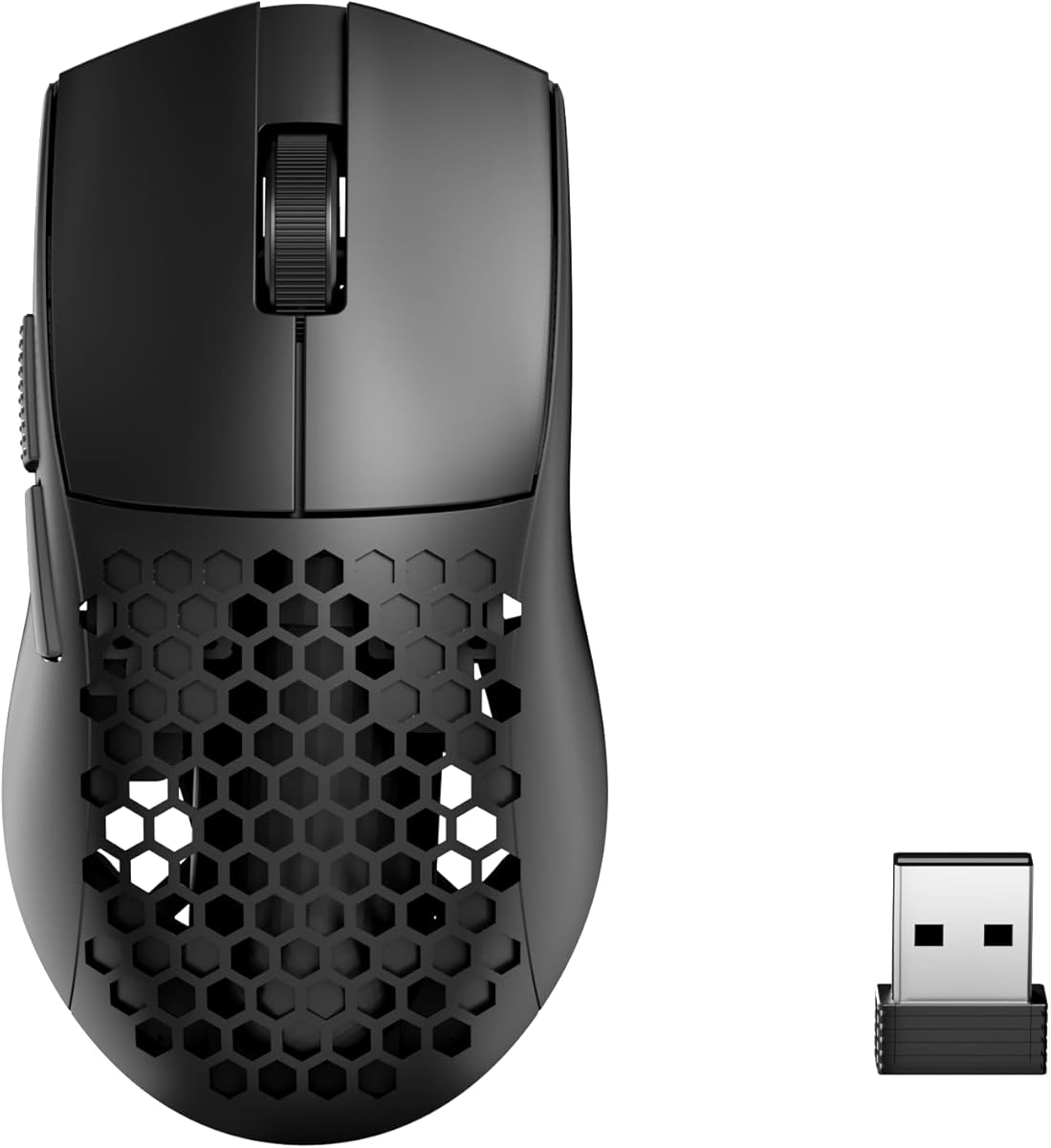
Redragon M725 Honeycomb Shell Gaming Mouse Wireless
4.4Editor score
Ultra lightweight 49g shell
Tri-mode connection support
8000 DPI sensor
This guide compares the lightest mice for gaming in October 2026, reviewing ten top models for weight, sensor accuracy, battery life, and ergonomics to help
Finding the right gaming mouse is crucial for competitive play and comfort during long sessions. Lightweight mice reduce fatigue and improve aim precision, making them essential for FPS and MOBA players who demand speed.
We have carefully evaluated ten top-rated lightweight gaming mice based on their weight, sensor performance, battery life, and build quality. Our analysis ensures you get a reliable overview of the best options available right now.
Each pick in this list highlights specific strengths like ultra-light designs, high DPI sensors, and durable switches. Please note that product prices and availability can change frequently, so check the latest details before buying.
4.4Editor score

4.5Editor score

4.3Editor score
The following table provides a side-by-side look at ten top lightweight gaming mice, highlighting their key specifications to help you compare features quickly.


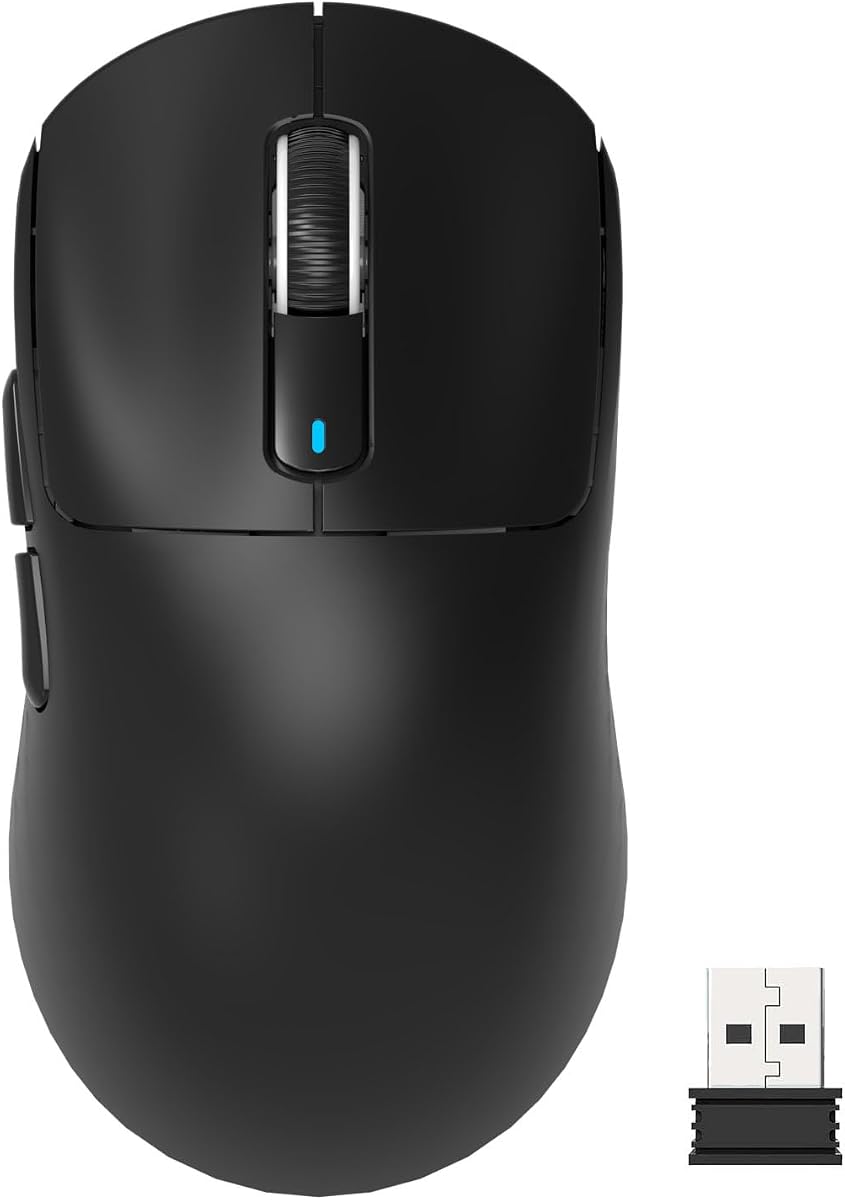


The Logitech G PRO X Superlight 2 Wireless Gaming Mouse stands out as a top choice for serious gamers. With a rating of 4.5 stars, it combines ultra-light weight with cutting-edge technology for precision play.
We may earn a commission when you buy through this link, at no additional cost to you.
Its HERO 2 sensor tracks movement flawlessly at over 44,000 DPI while maintaining zero smoothing or acceleration. The 8 kHz polling rate ensures your inputs are registered instantly, giving you an edge in competitive matches.
While the price is higher than many competitors, the build quality and performance justify the investment. The 95-hour battery life means you rarely need to recharge, and Powerplay compatibility adds convenience.
If you prioritize speed and precision above all else, this mouse is the ultimate tool. It is designed with pro esports players in mind, ensuring that every click and swipe counts during intense gaming sessions.
The HERO 2 sensor and 8 kHz polling rate work together to deliver tracking accuracy that feels almost telepathic during fast-paced gameplay.
With 95 hours of battery life and optional Powerplay support, this mouse keeps you in the game longer without interruptions for charging.
We may earn a commission when you buy through this link, at no additional cost to you.
The Pulsar Gaming Gears X2H Crazylight is a marvel of engineering for those seeking the lightest mouse possible. At just 37 grams, it is lighter than an egg yet remains durable enough for daily use.
We may earn a commission when you buy through this link, at no additional cost to you.
Its XS-1 sensor delivers 32,000 DPI resolution and 750 IPS tracking speed, ensuring accurate cursor movement. The optical switches minimize unintended double clicks, giving you confidence in every command.
The minimalist design supports both claw and relaxed claw grips effectively. While it lacks some bells and whistles, the focus on pure performance makes it ideal for competitive FPS games where speed is key.
Choose this mouse if you want to eliminate weight from your setup entirely. The included DOT skates enhance glide, making it a premium choice for players who demand nothing but the best feel.
At 37 grams, this mouse offers a weightless feel that reduces arm strain and allows for incredibly fast flicks and micro-adjustments.
Optical switches and dust-proof construction ensure long-lasting performance without the mechanical wear that plagues traditional mice.
We may earn a commission when you buy through this link, at no additional cost to you.
The Redragon M725 Honeycomb Shell Gaming Mouse brings lightweight gaming to a budget-friendly price point. With a 4.4-star rating, it proves you do not need to spend a fortune to get a good mouse.
We may earn a commission when you buy through this link, at no additional cost to you.
Its tri-mode connectivity allows you to switch between wired, Bluetooth, and 2.4GHz wireless easily. The honeycomb shell design cuts weight significantly, making it comfortable for long gaming marathons.
While it does not have the same sensor tech as top-tier models, it still offers 8000 DPI and programmable buttons for customization. This makes it a versatile option for both gaming and work tasks.
If you are new to lightweight gaming mice or on a tight budget, this is an excellent starting point. It balances cost and performance well, giving you the benefits of a light mouse without breaking the bank.
Switch effortlessly between devices and connection modes to suit your gaming or work setup without needing multiple mice.
The honeycomb shell not only reduces weight but also improves airflow to keep your hands cool during extended use.
We may earn a commission when you buy through this link, at no additional cost to you.
The Razer Viper V3 HyperSpeed combines reliable performance with an incredible battery life that outlasts most competitors. Its 4.4 rating reflects its solid build and effective wireless capabilities.
We may earn a commission when you buy through this link, at no additional cost to you.
Equipped with a Focus Pro 30K sensor, it offers flawless tracking even on glass surfaces. The mechanical switches are durable, with a 60-million click lifespan, ensuring they last through countless gaming sessions.
While it is slightly heavier than some ultra-light mice, the battery life is a game-changer for those who hate frequent charging. The on-mouse DPI control adds convenience for quick adjustments without software.
This mouse is ideal for players who want long-term reliability and strong performance without constant battery worries. It strikes a great balance between weight and endurance for daily gaming use.
With up to 280 hours of battery life, this mouse keeps you in the game for weeks on a single set of batteries.
The Focus Pro 30K sensor adapts to various surfaces, ensuring your movements translate accurately to the screen.
We may earn a commission when you buy through this link, at no additional cost to you.
The Logitech G305 Lightspeed is a favorite among travelers and casual gamers alike. With a 4.6 rating, it delivers reliable wireless performance in a compact, durable package.
We may earn a commission when you buy through this link, at no additional cost to you.
Its HERO sensor is highly energy-efficient, allowing for up to 250 hours of gameplay on one AA battery. The lightweight design makes it easy to carry in a backpack for LAN parties or travel.
While not the lightest mouse on this list, it offers a great balance of portability and performance. The built-in nano receiver storage means you never lose the USB dongle when moving between devices.
This mouse is perfect if you need something reliable that fits in your bag easily. It provides the freedom of wireless without adding too much weight to your portable gaming setup.
Compact and lightweight, this mouse slips into any laptop bag for gaming on the go without taking up much space.
The HERO sensor saves power efficiently, so you can play for months without needing to change the battery.
We may earn a commission when you buy through this link, at no additional cost to you.
The MCHOSE L7 Pro offers a compelling mix of ergonomics and ultra-light weight. With a 4.4 rating, it is gaining popularity for its comfortable shape and impressive sensor performance.
We may earn a commission when you buy through this link, at no additional cost to you.
Its high hump design and small waist angle support various hand shapes effectively. The 8 kHz polling rate and 26,000 DPI sensor ensure that your actions are captured with high precision and speed.
Optical switches provide a tactile click without the risk of double-clicking over time. The tri-mode connection lets you switch between wired, wireless, and Bluetooth as needed for different setups.
If you want an ergonomic feel without sacrificing weight, this is a strong contender. It balances comfort and speed well, making it suitable for those who prefer a curved shape.
The ergonomic shape supports your hand while the 8 kHz polling rate keeps your gameplay responsive and lag-free.
Use wired, 2.4G, or Bluetooth modes to adapt to different environments and device requirements seamlessly.
We may earn a commission when you buy through this link, at no additional cost to you.
The ATTACK SHARK X3 brings flagship sensor tech to a lightweight frame. With a 4.4 rating, it is a favorite for those who want high performance without spending a fortune.
We may earn a commission when you buy through this link, at no additional cost to you.
Its PAW3395 sensor offers 26,000 DPI and 650 IPS tracking, which is excellent for FPS games. The Kailh GM8.0 switches provide a satisfying click feel with a long 80-million click lifespan.
At 49 grams, it remains light enough for fast movements while maintaining durability. The tri-mode connection adds flexibility for multi-device users who switch between work and gaming.
This is a great choice if sensor accuracy is your top priority. It delivers high-end specs at a mid-range price, offering great value for competitive players.
The PAW3395 sensor is a top-tier option known for accuracy, ensuring your aim stays true during intense battles.
Kailh GM8.0 switches give a crisp, reliable click that feels satisfying and reduces accidental inputs.
We may earn a commission when you buy through this link, at no additional cost to you.
The Pulsar X2 Crazylight offers a medium size that suits a wider range of hand shapes. With a 4.3 rating, it is a solid choice for those who want lightness without a small footprint.
We may earn a commission when you buy through this link, at no additional cost to you.
Its XS-1 sensor delivers high precision, and the optical switches ensure consistent clicks. The medium size supports both claw and fingertip grips well, providing stability during rapid movements.
Included DOT skates enhance the glide, making it easy to move across mousepads smoothly. While the white finish is stylish, it may require more cleaning over time.
Choose this if you need a middle ground between size and weight. It offers premium features in a comfortable form factor that balances versatility and performance.
The medium symmetrical design adapts to different grips, making it a safe choice for many players.
Included DOT skates ensure smooth movement, enhancing control and speed on any surface.
We may earn a commission when you buy through this link, at no additional cost to you.
The ASUS ROG Harpe Ace Mini is designed specifically for smaller hands and claw grips. With a 4.4 rating, it brings pro-level precision to a compact package.
We may earn a commission when you buy through this link, at no additional cost to you.
Its AimPoint Pro sensor offers 36,000 DPI and track-on-glass technology, ensuring accurate cursor control. The lightweight build reduces fatigue during long gaming sessions.
Tri-mode connectivity gives you flexibility across multiple devices, while the 105-hour battery life supports consistent use. The shape is optimized for competitive play, as suggested by professional players.
This is the ideal choice if you struggle with standard-sized mice. It provides the control and speed you need without the bulk, making it a great fit for specific grip styles.
Designed with smaller hands in mind, this mouse ensures you have full control over the device without strain.
The AimPoint Pro sensor tracks accurately on almost any surface, helping you land those critical shots.
We may earn a commission when you buy through this link, at no additional cost to you.
The Redragon M808 Storm is a budget-friendly wired option that still focuses on reducing weight. With a 4.5 rating, it proves wired mice can be lightweight and comfortable.
We may earn a commission when you buy through this link, at no additional cost to you.
Its super-lite cable reduces drag, making it feel less restrictive than typical gaming cables. The honeycomb shell keeps the weight down to 85 grams, which is light for a wired mouse.
With 12,400 DPI and 7 programmable buttons, it offers strong customization. The RGB lighting adds style, which many gamers appreciate for their setup aesthetics.
This is a great pick if you prefer a wired connection or want to save money. It delivers solid performance and features without a high price tag.
The super-lite cable minimizes drag, giving you a near-wireless feel even with a wired setup.
Customizable lights and buttons allow you to personalize your mouse without breaking the bank.
We may earn a commission when you buy through this link, at no additional cost to you.
Choosing the right lightweight gaming mouse involves considering several factors to ensure it meets your needs.
Weight is a key factor in lightweight gaming mice. Models under 50 grams are ideal for reducing fatigue and increasing speed, but comfort depends on shape. Look for ergonomic designs that match your grip style, such as claw or fingertip, to maintain control.
Choose a shape that feels natural in your hand to ensure long-term comfort during intense sessions.
A high-quality sensor ensures accurate tracking. Look for sensors with high DPI and IPS ratings to handle fast movements. Advanced sensors reduce jitter and ensure that every movement translates correctly to the screen.
Prioritize reputable sensors like HERO or PAW3395 for reliable performance.
Decide between wireless and wired options based on your setup. Wireless mice offer freedom of movement but require battery management. Wired mice ensure zero latency and continuous power but limit range.
Select connectivity that matches your play style and device setup preferences.
For wireless mice, battery life is crucial to avoid interruptions. Long-lasting batteries or rechargeable options ensure you can play for extended periods. Endurance modes can further extend usage time.
Check battery specs to ensure it fits your gaming schedule.
Lightweight materials should not compromise durability. Look for mice with sturdy switches and high-quality skates to withstand frequent use. Optical switches can help prevent wear and tear on click mechanisms.
Ensure the build feels solid despite the reduced weight.
Software allows you to tailor button functions and DPI settings. A good driver enables macro creation and detailed profile management. This adds versatility for different games and applications.
Look for intuitive software that offers deep customization options.
Lightweight mice vary widely in price. Premium models offer advanced features, while budget options still deliver solid performance. Determine what features matter most to you before buying.
Balance cost with the specific needs of your gaming style.
Your comfort is vital to prevent strain. Ensure the mouse fits your hand size and grip style properly. Lightweight designs help, but the shape plays a huge role in how you feel over time.
Try to test the grip if possible or read reviews for fit feedback.
Keep the sensor lens clean by wiping it gently with a soft cloth to ensure accurate tracking. Dust can interfere with the sensor, causing your cursor to jump unexpectedly during gameplay.
Store your wireless mouse in a safe place away from direct sunlight to preserve battery life. If it uses rechargeable batteries, avoid letting them drain completely before recharging to maintain their health.
Clean the mouse feet regularly to reduce friction and improve glide. You can replace them if they become worn out, ensuring smooth movement on your mousepad at all times.
Yes, lightweight mice come in various shapes to suit different grip styles. Models with symmetrical designs work well for fingertip grips, while ergonomic curves support palm or claw grips. Always check the size and shape to match your hand comfortably.
Not necessarily. Many lightweight models use strong materials like reinforced plastics or honeycomb shells that maintain durability. Optical switches also help increase the lifespan of buttons. Durability often depends on build quality rather than just weight.
Lower weight allows for faster movements and less fatigue during long sessions. It improves acceleration and deceleration, which is crucial in fast-paced games. However, too little weight can make the mouse feel unstable for some users.
Absolutely. Lightweight mice reduce strain during prolonged use, making them great for office work too. Their precision and comfort translate well to document editing or general computing tasks.
Most players prefer weights between 50 and 70 grams for a balance of control and speed. Some prefer ultra-light options under 50 grams for pure speed. It depends on personal preference and the type of games you play.
Some do, but many omit it to save weight and cost. If RGB is important, look for models that specifically include customizable lighting while keeping the shell lightweight.
Check the product specifications for weight in grams. Mice under 60 grams are generally considered lightweight, and those under 50 grams are ultra-light. Compare this against standard models to gauge the difference.
Yes, modern wireless tech like 2.4GHz and 8 kHz polling provides reliable, low-latency performance. Battery life has also improved significantly, making wireless options viable for competitive play.
Choosing the right lightweight gaming mouse can elevate your performance significantly. The top picks highlighted above offer a range of options to suit different preferences and budgets.
Consider your grip style and preferred sensor technology when making a decision. Balancing weight with ergonomics is key to ensuring comfort and precision during gameplay.
Remember to check the latest pricing and availability before purchasing. A great mouse is an investment in your gaming experience, so take your time to find the perfect fit.