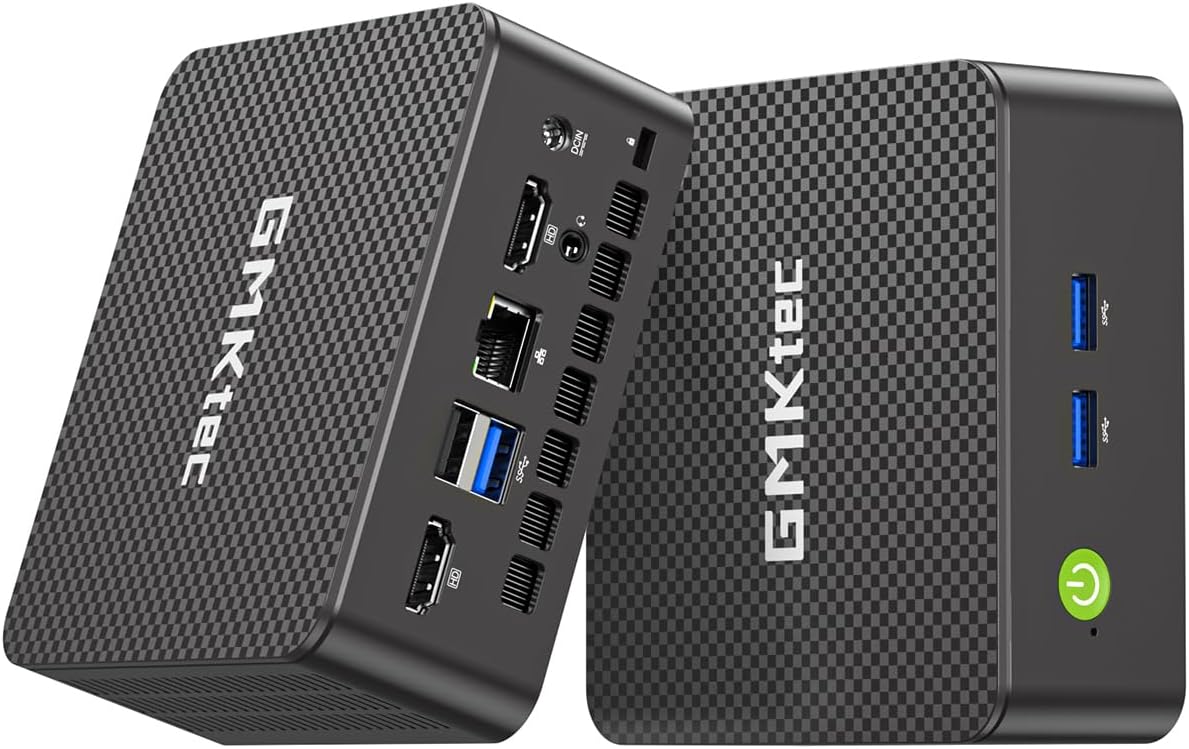
GMKtec G3S Mini PC
4.4Editor score
Intel N95 Processor
8GB RAM 256GB SSD
Dual HDMI 4K Output
Compare the top 10 Linux Mini Pcs for performance, features, and value to find the perfect small form factor desktop for your specific computing needs and
Linux Mini Pcs offer powerful computing in a tiny footprint. They are ideal for home labs, office desks, and media centers. These devices run open-source systems efficiently and support modern workflows without the bulk of traditional towers.
We evaluated ten top models based on processor power, memory options, storage flexibility, and connectivity. Each unit was assessed for Linux compatibility, build quality, and real-world performance in multitasking and virtualization scenarios to ensure reliable daily use.
Every pick below highlights key strengths, ideal use cases, and important trade-offs. Prices and stock fluctuate frequently so check current listings before purchasing. This guide helps you match the right Mini PC to your specific technical requirements and financial constraints easily.
4.4Editor score

4.8Editor score

4.0Editor score
This side-by-side comparison highlights the core specifications and unique selling points of every model reviewed. Use this table to quickly identify which device matches your performance needs, port requirements, and budget constraints without reading lengthy descriptions.


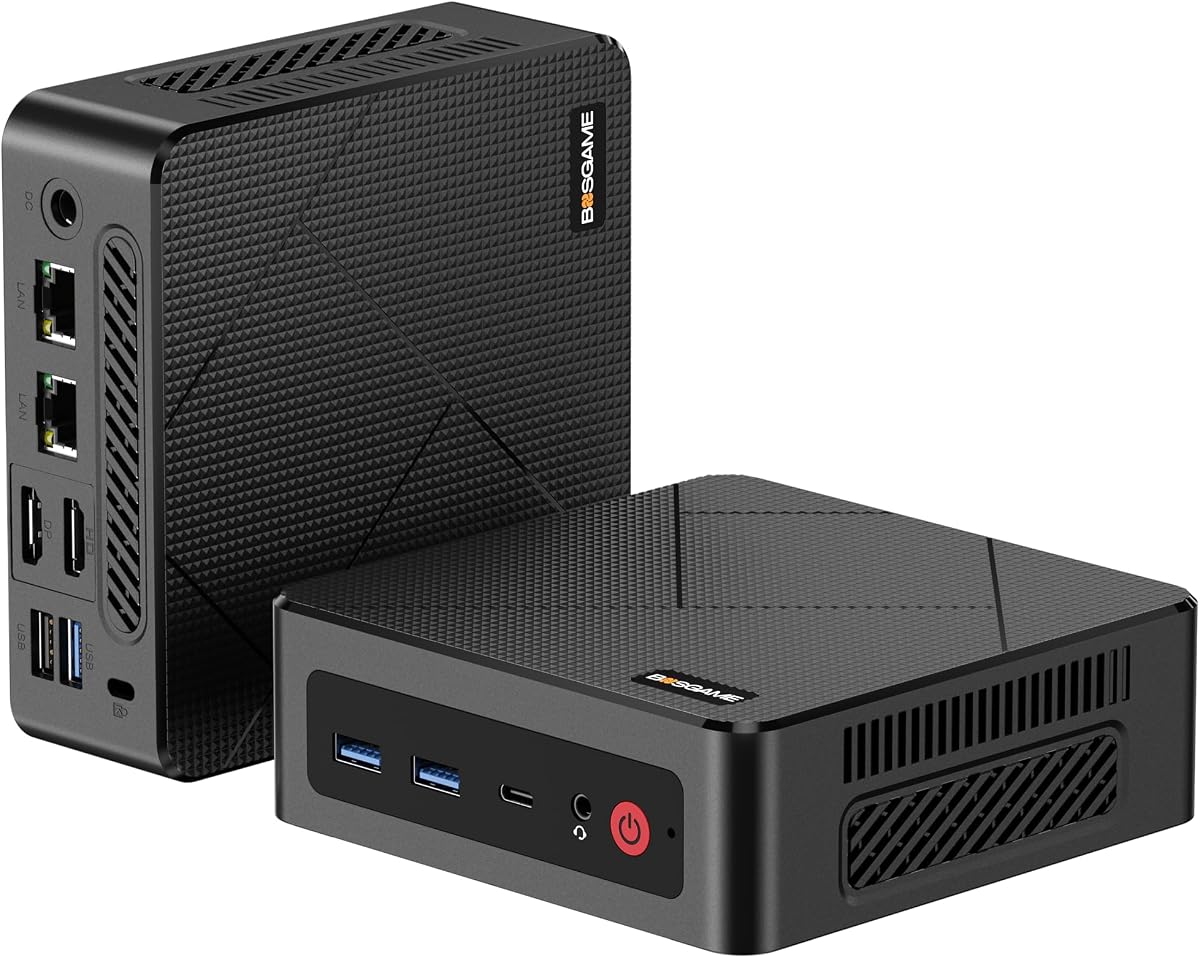
The TK Node Mini PC stands out as a reliable workstation for Linux enthusiasts. It ships with Zorin OS Core Linux pre-installed, making setup immediate for users transitioning from Windows. Its compact footprint and robust connectivity options make it ideal for home offices.
We may earn a commission when you buy through this link, at no additional cost to you.
This device features a 4-core AMD Ryzen R2314 processor paired with 8GB RAM and 512GB SSD storage. It supports expansion up to 64GB RAM and 4TB storage via dual slots. Triple display support through HDMI DisplayPort and USB-C enables versatile multi-monitor setups.
While performance is solid for everyday tasks and virtualization it may struggle with heavy rendering. The cooling system is adequate for continuous use but not silent under load. Warranty support is strong due to US-based quality checks.
Buy this if you need a dependable Linux machine with room to grow. It balances cost flexibility and build quality well. Ideal for developers home servers and light professional workloads requiring stable operation.
Zorin OS provides a familiar desktop environment optimized for daily computing and development without unnecessary bloat.
Dual SO-DIMM and NVMe slots allow future-proofing memory and storage without replacing the entire system.
We may earn a commission when you buy through this link, at no additional cost to you.
Beelink SER3 Mini PC delivers efficient performance for daily tasks. Its 16GB DDR4 RAM and 500GB SSD handle multitasking smoothly. The Radeon Vega 3 graphics support dual 4K displays for productivity setups. It is perfect for office work and media consumption.
We may earn a commission when you buy through this link, at no additional cost to you.
This model uses the Ryzen 3 3200U processor with up to 3.5GHz turbo speed. Dual-band WiFi and Bluetooth ensure stable wireless connections. Four USB 3.2 ports offer ample peripheral options. The chassis design helps dissipate heat effectively.
While older the CPU limits heavy gaming or rendering. Some users may find ports limited for advanced networking. Still it offers solid value for standard computing needs. Lifetime warranty adds peace of mind for buyers.
Choose this for reliable home or office use at a fair price. It fits well in small spaces and handles common software easily. Recommended for students and professionals needing a secondary desktop.
16GB RAM ensures smooth operation when running multiple browser tabs and applications simultaneously.
Dual HDMI and multiple USB ports allow easy connection to monitors peripherals and external storage devices.
We may earn a commission when you buy through this link, at no additional cost to you.
ASUS NUC 14 Pro is a powerhouse for developers and power users. It combines the latest Intel Ultra 7 processor with 64GB DDR5 RAM and 2TB storage. Linux Mint ensures a secure open-source environment. Ideal for AI and cloud-native development.
We may earn a commission when you buy through this link, at no additional cost to you.
The device supports up to four 4K displays via HDMI and Thunderbolt 4. WiFi 6E and Bluetooth 5.3 provide fast connectivity. Aluminum fins and dual copper pipes keep it cool during intensive workloads. A VESA mount enables clean setups.
Premium performance comes with higher costs and complexity. Not everyone needs such high specs for basic tasks. However the scalability and speed justify the investment for pros. Future-proofing makes it worth considering long-term.
Buy if you require top-tier performance in a compact form. Perfect for engineers data scientists and creative professionals. It delivers stability speed and modern connectivity for demanding workflows.
Linux Mint offers a stable clean environment with essential tools for coding and virtualization out of the box.
Thunderbolt 4 and WiFi 6E support rapid data transfers and seamless wireless networking for high-end setups.
We may earn a commission when you buy through this link, at no additional cost to you.
Beelink Mini S12 Pro offers great value with modern features. Its Intel N100 processor balances efficiency and performance. 16GB RAM and 500GB SSD handle daily workflows smoothly. Dual HDMI 4K outputs make it perfect for media or office use.
We may earn a commission when you buy through this link, at no additional cost to you.
The 6W TDP ensures low energy bills and minimal heat. Silent fan and copper heatsink keep it quiet. WiFi 6 and BT5.2 enable fast wireless links. It supports NAS and router functions with wake-on-LAN and PXE boot.
Single RAM slot restricts expansion beyond 16GB. Performance is limited for heavy gaming or editing. Yet it excels in light tasks and 24/7 stability. Great for home servers and kiosks needing minimal power.
Choose this for energy-efficient computing without sacrificing key features. Ideal for streaming browsing and light office work. Its compact design and reliable connectivity make it a practical choice.
Intel N100 processor provides enough power for daily tasks while consuming very little electricity over time.
USB 3.2 ports and dual HDMI enable multiple displays and fast peripheral data transfer for productivity.
We may earn a commission when you buy through this link, at no additional cost to you.
KAMRUI Pinova P2 stands out with triple 4K display capability. Its Ryzen 7 3300U processor delivers smooth multitasking and graphics performance. 16GB RAM handles heavy workloads. The compact size fits anywhere. Ideal for trading digital signage or multitasking.
We may earn a commission when you buy through this link, at no additional cost to you.
Radeon graphics provide fluid video editing and light gaming. Triple ports including HDMI DP and Type-C support three monitors. USB 3.2 Gen2 Type-C offers 10Gbps data transfer. VESA mount included for clean setups.
Base storage may require expansion for large media. Processor is older but efficient enough for daily use. Cooling remains quiet even under load. A solid option for visual-centric tasks.
Buy if you need multiple high-resolution screens in a small space. Great for professionals requiring extensive screen real estate. Balances performance price and design effectively.
HDMI DisplayPort and Type-C support three independent 4K displays for ultimate multitasking workspace setups.
Tiny footprint and included VESA mount allow discreet placement behind monitors or on walls.
We may earn a commission when you buy through this link, at no additional cost to you.
GMKtec G11 Mini PC excels in networking scenarios. Dual 2.5GbE Ethernet ports enable advanced router or firewall setups. R2514 processor with dual-channel RAM ensures stability. Supports triple 4K displays for monitoring. Perfect for homelab enthusiasts and admins.
We may earn a commission when you buy through this link, at no additional cost to you.
AMD Radeon GPU outperforms Intel alternatives significantly. WiFi 6E and BT5.2 provide modern connectivity. 24/7 designed cooling handles heavy traffic. Triple display output aids in multi-monitor dashboards.
Limited availability of Linux OS images may require manual install. Price sits above budget options. Performance justifies the cost for networking pros. A rare find in Mini PC networking niche.
Buy for home labs network security or virtualization. Ideal for pfSense OPNsense or Docker setups. Reliability and connectivity make it a standout.
Dual 2.5GbE ports enable high-speed traffic routing and firewall appliances without external hardware.
AMD Radeon graphics support 4K decoding and GPU tasks better than typical entry-level processors.
We may earn a commission when you buy through this link, at no additional cost to you.
CyberGeek Mini PC Gaming offers desktop-class performance. Intel i9-11900H with 32GB RAM handles demanding software. Ubuntu Linux provides flexibility. Triple 4K displays and six USB ports support diverse peripherals. Ideal for gaming emulation or media servers.
We may earn a commission when you buy through this link, at no additional cost to you.
Advanced cooling allows sustained high clock speeds. Dual LAN supports bridged network setups. Preloaded Ubuntu simplifies Linux setup. Compact design saves space while delivering power. High-end gaming or dev machine in tiny box.
Thermal noise may be noticeable under load. Brand support lags behind major OEMs. Performance justifies cost for enthusiasts. A rare compact i9 Mini PC option.
Choose this for max performance in small footprint. Best for gaming retro emulation or heavy workloads. Prioritize cooling needs and OS familiarity.
8-core i9 processor delivers speed comparable to full towers in a compact form factor.
Six USB ports and dual LAN allow versatile peripheral and networking configurations.
We may earn a commission when you buy through this link, at no additional cost to you.
BOSGAME E5 Mini PC balances performance and price. Ryzen 3 5300U with 16GB RAM handles daily work well. 512GB NVMe ensures quick boot. Dual 2.5G LAN supports networking apps. Ideal for office and small business tasks.
We may earn a commission when you buy through this link, at no additional cost to you.
Quiet fan and copper pipes manage heat. Triple 4K via HDMI DP Type-C aids productivity. Full USB-C on front adds convenience. Compact footprint fits anywhere. Reliable for browsing and productivity software.
Base OS may need reinstall for Linux users. Load noise exceeds idle whisper. Still solid value for specs offered. Recommended for home offices needing multi-port networking.
Buy for cost-effective performance with modern features. Good for spreadsheets web apps and light servers. Prioritize port count over raw power.
Dual 2.5GbE LAN ports allow high-speed network segregation and NAS server configurations.
Multiple display outputs and USB-C streamline workflows and reduce desk clutter.
We may earn a commission when you buy through this link, at no additional cost to you.
BOSGAME E4 Air Mini PC is great for media streaming. Ryzen 5 3500U handles 4K video and browsing. 8GB RAM suffices for casual use. Triple 4K via HDMI DP Type-C enables theater setups. Ideal for living room or travel.
We may earn a commission when you buy through this link, at no additional cost to you.
Dual LAN supports router apps if needed. SATA SSD provides adequate boot speed. Quiet operation suits media rooms. Compact size and low cost make it versatile. Good secondary PC for light tasks.
Upgrade limits restrict future-proofing. Base storage may fill quickly. Performance fits media not editing. A budget-friendly option for casual computing.
Buy for home theater or basic browsing. Best for streaming browsing and media storage. Prioritize portability over power.
Triple 4K outputs and Radeon graphics provide smooth video playback for entertainment setups.
Low price point makes it accessible for users needing a simple reliable desktop replacement.
We may earn a commission when you buy through this link, at no additional cost to you.
GMKtec G3S Mini PC is perfect for entry-level Linux users. Intel N95 offers improved efficiency. 8GB RAM and 256GB SSD handle basic tasks. Dual HDMI 4K allows multiple screens. Ideal for students or simple desktops.
We may earn a commission when you buy through this link, at no additional cost to you.
WiFi 5 and BT5.0 provide standard connectivity. USB 3.2 and HDMI offer essential ports. Compact design saves space. Reliable for browsing and office apps. Good value for tight budgets.
RAM limits multitasking. WiFi not latest gen. Still solid for basic needs. A starter device for open-source users.
Buy for lowest cost with modern features. Best for browsing documents and streaming. Prioritize affordability.
N95 processor balances cost and speed for essential computing tasks without lag.
Dual HDMI and USB ports cover basic connectivity needs for home or small office.
We may earn a commission when you buy through this link, at no additional cost to you.
Selecting the right Mini PC involves balancing performance budget and features. This guide breaks down key factors to ensure compatibility with your Linux workflows and future needs.
Choose CPUs based on workload intensity. AMD Ryzen 3 and Intel N-series suit basic tasks. Ryzen 7 or Intel Core i5/i7 handle virtualization and development. For heavy rendering pick Core i9 or Ultra 7.
Match CPU cores to your software needs. More threads improve multitasking. Avoid older generations for modern Linux apps.
8GB RAM is minimum for basic use. 16GB+ recommended for dev work and browsers. Expandability matters for future-proofing. NVMe SSDs ensure speed while SATA SSDs offer capacity.
Check for extra slots. Dual SO-DIMM and M.2 options allow upgrades. 256GB suffices for Linux OS but larger is safer for media.
Dual HDMI and DisplayPort enable multi-monitor setups. HDMI 2.1 supports 4K@60Hz. USB-C with DP Alt Mode offers flexibility. For triple displays check for dedicated ports.
Ensure ports match your monitors. 4K outputs are vital for productivity. HDMI 2.0 may limit refresh rates.
WiFi 6E reduces latency for wireless tasks. Bluetooth 5.2 supports peripherals. Ethernet ports vary from 1GbE to 2.5GbE. Dual LAN enables router/firewall setups.
Prioritize wired options for servers. Wireless speed depends on your router. Ensure compatibility with your network gear.
Some units ship with Linux Mint or Zorin OS. Others require manual install. Check drivers for WiFi and graphics. Open-source OSes simplify setup for developers.
Verify hardware support before buying. Proprietary firmware may limit features. Ubuntu or Fedora are widely supported.
Passive or quiet active cooling suits offices. Fan noise increases under load. Aluminum chassis dissipates heat better. For 24/7 use choose thermal-efficient models.
Check reviews for fan noise. Silent operation matters for living rooms. Avoid hotspots for reliability.
Brands like ASUS offer robust warranties. Others provide lifetime support. Metal casing aids durability. Check return policies and certifications like FCC.
Warranty length indicates reliability. US-based support speeds up repairs. Look for quality assurance details.
Entry models start around $200. Mid-range $300-$500 offers best value. High-end exceeds $1000. Balance specs with actual needs to avoid overspending.
Compare RAM SSD and ports. Prioritize long-term usability. Avoid paying for unused features.
Connect the Mini PC using HDMI or DisplayPort. Attach peripherals via USB ports. Power on and follow Linux setup wizard. Ensure firmware updates are applied.
Install essential tools like drivers and security apps. Configure network settings for stability. Use disk encryption for sensitive data. Regularly backup files to external storage.
Keep the device dust-free and ventilated. Avoid direct sunlight or heat sources. Use a surge protector. Clean vents occasionally to maintain cooling efficiency.
Most Mini PCs support Linux but check hardware compatibility first. WiFi and graphics drivers vary by model. Some brands offer Linux pre-installed to simplify setup.
For coding and virtualization aim for 16GB minimum. 32GB allows multiple VMs and containers. 8GB suffices for basic scripting and web development.
Mini PCs handle light and retro gaming well. Integrated GPUs suit casual titles but heavy AAA games require dedicated cards. Consider models with stronger iGPU for better performance.
Most allow NVMe or SATA expansion. Check for extra M.2 or 2.5-inch bays. Backup data before replacing drives. Some models limit to one slot.
Many support dual or triple 4K displays. Verify HDMI DisplayPort and USB-C ports. Some models require adapters for specific resolutions.
Ubuntu and Linux Mint are stable and widely supported. Fedora and Debian suit developers. Zorin OS offers familiar interfaces for Windows users.
This guide highlights top Linux Mini Pcs ranging from budget-friendly options to premium workstations. Each model offers distinct strengths for productivity development or entertainment.
Prioritize processor power memory expandability and display options based on your workflow. Reliable connectivity and cooling ensure long-term satisfaction for daily use.
Always verify current prices and stock before purchasing as they fluctuate often. Choose the device that best aligns with your specific technical needs and budget.