
VSD Mini Macro Pad Shortcut Keypad
4.1Editor score
Compact 6 LCD keys
Dual side RGB lighting
Portable desktop friendly size
Discover the 10 best macro pads for streaming in October 2026. This guide compares top models like Elgato and VSD for OBS control and automation.
Streamers and content creators need reliable tools to manage complex workflows efficiently. A macro pad for streaming offers customizable keys that trigger actions instantly. This gear simplifies scene switching and audio control during live broadcasts.
We evaluated ten top models based on key customization and software compatibility. Each product was analyzed for build quality and ease of setup with OBS. Our comparison highlights the best options for various budgets and needs.
Each pick showcases unique features and performance strengths for different users. Prices and availability may change frequently on retail platforms. Always check current listings before purchasing to ensure you get the best deal.
4.1Editor score

4.4Editor score

4.8Editor score
This side-by-side comparison highlights the core specifications and capabilities of each model. We compare key counts and software support to help you decide quickly.



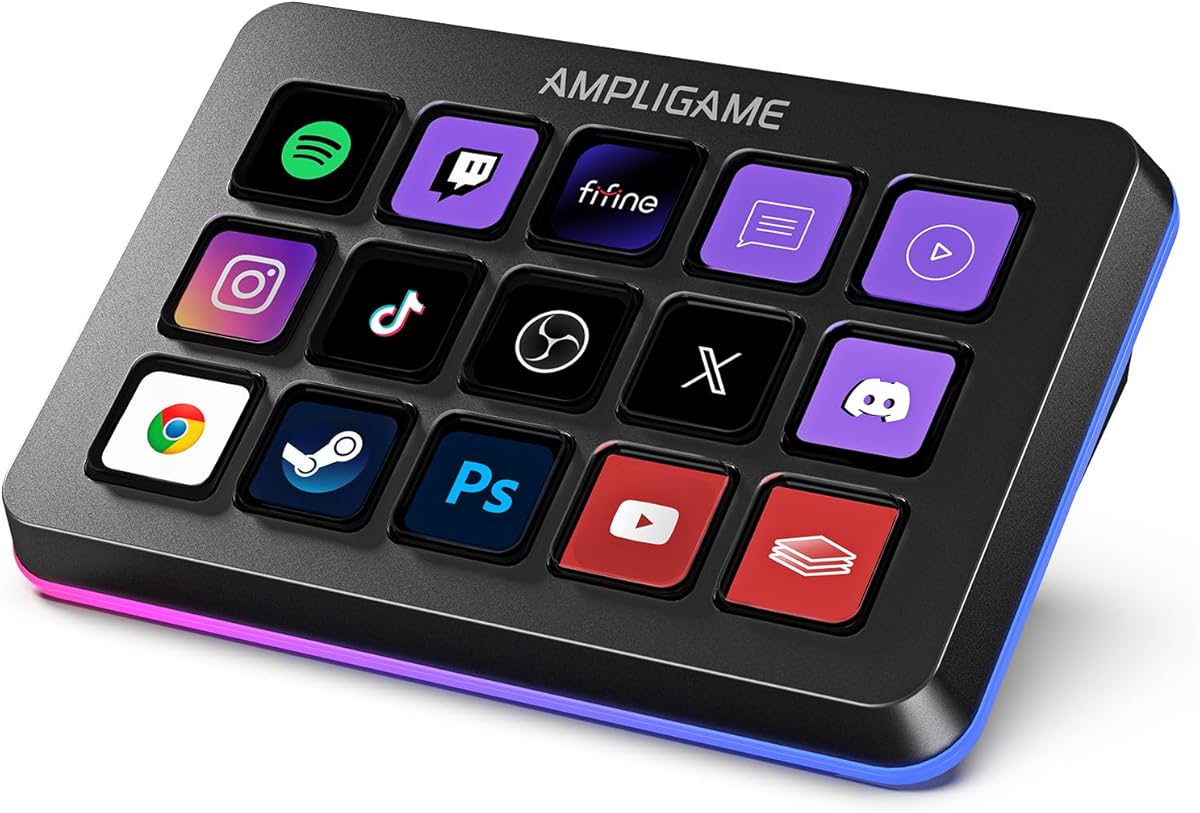


The VSD M18 Macro Pad delivers strong performance for streamers needing extensive control. With a 4.4 rating it balances cost and features well. Its 18 keys allow deep customization for daily workflows.
We may earn a commission when you buy through this link, at no additional cost to you.
Users benefit from the mix of LCD and physical buttons for different tasks. The RGB ring adds visual flair while the layout supports quick scene switching. Plugins for OBS and Twitch integrate smoothly for efficient broadcasting.
Trade-offs include limited native Linux support which may affect some users. Software setup is straightforward but requires an initial download. These minor points do not overshadow its overall utility for most creators.
This pad is ideal for streamers wanting a large key surface without premium costs. It handles audio and media control effectively during live sessions. We recommend it for those seeking reliable automation tools.
Eighteen keys allow separate actions for apps and media control easily.
LCD keys display images and animations for clear function recognition.
We may earn a commission when you buy through this link, at no additional cost to you.
The Stream Dock N1 stands out for its unique vertical space-saving design. A 4.7 rating reflects user satisfaction with its efficiency. It offers three modes that adapt to different task needs.
We may earn a commission when you buy through this link, at no additional cost to you.
Its left-hand ergonomic layout helps reduce fatigue during long sessions. The calculator and numeric modes add utility beyond standard macro functions. Drag-and-drop customization makes setting up keys simple for new users.
Switching modes requires a physical knob which adds to tactile control. Some users might prefer horizontal layouts for standard desk setups. These factors are minor given the innovative design and solid performance.
Ideal for streamers with limited desk space who need versatility. It complements compact keyboards well and handles OBS commands effectively. This makes it a strong choice for small desk environments.
Vertical layout frees up horizontal desk space for other gear.
Switch between shortcut calculator and numeric keypad modes easily.
We may earn a commission when you buy through this link, at no additional cost to you.
The VSD M18 Stream Controller offers robust features for content creators. With a 4.5 rating it balances performance and reliability well. It supports extensive customization for streaming workflows.
We may earn a commission when you buy through this link, at no additional cost to you.
Its 18 keys allow distinct actions for media and app control. The RGB ring enhances visual appeal during late night sessions. Users appreciate the ease of switching OBS scenes with one tap.
Trade-offs involve needing to keep software running for full features. Some may find the initial setup steps slightly involved. These do not detract from the device effectiveness once configured properly.
This controller suits streamers needing frequent scene and audio changes. It integrates well with major platforms like Twitch and YouTube. We recommend it for those valuing visual feedback.
Custom images on keys help identify actions instantly without looking.
Multi-step sequences automate repetitive tasks with single key presses.
We may earn a commission when you buy through this link, at no additional cost to you.
The VSD Mini Macro Pad offers a cost-effective entry into streaming tools. Its 4.1 rating shows solid performance for basic needs. It fits well on smaller desks without clutter.
We may earn a commission when you buy through this link, at no additional cost to you.
Six customizable keys cover essential tasks like scene switching and media. The dual RGB bars add style without overwhelming the setup. USB power ensures it runs continuously during broadcasts.
Trade-offs include fewer keys compared to larger models which limit complex workflows. Some advanced users might find it restrictive for heavy multitasking. This remains a strong option for starters.
Ideal for beginners needing simple controls without breaking the bank. It handles core streaming functions well and is easy to set up. We suggest it for those testing macro utility.
Low cost allows new streamers to add macro control easily.
Compact size allows easy movement between different workspaces.
We may earn a commission when you buy through this link, at no additional cost to you.
The VSD N4 Pro excels with specialized audio and studio features. A 4.4 rating indicates reliability for demanding workflows. It offers robust control for content creators.
We may earn a commission when you buy through this link, at no additional cost to you.
Its sound deck function allows one-tap audio effects and level adjustments. The touch bar and knobs add precision for fine-tuning settings. The stand improves viewing angles during long streams.
Trade-offs include the higher cost which may not suit all budgets. It sends commands rather than producing sound directly. These limitations are offset by its versatile control capabilities.
This controller is best for streamers focusing on audio production. It integrates well with OBS and video editing software. We recommend it for those needing granular audio control.
Sound deck allows precise control over audio effects during streams.
Adjustable stand reduces strain during extended streaming sessions.
We may earn a commission when you buy through this link, at no additional cost to you.
The fifine D6 RGB Macro Keyboard delivers vibrant visual and functional features. A 4.6 rating highlights its strong user satisfaction. It is built for immersive streaming setups.
We may earn a commission when you buy through this link, at no additional cost to you.
Its nine RGB lighting modes create dynamic atmospheres on the desk. The LCD keys offer clear visual feedback for assigned actions. Users can organize scenes into separate folders for different tasks.
Trade-offs include the need to update firmware for full functionality. Some may find the lighting intense in dark rooms. These points are minor compared to its overall utility.
This keyboard suits streamers who value aesthetics alongside performance. It handles OBS and media control effectively during broadcasts. We recommend it for those wanting a vivid setup.
Nine RGB modes allow customization to match streaming themes.
Separate folders help manage different scenes and app controls.
We may earn a commission when you buy through this link, at no additional cost to you.
The TreasLin VSDinside Stream Controller offers unique dynamic icon capabilities. With a 4.4 rating it provides solid performance for creators. It supports extensive workflow automation.
We may earn a commission when you buy through this link, at no additional cost to you.
Animated icons make identifying actions faster than static images. The rotary knob adds tactile precision for volume or scrolling. Three modes cover diverse needs from shortcuts to numeric entry.
Trade-offs include specific account requirements for certain integrations like Spotify. Users might spend time learning all features initially. These do not diminish the core value of the device.
Ideal for streamers wanting personalized and dynamic interface elements. It handles complex workflows well with its plugin support. We recommend it for those valuing customization.
Custom animations on keys add personality to the interface.
Knob provides precise adjustment for volume or timeline scrolling.
We may earn a commission when you buy through this link, at no additional cost to you.
The Streonor S15 Stream Controller includes unique system monitoring panels. A 4.6 rating reflects its robust utility for creators. It helps keep track of performance during streams.
We may earn a commission when you buy through this link, at no additional cost to you.
Three status panels show real-time data like CPU or GPU usage. The action flows allow complex commands with single button presses. Users can create dedicated layouts for streaming or editing.
Trade-offs involve Linux incompatibility which limits some users. Setup may require uninstalling other controller software to avoid conflicts. These minor issues are manageable for most Windows users.
This controller suits streamers needing constant performance oversight. It integrates well with major apps and tools for production. We recommend it for those wanting data visibility.
Real-time panels track system health during intensive tasks.
Dedicated pages organize tasks by streaming or editing mode.
We may earn a commission when you buy through this link, at no additional cost to you.
The Streonor S10 Stream Controller boasts a high 4.9 rating for users. It combines keys knobs and touchscreen into one cohesive unit. This design supports demanding professional workflows.
We may earn a commission when you buy through this link, at no additional cost to you.
The touchscreen provides direct access to supported controls without menus. Knobs allow precise adjustments for volume and timeline scrolling. It integrates audio mixing functions to streamline production.
Trade-offs include the price which is higher than basic models. Linux users cannot utilize its features directly. These factors are acceptable given its premium capabilities.
Ideal for streamers wanting a complete console for control. It reduces window switching and keeps tools accessible. We recommend it for those prioritizing tactile feedback.
Direct touch access simplifies complex settings management.
Built-in mixer allows quick sound adjustments during broadcasts.
We may earn a commission when you buy through this link, at no additional cost to you.
The Elgato Stream Deck MK.2 remains a top choice for professionals. With a 4.8 rating it is known for reliability and support. It sets the industry standard for streaming control.
We may earn a commission when you buy through this link, at no additional cost to you.
Its plugin ecosystem covers virtually every popular app and tool. The visual feedback ensures you know when commands execute correctly. Users can create complex workflows with simple setups.
Trade-offs include the higher cost which may be a barrier. It relies on software to run custom actions. These are minor given the robust feature set and support.
This deck is ideal for streamers needing top-tier reliability. It integrates seamlessly with major platforms and software. We recommend it for those investing in long-term tools.
Trusted by creators for stable and reliable daily use.
LCD icons confirm actions execute without needing to check screens.
We may earn a commission when you buy through this link, at no additional cost to you.
Choosing the right macro pad depends on your workflow and setup needs. We highlight key factors to consider before buying.
The number of keys determines how many actions you can assign. Models range from 6 to 18 keys which affects workflow complexity. Ensure the layout matches your desk space.
Choose a key count that covers your essential tasks without clutter.
LCD keys allow visual customization for each function. Physical buttons offer tactile feedback for common actions. Some models mix both for better usability.
Look for LCD keys if you need visual cues during streams.
Ensure the device supports your streaming platform like OBS. Some require specific software which must be installed first. Check compatibility with your OS before purchasing.
Verify that the software works on Windows or macOS as needed.
A strong plugin ecosystem extends the device capabilities. Look for support for apps like Discord and Spotify. Plugins save time by automating common tasks.
Prioritize models with active plugin communities for long-term use.
RGB lighting adds visual appeal to your setup. Some models allow syncing with games or streams. Consider if you want dynamic effects or static colors.
Decide if RGB is a priority for your streaming aesthetic.
Streamers use their gear daily so durability matters. Sturdy materials ensure longevity over time. Check user reviews for feedback on build quality.
Invest in a model with a solid build for reliable performance.
Price varies from budget to premium options. Higher cost often brings more keys and plugins. Balance your budget with the features you truly need.
Focus on essential features rather than paying for extras.
Comfort is key during long streaming sessions. Adjustable stands or angled layouts help reduce strain. Consider the physical fit on your desk.
Choose a design that allows comfortable access during broadcasts.
Connect your macro pad to your computer via USB. Install the required software and restart your system for changes to take effect.
Customize each key by dragging apps or scripts onto them. Use clear icons so you recognize actions quickly during live broadcasts.
Keep the surface clean and dust-free to prevent sticky keys. Avoid liquids and store the device in a safe place when not in use.
A macro pad for streaming allows creators to trigger complex actions with a single press. It helps switch scenes in OBS or mute mics quickly. This device streamlines workflows during live broadcasts.
Most modern macro pads support OBS Studio through plugins. You can assign specific actions like scene transitions to keys. Check the software compatibility before purchasing for best results.
LCD keys offer visual customization which physical buttons lack. They can show icons to identify different actions easily. However physical keys offer tactile feedback which some users prefer.
Yes many macro pads are compatible with macOS systems. Ensure the software supports your OS version for full functionality. Most models work on macOS 11.0 and newer.
Open the device software and drag images onto the keys. You can use PNGs or GIFs for animated feedback. Save changes to update the LCD display instantly.
Some models require installing software to configure keys. Others work via plug-and-play for basic actions. Always check if your system needs specific drivers for full use.
Quality macro pads can last for several years of regular use. Durability depends on build materials and frequency of use. Proper care helps extend the device lifespan significantly.
Yes you can connect multiple macro pads to one system. The software usually treats them as separate input devices. This allows for even more custom automation options.
We reviewed ten macro pads ranging from budget options to premium studio gear. The VSD M18 leads our picks for its balance of keys and price.
Prioritize key count and software compatibility when making your choice. Ensure the model supports your streaming platform like OBS or Twitch.
Always check current listings for the best deals on these models. Prices can fluctuate based on availability and promotions.