
Lenovo V-Series V15 Business Laptop
4.2Editor score
AMD Ryzen 7 5825U Processor
40GB RAM and 1TB SSD
Numeric Keypad and RJ45 Port
Discover the top laptops with numpad for productivity. This guide compares specs, displays, and performance to help you choose the right device for work.
Finding a laptop with a dedicated numeric keypad is essential for professionals who handle data entry, accounting, or spreadsheets daily. These devices combine the portability of a notebook with the efficiency of a desktop calculator, streamlining workflows significantly.
We evaluated ten top-rated models based on processor power, memory capacity, display quality, and keyboard layout. Our comparison focuses on real-world performance for business tasks, ensuring you get a machine that handles multitasking without lag or slowdowns.
Each pick highlights specific strengths like battery life, screen size, or connectivity options to match diverse needs. Prices and availability fluctuate frequently, so verify the latest details before purchasing to ensure you secure the best deal available today.
4.2Editor score

4.8Editor score

4.5Editor score
This side-by-side comparison outlines the key specifications of each laptop to help you quickly identify the model that fits your specific workflow requirements and budget constraints effectively.




The HP 255 G10 Business Laptop stands out as a reliable choice for professionals seeking a balance between performance and portability. With a strong rating of 4.8 stars, it delivers smooth multitasking capabilities powered by an AMD Quad-core CPU and 16GB of RAM. The inclusion of Windows 11 Pro ensures enhanced security and productivity features suitable for business environments.
We may earn a commission when you buy through this link, at no additional cost to you.
Its 15.6-inch Full HD IPS display offers wide viewing angles and vibrant colors, making it excellent for data analysis and long work sessions. The narrow bezel design maximizes screen real estate while keeping the device compact. Connectivity is robust with USB Type-C, USB Type-A, HDMI, and Wi-Fi 6, allowing seamless integration with peripherals and networks.
While the battery life is adequate for daily tasks, it may require charging during extended travel. The design prioritizes portability at 3.4 lbs, which is lighter than many competitors with similar specs. Users appreciate the anti-glare screen that reduces eye strain during prolonged use in various lighting conditions.
This laptop is ideal for business users who need a dependable machine for spreadsheets, virtual meetings, and general productivity tasks. Its efficient processor and sufficient RAM handle multiple applications without lag. We recommend it for those seeking a cost-effective yet capable workstation with a dedicated numeric keypad for quick data entry.
The AMD Ryzen 3 7330U processor provides up to 4.3 GHz boost clock, ensuring responsive performance for everyday business tasks and light creative work.
With Wi-Fi 6 and Bluetooth 5.3, this device offers faster data transfer and stable connections for uninterrupted collaboration and cloud access.
We may earn a commission when you buy through this link, at no additional cost to you.
The Lenovo V-Series V15 Business Laptop is a powerhouse designed for users who demand exceptional multitasking capabilities. Boasting 40GB of high-bandwidth RAM and an AMD Ryzen 7 processor, it handles heavy workloads with ease. The 1TB SSD ensures fast boot times and ample space for large datasets and media files.
We may earn a commission when you buy through this link, at no additional cost to you.
This model includes essential connectivity options like an RJ45 port, which is crucial for stable wired network connections in office environments. The 15.6-inch FHD display provides clear visuals for detailed spreadsheet work. Windows 11 Pro supports advanced management tools and security features tailored for enterprise use.
The extra RAM may result in a slightly heavier chassis compared to ultralight models. However, the performance benefits outweigh the portability trade-off for desk-bound professionals. Users report smooth operation even when running multiple virtual machines or resource-intensive applications simultaneously.
Ideal for data analysts, financial professionals, and power users, this laptop offers superior performance for complex tasks. The numeric keypad facilitates rapid number entry, reducing errors and saving time. We recommend this model for those who prioritize raw computing power and memory capacity over extreme portability.
40GB RAM allows simultaneous running of heavy applications and browser tabs without performance degradation or system slowdown.
The integrated RJ45 port ensures stable wired internet access, ideal for secure corporate networks and large file transfers.
We may earn a commission when you buy through this link, at no additional cost to you.
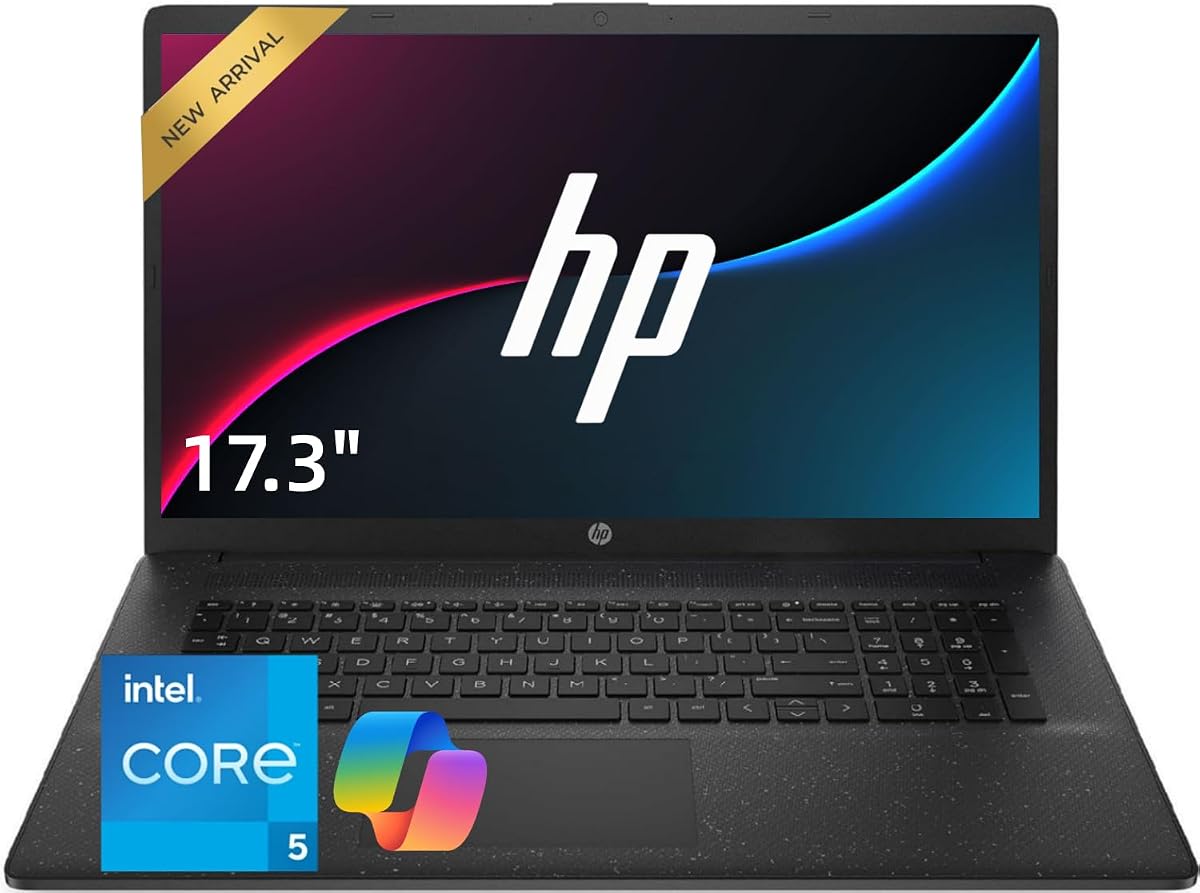
This HP business laptop offers exceptional value with a spacious 17.3-inch display that enhances productivity for spreadsheet-heavy workflows. Powered by an Intel Core 5 120U processor and 32GB of RAM, it provides responsive performance for daily tasks and light creative work. The numeric keypad is essential for quick number entry.
We may earn a commission when you buy through this link, at no additional cost to you.
The large screen allows multiple windows to be open side-by-side without excessive scrolling. Wi-Fi 6 ensures fast wireless connectivity for remote collaboration and cloud access. Windows 11 delivers a familiar interface with improved task management features for better workflow organization.
The larger display means the device is less portable than 15-inch models. It is best suited for stationary setups where screen real estate is a priority. Users appreciate the full-size keyboard which reduces typing fatigue during extended work sessions.
Recommended for accountants, small business owners, and students needing a reliable workstation on a budget. The combination of large screen, ample memory, and dedicated numeric keypad makes it a practical choice for data entry tasks. We suggest this for home office environments where portability is not the primary concern.
The 17.3-inch display provides more room for documents and spreadsheets, reducing the need for constant window switching.
A full-size keyboard with numeric keypad ensures rapid and accurate input for financial and inventory management tasks.
We may earn a commission when you buy through this link, at no additional cost to you.
The HP 255 G10 with AMD Ryzen 7 processor offers a robust balance of speed and affordability. It handles multitasking and data analysis smoothly thanks to 16GB RAM and fast storage. The numeric keypad is a key feature for professionals working extensively with numbers and financial spreadsheets.
We may earn a commission when you buy through this link, at no additional cost to you.
Display quality is solid with an anti-glare screen that reduces eye strain. The system supports Windows 11 Pro for enhanced security features like single sign-on and remote desktop. Connectivity includes USB Type-C and HDMI for easy peripheral integration.
Battery performance is moderate and may need a charger for full-day use. The build is functional but not as rugged as premium options. Users find it reliable for daily office tasks and light content creation without significant performance issues.
This laptop is suitable for business professionals who need a dedicated numeric keypad without breaking the budget. The Ryzen 7 processor ensures future-proofing for demanding applications. We recommend it for mid-level enterprise users or freelancers needing reliable daily performance.
PCIe SSD delivers quick boot times and fast file access for efficient workflow and reduced waiting periods.
Windows 11 Pro includes enterprise-grade security tools and management features for safer business computing.
We may earn a commission when you buy through this link, at no additional cost to you.
Lenovo delivers professional-grade performance with this model featuring DDR5 RAM and a powerful H-series processor. The 16-inch WUXGA display offers more vertical space for documents and spreadsheets than standard 1080p screens. A privacy shutter on the webcam enhances security during video calls and remote meetings.
We may earn a commission when you buy through this link, at no additional cost to you.
The system boots in seconds thanks to the 1TB PCIe SSD and 24GB of memory. This configuration supports heavy multitasking with multiple browser tabs and business applications running concurrently. Fast charging ensures you can quickly top up power when needed.
Battery life is decent but not exceptional due to the higher performance components. The laptop weighs 3.70 lbs making it portable but slightly heavier than ultralights. Users appreciate the Copilot AI integration for enhanced productivity assistance.
Ideal for students and professionals needing a reliable machine for spreadsheets and virtual meetings. The numeric keypad streamlines data entry while the display offers ample workspace. We recommend this for those seeking a balance of modern performance and productivity features.
DDR5 RAM ensures faster data transfer speeds and smoother multitasking for demanding business applications.
A physical privacy shutter allows secure camera control for peace of mind during video conferences.
We may earn a commission when you buy through this link, at no additional cost to you.
Designed for modern business workloads, this HP laptop features a spacious 17.3-inch display ideal for multitasking and spreadsheet management. The 10-Core Intel processor provides efficient performance for virtual meetings and office applications. Privacy shutter ensures security during online interactions.
We may earn a commission when you buy through this link, at no additional cost to you.
With 32GB RAM and 1TB storage, users can handle large files and extensive browser sessions without slowdown. The numeric keypad aids in rapid data entry for accounting or inventory management. Wi-Fi 6 and Bluetooth 5.4 keep you connected seamlessly.
The large screen reduces portability but increases productivity for stationary workflows. Build quality is solid for daily office use. Users find the system responsive for enterprise-grade applications and cloud platforms.
Best for professionals prioritizing screen real estate and multitasking efficiency. The numeric keypad and large display make it perfect for financial analysis. We recommend this for home office setups or desktop replacement needs.
Large screen and high memory allow side-by-side workflows for efficient document and data management.
Privacy shutter offers easy hardware-level camera control for safe video conferencing experiences.
We may earn a commission when you buy through this link, at no additional cost to you.
This HP laptop combines a large screen with long battery life for uninterrupted work sessions. The 17.3-inch FHD display offers vivid colors and sharp details perfect for visual tasks. AI Copilot integration helps organize tasks and summarize information efficiently.
We may earn a commission when you buy through this link, at no additional cost to you.
The keyboard includes a 10-key number pad essential for quick input. Office 365 for Web is included for document creation and sharing anywhere. HP Fast Charge ensures you spend less time plugged in during busy days.
Storage is adequate for documents but may require cloud sync for larger media files. The webcam is standard for meetings but not exceptional for high-definition streaming. Users appreciate the durability and silver finish design.
Ideal for professionals who need to work away from power sources frequently. The numeric keypad and large screen enhance productivity for spreadsheets and emails. We recommend this for remote workers needing reliable battery and display quality.
Long battery life supports all-day productivity without frequent recharging needs during business hours.
Office 365 for Web access allows easy document creation and sharing across devices.
We may earn a commission when you buy through this link, at no additional cost to you.
A portable and efficient choice for users needing a lightweight laptop with a numeric keypad. The 15.6-inch Full HD display offers clear visuals while the slim design fits easily into backpacks. Privacy protection includes a physical sliding switch for the camera.
We may earn a commission when you buy through this link, at no additional cost to you.
Storage is expandable up to 1TB providing flexibility for growing data needs. The numeric keypad improves efficiency for data entry tasks. Connectivity includes USB 3.0 and Type-C for versatile peripheral options.
Base RAM may limit heavy multitasking compared to higher-end models. Wi-Fi 5 is standard but not the latest generation. Users find it reliable for travel and daily light work.
Perfect for travelers and students needing a compact device for documents and basic business work. The keypad and portability make it a strong travel companion. We recommend this for budget-conscious users prioritizing weight.
Slim design and lightweight build make this laptop ideal for commuting and travel.
Physical camera switch ensures hardware-level privacy control during sensitive meetings.
We may earn a commission when you buy through this link, at no additional cost to you.
This lightweight laptop offers a practical solution for students and basic business users. The 15-inch HD IPS display provides balanced visuals for daily use. Windows 11 comes pre-installed for an intuitive interface and broad compatibility.
We may earn a commission when you buy through this link, at no additional cost to you.
Storage can be expanded to 512GB offering flexibility for files and projects. Connectivity includes Type-C and HDMI for connecting monitors and peripherals. Dual-band WiFi ensures stable internet access during remote work.
Processor and RAM are modest for complex tasks but sufficient for web browsing and documents. Build quality supports travel and daily handling. Users find it a reliable entry point for productivity needs.
Recommended for students needing a portable device for school assignments and light business reports. The numeric keypad simplifies data entry tasks. We suggest this for budget buyers needing essential features.
Storage expansion slot allows you to add more space for files as your needs grow.
Pre-loaded Windows 11 allows quick setup and immediate use out of the box.
We may earn a commission when you buy through this link, at no additional cost to you.
This HP Flagship Business Laptop delivers impressive specs for its class with 32GB RAM and 1TB NVMe SSD. The Intel i3 processor handles daily tasks efficiently while the numeric keypad ensures smooth number input. Fast charge reduces downtime during busy schedules.
We may earn a commission when you buy through this link, at no additional cost to you.
The 15.6-inch FHD display offers vibrant visuals suitable for presentations and document review. Bluetooth and Wi-Fi enable seamless wireless connectivity. Windows 11 provides a modern interface with enhanced security features for business use.
Performance is balanced for multitasking though heavy gaming may be limited. The accessory bundle varies by seller. Users appreciate the speed and memory for professional workflows.
Best for business users needing high memory and storage without premium costs. The numeric keypad and rapid storage make it ideal for data management. We recommend this for value-focused professionals.
32GB RAM ensures multiple apps run smoothly without slowdown or lag during heavy work.
NVMe SSD delivers quick file access and boot times for efficient productivity.
We may earn a commission when you buy through this link, at no additional cost to you.
Selecting the right laptop with a numeric keypad requires evaluating performance specs, display size, and portability to match your specific workflow needs.
The processor is the brain of your laptop and determines how quickly you can complete tasks. For business users dealing with spreadsheets and data entry, a mid-range Core i5 or Ryzen 5 processor typically provides sufficient performance. Higher end models with Core i7 or Ryzen 7 are recommended if you run virtual machines or heavy analysis software simultaneously. Always check base and boost clock speeds to ensure the system remains responsive under load.
Choose a processor that matches your multitasking needs to avoid bottlenecks during critical work hours.
RAM is crucial for running multiple applications without slowdown. Aim for at least 16GB of RAM if you keep many browser tabs open alongside business apps. Storage should be a solid-state drive SSD for faster boot times and file access. Look for models with 512GB or more to store documents and media without external drives.
Prioritize 16GB RAM and 512GB SSD to ensure smooth performance and adequate space for business files.
A larger screen makes working with spreadsheets and multiple windows easier. Laptops with 17-inch displays offer more workspace but reduce portability. Full HD resolution ensures text and numbers remain sharp. Anti-glare coatings reduce eye strain during long sessions under bright lighting conditions.
Select a 15 or 17-inch Full HD screen based on whether you prioritize mobility or screen real estate.
Ensure the laptop includes a full-size keyboard with a dedicated numeric keypad on the right. This physical layout speeds up data entry compared to virtual on-screen numbers. Key travel and tactile feedback matter for comfort during long typing sessions. Check user reviews for typing experiences before purchasing.
Verify the presence of a physical numeric keypad to maximize efficiency for data entry tasks.
Look for versatile ports including USB-C, USB-A, HDMI, and Ethernet for connecting peripherals. USB-C supports charging and data transfer which reduces cable clutter. Wi-Fi 6 ensures stable and fast internet connections for cloud applications. Ethernet ports are valuable for office environments requiring wired network access.
Ensure sufficient USB and HDMI ports plus Wi-Fi 6 for seamless peripheral and network connections.
Battery life is essential for professionals working away from power outlets. Aim for at least 8 to 10 hours of real-world usage. Portability depends on weight and thickness with 3 to 4 pounds being standard for 15-inch models. Fast charging helps recover power quickly during breaks.
Choose a model with long battery life and fast charging for uninterrupted mobile work sessions.
Windows 11 Pro offers enhanced security and management tools suitable for businesses. Look for features like Windows Hello for secure login and built-in encryption. Regular security updates ensure your data remains protected from vulnerabilities. Pre-installed productivity software like Office 365 adds immediate value.
Opt for Windows 11 Pro with built-in security features to protect business data effectively.
Price ranges vary widely based on component quality and brand reputation. Balance cost with performance to ensure longevity and reliability. Consider warranty options and customer support when making a purchase. Higher initial investment may save money over time by reducing replacement needs.
Focus on value and warranty support alongside price to secure a reliable long-term device.
To maximize the lifespan of your laptop with a numeric keypad, regularly clean the keyboard using compressed air to remove dust particles that can interfere with key switches. Avoid eating or drinking near the device to prevent spills that could damage the keypad mechanism.
Use the numeric keypad efficiently by adjusting keyboard settings in Windows to enable features like Num Lock on startup. This ensures the keypad functions correctly without manual toggling and streamlines your data entry workflow.
Protect your investment by using a soft microfiber cloth to clean the screen and chassis. Store the laptop in a padded case during transport to prevent scratches and impact damage to the numeric keypad keys.
Not all laptops include a numeric keypad as it depends on the model size and intended use. Laptops with 15-inch screens or larger often feature a dedicated keypad for efficiency. Smaller ultrabooks typically omit this to save weight and space. Always verify the keyboard layout in the product specifications before purchasing.
Yes, you can connect an external USB numeric keypad to any laptop that has available USB ports. This is a cost-effective solution for smaller laptops that lack a built-in keypad. Ensure compatibility with your operating system and check for plug-and-play functionality.
A numeric keypad improves productivity by allowing rapid entry of numbers without navigating the main keyboard. This reduces typing time and error rates for professionals in accounting or data entry. It also enables faster navigation through spreadsheets and financial reports.
Yes, laptops with numeric keypads are excellent for home office environments especially for managing finances and data. They provide a desktop-like experience without requiring separate peripherals. The added convenience makes them ideal for daily office tasks and reporting.
Common issues include keys sticking due to dust or spills and connectivity problems with wireless models. Regular cleaning and proper maintenance help prevent these issues. Check user reviews for feedback on keyboard reliability before making a purchase.
While not essential for coding a numeric keypad can be useful for entering numbers and constants quickly. Many developers prefer the convenience when working on scripts involving numerical data. It is optional but can enhance workflow efficiency for specific tasks.
In summary selecting a laptop with a numeric keypad enhances productivity for business and data management tasks significantly. Our top picks offer a range of options from budget-friendly to premium models meeting diverse needs effectively.
Prioritize performance factors like processor speed and memory capacity to ensure your device handles complex spreadsheets without slowdowns. Screen size and battery life should also align with your specific work environment and portability requirements.
Always verify current pricing and availability as deals change frequently across different retailers. Investing in a reliable device with the right features will support your productivity goals for years to come.