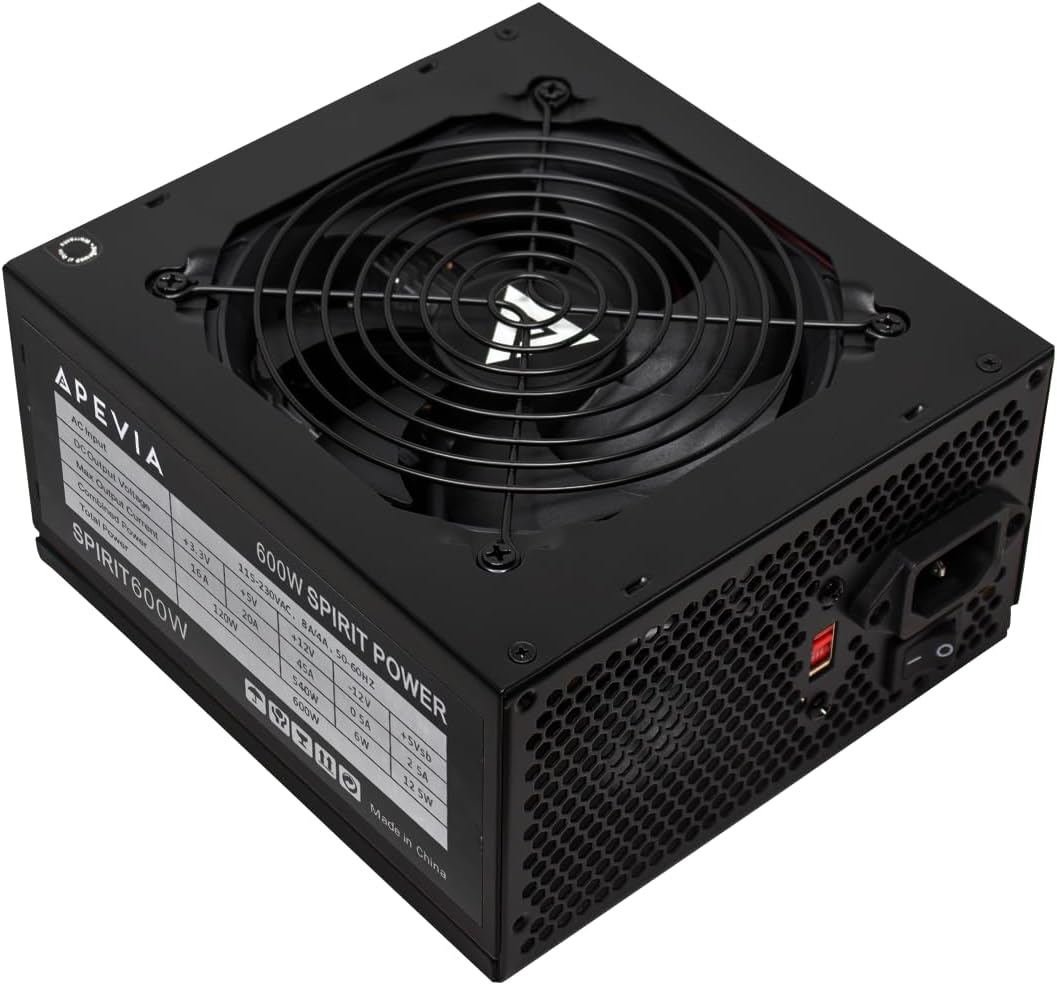
Apevia SPIRIT600W
4.3Editor score
600W continuous power output
120mm auto thermal fan
Multiple protection systems included
This guide compares the top budget power supplies for gaming PCs focusing on efficiency, reliability, and value to help you choose the right unit for your
Finding a reliable power supply is crucial for any gaming PC build. You need a unit that delivers stable voltage without breaking the bank. This guide reviews ten top options under one hundred dollars to ensure your system runs smoothly.
We evaluated each power supply based on efficiency ratings, connector types, and protection features. Our analysis covers models from reputable brands like MSI and Thermaltake. This list helps you balance performance and cost for your next upgrade.
Each pick highlights key strengths and potential trade-offs for budget builders. Ratings and availability can change over time so verify details before buying. Use this resource to find a unit that fits your specific needs and budget constraints.
4.3Editor score

4.7Editor score

4.6Editor score
The following table provides a side-by-side comparison of all ten selected power supplies. It highlights key specifications like wattage, certification level, and warranty duration to help you make an informed decision quickly.



The Apevia SPIRIT600W is a solid entry point for budget builders needing reliable power. It delivers 600 watts with a 120mm fan that adjusts based on temperature. This unit focuses on providing essential power without extra costs.
We may earn a commission when you buy through this link, at no additional cost to you.
It supports dual and quad core CPUs with a dedicated 12V output. The connectors include main power, CPU, PCIe, SATA, and Molex options. This versatility ensures compatibility with various mid range system configurations.
While it lacks a formal efficiency rating the auto thermal fan helps manage noise and heat. The protections cover short circuit and over voltage scenarios. These features add safety without inflating the price.
This supply is best for casual gamers on a tight budget. It handles standard builds well but may not suit high end rigs. For the price it offers dependable power and necessary protections for basic setups.
The variety of connectors allows you to power multiple drives and components without adapters.
The auto thermal fan ensures the unit stays cool during operation without constant noise.
We may earn a commission when you buy through this link, at no additional cost to you.
The Thermaltake SMART 600W brings 80 Plus certification to the budget segment. It offers 600 watts with Active PFC to improve power factor and efficiency. This model supports standard ATX requirements effectively.
We may earn a commission when you buy through this link, at no additional cost to you.
It features two PCIe 6 plus 2pin connectors for graphics cards. The 12V rail is powerful enough for mid range GPUs. Quality components ensure stable performance under typical system loads.
The non modular design means all cables are fixed inside the case. This can reduce airflow slightly compared to modular options. However the industry grade protections provide peace of mind against surges.
Choose this for a balanced build needing certified efficiency. The five year warranty reflects confidence in longevity. It fits well in standard cases without needing extra space for cable routing.
The 80 Plus certification ensures better energy conversion and lower heat output.
Active PFC reduces wasted energy and improves stability for the power grid.
We may earn a commission when you buy through this link, at no additional cost to you.
The ARESGAME AGV Series offers 500 watts with 80 Plus Bronze certification. It is designed for systems needing efficient power without high demands. The fan runs quietly to keep noise levels low.
We may earn a commission when you buy through this link, at no additional cost to you.
All cables are black which helps maintain a clean look inside the case. The protection suite covers over voltage and short circuit risks. This makes it suitable for entry level gaming systems.
The 500W limit means it may not support very high end graphics cards. You should check your GPU requirements before buying. It works best for budget builds with moderate power needs.
This unit is a great value for small form factor or entry builds. The warranty adds security for long term use. Its quiet operation makes it ideal for home office or bedroom setups.
The 120mm fan is optimized for quiet cooling during typical usage.
Black cables ensure your internal build looks tidy and professional.
We may earn a commission when you buy through this link, at no additional cost to you.
The MSI MAG A750GL is built for next gen systems with ATX 3.1 compliance. It provides 750 watts and includes a native 12V-2×6 cable for modern GPUs. The fully modular design simplifies cable management.
We may earn a commission when you buy through this link, at no additional cost to you.
Gold efficiency means less energy waste and lower operating costs. The ten year warranty shows strong confidence in component quality. This unit handles high end configurations without issues.
While it costs more it offers future proofing that saves upgrades later. The compact design fits well in smaller cases. Ensure your case supports the new ATX 3.1 standards for best results.
Pick this for high end builds needing reliable future proof power. The native connector reduces adapter needs for new cards. It stands out as the premium choice for longevity and performance.
The native 12V-2×6 cable supports high wattage GPUs safely and directly.
80 Plus Gold rating ensures excellent power conversion and heat management.
We may earn a commission when you buy through this link, at no additional cost to you.
The Segotep 650W brings Gold certification to a budget friendly price. It delivers 650 watts with a single 12V rail for stability. The global voltage feature makes it usable worldwide.
We may earn a commission when you buy through this link, at no additional cost to you.
Four PCIe connectors allow support for multiple graphics cards or high end GPUs. The design ensures stable power delivery even under demanding loads. This helps prevent crashes during heavy gaming sessions.
Since it is non modular cable clutter can be higher than modular units. Proper planning is needed to route wires neatly. The gold rating ensures good efficiency and reduced heat generation.
Choose this for a cost effective Gold solution without paying premium brands. It suits mid range gaming rigs well. The voltage support adds value for international travelers or diverse regions.
Global voltage adaptation allows safe use across different international power standards.
Single 12V rail ensures consistent current for high performance components.
We may earn a commission when you buy through this link, at no additional cost to you.
The ASRock PRO 750G is ready for next gen components with ATX 3.1. It offers 750 watts and a native 12V-2×6 connector for modern cards. The low noise fan keeps operation quiet.
We may earn a commission when you buy through this link, at no additional cost to you.
This unit reduces power waste with high Gold efficiency. The 12V-2×6 design supports up to 450W delivery directly. This avoids the need for adapters that can fail or look messy.
A three year warranty is standard for many units but shorter than others. You should verify the coverage terms for your region. It fits mid to high end systems needing stable power.
Select this for high end builds with new GPU models. The native connector simplifies setup significantly. It balances high capacity with future ready features effectively.
ATX 3.1 compliance ensures compatibility with the latest graphics card standards.
Optimized cooling fans reduce noise while maintaining effective thermal management.
We may earn a commission when you buy through this link, at no additional cost to you.
The MSI MAG A650BE offers semi modular design for better cable management. It delivers 650 watts with Bronze efficiency to balance cost and performance. The fan is optimized for low noise operation.
We may earn a commission when you buy through this link, at no additional cost to you.
Active PFC improves power factor which reduces energy waste. The compact build fits well in standard cases. Industrial level protections cover common electrical risks effectively.
The semi modular approach lets you detach unused cables like PCIe. This helps reduce clutter and improves airflow inside the case. It is a practical compromise for budget builders.
Pick this for builds needing flexibility and good protection. The semi modular design eases cable routing tasks. It is a reliable choice for mid range gaming PCs.
Semi modular design allows removing unused cables for a cleaner internal look.
Active PFC stabilizes power draw for efficient energy use and reliability.
We may earn a commission when you buy through this link, at no additional cost to you.
The MSI MAG A650BN provides 650 watts in a compact non modular form. It uses Active PFC for stable power conversion. The fan runs quietly to maintain a peaceful environment.
We may earn a commission when you buy through this link, at no additional cost to you.
DC-DC circuit design improves voltage regulation for key components. This ensures stable performance for CPU and GPU. Industrial protections guard against electrical faults safely.
Non modular cables mean all wires are fixed and may clutter the case. You must plan routing carefully to maximize airflow. It suits standard builds where space is available.
This unit fits standard gaming builds needing reliable power. The compact size allows flexible case choices. It is a solid budget pick for those not needing full modularity.
DC-DC design ensures stable voltage delivery to critical components like CPU.
The compact size fits easily in various standard ATX cases.
We may earn a commission when you buy through this link, at no additional cost to you.
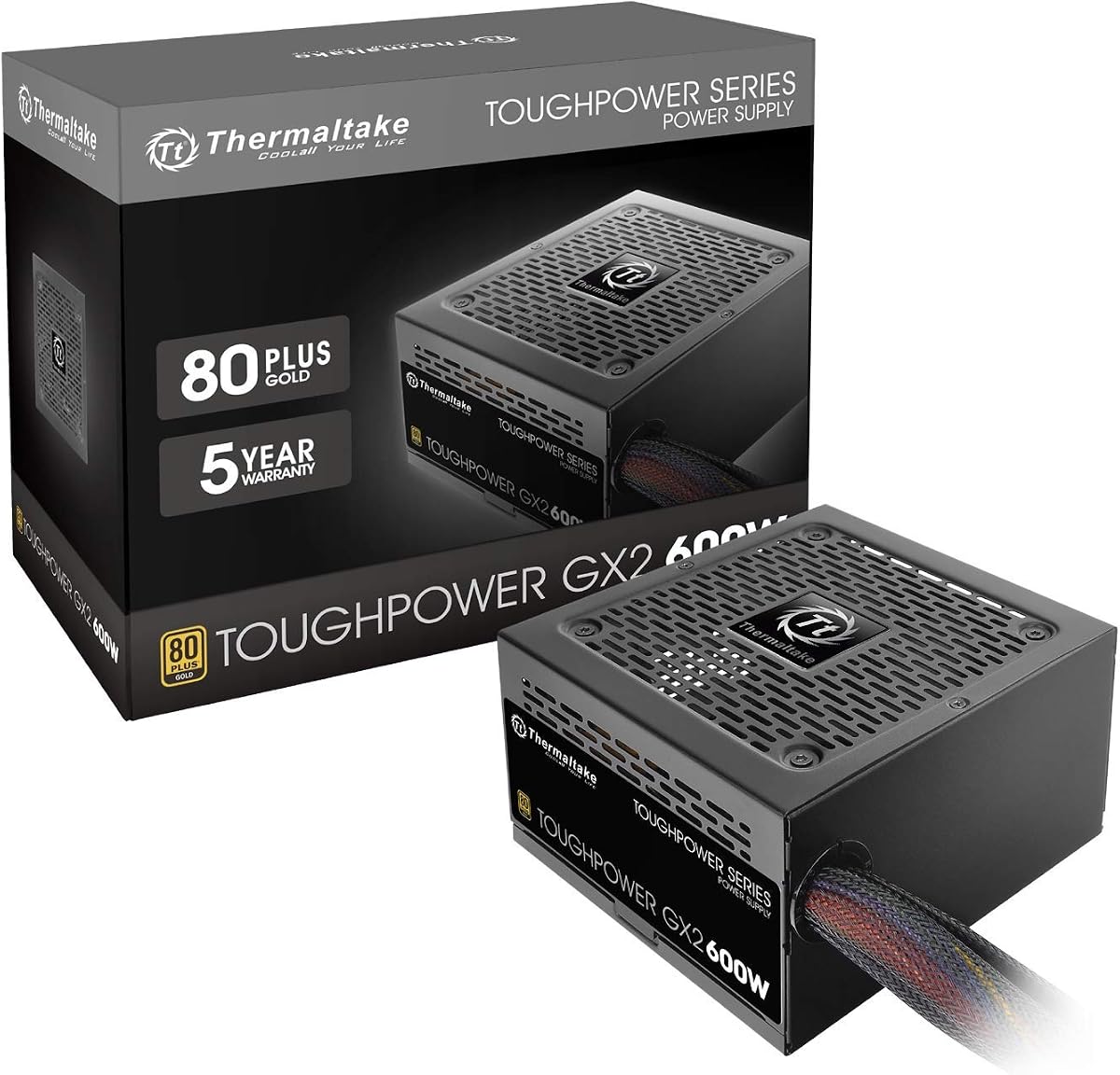
The Thermaltake Toughpower GX2 is Gold certified for high efficiency. It supports multi GPU setups for enhanced graphics performance. The fan is ultra quiet to minimize acoustic noise.
We may earn a commission when you buy through this link, at no additional cost to you.
A single 12V rail ensures strong power delivery to components. Low ripple noise maintains stability for sensitive parts. High quality capacitors improve reliability and longevity.
Non modular design means fixed cables which can impact airflow. Proper routing is key to maintaining clean cooling paths. The protections cover typical surges and overloads.
Choose this for multi GPU builds needing Gold efficiency. It supports SLI or Crossfire configurations well. It is a strong option for those needing stable high power.
Ready for SLI or Crossfire setups to handle multiple graphics cards.
Low ripple ensures clean power delivery for consistent component performance.
We may earn a commission when you buy through this link, at no additional cost to you.
The Rosewill VSB 650W supports ATX 3.0 standards and features. It offers 650 watts with semi modular cables for easier management. Japanese capacitors provide reliable thermal performance.
We may earn a commission when you buy through this link, at no additional cost to you.
The native 12V-2×6 connector allows direct connection to modern GPUs. This supports up to 450W for high end graphics. The fan is designed to run silently during use.
Bronze efficiency is acceptable for basic budgets but lower than Gold. You should check case compatibility for ATX 3.0. It is a modern option for forward looking builds.
Select this for builds needing ATX 3.0 readiness on a budget. The semi modular design helps with cable routing. It balances modern features with traditional pricing well.
ATX 3.0 compatibility ensures support for new power delivery standards.
Japanese capacitors ensure stability under high temperature operation.
We may earn a commission when you buy through this link, at no additional cost to you.
Selecting the right power supply requires looking at wattage, efficiency, and protections. This guide breaks down key factors to help you choose a reliable unit.
Ensure the unit provides enough power for your CPU and GPU. Budget units range from 500W to 750W. Higher wattage gives headroom for future upgrades and peak loads.
Choose a unit with at least 100W headroom over your system needs.
Look for 80 Plus Bronze or Gold certifications for better energy use. Higher ratings mean less waste heat and lower electricity bills. Budget units often offer Bronze or entry Gold levels.
Prioritize Bronze or Gold to ensure stable and efficient power delivery.
Check for required PCIe, CPU, and SATA connectors. Some units have fixed cables while others are modular. Modular designs offer cleaner cable management inside the case.
Verify you have enough PCIe pins for your graphics card needs.
Safety protections like OVP, OPP, and SCP protect components from surges. Quality units include a comprehensive suite of these safeguards. This prevents damage during power outages.
Ensure the unit includes at least standard over voltage and short circuit protection.
Warranty lengths range from three to ten years in this list. Longer warranties suggest higher confidence in component quality. Use warranty terms to compare reliability between brands.
Prioritize five year warranties for better long term security.
Standard ATX units fit most mid tower cases easily. Compact designs are needed for small form factor builds. Measure your case dimensions before purchasing to ensure fit.
Select ATX standard size for most typical desktop computer cases.
Newer ATX 3.0 or 3.1 units support next gen GPU power needs. These include native 12V-2×6 connectors to avoid adapters. Consider future hardware plans when choosing a unit.
Choose ATX 3.1 units if planning for next generation graphics cards.
Look for units with low noise fans or thermal control. Quieter fans are vital for home office or bedroom setups. Check reviews for acoustic performance before buying.
Select units with thermal controlled fans for quieter operation.
Install the power supply in the designated bottom or top slot of your case. Secure it firmly with screws to prevent vibration during operation. Ensure all power cables are fully clicked into place.
Keep the area around the power supply vents clear for proper airflow. Dust accumulation can reduce cooling efficiency over time. Clean the filters periodically with compressed air.
Monitor system stability after installation using stress tests or games. If you notice shutdowns check your cable connections and power load. Ensure your outlet provides stable voltage for the unit.
While not strictly required 80 Plus certification ensures better energy efficiency. This reduces heat and electricity costs. It is a recommended standard for reliable budget builds.
Count the PCIe power requirements on your graphics card. Each slot usually requires one 6+2 pin connector. Ensure your unit provides enough cables for all slots.
Yes most ATX 3.1 units fit standard ATX cases. Check dimensions and cable types for compatibility. They offer future proofing without fitting issues.
Modular units allow you to detach unused cables for better airflow. If space is tight they help reduce clutter. For tight budgets non modular units work fine.
OVP stands for Over Voltage Protection and SCP for Short Circuit Protection. These features prevent hardware damage during electrical spikes. They are essential safety features.
Quality budget units can last five to seven years with care. Warranty length often indicates expected lifespan. Proper ventilation helps extend operational life.
Units with 650W or more support most mid to high end cards. Check specific GPU power requirements for best results. Ensure you have sufficient connectors.
Single rail designs offer simpler current distribution for GPUs. They prevent rail overload on single GPU setups. Look for high 12V rail capacity.
The Apevia SPIRIT600W and MSI MAG A650BE offer strong value for budget gamers. For those needing future proofing the MSI MAG A750GL stands out as a premium choice.
Prioritize efficiency ratings and connector variety when making your final decision. Ensure the unit fits your case and supports your GPU needs.
Always check current availability and pricing before purchasing. This list provides a solid starting point for reliable and affordable power solutions.