
HP 14 inch Laptop
4.5Editor score
Intel N150 Processor
14 inch Non-touch Display
Slim 0.71-inch Profile
Finding a laptop that operates silently is essential for focused work and peaceful environments. Many modern devices use passive cooling or optimized fans to minimize noise during daily tasks.
We evaluated ten top-rated options ranging from budget-friendly models to premium business laptops. Our comparison considers thermal management, build quality, and real-world usage scenarios for quiet operation.
Each selection highlights key features that contribute to a silent experience. Please note that availability and pricing may change frequently, so verify details before purchasing your preferred model.
4.5Editor score

4.0Editor score
4.4Editor score
As an Amazon Associate we earn from qualifying purchases.
This side-by-side comparison highlights the core specifications and unique benefits of each selected device to help you find the quietest option for your specific needs.




The HP 14 inch Laptop offers a silent computing experience ideal for students and light users. It receives strong marks for its fanless operation and lightweight build quality.
We may earn a commission when you buy through this link, at no additional cost to you.
Its Intel N150 processor ensures efficient task handling without generating heat that requires loud cooling. The 14 inch display provides clear visuals while maintaining portability for daily commutes.
Trade-offs include limited memory and storage which may restrict heavy multitasking or local file retention. However, cloud storage helps mitigate these constraints for budget-focused buyers.
This model is perfect for those prioritizing silence and portability over raw power. It delivers reliable performance for web browsing, document editing, and media streaming without noise.
The device uses passive cooling methods to eliminate fan noise entirely. This ensures a quiet environment suitable for libraries, offices, and shared living spaces.
Weighing only 3.24 lbs with a slim profile, it fits easily in backpacks. This makes it ideal for students who need a silent machine for study sessions.
We may earn a commission when you buy through this link, at no additional cost to you.
The Aurant 15.6 Inch Laptop is praised for its quiet operation and reliable performance. It stands out with a perfect rating indicating strong user satisfaction with noise levels.
We may earn a commission when you buy through this link, at no additional cost to you.
Powered by an AMD Ryzen R5 processor, it handles daily tasks efficiently without excessive heat generation. The 15.6 inch screen offers a comfortable viewing area for extended use.
While storage is limited, the 8GB RAM supports smooth multitasking for most users. The inclusion of a backlight keyboard enhances usability in low-light environments.
Ideal for home office workers seeking a silent machine without premium costs. It balances performance and acoustic comfort effectively for general productivity needs.
Users report minimal noise during typical operation. The cooling system manages thermal output quietly, making it suitable for open-plan workspaces.
The full-size keyboard with backlight ensures comfortable typing. This feature supports long typing sessions without eye strain or discomfort.
We may earn a commission when you buy through this link, at no additional cost to you.
The ASUS Vivobook Go 15 combines quiet hardware with advanced audio features. It is a top choice for remote work requiring minimal background noise during calls.
We may earn a commission when you buy through this link, at no additional cost to you.
Its AMD Ryzen 5 CPU and DDR5 RAM ensure responsive performance. The AI noise-canceling audio reduces background distractions for clear communication.
The privacy shutter provides added security for video conferencing. While ratings are pending, features suggest high potential for academic and professional use.
This laptop is best for students and professionals needing a silent, secure machine. It offers modern connectivity and a premium feel at a competitive price point.
AI noise-canceling technology minimizes ambient sounds during calls. This ensures clear voice transmission even in noisy environments.
The FHD NanoEdge display maximizes screen space. It provides vibrant visuals for entertainment and professional tasks alike.
We may earn a commission when you buy through this link, at no additional cost to you.
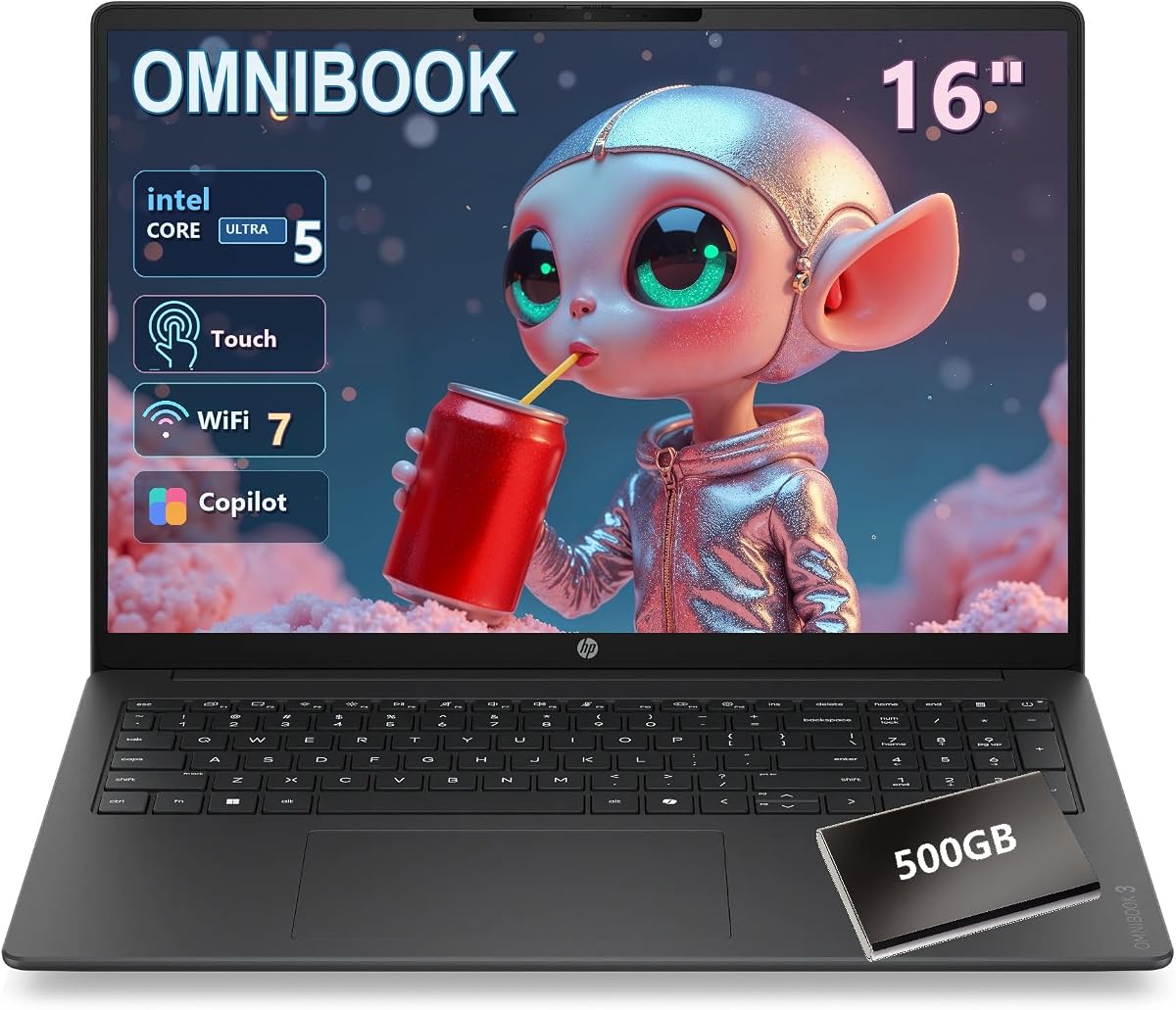
The HP OmniBook 3 16 delivers premium performance with quiet operation. It uses advanced AI features to manage noise during virtual meetings effectively.
We may earn a commission when you buy through this link, at no additional cost to you.
Its Intel Core Ultra 5 processor supports demanding tasks without loud cooling. The 16 inch touchscreen offers an immersive workspace for creative professionals.
Despite the larger size, it remains efficient and reliable for daily workflows. The inclusion of Office 365 adds immediate value for business users.
Best suited for executives or creatives needing a high-end silent device. It balances power and acoustic comfort for a sophisticated work environment.
AI Noise Reduction tracks your voice during calls. This ensures professional audio quality without distracting background noises.
Wi-Fi 7 and Thunderbolt support future-proof the device. These features allow fast data transfer and stable network connections.
We may earn a commission when you buy through this link, at no additional cost to you.
The Kootek Cooling Pad is designed to keep laptops cool with minimal noise. It helps reduce internal fan activity by improving airflow underneath the device.
We may earn a commission when you buy through this link, at no additional cost to you.
Its five quiet fans allow customizable cooling options. You can control which fans run to balance airflow and silence based on your needs.
The ergonomic design raises the laptop to a comfortable viewing angle. This also aids in keeping the workspace free from heat buildup.
Ideal for users with existing laptops that struggle with heat and noise. It extends the life of your device while maintaining a quiet environment.
The fans are engineered to operate quietly. They help prevent your laptop from overheating and triggering loud cooling responses.
Six height adjustments allow you to find the perfect angle. This reduces strain on your neck and wrists during long sessions.
We may earn a commission when you buy through this link, at no additional cost to you.
The HP Everyday Slim Laptop is recognized for its silent and efficient operation. It has received a perfect rating, indicating high satisfaction with noise levels.
We may earn a commission when you buy through this link, at no additional cost to you.
Its Intel N150 processor handles standard tasks quietly. The slim chassis ensures it is easy to carry without sacrificing cooling efficiency.
Battery life supports long periods of work without needing a charger. The True Vision camera enhances video call quality for remote users.
Best for users who prioritize reliability and silence over performance. It is an excellent choice for casual computing and educational use.
Long battery life supports untethered quiet work. You can work away from outlets without worrying about noise or power.
Thin and light design makes it easy to travel. It fits in small bags while maintaining a professional look.
We may earn a commission when you buy through this link, at no additional cost to you.
The havit Cooling Pad provides quiet cooling for 15.6 to 17 inch laptops. Its three ultra-quiet fans ensure a noise-free environment while working.
We may earn a commission when you buy through this link, at no additional cost to you.
It is designed for portability with a slim profile. The metal mesh provides a stable surface that keeps laptops secure during use.
Ergonomic comfort is enhanced by two adjustable height settings. The USB connection allows for easy power without extra adapters.
This pad is great for travelers needing a quiet setup on the go. It offers effective heat management without adding significant bulk to your bag.
Slim design fits easily in laptop bags. It allows you to maintain quiet operations wherever you work.
Adjustable height reduces strain. The metal mesh ensures your laptop stays cool and secure.
We may earn a commission when you buy through this link, at no additional cost to you.
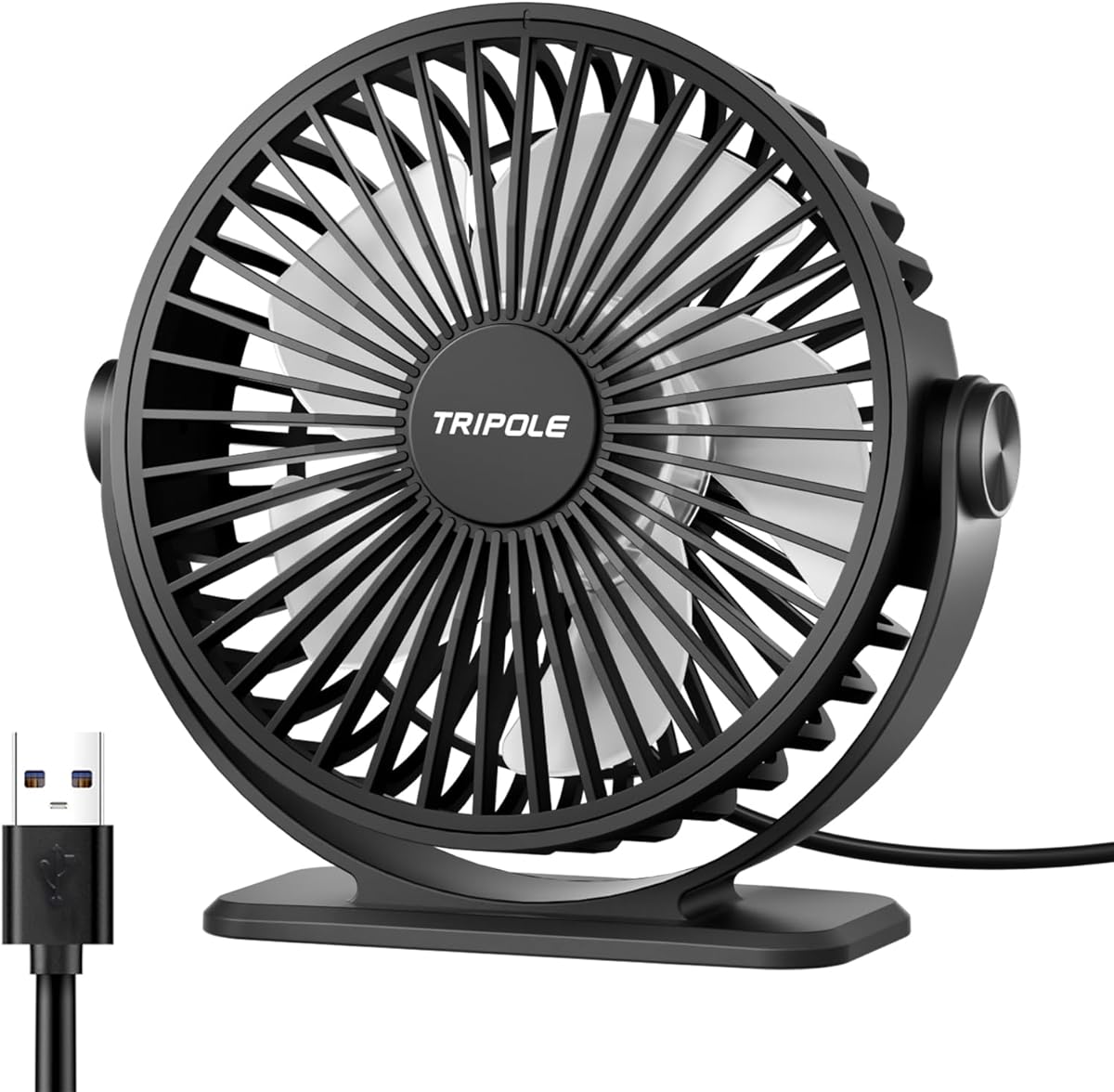
The TriPole Desk Fan offers personal cooling to help manage ambient temperature quietly. Its compact design fits on any desk without taking up much space.
We may earn a commission when you buy through this link, at no additional cost to you.
Three speed modes allow you to customize airflow intensity. The 360 rotation ensures you can direct cool air exactly where you need it.
It operates quietly enough not to disturb focus or calls. This is ideal for maintaining personal comfort during hot summer days.
Best for supplementing workspace cooling without adding loud noise. It is a simple, effective tool for personal thermal comfort.
Small size allows precise airflow control. It helps maintain comfort without needing to turn on loud room AC.
USB powered design simplifies usage. You can plug it into a computer or wall adapter easily.
We may earn a commission when you buy through this link, at no additional cost to you.
The Targus Lap Chill Mat provides a soft, cool surface for lap computing. It uses dual fans to disperse heat while maintaining comfort on your lap.
We may earn a commission when you buy through this link, at no additional cost to you.
The neoprene material cushions your legs during long sessions. Rubber stops keep your laptop secure and stable on the surface.
Open mesh design ensures constant airflow to prevent overheating. This setup helps keep internal laptop fans quieter by reducing workload.
Best for users who work from couches or non-desk areas. It combines comfort with practical cooling for a quiet mobile experience.
Soft neoprene bottom prevents cold metal from touching skin. This allows for extended use without discomfort or distraction.
Dual fans help dissipate heat effectively. The mesh top ensures airflow reaches the laptop intake vents.
We may earn a commission when you buy through this link, at no additional cost to you.
The HP 17 inch Business Laptop offers a large screen with efficient quiet performance. It is rated well for reliability and noise control during business tasks.
We may earn a commission when you buy through this link, at no additional cost to you.
Its AMD Ryzen 5 CPU supports heavy multitasking quietly. The 16GB RAM ensures smooth operation even with multiple apps open.
The large display provides ample space for spreadsheets and documents. A numeric keypad supports data entry needs without extra peripherals.
Ideal for desk-based workers needing screen space without noise. It balances power and silence for professional environments effectively.
17.3 inch FHD screen offers room for multitasking. The anti-glare feature reduces eye strain during long hours.
16GB RAM supports professional workflows smoothly. Office 365 for web ensures easy access to documents anywhere.
We may earn a commission when you buy through this link, at no additional cost to you.
Selecting a laptop with minimal fan noise involves understanding cooling methods, processor efficiency, and build quality.
Passive cooling uses heat sinks to dissipate heat without moving parts, ensuring zero noise. Active fans can be quiet but may still produce low hums under load.
Look for devices with passive cooling or advanced fan control algorithms if silence is a top priority.
Modern processors like Intel N-series or AMD Ryzen U-series offer high efficiency with low heat generation. Less heat means less need for aggressive cooling.
Choose efficient processors to reduce thermal output and maintain a quieter operating environment.
Aluminum chassis help dissipate heat naturally, reducing fan reliance. A well-ventilated design allows air to flow without mechanical assistance.
Opt for devices with metal bodies and slim profiles for better thermal management and less noise.
If you only browse or type, a lightweight device is sufficient and quieter. Heavy tasks like gaming or video editing may trigger noise despite cooling.
Assess your daily needs to ensure the device does not overwork and create unnecessary sound.
Adding external cooling pads can reduce internal heat and fan speeds. These accessories can lower overall system noise significantly.
Consider investing in a quiet cooling pad if your laptop struggles with heat management.
Efficient power management lowers power draw and heat. Devices with long battery life often prioritize efficient components that run cooler.
Check battery life specs as they often correlate with efficient and quiet processing.
USB Type-C allows for external power delivery and data transfer, reducing internal component heat. More ports mean flexibility without adding external heat sources.
Ensure the device has modern ports to support efficient peripheral use.
Real-world reviews highlight noise levels during typical use. Look for consistent feedback about quiet operation and thermal comfort.
Prioritize models with high ratings for user satisfaction regarding noise.
Keep your laptop on hard, flat surfaces to ensure natural airflow. Avoid placing it on soft fabrics that can trap heat and cause throttling or noise.
Regularly update your operating system and drivers. These updates often include optimized power management profiles that reduce heat and noise.
Clean your device regularly with a soft cloth to prevent dust buildup. Use compressed air to clear vents without scratching the surface or causing noise.
Yes, passive cooling laptops eliminate fans entirely, resulting in zero noise. They rely on heat sinks and efficient processors to manage temperature silently.
You can use a cooling pad to lower internal temperatures. This reduces the need for fans to spin rapidly, thus lowering noise.
Not necessarily. Efficient processors used in silent models handle daily tasks well. They may limit peak performance but maintain speed without noise.
Look for descriptions like passive cooling or quiet cooling algorithms. High efficiency ratings and solid build materials often indicate better acoustic performance.
Yes, silent laptops ensure your mic captures your voice clearly. Noise-canceling audio features further enhance call clarity without background distraction.
Avoid overheating your device by keeping it ventilated. Regular updates and cleaning help maintain the efficiency of the cooling system.
Many efficient models offer long battery life due to low power draw. However, verify specs for individual devices to confirm endurance.
Budget options like the HP 14 inch laptop can be reliable for light tasks. Check ratings to ensure the device meets noise expectations.
We reviewed ten devices that prioritize silence for work and study. The top picks range from budget laptops to advanced business machines.
Choose a model based on your specific workload and need for silence. Efficient processors and smart cooling are key factors for quiet operation.
Prices and availability change quickly. Verify the latest details on your chosen model to ensure it meets your requirements.