
Liene PixCut S1 Color Sticker Printer
4.2Editor score
All-in-One Print and Cut
300 DPI Thermal Dye-Sublimation
AI Image Extraction Feature
This expert guide compares the top AI Sticker Printer Maker models available in October 2026 to help you choose the right device for creative printing projects.
The world of creative printing has evolved dramatically with the introduction of AI Sticker Printer Maker devices. These innovative tools allow users to transform simple voice commands or text prompts into tangible, physical stickers instantly. Whether for educational purposes or artistic expression, they offer a unique blend of technology and hands-on fun.
We have carefully evaluated the leading models on the market based on their AI capabilities, print quality, ease of use, and safety features for children. Our comparison focuses on thermal technology, voice recognition accuracy, and the overall user experience provided by each manufacturer. This ensures you receive a comprehensive overview of what each device offers.
Each pick in this guide highlights specific strengths such as portability, inkless operation, or advanced AI art styles. We aim to help you find the perfect match for your needs without overwhelming you with technical jargon. Please note that product availability and specific features may change over time so check current listings.
4.2Editor score

4.8Editor score

5.0Editor score
This side-by-side comparison outlines the key specifications and unique selling points of each top-rated AI Sticker Printer Maker to help you make an informed decision quickly.
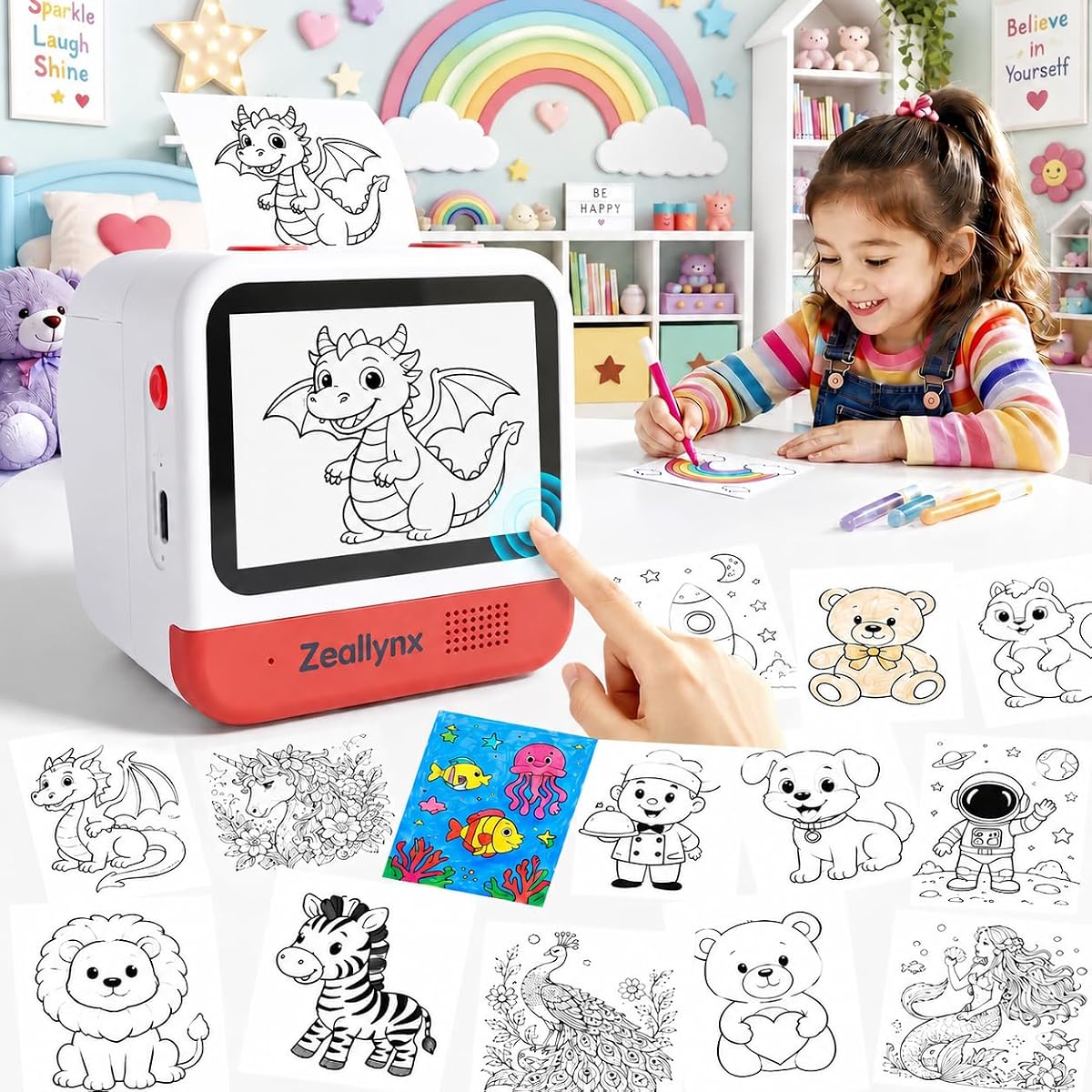

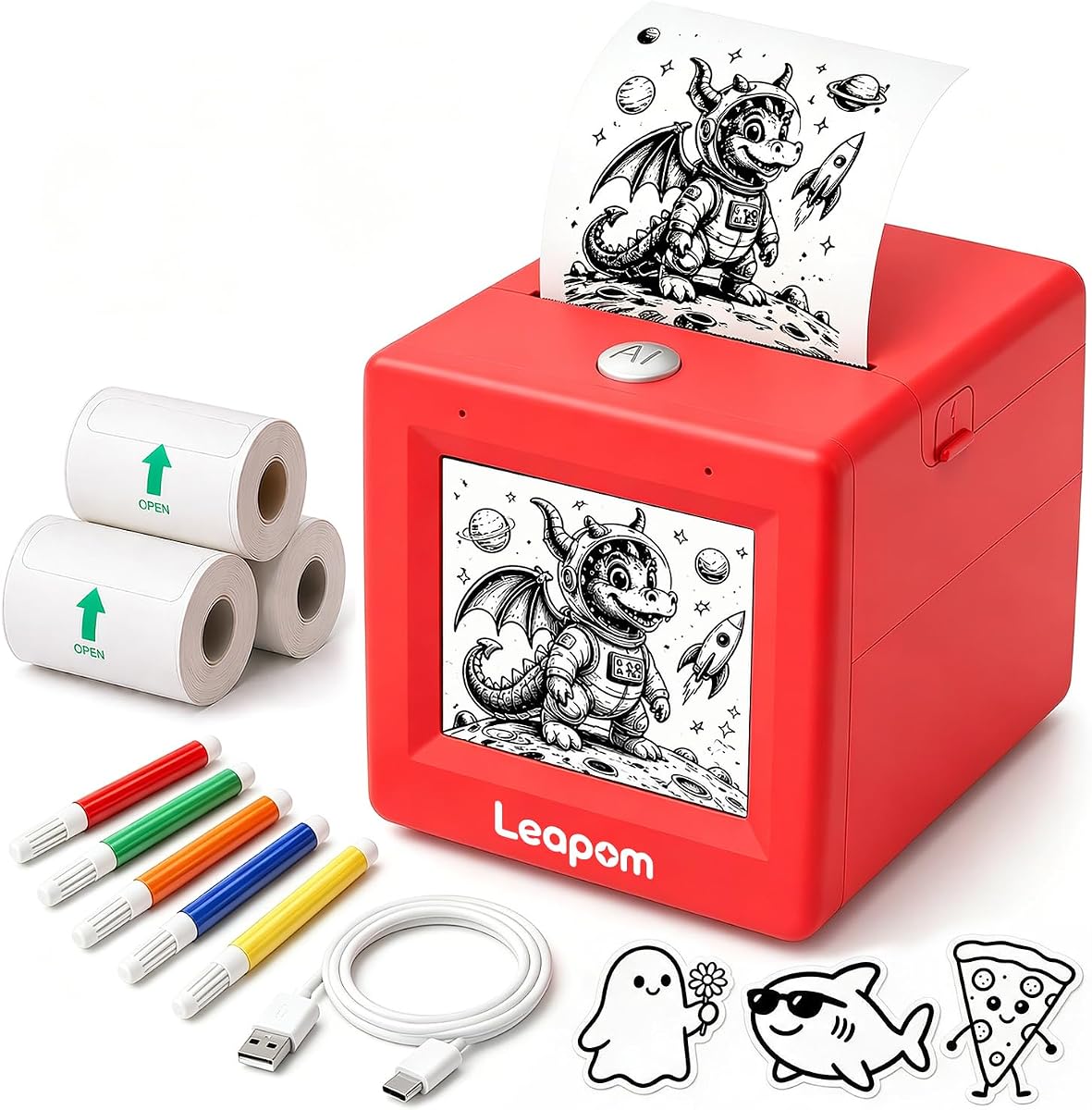


This AI Sticker Maker stands out as a top contender for families seeking a creative tool that combines voice input with thermal printing. It boasts an impressive rating and offers a seamless experience for children to turn ideas into physical stickers instantly. The inclusion of a touchscreen makes it accessible without needing a smartphone app.
We may earn a commission when you buy through this link, at no additional cost to you.
The device operates by allowing kids to select styles and speak their ideas, which the AI then converts into cartoon stickers. It uses thermal technology to print black and white images that children can color with included watercolor pens. This dual-step process encourages fine motor skills and artistic interpretation in a safe environment.
While it does not support color printing directly, the lack of ink and toner makes it mess-free and economical over time. The strict content filtering ensures safety, though parents should note it requires Wi-Fi to function. These trade-offs are acceptable given the simplicity and fun factor it provides for young creators.
We recommend this for parents looking for a self-contained creative station that fosters imagination and storytelling. It is ideal for ages four and up and serves as an excellent gift for various occasions. The combination of technology and hands-on activity makes it a standout choice in this category.
The device does not store data and uses strict filters to ensure age-appropriate responses for children.
Kids can use included watercolor pens to personalize black and white prints for a unique artistic experience.
We may earn a commission when you buy through this link, at no additional cost to you.
The Liene PixCut S1 represents a premium entry into the sticker printing market, offering full-color capabilities that most competitors lack. It combines printing and cutting into one device, making it a robust tool for serious crafters and label makers. The thermal dye-sublimation technology ensures vibrant and true-to-life colors in every print.
We may earn a commission when you buy through this link, at no additional cost to you.
Users can utilize AI image extraction to pull subjects from photos and print them with precise cutting. The app provides over 50,000 free images and templates, adding significant value without subscription fees. The stickers produced are waterproof and scratch-resistant, ensuring durability for various applications like laptops or water bottles.
While the cost is higher than basic thermal printers, the elimination of separate cutting tools and the quality of output justify the investment. It requires a smartphone app for control which might be a slight hurdle for very young children but is perfect for teens and adults. This makes it a versatile choice for diverse projects.
We suggest this model for hobbyists or small business owners needing professional-grade custom stickers without bulk ordering. The ability to print and cut in minutes saves time and effort significantly. It is the best choice for those prioritizing color quality and finished product durability in their crafting workflow.
Thermal dye-sublimation technology delivers 16.7 million colors and 300 DPI resolution for vivid prints.
AI guided precision cutting follows edges accurately to create perfect stickers without manual trimming tools.
We may earn a commission when you buy through this link, at no additional cost to you.
This mini sticker printer offers an exceptional value proposition for families wanting to explore AI creativity without a large financial commitment. It features a 5.0 rating reflecting high user satisfaction with its ease of use and output quality. The device supports seven different art styles ranging from line art to anime for varied creative outputs.
We may earn a commission when you buy through this link, at no additional cost to you.
A standout feature is the smart color preview screen which allows users to see designs before printing to reduce waste. It connects wirelessly and includes a rechargeable battery for on-the-go use without needing constant power access. The box includes four rolls of paper so users can start creating immediately upon unboxing.
The trade-off for the lower price is the lack of color printing and a smaller print area compared to larger models. However, for journaling and simple crafts the output quality is more than sufficient. The privacy features ensure that no data is stored making it safe for unsupervised use by children.
We recommend this for budget-conscious buyers who want a reliable entry-level device for DIY projects. It is perfect for students or journal enthusiasts who need a portable tool for notes and labels. The high rating suggests it delivers on its promises for a fun and functional sticker-making experience.
The color display screen lets you preview designs so you only print what you truly love and want.
Seven styles including anime and sketch allow kids to explore different artistic themes with their voice commands.
We may earn a commission when you buy through this link, at no additional cost to you.
This printer simplifies the workflow by removing the need for external app installations entirely. With a perfect 5.0 rating users appreciate the direct interaction through voice and touchscreen controls. It offers ten creative modes from drawing to comic strips providing ample variety for storytelling and journaling.
We may earn a commission when you buy through this link, at no additional cost to you.
The device connects via 2.4GHz Wi-Fi to allow quick printing without pairing steps. Users can save their favorite designs directly to a TF card which is a unique feature for preserving memories without relying on cloud storage. The setup is straightforward making it ideal for classrooms or family gatherings.
The limitation of not having an app means you cannot use advanced smartphone features to edit designs remotely. However, the standalone nature ensures stability and ease of use for children who may struggle with complex Bluetooth connections. This makes it a robust option for consistent performance.
We suggest this for users who prefer a dedicated device that does not rely on phone connectivity for every function. It is an excellent choice for schools where multiple children need to use the device independently. The variety of modes ensures that boredom is kept at bay for extended play sessions.
Direct touchscreen and voice control remove the hassle of app downloads and account logins for children.
Built-in TF card support lets you save artwork and comics for easy reprinting without digital clutter.
We may earn a commission when you buy through this link, at no additional cost to you.
Stickerbox focuses heavily on safety and privacy making it a top choice for parents concerned about data collection. It is Kidsafe certified and COPPA compliant ensuring that children's interactions remain private and secure. The design eliminates screens to reduce eye strain and encourage more physical interaction and coloring activities.
We may earn a commission when you buy through this link, at no additional cost to you.
The push-to-talk button ensures the device only listens when intended avoiding accidental recordings of conversations. It comes with a complete set including colored pencils and BPA-free thermal paper for immediate creative use. This holistic approach to the physical set adds value beyond just the printing mechanism itself.
While the price is higher than average the focus on safety and health justifies it for many families. The lack of a screen might be less engaging for tech-savvy kids but it effectively redirects energy to manual coloring and storytelling. It serves as a digital detox tool within a modern context.
We recommend this for families prioritizing privacy and screen-free interaction. It is suitable for younger children who need a simple and safe introduction to AI technology. The thoughtful inclusion of coloring tools makes it a complete package for imaginative play sessions at home.
By removing screens the device encourages kids to color and interact physically rather than looking at a screen.
Data is never stored and activation is manual ensuring a safe environment for children using voice commands.
We may earn a commission when you buy through this link, at no additional cost to you.
This model is designed with younger children in mind providing a gentle introduction to technology and art. It transforms voice ideas into printable designs which helps boost communication skills and confidence in young users. The app is free and secure ensuring that parents do not face hidden costs or subscription demands.
We may earn a commission when you buy through this link, at no additional cost to you.
The compact size allows it to be easily carried in a backpack making it ideal for travel or school use. It includes markers and paper so the creative process can begin immediately. The thermal technology ensures prints are clear and vibrant enough for coloring and journaling purposes.
The main limitation is that it relies on the app for some advanced features like photo printing. However, the voice-to-image capability is robust enough for simple creative tasks. The focus on educational value makes it a great addition to a toy collection for preschoolers and early elementary students.
We suggest this for parents looking for an educational toy that doubles as a fun gift. It helps children express their thoughts visually which is a valuable skill. The portability ensures that creativity can happen anywhere whether at home or on family trips.
Transforming words into images helps children develop communication skills and artistic abilities simultaneously.
The official app is free and secure allowing easy photo printing without credit card requirements.
We may earn a commission when you buy through this link, at no additional cost to you.
This device stands out with its HD screen which provides clear visual feedback during the creation process. Users can input ideas via voice or app to generate designs instantly for labeling or decorating. It includes five rolls of paper making it a ready-to-use kit for various creative needs.
We may earn a commission when you buy through this link, at no additional cost to you.
The versatility of offering both regular and adhesive paper expands the use cases beyond just stickers. Parents can use it for school projects or daily labels while kids enjoy making decorations for their rooms. The lightweight design ensures it can be carried around easily during family activities.
The inclusion of a screen adds a level of interactivity that simpler models lack improving the user experience. While it is limited to black and white thermal printing the clarity is high enough for detailed coloring. This makes it a strong contender for those wanting more screen control without a complex setup.
We recommend this for families needing a balanced solution between simplicity and visual feedback. It is perfect for DIY enthusiasts who want to produce functional labels and fun art. The high rating reflects its reliability and ease of use for daily creative tasks at home.
Includes both regular and adhesive paper so you can print notes or make custom stickers easily.
An HD screen lets you preview designs before printing ensuring you get exactly what you want.
We may earn a commission when you buy through this link, at no additional cost to you.
The T02 offers a wide range of AI functions including photo cutout and image blending through its app. It is compatible with both iOS and Android devices making it accessible for most smartphone users. The compact size fits in a pocket allowing for instant printing anywhere you go without bulky equipment.
We may earn a commission when you buy through this link, at no additional cost to you.
It is versatile enough for use in study settings to print flashcards or diagrams quickly. The Bluetooth connection is fast enabling quick transfers of images to print. While it does not have a built-in cutter the small footprint allows for easy trimming and customization of shapes.
The main trade-off is that it relies entirely on the app for functionality which can be a hurdle for non-tech users. However for tech-savvy parents and kids this opens up more customization options. It is a great option for students needing portable study aids or travel companions.
We suggest this for users who want a versatile tool that extends beyond just simple voice commands. It is ideal for students and travelers who need quick access to notes or stickers on the go. The affordability makes it a low-risk option for testing thermal printing technology.
Ideal for printing study notes flashcards and diagrams to help students in their learning process.
The Phomemo app supports many AI functions like photo cutout and blending for creative photo projects.
We may earn a commission when you buy through this link, at no additional cost to you.
This model offers flexibility with both Wi-Fi and Bluetooth connectivity to suit different user preferences. It supports six distinct art styles allowing for a range of creative expressions from cartoons to sketches. The device is BPA-free ensuring safety for children who might handle the paper during coloring.
We may earn a commission when you buy through this link, at no additional cost to you.
The ability to switch between direct WiFi printing and app-based editing gives users more control over their projects. It charges via USB-C which is a modern and convenient standard for battery replacement. This makes it a practical choice for daily use at home or school.
The reliance on an app for full functionality is standard for this price point and allows for regular updates. The print quality is good for crafting purposes and the battery life supports extended use sessions. It is a solid mid-range option for families wanting reliable performance without premium costs.
We recommend this for users who value connectivity options and safety certifications in their devices. It is suitable for children aged four to twelve who need a robust tool for school projects. The variety of art styles ensures that creativity can be explored in multiple ways.
Choose between direct Wi-Fi for quick prints or Bluetooth for app-based editing and customization options.
BPA-free thermal paper ensures that materials are safe for children to handle during creative activities.
We may earn a commission when you buy through this link, at no additional cost to you.
This device features a 3.5 inch touchscreen that provides a large and intuitive interface for young users. It connects directly to WiFi without needing any app installation simplifying the setup process significantly. The AI chat companion offers suggestions and inspiration making it an interactive tool for learning and play.
We may earn a commission when you buy through this link, at no additional cost to you.
Privacy is a key focus as the device only activates when children choose to speak ensuring no passive recording. It is designed for ages three to twelve providing a long usability window for growing children. The thermal printing ensures clean and smudge-resistant designs for high-quality coloring experiences.
The lack of app dependency is a major plus for parents who want a standalone device that is hard to break. While it lacks advanced editing features found in app-connected models it excels in simplicity and safety. The large screen makes navigation easy for smaller hands and developing motor skills.
We suggest this for families seeking a low-maintenance and safe device for home use. It is perfect for birthday gifts where simplicity and engagement are top priorities. The AI companion adds a layer of interactivity that keeps children entertained for hours without needing a parent's phone.
The built-in AI chat answers questions and suggests ideas to help kids find creative inspiration instantly.
Push-to-talk voice input and content filtering ensure the device remains safe and private for children.
We may earn a commission when you buy through this link, at no additional cost to you.
Selecting the right AI Sticker Printer Maker involves evaluating several technical and practical factors to match your needs.
Most devices use thermal printing which requires no ink but offers monochrome output. Higher-end models like the PixCut S1 use dye-sublimation for full-color results. Thermal is more affordable and clean while dye-sub provides professional quality but at a higher cost.
Look for thermal printers for budget needs or dye-sub for color versatility.
Connectivity varies from direct Wi-Fi control to smartphone app dependency. Devices without apps are simpler for young children but limit customization. App-based devices offer more features like photo editing but require pairing and device usage.
Choose standalone devices for simplicity or app-linked ones for advanced features.
Different models offer varying numbers of art styles such as anime sketch or line art. Some include image extraction tools to turn photos into stickers. Ensure the AI supports the type of output you need whether it is drawings or real-world subjects.
Check the number of styles and AI tools to match creative interests.
Portability is key for on-the-go projects. Look for USB-C rechargeable batteries that last several hours of continuous use. Compact sizes make it easier to carry the device in bags for school or travel.
Prioritize long battery life and small dimensions for travel use.
Thermal paper refills come in sticker and plain formats. Ensure the device supports the paper size you prefer for your projects. Some kits include rolls but ongoing costs vary based on roll thickness and quality.
Check for included starter packs and affordable refills for long-term use.
Since many devices use voice input privacy is critical. Look for COPPA compliance and features that ensure no data is stored. Content filters should be robust to prevent inappropriate image generation.
Verify privacy certifications and content controls for child safety.
The interface should match the user's age and tech literacy. Touchscreens and buttons are easier for young children than complex menus. Setup should be quick with minimal configuration steps to start printing immediately.
Opt for intuitive interfaces and simple setup processes for best results.
Plastic build quality varies between models. Robust devices withstand drops and daily handling by children better. Waterproof features on stickers add value for projects exposed to moisture or wear.
Check for sturdy build and waterproof options for longevity.
To start using your device ensure it is fully charged via the USB-C port if applicable. Connect to your Wi-Fi network if the model requires internet for voice processing. Follow the on-screen prompts to select your preferred art style and language settings.
Place a roll of thermal paper into the printer ensuring it feeds correctly. Press the voice button or type your idea to generate a design. Preview it on screen before printing to save paper and ink if applicable.
Clean the print head periodically with a soft dry cloth to maintain quality. Store paper rolls in a cool dry place to prevent degradation. Follow the manufacturer guidelines for battery care to extend its lifespan.
Most AI Sticker Printers use thermal technology which does not require ink or toner cartridges. Instead they use heat to produce images on special paper. This makes them mess-free and cheaper to maintain over time.
Yes most models are designed for children to use independently with parental supervision. They feature simple touch interfaces and voice controls that are intuitive for young hands. Built-in content filters ensure safe usage without constant monitoring.
It depends on the model. Some require an app for advanced features while others work directly via Wi-Fi or buttons. Standalone devices are available for those who prefer not to use a smartphone for printing tasks.
Most budget models are black and white only using thermal paper. Premium devices like the PixCut S1 offer full-color printing using dye-sublimation technology. Check specifications carefully if color output is required for your projects.
Battery life varies by device but typically lasts between three to five hours of continuous use. Some models offer standby times up to a week for occasional use. Always check the USB-C charging options for modern compatibility.
Most models do not require monthly subscriptions for basic printing functions. Some apps may offer premium templates but core features are usually free. Always check product details to confirm any potential recurring costs.
Use a soft dry cloth to wipe the exterior gently. Avoid using wet cleaners on the print head to prevent damage. Keep paper rolls in a sealed container to prevent dust buildup inside the mechanism.
Basic thermal stickers may fade with water exposure. Premium models using dye-sublimation produce waterproof and scratch-resistant stickers. For durability consider buying sticker paper with built-in laminate protection.
We have reviewed ten top models offering features from simple voice activation to premium full-color printing. The top picks like the AI Sticker Maker for Kids and PixCut S1 stand out for ease of use and color quality respectively.
When choosing prioritize your specific needs whether it is budget safety or print quality. For young children standalone voice devices work best while hobbyists may prefer app-linked full-color options.
Remember to check current listings and availability before purchasing as models and features change. We hope this guide helps you find the perfect creative tool for your family.