
Acer Aspire 14 AI Copilot+ PC
4.3Editor score
Intel Core Ultra 7 256V
16GB LPDDR5X Memory
Up to 22 Hours Battery
Explore the top AI laptops with NPU in October 2026. We compare performance, battery, and features to help you choose the best device for your workflow.
The landscape of personal computing has shifted dramatically with the arrival of AI laptops featuring dedicated NPUs. These chips handle complex tasks locally, offering privacy and speed. Choosing the right one means balancing power, portability, and specific AI features you need daily.
We compared ten leading models based on processor architecture, NPU performance in TOPS, display quality, and battery life. Our analysis focuses on real-world usability for professionals, creators, and students who need reliable on-device intelligence without cloud dependency.
Each pick highlights key strengths like screen clarity, memory capacity, and unique AI tools. Prices fluctuate often due to market demand and promotions, so verify current offers before buying to ensure you get the best value for your specific requirements.
4.3Editor score

5.0Editor score

5.0Editor score
The following table provides a side-by-side view of the most critical specifications for each model. This helps you quickly identify differences in processor type, memory, storage, and display technology to narrow down your choices effectively.


The ASUS Vivobook S16 stands out as a top contender in the AI laptop market. It receives a perfect rating from users due to its powerful AMD Ryzen AI 9 processor and vibrant OLED screen. This machine delivers smooth intelligent performance ideal for complex tasks.
We may earn a commission when you buy through this link, at no additional cost to you.
Its standout strength lies in the 32GB of RAM and 1TB of storage which ensure effortless multitasking. The 50 TOPS NPU enables fast on-device AI for creative work. The narrow-border OLED display creates an engaging visual experience for any user.
While the price is higher than budget options, the build quality justifies the cost. Some users might find the port selection limited compared to other models. However, the included essential ports usually suffice for most daily workflows and connectivity needs.
This laptop is perfect for professionals seeking a balance of power and portability. If you need a reliable Copilot+ PC that looks sleek and performs well, the S16 is a strong recommendation for your next upgrade.
The 16 inch WUXGA OLED display offers deep contrast and vivid detail for an engaging viewing experience.
Enjoy up to 23 hours of uninterrupted use with the 70Wh battery and fast charging capabilities.
We may earn a commission when you buy through this link, at no additional cost to you.
The Acer Aspire 14 is an excellent choice for those seeking an AI PC without a high price tag. Rated well for its value, it brings new AI experiences through a combination of CPU GPU and NPU. It handles everyday tasks with impressive speed.
We may earn a commission when you buy through this link, at no additional cost to you.
Key strengths include its all-day battery life of up to 22 hours and smooth multitasking performance. The sleek aluminum chassis makes it durable and lightweight for travel. AcerSense offers intelligent AI solutions that streamline settings and elevate communication.
The display is vibrant but not as bright as premium competitors. While it supports AI features well, it might lag slightly on heavy creative workloads compared to high-end models. These trade-offs are acceptable given its budget-friendly positioning and feature set.
Buyers looking for an affordable entry into Copilot+ computing will find this model compelling. It is ideal for students or remote workers who need reliability and smart features without breaking the bank for premium hardware specs.
Discover the power of Recall improved Windows search and Click to Do for effortless task management.
Immerse yourself in vibrant detail with a 14 inch WUXGA ultra high-resolution display.
We may earn a commission when you buy through this link, at no additional cost to you.
The Zenbook A16 represents the pinnacle of AI laptop technology available in the market. It earns a perfect score for its Snapdragon X2 Elite Extreme processor delivering up to 80 NPU TOPS. This ensures fast fluid performance for even the heaviest creative workloads.
We may earn a commission when you buy through this link, at no additional cost to you.
Its 48GB of high-speed RAM and massive 2TB SSD storage provide ample room for multitasking. The 16-inch 3K OLED touchscreen offers ultra-vivid detail and peak brightness for a home-theater experience. This machine is built for professionals who demand top-tier visuals and power.
The premium price may be prohibitive for average users but justified for pros. Port selection is somewhat limited compared to bulkier workstations though it includes essentials. These limitations are minor compared to the sheer processing power and portability this model offers daily.
If you need a lightweight workstation for advanced AI tasks and creative production, this is the ideal choice. It delivers Copilot+ PC capabilities on Windows 11 Pro with a stunning screen and exceptional battery efficiency on the go.
Take your productivity further with the Snapdragon X2 Elite Extreme processor for multitasking and creative work.
Enjoy a cinematic home-theater experience with the 16 inch ASUS Lumina 3K 120Hz OLED touchscreen.
We may earn a commission when you buy through this link, at no additional cost to you.
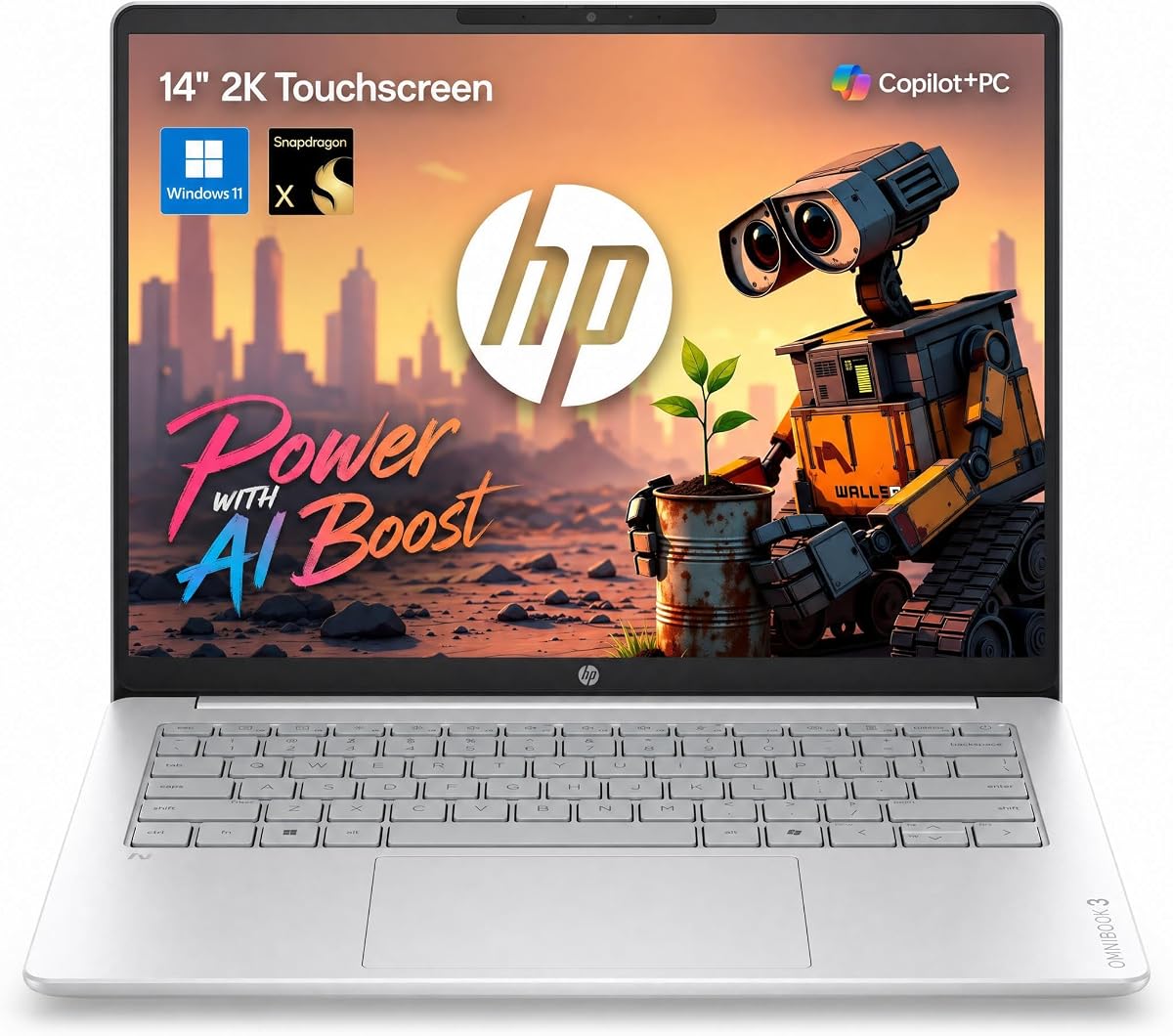
The HP OmniBook 3 is a robust Copilot+ PC designed for efficient local AI workloads. Users rate it highly for its impressive battery life and lightweight chassis. The Snapdragon X processor handles tasks like real-time summaries without cloud lag effectively.
We may earn a commission when you buy through this link, at no additional cost to you.
It features a 14-inch 2K IPS touchscreen with a 16:10 aspect ratio that maximizes vertical workspace. Fast memory and storage deliver seamless multitasking and rapid boot times. The device is secure with an IR camera and physical privacy shutter for privacy.
The screen brightness is adequate but not ideal for outdoor use. While the processor is powerful, some legacy apps might need optimization for full efficiency. These trade-offs are reasonable for a portable device focused on battery life and security features.
Buyers seeking a lightweight laptop for business travel will appreciate its endurance and security. It is an excellent option for those who need a balance of AI capabilities and portability without excessive weight in their bag daily.
Delivers up to 30 hours of local video playback on a single charge for all-day use.
Features Wi-Fi 6E and a 1080p FHD IR camera with a physical privacy shutter.
We may earn a commission when you buy through this link, at no additional cost to you.
The Acer Aspire 16 combines premium integrated GPU performance with optimized NPU processing. It scores well for its screen refresh rate and connectivity options. This model harnesses the industry-leading Qualcomm AI Engine for transformative experiences in productivity and video conferencing.
We may earn a commission when you buy through this link, at no additional cost to you.
The 16-inch 120Hz WUXGA display offers sharp detail and rich colors for entertainment. It includes dual USB4 ports which provide high-speed data transfer and power delivery. The laptop is also EPEAT Gold registered, indicating a focus on sustainability and recycled materials.
Storage is limited to 512GB which may require cloud solutions or expansion. Battery life is rated for up to 27 hours but varies by usage. For users who need faster screen refresh rates for fluid visuals, these factors are acceptable compromises.
Creative professionals who value screen fluidity and connectivity will find this unit practical. It is a solid choice for those prioritizing a large screen and modern Wi-Fi 7 standards over raw storage capacity out of the box.
Experience Recall and Click to Do for efficient navigation and interaction with content.
Enjoy stunning clarity and rich 100% sRGB colors on the 120Hz WUXGA display.
We may earn a commission when you buy through this link, at no additional cost to you.
The NIMO 16 is engineered for serious AI developers and creators needing desktop-grade power. It boasts a massive 128GB unified memory and a powerful Ryzen AI Max+ processor. This configuration eliminates traditional GPU bottlenecks for heavy workloads and simulations.
We may earn a commission when you buy through this link, at no additional cost to you.
Its 165Hz display ensures crisp visuals for coding and design work. The native OCuLink port allows for high-speed desktop eGPU expansion which is rare in laptops. Dual SSD slots enable significant storage expansion for large datasets and project files.
The device is heavier due to its robust battery and cooling system. The price reflects its specialized purpose rather than general consumer use. For professionals running local LLMs or 8K editing, these trade-offs are necessary for the required performance.
If your work involves complex engineering simulations or local AI development, this model is unmatched. It provides a unique combination of high capacity and local expandability that most standard consumer laptops cannot offer effectively.
Delivers desktop-grade multi-threaded computing power for heavy compiler tasks and virtualization.
Packed with up to 128GB 256-bit LPDDR5X high-bandwidth unified memory.
We may earn a commission when you buy through this link, at no additional cost to you.
This NIMO model features a huge 17.3-inch display perfect for multitasking and detailed work. It is rated for its powerful Ryzen AI 9 HX 370 processor and integrated Radeon graphics. The 50 TOPS NPU ensures seamless handling of AI workloads and complex coding.
We may earn a commission when you buy through this link, at no additional cost to you.
The laptop supports expandable high-speed memory and storage which is rare in premium devices. Its 180-degree hinge allows for easy sharing of presentations and designs. A backlit numeric keyboard helps with efficient data work in low light environments.
The large screen and battery size may make it less portable for daily commute. While it offers strong performance, it lacks the ultra-thin profile of smaller rivals. For stationary workstations, the extra bulk is acceptable for the screen real estate provided.
Users needing a portable desktop replacement will appreciate the screen size and performance. It suits creators and professionals who prioritize productivity and expandability over slim design and extreme portability in the field.
Powered by the groundbreaking AMD Ryzen AI 9 HX 370 processor for complex workloads.
Maximize your productivity on 17.3-inch Full HD EDP widescreen display.
We may earn a commission when you buy through this link, at no additional cost to you.
The HP Omnibook 16 is designed for elite performance in a professional workstation. It is rated well for its generous 32GB RAM and 2TB SSD. The 50 TOPS NPU ensures the device is future-ready for demanding AI workflows and multitasking.
We may earn a commission when you buy through this link, at no additional cost to you.
Its 16-inch 2K IPS touch display offers crystal-clear detail and anti-glare finish. The laptop features a backlit keyboard with numeric keypad for faster and secure work. Connectivity includes versatile ports for 4K displays and external drives.
The brightness level is standard for indoor use but may struggle outdoors. It supports Wi-Fi 6 instead of the newer Wi-Fi 7 in some areas. However, for enterprise environments, the security features of Pro edition are highly valuable.
Business users requiring secure and reliable computing will find this model ideal. It offers a premium Windows 11 Pro experience with ample resources for heavy data analysis and enterprise-grade security protocols.
Master your goals with the Ryzen AI 7 processor and 50 TOPS NPU for seamless AI workloads.
Experience the ultimate power with massive space for 4K videos and AI datasets.
We may earn a commission when you buy through this link, at no additional cost to you.
This Dell business laptop provides professional productivity in a modern modular design. It is rated for its robust vPro platform which offers multilayer security and remote manageability. The Intel Core Ultra 9 processor supports up to 12 TOPS NPU for on-device AI.
We may earn a commission when you buy through this link, at no additional cost to you.
The 32GB LPDDR5X memory ensures fast and responsive everyday computing. It features a 16-inch FHD+ touch display for detailed and roomier work. Connectivity includes Thunderbolt 4 and HDMI 2.1 ports for versatile external monitor setups.
While the display is functional it may not match the brightness of OLED alternatives. The price is higher than consumer models but justified by enterprise-grade security. For IT-managed environments, these features provide necessary stability and control.
Organizations needing secure and manageable AI PCs will find this unit reliable. It serves as a good replacement for previous models while adding advanced AI features and improved connectivity standards.
Professional productivity in a new modern design with Intel Core Ultra 9 vPro.
Connect with Wi-Fi 7 and Bluetooth 5.3 for ultra-fast data transfer and reliability.
We may earn a commission when you buy through this link, at no additional cost to you.
The HP 16 Touchscreen offers next-level computing with a dedicated Intel AI Boost NPU. It is rated highly for its seamless user experience and optimized tasks. The high-performance laptop ensures lightning-fast boot times and ample space for professional documents.
We may earn a commission when you buy through this link, at no additional cost to you.
Its 2K IPS touchscreen provides vertical viewing space and clarity even in bright offices. Dual array microphones and AI-based noise reduction ensure clear communication during virtual classes. Fast charge technology powers the device from 0 to 50 percent in 45 minutes.
The battery capacity is moderate compared to some competitors. While it excels at office tasks it is not designed for heavy graphics rendering. These limitations are acceptable for a device focused on mobility and professional productivity.
Business professionals needing a responsive and secure tool for daily work will find this ideal. It combines essential AI capabilities with a professional keyboard layout and enterprise security features for effective daily operations.
Experience next level computing with the Intel Ultra 7 Core 255U processor and dedicated NPU.
Immerse yourself in the expansive 16 inch diagonal 2K resolution IPS touchscreen.
We may earn a commission when you buy through this link, at no additional cost to you.
Selecting the right AI laptop requires careful consideration of several technical factors. This guide breaks down the most important elements to help you make an informed decision based on your specific needs.
The Neural Processing Unit (NPU) is the core of an AI laptop. Its speed is measured in TOPS (Tera Operations Per Second). Higher numbers like 50 or 80 TOPS indicate better ability to handle complex AI tasks locally without relying on cloud servers. Look for models with at least 40 TOPS for smooth future performance.
Aim for the highest TOPS rating you can afford to ensure longevity and better support for emerging Copilot+ features.
Modern AI laptops use dedicated processors like AMD Ryzen AI or Qualcomm Snapdragon X. These chips integrate CPU GPU and NPU units efficiently. They are designed for specific tasks and better power management compared to older generations. Check for architecture details like Zen 5 or Oryon cores for best efficiency.
Choose a processor that balances performance with battery efficiency for your typical workflow requirements.
AI workloads often consume significant RAM. Aim for 16GB as a minimum but 32GB or more is recommended for heavy multitasking and local LLMs. Storage should be at least 1TB SSD to store large datasets and applications. High-speed LPDDR5X memory further boosts performance.
Prioritize at least 32GB RAM and 1TB SSD for smooth long-term usage and flexibility.
A good display enhances productivity and creativity. Look for high resolution like 2K or 3K with 16:10 aspect ratios for more vertical space. OLED panels offer better contrast and color accuracy than standard IPS screens. Refresh rates of 120Hz or higher provide smoother visuals for creative work.
Invest in a high-quality screen that matches your content creation or viewing needs.
Efficiency is key for AI laptops. Models optimized for AI can achieve 20+ hours of battery life. Always check official test settings and note that real-world usage may vary. Fast charging capabilities are also crucial for maintaining productivity during travel.
Select a model with proven long battery life and fast charging to stay productive on the go.
Versatile connectivity ensures you can connect all peripherals. Look for USB4 or Thunderbolt 4 ports for high-speed data and external displays. Wi-Fi 7 support ensures the fastest wireless speeds. Ensure you have enough USB-A ports for legacy devices or consider a dock solution.
Check port availability to avoid carrying multiple adapters for your daily work setup.
Local AI processing keeps data private. Ensure the laptop has secure hardware features like Windows Hello IR cameras and fingerprint readers. Privacy shutters for cameras and microphones add another layer of protection. Pro versions of Windows offer enterprise-grade security tools.
Opt for devices with robust physical and software security to protect sensitive data effectively.
A durable chassis ensures longevity. Aluminum bodies are often lightweight and resistant to daily wear. Consider the weight and dimensions if you travel frequently. Premium models often offer better hinges and keyboards which improve typing comfort.
Balance weight and durability to find a machine that fits your lifestyle and travel needs.
To maximize the potential of your AI laptop, keep Windows updated. Microsoft rolls out Copilot+ features gradually so updates ensure you get new tools like Recall and Click to Do. Check your system settings regularly to enable AI features in applications.
Manage your battery health by avoiding extreme temperatures. Keep the laptop in a cool, dry place when not in use. Do not leave it plugged in for days without use to maintain optimal battery performance. Use the provided fast charger for best results.
Clean the screen and keyboard gently to avoid damage. Use a microfiber cloth for the display and avoid harsh chemicals. Keep vents clear of dust to ensure efficient cooling. Periodic restarts help clear memory and maintain system smoothness.
A Neural Processing Unit (NPU) is a specialized chip on a laptop designed to handle AI tasks efficiently. It offloads these tasks from the main CPU to save power and speed up processes like video effects or image generation. This allows the laptop to run intelligent features smoothly without slowing down other programs.
AI laptops offer faster processing for creative and professional workflows. They enable local AI features that protect your privacy by keeping data on the device. They also improve battery efficiency and performance for tasks like video editing or coding with AI assistants.
No, they vary by processor and NPU performance. Some have higher TOPS ratings which mean better speed for complex tasks. Check the specifications to ensure the laptop meets your specific needs for speed and features. Different models offer different screen and battery options.
Most modern AI laptops have onboard memory that cannot be upgraded. It is important to choose the right RAM amount before buying since it is integrated into the processor. Check the product details to see if it supports expansion or if the RAM is soldered.
Yes, most AI features run locally on the device's NPU and GPU. This means you can use tools like image generation or transcription without an internet connection. However, some cloud-connected features might require a Wi-Fi connection to function fully.
OLED displays offer perfect blacks and vibrant colors which are great for media and design. They provide better contrast than standard screens. Many AI laptops use them to enhance the visual experience of content creation and consumption.
Windows 11 Pro offers additional security and remote management tools. It is beneficial for business users needing enterprise features. For general users, Home version is sufficient. Both support the latest AI features effectively.
Most AI laptops claim 20 hours or more on video playback. Real-world usage varies based on brightness and application load. Look for models with fast charging to quickly top up power when needed for long work sessions.
Choosing the right AI laptop depends on your balance of performance and budget. The ASUS Vivobook S16 leads in value with its premium OLED screen and strong NPU. For those needing raw power, the NIMO 16 offers unmatched memory capacity for local development.
Prioritize NPU speed and screen quality to future-proof your investment. Ensure the model fits your daily carry needs with lightweight designs if you travel often. Check for essential ports to avoid extra dongles for your peripherals.
Remember to verify current prices and availability as these models are subject to market fluctuations. Regularly check for firmware updates to unlock the full potential of your Copilot+ features. Your perfect device is out there with the right research.