
Hable One Portable Braille Keyboard
4.8Editor score
Compact tactile buttons
Long battery life
Smartphone compatibility
This guide compares the top ten braille displays and tactile tools for blind users, evaluating features, connectivity, and portability for informed purchasing
Finding the right braille display can transform how blind users interact with digital content. A good device offers reliable connectivity, clear tactile feedback, and long battery life to ensure seamless access across various platforms and daily tasks.
We compared ten top-rated products ranging from high-end refreshable displays to portable slates and learning tools. Our analysis focuses on compatibility, build quality, ease of use, and specific features that cater to diverse needs in education, work, and personal organization.
Each pick highlights unique strengths, from advanced screen reader integration to compact manual tools for on-the-go note-taking. Please note that product availability and pricing can change frequently, so check current listings before making your final decision.
4.8Editor score

4.5Editor score

5.0Editor score
This side-by-side comparison highlights the key specifications and capabilities of the ten selected products to help you identify the best fit for your specific accessibility needs.




The Brailliant BI 20X stands out as a versatile refreshable braille display designed for daily accessibility. It offers a 20-cell display that balances portability with readability, making it suitable for both home and mobile use.
We may earn a commission when you buy through this link, at no additional cost to you.
Its ability to connect to multiple Bluetooth devices simultaneously allows seamless switching between smartphones, tablets, and computers. The onboard KeySoft Lite apps provide essential tools like editors and calculators without needing external software.
While it requires an investment, the reliability and feature set justify the cost for serious users. The battery life supports full days of use, and the compact form factor ensures it fits easily into a bag.
This device is ideal for students and professionals who need consistent access to digital content. It empowers users to read, write, and organize information independently with confidence.
Connect to five Bluetooth devices and one USB device at once for effortless transitions between your daily gadgets.
Access online libraries and productivity apps directly on the device to streamline your reading and writing tasks.
We may earn a commission when you buy through this link, at no additional cost to you.
The Brailliant BI 40X delivers a premium experience with its expansive 40-cell display. This extra width allows users to read more text at once, reducing the need for constant navigation and improving reading flow.
We may earn a commission when you buy through this link, at no additional cost to you.
Equipped with 32GB of internal storage and Bluetooth 5 technology, it ensures fast and reliable connections to up to six devices. The onboard apps support complex tasks, making it a robust tool for advanced users.
Despite its higher cost, the build quality and feature depth make it a top choice for professionals. The battery life remains consistent with the 20X model, supporting all-day usage without frequent recharging.
This display is perfect for those who need maximum screen real estate and storage. It combines high-end performance with essential accessibility features to support demanding daily workflows.
The 40-cell display provides more context per line, making long documents easier to navigate and comprehend.
Bluetooth 5 ensures stable and fast wireless connections across multiple devices for uninterrupted productivity.
We may earn a commission when you buy through this link, at no additional cost to you.
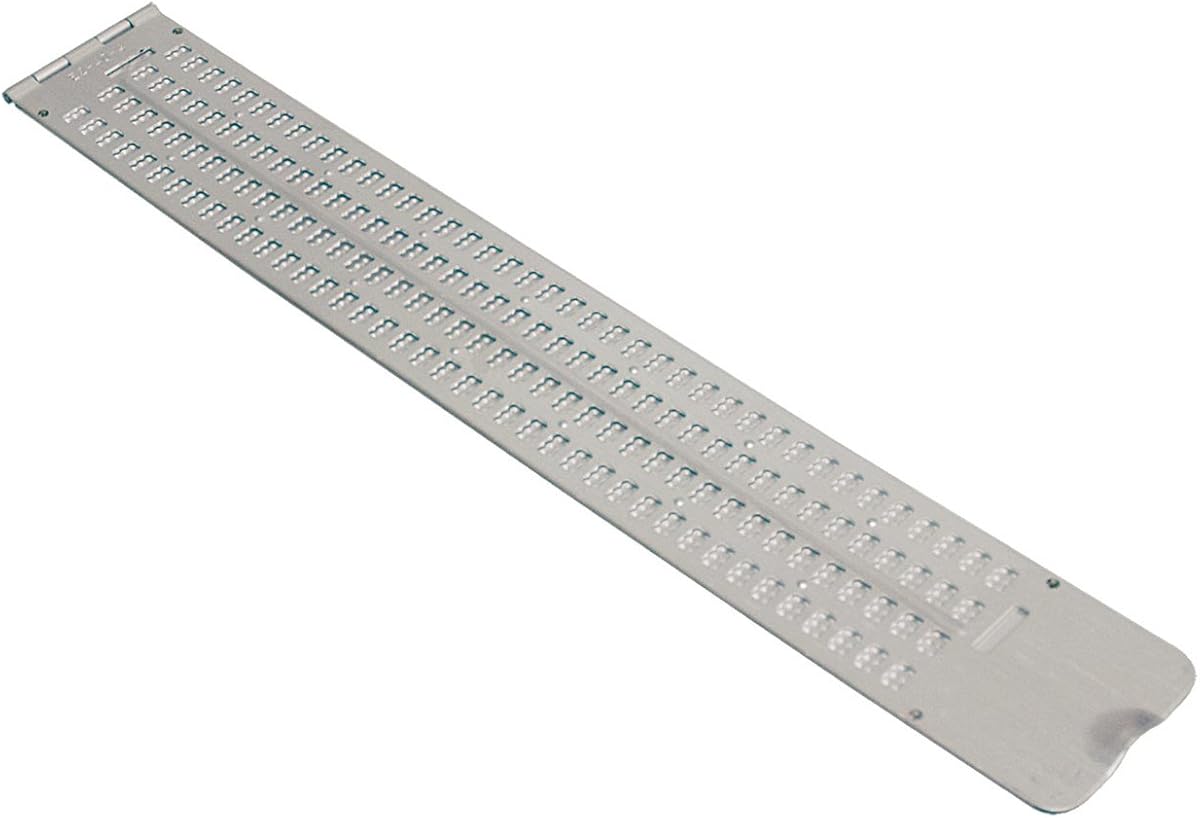
This traditional braille slate offers a classic way to write braille manually without electronics. Its 13-line capacity allows for substantial notes on a single page, suitable for students or quick annotations.
We may earn a commission when you buy through this link, at no additional cost to you.
The aluminum construction ensures it withstands daily wear and tear. The included stylus makes it ready to use out of the box, providing an accessible entry point for those learning to write braille.
While it lacks the convenience of digital displays, it remains a reliable tool for basic tasks. The design is straightforward, requiring no charging or software setup to function effectively.
Ideal for beginners or backup use, this slate provides a tangible method for braille creation. It complements digital tools by offering a simple, battery-free solution for note-taking.
Write braille manually with a durable aluminum slate that requires no power or complex setup.
The aluminum build ensures longevity, making it a dependable tool for regular use in various settings.
We may earn a commission when you buy through this link, at no additional cost to you.
This ultra-thin slate is designed for creating braille on small surfaces like business cards. Its compact dimensions make it easy to slip into a pocket or wallet, ensuring you can label items on the go.
We may earn a commission when you buy through this link, at no additional cost to you.
The built-in signature guide helps users write straight and consistent lines. It is an excellent starter tool for learning basic braille embossing or creating personalized labels for containers.
Made of durable aluminum, it is lightweight yet sturdy enough for daily tasks. The low price point makes it accessible for anyone needing a quick solution for braille labeling.
Best for specific labeling tasks, this slate is not for long documents but excels in portability. It adds a personal touch to items while maintaining professional quality.
Create straight, consistent braille on business cards or containers with its compact, guide-equipped design.
Its small, thin profile fits easily into pockets, ensuring braille tools are always within reach.
We may earn a commission when you buy through this link, at no additional cost to you.
This full-page slate allows you to write braille across an entire sheet of standard letter paper. It is perfect for extensive note-taking or assignments without needing to move the slate frequently.
We may earn a commission when you buy through this link, at no additional cost to you.
The quiet plastic material ensures minimal noise while writing, which is considerate in shared spaces. It also includes guides for embossing on labeling tape, adding versatility to its function.
Although it is larger than pocket slates, it remains lightweight and durable. The ability to keep the paper inside prevents it from getting crumpled or lost during work sessions.
Ideal for students or office users, this slate supports longer writing sessions efficiently. It provides a practical, economical solution for producing multiple pages of braille text.
Write on full letter-sized paper without moving the slate, saving time on longer documents and notes.
The plastic build ensures quiet operation, and included guides support braille creation on labels too.
We may earn a commission when you buy through this link, at no additional cost to you.
This pocket slate offers a balanced design with four lines of forty cells each. Its lightweight aluminum body makes it easy to carry in a bag or briefcase for quick note-taking anywhere.
We may earn a commission when you buy through this link, at no additional cost to you.
The pins up design allows users to read braille directly from the surface without flipping the slate. It is a reliable backup for those who prefer tactile writing over digital input methods.
While limited in capacity compared to full-page models, its portability is unmatched. It serves as a convenient tool for recording phone numbers or short messages on the fly.
Best for travelers or those needing a lightweight backup, this slate is easy to use. It combines durability with compactness to fit into daily routines seamlessly.
A lightweight aluminum body that fits easily in a backpack, perfect for quick notes while traveling.
Pins up design allows immediate tactile reading without needing to flip the slate over to check content.
We may earn a commission when you buy through this link, at no additional cost to you.
The Hable One offers a unique digital solution for entering text using braille on smartphones and tablets. It features eight tactile buttons that allow users to type without needing a screen or complex setup.
We may earn a commission when you buy through this link, at no additional cost to you.
With over a month of battery life on a single charge, it ensures reliability for daily tasks. Its integration with screen readers like VoiceOver and TalkBack makes navigation and text input straightforward.
Designed for ease of use, it includes free onboarding calls to help new users master the interface quickly. The compact size allows for private typing in public settings without drawing attention.
This is an ideal choice for those wanting digital braille at an accessible price point. It bridges the gap between traditional braille and modern mobile technology efficiently.
Free tutorials and onboarding calls help users learn the system quickly without prior braille experience.
Keep your phone in your pocket or bag while typing privately using the compact tactile keyboard.
We may earn a commission when you buy through this link, at no additional cost to you.
This manual label maker is designed for organizing items at home or work. It embosses braille letters and numbers onto vinyl tape, making it easy to label bottles, folders, and containers clearly.
We may earn a commission when you buy through this link, at no additional cost to you.
The device includes a roll of half-inch wide tape, so you can start using it immediately. The dial and trigger mechanism are intuitive, allowing for consistent symbol creation with minimal effort.
Made of durable plastic, it is lightweight and resistant to wear. The upper rim is marked in braille to help users select letters accurately without assistance.
Perfect for independent living, this tool supports personal organization effectively. It provides a straightforward way to identify household items and maintain order in daily spaces.
Create clear braille labels for household items independently with a simple dial and trigger system.
Includes a roll of vinyl tape so you can start organizing your items right out of the box.
We may earn a commission when you buy through this link, at no additional cost to you.
These stickers provide an economical way to add braille markings to a standard keyboard. They are printed on clear Lexan material, allowing the original key legends to show through while adding tactile guides.
We may earn a commission when you buy through this link, at no additional cost to you.
The adhesive is strong enough to prevent slipping or curling but can be peeled off if needed. This feature supports bilingual setups where both sighted and visually impaired users share the same device.
Installation is simple with a peel-and-stick method. It creates a bilingual keyboard environment that facilitates collaboration in offices or homes.
Best for desktop users, this overlay enhances accessibility without replacing hardware. It is a practical solution for adapting existing equipment to meet specific needs.
Transparent stickers maintain original key text while adding braille guides for shared workspace use.
Strong 3M adhesive keeps stickers in place without slipping, curling, or oozing over time.
We may earn a commission when you buy through this link, at no additional cost to you.
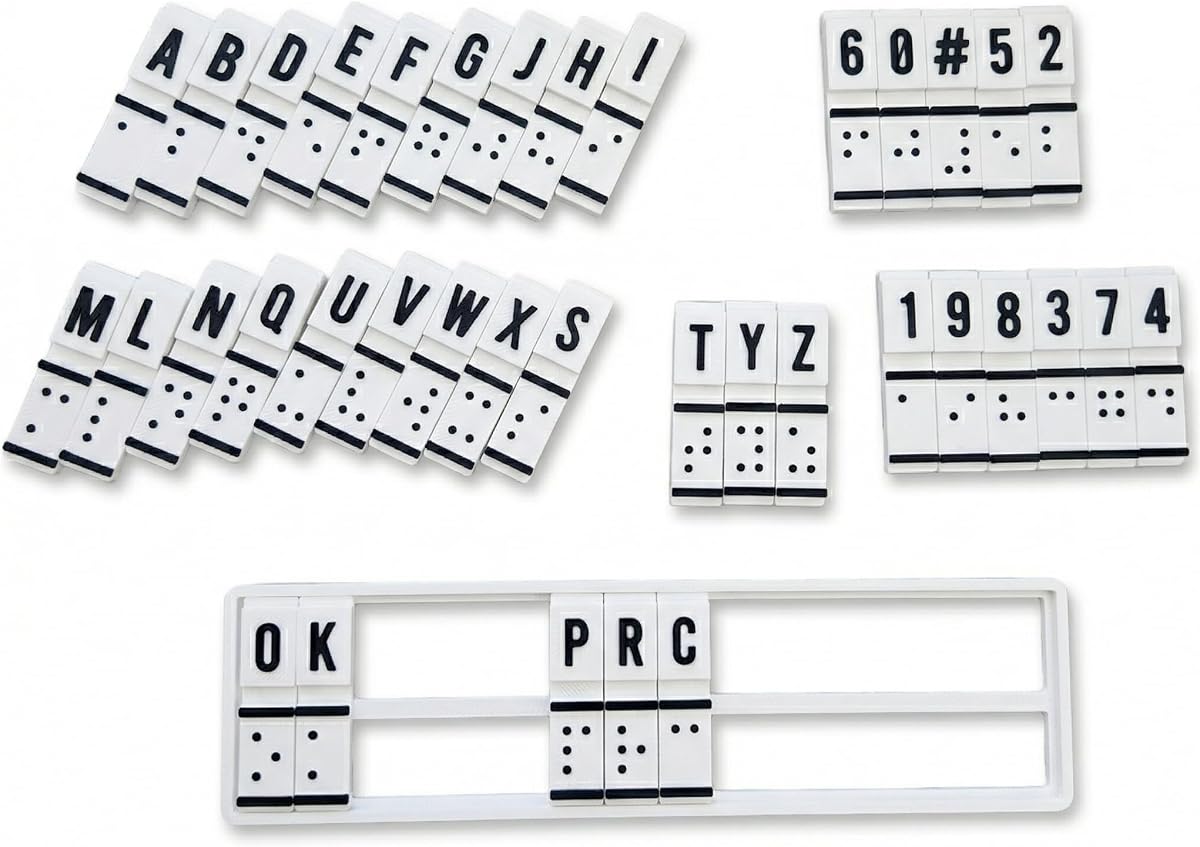
This training machine combines education with basic translation functions in a compact device. It features raised cells and manual input to help beginners build muscle memory and confidence with braille.
We may earn a commission when you buy through this link, at no additional cost to you.
It supports self-study or classroom teaching by bridging the gap between text and tactile input. The translation aid allows for simple conversions, making it a practical tool for practicing literacy.
Its durable build makes it suitable for repeated use in therapy sessions or schools. It is designed to be portable, so it can move between locations easily.
Ideal for beginners and educators, this device supports foundational learning without electronics dependency. It is a thoughtful tool for promoting braille literacy in home or school environments.
Helps beginners practice dot patterns and build muscle memory through interactive and tactile design.
Simple text-to-braille conversion helps bridge communication between sighted and non-sighted users.
We may earn a commission when you buy through this link, at no additional cost to you.
Selecting the right braille tool requires considering your specific needs, budget, and environment. This guide explores key factors to help you make an informed decision.
The number of braille cells on a refreshable display significantly impacts reading efficiency. Models with 40 cells offer more text context per line compared to 20-cell versions, reducing navigation time and enhancing flow.
Choose a larger display if you read long documents frequently, or opt for a compact 20-cell model for better portability in daily commuting.
Ensure the device supports your operating systems, such as iOS, Android, Windows, or macOS. Modern displays often support multiple Bluetooth connections, allowing seamless switching between devices.
Verify compatibility with your preferred screen reader software to guarantee that the display functions correctly with your existing workflow.
Battery endurance is crucial for users who rely on the device throughout the day. Look for models that offer at least twenty hours of continuous use to avoid interruptions during work or study.
USB-C charging is now standard, providing convenience and faster power-up times. Prioritize devices with stable battery performance to maintain consistent accessibility.
Some refreshable displays include built-in applications like editors, calculators, or online library access. These integrated tools add significant value by allowing independent task completion without external apps.
Evaluate whether the device supports necessary file formats like DAISY or Bookshare to ensure you can access your preferred reading materials effectively.
For devices carried daily, robust construction is essential. Aluminum or high-grade plastic bodies withstand drops and wear better than fragile materials. Consider the device's resistance to daily handling stress.
Check warranty details and customer support options to ensure long-term reliability. A sturdy build protects your investment and ensures consistent performance over years of use.
Refreshable braille displays are a significant investment, ranging from entry-level to premium models. Balance the features you truly need with your financial constraints to find the best value.
Manual slates and keyboard overlays offer lower-cost alternatives for specific tasks like labeling or basic note-taking. Consider these options if you do not require digital display capabilities.
Physical dimensions matter when you need to carry the device in a backpack or pocket. Slim, lightweight designs are more convenient for travel and commute scenarios.
Ensure the device fits comfortably in your bag and does not add excessive weight. Portability often correlates with frequent use, so a lighter unit encourages daily engagement.
Learning to use a new braille device can be challenging without guidance. Look for brands that offer onboarding calls, tutorials, or responsive customer support to assist you.
Training materials help you maximize the device's potential and troubleshoot issues quickly. Strong support ensures a smoother transition to using the technology effectively.
To get started, charge your device fully and pair it with your preferred screen reader or smartphone via Bluetooth. Follow the manufacturer's setup instructions to ensure all functions work correctly before daily use.
Clean the display surface regularly with a soft, dry cloth to maintain tactile sensitivity. Avoid exposing the device to liquids or extreme temperatures to protect the braille cells and internal electronics.
For manual slates, store them in a protective case to prevent bending or scratching. Keep styluses and accessories organized in a dedicated pouch to avoid losing them during travel.
A braille slate is a manual tool used to emboss paper with braille, while a refreshable display uses electronic pins to show text dynamically. Slates are cheaper and durable, but displays allow digital reading and writing.
Most modern displays connect via Bluetooth and support major operating systems like iOS and Android. However, you should check compatibility with your specific model and screen reader before purchasing.
Yes, many refreshable displays support online libraries and e-reader apps. They allow you to read digital books tactilely, providing access to text that might be difficult to navigate by audio alone.
Most high-quality models offer around twenty hours of usage on a single charge. This duration is sufficient for a full day of work or study, though heavy use may require more frequent charging.
Yes, 20-cell displays and pocket slates are designed for portability. They are lightweight and compact, fitting easily into bags or pockets for convenient use while on the go.
Refreshable displays are designed for users familiar with braille to read and write efficiently. However, some training tools and manuals provide guidance for beginners learning to use the interface effectively.
Choosing the right braille tool depends on balancing features, budget, and lifestyle needs. Whether you need a full refreshable display or a manual slate, there is an option that fits your daily routine.
Prioritize devices that support your specific connectivity and software requirements to ensure seamless integration. Consider how much time you spend reading digital text versus physical paper when making your decision.
Always check current prices and availability before purchasing to ensure you get the best deal. These tools offer independence and efficiency, making the investment worthwhile for long-term accessibility.