
hohem iSteady X3 SE
4.2Editor score
Detachable magnetic remote control
11-hour battery life
Portable foldable design
Finding the right gimbal for Pixel 10a users requires understanding stabilization needs and compatibility. A good device ensures smooth footage, reliable tracking, and comfortable handling for extended recording sessions without technical issues or frustration.
We compared ten leading smartphone gimbals based on stabilization performance, battery duration, and smart features like AI tracking. Each product was evaluated for its ability to handle diverse shooting scenarios from vlogging to action sports.
Each pick highlights specific strengths and ideal use cases for different creators. Prices and availability change frequently, so verify current details before purchasing to ensure you get the best value for your specific mobile filmmaking needs.
4.2Editor score

4.4Editor score

4.2Editor score
As an Amazon Associate we earn from qualifying purchases.
This side-by-side comparison highlights the key specifications and features of each top-rated gimbal to help you quickly identify the best match for your Pixel 10a content creation needs.




The DJI Osmo Mobile 8 stands out as the top choice for Pixel 10a users seeking professional-grade stabilization and smart features. It offers robust 3-axis stabilization, seamless tracking, and a comfortable grip ideal for extended shooting sessions.
We may earn a commission when you buy through this link, at no additional cost to you.
Its standout features include native tracking with audio reception, intelligent 360-degree pan rotation, and a built-in tripod for low-angle shots. The extended battery life supports continuous filming while charging your phone simultaneously.
While the DJI Mimo app may require downloading via the official website due to platform issues, the hardware performance remains excellent. The magnetic clamp ensures quick setup, and the foldable design makes it highly portable for travelers.
Creators who prioritize smooth footage, smart tracking, and reliability will find this gimbal worth the investment. It balances advanced technology with ease of use, making it suitable for both beginners and experienced vloggers.
The 3-axis stabilization ensures smooth, professional footage whether capturing action shots or daily vlogs without shaky movement.
Intelligent tracking follows subjects freely with dual-lens enhanced tracking keeping focus sharp even during fast movements.
We may earn a commission when you buy through this link, at no additional cost to you.
The Insta360 Flow 2 Pro is the ultimate creator bundle offering unmatched AI tracking capabilities and professional lighting for any content creation scenario. It excels in dynamic tracking and creative shooting modes.
We may earn a commission when you buy through this link, at no additional cost to you.
Its native tracking works seamlessly with over 200 apps, while advanced active zoom tracking captures fast movements at up to 15x zoom. Intelligent multi-person tracking ensures group events are always perfectly framed.
Although more expensive, its integrated lighting system and unique free tilt mode provide creative possibilities no other gimbal matches. The all-in-one kit includes a protective bag and teleprompter for complete workflow support.
Professional creators and influencers who need top-tier features and lighting should choose this model. It delivers cinematic quality footage with minimal setup effort, making it a powerhouse for serious production.
Advanced Active Zoom and Multi-Person Tracking allow precise subject framing even in complex or crowded environments.
Integrated lighting ensures perfect illumination for vlogs and streams even in challenging low-light conditions.
We may earn a commission when you buy through this link, at no additional cost to you.
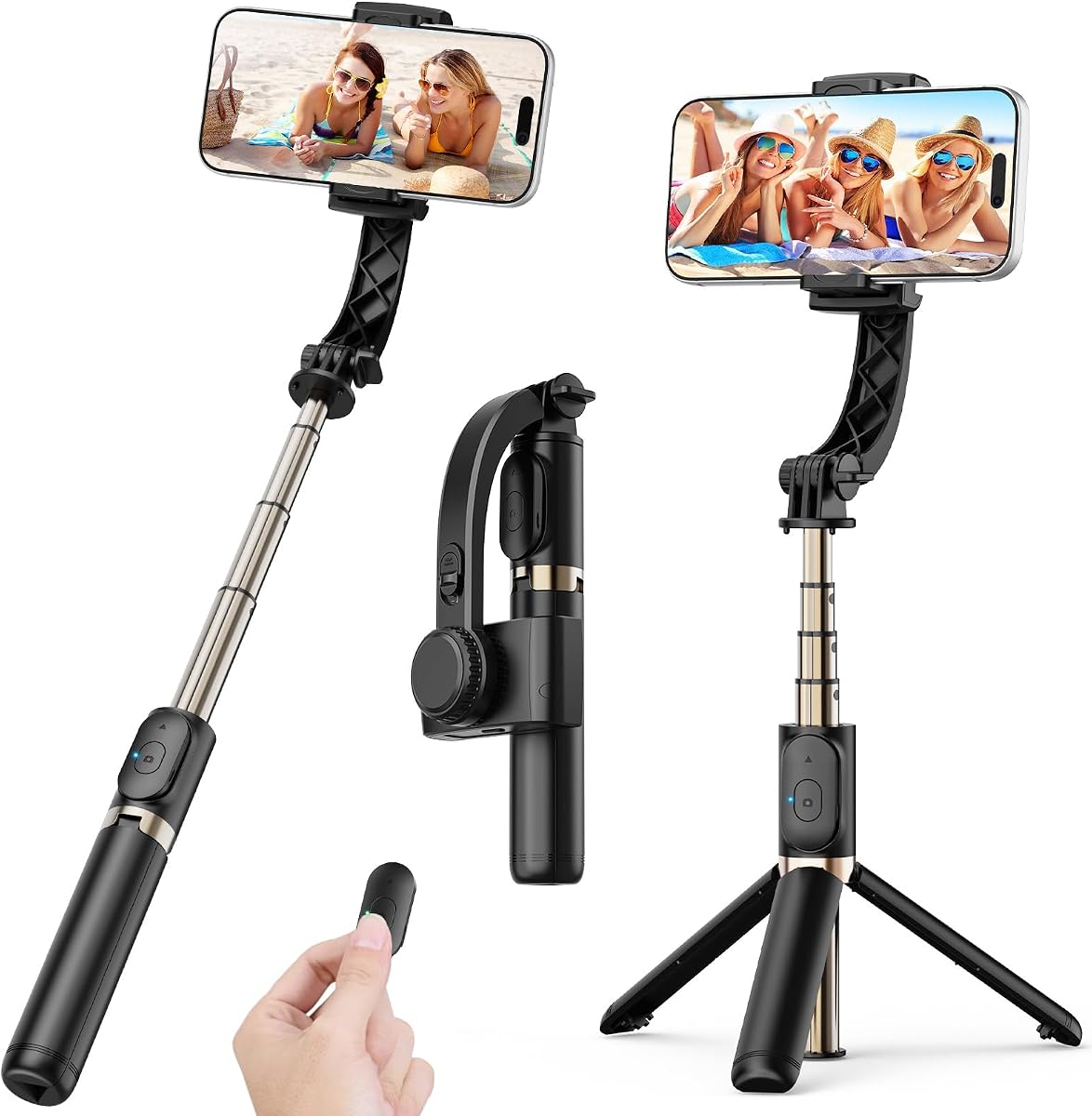
The hohem iSteady X3 SE offers exceptional value with 3-axis stabilization and long battery life at an accessible price point. It is perfect for beginners and budget-conscious creators.
We may earn a commission when you buy through this link, at no additional cost to you.
Featuring advanced iSteady 8.0 technology, it delivers smooth footage for action-packed outdoor adventures. The detachable magnetic remote allows control up to 32 feet away for solo shots.
Its portable foldable design and high payload capacity support various smartphones. The app offers multiple shooting modes and creative templates to enhance production quality.
For those starting their content creation journey, this gimbal provides professional-grade content without steep learning curves. It balances cost and performance effectively for everyday vlogging needs.
Budget-friendly pricing combined with robust stabilization and long battery makes it an ideal entry-level choice.
The detachable remote allows for creative solo shots and easy control from a distance.
We may earn a commission when you buy through this link, at no additional cost to you.
The hohem iSteady M7 features enhanced magnetic AI tracking that uses your phone native camera to track subjects with precision. Its touchscreen remote and high payload expand creative options significantly.
We may earn a commission when you buy through this link, at no additional cost to you.
With a detachable 1.4-inch full color touchscreen controller, you can select tracking targets easily from a distance. The 500g payload supports accessories like mics and lenses for versatile setups.
The built-in extension rod allows creative high and low-angle shots while the customizable fill light adjusts to lighting conditions. These features support solo filmmaking without assistance.
Creators needing advanced features without DJI costs will appreciate its balance of performance and versatility. It supports complex productions with strong build quality and intuitive controls.
Enhanced Magnetic AI Tracker provides precise subject recognition and smooth tracking using native phone camera.
Detachable touchscreen remote allows intuitive control and real-time monitoring of footage from a distance.
We may earn a commission when you buy through this link, at no additional cost to you.
The DJI Osmo Mobile 7P includes a multifunctional module that adds intelligent tracking, audio reception, and lighting to the base gimbal design. It enhances versatility for content creators needing audio control.
We may earn a commission when you buy through this link, at no additional cost to you.
Its robust 3-axis stabilization ensures lossless stability for stunning cinema-quality footage. The built-in extension rod and tripod allow creative freedom without extra gear for wide shots.
While requiring the extra module for some features, the magnetic design makes mounting fast. The app pops up automatically once paired for immediate filming without setup delays.
Creators who need audio and lighting integration in one package should consider this model. It balances portability with professional tools for high-quality content creation easily.
Multifunctional Module includes DJI Mic 2 reception for professional audio quality in your videos.
Dual-lens enhanced tracking keeps subjects sharp and focused during fast movements.
We may earn a commission when you buy through this link, at no additional cost to you.
The hohem iSteady V3 Ultra delivers buttery-smooth shots with upgraded iSteady 9.0 tech and smart motion detection. It is ideal for creators needing reliable tracking and professional features.
We may earn a commission when you buy through this link, at no additional cost to you.
Its detachable touchscreen remote allows control up to 33 feet away for full creative freedom. The built-in fill light lets you adjust brightness and color temperature remotely for better lighting.
Foldable to just 6.3 inches and weighing only 15.1 oz, it is highly portable. The built-in tripod and extension rod support creative low and high-angle shots easily.
For fitness coaches and vloggers who need reliable tracking and lighting without bulk, this model fits well. It simplifies video production with intelligent templates and smooth stabilization.
AI tracking allows the gimbal to keep your subject perfectly in frame for any scene or movement.
The detachable touchscreen remote offers intuitive control and real-time monitoring of footage.
We may earn a commission when you buy through this link, at no additional cost to you.
The DJI Osmo Mobile 7 is designed for seamless stability with ActiveTrack 7.0 and an ultra-lightweight design. It ensures lossless stability ideal for long shooting sessions.
We may earn a commission when you buy through this link, at no additional cost to you.
Weighing just 300 grams, it offers a comfortable grip and ergonomic handling. The integrated foldable design and built-in tripod make storage hassle-free and solo creation effortless.
It supports 10 hours of battery life and charges your phone via USB-C. The dual-lens enhanced tracking keeps subjects sharp even during close-up action.
Creators who prioritize comfort and portability will find this model ideal. It balances powerful tracking with a lightweight build for comfortable extended use.
At just 300 grams, it is designed for extended comfortable use without wrist strain.
Dual-lens enhanced tracking ensures subjects remain sharp even during fast or close-up movements.
We may earn a commission when you buy through this link, at no additional cost to you.
The COOVOAMAE Gimbal Stabilizer offers a budget-friendly solution for basic stabilization and selfie stick functionality. It is lightweight and portable for casual content creation and quick shoots.
We may earn a commission when you buy through this link, at no additional cost to you.
Equipped with a built-in sports gyroscope, it reduces hand shake for smooth footage. The 360-degree rotating phone holder allows seamless switching between horizontal and vertical shooting.
It includes a detachable Bluetooth remote for capturing photos and videos from a distance. The tripod mode converts the gimbal for hands-free video calls and tutorials.
For those on a tight budget needing reliable stabilization and remote control, this model delivers. It is simple to use and supports most smartphones easily.
Built-in gyroscope reduces hand shake for smooth stable video footage without complex setup.
Included Bluetooth remote allows easy capture of photos and videos from a distance.
We may earn a commission when you buy through this link, at no additional cost to you.
The DJI OM 5 is a lightweight and versatile tool unlocking the full potential of your smartphone for smooth footage and selfies. It features a built-in extension rod and magnetic design.
We may earn a commission when you buy through this link, at no additional cost to you.
ShotGuides automatically recognize your environment and recommend shot sequences with tutorials for professional results. ActiveTrack 4.0 ensures subjects are tracked reliably even during quick movement.
Its portable palm-sized design folds easily into bags. The magnetic secure mount allows snap-on mounting without balancing or calibration.
For casual creators and travelers seeking portability and simplicity, this model is perfect. It delivers epic results without a steep learning curve or heavy hardware.
ShotGuides recommend and guide shot sequences to help you shoot like a pro instantly.
Palm-sized and lightweight for easy transport and use anywhere without hassle.
We may earn a commission when you buy through this link, at no additional cost to you.
The hohem iSteady M7 Pro offers a detachable remote with 1.4-inch full-color touchscreen and robust built-in extension pole. It provides intuitive control and real-time preview for creators.
We may earn a commission when you buy through this link, at no additional cost to you.
It supports seamless transitions between high and low angles and offers 12-hour battery life with reverse charging. The orthogonal 3-axis design allows complete freedom in camera movements.
The integrated RGB and CCT fill light can flexibly illuminate front and rear shots remotely. This supports versatile shooting scenarios in varied lighting conditions.
For professionals needing advanced control, lighting, and battery endurance, this model excels. It enhances shooting experience without extra gear and supports wide device compatibility.
The detachable 1.4-inch touchscreen remote provides convenient and real-time preview control.
Integrated RGB fill light supports flexible illumination with remote control of brightness and color.
We may earn a commission when you buy through this link, at no additional cost to you.
Choosing the right gimbal requires considering stabilization type, battery life, and smart features to match your specific Pixel 10a content creation needs.
Most modern gimbals use 3-axis stabilization for full control and smooth footage. Some budget options offer 1-axis stabilization which is simpler but less versatile.
Choose 3-axis stabilization for professional results and 1-axis for casual use or budget constraints.
Battery life impacts how long you can shoot continuously without recharging. Most premium models offer 10 to 12 hours of operation per charge.
Look for at least 8 to 10 hours of battery life to avoid interruptions during long shoots.
AI tracking and gesture control enhance your filming experience by allowing hands-free shooting and precise subject tracking.
Prioritize models with ActiveTrack or AI tracking features for dynamic content creation and vlogging.
Ensure the gimbal is compatible with your Pixel 10a and any additional accessories like lights or microphones.
Check weight limits and phone holder dimensions to guarantee a secure fit for your device.
If you travel often, a foldable and lightweight gimbal is essential to reduce load and simplify storage.
Opt for models under 1 pound with foldable designs for maximum convenience during travel.
Durable materials and sturdy construction ensure longevity and reliable performance in various environments.
Choose gimbals with robust build quality to withstand daily use and potential drops.
A dedicated app offers advanced controls, editing tools, and tutorials to enhance your filming and workflow.
Select models with well-reviewed companion apps to maximize your creative potential.
Prices vary significantly from budget options under $50 to premium models over $200 with advanced features.
Set a realistic budget and prioritize features that matter most to your specific content creation style.
Begin by balancing your phone on the gimbal according to the manufacturer instructions to ensure smooth stabilization. Adjust the arm and phone clamp until the device sits level without manual support.
Power on the gimbal and connect it to your smartphone via Bluetooth to enable tracking and smart features. Launch the companion app to access shooting modes and customize settings.
Store your gimbal in a protective case when not in use and avoid exposing it to extreme temperatures or moisture to prolong its lifespan and maintain performance.
Most modern gimbals support Pixel 10a as long as the weight fits within the gimbal capacity. Check the specific model's compatibility list and weight limits before purchase.
While some basic operations work without apps, companion apps enable advanced features like tracking and editing. Ensure the gimbal app is available on your device for full functionality.
Most gimbals offer between 8 to 12 hours of battery life on a single charge. High-end models may provide more endurance for continuous shooting sessions.
Many modern gimbals include USB charging ports that allow simultaneous filming and phone charging. Check specific model features for this convenience option.
A 3-axis gimbal stabilizes along pitch yaw and roll axes for smoother footage while 1-axis only stabilizes along one axis which is simpler but less effective.
Yes gimbals are designed for travel but ensure to pack them securely in a protective case. Keep them away from moisture and extreme conditions to prevent damage.
Use a soft dry cloth to wipe down the exterior after use. Avoid using harsh chemicals or immersing the gimbal in water.
Modern gimbals usually self-balance or require minimal calibration. Only recalibrate if you notice wobbling or after changing the phone setup.
This guide presents ten top-rated gimbals designed for Pixel 10a users covering diverse budgets and feature needs from basic stabilization to advanced AI tracking.
Consider your primary use case whether casual vlogging professional filmmaking or travel and prioritize accordingly factors like battery life weight and smart features for best results.
Prices and availability change frequently so verify current specs and stock before purchasing to ensure you receive the best value and latest technology.