
Rongta Bluetooth Shipping Label Printer
4.0Editor score
Wireless Bluetooth connectivity
Automatic label identification
Compact portable design
Compare the best label printer for Pirate Ship sellers. We review thermal printers for speed, connectivity, and platform compatibility to streamline your
Shipping packages efficiently is crucial for any online seller looking to grow their business. A reliable label printer ensures your shipments leave on time without costly errors or delays in transit.
We evaluated ten top thermal printers based on connectivity, print quality, and platform support. This guide highlights models that integrate seamlessly with major e-commerce tools for smooth operations.
Each selection includes detailed specs, pros, and cons to help you choose wisely. Note that prices and availability fluctuate, so check current listings before making your final purchase decision.
4.0Editor score

4.3Editor score

4.6Editor score
This side-by-side comparison highlights the key specifications of each thermal printer to help you identify the best fit for your specific shipping needs and budget constraints.






The Nelko Bluetooth Thermal Shipping Label Printer stands out as a top choice for e-commerce sellers needing reliable performance. With a 4.3 rating, it delivers crisp 203 DPI prints without the need for ink or toner, making it cost-effective for high-volume operations.
We may earn a commission when you buy through this link, at no additional cost to you.
Its dual connectivity options allow you to print wirelessly via Bluetooth or through a stable USB connection. This flexibility ensures you can integrate it into various setups whether you use desktop computers or mobile devices for managing your shipping workflow.
While it supports most major shipping platforms like Amazon and Shopify, Mac users with M1 or M2 CPUs must rely on the app for Bluetooth connectivity. However, the speed and clarity of the prints justify this minor limitation for most small business owners.
If you need a printer that balances speed, compatibility, and ease of use, this Nelko model is an excellent investment. It streamlines your label printing process so you can focus on growing your business rather than troubleshooting hardware issues.
This printer works with major logistics platforms ensuring you can export labels as PDFs and print them directly without compatibility issues.
By using direct thermal technology you eliminate the recurring cost of ink cartridges allowing you to save significantly over time.
We may earn a commission when you buy through this link, at no additional cost to you.
This Thermal Shipping Label Printer offers a robust solution for small businesses needing consistent label output. With a 4.4 rating it features a matte finish and built-in overheat protection to ensure stable performance during long printing sessions.
We may earn a commission when you buy through this link, at no additional cost to you.
The included FlashLabel Pro app provides over 1800 customizable templates and 300 fonts allowing you to create professional labels for various uses. Offline capabilities mean you can store designs locally and print without waiting for cloud downloads.
While it only prints in black and white this is standard for thermal shipping labels. The dual connectivity options ensure you can switch between wireless convenience and wired stability depending on your current work environment.
Ideal for merchants who need a quick setup and reliable daily performance this printer includes everything needed to start printing immediately. It is a practical choice for those prioritizing operational efficiency and cost savings.
Access a vast library of templates and icons to brand your packages or create unique labels for internal organization needs.
The reinforced coating and compact build ensure the printer withstands daily wear and tear in busy shipping environments.
We may earn a commission when you buy through this link, at no additional cost to you.
The JADENS Bluetooth Thermal Shipping Label Printer is designed to integrate smoothly into complex shipping workflows. Its 4.4 rating reflects strong user satisfaction with its print quality and compatibility with various marketplace tools.
We may earn a commission when you buy through this link, at no additional cost to you.
Equipped with a Japanese high tech thermal print head this device produces sharp and clear labels that scan easily. It supports a wide range of shipping platforms including ShipStation and Shippo making it versatile for multi-channel sellers.
Setup is straightforward with drivers and instruction videos provided on a U-Disk for reference. The included one year warranty adds peace of mind ensuring you have support if any issues arise during daily operations.
If you need a printer that connects easily with your existing e-commerce tools this JADENS model is a solid candidate. It balances performance with ease of use to keep your shipping operations running smoothly.
Connect with popular shipping software to automate label generation and reduce manual data entry errors significantly.
The high quality print head ensures consistent output quality even during high volume shipping days in your warehouse.
We may earn a commission when you buy through this link, at no additional cost to you.
The Rollo USB Shipping Label Printer is a premium choice for businesses requiring robust performance and extra value. With a 4.6 rating it is trusted by many sellers for its reliability and ability to integrate with various shipping platforms.
We may earn a commission when you buy through this link, at no additional cost to you.
One unique feature is the Rollo Ship app which provides access to exclusive shipping rates without needing additional software. This can lead to significant savings over time especially for businesses shipping large volumes regularly.
While it lacks Bluetooth connectivity the USB connection ensures a stable and interference free workflow. The commercial grade build quality means it can handle continuous use without overheating or degrading over time.
If you prioritize long-term reliability and want to reduce shipping costs this Rollo printer is worth the investment. It is designed for serious sellers who need consistent high-quality output every single day.
Use the proprietary app to access discounted carrier rates that can lower your overall fulfillment expenses.
The USB connection ensures your labels print reliably without interruption from wireless signal drops.
We may earn a commission when you buy through this link, at no additional cost to you.
The KNAON Bluetooth Thermal Shipping Label Printer offers exceptional speed with a 180 mm/s output rate. Its 4.4 rating highlights user appreciation for its compact design and ability to handle various label types efficiently.
We may earn a commission when you buy through this link, at no additional cost to you.
This printer supports a wide range of paper widths from 1.5 to 4.2 inches allowing flexibility for different label needs. The FlashLabel Pro app provides thousands of templates making it easy to customize labels for branding or organization.
While it focuses on black and white output this is standard for thermal printing. The portability and easy setup make it a great choice for sellers who move around or have limited desk space.
For businesses needing rapid label generation and stylish portability this KNAON model is highly effective. It streamlines the shipping process so you can prepare orders faster and keep customers happy.
Save logistics labels as PDFs and import them directly into the app for instant printing without complex setups.
The sleek white design fits neatly on any desk making it an attractive addition to your workspace.
We may earn a commission when you buy through this link, at no additional cost to you.
The Rongta Bluetooth Shipping Label Printer provides an affordable entry point for sellers needing thermal printing capabilities. With a 4.0 rating it is appreciated for its simplicity and cost-effectiveness in small business environments.
We may earn a commission when you buy through this link, at no additional cost to you.
It features automatic label detection which eliminates the need for manual adjustments when changing label sizes. This time-saving feature ensures that you can focus on shipping orders rather than configuring the printer.
While it lacks advanced features found in premium models it handles standard shipping tasks efficiently. The compact design allows it to fit in small spaces or be stored easily when not in use.
If you are looking for a reliable and affordable printer to handle your basic shipping needs this Rongta model is a solid choice. It delivers consistent performance without breaking your budget.
Let the printer detect the label size automatically to save time and avoid manual calibration steps.
Connect via the RONGTA app on your phone to print labels directly from your mobile device.
We may earn a commission when you buy through this link, at no additional cost to you.
The Westinghouse Thermal Shipping Label Printer is designed for durability and high performance in commercial environments. Its 4.4 rating reflects user satisfaction with its build quality and print clarity for daily shipping tasks.
We may earn a commission when you buy through this link, at no additional cost to you.
It supports ZPL software and Ethernet capability offering flexibility for networked setups in larger warehouses. The optimized print speed ensures you can keep up with peak season volumes without bottlenecks.
While it does not offer wireless connectivity the USB and Ethernet options provide stable connections for your desktop. The package includes starter labels to help you get started immediately upon unboxing.
For businesses requiring a robust and reliable printer that can handle heavy daily use this Westinghouse model is a strong contender. It delivers consistent results to keep your shipping operations running smoothly.
Utilize Ethernet capabilities to integrate the printer into your office network for shared access among staff.
Support for ZPL software allows you to customize labels using standard coding for advanced needs.
We may earn a commission when you buy through this link, at no additional cost to you.
The MUNBYN Bluetooth Thermal Label Printer stands out with its ability to print on specialty labels including gradient and glitter types. Its 4.4 rating highlights user satisfaction with its versatility and ease of customization for various needs.
We may earn a commission when you buy through this link, at no additional cost to you.
You can design labels via a web browser or mobile app making it accessible without heavy software installation. The large library of elements allows you to create branded packaging or personalized thank you stickers easily.
While it may perform best with genuine labels the compatibility with standard thermal paper ensures flexibility. The portable design makes it easy to move around your workspace or take to different locations.
If you need a printer that can handle creative labeling tasks alongside standard shipping this MUNBYN model is a great fit. It combines functionality with design flexibility to support your business branding efforts.
Create unique branded stickers with glitter or gradient finishes to enhance your customer unboxing experience.
Use the web editor on any computer without installing drivers to design and print labels instantly.
We may earn a commission when you buy through this link, at no additional cost to you.
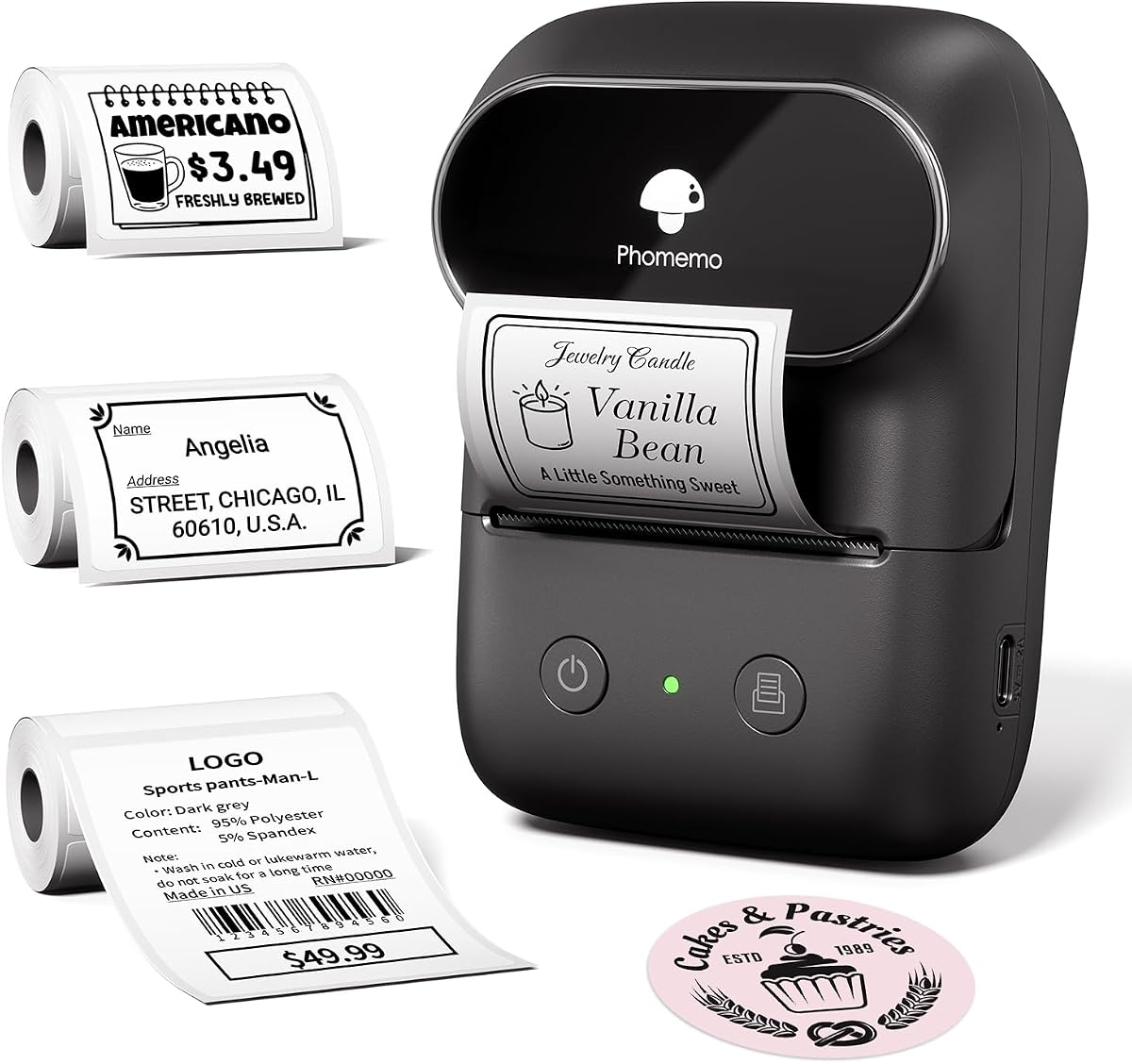
The Phomemo Bluetooth Thermal Shipping Label Printer offers reliable inkless printing with a focus on durability. Its 4.4 rating reflects user trust in its ability to produce readable labels that last over time.
We may earn a commission when you buy through this link, at no additional cost to you.
It supports a wide range of label widths from 1 to 4.6 inches providing flexibility for various shipping needs. The advanced thermal technology ensures your prints resist fading and smudging for professional results.
The support team offers live chat and remote desktop help to resolve issues quickly. This level of customer care is valuable for businesses that need continuous uptime for their shipping operations.
If you need a printer that combines speed with reliable support this Phomemo model is worth considering. It simplifies your shipping workflow and ensures your packages are labeled clearly and professionally.
Labels stay readable and professional due to engineered thermal paper that resists environmental factors.
Access live chat and phone support to solve technical issues quickly and keep your business moving.
We may earn a commission when you buy through this link, at no additional cost to you.
The Phomemo Thermal Label Maker Machine is a compact tool designed for general labeling rather than large shipping labels. It is ideal for organizing items or creating name tags with its portable and lightweight design.
We may earn a commission when you buy through this link, at no additional cost to you.
Its rechargeable battery allows for thousands of prints on a single charge making it convenient for on the go use. The app supports voice input and OCR features to simplify label creation for various tasks.
While it is not suitable for standard 4×6 shipping labels it excels in home organization and small business tagging. The included starter tapes let you begin using it immediately without extra purchases.
If you need a portable label maker for organization tasks this Phomemo machine offers excellent value. It combines convenience with rich features to help you stay organized and efficient.
The 1200mAh battery provides extended use without needing constant access to a power outlet.
Use voice input or text recognition to create labels quickly without typing on a keyboard.
We may earn a commission when you buy through this link, at no additional cost to you.
Selecting the right printer depends on your volume, budget, and existing software tools. Here are key factors to consider before making your purchase.
Connectivity determines how you interact with your printer. Bluetooth offers wireless flexibility for mobile devices but often requires a dedicated app. USB provides a stable connection for desktops and is more reliable for heavy daily use. Some printers support both allowing you to switch based on your current needs.
Choose dual connectivity if you need flexibility. If you work mainly on a desktop USB is sufficient. For mobile workflows Bluetooth is essential but ensure the app is well reviewed.
Print speed is measured in millimeters per second or labels per minute. Faster printers reduce wait times especially during peak shipping periods. Look for models that offer at least 150mm/s to ensure you can keep up with your order volume efficiently.
Higher speed improves productivity. If you ship many packages daily prioritize faster models to minimize bottlenecks.
Ensure the printer supports your primary e-commerce platforms like Amazon Shopify or Etsy. Most thermal printers require exporting labels as PDFs or connecting via shipping aggregator apps. Check if the manufacturer provides specific support for the platforms you use to avoid integration issues.
Verify integration capabilities before buying. Seamless connectivity with your shipping software reduces manual work.
Different products require different label sizes. Standard shipping labels are 4×6 inches. If you also need barcodes or warehouse tags check that the printer supports a range of widths from 1 to 4 inches.
A versatile width range adds value. Ensure the printer handles your largest required label size.
Durability matters for long-term use. Commercial grade models often have metal components and overheat protection to prevent shutdowns during continuous runs. Consumer models may have more plastic parts which can wear out faster under heavy loads.
Look for robust construction. High-quality materials extend the printer's lifespan.
While upfront price is important consider the cost of labels and maintenance. Thermal printers eliminate ink costs but you still need to buy thermal paper. Some brands offer proprietary paper which may be pricier than generic options.
Choose models with broad paper compatibility. This keeps long-term costs low.
Reliable support is crucial if technical issues arise. Check if the manufacturer offers live chat, phone support, or remote assistance. Access to drivers and tutorials online also helps with quick setup and troubleshooting.
Prioritize brands with active support teams. This reduces downtime when problems occur.
User-friendly features like auto label detection or guided setup reduce the time you spend configuring the printer. Apps with templates and drag-and-drop editors make design tasks faster for those without design skills.
Select intuitive models. Simplified workflows help you focus on shipping rather than tech.
To start using your printer install the required drivers or mobile app on your device. Connect via Bluetooth or USB and load your thermal labels ensuring they are seated correctly under the sensors.
Adjust the printer settings to match your label size and print quality needs. Test a sample print to ensure alignment and clarity before running large batches. Keep the printhead clean with a soft cloth to avoid smudges.
Store unused labels in a cool dry place to prevent fading or damage. Regularly update your firmware and app to benefit from performance improvements and security fixes for reliable long-term use.
No these thermal printers use direct thermal technology that applies heat to special paper to produce images. This eliminates the need for ink cartridges or toners saving you money on consumables.
Most models support mobile printing via Bluetooth and a dedicated app. Ensure your phone is paired correctly and the app is installed to send labels from your device to the printer.
Open the printer cover and carefully remove any stuck labels. Check that the paper is aligned properly and the sensors are clean before reloading. Regular maintenance reduces jamming issues.
Yes many models offer macOS drivers via USB or Bluetooth apps. However some Bluetooth features may require using the official app instead of system preferences so check compatibility before buying.
Thermal labels are durable and resist smudging but they can fade over time if exposed to heat or sunlight. Store printed labels in cool environments to maintain readability for extended periods.
Most printers accept standard thermal labels but some perform best with brand-specific media. Check the manual for recommended label types to avoid feed issues or poor print quality.
Warranties vary by manufacturer but typically last one year covering defects. Keep your receipt and contact support directly for repairs or replacements if needed.
Many models include design apps with templates and logo upload features. You can create branded thank-you stickers or product tags alongside shipping labels using these tools.
We reviewed ten top thermal printers offering various connectivity and performance options for sellers. The Nelko, Rollo, and Rongta models stand out for balancing speed, reliability, and cost effectively.
Prioritize your specific needs like platform integration and label size requirements before making a decision. A printer that fits your workflow will save time and reduce errors in your daily operations.
Prices and availability can change quickly so check current listings before finalizing your purchase. Invest in a reliable tool to keep your shipping process efficient and professional.