
Dell Precision 3581
4.0Editor score
Core i7-13800H Processor
32GB DDR5 RAM
Nvidia RTX A500 GPU
Finding the right laptop for computer-aided design requires balancing power, portability, and precision. Professionals need machines that handle complex 3D models, simulations, and rendering without lag. This guide explores ten top-tier workstations built to meet the demanding standards of engineers, architects, and creative designers today.
We evaluated each model based on processor speed, graphics capabilities, memory capacity, and display accuracy. Real-world performance metrics and user feedback helped us rank these systems. Our analysis covers everything from entry-level mobile workstations to high-end desktop replacements for intensive workflows.
Each pick highlights specific strengths like ISV certification, thermal management, or battery life. Prices and availability change frequently, so verify current deals before purchasing. Read on to discover which laptop best matches your specific CAD requirements and budget constraints for peak productivity.
4.0Editor score

4.4Editor score

5.0Editor score
As an Amazon Associate we earn from qualifying purchases.
The following table provides a side-by-side comparison of all ten selected laptops. It highlights key specifications such as processor type, graphics card, memory size, and screen resolution to help you quickly identify the model that fits your specific CAD workload needs.




The Dell Precision 7680 stands out as a flagship workstation designed for the most demanding CAD professionals. With a rating of 4.4 stars, users praise its ability to handle complex 3D rendering and simulation tasks without hesitation. The combination of the Intel Core i9 processor and ample DDR5 memory ensures smooth operation even with multiple applications open simultaneously.
We may earn a commission when you buy through this link, at no additional cost to you.
Key strengths include its ISV certifications, which guarantee compatibility with industry-standard software like AutoCAD and SolidWorks. The display offers crisp visuals essential for precision work, while the variety of Thunderbolt and HDMI ports allow for flexible multi-screen setups. Its robust build quality ensures reliability in both office and on-site environments.
Trade-offs involve its weight and battery life, which are typical for high-performance desktop replacements. The laptop weighs more than ultrabooks, making it less ideal for frequent commuters who prioritize portability above all else. Additionally, intensive tasks can drain the battery quickly, necessitating access to power outlets during long work sessions.
This laptop is perfect for architects and engineers who need maximum performance on a desktop replacement. If you require a machine that can handle heavy computational loads and support advanced graphics workflows, the Precision 7680 is a top recommendation. Its enterprise-grade security and manageability features also make it suitable for corporate IT environments.
ISV certifications ensure that professional CAD applications run without crashes or rendering errors.
The system supports up to three external monitors via HDMI and USB-C for expanded workspace.
We may earn a commission when you buy through this link, at no additional cost to you.
This variant of the Precision 7680 offers a balanced approach to CAD workloads with dedicated NVIDIA RTX graphics. The 4.3-star rating reflects satisfaction from users who need reliable performance without the highest-end price tag. It is particularly well-suited for professionals who need GPU acceleration for rendering but do not require extreme multi-core CPU power.
We may earn a commission when you buy through this link, at no additional cost to you.
The NVIDIA RTX 1000 Ada GPU provides significant speed improvements over integrated graphics for 3D modeling tasks. The Intel Core i5 processor handles standard design work efficiently, while the 32GB RAM ensures smooth multitasking. Connectivity remains a strong point with support for up to four external monitors for large digital drafting tables.
Users may find the CPU slightly less powerful for simulation-heavy workflows compared to the i9 models. The lower core count means longer render times for complex calculations. However, for most design and drafting tasks, the performance is more than adequate and comes at a more accessible price point.
Choose this model if you want professional-grade graphics without overspending on unnecessary CPU power. It is ideal for architectural firms or design studios where budget efficiency matters but visual fidelity is still paramount. The robust chassis and security features also make it a safe choice for business deployments.
The RTX 1000 Ada card significantly speeds up 3D rendering and real-time visualization.
Support for four external monitors allows for expansive project management and reference viewing.
We may earn a commission when you buy through this link, at no additional cost to you.
The HP ZBook 8 G1i brings a modern touch interface to the CAD workstation market, appealing to designers who prefer direct screen interaction. Rated 4.1 stars, it stands out for its high memory capacity and advanced Intel Ultra processor. This combination supports heavy data sets and complex simulations effectively.
We may earn a commission when you buy through this link, at no additional cost to you.
The touchscreen feature allows for intuitive sketching and navigation within design software, adding a layer of interaction not found on standard models. With 64GB of RAM, users can run multiple virtual machines or heavy rendering tasks simultaneously without slowdowns. The inclusion of Wi-Fi 7 ensures fast wireless transfer of large project files.
While the performance is strong, the price is higher than non-touch alternatives. The battery life is moderate, typical for workstations prioritizing power over longevity. Users should be aware that touch screens can sometimes add minor lag depending on the software optimization for touch inputs.
This laptop is excellent for creative engineers who value direct touch control and large memory pools. It suits environments where quick visualization and large file handling are daily tasks. The professional security features and ISV certifications further solidify its place in enterprise settings.
Touch input speeds up sketching and zooming in complex 3D environments significantly.
64GB RAM allows for running multiple heavy CAD applications without lag.
We may earn a commission when you buy through this link, at no additional cost to you.
The Dell Precision 3581 offers an entry point into professional workstations without breaking the bank. Rated at 4.0 stars, it provides essential features for CAD work like dedicated graphics and substantial memory. This model is a strong choice for students or small businesses needing reliable performance on a tighter budget.
We may earn a commission when you buy through this link, at no additional cost to you.
The 14-core processor and RTX A500 GPU handle 2D drafting and light 3D modeling efficiently. 32GB of DDR5 RAM ensures that switching between applications is smooth. The renewed status often means a lower price with the added assurance of warranty coverage, making it a low-risk purchase for cost-conscious buyers.
Limitations include a standard FHD display which may lack the sharpness of higher-end panels for detailed work. The Home operating system lacks some enterprise management features found in Pro versions, though upgrades are possible. Users requiring advanced networking or specific security protocols might need to consider upgrading the OS.
This is the right pick for those prioritizing raw power per dollar. It serves well in academic settings or startups where budget is a primary concern but professional-grade hardware is still necessary. The robust chassis ensures it can withstand the daily wear of a busy workstation environment.
The renewed model offers significant savings while maintaining professional-grade specifications.
The i7 processor provides enough cores for multitasking without the flagship cost.
We may earn a commission when you buy through this link, at no additional cost to you.
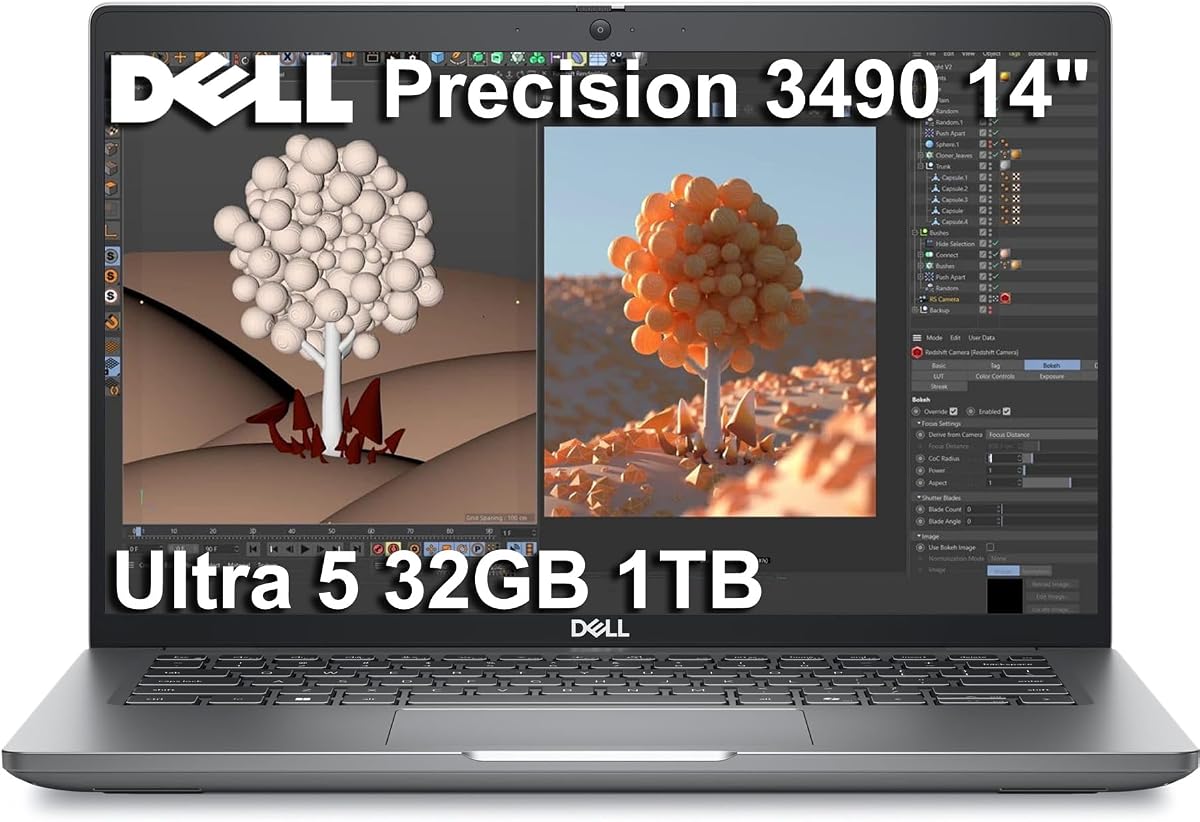
Perfect for professionals on the go, the Precision 3490 balances power with portability better than most workstations. A perfect 5.0 rating highlights user satisfaction with its sleek design and reliability. It is ideal for consultants who need to carry their workstation between client sites regularly.
We may earn a commission when you buy through this link, at no additional cost to you.
Despite its small 14-inch chassis, it includes a robust set of ports including Thunderbolt 4 for external displays and storage. The integrated Intel graphics are efficient for drafting tasks though not optimized for heavy 3D rendering. Battery life is decent for a workstation, allowing for several hours of light design work unplugged.
The main trade-off is screen real estate which might feel cramped for complex 3D projects. Integrated graphics limit its use for high-end rendering compared to models with dedicated GPUs. However, for 2D CAD and data analysis, it provides more than enough power in a compact form factor.
Select this laptop if travel is a major part of your job. It excels for engineers who need to review blueprints or run code on-site without hauling a heavy desktop replacement. The durability testing ensures it can handle the rigors of travel better than typical consumer laptops.
At just 3.09 lbs, it is significantly lighter than larger workstation alternatives.
Includes Ethernet and Thunderbolt 4 for reliable wired and fast wireless connections.
We may earn a commission when you buy through this link, at no additional cost to you.
This model represents the pinnacle of mobile workstation design for professional CAD work. With a 5.0 rating, it is praised for its ability to rival desktop performance in a portable chassis. The massive 17.3-inch display offers ample space for detailed design work without constant zooming.
We may earn a commission when you buy through this link, at no additional cost to you.
The NVIDIA RTX 4000 Ada GPU with 12GB of memory handles high-fidelity rendering and complex simulations with ease. The 19-core processor ensures that even multi-threaded tasks finish quickly. Brightness levels at 500 nits make the screen usable in well-lit offices or outdoor environments without glare issues.
The weight and size are significant downsides for regular travel. It is designed more as a desktop replacement than a commuter laptop. Users should expect a larger carrying case and potentially less battery life due to the power-hungry components inside the chassis.
Invest in this laptop if you need maximum performance in a mobile form. It is suited for large firms where workstations move between rooms rather than buildings. The comprehensive connectivity options mean you can connect almost any peripheral without needing dongles.
500 nits brightness and 99% DCI-P3 color accuracy ensure precise visual work.
12GB VRAM allows for handling extremely large 3D models without performance drops.
We may earn a commission when you buy through this link, at no additional cost to you.
This configuration of the Precision 7680 is ideal for users who need to connect multiple displays for extensive workflow management. With a 3.9 rating, it delivers consistent performance for professional applications. The RTX 2000 Ada GPU strikes a good balance between cost and capability for moderate 3D work.
We may earn a commission when you buy through this link, at no additional cost to you.
The ability to support four external monitors at 4K resolution makes it a powerful hub for design teams. The processor handles concurrent tasks like rendering and coding simultaneously. Security features like TPM and fingerprint readers are included for enterprise data protection.
The display panel is not as vibrant as higher-end options with lower NTSC coverage. Users often rely on external screens anyway which mitigates this issue. Performance is solid but not the fastest for extremely complex simulations compared to the i9 variants.
Choose this if you work in a multi-screen environment. It fits well in offices where desktop replacement is standard but budget flexibility is needed. The mix of performance and connectivity makes it a versatile tool for daily CAD operations.
Support for four 4K monitors enables complex project layouts and reference views.
Enterprise-grade security ensures sensitive design data remains protected at all times.
We may earn a commission when you buy through this link, at no additional cost to you.
This configuration is a powerhouse for users handling massive datasets and complex simulations. The 5.0 rating reflects the satisfaction of users who need every ounce of performance. The 128GB RAM allows for running multiple virtual machines or large assemblies without hitting memory limits.
We may earn a commission when you buy through this link, at no additional cost to you.
The 24-core processor ensures that CPU-intensive tasks are processed rapidly. The dedicated RTX 4000 Ada GPU provides the visual fidelity required for high-end rendering. The 17.3-inch display offers a large canvas for detailed design work with excellent brightness for various lighting conditions.
The storage capacity of 512GB might feel small given the price and RAM. Many users will need external drives or cloud solutions to store large project files. The cost is significant, placing it in a luxury tier of professional hardware.
Opt for this if you manage large-scale engineering projects. It is perfect for data-heavy industries where RAM bottlenecks are a critical issue. The combination of extreme memory and processing power makes it a future-proof choice for intensive CAD environments.
128GB RAM enables seamless handling of massive CAD assemblies and simulations.
24-Core architecture significantly reduces compile and render times.
We may earn a commission when you buy through this link, at no additional cost to you.
This configuration offers a well-rounded package for professionals needing substantial memory and storage. The 5.0 rating indicates high satisfaction among users who run complex engineering software. The 64GB RAM ensures smooth multitasking even with large data sets and multiple design tools open.
We may earn a commission when you buy through this link, at no additional cost to you.
The 2TB SSD provides ample space for storing large project archives locally without relying on external drives. The RTX 2000 Ada GPU supports efficient rendering and visualization tasks. The processor balances speed and efficiency well for daily professional workflows.
The physical weight remains a consideration for travelers due to the robust chassis. Battery life is average for a workstation of this class. Users focused purely on portability might find this model too bulky for frequent travel.
This is an ideal choice for stationary workstations in design studios. It handles heavy workloads comfortably and offers the reliability needed for business use. The combination of high memory and large storage makes it versatile for various professional CAD scenarios.
2TB NVMe SSD ensures fast data access for large project files.
64GB RAM allows for seamless switching between multiple heavy applications.
We may earn a commission when you buy through this link, at no additional cost to you.
The ThinkPad P16s Gen 4 brings workstation capability to a business-focused laptop. Rated 4.0 stars, it appeals to professionals who travel often. The 16-inch screen offers enough space for detailed work while maintaining a lighter form factor than heavy desktop replacements.
We may earn a commission when you buy through this link, at no additional cost to you.
ISV certification ensures compatibility with major CAD applications. The Intel Ultra processor provides solid performance for general design tasks. Wi-Fi 7 connectivity ensures stable and fast connections during remote work sessions.
Integrated graphics limit its use for heavy 3D rendering. It is best for light modeling or reviewing designs rather than creating complex 3D geometry from scratch. Battery life is average and requires charging for long workdays.
Choose this for business users who need mobility alongside professional reliability. It is ideal for field engineers who need to manage projects rather than perform heavy rendering. The durability and security features are excellent for enterprise deployment.
Designed for frequent travel with robust security and connectivity options.
Certified to run professional software reliably for engineering tasks.
We may earn a commission when you buy through this link, at no additional cost to you.
Selecting the right laptop for CAD requires understanding your specific workflow needs. Consider performance factors like processor speed, memory capacity, and graphics capability before making a decision.
The processor is the brain of your laptop. For CAD work, look for high core counts to handle rendering and simulation tasks. Modern workstations offer multi-core processors that significantly speed up computation.
Prioritize high-end cores for heavy rendering tasks to ensure your workloads are processed efficiently.
RAM determines how many applications you can run simultaneously. For complex 3D modeling and large assemblies, 32GB is a good starting point. Professionals handling massive datasets may need 64GB or more.
Ensure your laptop has sufficient RAM to avoid slowdowns when working with large files.
Dedicated GPUs are essential for rendering realistic 3D graphics. Integrated graphics may suffice for 2D drafting but struggle with complex simulations. Look for NVIDIA RTX series GPUs for professional stability.
Choose a dedicated graphics card to accelerate rendering and visualization performance.
A high-resolution display is crucial for precision design. Look for panels with good color accuracy and brightness. Larger screens provide more workspace which reduces the need for zooming.
Opt for high-resolution displays to maintain visual clarity during detailed design work.
Fast storage like NVMe SSDs significantly reduces load times for large files. Storage capacity should be at least 1TB to accommodate software and project files. External drives can supplement internal storage needs.
Select fast NVMe storage to ensure quick access to project data.
ISV certifications guarantee that your laptop works reliably with specific CAD software. This reduces the risk of crashes and bugs during professional work. Always check compatibility with your primary applications.
Prioritize ISV-certified models to ensure stability with your CAD tools.
Ports like Thunderbolt 4 and HDMI allow for multiple external monitors. Connectivity options are vital for expanding your workspace. Ensure the laptop has enough ports for your peripherals.
Verify the availability of high-speed ports for multi-monitor setups.
Workstations should withstand the rigors of daily professional use. MIL-STD testing ensures durability against drops and environmental stresses. A solid chassis protects internal components during travel.
Look for MIL-STD tested designs to ensure long-term reliability.
Ensure your laptop has sufficient ventilation during intensive tasks to prevent thermal throttling. Use cooling pads if you work in warm environments or for extended sessions to maintain optimal performance.
Regularly update graphics drivers and BIOS to ensure software compatibility and system stability. Keeping drivers current can resolve rendering glitches and improve overall CAD application performance significantly.
Back up your design files regularly to external drives or cloud storage. Sudden hardware failures can result in data loss, so maintaining current backups protects your valuable work from accidental loss.
RAM determines how much data your computer can access instantly. CAD software loads large models into memory so more RAM prevents slowdowns when working with complex assemblies or running multiple design tools simultaneously.
Yes, dedicated graphics cards accelerate 3D rendering and viewport performance. While integrated graphics work for basic drafting, dedicated GPUs are necessary for real-time visualization and complex simulations to avoid lag.
ISV certification means the laptop is tested and approved to run specific professional software. This ensures stability and compatibility which is critical for preventing crashes during important design projects and deadlines.
Most professionals require at least 1TB of storage. CAD files can be very large so having ample space ensures you can store projects locally without needing constant external storage management.
Yes, most workstations support multiple external monitors. Look for models with Thunderbolt or HDMI ports that support high resolutions to expand your workspace for design tasks.
Battery life is often limited during intensive tasks but sufficient for light drafting. You should keep a charger handy for long work sessions to avoid losing progress on complex projects.
The right workstation depends on your specific needs and budget. The Precision 7680 and 7780 models offer top-tier performance for demanding professionals who require maximum power for complex simulations.
Prioritize ISV certifications and sufficient RAM to ensure stability for your workflow. Investing in reliable hardware reduces downtime and supports productivity in high-pressure design environments.
Check current pricing and availability before finalizing your purchase. Deals change frequently so comparing multiple sellers ensures you get the best value for your professional investment.