
GLOTRENDS M.2 NVMe to PCIe 4.0 X4 Adapter with Heatsink for NVMe SSD
4.6Editor score
Cools SSD by 5-20C
Includes low profile bracket
Compatible with PCIe 4.0
This guide compares the top M2 Pcie Adapter options for speed and compatibility to help you upgrade your storage performance efficiently and reliably.
Finding the right M2 Pcie Adapter can transform your computer storage capabilities significantly. These devices allow you to connect high speed NVMe drives to standard PCIe slots effectively.
We compared ten top rated adapters based on build quality, heat management, and compatibility across different motherboard generations and system configurations available today.
Each pick shows key specs and real world performance notes so you can choose wisely. Please note that prices change frequently so check current listings before buying.
4.6Editor score
4.6Editor score

4.4Editor score
This side-by-side comparison highlights key specifications and features across all ten selected adapters to help you identify the best fit for your specific system needs and budget constraints.




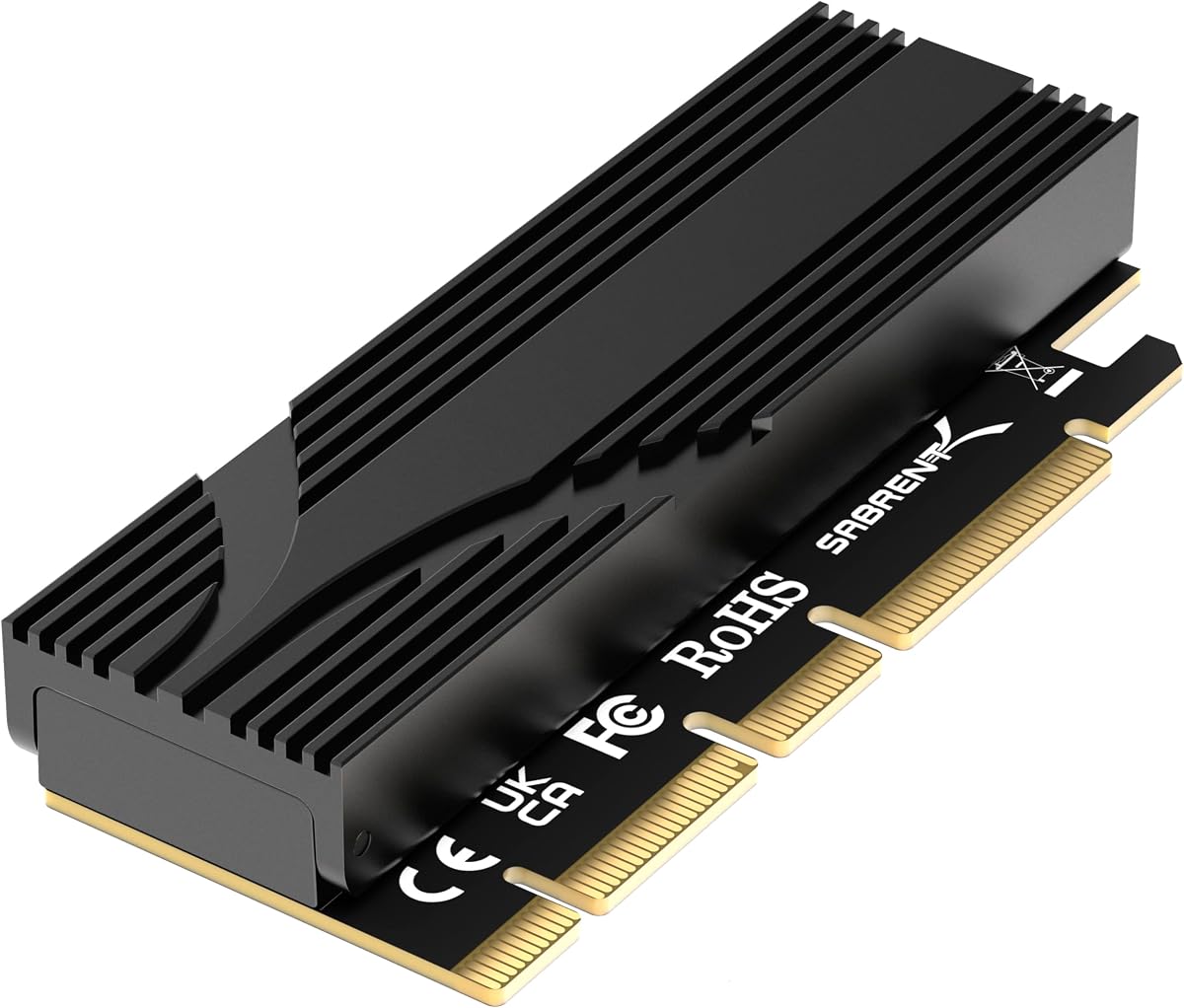
This SABRENT adapter leads our list with a 4.6 rating and robust build quality designed for modern high speed NVMe SSD installations via PCIe slots.
We may earn a commission when you buy through this link, at no additional cost to you.
It supports PCIe 5.0 for up to 16GBps bidirectional speed when paired with a Gen5 slot and features a tool free installation system that eliminates the need for tiny screws.
While it does not support SATA M.2 drives and requires a capable motherboard slot to reach Gen5 speeds the passive aluminum heatsink keeps temperatures low without extra fan noise.
Users seeking top tier performance and ease of installation will find this adapter ideal for expanding storage in workstations or gaming PCs needing reliable NVMe access.
Drop the SSD in and lock it down without hunting for a tiny M.2 screw or a screwdriver making setup incredibly fast and convenient.
A built-in aluminum heatsink and thermal padding keep the SSD's temperature down under sustained load with no active cooling or extra fan noise.
We may earn a commission when you buy through this link, at no additional cost to you.
The GLOTRENDS adapter offers exceptional value with a 4.6 rating and solid performance for users needing a reliable connection between NVMe drives and PCIe slots without high cost.
We may earn a commission when you buy through this link, at no additional cost to you.
It cools M.2 SSDs by 5 to 20 degrees and supports PCIe 4.0 X4 speeds when your system allows making it versatile for most modern motherboards and operating systems including Mac.
Budget conscious buyers should note that full Gen4 speeds require compatible CPU and slot hardware but this adapter remains a top choice for basic storage expansion needs effectively.
With included brackets and lifetime tech support this model delivers dependable functionality for both desktop upgrades and professional computing environments requiring extra NVMe capacity easily.
It comes with heatsinks that cool M.2 SSDs by 5 to 20 degrees ensuring stable performance during extended use without thermal throttling issues.
Compatible with Windows 11 10 8 Linux and Mac OS supporting OS boot from NVMe SSD except on some old motherboards usable as storage then.
We may earn a commission when you buy through this link, at no additional cost to you.
This ASUS expansion card stands out for professional workstations needing massive storage capacity with support for four NVMe M.2 drives simultaneously via a single PCIe slot connection.
We may earn a commission when you buy through this link, at no additional cost to you.
It features a stylish heatsink with integrated blower style fan to prevent M.2 throttling and supports transfer speeds up to 128 Gbps using Intel VROC or AMD Ryzen Threadripper NVMe Raid.
Users must ensure motherboard support for PCIe x16 Bifurcation to utilize all four drives and should note the higher cost compared to single drive adapters for this extensive capability.
Ideal for data intensive tasks and server environments this adapter delivers premium reliability and performance with advanced power solutions ensuring stable operation under heavy workloads effectively.
Supports four additional nvme m.2 drives using intel vroc for transfer speeds upto 128gbps when motherboard supports required bifurcation settings in BIOS.
Stylish heatsink and integrated blower style fan prevent M.2 throttling ensuring consistent performance even when all four drives operate at full load simultaneously.
We may earn a commission when you buy through this link, at no additional cost to you.
StarTech offers a trusted solution with a 4.6 rating enabling users to connect PCIe M.2 SSDs to computers through PCI Express for ultra-fast data access and system performance boosts.
We may earn a commission when you buy through this link, at no additional cost to you.
It is compatible with PCIe 3.0 motherboards and backward compatible with PCIe 2.0 and 1.0 supporting a wide range of M.2 SSD sizes including 2242 2260 2280 and 22110 drives.
Installation is hassle-free with native OS support and includes both full profile and low-profile brackets making it suitable for small form-factor computers as well as standard towers.
IT professionals appreciate this adapter for its reliability and multi-lingual assistance backing ensuring secure and efficient storage expansion across various enterprise and personal computing environments.
Compatible with PCIe 3.0 motherboards and backward compatible with PCIe 2.0 and PCIe 1.0 ensuring flexibility across older and newer system configurations effectively.
Equipped with a full-profile bracket and includes a half-height low-profile bracket for installation in small form-factor computers without space constraints or issues.
We may earn a commission when you buy through this link, at no additional cost to you.
This dual adapter allows simultaneous connection of one SATA and one NVMe SSD via PCIe slots offering flexibility for users with mixed drive types needing expansion options.
We may earn a commission when you buy through this link, at no additional cost to you.
It features advanced heat sink solution with copper hole effective ventilation heat dissipation to manage thermal performance and includes LED power and data transfer status indicators for monitoring.
While SATA support requires a cable connection and ratings are slightly lower than single NVMe adapters this card provides unique versatility for budget builds needing both SATA NVMe drives.
Ideal for users with legacy SATA M.2 drives alongside newer NVMe units this adapter bridges compatibility gaps and enables multi drive setups without additional motherboard slots.
Supports two M.2 SSD simultaneously allowing one SATA interface and one NVMe interface to run concurrently for flexible storage expansion in limited slot systems.
Advanced heat sink solution with PCB 24 X 5 copper hole effective ventilation heat dissipation including 2 heat sinks to manage SSD temperatures reliably.
We may earn a commission when you buy through this link, at no additional cost to you.
This adapter delivers solid performance with a 4.6 rating supporting PCIe Express X4 X8 X16 slots and both PCIe 4.0 and 3.0 NVMe SSDs for flexible upgrade paths.
We may earn a commission when you buy through this link, at no additional cost to you.
It includes an aluminum heatsink solution with 2 thermal pads allowing you to put one between the ssd and the carrier and one between the ssd and the heat sink for optimal cooling.
While not supporting SATA M.2 drives it provides full speed for Gen3 Gen4 SSDs and works across Windows Linux and Fedora systems without additional driver installation for most users.
Users seeking balanced performance and cooling options will appreciate the included bracket screws and thermal pads ensuring easy installation and reliable operation in varied system configurations.
Package includes adapter screws thermal pads heatsink springs and brackets ensuring everything needed for secure and effective installation is provided in one box.
Supports Windows 11 10 8 Windows Server Linux Fedora SUSE Ubuntu Red Hat without driver requirements enabling versatile OS compatibility for professional use.
We may earn a commission when you buy through this link, at no additional cost to you.
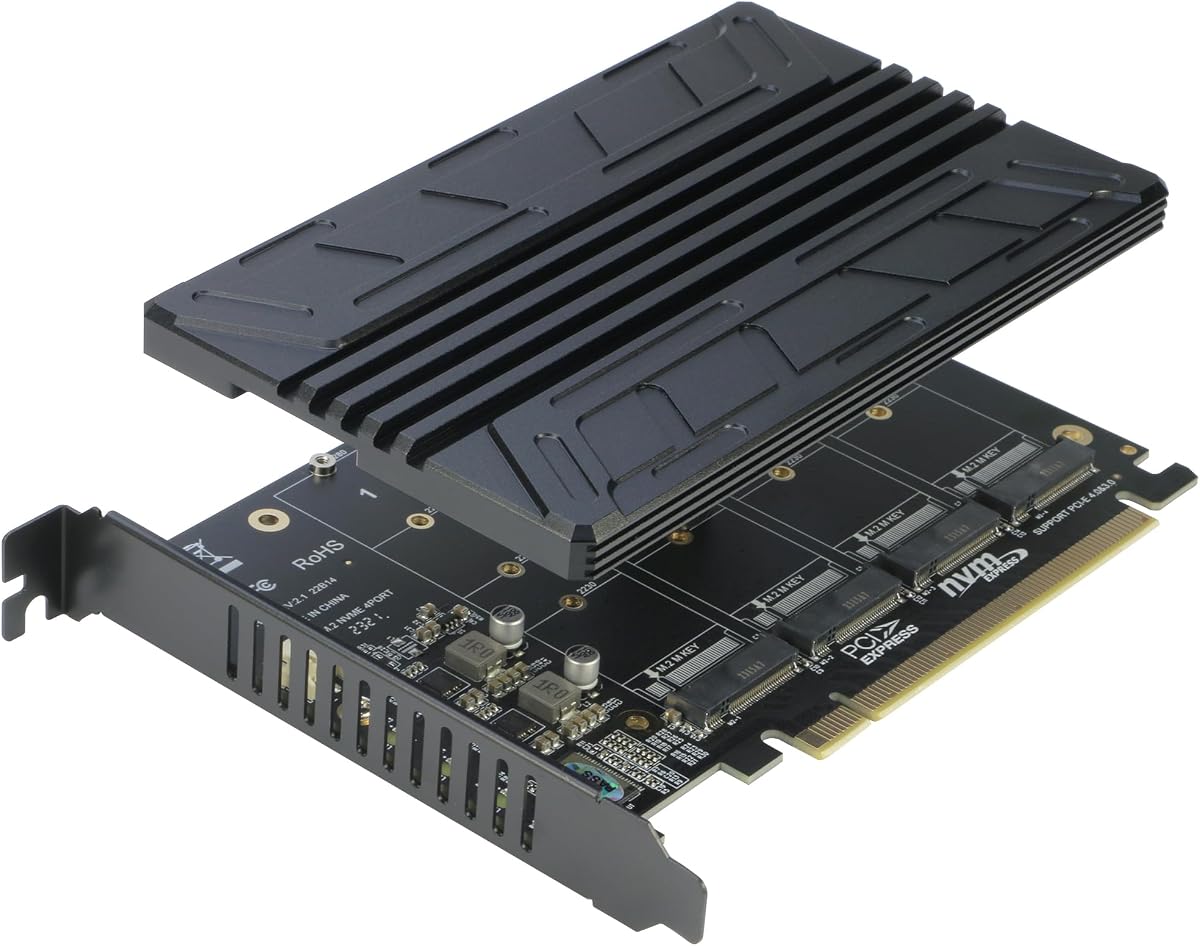
The RIITOP Quad PCIe NVMe Adapter allows you to add 4 NVMe SSDs simultaneously via a PCIe 4.0 or 3.0 x16 slot offering massive storage potential for demanding workloads.
We may earn a commission when you buy through this link, at no additional cost to you.
Designed with a 0.32inch heatsink and individual LED indicators each SSD status is visible to help monitor performance and avoid throttling due to high temperature during extended use.
Users must confirm motherboard support for PCIe x16 Bifurcation as without it only one SSD will be recognized and hardware RAID is not supported requiring soft RAID setup instead.
Ideal for servers or advanced workstations this adapter provides extensive capacity with clear status monitoring ensuring each drive operates reliably within supported PCIe channel limits effectively.
Individual LED Indicator design will show each SSD's Working Status making it easy to identify active drives and diagnose potential connection or health issues quickly.
Please note this adapter does not Support Hardware Raid and requires motherboard support for PCIEX16 Bifurcation to recognize all four installed SSD drives simultaneously.
We may earn a commission when you buy through this link, at no additional cost to you.
ELUTENG provides a straightforward solution with a 4.4 rating featuring an aluminum heatsink to stabilize performance and extend drive life while supporting a wide range of PCIe slot speeds.
We may earn a commission when you buy through this link, at no additional cost to you.
It uses solid-state capacitors for voltage regulation to prevent current waves from being generated in the event of SSD damage offering extra protection for valuable data storage hardware.
While it requires BIOS support for PCIe booting and does not support M.2 SATA drives this adapter enables plug and play setup with easy backplate attachment and automatic recognition by Windows.
Users needing a simple and stable connection for NVMe SSDs in small form-factor cases will appreciate the included low profile bracket and straightforward hardware design.
Solid-state capacitors are used for voltage regulation preventing current waves from being generated in the event of SSD damage to protect your system effectively.
It is just a matter of attaching the backplate to the pcie nvme adapter with one of the included screws and plugging it in for easy installation.
We may earn a commission when you buy through this link, at no additional cost to you.
This adapter offers strong performance with a 4.6 rating specifically designed for PCIe 4.0 x4 slots and supported by an aluminum heatsink solution for efficient thermal management.
We may earn a commission when you buy through this link, at no additional cost to you.
It supports various M.2 SSD sizes including 2280 2260 2242 and 2230mm and is compatible with many popular NVMe models from Samsung Plextor and Kingston for broad user appeal.
While it lacks SATA support and does not explicitly mention low profile options the cooling effect of 5 to 20 degrees celsius ensures drives run at optimal speeds without throttling.
Users upgrading to PCIe 4.0 drives will benefit from the dedicated slot compatibility and reliable cooling that helps maintain peak performance during intensive data tasks.
Equipped with Aluminum heatsink can reach 5 to 20 degrees celsius cooling effect ensuring consistent performance under heavy workloads for extended periods.
Supports NVMe SSD such as Samsung 950Pro 960EVO XP941 and others ensuring compatibility with many popular high speed drives available on the market.
We may earn a commission when you buy through this link, at no additional cost to you.
GLOTRENDS offers a compact option with a 4.5 rating allowing installation into a PCIe X1 slot instead of occupying the X16 slot which is typically reserved for graphics cards.
We may earn a commission when you buy through this link, at no additional cost to you.
It supports 2T and 4T NVMe SSDs with 2230 to 2280 sizes and includes both regular and low-profile brackets for flexible PC frame installation without space constraints or issues.
While maximum bandwidth is limited to that of PCIe X1 and cannot reach PCIe X4 full speed this adapter provides a practical solution for systems with limited available PCIe lanes.
Ideal for small form factor builds needing extra storage without sacrificing GPU slots this adapter offers reliable functionality and lifetime tech support for long term user satisfaction.
Advantage is it uses the free motherboard PCIE X1 slot instead of occupying the X16 slot leaving it for your graphics card to avoid bottlenecks.
Includes 12cm regular and 8cm low-profile brackets for any PC frame and is FCC and CE certified with lifetime tech support for troubleshooting when needed.
We may earn a commission when you buy through this link, at no additional cost to you.
Selecting the right M2 Pcie Adapter requires evaluating several technical and practical factors to ensure compatibility and performance with your specific hardware setup.
Check your motherboard for available PCIe slots and their generation (Gen3 Gen4 or Gen5) as this directly determines the maximum speed your adapter can support for NVMe drives.
Ensure your slot supports x4 lanes or higher to achieve full NVMe performance since x1 or x8 slots may limit throughput significantly compared to x16 configurations.
Verify whether the adapter supports M.2 M-key NVMe drives only or also includes B+M key SATA drives since mismatching drive type will prevent the system from recognizing the storage.
If you plan to use older SATA M.2 drives choose a dual interface adapter that explicitly supports SATA protocol alongside NVMe to avoid compatibility issues.
Look for adapters with built-in heatsinks or thermal pads to dissipate heat effectively during sustained use since NVMe SSDs can throttle performance when temperatures rise too high.
Consider whether passive cooling suffices for your case airflow or if a fan-cooled adapter is necessary depending on your system workload duration and ventilation conditions.
Determine if you need a full-height or low-profile bracket to fit your PC case especially if using compact or small form-factor chassis with limited vertical clearance inside.
Most quality adapters include both bracket types to ensure flexibility across desktop towers and smaller enclosure designs without requiring additional purchases for installation.
Consider whether you need to connect a single SSD or multiple NVMe drives at once which may require specialized quad-port adapters with PCIe bifurcation support from your motherboard.
Multi-drive solutions often need specific BIOS settings and sufficient CPU PCIe lanes to function properly so confirm motherboard capabilities before investing in expandable adapters.
Ensure the adapter supports your operating system with or without additional drivers especially for older Windows versions that lack native NVMe support out of the box for boot drives.
Most modern adapters work across Windows Linux and macOS but booting from NVMe may require BIOS support for PCIe boot on some older motherboard generations or configurations.
Begin by installing the adapter into an available PCIe slot on your motherboard securing it firmly with the included screw to ensure a stable electrical connection without wobble or movement inside.
Place your M.2 SSD into the adapter's slot aligning the notches carefully and securing it using the provided screw or tool-free mechanism depending on the specific adapter model design choice.
After installation check your BIOS settings to confirm the drive is detected and if you plan to boot from it ensure the BIOS supports PCIe boot options and is correctly configured for startup.
Most adapters are designed for M-key NVMe drives only. Some dual interface models support SATA M.2 drives but you must check specifications before buying to avoid incompatibility issues with SATA labeled drives.
Yes if your motherboard BIOS supports PCIe boot options. However older systems may lack this feature limiting the adapter to secondary storage use unless updated firmware is available from the manufacturer.
It will work but at the slower PCIe 3.0 speed. The adapter cannot add speed beyond what the motherboard slot supports so expect Gen3 performance when installed in a Gen3 slot configuration.
Most modern operating systems recognize them automatically without extra drivers. Older Windows 7 or Server versions may require downloading specific NVMe drivers from the SSD manufacturer or Microsoft support pages.
Single drive adapters do not need bifurcation. Multi-drive adapters require motherboard support for PCIe bifurcation to split one slot into multiple lanes so check your manual before using multiple SSDs.
Quality adapters include aluminum heatsinks and thermal pads to dissipate heat passively. Some models add fans for active cooling ensuring thermal throttling is minimized during sustained high performance workloads.
We have highlighted top models like the SABRENT Gen5 adapter for speed and the GLOTRENDS budget option for value alongside premium multi-drive solutions for advanced storage needs.
Prioritize compatibility with your motherboard slot generation and ensure thermal management suits your system workload to maintain reliable NVMe performance and hardware longevity over time.
Remember that prices fluctuate so check current listings before purchasing and verify your specific hardware requirements match adapter capabilities to avoid costly return or compatibility issues.